Legal Consulting Education Website Template
Counsel is a split-screen landing page template built for legal operations consultancies. It pairs a stat-driven hero layout with a progressive lead-capture form, animated data callouts, and before-and-after case metric panels. The Cloud Canvas color system and Educational Guide theme give every section the clarity of a well-prepared executive brief.
by Rocket studio
Quick summary
Counsel is a single-page lead generation template designed for legal operations consultancies. It opens with a Half-Page Photo+Text split, escalates through stats-first scroll sections, and closes with two conversion paths: a three-field ops assessment form and a gated benchmarking report download. The result feels like a confident, annotated playbook built for serious legal decision-makers.
Who this template is for
This template is built for consultancies that help law firms and in-house legal departments run more efficiently. If your pitch centers on workflow redesign, contract lifecycle management (CLM) platform deployment, or outside counsel spend reduction, this page was made for your audience.
- Legal operations consultants targeting general counsel at mid-market companies
- Managing partners at firms between 50 and 200 attorneys watching realization rates slide
- Legal ops directors handed a modernization mandate with limited budget and no clear roadmap
What problem this template solves
Most professional services pages bury the value proposition under generic copy and stock photography. Legal buyers are time-poor and skeptical. They need to see the cost of inaction before they will read another word.
- Attorneys and legal leaders scroll past vague consulting pitches because nothing anchors the argument fast enough
- Lead capture forms that ask too much upfront lose top-of-funnel visitors who are not yet ready to book a call
- Generic layouts fail to communicate the structured, diagnostic rigor that legal ops buyers expect from a serious consultancy
What you get with this template
You get a complete, single-page layout structured around a scroll narrative that moves from diagnosis to solution. Every section is intentionally sequenced to build credibility before asking for anything.
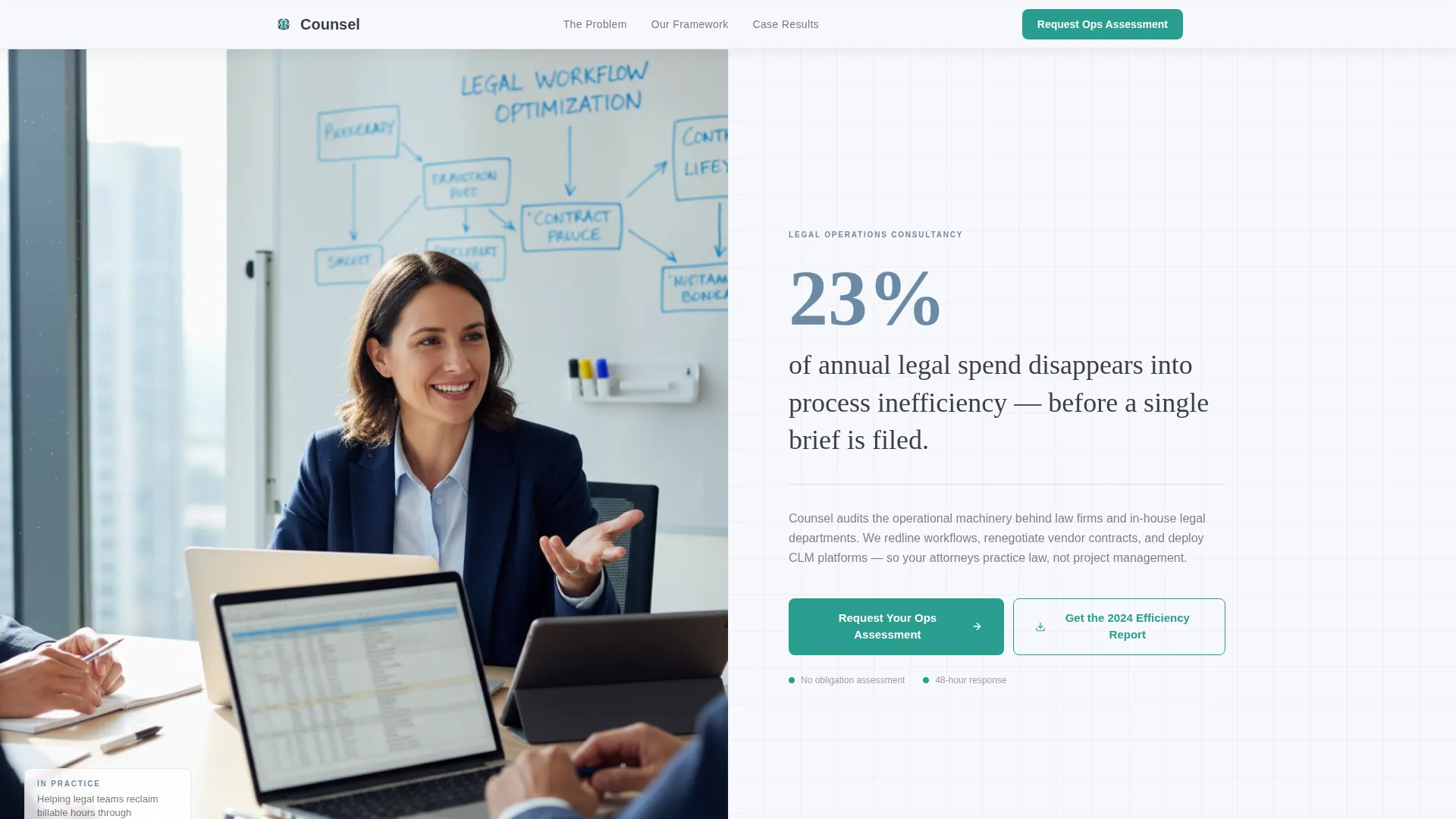
- A Half-Page Photo+Text hero with an oversized stat callout, a two-line subhead, and a teal call-to-action (call to action) button
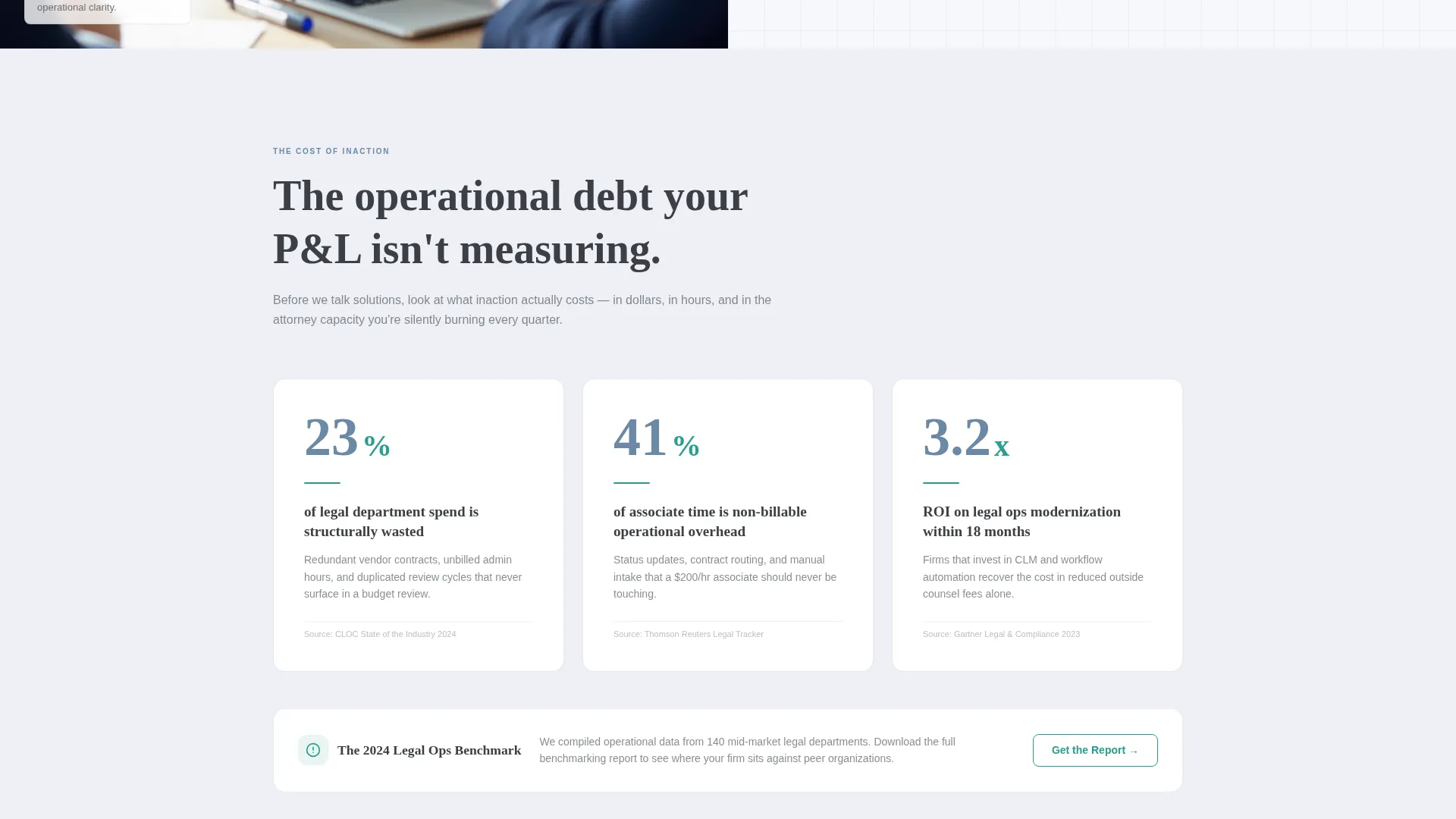
- Animated number counters that trigger on scroll, anchoring each section with a data point before paragraph text appears
- A progressive three-field lead form (work email, company size dropdown, open-text pain point field) plus a secondary gated PDF download path
Feature list
This template ships with purpose-built components that match the workflow of a legal operations pitch. Each one is described below.
Stats-First Animated Counters
Large animated numbers count up as the visitor scrolls into each new section. This locks attention immediately and frames every argument with evidence before prose appears.
Split-Screen Section Architecture
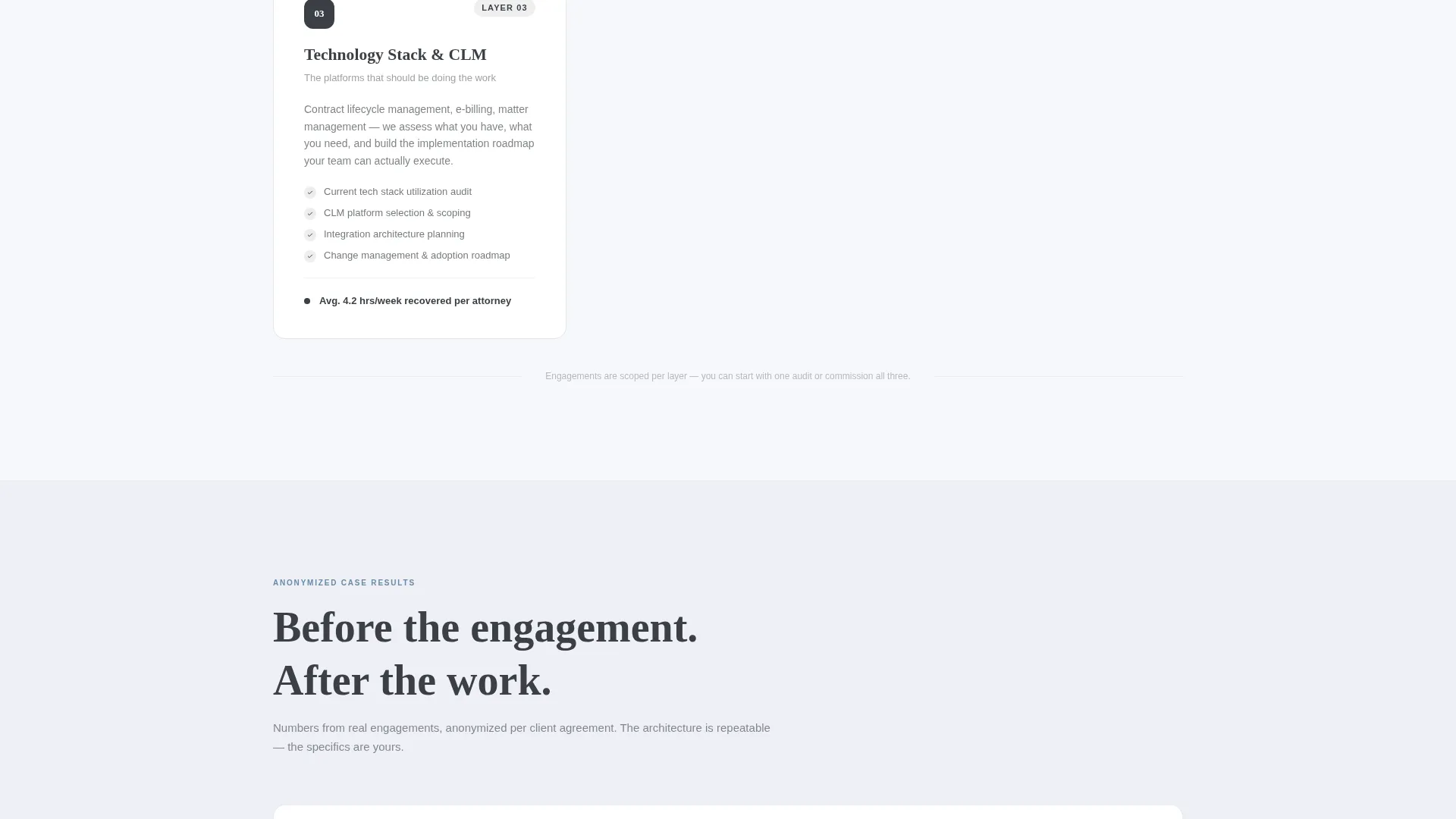
The 50/50 layout runs consistently across the page, pairing visual panels with copy blocks. Before-and-after case metric panels mirror this architecture, making anonymized client results easy to scan and compare.
Progressive Three-Field Lead Form
The primary conversion form collects work email first, then company size via dropdown, then a single open-text field for the visitor's biggest operational pain point. This sequence reduces friction and captures qualification data in one pass.
Sticky call to action Bar
After the second scroll section, a sticky bar repeats the "Request Your Ops Assessment" call to action. It stays visible as the visitor moves through the page without interrupting the reading flow.
Gated Benchmarking PDF Download
A secondary conversion path offers a downloadable report gated behind email only. This captures top-of-funnel leads who are ready to learn but not yet ready to speak with a consultant.
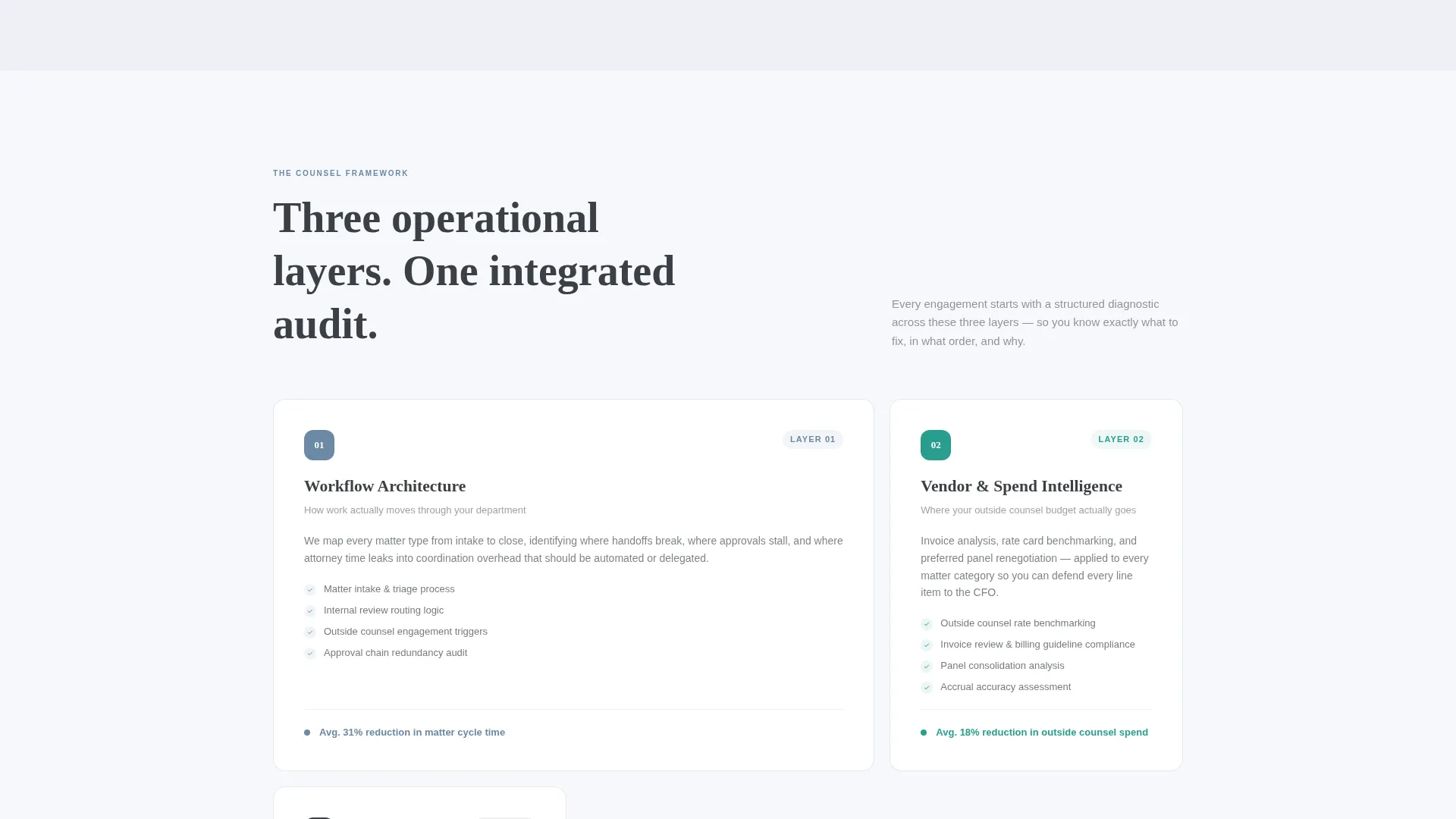
Three-Layer Framework Breakdown
A dedicated section illustrates the three operational layers the consultancy audits. This structured visual gives prospects a clear map of what the engagement covers before they commit.
Page sections overview
| Section | Purpose |
|---|---|
| Hero Split Header | Introduce stat-driven value proposition with photo and call to action |
| Cost-of-Inaction Stats | Anchor the diagnosis with animated data callouts |
| Three-Layer Framework | Show the audit structure across operational layers |
| Before and After Panels | Present anonymized case metrics in split-screen format |
| Sticky Assessment Bar | Repeat primary call to action after the second scroll section |
| Lead Capture Form | Collect work email, company size, and pain point input |
| Benchmarking PDF Download | Offer gated report for top-of-funnel lead capture |
Design & branding system
The Cloud Canvas color system was chosen to feel like a whiteboard in a sunlit conference room: organized, breathable, and purposeful. Every color carries a specific structural role and nothing competes for attention.
- Soft cumulus white (#F7F8FC) as the primary background, muted graphite (#3B3F45) for body text and structural lines, and calm slate blue (#6B89A5) reserved for section headers and animated data callouts
- Decisive teal (#2A9D8F) used exclusively for buttons and interactive highlights, creating a clear and consistent action signal across the page
- The Educational Guide theme shapes the overall tone: annotated, structured, and confident, like a well-produced strategy document rather than a promotional brochure
Mobile & speed optimization
The layout is designed to translate cleanly from desktop to smaller screens. The split-screen architecture adapts so that each panel stacks in a logical reading order without losing the visual rhythm of the original design.
- The 50/50 split sections reflow into single-column stacks on mobile, preserving the scroll narrative and stat-first sequencing
- The sticky call to action bar and progressive form remain accessible at all viewport sizes, keeping both conversion paths functional on any device
How this template helps you convert
The page is engineered around two conversion goals: booking a direct consultation and capturing email leads through a low-friction download offer. Every design and copy decision supports one of those two outcomes.
- The stats-first scroll narrative builds credibility section by section, so by the time a visitor reaches the lead form they have already been given a structured argument for why the engagement matters.
- The dual conversion path (direct assessment form plus gated PDF) ensures that visitors at different stages of the buying decision both have a relevant next step, increasing the total number of leads the page can generate.
Other information about this template
This template is categorized under Professional Services, with a specific focus on the Legal Consulting subcategory and the legal operations consultant niche. It is a strong fit for any consultancy positioning itself around CLM platform deployment, workflow auditing, or vendor contract renegotiation for law firms and in-house legal teams.
- The template style is Split Screen (50/50), the theme is Educational Guide, the color system is Cloud Canvas, and the creative direction is Stats-First Impact
- The header concept is Half-Page Photo+Text, and the landing page direction is Lead Generation, making this a purpose-built demand capture page rather than a brand awareness layout
- Because the page is built around anonymized before-and-after metrics and a diagnostic framework, it suits consultancies that can speak to measurable operational outcomes without disclosing client identities
Theme
Educational Guide
Creative direction
Stats-First Impact
Color system
Cloud Canvas
Style
Split Screen (50/50)
Direction
Lead Generation
Page Sections
Stats-first Animated Scroll Counters
Split-screen 50/50 Layout
Progressive Three-field Lead Form
Sticky Assessment Call to Action Bar
Gated Benchmarking PDF Download
Three-layer Framework Section
Related questions
Can I customize the animated stat counters with my own data?
How does the progressive lead form sequence work?
Is the gated PDF download separate from the assessment form?
Who is this template best suited for?
Can the split-screen layout work for a different legal consulting focus?



