Management Consulting FAQ Website Template
Counsel is a sidebar companion landing page built for human capital and people consulting firms. It uses an FAQ-driven scroll structure to systematically answer the questions mid-market executives actually ask before hiring outside HR advisory support. The fixed sidebar, credentialed header, and teal call-to-action keep senior decision-makers oriented and moving toward a scoping conversation.
by Rocket studio
Quick summary
Counsel is a single-page, sidebar companion template designed for a people consulting practice that operates as a quiet extension of its clients' leadership teams. The layout is structured, calm, and objection-clearing, using a question-by-question scroll to position the firm as the advisor who already knows what you are worried about before you finish typing it.
Who this template is for
This template is built for boutique and mid-size people consulting firms that serve executive buyers, not HR generalists. It works especially well when the firm's value is hard to explain in a tagline but easy to demonstrate through answered questions.
- Mid-market CEOs navigating a sudden VP of People departure
- Private equity portfolio operations leads standardizing HR across multiple acquisitions
- In-house legal counsel needing an employment practices audit ready for board review
What problem this template solves
Many HR advisory firms lose senior buyers at the website stage. The page looks like every other consulting site: a hero image, a vague value statement, and a contact form. Counsel replaces that pattern with structured credibility.
- Senior operators distrust pages that lead with personality instead of proof
- Buyers in a leadership gap have no time to decode ambiguous positioning
- Complex service scopes are hard to communicate without a guided, question-based format
What you get with this template
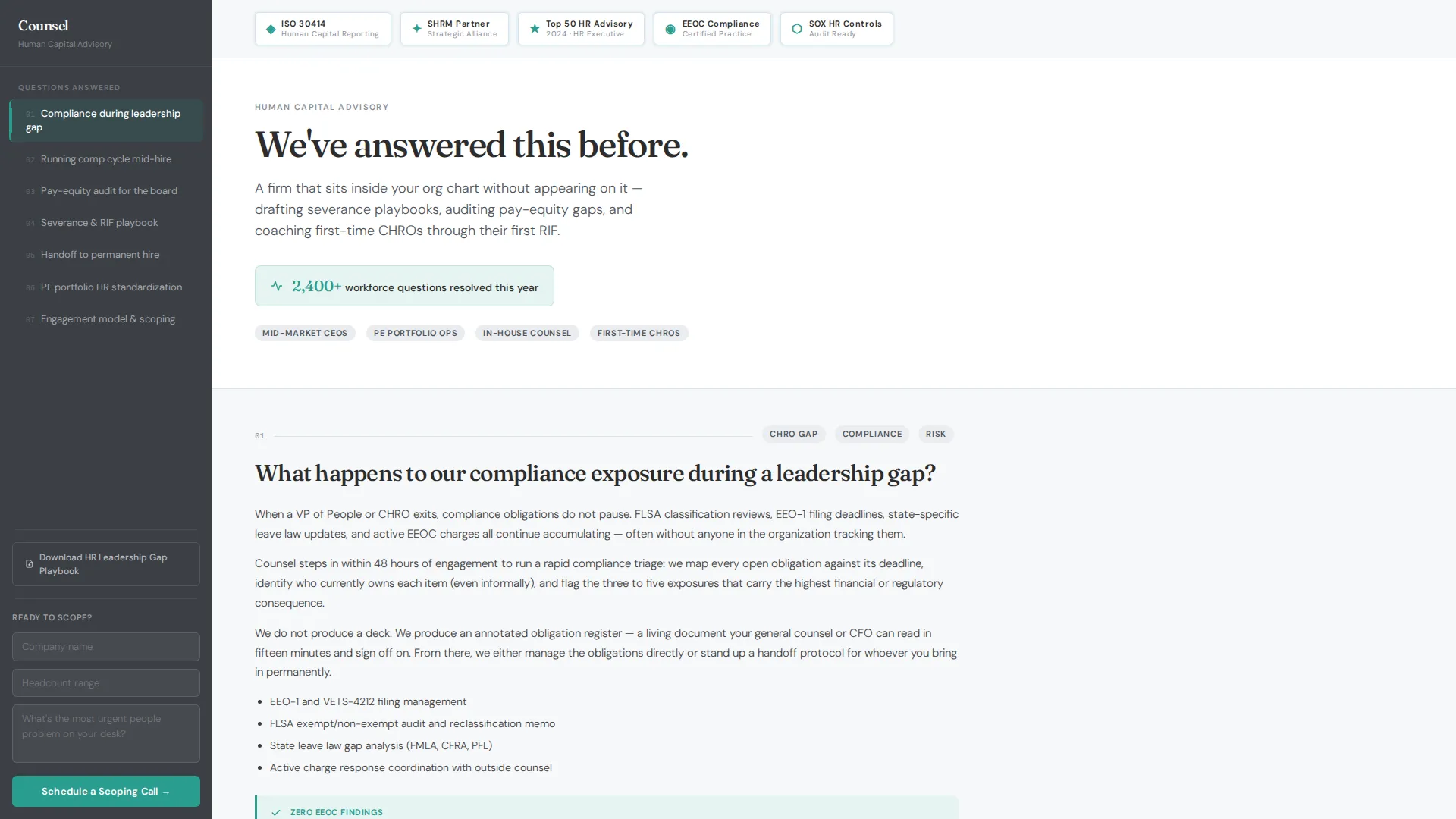
You get a fully structured landing page built around seven real buyer questions, each answered in the main column with a two-sentence micro-case at the end. The fixed sidebar acts as a persistent table of contents, so visitors always know where they are and what comes next.
- A fixed sidebar with a scrollable FAQ table of contents and a pinned "Schedule a Scoping Call" button
- An award badge header row displaying credential marks with a single positioning line and an animated workforce-questions counter
- A gated secondary download for the "HR Leadership Gap Playbook," collecting only work email to reduce friction
Feature list
This template is built from a specific set of components described in the source brief. Each one serves a distinct purpose in the buyer journey.
Fixed Sidebar with Pinned Call to Action
The sidebar stays visible as the visitor scrolls through all seven answered questions. It surfaces the FAQ table of contents so any question can be reached in one click. The "Schedule a Scoping Call" button is pinned at the bottom, always reachable without scrolling back up.
FAQ-Driven Main Content Column
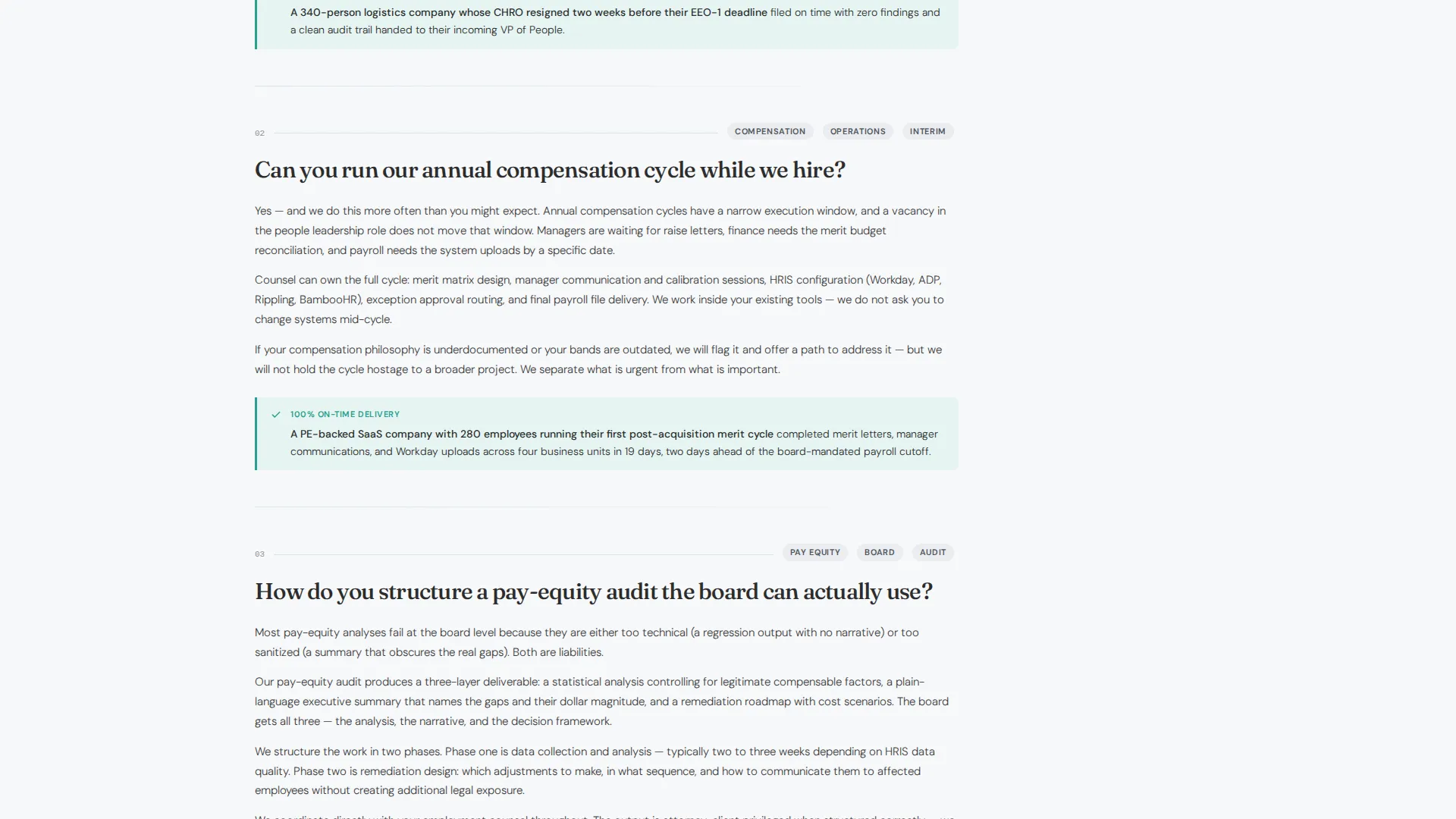
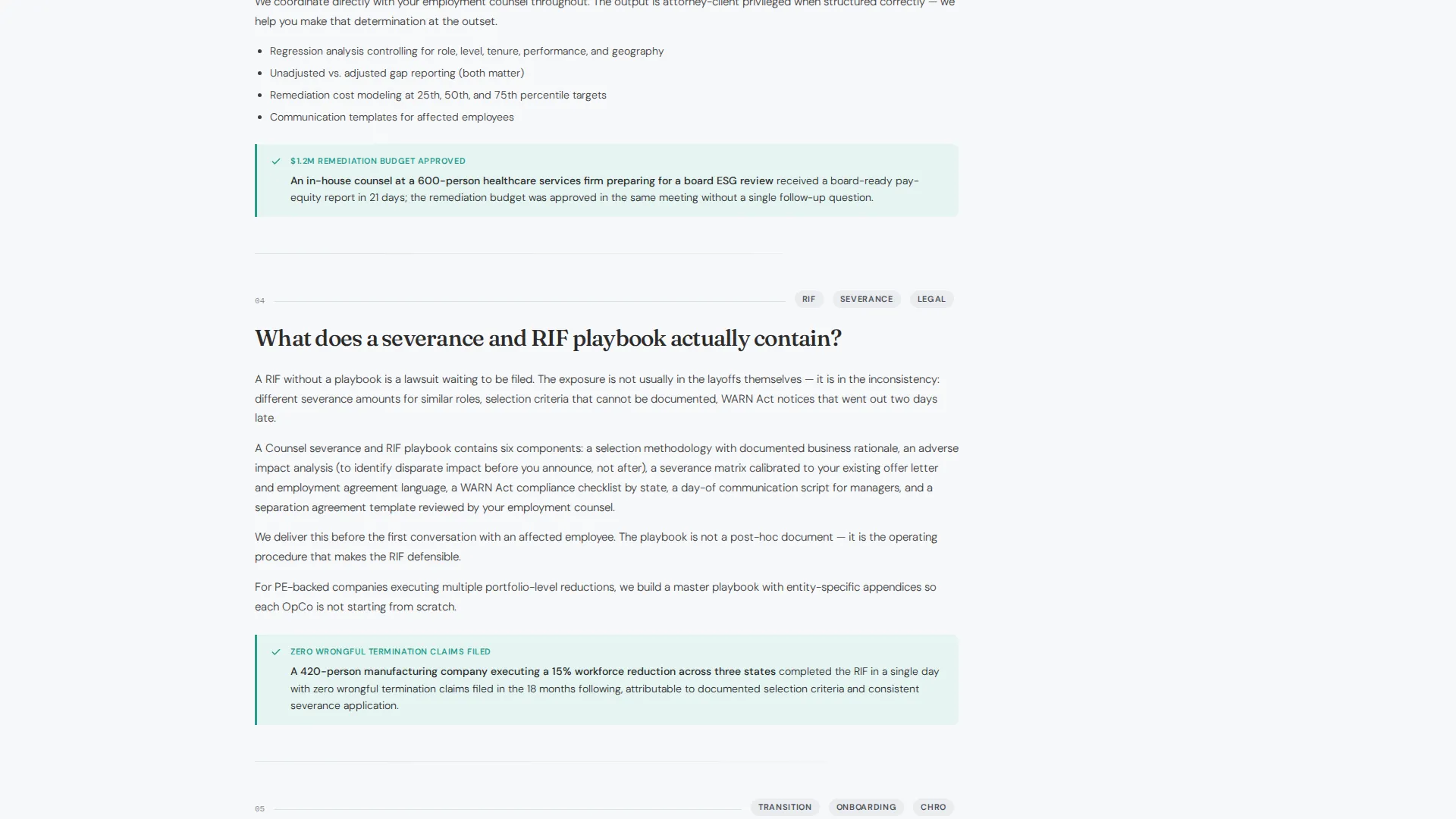
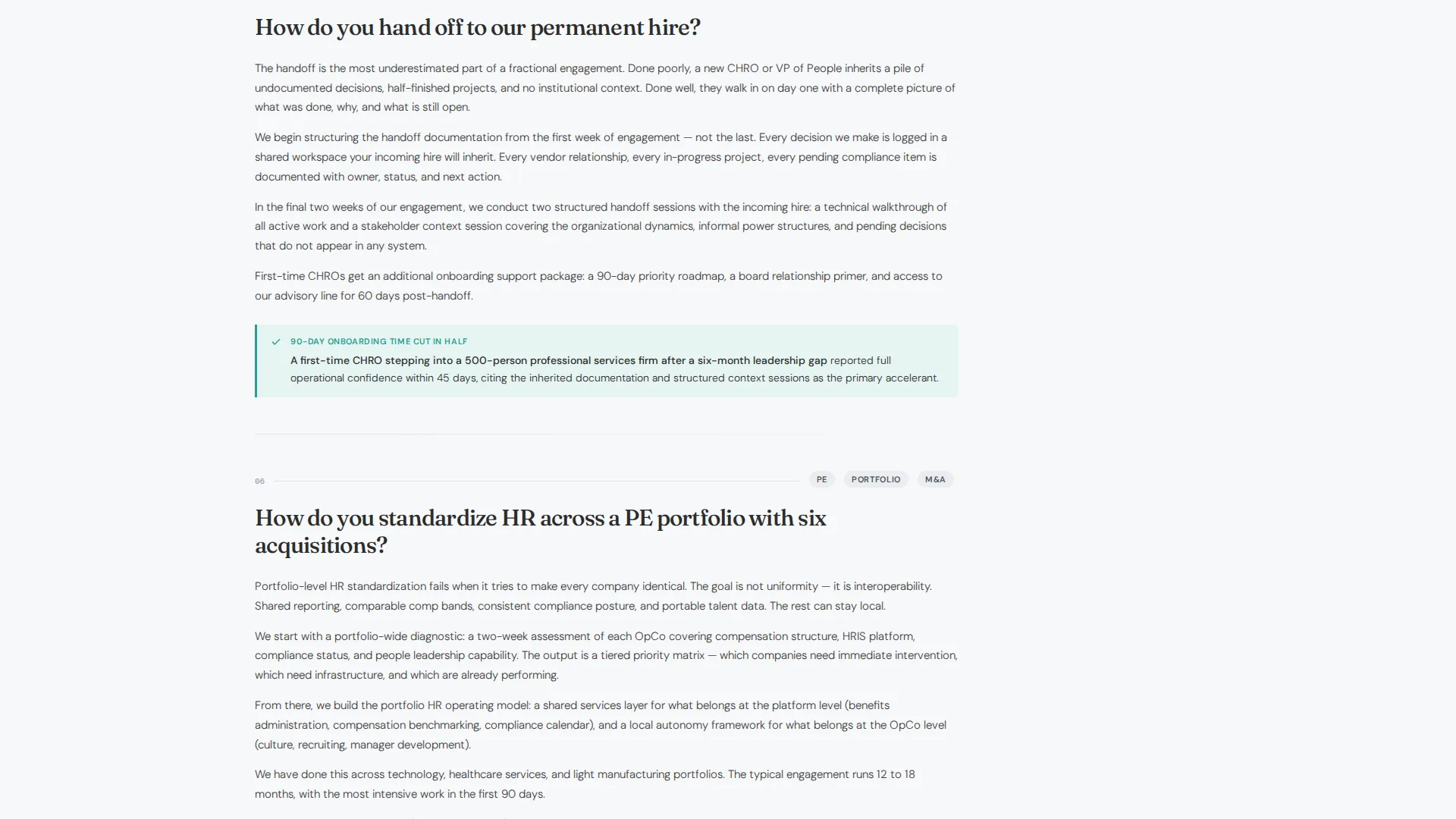
Each section in the main column is a real buyer question, not a service category. Questions cover compliance exposure during leadership gaps, compensation cycle continuity, and handoff planning to a permanent hire. Every answer closes with a two-sentence micro-case that includes one metric and one client archetype.
Award Badge Credential Header
The header is a horizontal band of credential marks, ISO 30414 (Human Capital Reporting) compliance seals, SHRM (Society for Human Resource Management) partnership insignia, and a "Top 50 HR Advisory" badge. A single line of copy reads "We've answered this before." Below it, an animated counter displays workforce questions resolved in the current year.
Scoping Call Contact Form
The primary conversion form asks for three inputs: company name, headcount range via dropdown (50 to 200, 200 to 1,000, or 1,000 and above), and a single open text field asking for the most urgent people problem on the desk. No phone number and no title field are required, reducing friction for senior operators.
Gated Playbook Download
A secondary conversion path offers the "HR Leadership Gap Playbook" as a downloadable asset. It is gated behind a work email address only. The deliberate reduction in form fields respects the buyer's time and signals that the firm understands how senior operators prefer to engage.
Cloud Canvas Color System with Teal calls to action
The color system uses soft cumulus white for the main content field, quiet graphite anchoring the sidebar, pale cirrus blue for section dividers, and steady teal exclusively for call-to-action elements. The teal appears only where action is possible, training the visitor's eye toward decisions without visual noise.
Page sections overview
| Section | Purpose |
|---|---|
| Credential Badge Header | Establish authority before the first scroll |
| Animated Questions Counter | Quantify firm experience at a glance |
| Fixed FAQ Sidebar | Persistent navigation and primary call to action |
| Compliance Exposure Answer | Address leadership-gap risk objection |
| Compensation Cycle Answer | Show operational continuity capability |
| Permanent Hire Handoff Answer | Clarify engagement end and transition |
| Additional FAQ Answers | Cover remaining pre-sale objections |
| Micro-Case Closers | Validate each answer with real-world proof |
| Scoping Call Form | Capture qualified B2B leads |
| Playbook Download Gate | Secondary conversion, low-friction |
Design & branding system
The visual identity follows a Service Utility theme built on the Cloud Canvas color system. Every color decision is functional: it either creates structure or signals action. The result is a page that feels like a well-organized policy binder rather than a marketing brochure.
- Soft cumulus white (#F7F8FA) fills the main content area; quiet graphite (#3B3F45) anchors the sidebar; pale cirrus blue (#D6E4F0) marks section dividers
- Steady teal (#2A9D8F) appears only on call to action elements, training the visitor's eye toward action; body text sits in charcoal (#2C2C2C) for density without visual heaviness
Mobile & speed optimization
The sidebar companion layout is designed to translate cleanly to smaller viewports. The fixed sidebar collapses appropriately so the main column remains fully readable on mobile devices without losing navigation functionality.
- The FAQ table of contents in the sidebar remains accessible on mobile, adapting to the viewport without hiding key navigation
- The pinned "Schedule a Scoping Call" button maintains its bottom-fixed position on mobile so the primary conversion path is never buried
How this template helps you convert
The page earns conversion by removing doubt before asking for anything. Every structural decision is designed to reduce the gap between "I found this firm" and "I trust this firm enough to book a call."
- The credential header establishes proof immediately, so the visitor does not have to search for validation before reading the first answer.
- The seven-question FAQ structure means the page answers objections in the order buyers actually hold them, ending each section with a concrete micro-case that makes the firm's experience tangible.
- The two-step conversion path, a scoping call form and a low-friction playbook download, gives buyers who are not ready to talk a meaningful next step that still captures their interest.
Other information about this template
This template is a strong fit for human capital advisory practices that compete on discretion, depth, and operational credibility rather than on brand awareness or volume. It is designed to reach senior buyers who have little patience for vague positioning.
- The template style is Sidebar Companion, making it distinct from standard full-width consulting page layouts
- The header concept (Award Badges) and animated counter are built to satisfy buyers who need social proof before they read a single service description
- The creative direction is FAQ-Driven, which is particularly effective in the management consulting and people operations advisory space where buyer objections are predictable and answerable
- The landing page direction targets Partnership and B2B engagement, meaning every element prioritizes qualified lead capture over broad traffic conversion
- The "HR Leadership Gap Playbook" gated asset supports firms using content-led business development strategies common in boutique HR advisory practices
Theme
Service Utility
Creative direction
FAQ-Driven
Color system
Cloud Canvas
Style
Sidebar Companion
Direction
Partnership/B2B
Page Sections
Fixed Sidebar with Pinned Call to Action
Faq-driven Main Content Column
Award Badge Credential Header
Low-friction Scoping Call Form
Gated Playbook Download
Cloud Canvas Color System
Related questions
What kind of consulting firm is this template designed for?
Can I customize the FAQ questions to match my firm's actual service scope?
How does the fixed sidebar navigation work?
What information does the scoping call form collect?
Is the playbook download a separate conversion path from the scoping call form?



