Tennis Coach Specialist Booking Website Template
Court is a split-screen landing page template built for private tennis coaches who serve multiple locations. It leads with performance statistics, cycles through service areas with matching proof data, and drives visitors toward booking through a sticky call to action bar with zip-code lookup. The design feels precise, competitive, and quietly authoritative.
by Rocket studio
Quick summary
Court is a single-page landing page template designed for private tennis coaching practices. It opens with a 50/50 split-screen header, stacks credibility through location-specific performance data, and closes with a sticky call-to-action bar. The layout is built for coaches who serve multiple venues and want every section to earn the visitor's next scroll.
Who this template is for
This template is built for tennis coaches running private or semi-private practices across more than one venue. It suits coaches who work with a range of client types and need a single page that speaks to all of them clearly.
- Private tennis coaches serving country clubs and municipal facilities
- Coaches with junior players in competitive circuits such as USTA sectionals
- Instructors targeting adult recreational players and competitive club members
What problem this template solves
Most coaching pages bury the credentials. A visitor lands, sees a generic bio, and leaves before trust is established. This template flips that sequence by leading with numbers and location-specific proof before any ask is made.
- Coaches lose bookings when visitors can't quickly verify expertise for their specific area
- A generic page fails to speak to executives, junior players, and doubles partners at the same time
- No clear path from "I'm interested" to "I want to book" causes drop-off before conversion
What you get with this template
You get a fully structured single-page layout with every section already in place. The visual system, content flow, and interactive components are all defined in the template so you spend time customizing, not building from scratch.
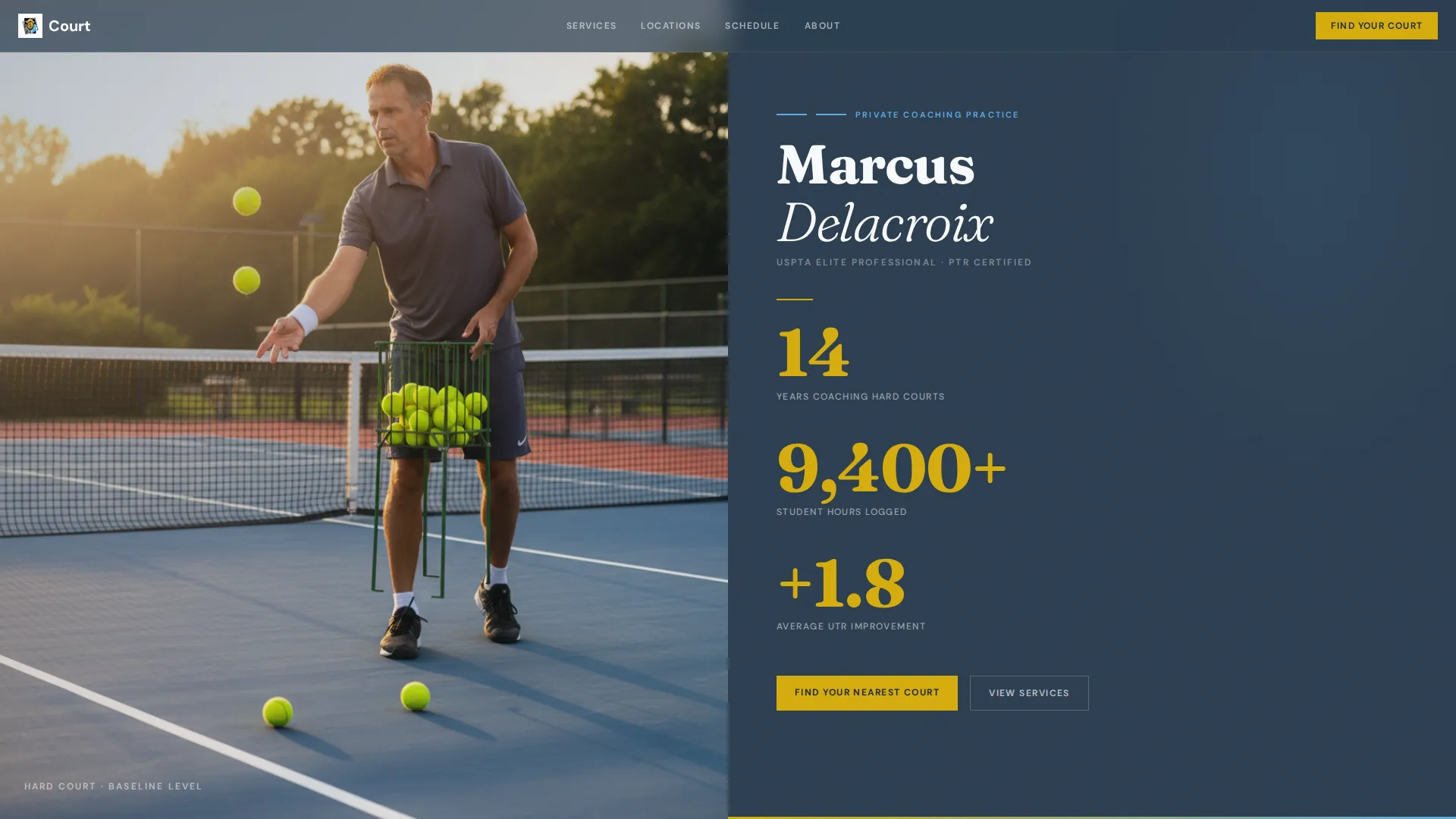
- A 50/50 split-screen header with stat blocks and a baseline-height hero photograph placeholder
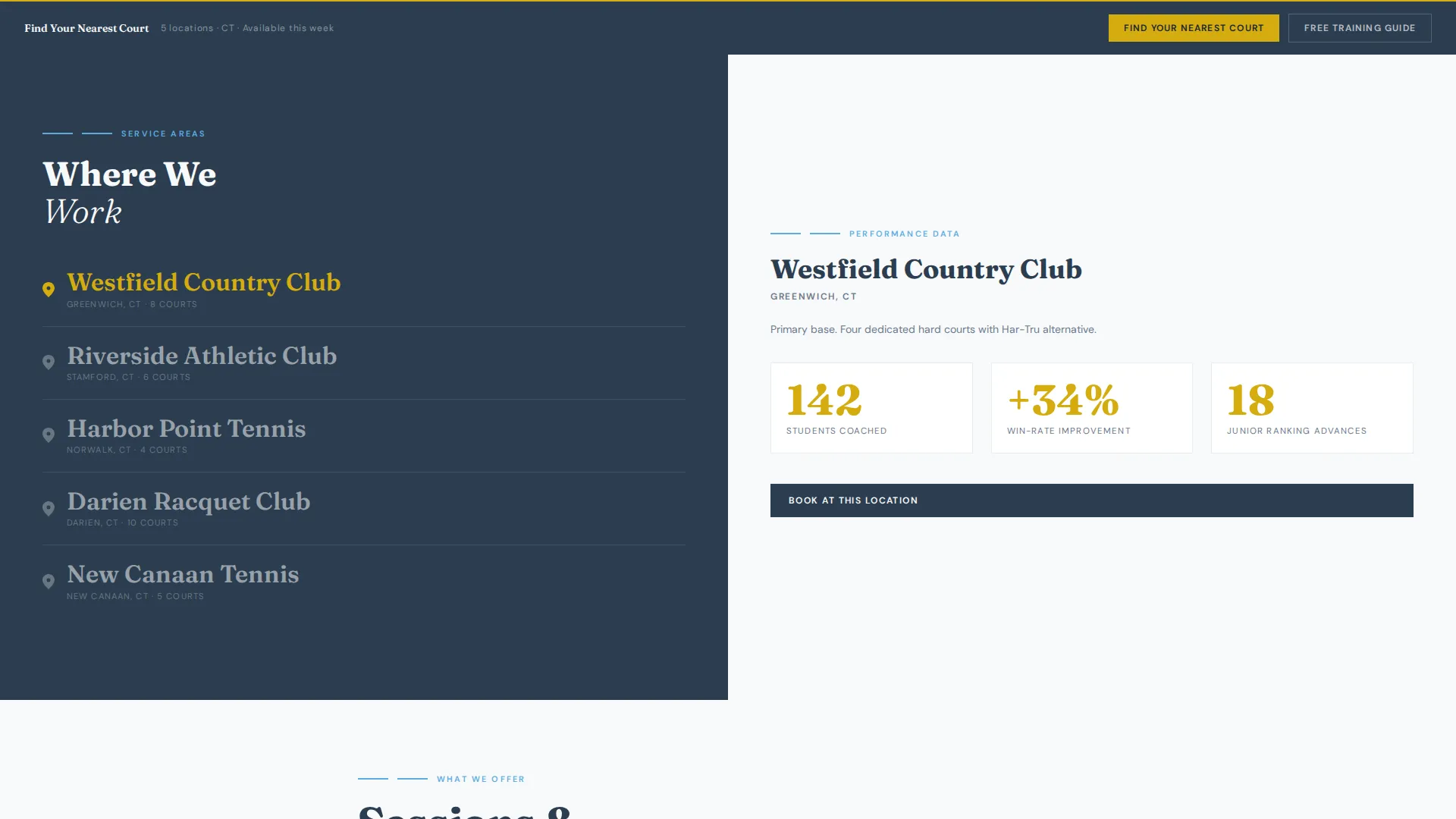
- A location-cycling panel that pairs each service area with corresponding performance data
- A sticky bottom call to action bar with zip-code lookup, session-type dropdown, and a secondary lead-capture path
Feature list
This template includes purpose-built components that move a visitor from awareness to action. Each feature reflects the Stats-First Impact direction baked into the brief.
Split-Screen Header with Stat Stack
The header divides the viewport equally. The left side holds a high-contrast coaching photograph. The right side presents the coach's name in heavyweight serif type above three vertically stacked statistics, each rendered in championship gold with a single-line descriptor below it.
Location-Cycling Service Panel
Below the header, the left panel cycles through service area locations. Each entry shows a city or club name paired with a map pin and court count. The right panel updates with the matching performance data: students coached, win-rate improvements, and junior ranking advances.
Testimonial Blocks with Club Affiliation
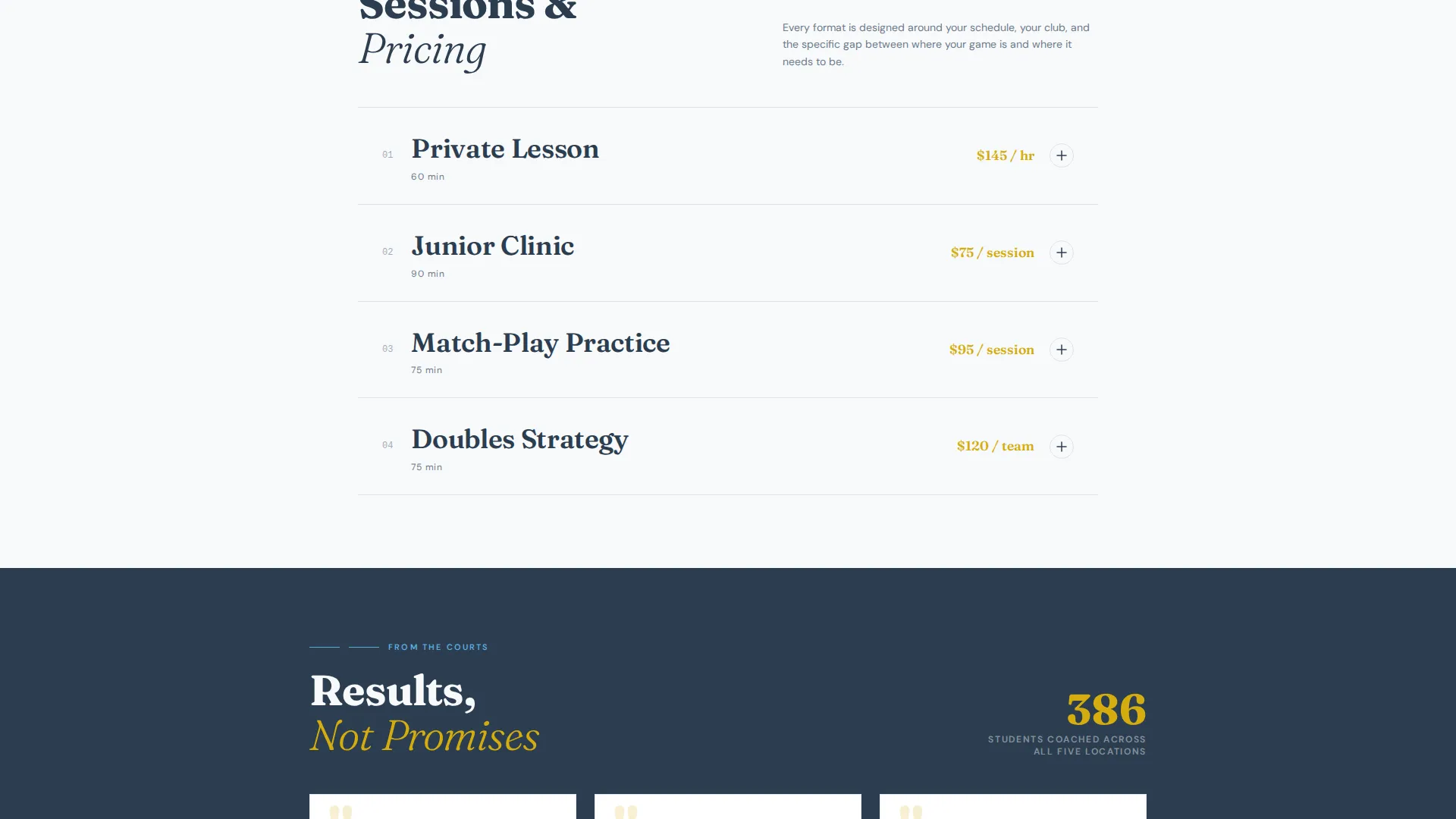
As the visitor scrolls deeper, testimonials slide in from each location. Each testimonial displays the member's club affiliation, adding a layer of social proof that is geographically specific and immediately credible.
Filterable Schedule Grid
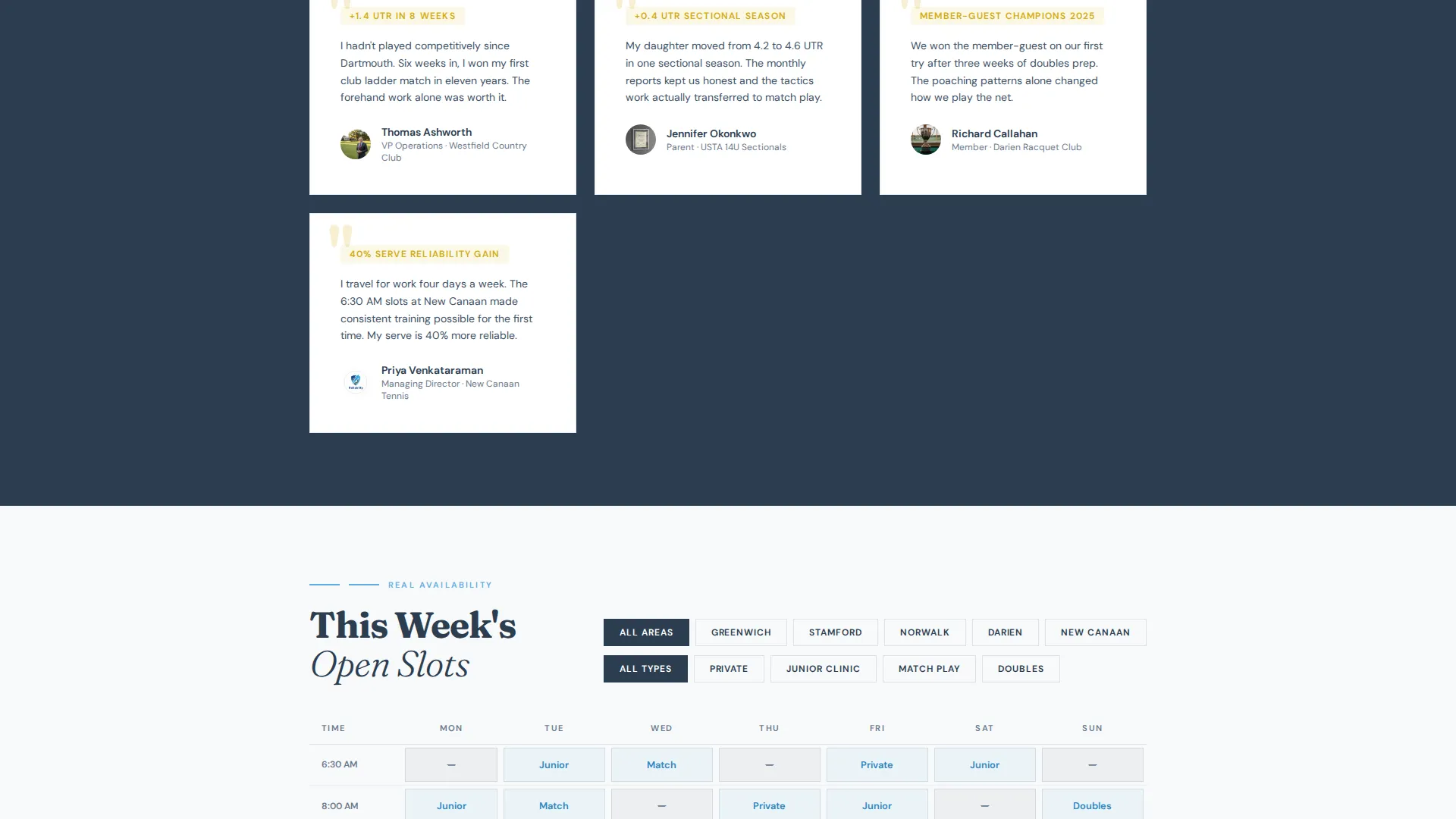
A schedule grid shows real session availability filtered by area. Visitors can see open slots for private lessons, junior clinics, match-play practice, and doubles strategy sessions without leaving the page.
Sticky call to action Bar with Zip-Code Lookup
A persistent bottom bar anchors the primary call to action. It expands into a zip-code lookup field and a session-type dropdown so the visitor can find the nearest court and relevant session format in one step.
Off-Court Training Guide Lead Capture
A secondary conversion path offers a free downloadable training guide gated behind an email field. This captures visitors who are not ready to book but want continued value from the coach.
Page sections overview
| Section | Purpose |
|---|---|
| Split-Screen Header | Introduce coach and surface key stats immediately |
| Location Stats Panel | Match service areas to location-specific performance proof |
| Aggregate Credibility Block | Compound growing numbers as visitor scrolls deeper |
| Testimonial Slider | Reinforce trust with club-affiliated client quotes |
| Filterable Schedule Grid | Show real availability by area and session type |
| Sticky call to action Bar | Anchor booking action and zip-code lookup persistently |
| Lead Capture Module | Gate the training guide download behind an email field |
Design & branding system
The visual identity follows an Executive Suite theme built on the Slate and Sky color system. Every color earns its place the way every shot should earn its point: controlled, clean, and quietly competitive.
- Deep charcoal slate (#2C3E50) for primary text and structural elements; pressed-white court surface (#F8F9FA) for backgrounds
- Open-sky blue (#5DADE2) for interactive elements and panel accents; championship gold (#D4AC0F) reserved for statistics, ratings, and interactive highlights
- Heavyweight serif typography for the coach's name and headline; clean descriptive type beneath each stat in slate for contrast and clarity
Mobile & speed optimization
The template is structured for clean rendering across screen sizes. The split-screen layout adapts so that the stat stack and photograph remain readable on smaller viewports without losing the visual hierarchy.
- Sticky call to action bar remains accessible on mobile without covering key content
- Location-cycling panel and schedule grid are designed to reflow cleanly on narrow screens
- Lightweight section structure keeps the page fast to load even with multiple data-rich panels
How this template helps you convert
The page is engineered so that evidence accumulates before any ask is made. By the time a visitor reaches the call to action, they have already seen proof relevant to their own location.
- The stat stack in the header establishes authority in the first five seconds, before the visitor has scrolled at all.
- The location-cycling panel delivers geographically specific proof, making the coach's expertise feel locally relevant rather than abstract.
- The sticky call to action bar and zip-code lookup remove friction at the moment of decision, letting visitors find their nearest court and session type without navigating away.
Other information about this template
This template is categorized under Professional Services with a subcategory focus on tennis coach online presence. It is a strong fit for coaches who need a content and resource destination rather than a simple booking form.
- The template style follows a single column flow with a split-screen header as the anchor point
- The creative direction is Testimonial Mosaic, meaning social proof from multiple locations is woven throughout the scroll experience
- The lp direction is Content/Resource, so the page earns the interaction by delivering value before the ask
- The theme is Educational Guide, which supports the off-court training guide download as a secondary conversion path
- The Intersection Match Score for this template is 9 out of 10, indicating a very strong alignment between the template structure and the tennis coach booking page use case
Theme
Educational Guide
Creative direction
Testimonial Mosaic
Color system
Cloud Canvas
Style
Single Column Flow
Direction
Content/Resource
Page Sections
Split-screen Header with Stat Stack
Location-cycling Service Panel
Filterable Schedule Grid
Sticky Call to Action Bar with Zip-code Lookup
Testimonial Mosaic with Club Affiliation
Lead Capture for Training Guide
Related questions
Can I use this template for a single-location coaching practice?
What session types does the schedule grid support?
Is the off-court training guide section required?
Can the statistics in the header be customized?
Who is this landing page template designed for?



