HOA Management Landing Page Template
Covenant is an asymmetric 60/40 grid landing page built for homeowners association and community association management firms. It pairs immersive drone video with interactive before/after reveal sections to show prospects exactly what professional governance looks like. A progressive lead capture form and a gated checklist download give visitors two clear paths to engage.
by Rocket studio
Quick summary
Covenant is a single-page, lead generation landing page designed for HOA and community association management firms. The asymmetric 60/40 grid separates content from authoritative navy stat panels. An aerial video header, scrolling before/after drag reveals, and a three-step audit form work together to turn skeptical board members into qualified leads.
Who this template is for
This template is built for organizations that manage the complexity of residential community governance. It speaks directly to the people carrying that weight every day.
- Volunteer board presidents fielding complaint emails late at night who need a firm they can hand the burden to
- Property managers running multiple associations on outdated processes who need a credible online presence
- Developers transitioning newly built communities to self-governance who need buyers to trust the management structure from day one
What problem this template solves
HOA management firms often struggle to communicate their value to an audience that is already overwhelmed and skeptical. A generic website does not reflect the competence the firm has actually built.
- Prospects cannot visualize the difference between poor management and professional governance without a concrete, side-by-side demonstration
- Board members and property managers need to feel understood before they will fill out any form, so credibility must be earned section by section
- A single contact form buried at the bottom of the page loses the visitor who is interested but not yet ready to talk
What you get with this template
This template delivers a fully structured, single-page layout with every visual and functional component described in the design brief. Nothing requires you to invent the structure from scratch.
- A full-screen aerial drone video header with a legible charter blue headline, slowed playback, and a muted desaturated grade
- A scrolling sequence of interactive before/after drag-slider sections that escalate from violation tracking to financial restructuring to community engagement
- A sticky amber call-to-action button linked to a three-step progressive disclosure form, plus a secondary gated PDF download path
Feature list
This section describes the core built-in components and design features that make Covenant work as a lead generation landing page for community association management.
Full-Screen Drone Video Header
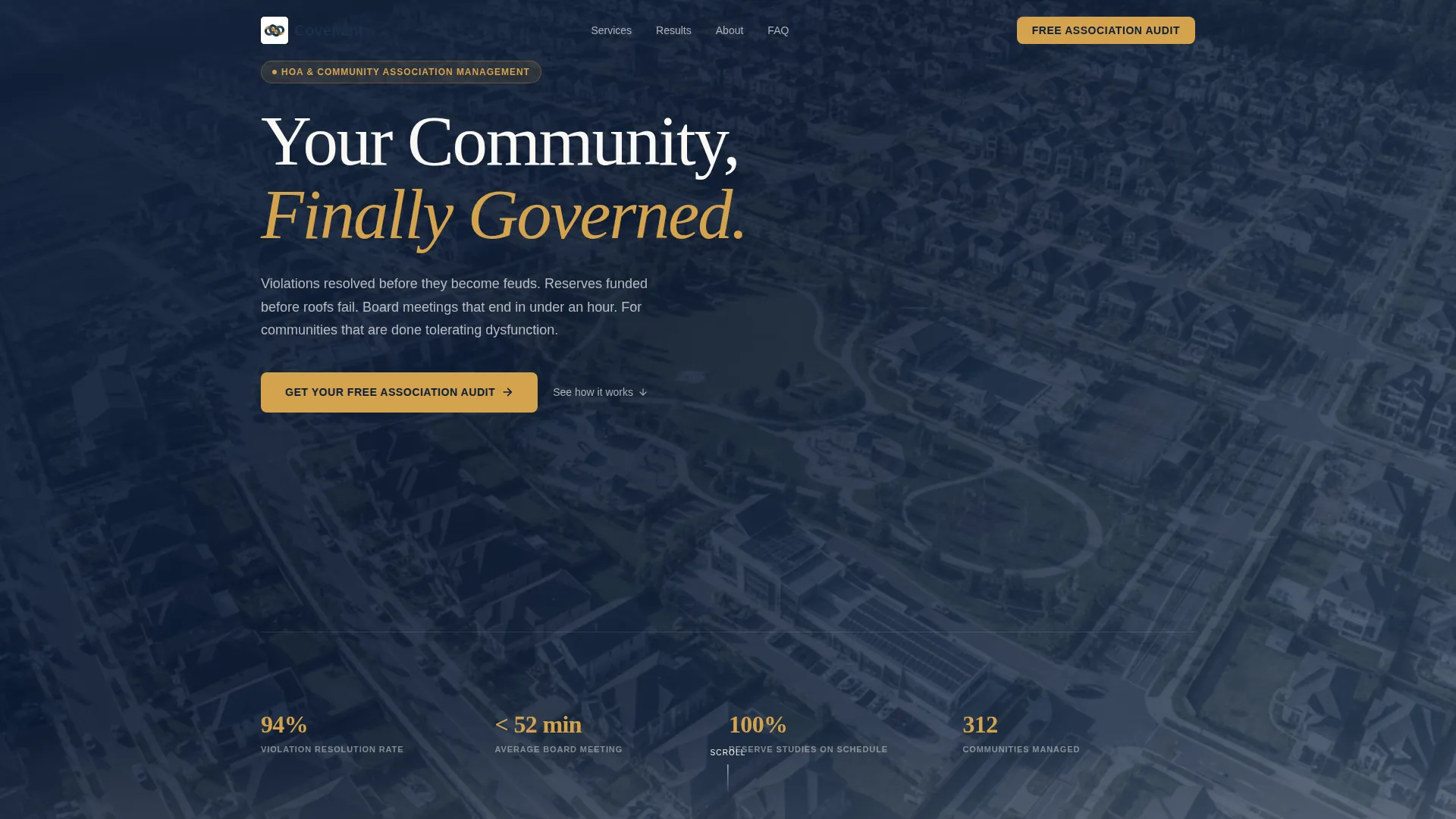
The header opens on aerial footage that begins over a neglected community and time-lapses through visible transformation. Playback is slowed to thirty percent speed with a desaturated color grade. The charter blue headline "Your Community, Finally Governed" sits legibly over every frame of the footage.
Interactive Before/After Drag Slider
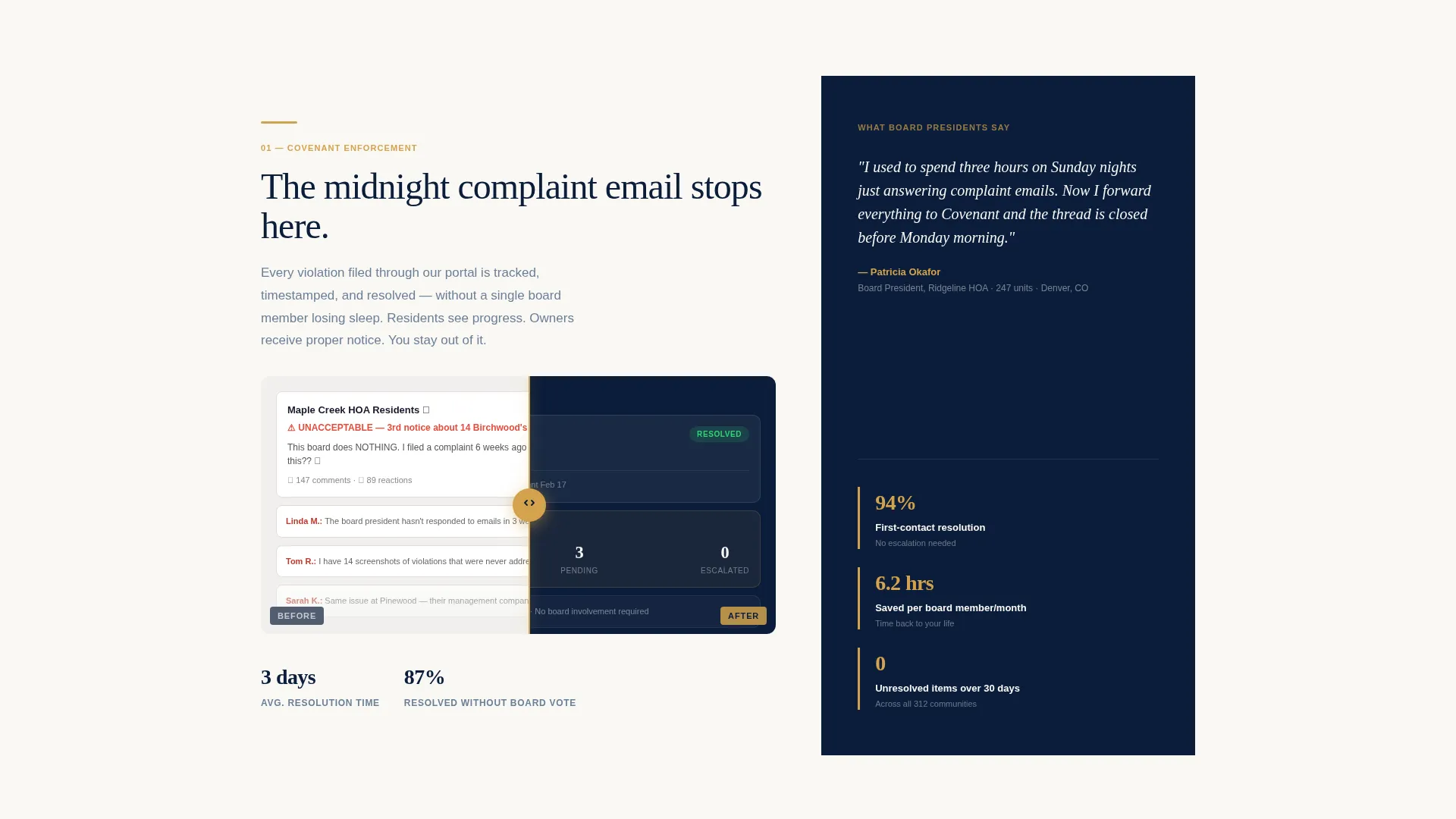
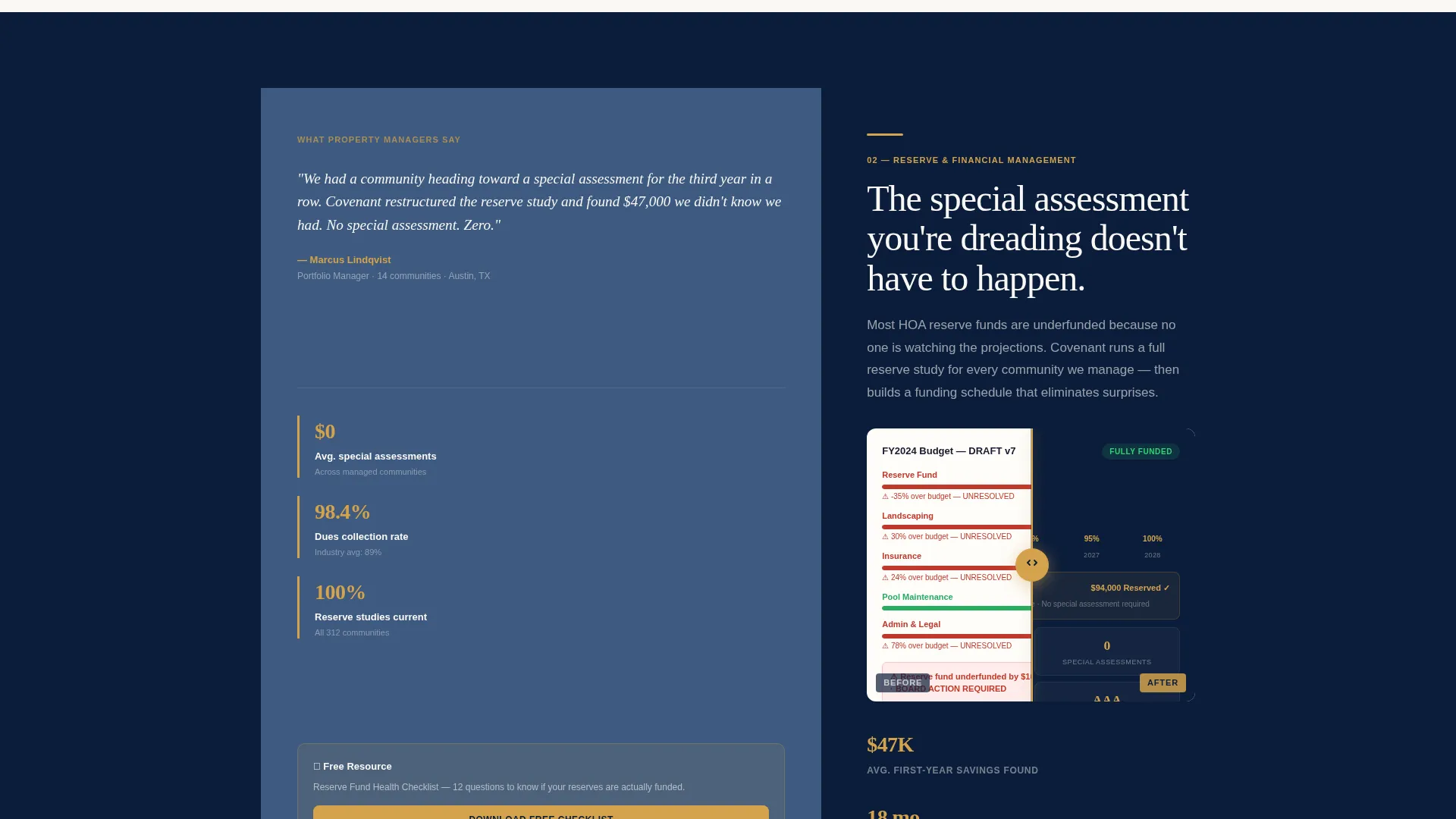
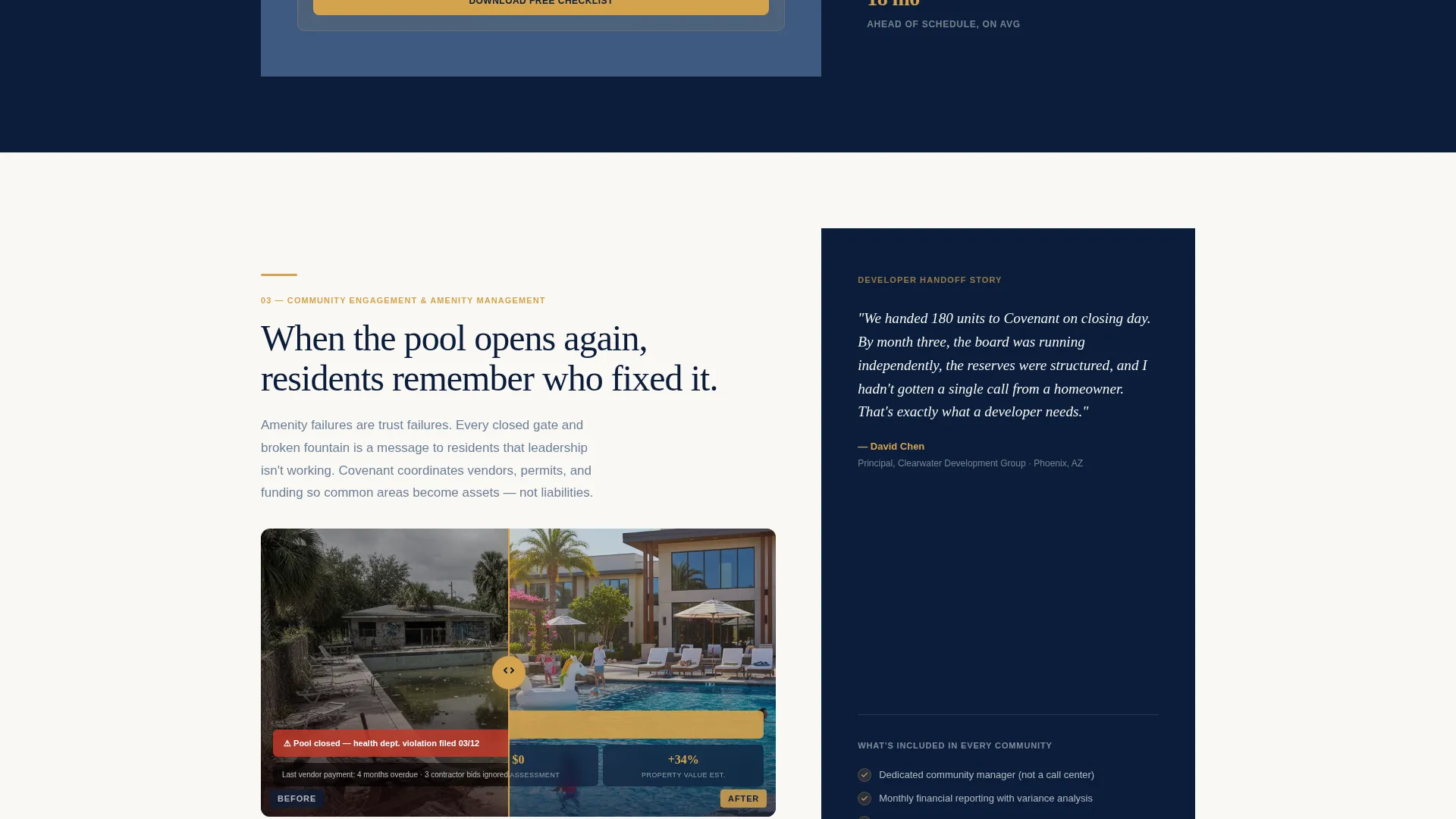
Each scroll section pairs a pain-point visual on the left column with its resolved state on the right column. A drag slider sits at the column boundary so the visitor can physically pull the scene from dysfunction to order. The sequence escalates in complexity across three stages: violation tracking, financial restructuring, and community engagement metrics.
Progressive Three-Step Lead Form
The primary conversion form unfolds across three steps. Step one collects community name and unit count. Step two presents a pain-point selector covering financial mismanagement, vendor issues, board turnover, covenant enforcement, and resident communication. Step three captures name, email, and a preferred callback window.
Sticky Amber Audit Button
A persistent call-to-action button labeled "Get Your Free Association Audit" anchors to the page after the second before/after section. It appears only after the visitor has seen enough evidence to trust the offer, keeping the ask proportional to the credibility established.
Gated PDF Checklist Download
A secondary conversion path offers a downloadable Reserve Fund Health Checklist gated behind an email-only capture field. This path serves board members who are researching but not yet ready to schedule a conversation, keeping them in the funnel without pressure.
Asymmetric 60/40 Grid Layout
The page uses a structured asymmetric grid where the sixty-percent column carries body content on a parchment white surface and the forty-percent column holds navy panels with amber-accented statistics and pull quotes. The rhythm alternates between openness and weight as the visitor scrolls.
Page sections overview
| Section | Purpose |
|---|---|
| Drone Video Header | Opens with transformation footage and primary headline |
| Before/After Section One | Demonstrates violation tracking resolved through professional management |
| Before/After Section Two | Shows a redlined budget corrected into a funded reserve study |
| Sticky call to action Trigger | Amber audit button appears after second reveal section |
| Before/After Section Three | Presents a deteriorated amenity restored alongside engagement metrics |
| Progressive Audit Form | Three-step form captures community details, pain point, and contact info |
| Reserve Fund Checklist | Email-gated PDF download for research-stage board members |
Design & branding system
The visual identity follows an Atelier Studio theme built around a Navy Authority color system. Every color choice reinforces institutional authority without feeling bureaucratic or cold.
- Deep charter blue (#0B1D3A) as the dominant background, brushed slate (#3D5A80) for secondary panels, and parchment white (#FAF8F5) for content surfaces
- A single decisive amber (#D4A24C) reserved exclusively for interactive elements, call-to-action buttons, and key data point highlights
- The overall palette is described in the brief as resembling a leather-bound governance manual on a mahogany desk, authoritative and composed
Mobile & speed optimization
The layout is designed with the scrolling, section-led structure of a landing page in mind. Each component is scoped to perform cleanly on the devices board members and property managers actually use.
- The asymmetric 60/40 grid is built to reflow gracefully on smaller screens without losing the visual contrast between content and navy stat panels
- The drag slider interaction and progressive form steps are scoped for touch input so mobile visitors can complete both conversion paths without friction
How this template helps you convert
This landing page is structured so that every section builds trust before it asks for anything. The conversion architecture is deliberate and sequenced.
- The aerial video header establishes emotional context immediately, showing the community transformation before any text makes a claim, so the visitor is oriented before they read a word.
- The escalating before/after reveals build a layered case across three complexity levels, moving the visitor from recognition of their own problem to confidence in a specific solution, at which point the sticky audit button is already visible and the ask feels earned.
Other information about this template
Covenant is built as a standalone landing page rather than a multi-page website. It is purpose-built for firms in the property management and homeowners association space where the sales conversation begins with trust, not features.
- The template style is an asymmetric grid, which is well suited to industries where authority and evidence need to coexist on the same screen
- The creative direction centers on a before/after reveal format, making it effective for any service business that can demonstrate a visible transformation
- The lead generation focus means both conversion paths, the audit form and the checklist download, are built into the template layout and do not require separate page builds
- The design language, parchment white surfaces against deep navy panels with amber accents, is transferable to related property and real estate service categories if the firm's scope expands
Theme
Luxe Minimal
Creative direction
Calculator/Tool First
Color system
Cloud Canvas
Style
Asymmetric Grid (60/40)
Direction
Click-Through
Page Sections
Full-screen Drone Video Header
Interactive Before/after Drag Slider
Progressive Three-step Lead Form
Sticky Amber Audit Button
Gated Reserve Fund Checklist
Asymmetric 60/40 Grid Layout
Related questions
Who is this landing page template designed for?
What are the two conversion paths built into this template?
When does the sticky call-to-action button appear on the page?
What does the before/after drag slider show visitors?
Can this template be adapted for property management firms beyond residential HOAs?



