Trusted Pediatric Landing Page Template
Coverage is a pediatric dental insurance and billing landing page template built around a 50/50 split-screen layout. It combines animated metric counters with a live insurance checker, pairs parent testimonials with itemized billing visuals, and guides families from "do you take my plan?" to a booked appointment in one seamless, trust-building flow.
by Rocket studio
Quick summary
Coverage is a single-page template for pediatric dental practices. It resolves the number-one parent friction point, insurance uncertainty, before the visitor has a chance to leave. Animated counters establish scale instantly. A real-time insurance checker with autocomplete moves the visitor toward booking without a single phone call.
Who this template is for
This template suits any pediatric dental practice that wants to convert insurance-anxious parents into booked appointments directly from the page. It is equally practical for dental marketing teams or designers building patient-facing pages for dental offices.
- First-time parents searching online for a kids dentist that accepts their specific carrier
- Daycare office managers who need to verify coverage for multiple families at once
- Divorced co-parents managing two separate insurance plans who need a clear, fast answer
What problem this template solves
Most dental office pages bury insurance details in a PDF or force parents to call the front desk. That friction causes tabs to close and appointments to go unbooked. This template removes that friction entirely by making insurance verification the centerpiece of the page.
- Parents arrive with a coverage question and leave with a confirmed appointment slot
- Billing confusion is replaced by visual proof: itemized breakdowns, claim steps, and zero-balance receipts
- The "call to verify" barrier is eliminated through an interactive checker that answers the question on screen
What you get with this template
The template delivers a complete, section-led landing page structured around verification confidence and booking momentum. Every section is purpose-built to move a skeptical parent toward a confirmed appointment.
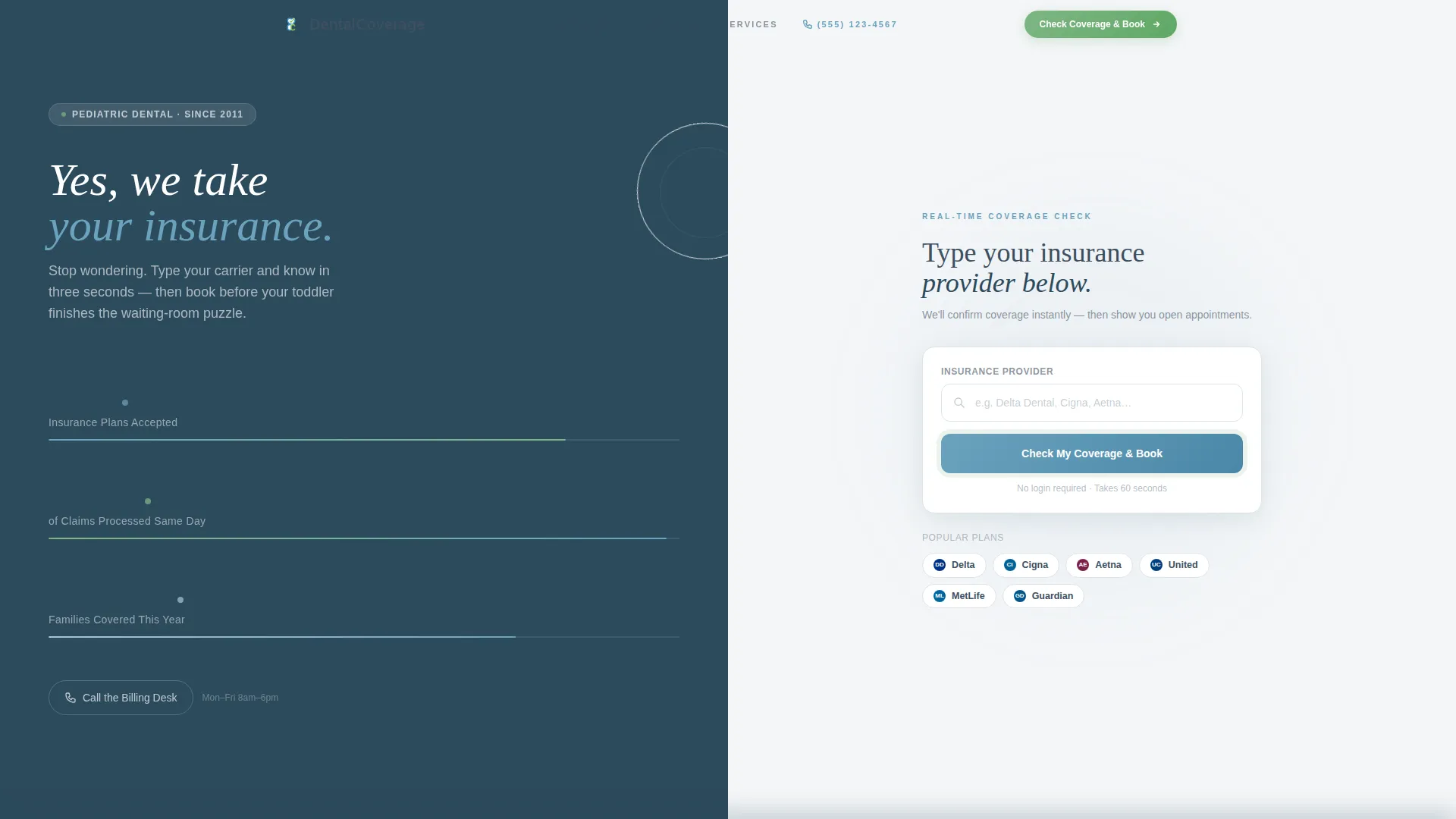
- A stats wall header with three animated counters and a live insurance checker with carrier autocomplete
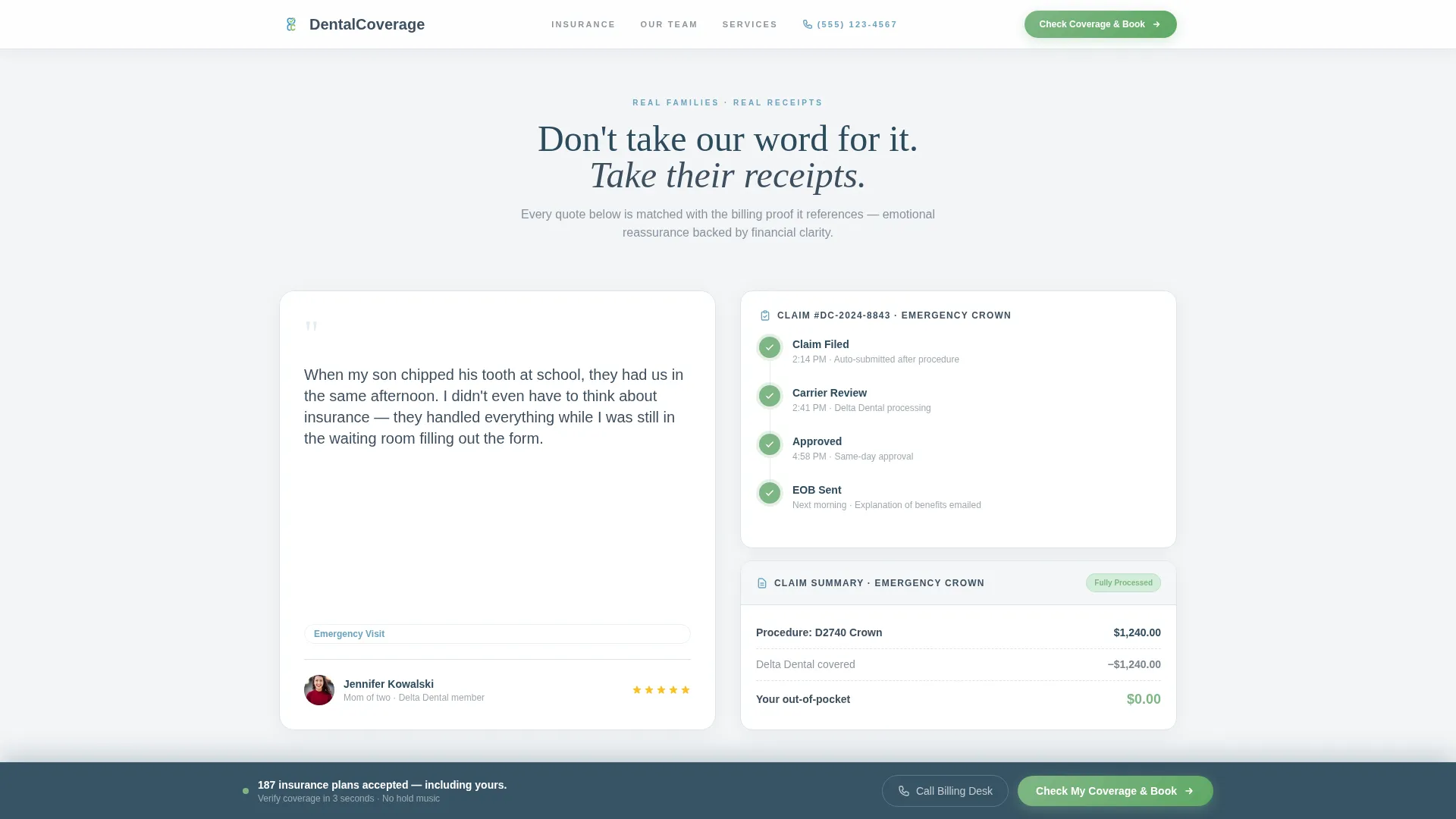
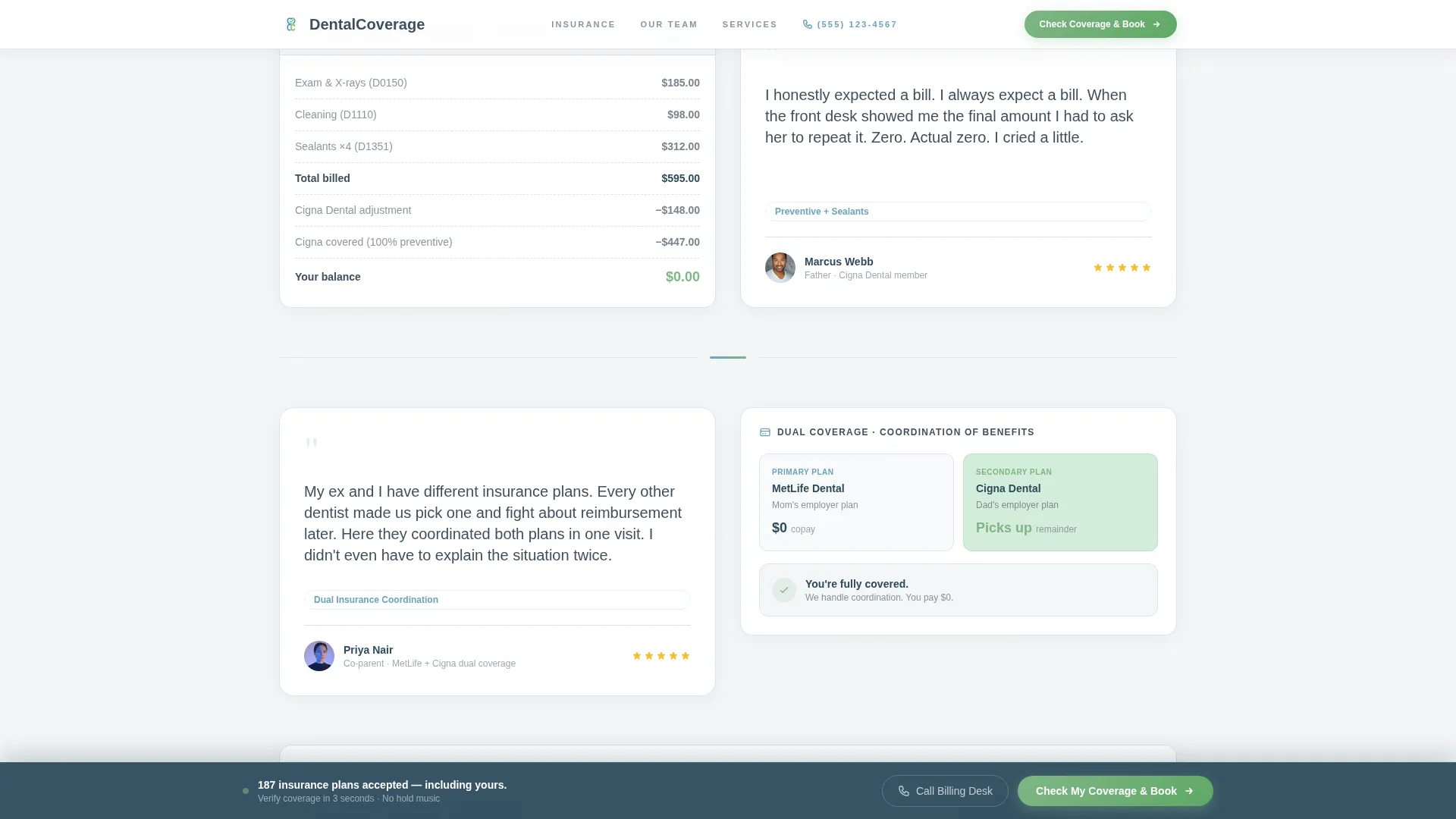
- A testimonial mosaic pairing real parent quotes with corresponding itemized billing visuals
- A two-step booking modal that verifies insurance first, then surfaces available appointment slots
- A sticky bottom call-to-action bar and a click-to-call billing desk button for visitors who prefer a human voice
Feature list
This template includes the following purpose-built components, each designed to reduce insurance anxiety and increase booking confidence.
Animated Metrics Header
The left panel of the hero section displays three large counters that tick upward on load. The figures, 187 insurance plans accepted, 98% of claims processed same day, and 4,200-plus families covered this year, function as immediate social proof without a single stock photo.
Live Insurance Checker with Autocomplete
The right panel of the hero includes a single input field. As the visitor types their carrier name, matching logos resolve and a green checkmark confirms acceptance. The primary call-to-action button, "Check My Coverage and Book," sits directly inside this panel.
Testimonial Mosaic Sections
Each scroll section pairs a parent quote with the financial evidence behind it. A mother's account of an emergency crown sits beside a step-by-step claim visual. A father's surprise at a zero out-of-pocket balance sits beside an itemized breakdown. Emotional proof and financial proof appear side by side.
Two-Step Booking Modal
Clicking the primary call-to-action opens a focused modal flow. Step one collects carrier name, member ID, and the child's date of birth to verify coverage. Step two reveals available appointment slots filtered to the visitor's verified plan.
Sticky Call-to-Action Bar
After the second scroll section, a persistent bottom bar keeps the "Check My Coverage and Book" prompt visible at all times. A secondary "Call the Billing Desk" click-to-call button appears alongside it for parents who prefer speaking with a staff member.
How Coverage Works Section
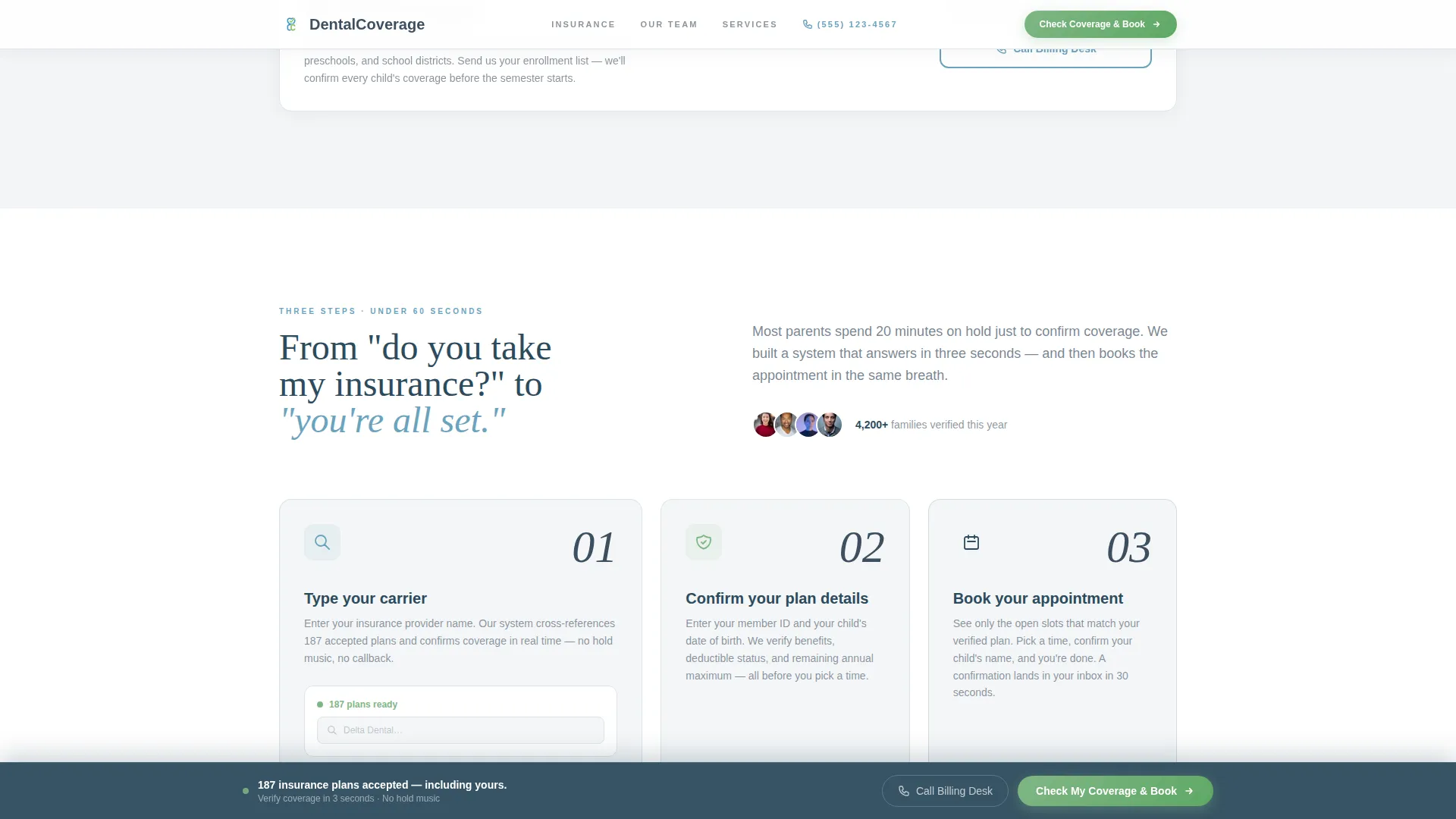
A three-step visual process, verify, match, and book, sits between the testimonial mosaic and the booking modal. It gives visitors a clear mental model of what happens next, reducing hesitation before the final conversion step.
Page sections overview
| Section | Purpose |
|---|---|
| Hero: Stats and Checker | Display animated metrics and live insurance verification input side by side |
| Testimonial Mosaic | Pair parent quotes with itemized billing visuals across scroll sections |
| How Coverage Works | Show the three-step verify, match, and book process visually |
| Booking Modal Call-to-Action | Collect insurance details and reveal filtered appointment slots |
| Footer | Single-row linear footer with practice contact and navigation links |
Design & branding system
The visual theme is Medical Clarity. Every color and typography choice is calibrated to feel trustworthy and calm, like a front-desk interaction where someone smiles and says "you're all set" before you have time to worry.
- Color palette: clinical fog white (#F4F6F8) for backgrounds, reassurance blue (#6BA3BE) for accents, soft graphite (#3D4F5F) for body text, and warm confirmation green (#7FB685) for success states and call-to-action buttons
- Typography pairing: DM Sans handles body and user interface copy for clear readability, while Fraunces provides emotional serif weight in parent quote callouts and headline accents
- The split-screen 50/50 layout keeps metrics and interaction balanced, with no stock photography; numbers and verified logos carry all visual authority
Mobile & speed optimization
The template is designed desktop-first because insurance verification is typically a deliberate, seated task. Full mobile support is included so parents can check coverage on their phones between school pickup and the drive home.
- Scroll-linked reveals and counter animations are built as client-side interactive components, keeping static sections lightweight
- The sticky call-to-action bar and click-to-call button adapt cleanly to smaller screens for thumb-friendly access
- The booking modal two-step flow collapses into a mobile-friendly stacked layout without losing step clarity
How this template helps you convert
Every structural decision in Coverage points toward one outcome: a parent who arrived with a coverage question leaves with a booked appointment.
- The animated metrics header answers "do you take my plan?" with scale and credibility in the first three seconds, before the visitor has formed a reason to leave.
- The testimonial mosaic uses itemized billing receipts alongside real parent quotes, replacing vague reassurance with verifiable financial proof that skepticism cannot easily dismiss.
- The two-step booking modal removes the gap between verification and scheduling, so a confirmed "yes, you're covered" leads directly into available appointment slots rather than a follow-up phone call.
Other information about this template
This section covers additional practical details that help practices and designers get the most from this template.
- The template is built for English-language, USD-denominated, US date-format contexts
- Animation intensity is high across three areas: counter tick-up on load, carrier logo autocomplete in the checker, and scroll-linked section reveals
- The footer follows a linear single-row pattern, keeping the bottom of the page clean and uncluttered
- This template supports both business-to-consumer use (parents booking directly) and business-to-business use (daycare office managers requesting bulk verification)
- The design system uses no stock photography of children; trust is conveyed entirely through data, verified logos, and itemized billing visuals
Theme
Medical Clarity
Creative direction
Testimonial Mosaic
Color system
Soft Mist
Style
Split Screen (50/50)
Direction
Booking/Scheduling
Page Sections
Animated Metrics Stats Wall
Live Insurance Checker with Autocomplete
Testimonial Mosaic with Billing Visuals
Two-step Booking Modal
Sticky Bottom Call-to-action Bar
How Coverage Works Step Visual
Related questions
Can I edit the insurance carrier list in the autocomplete checker?
Does the booking modal connect to a scheduling system?
Can the animated counters be updated with my practice's own numbers?
Is this template designed for one location or multiple offices?
What if a visitor's insurance carrier does not appear in the autocomplete list?



