School Age (5-10) Products & Reviews Website Template
Creativehands is a hero-dominant landing page template built for children's art and creativity classes serving ages five to ten. It pairs a full-viewport custom illustration with a step-by-step scroll journey, an age-band project gallery, instructor credentials, and parent testimonials. The primary call to action captures leads through a free printable lesson download, with a secondary path to class enrollment.
by Rocket studio
Quick summary
Creativehands is a single-page template designed for school-age art class programs. It opens with a ninety-percent-viewport illustrated hero and guides visitors through the teaching method, sample projects, instructor credentials, and parent testimonials. A lead-capture form offers a free starter project download, and a footer link points toward class enrollment.
Who this template is for
This template is built for independent art educators and small creative enrichment programs serving children aged five to ten. It speaks directly to the adults making enrollment decisions on behalf of young learners.
- Parents of early elementary students who want a structured, hands-on weekend activity
- Grandparents searching for a meaningful Saturday enrichment option beyond screen time
- Homeschool co-ops that need a ready-made art curriculum led by a credentialed instructor
What problem this template solves
Parents researching children's art classes often land on pages that feel either too corporate or too amateur. Neither builds the trust needed to hand over a child's Saturday morning. This template closes that gap by letting the teaching philosophy speak first, before asking for any commitment.
- It shows the class method visually before asking for sign-up details
- It separates age groups clearly so parents can picture their specific child in the right session
- It uses a free downloadable lesson to demonstrate quality and earn the parent's email
What you get with this template
You get a fully structured, single-page layout with every section a children's art class needs to convert curious visitors into enrolled families. The design is warm and editorial without feeling juvenile.
- A ninety-percent-viewport hero with a custom hand-drawn illustration and animated headline entrance
- A scrollable three-step class journey, an age-band project gallery, instructor credentials, and a masonry testimonial section
- A lead-capture form tied to a free printable PDF starter project, plus a footer with a class schedule call-to-action pill
Feature list
Full-Viewport Illustrated Hero
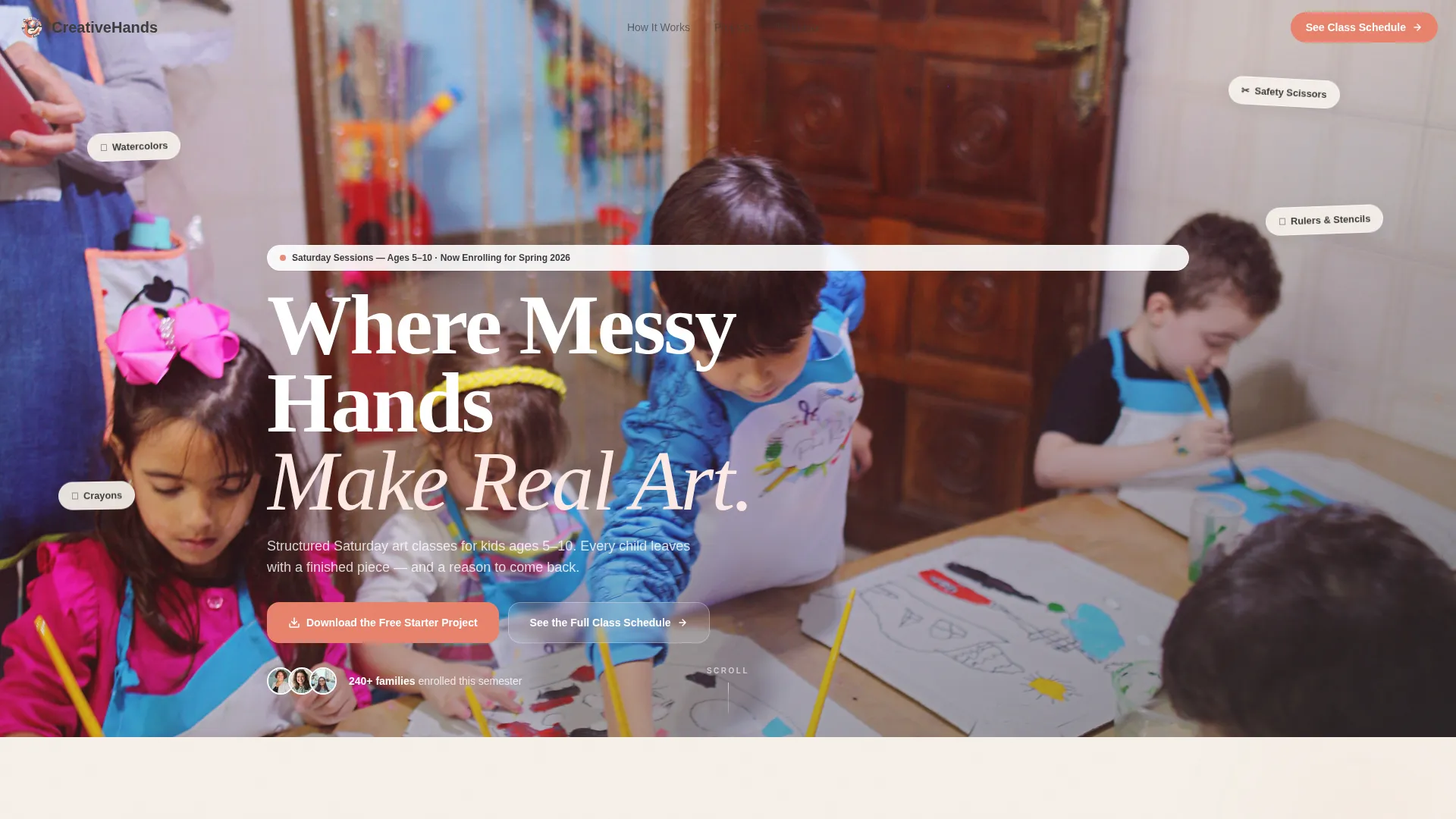
The hero fills ninety percent of the screen with a hand-drawn, watercolor-style illustration of children working at a studio table. A headline in crayon graphite fades in over the scene using a GSAP entrance animation. Floating supply tags add depth without crowding the focal image.
Scroll-Triggered Three-Step Journey
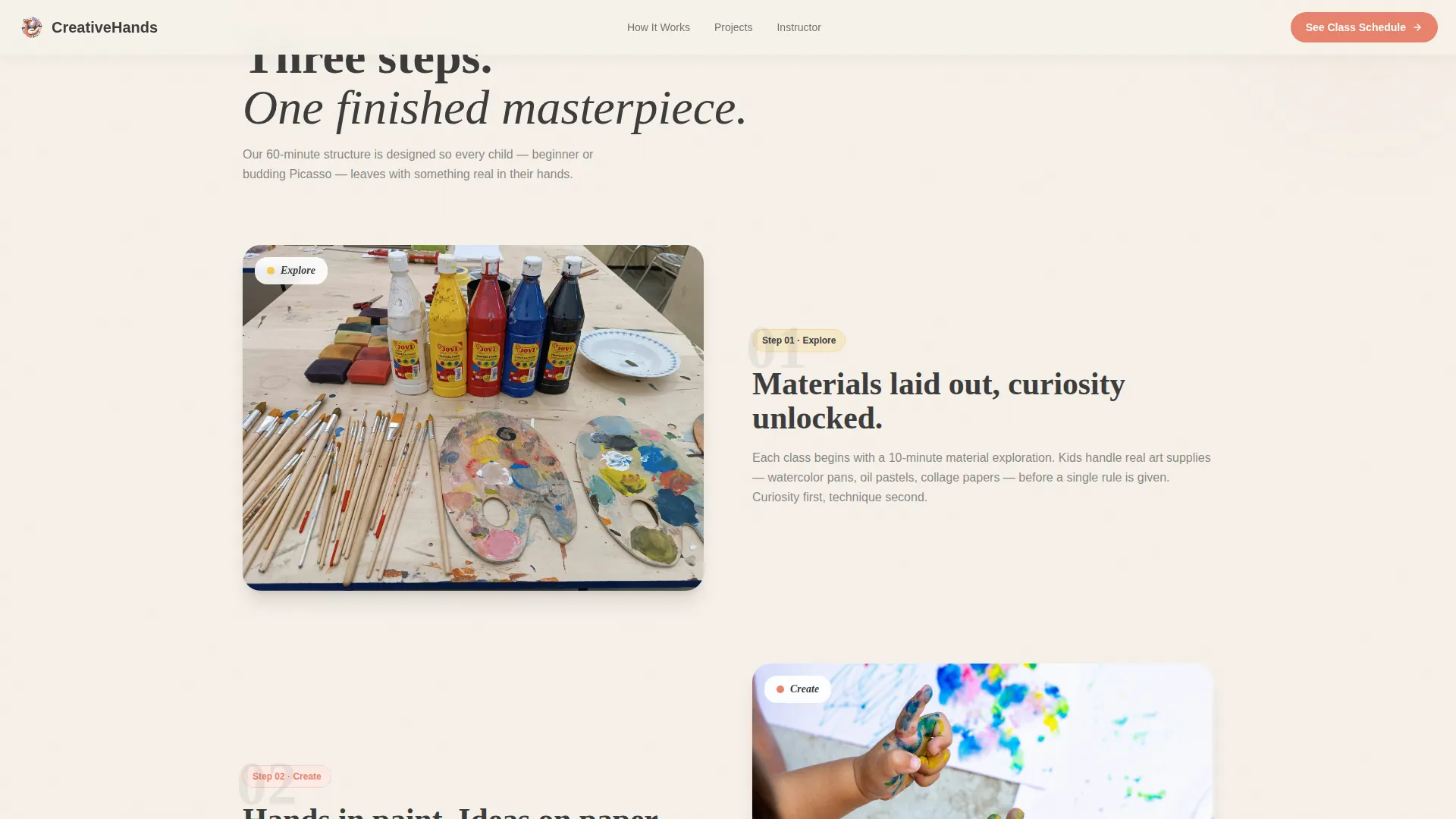
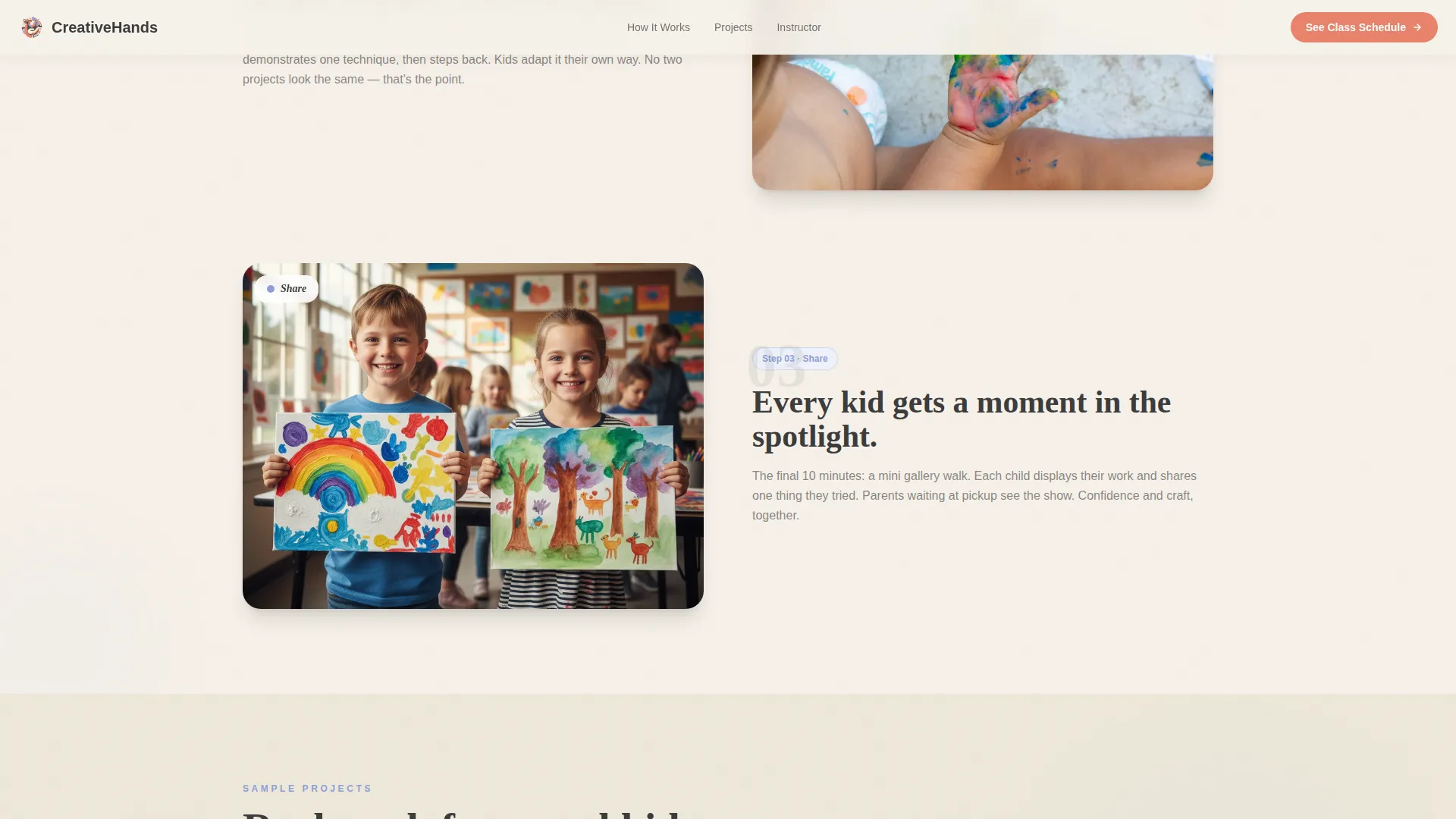
The Explore, Create, and Share steps slide in sequentially as the visitor scrolls down the page. Each step pairs a large image with a descriptor card in an asymmetric layout. This scroll-linked reveal builds a clear picture of the teaching method before the visitor reaches any enrollment ask.
Age-Band Project Gallery
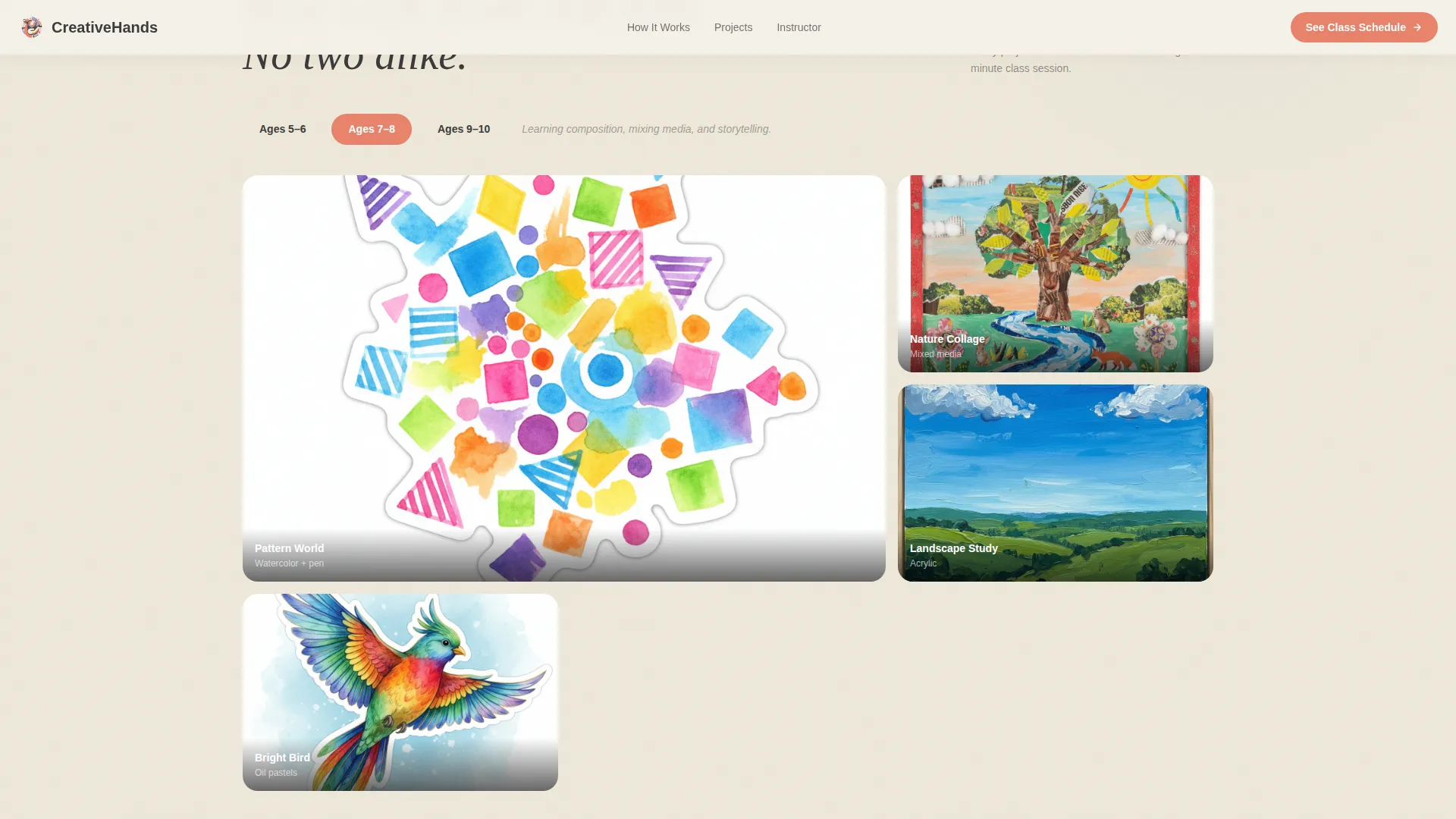
Sample student work is organized into a bento-style grid across three age bands: ages five to six, ages seven to eight, and ages nine to ten. Gallery cards include hover states so visitors can interact with project photos. Parents can immediately locate the work level that matches their child.
Instructor Credentials Section
A split layout places the instructor portrait on the left beside a hand-written-style bio and credential details on the right. Decorative elements reinforce the hand-crafted visual theme. This section builds personal trust before the parent encounters the enrollment call to action.
Lead-Capture Free Project Download
The primary call to action is a form that collects a parent's first name and email in exchange for a free printable PDF of a guided art lesson. The form is built as an interactive client component. This approach lets families experience the teaching style at home before committing to a paid class.
Masonry Parent Testimonials
Parent quotes are displayed in a masonry-style card layout paired with photos of actual student artwork. Seeing real finished projects alongside real parent words makes the social proof tangible. This section closes the trust loop opened by the hero illustration.
Page sections overview
| Section | Purpose |
|---|---|
| Hero with illustration | Captures attention, sets tone, presents headline |
| Three-step journey | Shows Explore, Create, Share class method |
| Age-band project gallery | Displays sample work by age group |
| Instructor credentials | Builds personal trust with bio and credentials |
| Parent testimonials | Provides social proof with student artwork photos |
| Footer with call to action | Links to class schedule and enrollment |
Design & branding system
The visual identity follows an Educational Guide theme using the Cloud Canvas color palette. Every color choice feels like a tool a child would reach for, warm and purposeful rather than loud or babyish.
- Soft parchment white (#F5F0E8) as the page background, colored-pencil periwinkle (#8E9FD5) as the accent, and finger-paint coral (#E8836B) as the primary action color
- Crayon graphite (#3B3B3B) for all body text, keeping readability high against the warm background
- Fraunces serif for display headlines and DM Sans for body copy, creating an editorial-educational tone that parents find credible and approachable
Mobile & speed optimization
The template is built mobile-first, reflecting how most parents browse enrichment options on a phone between school pickup and bedtime. Desktop layouts enhance the experience without compromising the mobile flow.
- Next.js Server Components handle static sections, while form and animation logic run as Client Components to keep load weight focused
- GSAP ScrollTrigger animations are scoped to scroll-linked reveals and staggered entrances, keeping motion purposeful rather than heavy
- The lead-capture form and gallery hover states are interactive only where needed, avoiding unnecessary JavaScript on static content blocks
How this template helps you convert
The page is structured as a Content and Resource destination, where trust is built before commitment is requested. Each section moves the visitor one step closer to submitting their email or booking a class.
- The hero illustration and headline create an immediate emotional connection, making parents feel the warmth of the classroom before reading a single word of copy
- The free starter project download removes the barrier to first contact by offering genuine value, a printable guided lesson, before asking for enrollment
- The secondary footer call to action keeps the class schedule one tap away for visitors who are ready to move directly to enrollment without downloading the free resource first
Other information about this template
This template is ready to present a children's art and creativity class with the visual depth and structural clarity that parents genuinely respond to. A few additional details worth noting before you start building:
- The template is designed around a USA localization default, using English, United States Dollar pricing, and month/day/year date formatting
- Animation intensity is set to medium, using GSAP ScrollTrigger for scroll-linked parallax, staggered section entrances, and floating hero elements
- Typography uses Fraunces for display headings and DM Sans for body text, both available as web fonts and suited to the editorial-educational tone
- The layout pattern for the footer follows a linear single-row structure with a call-to-action pill linking to session times and enrollment
Theme
Educational Guide
Creative direction
Step-by-Step Guide
Color system
Cloud Canvas
Style
Hero-Dominant (90/10)
Direction
Content/Resource
Page Sections
Full-viewport Illustrated Hero
Scroll-triggered Three-step Journey
Age-band Project Gallery
Instructor Credentials Section
Lead-capture Free Project Form
Masonry Parent Testimonials
Related questions
Who is this landing page template designed for?
What does the free download call to action involve?
Can I show different content for different age groups?
Does this template include instructor and testimonial sections?
Is this template suitable for a homeschool co-op art program?



