Biathlon Academy Landing Page Template
Crossfire is a single-column landing page built for a biathlon training academy. It guides Nordic ski racers, junior shooters, and endurance athletes through a season-by-season scroll, surfacing program cards with real-time seat counts and a "Build Your Season" quiz. The Fire and Earth color system and high-drama portrait header make every section feel urgent, focused, and race-ready.
by Rocket studio
Quick summary
Crossfire is a high-intensity biathlon academy landing page. It sells training programs across a seasonal scroll, from autumn dry-fire clinics to full competition weekends. Multiple program cards each carry a "Reserve Your Slot" call to action with a live seat counter. A sticky bottom bar opens a quiz matching athletes to the right package.
Who this template is for
This template is built for operators who run structured biathlon or winter endurance training. It works equally well for an established academy and a single coach launching their first season of camps.
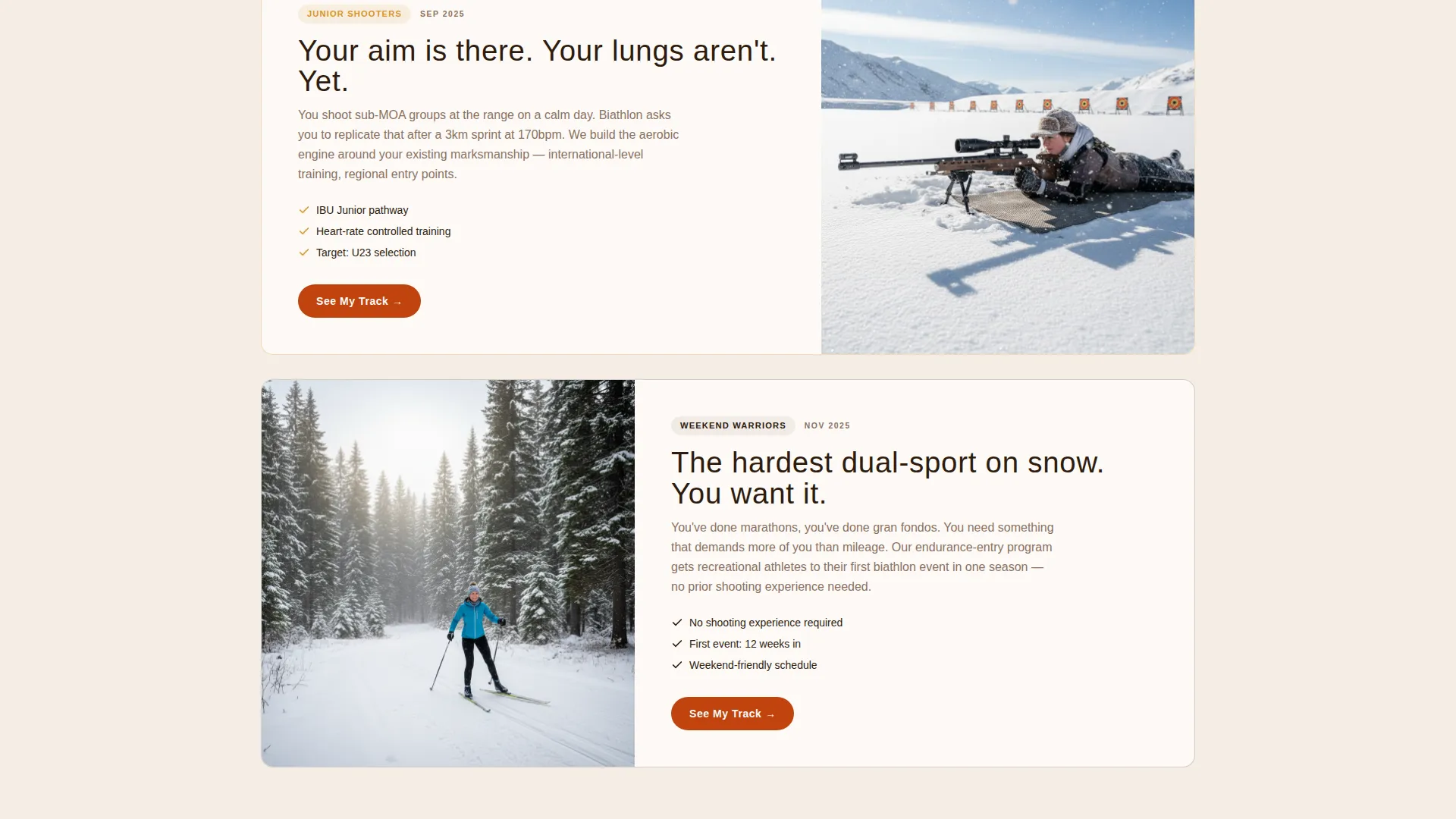
- Nordic ski racers expanding into rifle shooting and looking for structured biathlon programs
- Junior shooters preparing for international-level competition who need a credible training home
- Weekend endurance athletes pursuing the dual-sport challenge of combined skiing and shooting
What problem this template solves
Most sport-academy pages treat every visitor the same. Crossfire solves the mismatch between a diverse athlete audience and a one-size-fits-all sign-up form.
- Athletes arrive with very different backgrounds, so a single generic form causes drop-off before commitment
- Scarcity is invisible on standard pages, meaning urgency is lost and conversions stay low
- The training calendar has hard seasonal windows that a generic layout cannot communicate
What you get with this template
You get a full single-column landing page designed around the biathlon training calendar. Every section moves the visitor forward, from discovery through to slot reservation.
- A full-viewport portrait header with condensed uppercase headline and atmospheric winter photography
- Seasonal scroll sections timestamped to autumn, winter, and competition windows
- Program marketplace cards with individual calls to action and visible seat counts
- A sticky bottom bar holding the "Build Your Season" quiz path
- A three-field intake form on each card collecting name, discipline background, and preferred dates
Feature list
A brief introduction: the features below reflect the components described in the source brief for this template.
Full-Viewport Portrait Header
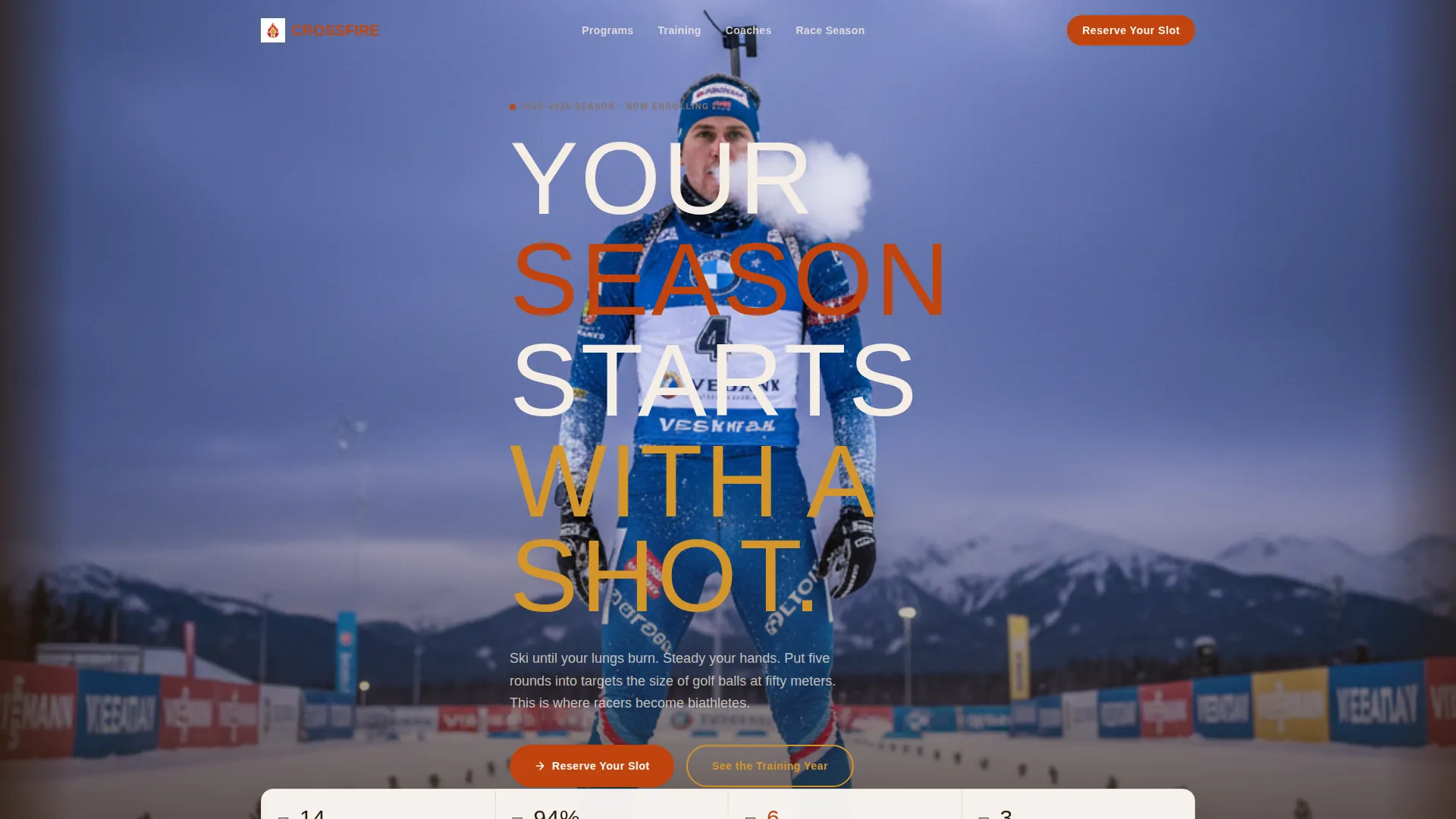
The header uses a tall, narrow vertical photograph even on desktop. A single athlete stands on skis, rifle slung, breath visible against a bruised winter sky. The condensed uppercase headline "YOUR SEASON STARTS WITH A SHOT." runs along the left edge. White space flanks the image like a magazine cover.
Seasonal Scroll Structure
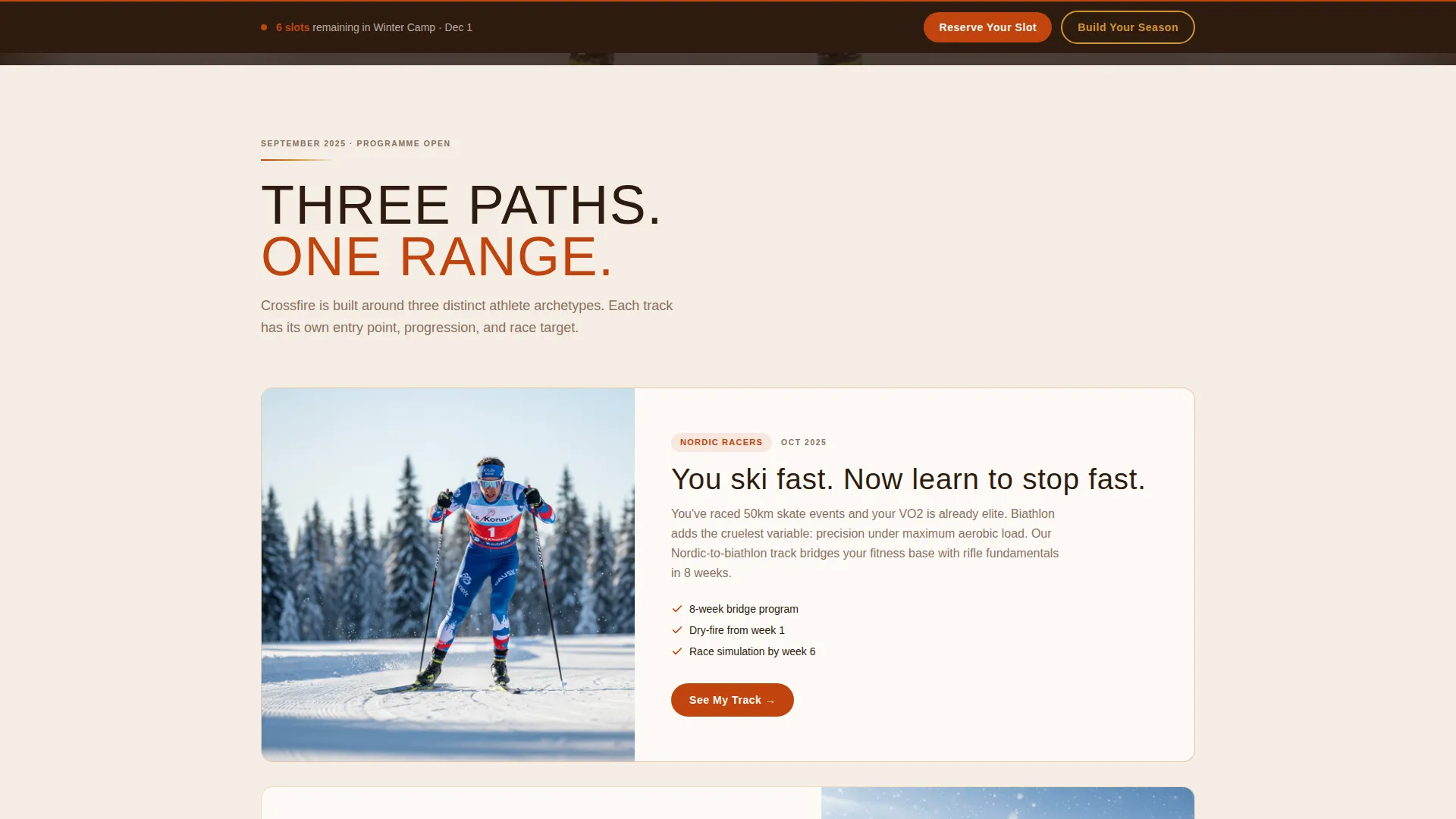
The page scrolls through the training year like a calendar moving forward. Autumn sections show dry-fire clinics and roller-ski sessions tagged to specific dates. Mid-page shifts to snow camps and altitude blocks. Late sections erupt into competition season with crowd footage and event recaps.
Program Marketplace Cards
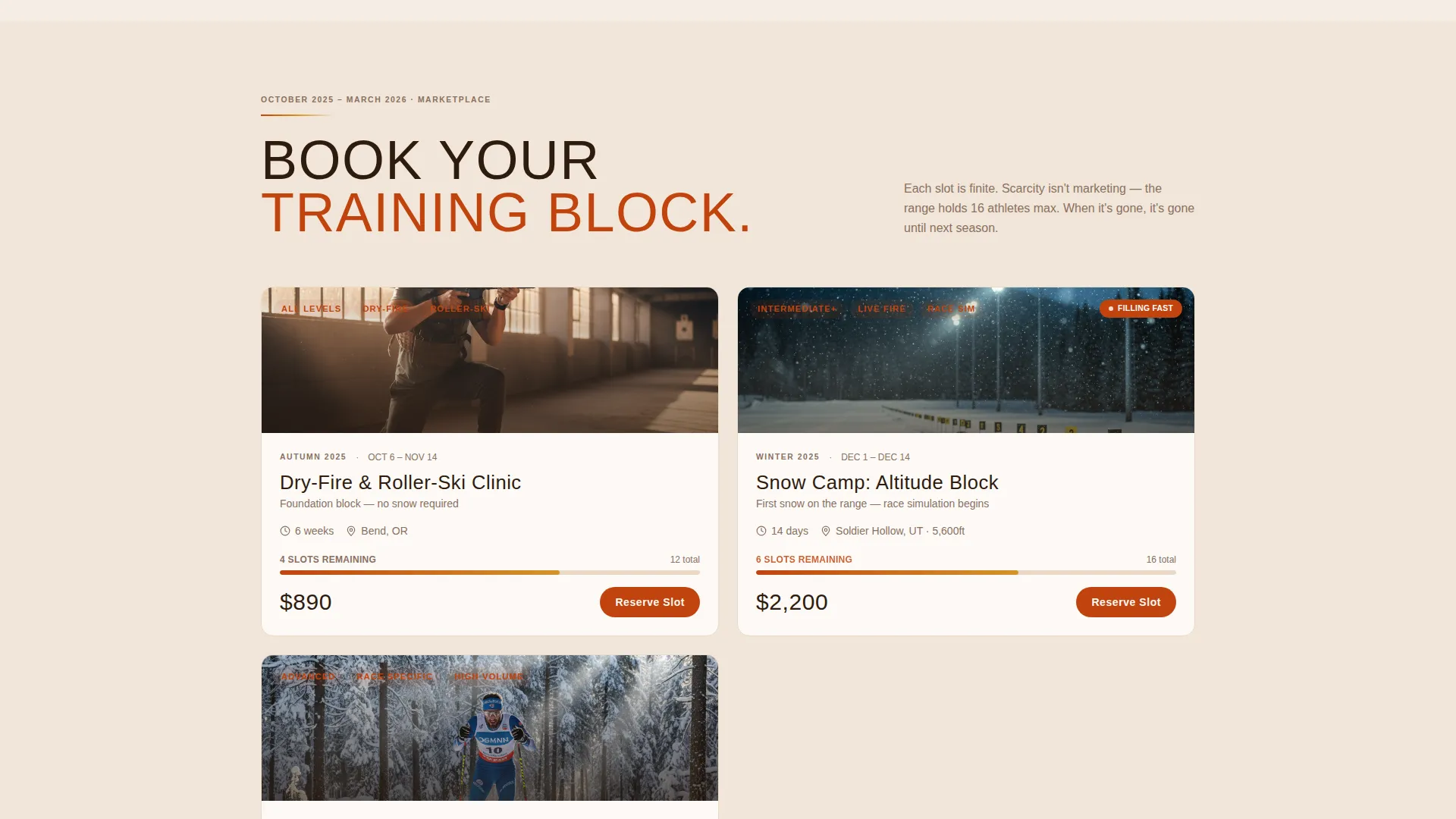
Each training program gets its own card with a "Reserve Your Slot" call to action. A visible seat counter depletes in real time, making scarcity tangible without any hard sell. Cards keep friction low by showing only the information a buyer needs to decide.
Three-Field Slot Intake
Every program card collects just three pieces of information: name, discipline background (ski, shoot, or both), and preferred camp dates. The short form reduces hesitation and keeps momentum high at the moment of commitment.
Sticky "Build Your Season" Bar
A persistent bottom bar remains visible as the visitor scrolls. It opens a quiz that recommends a training package based on experience level, target race, and available months. It serves athletes who want guidance before committing to a specific slot.
Timestamped Urgency System
Every seasonal section carries a date tag. This creates a ticking-clock effect across the scroll. Training windows open and close, and the layout communicates that clearly without relying on pop-ups or banner warnings.
Page sections overview
| Section | Purpose |
|---|---|
| Portrait Hero Header | Anchor the page with a high-drama athlete image and the core headline |
| Autumn Training Block | Introduce dry-fire clinics and roller-ski sessions with autumn date tags |
| Winter Camp Block | Present snow camps, altitude blocks, and race-simulation weekends |
| Competition Season Block | Showcase live leaderboards, event recaps, and festival-energy crowd footage |
| Program Marketplace Cards | Let visitors browse and reserve individual training slots |
| Sticky Bottom Bar | Keep the "Build Your Season" quiz path accessible throughout the scroll |
Design & branding system
The visual identity runs on a Fire and Earth palette that feels like a bonfire at a night-race finish line. Every color choice earns its place in the winter-sport atmosphere.
- Volcanic ember (#C1440E) drives primary action buttons and live-event highlights
- Scorched pine (#2D1B0E) anchors body text and navigation for deep contrast
- Frozen tundra cream (#F5EDE3) opens backgrounds and gives the eye room to rest
- Molten gold (#D4952A) fires on hover states and countdown timer accents
Mobile & speed optimization
The single-column flow adapts naturally to narrow screens. The portrait header format actually gains presence on a mobile viewport.
- Full-column card layout stacks cleanly without horizontal scrolling or layout breakage
- Sticky bottom bar remains anchored on mobile, keeping the quiz path always reachable
- Three-field forms stay compact and tap-friendly at any screen size
How this template helps you convert
The layout uses structural scarcity and guided self-selection to move visitors from browsing to booking.
- Real-time seat counters on every program card create genuine urgency without manufactured pressure, making the decision feel time-sensitive.
- The "Build Your Season" quiz filters visitors by experience and goal, then surfaces the most relevant program, which reduces decision paralysis and raises commitment confidence.
Other information about this template
This template sits inside the Sports and Recreation category, specifically targeting the biathlon academy and training niche. It is built on the Marketplace and Multi-conversion landing page direction, meaning it supports several concurrent program offers on one page rather than pushing a single call to action. The Festival Energy theme and Seasonal and Moment creative direction are baked into the layout sequence and visual tone. The header concept follows a Vertical and Portrait composition approach, uncommon in sport-academy templates and immediately distinctive on desktop and mobile. The single-column flow template style keeps the build straightforward and the editorial rhythm easy to control as seasonal content changes.
- Suitable for academies running concurrent autumn, winter, and competition-season programs simultaneously
- The quiz-driven bottom bar makes this template useful for athletes who are undecided about which program fits their schedule
- Timestamped seasonal sections can be updated each year to reflect new camp windows and race calendars
Theme
Festival Energy
Creative direction
Seasonal/Moment
Color system
Fire & Earth
Style
Single Column Flow
Direction
Marketplace/Multi
Page Sections
Full-viewport Portrait Header
Seasonal Scroll with Date Tags
Program Marketplace Cards
Low-friction Three-field Form
Sticky Build Your Season Bar
Fire and Earth Visual System
Related questions
Who is this landing page template designed for?
How does the real-time seat counter work on each program card?
What does the Build Your Season quiz recommend?
Can I update the seasonal sections as the training year changes?
How many training programs can I feature on this page?