Crystal — Proven Mineral Removal Landing Page Template
Soften is a split-screen landing page template built for Lagos water softener service providers targeting B2B clients. It uses a FAQ-driven scroll, a Half-Page Photo+Text header, and a Cloud Canvas color system to move facility managers, hotel GMs, and industrial plant operators from skepticism to a booked site assessment.
by Rocket studio
Quick summary
Soften is a single-page B2B template for a Lagos water softener service. It pairs a striking split-screen layout with a FAQ-driven scroll structure to address real concerns from facility managers, hotel operators, and industrial plant teams. The design builds institutional trust and drives one clear action: request a site assessment.
Who this template is for
This template is built for water treatment service providers in Lagos who sell to commercial and industrial clients. It speaks directly to buyers who manage infrastructure, not just consumers shopping on price.
- Facility managers overseeing Lekki high-rises with corroding pipe systems
- Hotel general managers on Victoria Island replacing showerheads quarterly due to scale buildup
- Industrial plant operators in Ikeja whose cooling systems suffer from untreated borehole water
What problem this template solves
Most service landing pages list features and stop there. This template goes further by anticipating the exact doubts a Lagos facility manager carries before signing a maintenance contract.
- Hard water damage is expensive and ongoing, but many buyers need proof before committing
- Generic service pages fail to address borehole compatibility, power outage continuity, or multi-floor installation logistics
- Without a structured qualification flow, pages attract the wrong leads and lose the right ones early
What you get with this template
You get a fully structured, single-page B2B layout designed to educate, qualify, and convert serious commercial water treatment buyers.
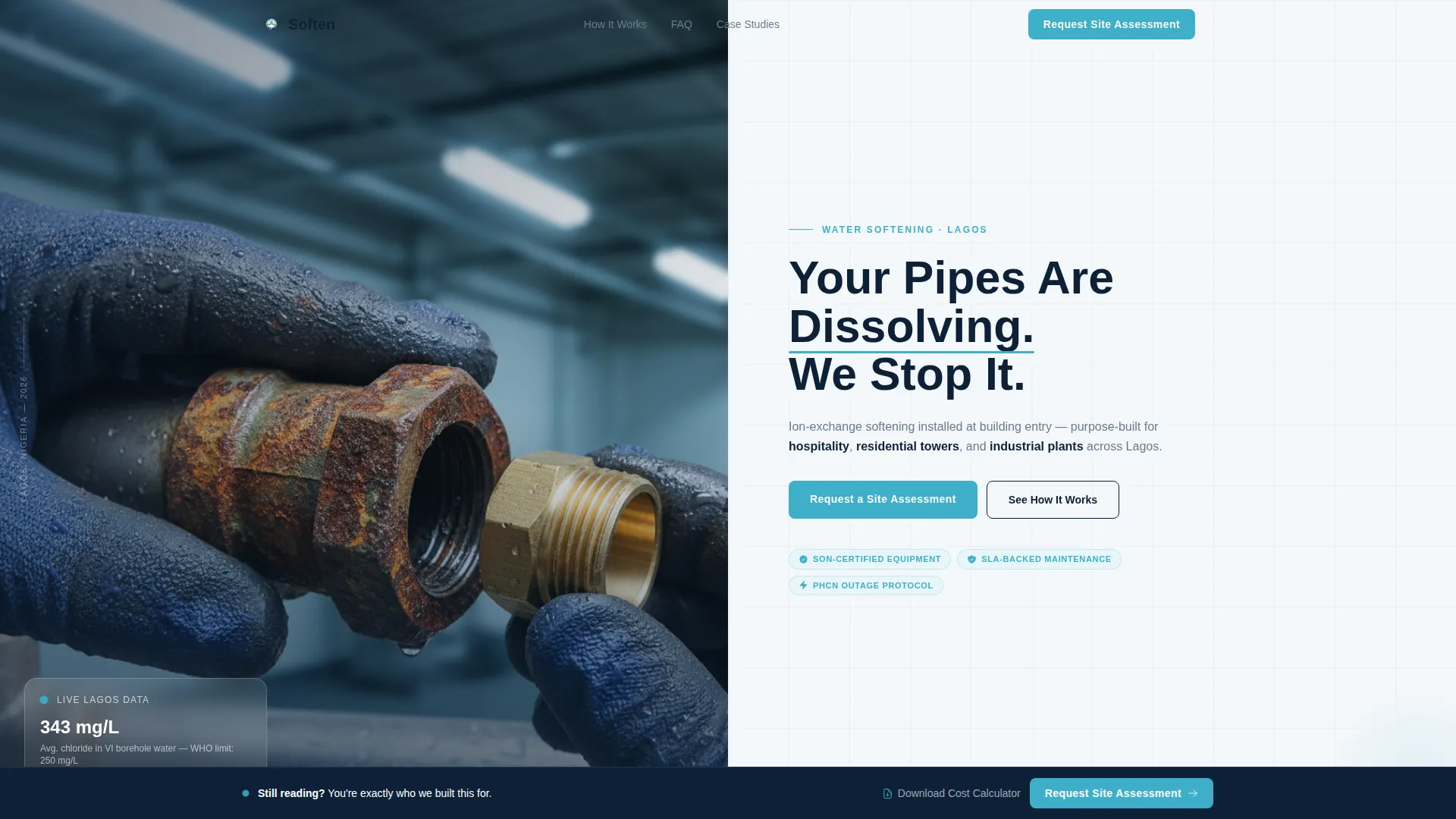
- A Half-Page Photo+Text split-screen header with a direct headline and aqua-accented call to action button
- A FAQ-driven scroll that escalates from feasibility questions to cost and return-on-investment conversations
- Two conversion paths: a primary site assessment request form and a secondary gated PDF download for early-stage leads
Feature list
This section describes the core built-in components that make the Soften template work as a B2B conversion tool.
Split-Screen FAQ Scroll
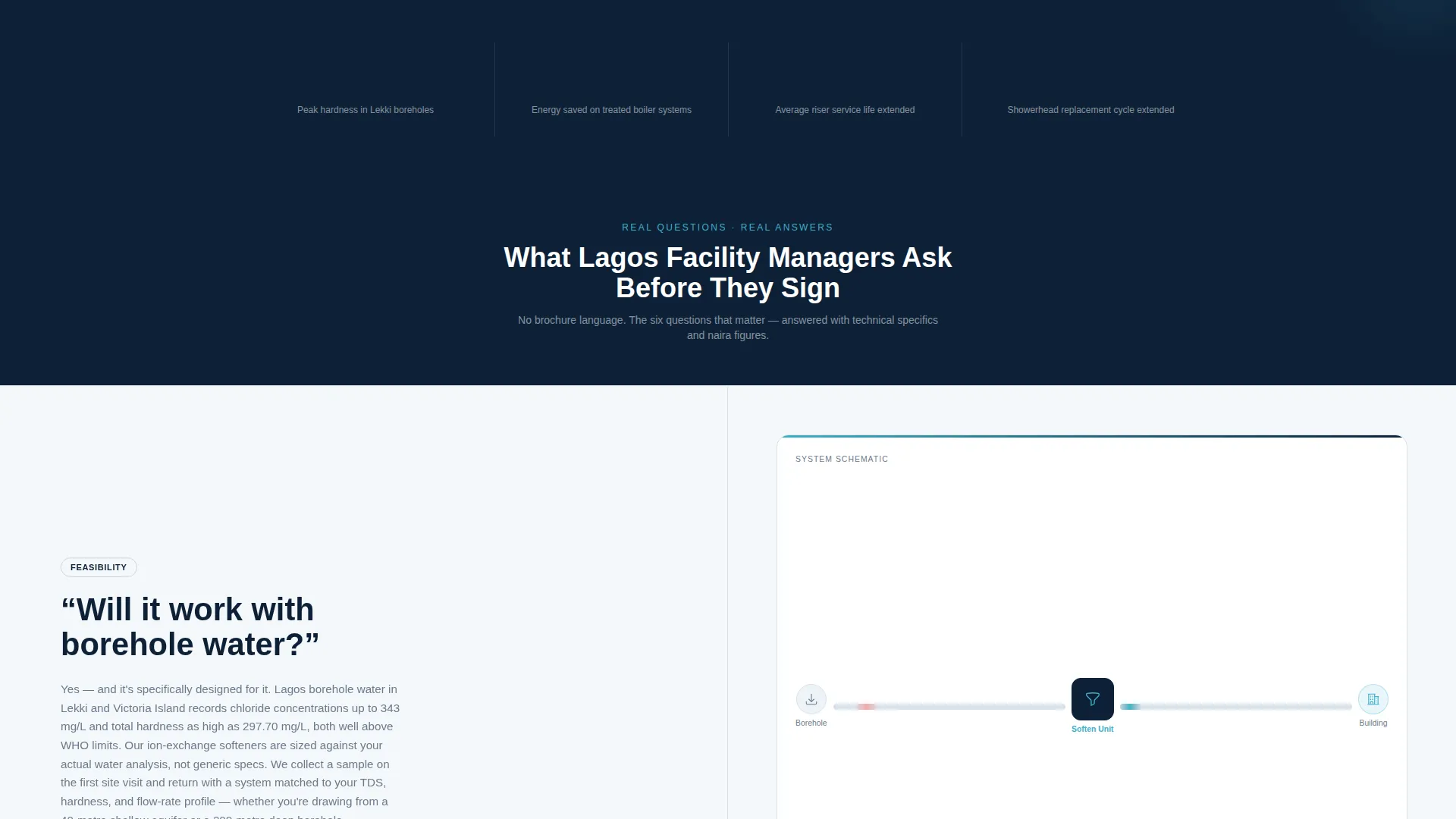
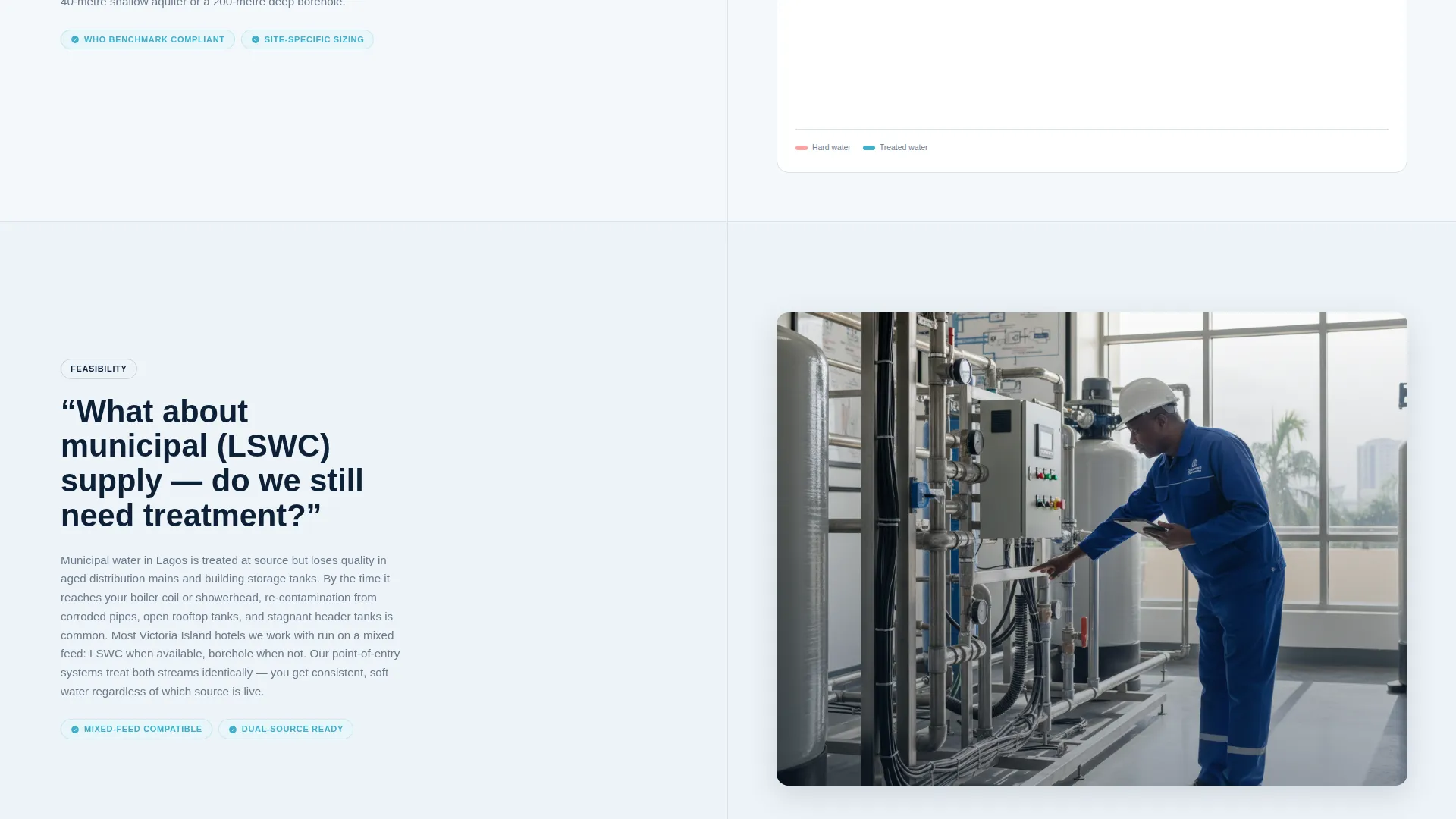
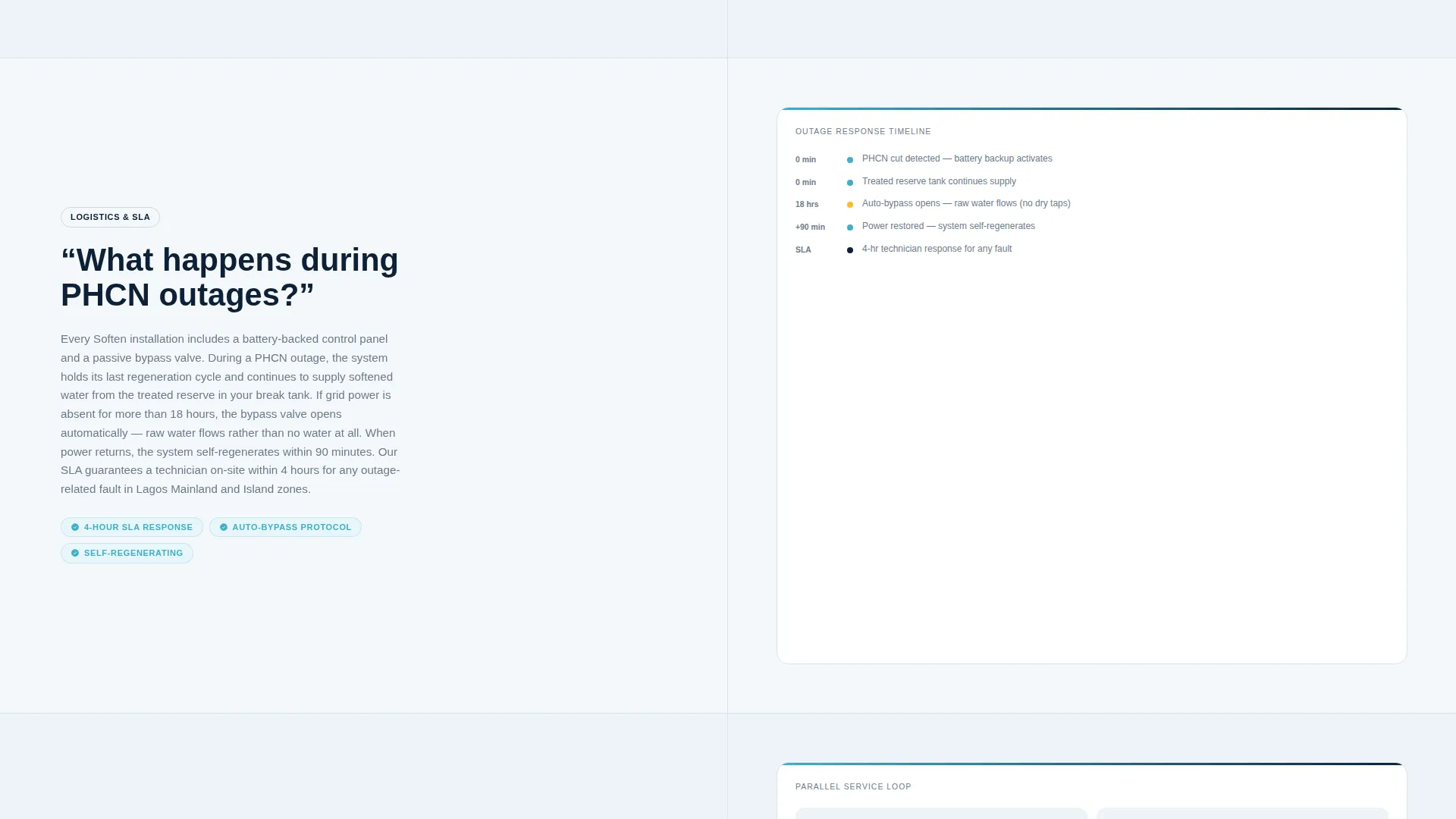
Each FAQ section is a 50/50 split screen. The left panel states the question in large navy type. The right panel answers with a short paragraph, a technical diagram or installation photo, and a compliance or certification badge. Stakes escalate as the reader scrolls deeper.
Half-Page Photo+Text Header
The header splits into two equal panels. The left shows a close-up photograph of a technician's gloved hand gripping a corroded pipe fitting next to a gleaming new one. The right carries a direct headline, a three-vertical subhead, and the primary call to action button.
Dual Conversion Path Design
The primary path is a site assessment request form collecting company name, building type, number of units or floors, and current water source. The secondary path offers a downloadable PDF cost calculator gated behind a business email, capturing leads not yet ready to book.
Sticky Repeat call to action Bar
After the third FAQ section, a sticky bar reintroduces the "Request a Site Assessment" call to action. This keeps the primary conversion goal visible without interrupting the reading flow.
Institutional Color System
The Cloud Canvas palette uses soft cumulus white for backgrounds, deep lagoon navy for headlines, muted pipe-steel gray for body copy, and a clean aqua accent on buttons and interactive highlights. The result feels like a signed maintenance contract on a polished boardroom table.
Escalating Case Study Integration
The final FAQ sections are designed to hold anonymized naira-denominated case studies. These ground the return-on-investment conversation in real local numbers, helping serious buyers justify internal approval.
Page sections overview
| Section | Purpose |
|---|---|
| Split-screen header | Introduce the service and headline problem |
| Three-vertical subhead | Name hospitality, residential, and industrial clients |
| Primary call to action button | Drive site assessment requests from first view |
| FAQ section one | Address borehole water feasibility |
| FAQ section two | Cover PHCN outage continuity planning |
| FAQ section three | Explain multi-floor riser installation logistics |
| Sticky call to action bar | Repeat site assessment call to action after third FAQ |
| FAQ section four | Handle service-level agreement and scheduling |
| FAQ section five | Resolve cost and ROI with case study figures |
| Assessment request form | Qualify and capture high-intent leads |
| PDF download gate | Capture early-stage leads with cost calculator |
Design & branding system
The visual identity follows a Legal Shield theme built on the Cloud Canvas color system. Every color choice reinforces institutional credibility and calm authority, which is exactly what a Lagos facility manager needs to feel before signing a service agreement.
- Cloud Canvas white (#F4F7FA) on primary backgrounds keeps the layout clean and readable
- Deep Lagos lagoon navy (#0D2137) anchors headlines and section titles with authority
- Muted pipe-steel gray (#6B7B8D) handles body copy and dividers without competing with headlines
- Clean aqua (#3EAFC9) activates buttons, icons, and interactive highlights for clear visual direction
Mobile & speed optimization
The split-screen layout is structured to reflow cleanly on smaller screens. B2B buyers often review service proposals on mobile devices between site visits, so the template prioritizes readable stacking without sacrificing hierarchy.
- The 50/50 split panels stack vertically on mobile so text and images remain legible
- The sticky call to action bar stays accessible on scroll across both desktop and mobile viewports
- Form fields use a dropdown for building type to reduce typing friction on touch screens
How this template helps you convert
The template is built around a single conversion philosophy: teach the buyer enough to qualify themselves, then give them a clear next step.
- The FAQ-driven scroll filters out unqualified visitors naturally. By the time a reader reaches the cost and ROI sections, only serious partners remain, which means your sales team receives better-qualified assessment requests.
- The dual conversion path captures buyers at two different stages of readiness. The site assessment form works for buyers ready to act now. The gated PDF captures buyers still building their internal business case, keeping your pipeline active at both ends.
Other information about this template
This template is designed specifically for the Lagos commercial water treatment market. Its structure, language cues, and conversion paths reflect the real buying behavior of facility managers and operations teams in Lagos.
- The form dropdown includes hotel, residential estate, factory, and other as building type options
- Case study slots in the final FAQ sections are designed to hold anonymized naira figures from real client engagements
- The page uses fluorescent facility lighting photography direction to reinforce on-site credibility
- This template suits service providers operating across Lagos verticals including hospitality, high-rise residential, and industrial manufacturing
Theme
Legal Shield
Creative direction
FAQ-Driven
Color system
Cloud Canvas
Style
Split Screen (50/50)
Direction
Partnership/B2B
Page Sections
Split-screen FAQ Scroll Layout
Half-page Photo+text Header
Dual Conversion Path
Sticky Repeat Call to Action Bar
Escalating Case Study Slots
Institutional Cloud Canvas Palette
Related questions
What kind of business is this template designed for?
Can I use this template if I serve both borehole and municipal water clients?
How does the dual conversion path work?
When does the sticky call to action bar appear on the page?
Can I replace the case study content with my own client data?



