Kids Hip-Hop Dance Online Class Landing Page Template
Cypher is a masonry-style landing page template built for kids hip-hop dance online classes. It combines a user-generated content photo wall, a milestone-driven scrapbook gallery, and a five-question illustrated quiz that recommends the right class level for each child. The result is a warm, curriculum-backed page that turns curious parents into enrolled students.
by Rocket studio
Quick summary
Cypher is a single-page template designed for virtual kids hip-hop dance studios. It opens with a mosaic of real student snapshots, guides parents through four skill-milestone sections, and closes the gap between interest and enrollment with a personalized quiz. The visual identity feels like a handmade scrapbook, warm, joyful, and built to move kids forward.
Who this template is for
This template is built for educators and coordinators who teach structured hip-hop dance to children between the ages of six and twelve. It speaks directly to the adults making the enrollment decision while keeping the energy alive for the kids who will actually be dancing.
- Homeschool parents searching for structured movement classes that fit into their daily rhythm
- After-school program coordinators filling the 3:30 to 5:00 pm activity gap
- Dance instructors and studio owners launching a virtual kids hip-hop dance class online
What problem this template solves
Parents who discover kids hip-hop dance content online often feel unsure about the next step. The gap between watching a TikTok move and enrolling in a real structured class is filled with hesitation, unanswered questions, and no clear sense of where their child belongs. This template closes that gap directly.
- It removes uncertainty by letting parents match their child to the right level before committing
- It addresses commitment anxiety by offering free sample class previews directly from the gallery
- It builds trust through real student milestone moments instead of stock imagery or abstract promises
What you get with this template
You get a fully structured, single-page layout that covers every stage of the parent decision journey. From the first scroll to the final quiz result, each section is designed with both the parent and the child in mind.
- A user-generated content photo wall hero, four milestone gallery clusters, curriculum guide cards, a quiz modal, a parent testimonials grid, and a footer
- A five-question illustrated quiz modal with personalized class recommendations and matching student spotlights
- High interactivity including staggered tile reveals, video play overlays on masonry tiles, and hover states throughout
Feature list
This template includes the following core capabilities drawn directly from the brief.
UGC Photo Wall Hero
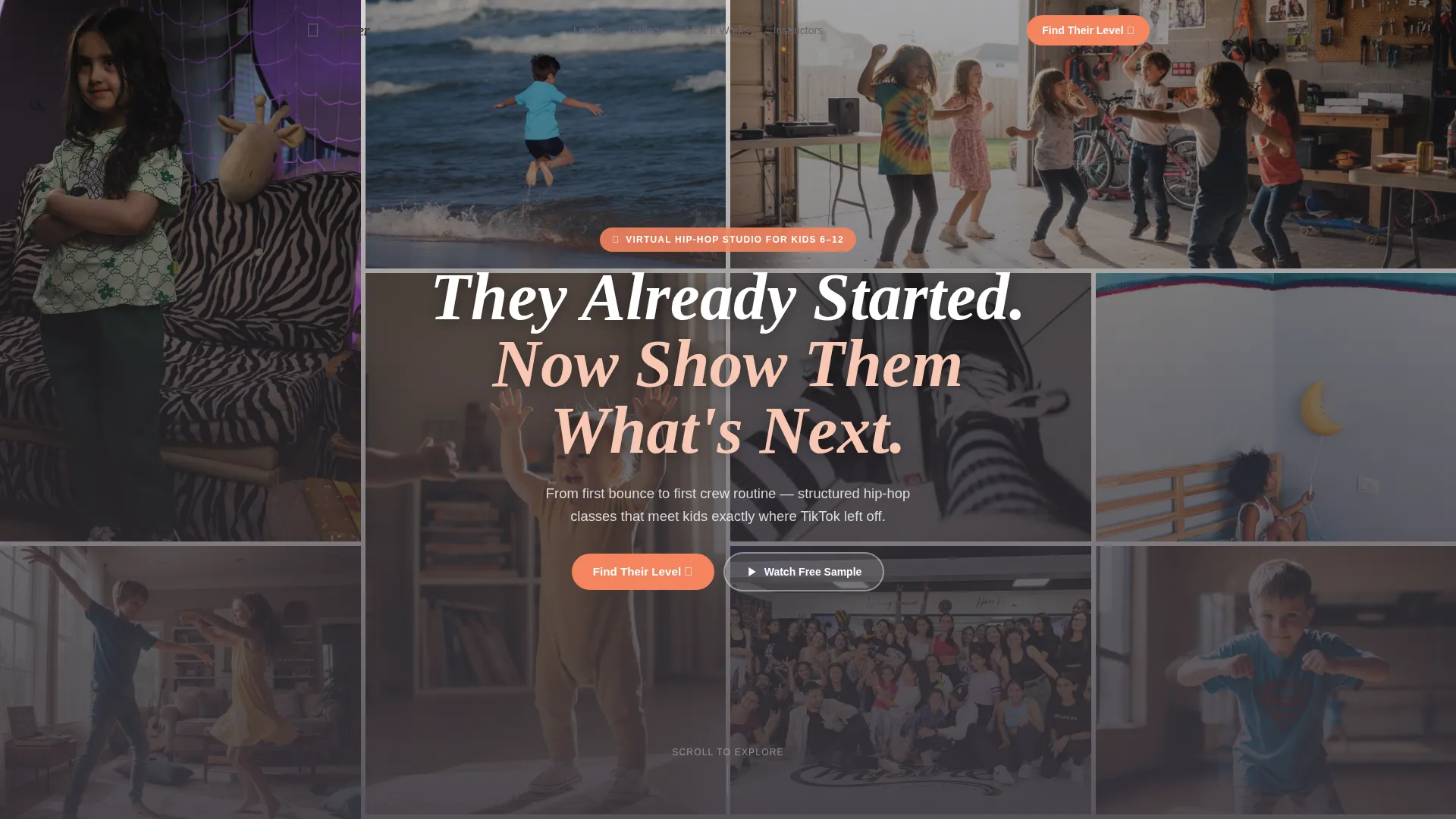
The header fills the full viewport with staggered student snapshots and short looping clips. A hand-lettered headline floats over the mosaic, and two calls to action anchor the bottom of the hero section. No stock photography is used.
Milestone Masonry Gallery
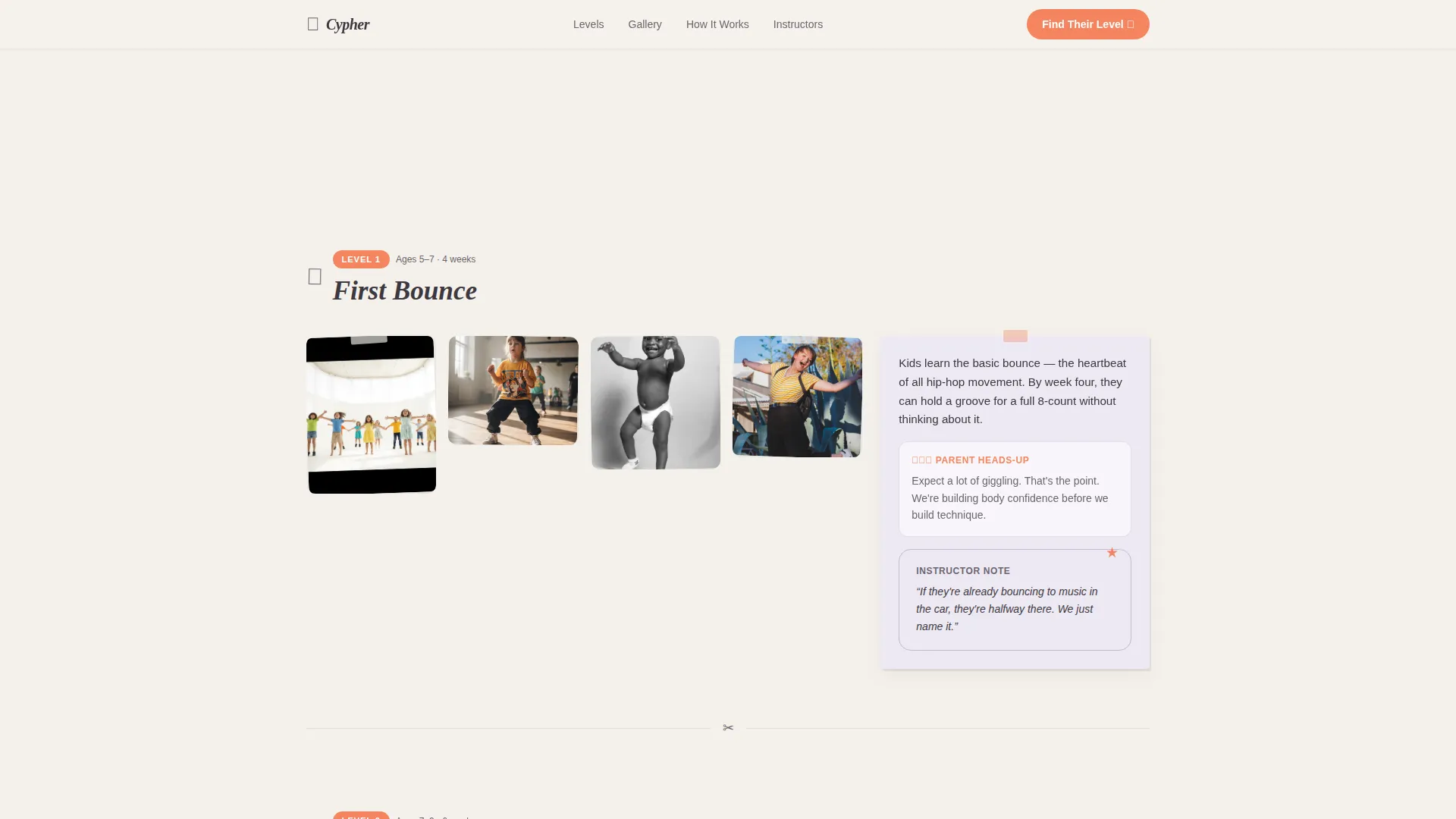
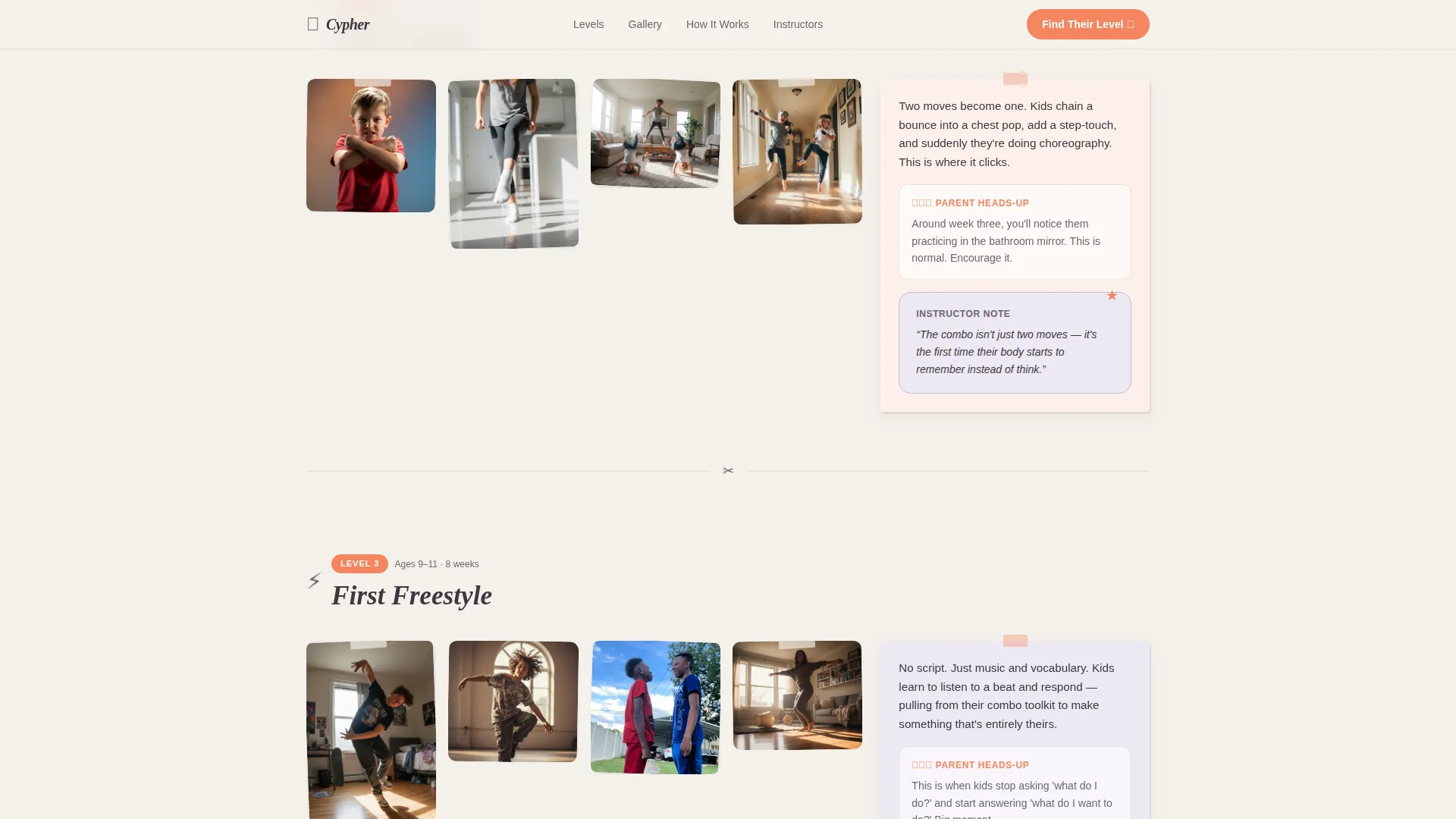
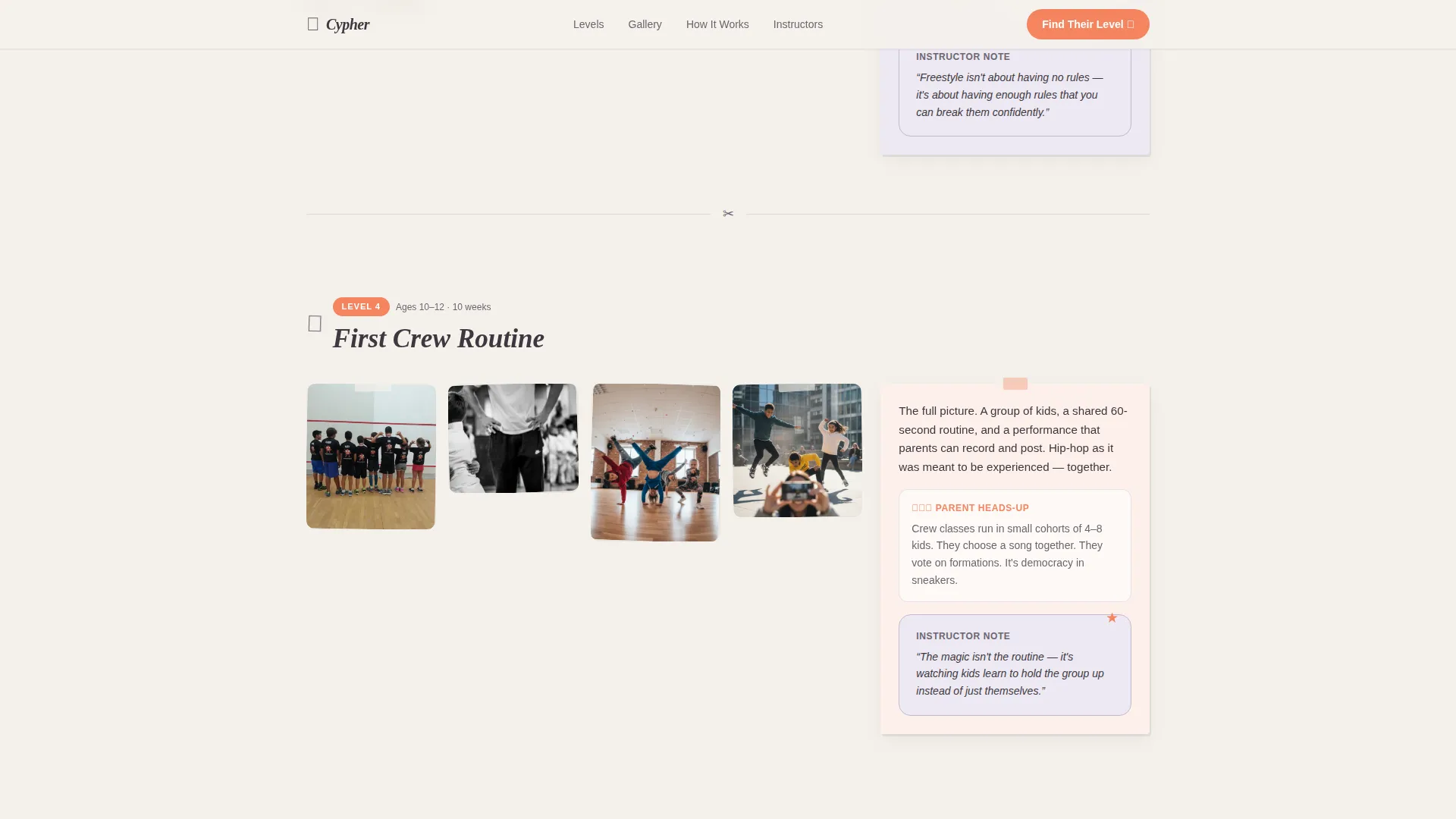
Four skill-milestone clusters organize student moments by level: First Bounce, First Combo, First Freestyle, and First Crew Routine. Each cluster sits inside a scrollable masonry layout with progress badges and instructor tip cards breaking the visual rhythm between photo tiles.
Curriculum Guide Cards
Short educational guide cards sit between each photo cluster. They explain what each milestone level teaches, what parents can realistically expect, and how long each stage typically takes. These cards turn the gallery into a readable curriculum overview.
Illustrated Quiz Modal
The primary conversion path is a five-question illustrated assessment. It asks about the child's age, dance experience, favorite music style, group or solo preference, and weekly availability. Results deliver a personalized class recommendation paired with a matching student spotlight.
Free Sample Class Previews
Any masonry tile tagged with a play icon lets parents watch a free sample class directly from the gallery. This secondary path lowers commitment anxiety before a parent reaches the quiz.
Parent Testimonials Grid
A social proof section displays parent testimonials alongside the child's age and current milestone level. Student spotlight photos give each testimonial a face and a story, reinforcing trust at the bottom of the page.
Page sections overview
| Section | Purpose |
|---|---|
| Hero Photo Wall | Full-viewport UGC mosaic with floating headline and dual calls to action |
| Milestone Gallery | Four masonry clusters organized by skill level with badges and tip cards |
| Curriculum Guide Cards | Level-by-level breakdown of what each stage teaches and how long it takes |
| Quiz Call to Action | Five-question illustrated modal delivering a personalized class recommendation |
| Parent Testimonials Grid | Social proof with child age, milestone level, and student spotlight photos |
| Footer | Horizontal flow footer pattern with navigation and studio information |
Design & branding system
The visual identity follows an Educational Guide theme built on the Cloud Canvas color system. The palette draws from construction paper and handmade classroom materials, keeping the energy unselfconscious and warm without feeling chaotic.
- Colors: cloud white (#F4F1EB) backgrounds, chalk lavender (#C5B9CD) accents, warm pencil gray (#6B6570) body text, and highlight tangerine (#F4845F) on buttons, badges, and hover states
- Typography: Plus Jakarta Sans handles all body text and user interface labels; Fraunces serves as the display serif for milestone headers and hero headlines
- Visual style: scrapbook-meets-curriculum, with staggered masonry tiles, hand-lettered display text, and progress badge treatments that feel like gold stars on homework
Mobile & speed optimization
This template is built mobile-first, reflecting the reality that most parents browse on phones and most kids interact on tablets. The layout and interactivity scale naturally across screen sizes.
- Staggered tile reveals use Intersection Observer for lazy loading, keeping the masonry gallery smooth on mobile connections
- CSS animations handle all motion effects, avoiding heavy JavaScript dependencies for scroll-linked transitions
- The quiz modal, video overlays, and hover states are all designed to work cleanly on touch devices
How this template helps you convert
Every design and content decision in this template points toward one outcome: a parent enrolling their child in the right class with confidence.
- The illustrated quiz turns passive browsing into active participation. A parent who answers five questions about their child is far more likely to act on a personalized recommendation than one reading a generic class list.
- Free sample class previews embedded directly in the masonry tiles let parents reduce risk before they ever reach the quiz, shortening the decision path considerably.
- Real student milestone photos, parent testimonials with child age and level, and progress badges work together to show parents exactly where other children like theirs have landed.
Other information about this template
This template is part of a broader intersection between the Kids and Family category and the kids hip-hop dance online class niche. It is designed as a business-to-consumer subscription conversion tool for EdTech and virtual studio contexts.
- Template style: Masonry and Pinterest-inspired layout
- Header concept: UGC Photo Wall with a living mosaic of real student moments
- Creative direction: Community Gallery with milestone-organized scrapbook flow
- Landing-page direction: Quiz and Assessment modal as the primary conversion mechanism
- Localization defaults: English language, United States dollar pricing, and US date format
- The footer uses a Horizontal Flow pattern suitable for studio navigation and contact details
Theme
Educational Guide
Creative direction
Community Gallery
Color system
Cloud Canvas
Style
Masonry/Pinterest
Direction
Quiz/Assessment
Page Sections
UGC Photo Wall Hero Section
Milestone-organized Masonry Gallery
Curriculum Guide Cards
Five-question Illustrated Quiz Modal
In-gallery Sample Class Previews
Parent Testimonials with Student Spotlights
Related questions
How quickly can this template be customized?
Can this template match our brand identity?
Is this template usable on mobile devices?



