Executive Locksmith Landing Page Template
Deadbolt is a single-column landing page template built for 24/7 locksmith businesses. It leads with an editorial hero, builds trust through escalating case study narratives, and closes with a frictionless inline booking form. The Executive Suite visual style pairs deep plum with champagne ivory and polished brass accents for a tone that feels urgent, credible, and premium.
by Rocket studio
Quick summary
Deadbolt is a single-column flow landing page template for professional locksmith services. It moves visitors through three escalating real-scenario case studies before presenting a booking form. The design uses an Executive Suite dark palette to convey urgency and calm authority at once. Every section earns trust before asking for anything.
Who this template is for
This template serves locksmith businesses that handle both emergency calls and planned security work. It is built for operators who need a page that converts on mobile in under sixty seconds, and equally supports desktop visitors who are scheduling in advance.
- Property managers coordinating tenant turnovers across multiple units
- Executive assistants and professionals facing urgent lockout situations before time-sensitive events
- Car dealership operators, commercial facility managers, and residential service providers who run 24/7 operations
What problem this template solves
Most locksmith pages feel generic and fail to build confidence before asking for contact details. Visitors in a lockout situation need instant reassurance, not a list of services. This template solves that by proving competence through completed job narratives before the booking form ever appears.
- Panic visitors on mobile get a pinned call-to-action that never scrolls out of reach
- Planning visitors on desktop get a scheduled booking path with a date picker for rekeying or upgrades
- The escalating case study structure builds quiet authority that generic testimonial carousels cannot replicate
What you get with this template
You get a ready-to-customize single-page layout designed around a mobile-first, booking-focused user journey. Every section has a defined purpose and a clear handoff to the next.
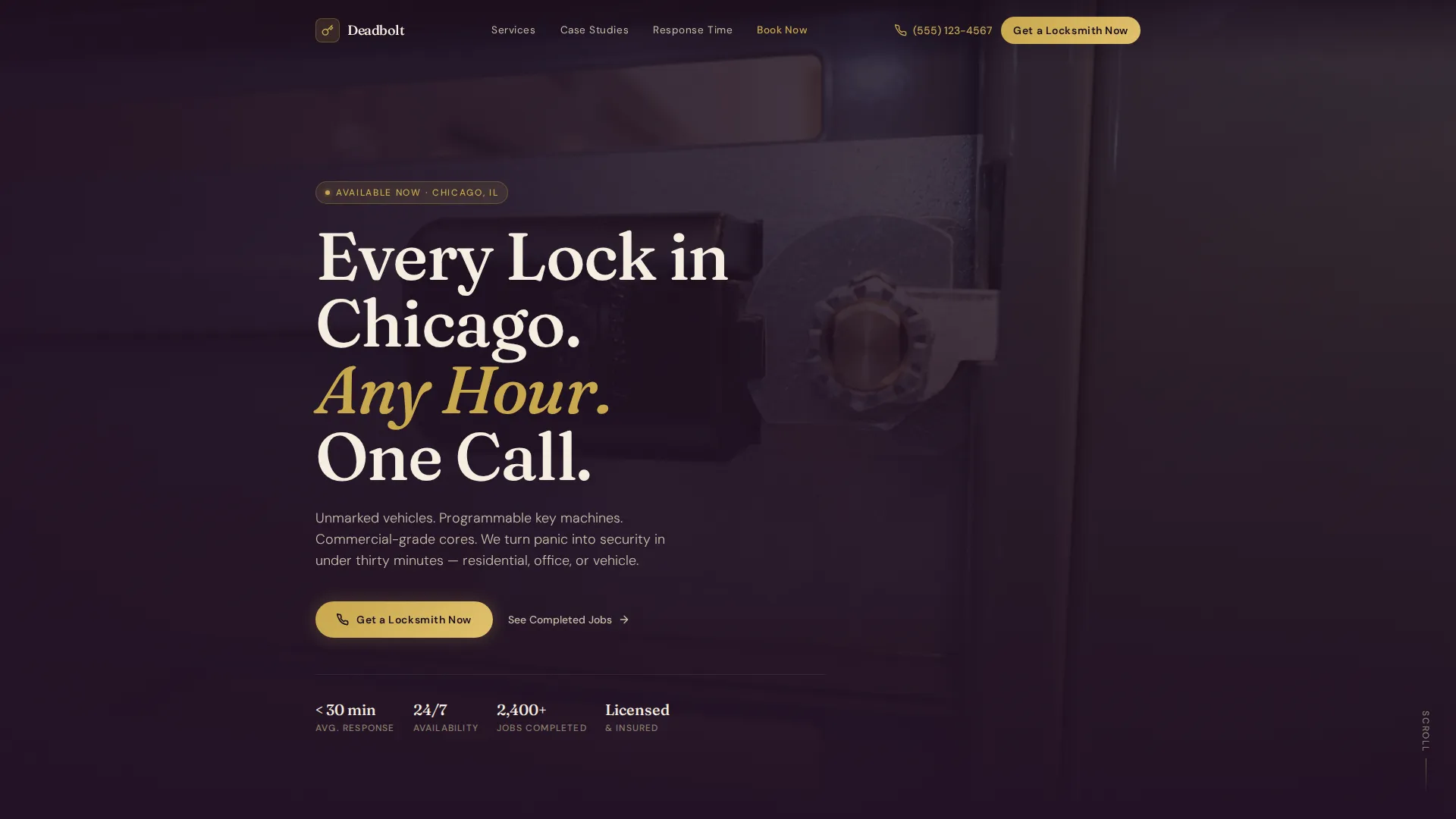
- A cinematic half-page hero with editorial headline and a close-up locksmith photograph composition
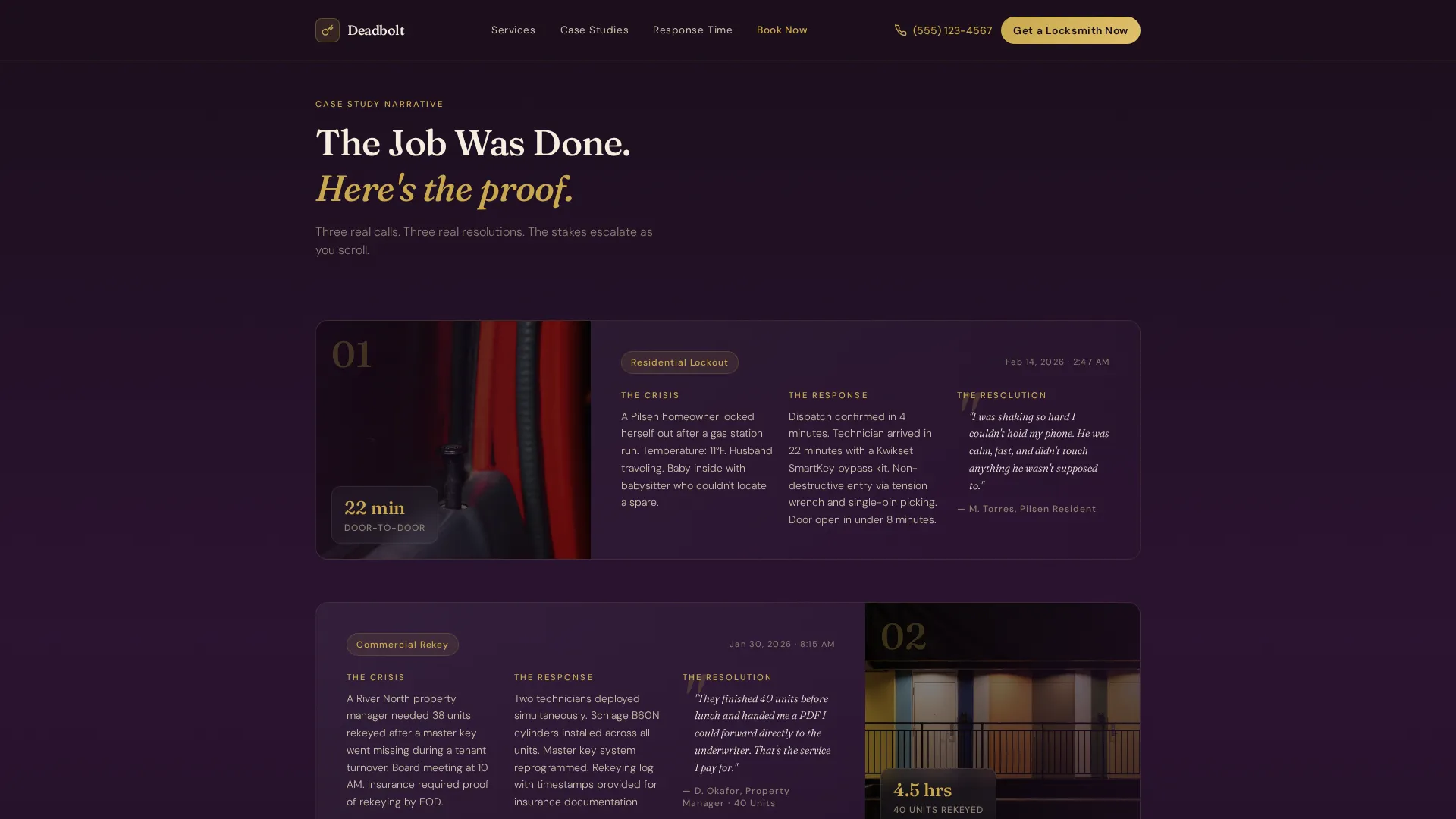
- Three structured case study sections, each with a crisis beat, a response beat, and a timestamped client resolution quote
- An asymmetric services grid covering lockout, rekey, installation, vehicle, commercial, and emergency categories
- A response proof section with specific metrics and process details
- An inline booking form with service type, property type, and arrival window inputs
- A horizontal flow footer layout
Feature list
Editorial Half-Page Hero
The hero occupies half the viewport with left-aligned champagne ivory text over a right-heavy editorial photograph. The image concept shows a gloved locksmith inserting a brass cylinder into a matte black commercial door. The headline format reads: "Every Lock in [City Name]. Any Hour. One Call."
Escalating Case Study Narrative
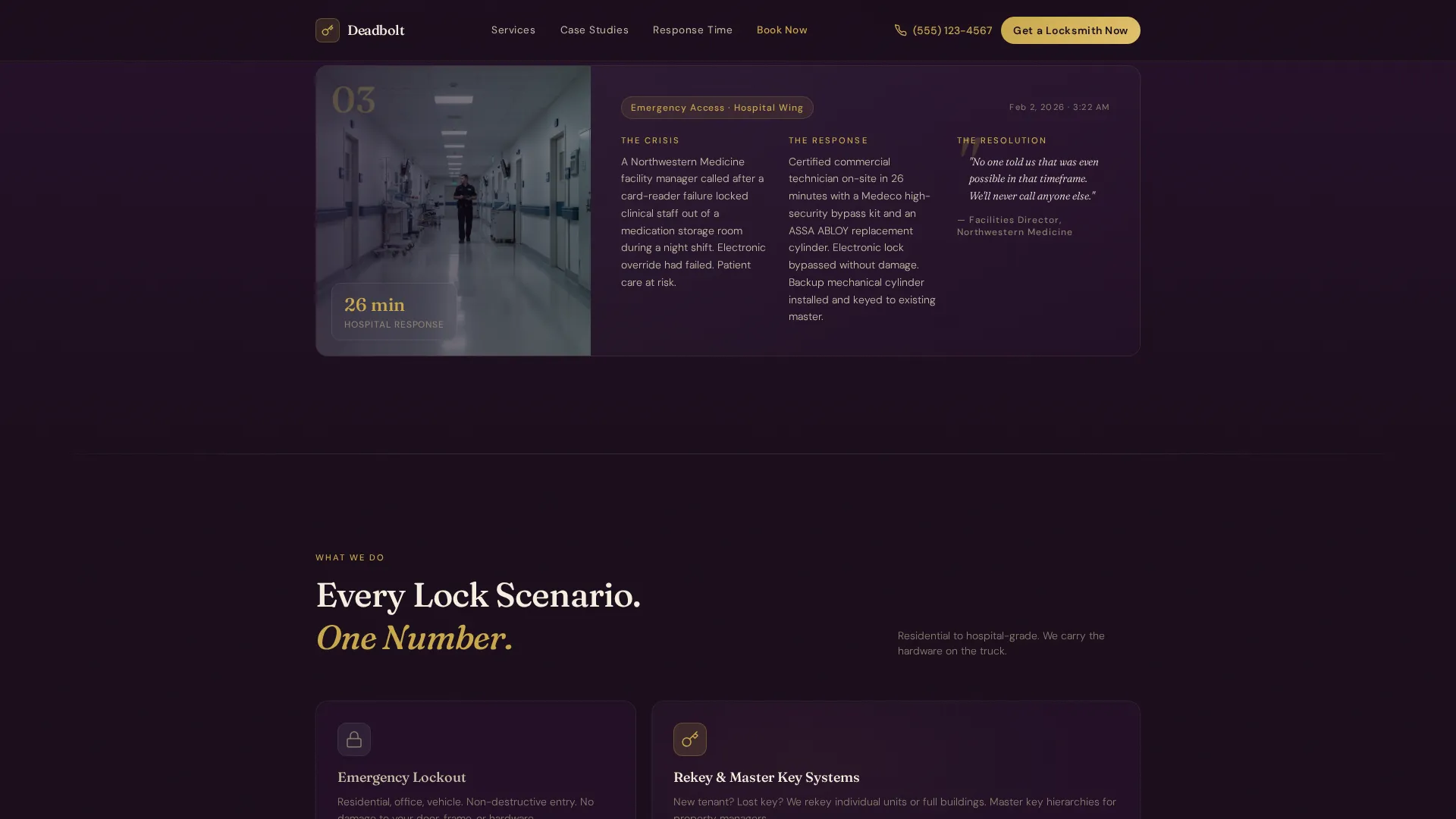
Three scroll sections each follow the same three-beat structure: the crisis, the response, and the resolution. Scenarios escalate in stakes from a residential lockout to a commercial rekey to an emergency access situation. Each resolution closes with a single client quote and a timestamp, building authority through specificity.
Asymmetric Services Grid
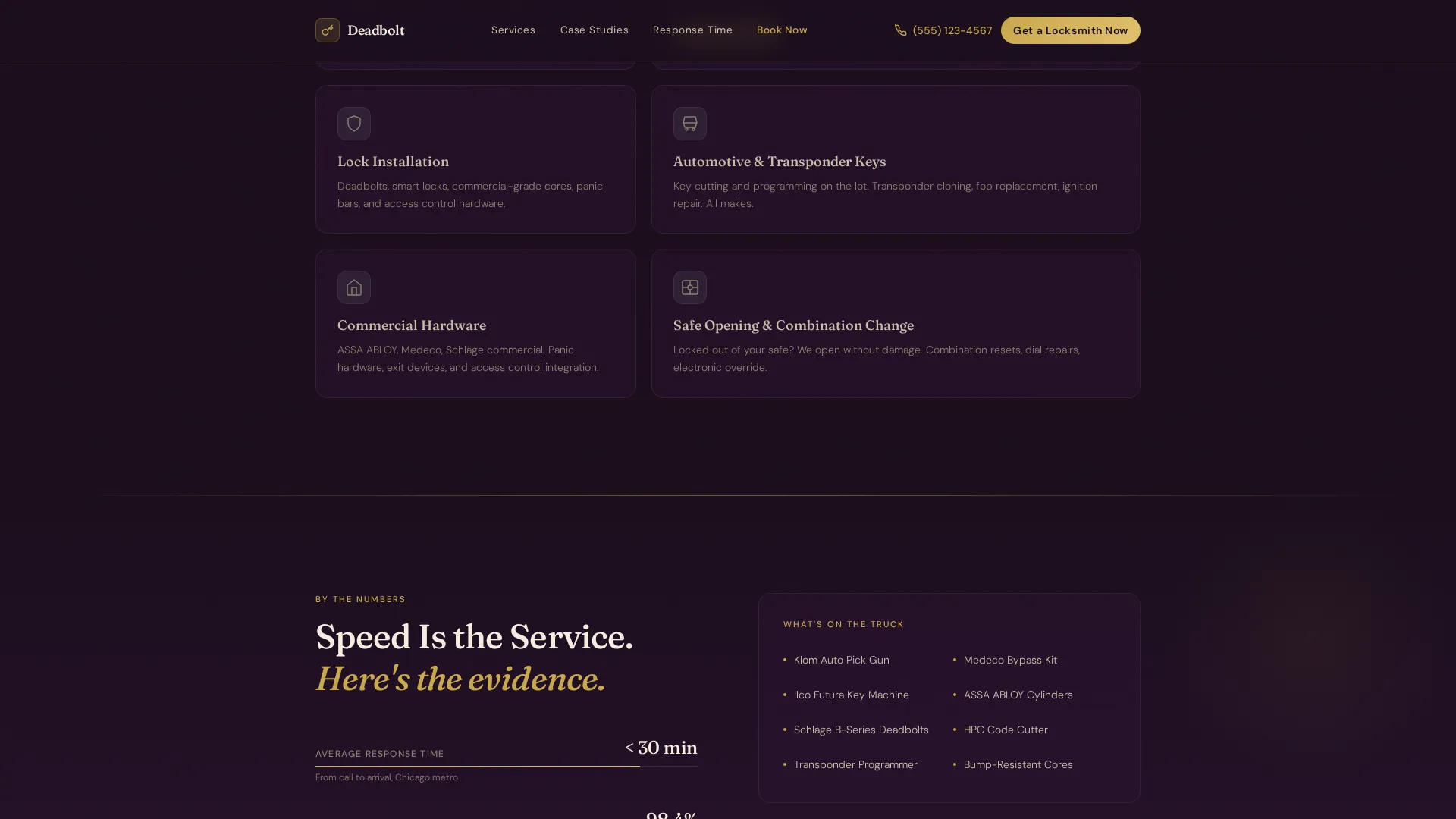
A bento-style grid presents six service categories in an uneven layout that draws the eye across lockout, rekey, installation, vehicle, commercial, and emergency services. The asymmetry adds editorial weight without sacrificing clarity.
Pinned Mobile Booking Call-to-Action
On mobile devices, a "Get a Locksmith Now" button is pinned to the bottom of the viewport at all times. Tapping it opens the inline booking form without navigating away from the page, keeping the friction as low as possible for someone outside and in a hurry.
Dual-Path Inline Booking Form
The inline form handles two visitor types simultaneously. Urgent visitors select service type, property type, and an arrival window that defaults to "As soon as possible." Planning visitors switch to a "Schedule for Later" path with a date picker for rekeying or lock upgrade appointments.
Response Proof Section
A dedicated section presents specific metrics such as arrival times and process details. This section pairs numbers with tool and hardware references to make the operation feel documented and reliable rather than claimed.
Page sections overview
| Section | Purpose |
|---|---|
| Cinematic Hero | Opens with editorial headline and locksmith photograph |
| Case Study One | Residential lockout crisis, response, and resolution |
| Case Study Two | Commercial rekey scenario with client quote |
| Case Study Three | Emergency access situation with escalated stakes |
| Services Grid | Asymmetric bento layout of six service categories |
| Response Proof | Specific metrics, tools, and process details |
| Booking Form | Inline form with dual urgent and scheduled paths |
| Page Footer | Horizontal flow layout with contact and navigation |
Design & branding system
The visual identity follows an Executive Suite theme. The palette draws from luxury hotel interiors and pairs restraint with precision. Every color has a defined role that is not interchangeable.
- Deep plum (#3D1F3E) as the primary background, brushed graphite (#4A4458) for section dividers and secondary surfaces, and champagne ivory (#F5EFE0) for all body text and open space
- Polished brass (#C9A84C) used exclusively on buttons, key iconography, and interactive highlights to maintain visual hierarchy
- Typography pairs Fraunces serif for editorial headlines with DM Sans for body copy, supporting both authority and legibility
Mobile & speed optimization
The page is designed mobile-first, reflecting the reality that most urgent locksmith visitors are outside, on a phone, and under stress. Every layout decision prioritizes fast comprehension and one-thumb usability.
- The hero image is flagged as priority load to reduce perceived wait time on mobile connections
- The pinned bottom call-to-action keeps the booking entry point accessible without scrolling
- Animations use slideInBlur reveals and scroll-fade techniques at a medium intensity, with subtle parallax reserved for the hero section only
How this template helps you convert
The conversion strategy earns the click by demonstrating completed work before asking for any information. Visitors arrive as doubters and leave as booked clients.
- The case study narrative builds documented credibility across three escalating scenarios, replacing vague claims with specific outcomes and timestamps before the booking form appears.
- The dual-path booking form removes friction for both visitor types: urgent callers get a one-tap pinned button and a fast form, while planners get a date picker and a comfortable scheduled path.
Other information about this template
Deadbolt is part of the Professional Services template category, built specifically for the locksmith service area and location page niche. It is designed to serve as a local service landing page for a defined geographic area.
- The template is built in a Single Column Flow layout, making it straightforward to duplicate for multiple service area locations with localized city name and content swaps
- Social proof is integrated directly into the narrative through micro-quotes with timestamps and specific metrics such as 28-minute arrival times and 40-unit rekey completions
- The FAQ accordion component is included as an interactive element alongside the inline booking form toggle and pinned mobile call-to-action
- Localization defaults are set for United States markets, with USD pricing format and 12-hour time display throughout
Theme
Executive Suite
Creative direction
Case Study Narrative
Color system
Plum Executive
Style
Single Column Flow
Direction
Booking/Scheduling
Page Sections
Editorial Half-page Hero Layout
Escalating Case Study Narrative
Pinned Mobile Booking Button
Dual-path Inline Booking Form
Asymmetric Services Grid
Response Proof Section
Related questions
Can I use this template for multiple service area locations?
Does the booking form handle both urgent and scheduled requests?
Is this template designed for mobile users first?
Can I edit the case study content and service categories?



