Precision Locksmith | Free Website Template | Rocket
Deadbolt is a split-screen landing page template built for Houston locksmith businesses serving commercial real estate, fleet, and emergency clients. The Executive Suite visual theme pairs an Arctic White color system with a bold centered headline, credential-stacking layout, and amber-accented booking calls to action. It is designed to earn trust fast and convert visitors into scheduled appointments.
by Rocket studio
Quick summary
Deadbolt is a single-page, split-screen landing page template purpose-built for a Houston locksmith operation. It targets commercial property managers, fleet operators, and after-hours emergency callers. The design stacks client logos, license credentials, and service proof side by side to build confidence before the first call-to-action appears.
Who this template is for
This template is built for established locksmith businesses that serve commercial and emergency clients in Houston. It suits operations that need to communicate speed, credentials, and scale at a glance.
- Commercial real estate property managers handling tenant turnovers
- Fleet managers and automotive clients needing emergency roadside service
- Executive assistants coordinating large-scale office rekey projects
What problem this template solves
Most locksmith pages lead with a phone number and a stock photo. That approach fails with commercial buyers who need to verify credentials before committing. This template solves the credibility gap by sequencing proof before the ask.
- Visitors see recognizable client logos and license details before a single call to action appears
- The split-screen structure pairs every service claim with a matching trust signal
- The booking form captures urgency and service type upfront, reducing back-and-forth
What you get with this template
You get a fully structured single-page layout with every section designed around the commercial locksmith sales journey. Nothing is generic. Every block earns its place.
- A giant centered headline section with tracked-out typography scaled to fill the viewport
- A logo wall and rotating stat counter section built to establish authority above the fold
- A two-step scheduling form and a floating mobile click-to-call button for after-hours use
Feature list
This template includes purpose-built components that reflect the specific needs of a high-stakes locksmith business.
Giant Viewport Headline Block
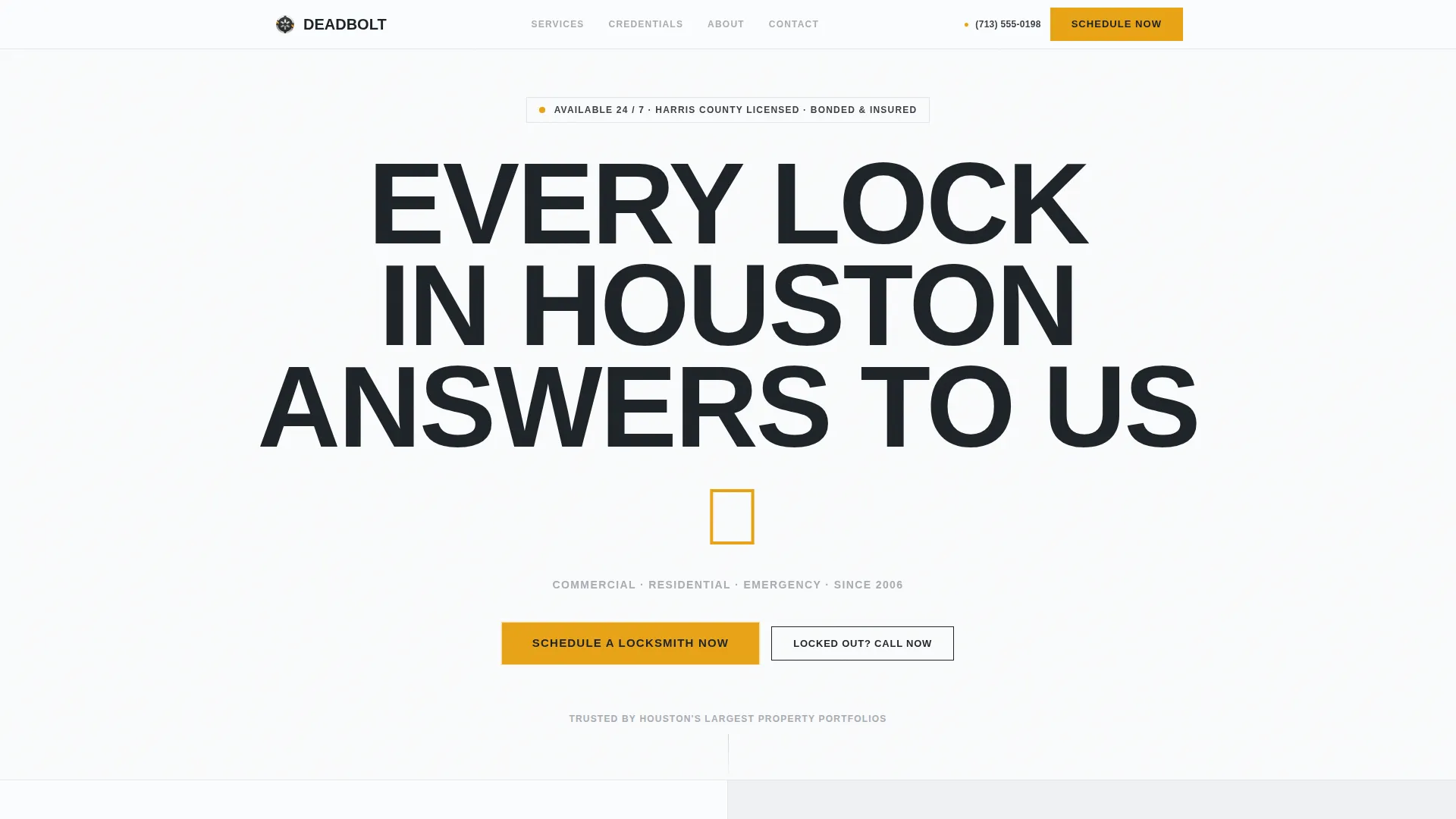
The header displays an enormous, tracked-out sans-serif headline reading "EVERY LOCK IN HOUSTON ANSWERS TO US." The word "HOUSTON" is scaled to span the full desktop viewport width. A small amber key icon replaces the closing period, and a chrome-toned subtext line reads "Commercial · Residential · Emergency · Since 2006."
Split-Screen Section Layout
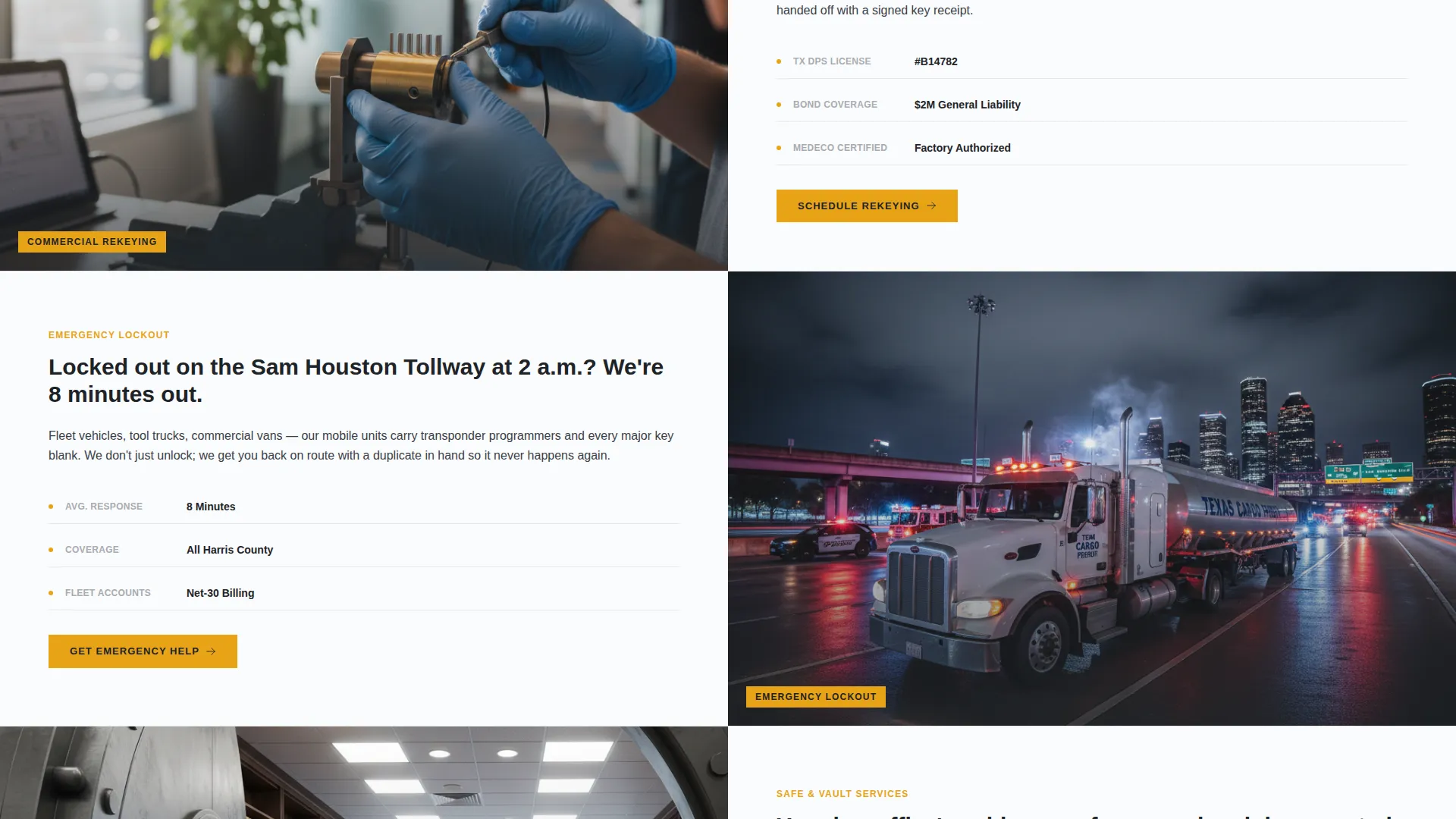
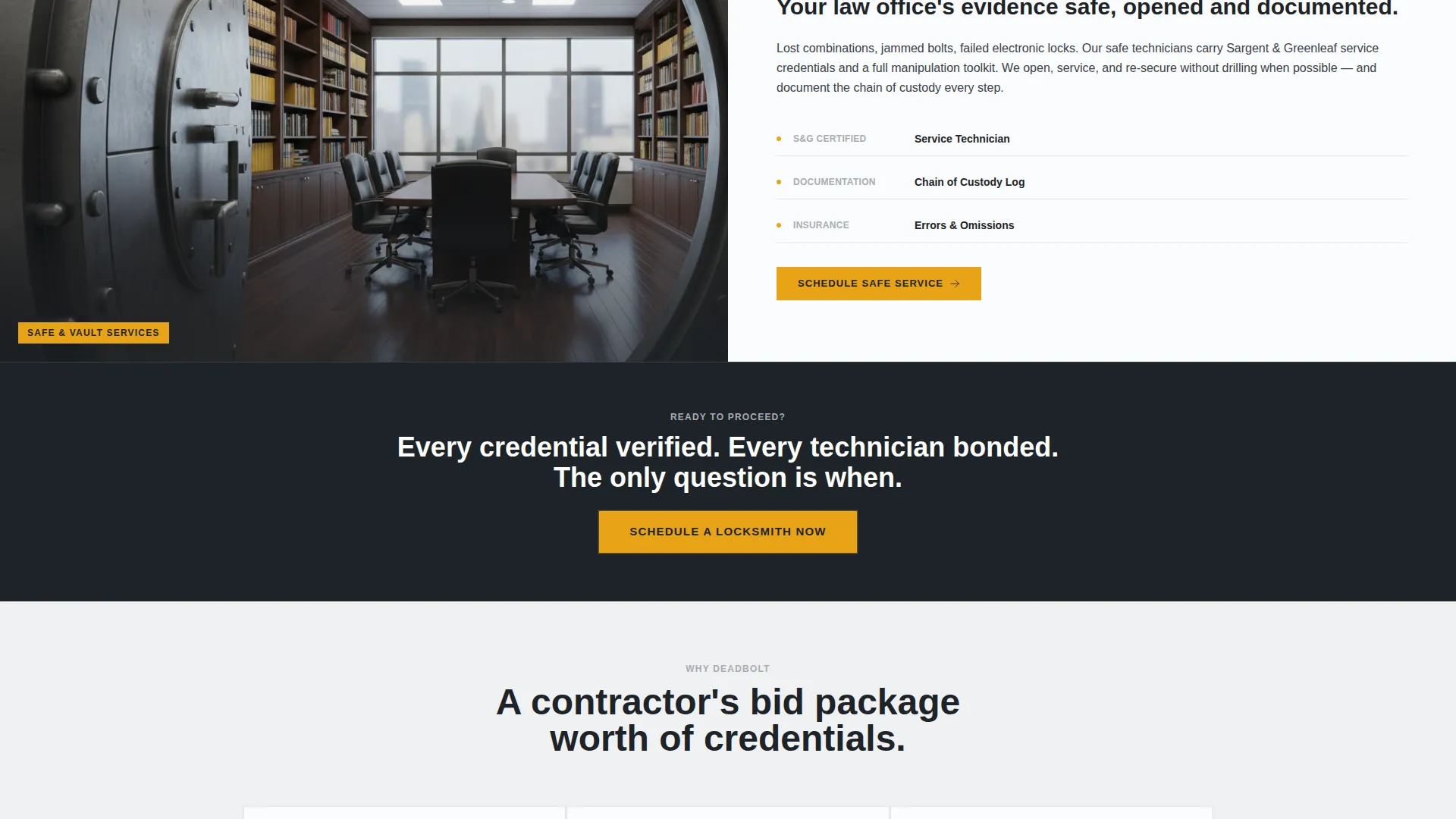
Every content section uses a strict 50/50 split. One panel shows a service scenario with a technician photo or product close-up. The opposite panel presents a corresponding trust proof, such as a license number, insurance limit, or review average. The structure builds a layered case with each scroll step.
Logo Wall with Stat Counter
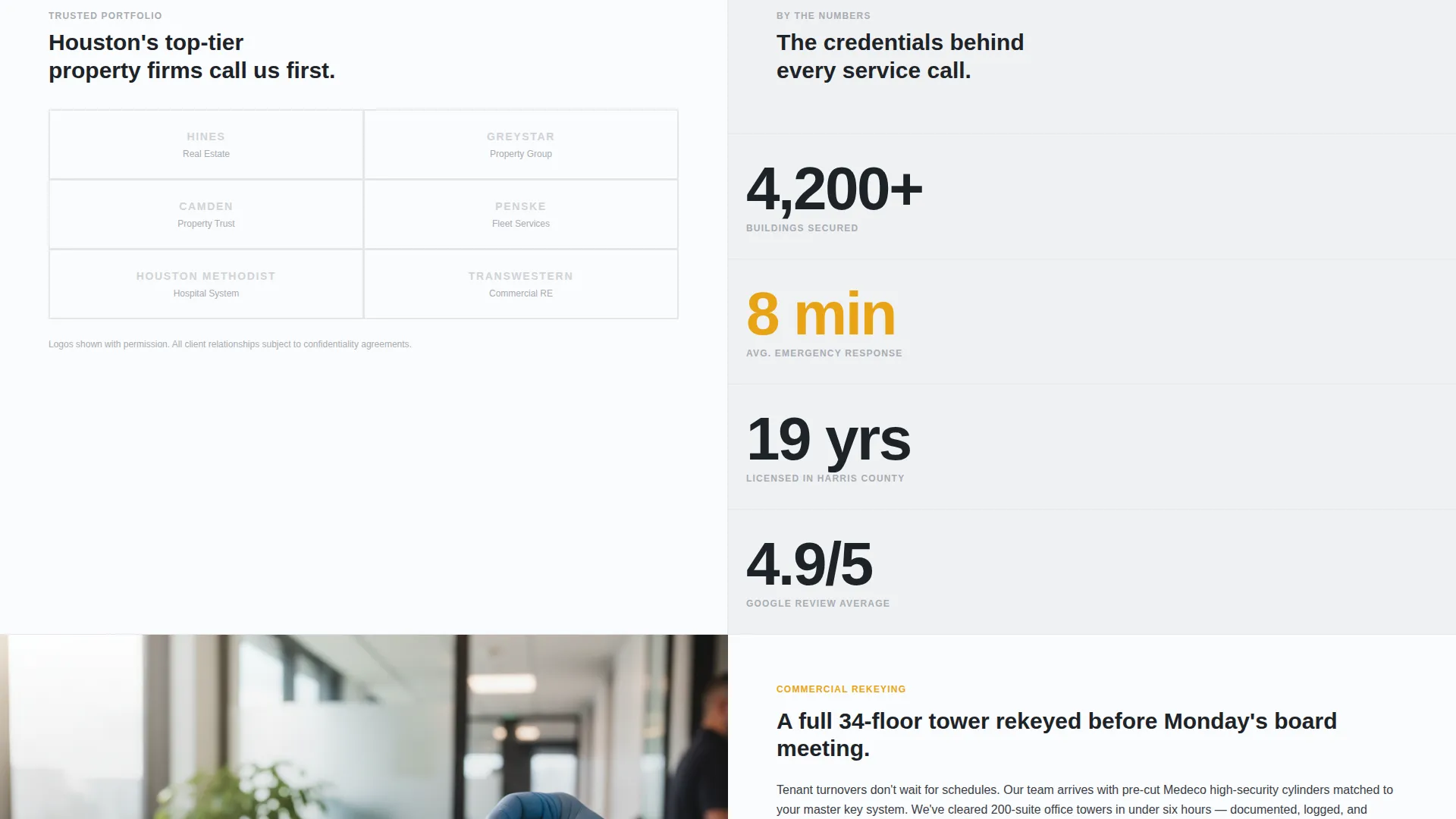
Below the fold, a monochrome chrome grid displays recognizable client logos in the left panel. The right panel shows a rotating stat counter covering buildings secured, emergency response time, and years licensed in Harris County. The combination signals scale and reliability immediately.
Two-Step Booking Form
The primary call-to-action opens a two-step form. Step one asks the visitor to select a service type and urgency level. Step two collects address details with autocomplete support, a preferred time window, and a phone number. The form reduces friction by separating intent from logistics.
Pinned Amber call to action Bar
The "Schedule a Locksmith Now" button is pinned to the top-right corner and remains visible on scroll. The same call to action repeats at every section break. This consistent placement means the visitor never has to scroll back to take action.
Floating Mobile Call Button
A secondary call-to-action button labeled "Locked Out? Call Now" floats on mobile screens. It bypasses the booking form entirely, giving after-hours emergency callers a direct path to a live response without navigating the page.
Page sections overview
| Section | Purpose |
|---|---|
| Headline hero block | Establish authority with scaled typography |
| Chrome subtext line | Communicate service range and tenure |
| Client logo wall | Display commercial client credibility |
| Rotating stat counter | Show measurable performance at a glance |
| Rekeying service split | Pair Medeco cylinder photo with license proof |
| Key cutting split | Show transponder key cutting with review data |
| Safe service split | Present safe opening scenario with insurance detail |
| Section break call to action | Repeat amber booking button between service blocks |
| Two-step booking form | Capture service type, urgency, address, and phone |
| Floating call button | Provide direct mobile path for emergency callers |
Design & branding system
The template uses an Arctic White color system inspired by the aesthetic of a Class A office tower lobby. White dominates, charcoal anchors, chrome supports, and amber acts only where the visitor needs to move.
- Surgical white (#FAFBFC) fills all backgrounds with generous negative space to keep focus on content
- Polished chrome (#D0D3D8) carries secondary text, logo wall items, and supporting interface elements
- Charcoal keyway (#1E2328) anchors body text, section dividers, and the primary headline
- Emergency amber (#E8A317) appears exclusively on calls-to-action and urgent-service callouts
Mobile & speed optimization
The template is structured to serve mobile visitors who are often in urgent situations. The floating call button is the clearest expression of this priority, but the entire layout is designed with small screens in mind.
- The floating "Locked Out? Call Now" button stays visible at all times on mobile, bypassing the form for emergency use
- The split-screen layout collapses cleanly for single-column mobile viewing without losing the credential pairing logic
- The two-step form is structured to minimize field count at each step, keeping mobile input fast and low-friction
How this template helps you convert
The page is built around a deliberate sequence: prove authority first, then ask for the booking. This order mirrors how commercial buyers actually make decisions.
- The logo wall and stat counter appear before any call to action, so visitors arrive at the booking button already convinced of the business's scale and credentials.
- The pinned amber call to action and repeated section-break buttons remove every moment of friction between the decision to act and the act itself.
- The two-step form separates intent from contact details, making it easy to start without feeling committed, which increases form completion rates.
Other information about this template
This template was designed specifically for the Houston commercial locksmith market, but the layout logic applies to any high-credibility local service business. The Executive Suite theme, Arctic White palette, and Logo Wall Authority creative direction are all matched to clients who buy based on trust before price.
- The template style is Split Screen (50/50) with the Booking and Scheduling landing page direction
- The theme is Executive Suite, and the creative direction is Logo Wall Authority with a Giant Headline Centered header concept
- The color system is Arctic White, matching a professional services context where clean presentation signals competence
- The template is categorized under Professional Services with a Houston Local Services subcategory and a Houston Locksmith niche focus
Theme
Executive Suite
Creative direction
Logo Wall Authority
Color system
Arctic White
Style
Split Screen (50/50)
Direction
Booking/Scheduling
Page Sections
Giant Viewport-spanning Headline
Split-screen Credential Pairing
Logo Wall and Rotating Stat Counter
Two-step Booking Form
Pinned and Repeated Amber Call to Action
Floating Emergency Call Button
Related questions
Can I adapt this template for a residential locksmith business?
Does the two-step form support different service categories?
How does the floating call button behave on desktop?
Can the logo wall be updated with different client names?
Is the Google Places autocomplete ready to use out of the box?



