Rapid Locksmith | Free Website Template | Rocket
Deadbolt is a split-screen landing page template built for mobile locksmith services in San Francisco. It uses a case-study narrative layout to turn real lockout scenarios into trust-building stories. With an emergency amber call-to-action, a two-stage lead form, and a monochrome steel visual identity, the template moves visitors from relief to booked appointment fast.
by Rocket studio
Quick summary
Deadbolt is a single-page locksmith landing page template designed for high-stakes, fast-response service businesses. It opens with a testimonial hook, then walks visitors through escalating real-world lockout scenarios. Each scroll section splits the screen between problem and solution. The page is built to generate leads through two clear paths: an immediate lockout form and a scheduled security audit.
Who this template is for
This template is built for locksmith businesses that serve a wide range of urban clients. It works especially well for operators who handle both emergency calls and planned commercial work in a dense city market.
- Mobile locksmiths serving residential, commercial, and automotive clients in San Francisco
- Property managers who need rekeying, master-key systems, or tenant turnover services
- Security-minded homeowners and startup offices looking for a trusted local locksmith
What problem this template solves
Most locksmith websites look generic and fail to earn trust before asking for a phone number. Deadbolt solves that by leading with proof first and a form second.
- Visitors arrive anxious or in crisis; the testimonial header immediately signals competence and speed
- Commercial clients need to see range before committing to a contract; the case study sections prove it
- Generic lead forms feel risky; the two-stage form reduces friction by starting with a single, focused question
What you get with this template
The template includes a fully structured single-page layout with every section mapped to a specific conversion goal. Nothing is decorative without purpose.
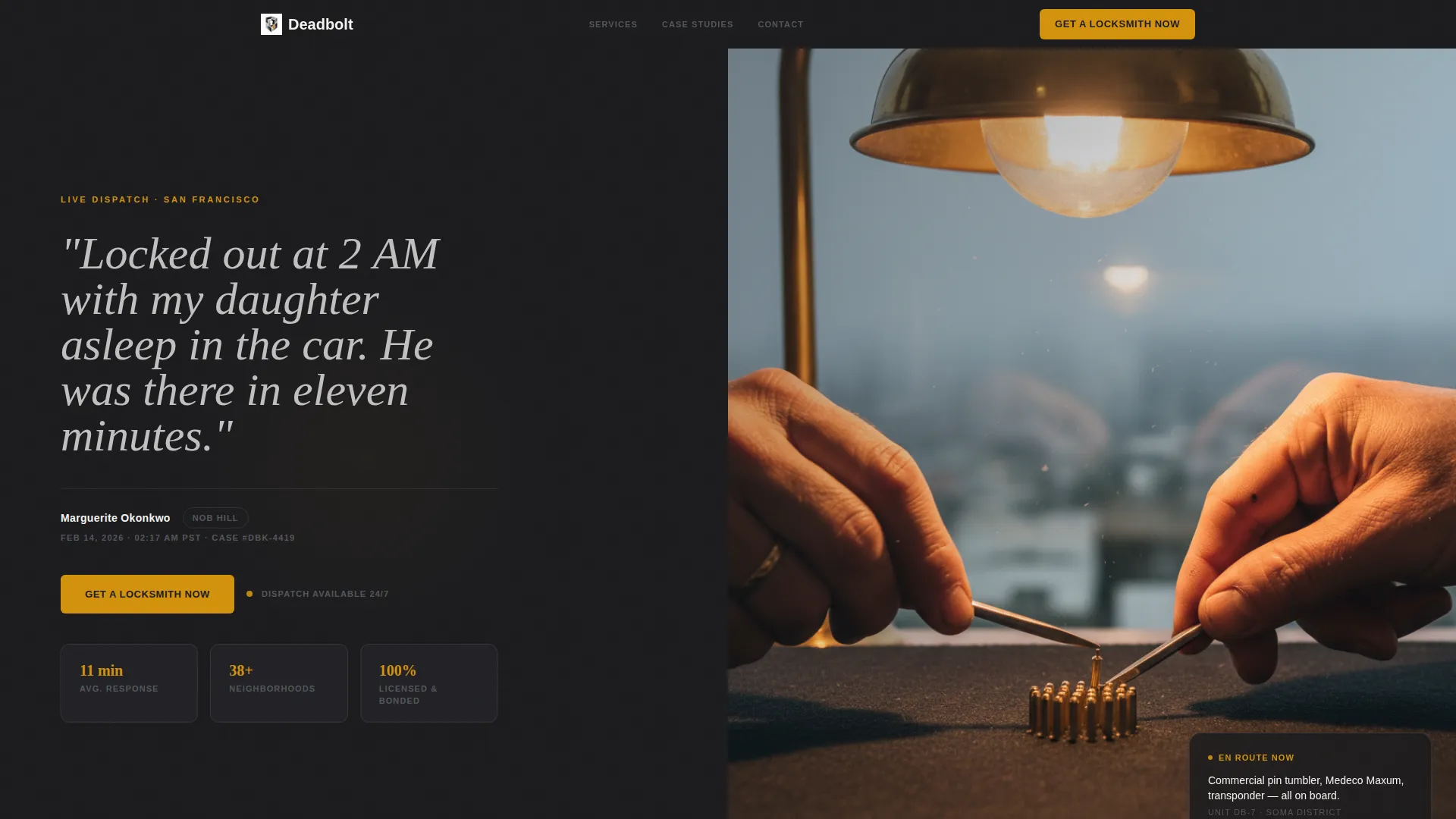
- A split-screen testimonial header with an oversized pull quote and editorial locksmith photography
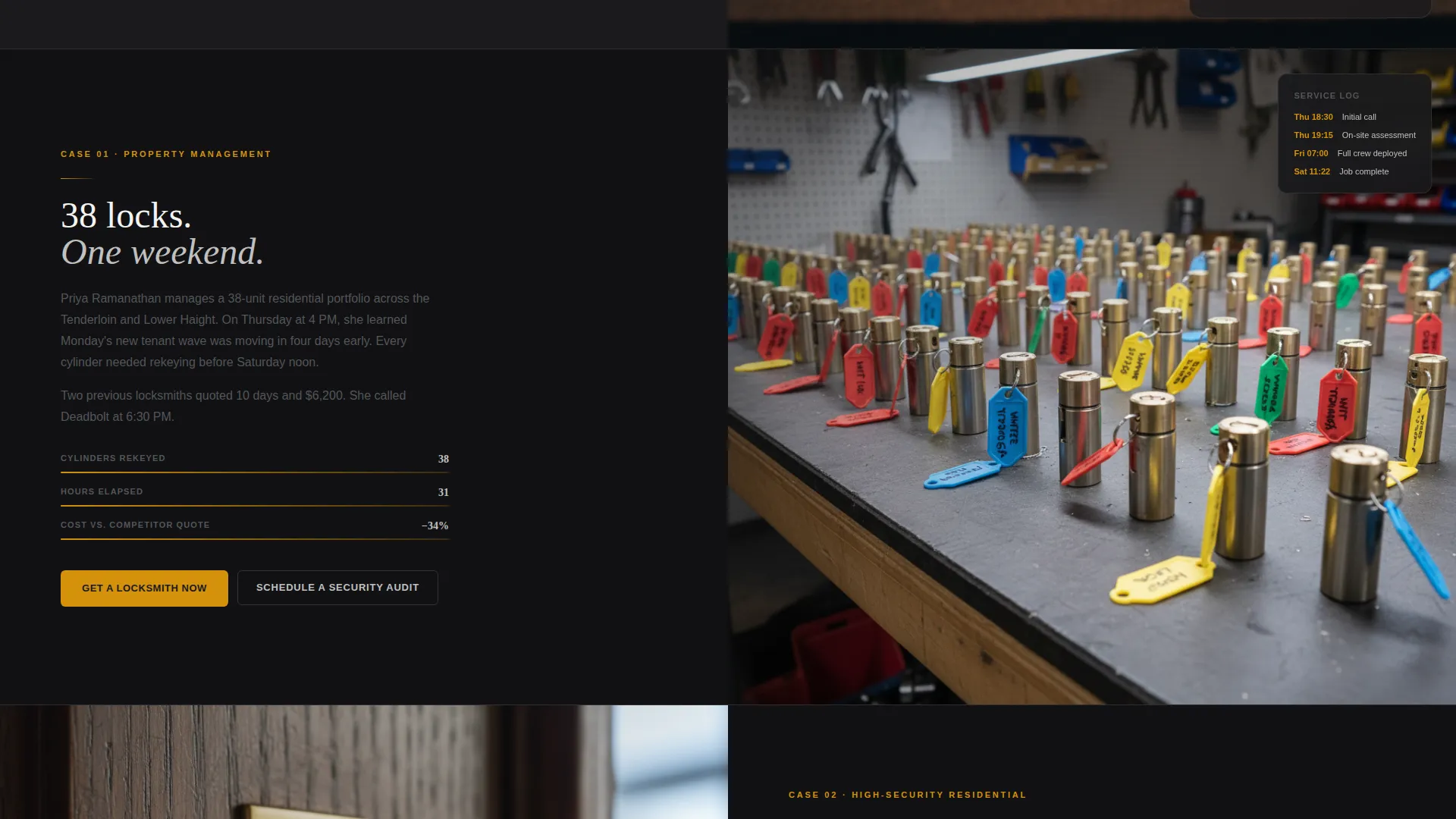
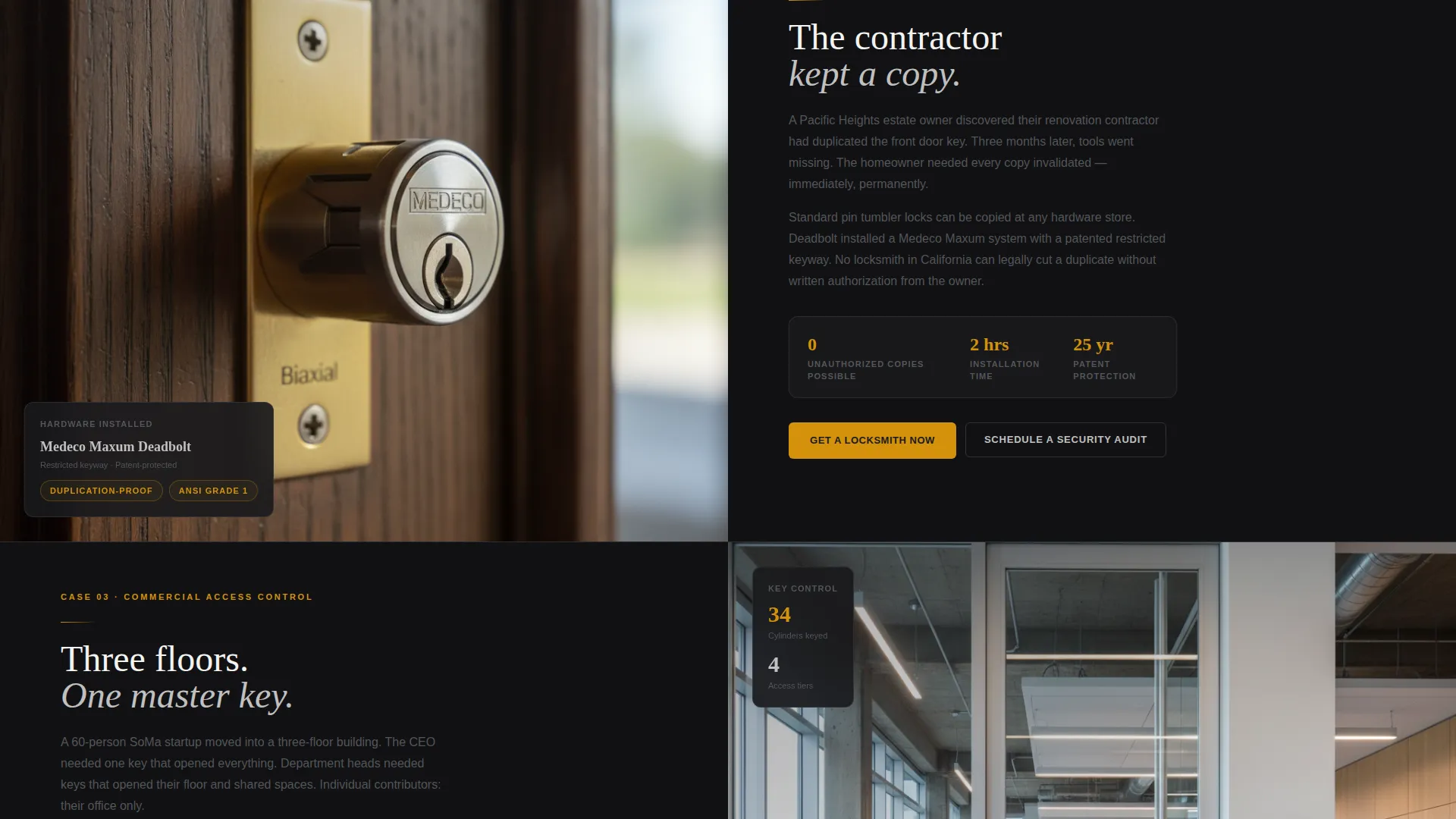
- Three escalating case study sections, each split between a problem narrative and a solution detail panel
- A two-stage lead generation form plus a secondary "Schedule a Security Audit" call-to-action path
- A pinned mobile call-to-action bar and repeated "Get a Locksmith Now" buttons at each case study resolution
- The full monochrome steel color system with emergency amber reserved for urgency indicators and primary actions
Feature list
This section highlights the core components built into the Deadbolt template.
Split-Screen Testimonial Header
The header opens with a stark pull quote in polished nickel type on a deadbolt black background. The opposing panel holds an editorial photograph of a locksmith at work under a porch light. The client name, neighborhood, and timestamp sit below the quote for credibility.
Escalating Case Study Layout
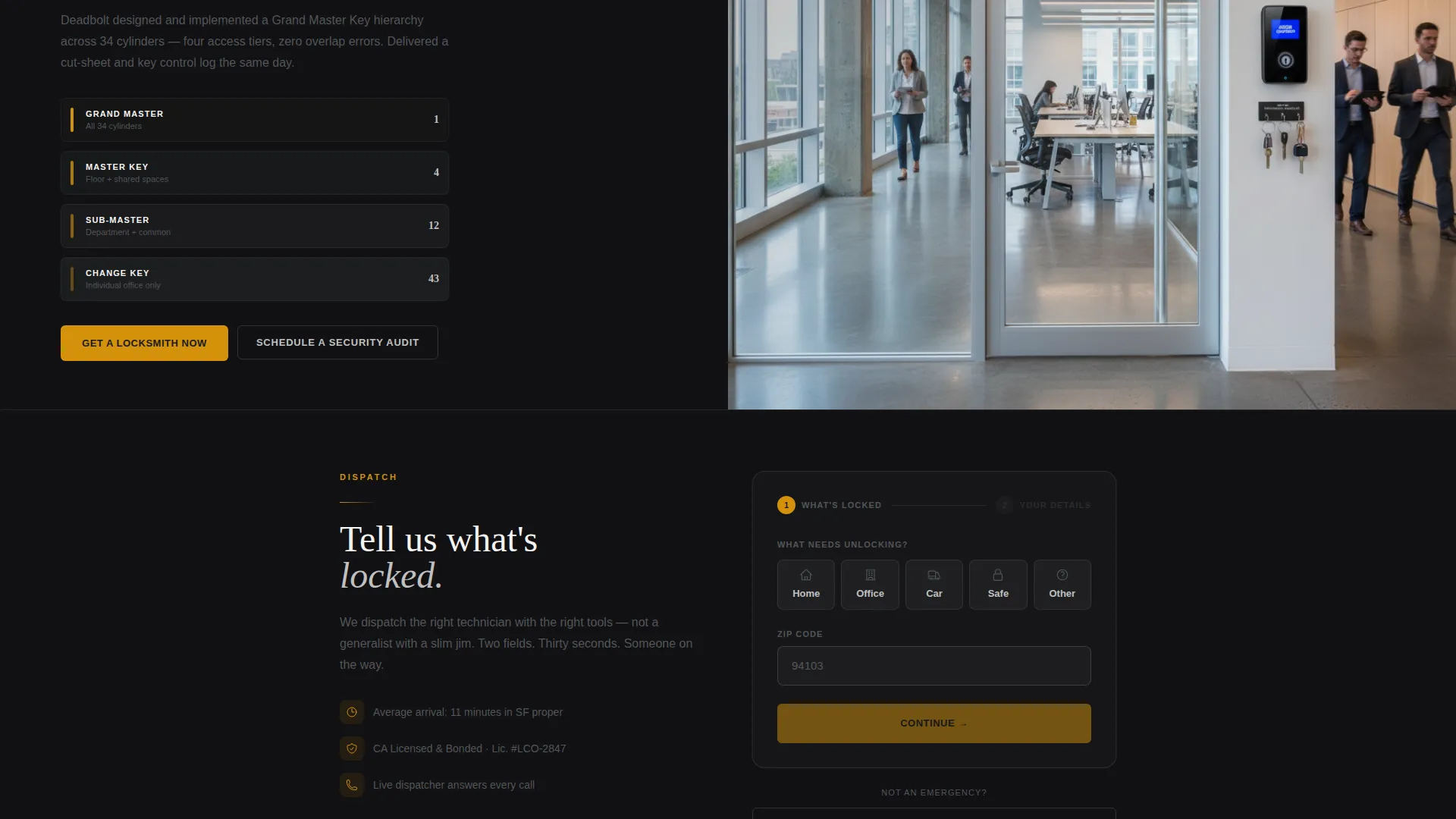
Each scroll section presents a new lockout scenario as a short, urgent story. The left panel tells the problem in plain prose; the right panel shows solution details, hardware shots, time-stamped logs, and outcome data. Scenarios progress from residential lockouts to complex commercial access-control builds.
Two-Stage Lead Generation Form
The form opens with a single question: "What's locked?" Quick-tap options cover home, office, car, safe, and other, alongside a zip code field. The second stage collects name, phone number, and an optional photo upload of the lock.
Pinned Mobile Call-to-Action Bar
On mobile viewports, the primary "Get a Locksmith Now" button stays pinned to the bottom of the screen at all times. This ensures the action is always reachable without scrolling back up.
Secondary Audit Scheduling Path
Below each commercial case study, a "Schedule a Security Audit" option gives property managers and business owners a non-urgent conversion path. This separates emergency leads from planned service inquiries at the layout level.
Emergency Amber Accent System
A single accent color, emergency amber (#D4920B), is used exclusively for primary call-to-action buttons and urgent-service indicators. Every other element stays within the monochrome steel palette, so the amber always reads as the most important action on the page.
Page sections overview
| Section | Purpose |
|---|---|
| Testimonial Header | Opens with social proof and a human story to build immediate trust |
| Residential Case Study | Shows a fast-response lockout resolved with precision and speed |
| Commercial Rekeying Case | Demonstrates large-scale rekeying capability for property managers |
| High-Security Upgrade Case | Illustrates restricted keyway installation for a high-value estate |
| Master-Key System Case | Proves commercial access-control range across a multi-floor office |
| Lead Generation Form | Captures emergency and scheduled service requests in two stages |
| Security Audit call to action | Provides a planned-service path for commercial and property clients |
Design & branding system
The visual identity follows an Executive Suite theme built on a monochrome steel color system. Every color choice is intentional and functional, not decorative.
- Core palette: brushed gunmetal (#53565A), deep deadbolt black (#1A1A1D), polished nickel (#C0C0C0), and keyway white (#F4F4F2) for open space
- Single accent color: emergency amber (#D4920B) used only for primary call-to-action elements and urgency indicators
- Typography and layout feel machined and precise, matching the physical quality of commercial-grade locksmith hardware
Mobile & speed optimization
The template is structured with mobile users in mind, since many lockout clients are on a phone at the moment they need help most.
- The primary call-to-action button is pinned to the bottom of the mobile viewport so it is always visible
- The two-stage form starts with quick-tap options to reduce typing on a small screen
- The split-screen layout reflows cleanly for smaller viewports without losing the narrative structure
How this template helps you convert
The page is designed to earn trust before asking for anything. Every structural decision supports that goal.
- The testimonial header leads with a real, time-stamped client story so visitors feel confident before reading a single service claim.
- The escalating case study sections prove technical range across residential, commercial, and high-security work, which qualifies the business for larger jobs without a single boastful word.
- The two-stage form and pinned mobile button lower friction at the exact moment a visitor decides to act, reducing the steps between "I need help" and "I booked someone."
Other information about this template
This template is suited for San Francisco locksmith operators who want a professional online presence without a heavy build process. It covers the full service spectrum a city-based locksmith typically offers.
- The case study narrative format can support scenarios involving transponder programming, high-security cylinder installation, and master-key hierarchy setups
- The template is ready to be customized with real client stories, actual hardware photography, and genuine service area details
- It is designed as a single landing page, making it straightforward to publish and maintain without a multi-page site structure
Theme
Legal Shield
Creative direction
Case Study Narrative
Color system
Slate & Sky
Style
Single Column Flow
Direction
Lead Generation
Page Sections
Split-screen Testimonial Header
Escalating Case Study Sections
Two-stage Lead Generation Form
Pinned Mobile Call-to-action Button
Secondary Security Audit Path
Emergency Amber Accent System
Related questions
Can I customize the case study stories with my own client scenarios?
Does the template support both emergency and non-emergency service inquiries?
How does the two-stage lead form reduce friction for mobile users?
Is this template suitable for a locksmith serving both residential and commercial clients?
Can I adjust the color system to match my own brand?



