Deadbolt - Reliable Locksmith Landing Page Template
Deadbolt is a single-column landing page template built for Boston locksmith services. It leads with a commanding headline, real crew portraits, and a streamlined booking flow. The Ink & Paper color system and brass accent tones project quiet authority. Every section is designed to move a panicked visitor from arrival to confirmed appointment in under a minute.
by Rocket studio
Quick summary
Deadbolt is a single-column landing page template for Boston locksmith businesses. It pairs a bold left-anchored headline with real crew photography, short customer stories, and a fixed mobile booking button. The brass-on-black call-to-action and tappable phone number work together to convert anxious visitors the moment they land.
Who this template is for
This template is built for licensed locksmith crews who serve residential and commercial clients across Boston. It works especially well for operations that run around the clock and rely on trust signals rather than flashy design.
- Locksmith business owners serving multiple Boston neighborhoods
- Property managers handling tenant turnover and emergency lockouts
- Solo operators or small crews who want a professional web presence fast
What problem this template solves
Most locksmith pages look like they were built in a hurry and forgotten. They bury the phone number, skip the human element, and give a panicked visitor no reason to trust them at 3 AM. This template fixes that.
- Visitors in an emergency need immediate reassurance, not a wall of text
- Property managers need to see crew credentials and coverage areas before calling
- Generic designs fail to communicate local knowledge and real availability
What you get with this template
You get a fully structured single-column landing page laid out for maximum trust and minimum friction. The design is ready for real photography and real copy from day one.
- A fixed mobile booking button that appears after the first scroll
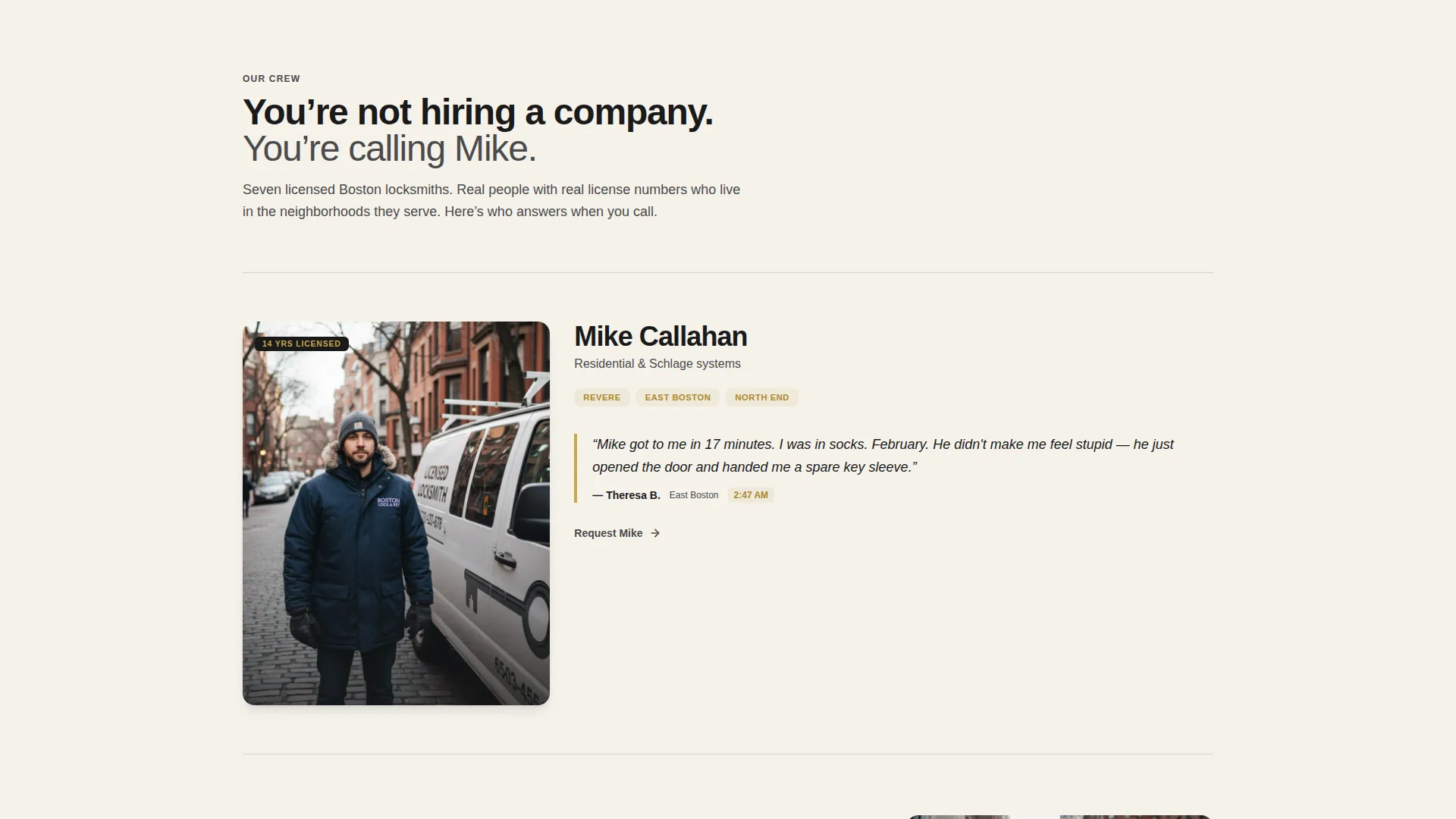
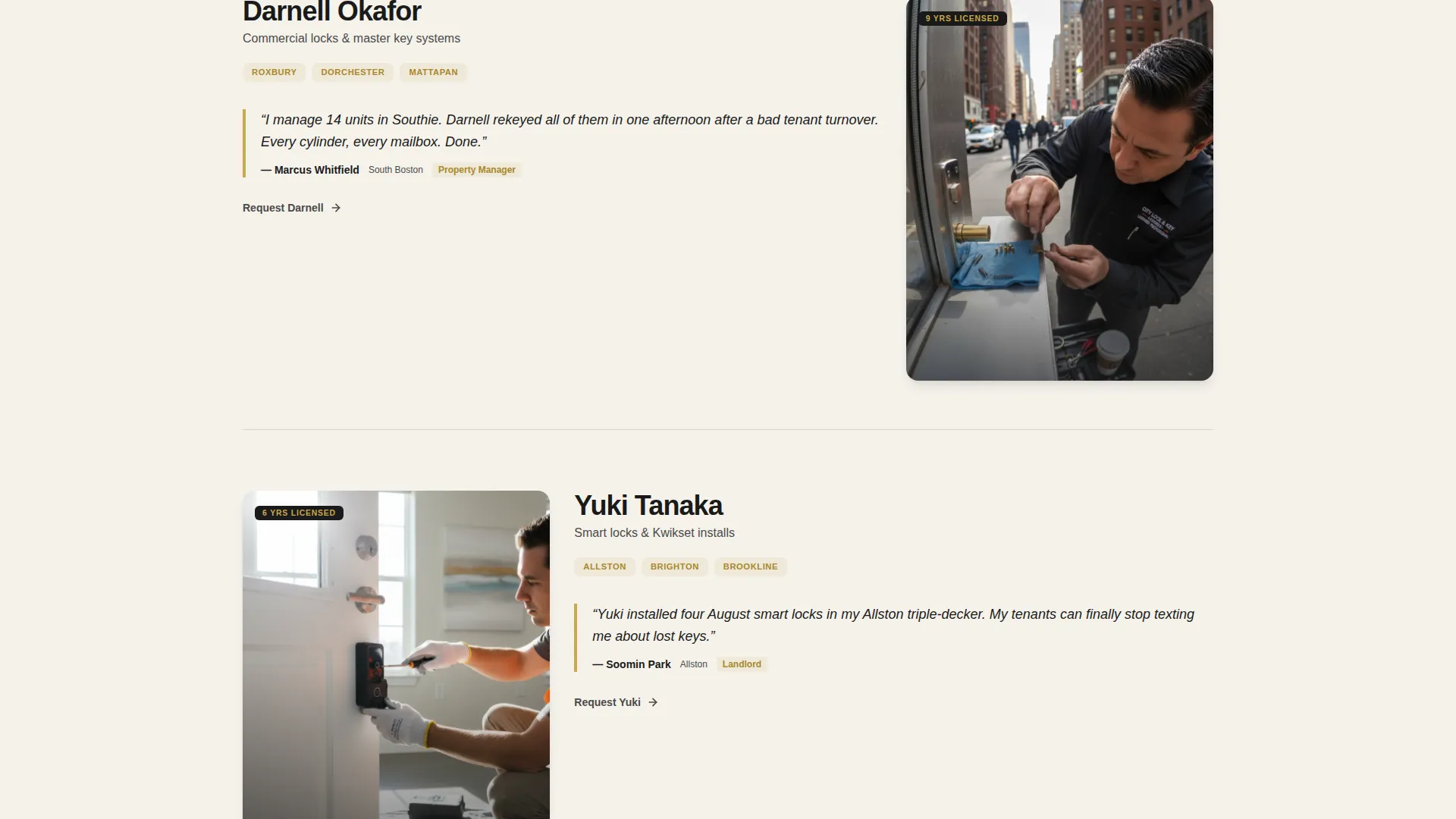
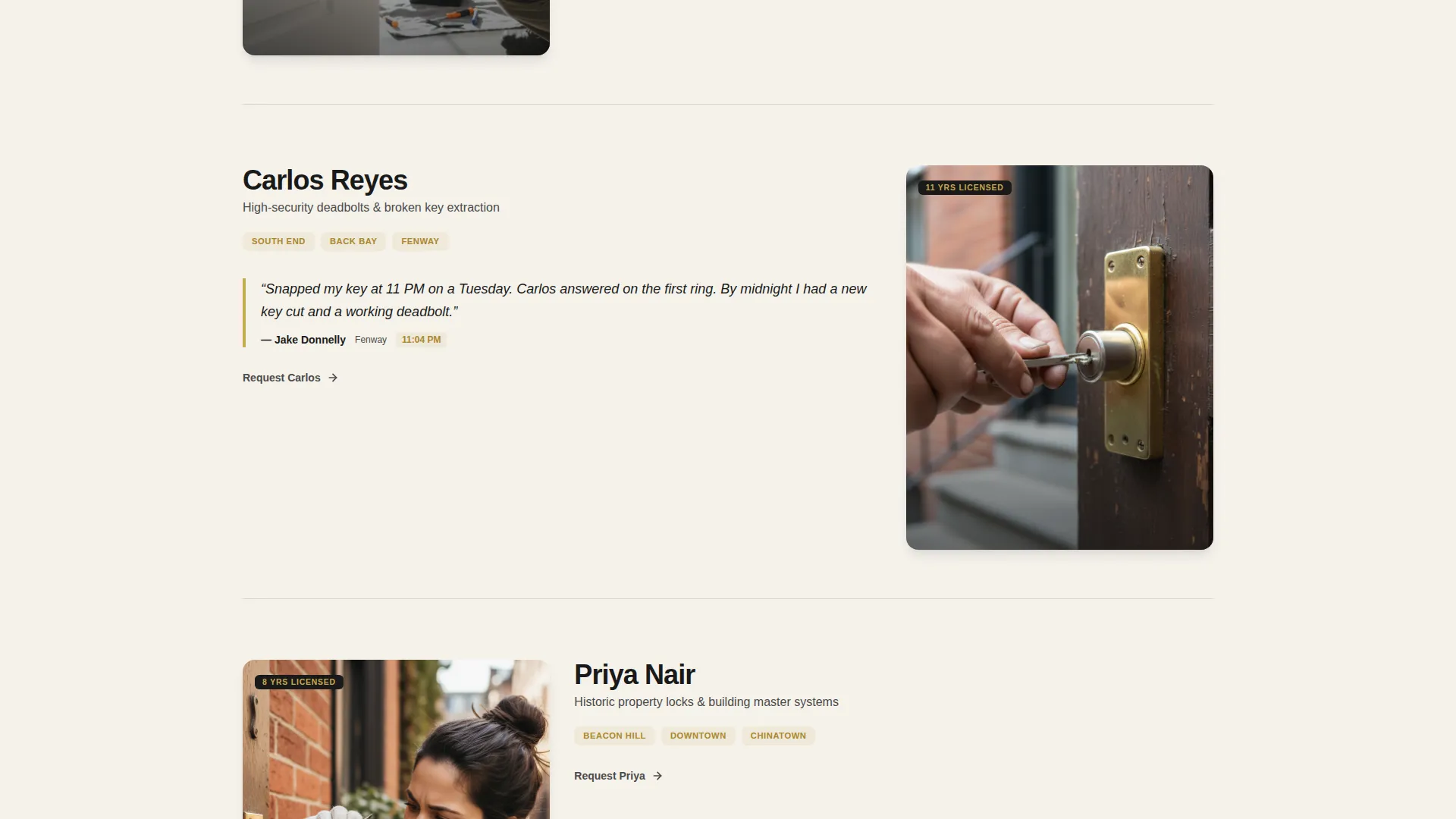
- A crew showcase section with name, license years, and neighborhood coverage per technician
- A three-step booking flow covering service type, address, and preferred time
Feature list
This template packages everything a Boston locksmith service needs to turn a stressed visitor into a confirmed booking.
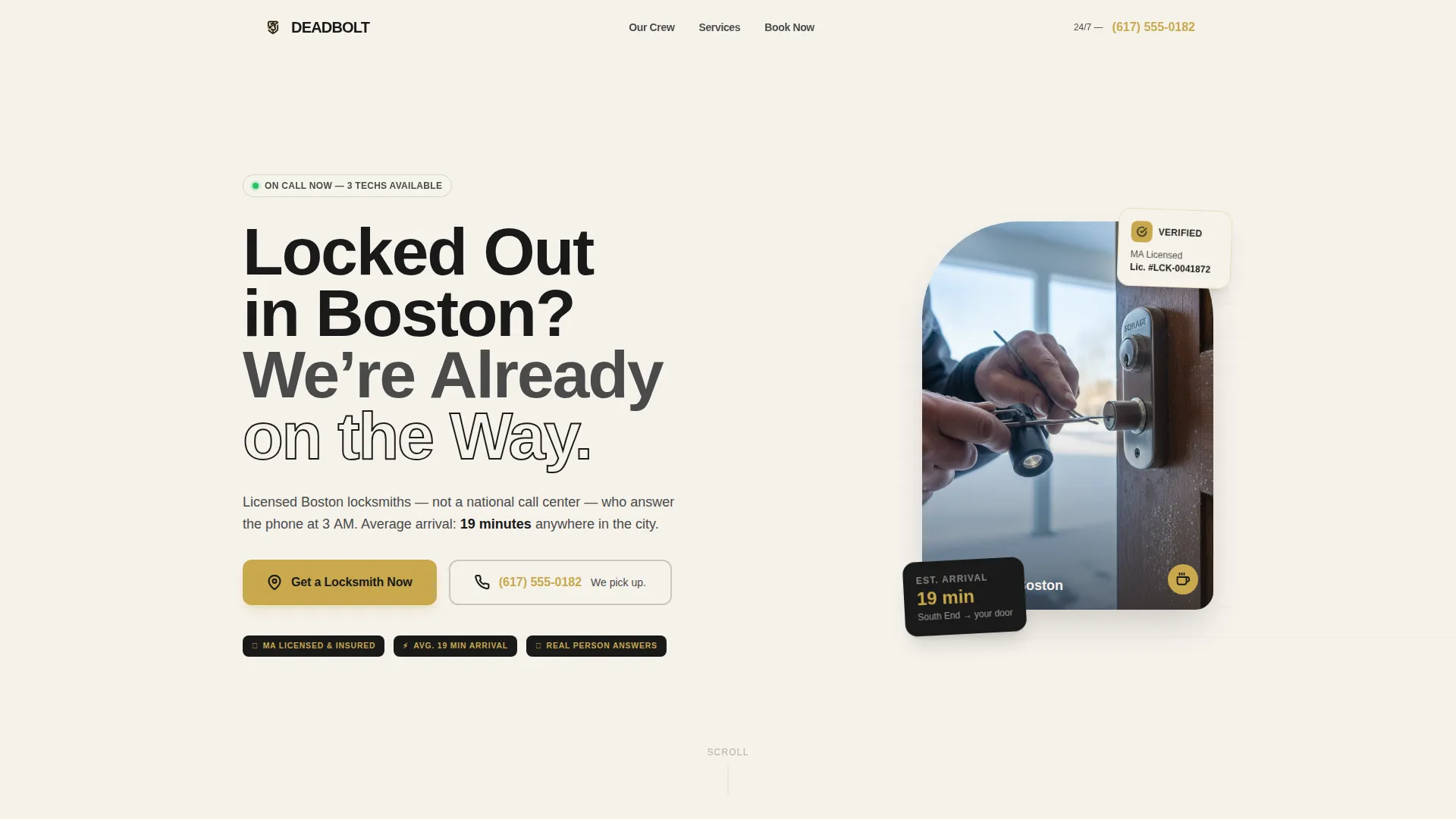
Giant Headline Left Layout
The header positions a heavy-weight sans-serif headline across the left two-thirds of the viewport. A candid job-site portrait fills the right side. The split creates immediate visual authority without relying on stock imagery.
Fixed Mobile Booking Button
A brass-on-black "Get a Locksmith Now" button pins to the bottom of the mobile viewport. It appears after the first scroll, targeting users who are ready to act but have not yet reached the form.
Three-Step Booking Flow
Tapping the primary button opens a focused three-step sequence: service type selection, address entry with Boston neighborhood autofill, and preferred time with an ASAP option surfaced first. The flow reduces decision fatigue for users in an emergency.
Crew Portrait Showcase
Each technician is introduced with a real job-site photo, their name, years licensed, and the neighborhoods they cover. Short customer stories sit between portraits, tying each technician to a real solved emergency.
Dual Contact Path
A tappable phone number reading "Call Now, We Pick Up 24/7" sits directly above the booking form. This gives panicked users a one-tap escape from the form flow without losing the conversion opportunity.
Ink & Paper Color System
The palette uses newsprint black, worn bond white, and pencil graphite for layout and body text. Locksmith brass is reserved exclusively for buttons, phone numbers, and trust badges, making every action element unmistakable.
Page sections overview
| Section | Purpose |
|---|---|
| Header Hero | Headline, portrait, primary call to action |
| Trust Badge Row | Reinforce license and availability |
| Crew Portrait Gallery | Build trust through real technicians |
| Customer Story Blocks | Anchor each technician to a real job |
| Booking Form Flow | Capture service type, address, time |
| Sticky Phone call to action | Provide instant call access |
| Footer Contact Strip | Repeat phone number and coverage area |
Design & branding system
The visual identity follows a Service Utility theme built on the Ink & Paper color system. The palette is intentionally restrained so that every brass accent reads as a signal to act.
- Heavy newsprint black (#1A1A1A) and worn bond white (#F5F2EB) form the base layout
- Pencil graphite (#4A4A4A) handles all body text for clean legibility
- Locksmith brass (#C9A84C) appears only on buttons, phone numbers, and trust badges
Mobile & speed optimization
The template is designed with mobile-first layout decisions throughout. The fixed booking button and tappable phone number are the two highest-priority elements on small screens.
- The sticky call to action button appears after the first scroll on mobile viewports
- The three-step booking flow is sized and spaced for thumb-friendly tapping
- Portrait-heavy sections are structured to load content in a readable single-column stack
How this template helps you convert
Every layout decision in this template is made with conversion in mind. The page earns the click by showing real faces and real credentials before asking for anything.
- The crew showcase builds human trust before the booking form appears, reducing hesitation for first-time callers
- The dual contact path lets panicked users choose between calling immediately or booking through the form, removing the single biggest drop-off point on emergency service pages
Other information about this template
This template is part of a broader set of Service Utility layouts designed for high-intent local service pages. It is particularly well suited to Boston-area locksmith businesses that compete on availability and neighborhood familiarity.
- The template style is Single Column Flow, keeping the scroll path linear and distraction-free
- The booking flow supports four service categories: lockout, rekey, lock install, and emergency
- The header concept follows a Giant Headline Left structure, a proven layout for urgent-service pages
- Real photography is central to the creative direction; the template is built to showcase candid, grain-textured job-site images rather than polished stock
Theme
Service Utility
Creative direction
Team & People
Color system
Ink & Paper
Style
Single Column Flow
Direction
Booking/Scheduling
Page Sections
Giant Headline Left Header
Fixed Mobile Booking Button
Three-step Booking Flow
Crew Portrait Showcase
Dual Contact Path
Ink & Paper Color System
Related questions
Can I use this template without a professional photographer?
Is this template suitable for a locksmith serving areas outside Boston?
How does the three-step booking flow work?
Can I scale the crew showcase section as my team grows?
Does the sticky booking button appear on desktop as well?



