Decathlon Specialist Booking Website Template
A cinematic, card-grid landing page built for decathlon equipment brands. The template uses a futuristic neon identity, deep carbon black, liquid chrome silver, and electric ruby, to guide collegiate and national-level multi-event athletes through ten discipline-specific product cards. Each card expands to reveal specs, testimonials, and a fitting-session booking flow.
by Rocket studio
Quick summary
This landing page template is built for a decathlon equipment brand that serves serious multi-event athletes. Ten modular product cards scroll in competition order, each expanding to show specs and a booking slot. The Ruby and Chrome color system, cinematic header, and progressive card animations create an immersive experience that earns the athlete's trust before asking for the click.
Who this template is for
This template is made for equipment brands and specialty retailers that serve the multi-event athletic community. It works especially well when your buyers know their event weaknesses and want gear matched to their training cycle.
- Collegiate multi-event athletes preparing for NCAA (National Collegiate Athletic Association) qualification
- National-level decathletes peaking for trials and club coaches building periodized equipment rotations
- Brands or retailers offering fitting sessions, consultations, or custom kit recommendations
What problem this template solves
Most sports equipment pages treat every visitor the same way. They open with a generic hero, list products in catalog order, and drop a single call to action at the bottom. For a decathlete, that approach feels irrelevant fast.
- Athletes arrive with a specific weak event in mind and need to find that event's gear immediately
- Generic product layouts fail to communicate the depth and specialization that multi-event equipment demands
- Brands lose booking intent when the form appears before the athlete has engaged with their own discipline
What you get with this template
You get a single-page layout structured as a cinematic, modular card grid. Every section is built to move the visitor forward with purpose, from the full-viewport header down to the persistent booking bar.
- A towering portrait header with atmospheric copy and no product clutter
- Ten discipline-specific product cards that unlock in competition day order, each expandable with specs, testimonials, and a booking slot
- A persistent bottom bar carrying the secondary call to action so the offer is always visible
Feature list
This section describes the core functional and design components built into this template.
Full-Viewport Cinematic Header
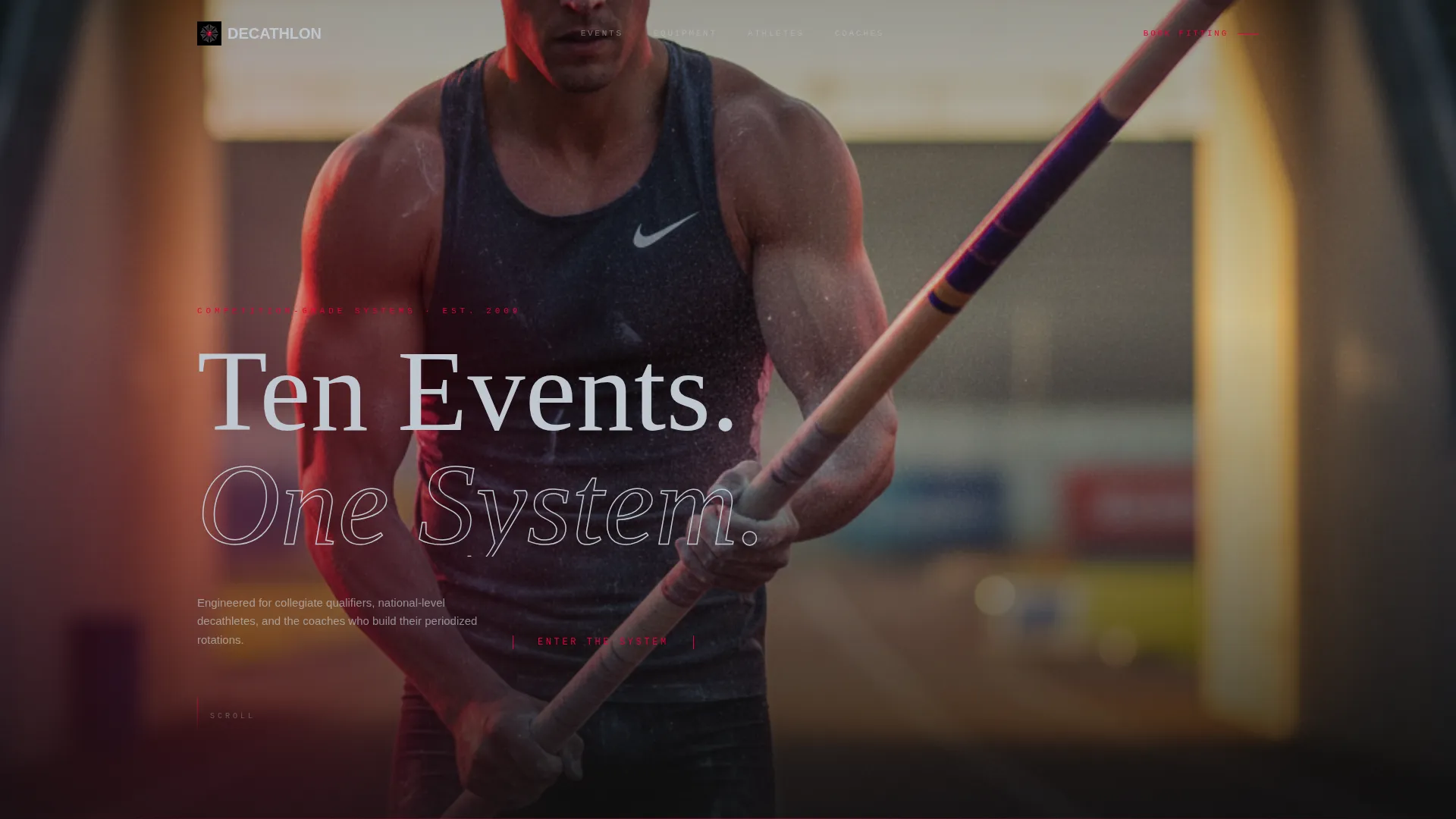
The header fills the entire screen height with a vertical portrait composition. Chrome text overlays a single line of copy. No product appears in the frame, just the athlete and the brand promise, shot from below with stadium glow leaking through the tunnel behind them.
Ten-Card Modular Grid
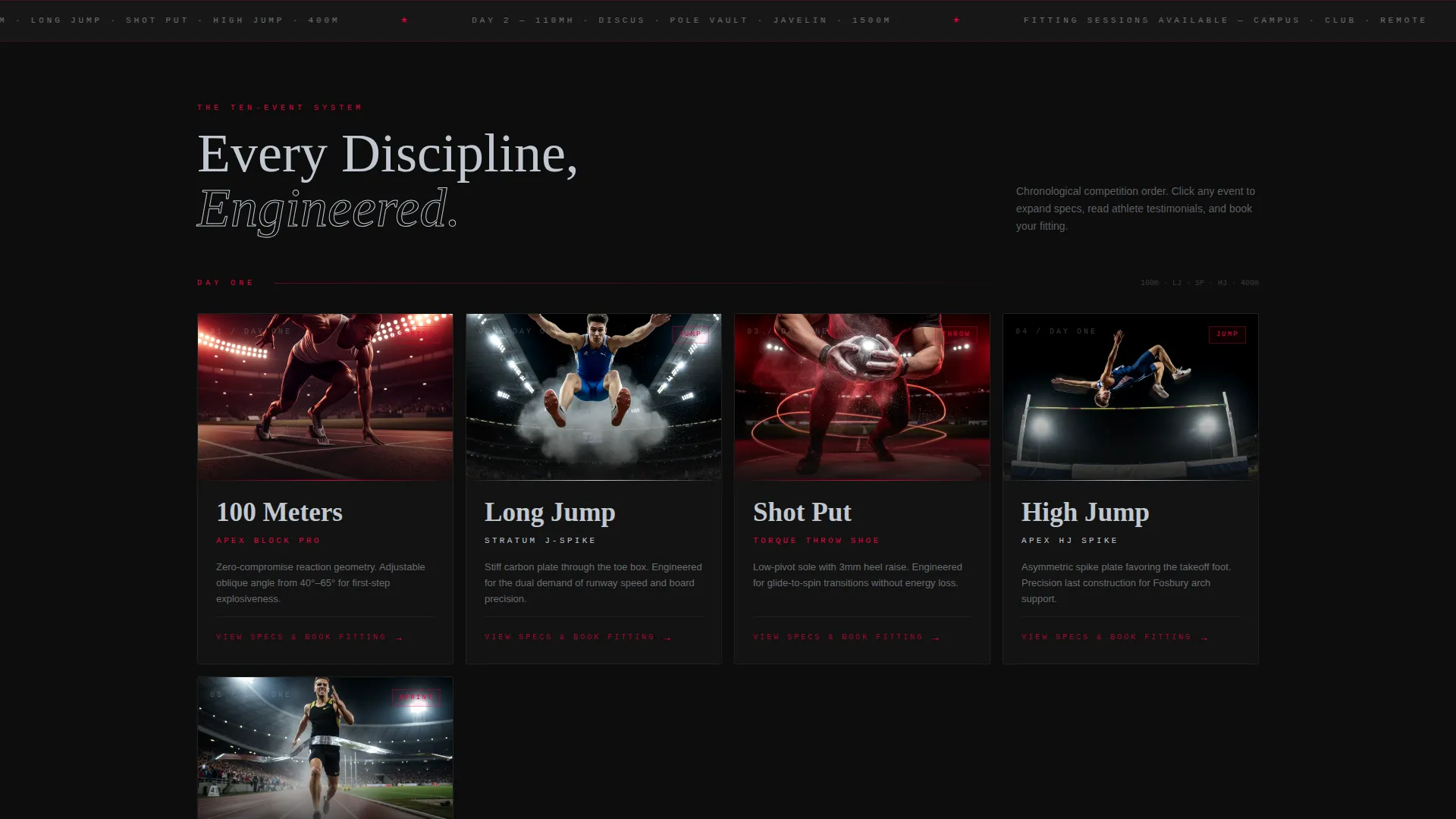
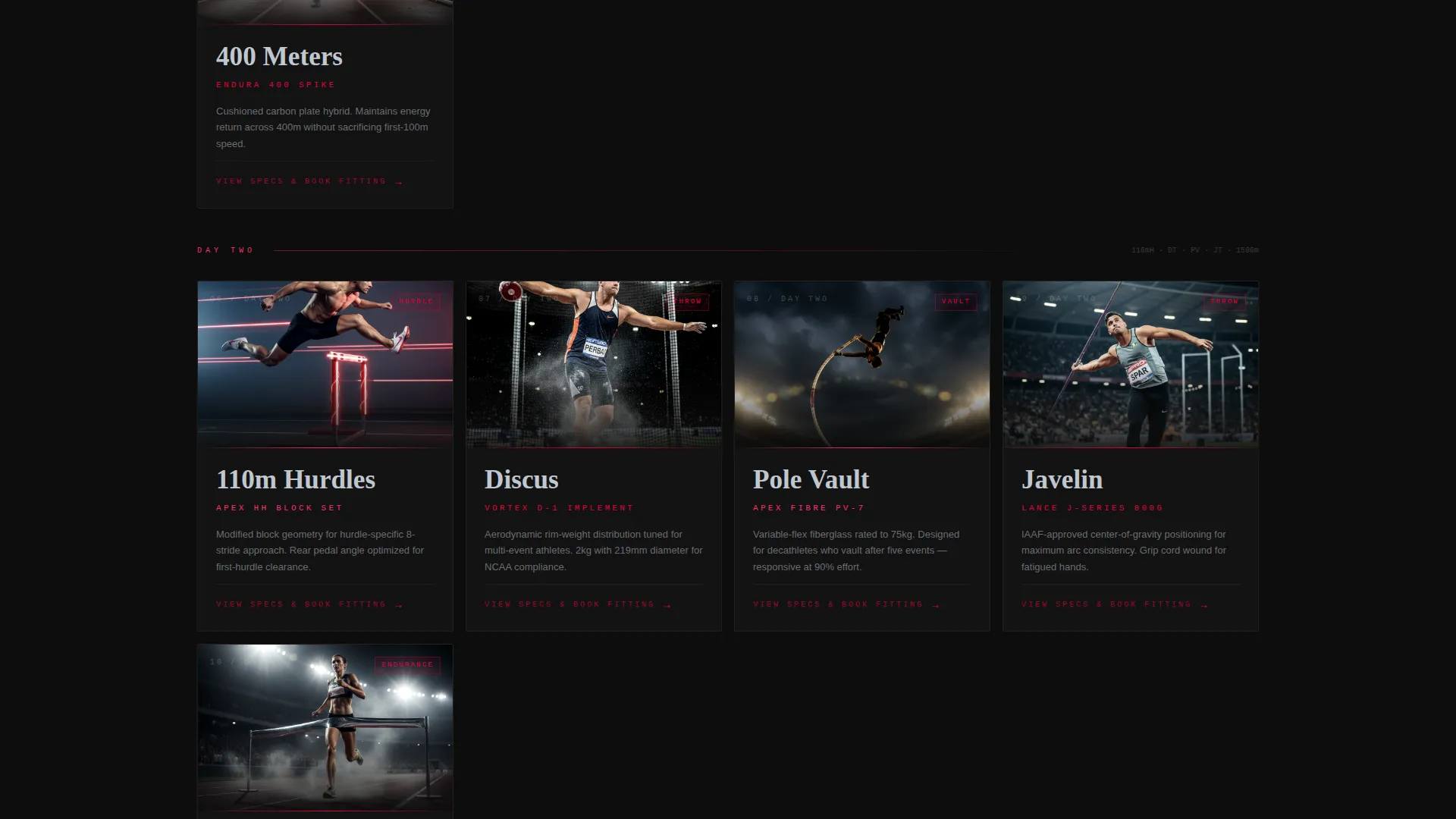
Each card represents one decathlon discipline in chronological competition order: 100 meters, long jump, shot put, high jump, 400 meters, then the five second-day events. Cards display a hero product filmed against black with a slow ruby light sweep. The layout is modular, so each card functions as a self-contained chapter.
Expandable Card Detail View
Clicking any card expands it to a full detail state. Inside, the visitor sees product specifications, an athlete testimonial, and the primary call to action, a fitting-session booking slot. The booking entry point is personalized because it appears inside the discipline the visitor chose to explore first.
Progressive Animation Rhythm
Card transition animations accelerate as the visitor scrolls toward the 1500 meter finale. The shortening rhythm mirrors the fatigue and urgency of the final event, giving the scroll a narrative pace that holds attention across all ten disciplines.
Three-Field Sequential Booking Flow
The booking form asks three questions in order: primary discipline weakness from a dropdown of all ten events, competition date, and preferred fitting location chosen from campus, club, or remote video. The sequence is short and purposeful, reducing friction at the conversion moment.
Persistent Secondary Call-to-Action Bar
A fixed bar sits at the bottom of the viewport throughout the entire page. It carries the "Build Your Ten-Event Kit" call to action, keeping the brand's secondary offer visible without interrupting the card-grid experience above.
Page sections overview
| Section | Purpose |
|---|---|
| Cinematic Header | Introduce brand promise with a full-height athlete portrait and chrome headline |
| Discipline Card Grid | Present all ten event products in modular, competition-day order |
| Expanded Card Detail | Show specs, testimonials, and the primary fitting-session booking slot |
| Animation Sequence Layer | Accelerate transition rhythm toward the final event to build urgency |
| Booking Form Flow | Collect discipline weakness, competition date, and fitting location |
| Persistent Bottom Bar | Keep the secondary kit-building call to action always visible |
Design & branding system
The visual identity is built around a Futuristic Neon theme using a Ruby and Chrome color system. The palette feels metallic and charged, like the reflection of stadium LED boards on a freshly polished discus.
- Deep carbon black (#0D0D0D) fills the primary background; liquid chrome silver (#C0C7D0) covers card surfaces and typography
- Electric ruby (#E4003A) pulses through borders, hover states, and progress indicators throughout the card grid
- Cooler neon magenta (#FF2D6B) activates for selected discipline states, marking the athlete's chosen event as an active user interface moment
Mobile & speed optimization
The modular card grid is designed to restack and reflow cleanly at smaller viewport widths. Each card operates as an independent unit, which keeps the layout manageable on portrait-oriented screens.
- Cards restack vertically on mobile so the discipline-by-discipline reading order is preserved
- The persistent bottom bar stays fixed on mobile, keeping the secondary call to action accessible without requiring a scroll back to the top
- The sequential booking form's three-step flow is well-suited to thumb navigation on a phone screen
How this template helps you convert
The page is engineered to make the booking call to action feel like a natural next step, not an interruption. The sequence of engagement earns the click before the form ever appears.
- Athletes interact with their specific weak-event card first, which means the fitting-session booking prompt appears inside a context they already care about, making the ask feel relevant and timely.
- The accelerating card animation rhythm builds urgency across the scroll, so visitors arrive at the booking moment already primed by the page's competitive pacing.
- The persistent bottom bar ensures the secondary "Build Your Ten-Event Kit" offer is never more than a glance away, capturing visitors who browse multiple cards before committing.
Other information about this template
This template sits at the intersection of the Sports and Recreation category and the Decathlon subcategory, with a niche focus on decathlon academy and training contexts. It is designed as a card-grid modular landing page under a Futuristic Neon theme.
- The creative direction follows a cinematic sequence approach, advancing through the two-day competition like a series of unlocking chapters
- The template style is Card Grid (Modular), which makes it practical for brands that want to isolate and highlight individual event products without building a full multi-page catalog
- The landing-page direction is oriented toward booking and scheduling, not direct transactional checkout, which suits premium fitting services and personalized kit consultations
Theme
Futuristic Neon
Creative direction
Community Gallery
Color system
Ruby & Chrome
Style
Card Grid (Modular)
Direction
Direct Sales
Page Sections
Full-viewport Cinematic Header
Ten-card Modular Discipline Grid
Expandable Card Detail View
Progressive Animation Rhythm
Three-field Sequential Booking Form
Persistent Secondary Call to Action Bar
Related questions
Can I change the ten discipline cards to match my product range?
Does the booking form connect to a scheduling tool?
Can the color system be adjusted for a different brand palette?
Is this template suited to a training academy, not just a product brand?
What makes this different from a standard sports product page?