Intelligent Parking Landing Page Template
Deck is a full-width immersive landing page template built for intelligent parking garage operators. It combines a split-video comparison header, an interactive 3D floor-by-floor explorer, and side-by-side data cards to turn visitor skepticism into conviction. The layout guides municipal authorities, real estate developers, and hospital campus planners toward a diagnostic audit form or a gated versus report download.
by Rocket studio
Quick summary
Deck is a single-page, full-width landing page template designed for intelligent parking garage operators. It opens with a visceral split-video comparison, then guides visitors through a clickable 3D garage cross-section that reveals technology layers floor by floor. Every section frames managed-facility metrics against industry baselines, building a data-driven argument before any form appears.
Who this template is for
This template is built for parking operators and facility managers who need to convince high-stakes buyers, not casual browsers. The layout, tone, and data presentation are calibrated for decision-makers who evaluate infrastructure investments carefully.
- Municipal transit authorities negotiating downtown congestion solutions
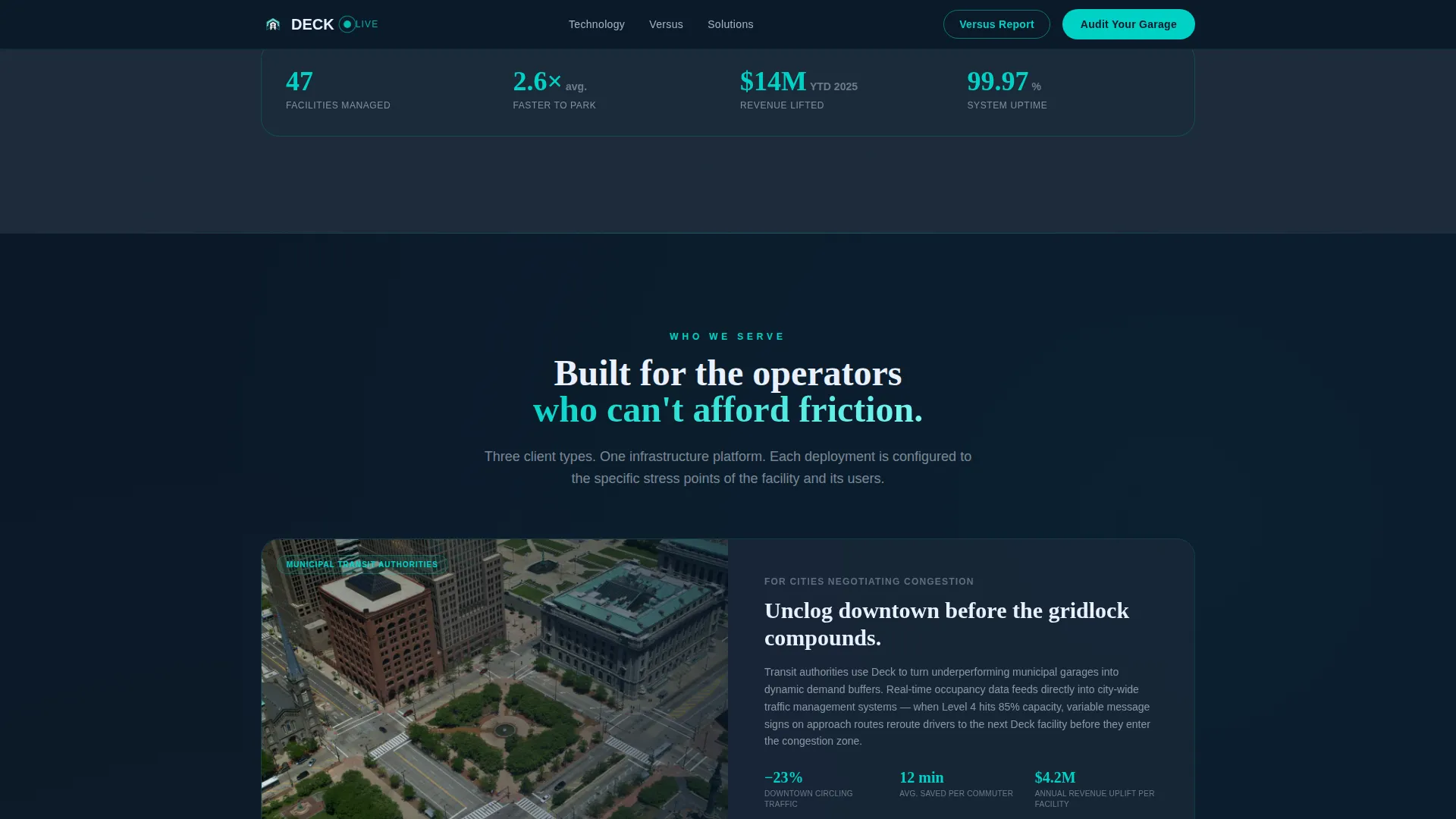
- Commercial real estate developers managing large multi-stall parking structures
- Hospital campus planners whose visitors arrive already under stress
What problem this template solves
Legacy parking facilities lose revenue, frustrate drivers, and fail to communicate their operational intelligence to potential partners. A standard brochure page cannot prove that a smart system outperforms a basic gate-and-ticket setup. Deck solves that credibility gap visually and interactively.
- Visitors leave before they trust the product because the proof arrives too late
- Side-by-side comparisons are absent, so prospects cannot benchmark the offer
- No interactive layer means technology depth stays invisible to evaluators
What you get with this template
You get a structured, conversion-focused landing page that lets the design do the persuasion work. Every component in the template is sourced directly from the brief, so nothing feels generic or out of place for a parking technology audience.
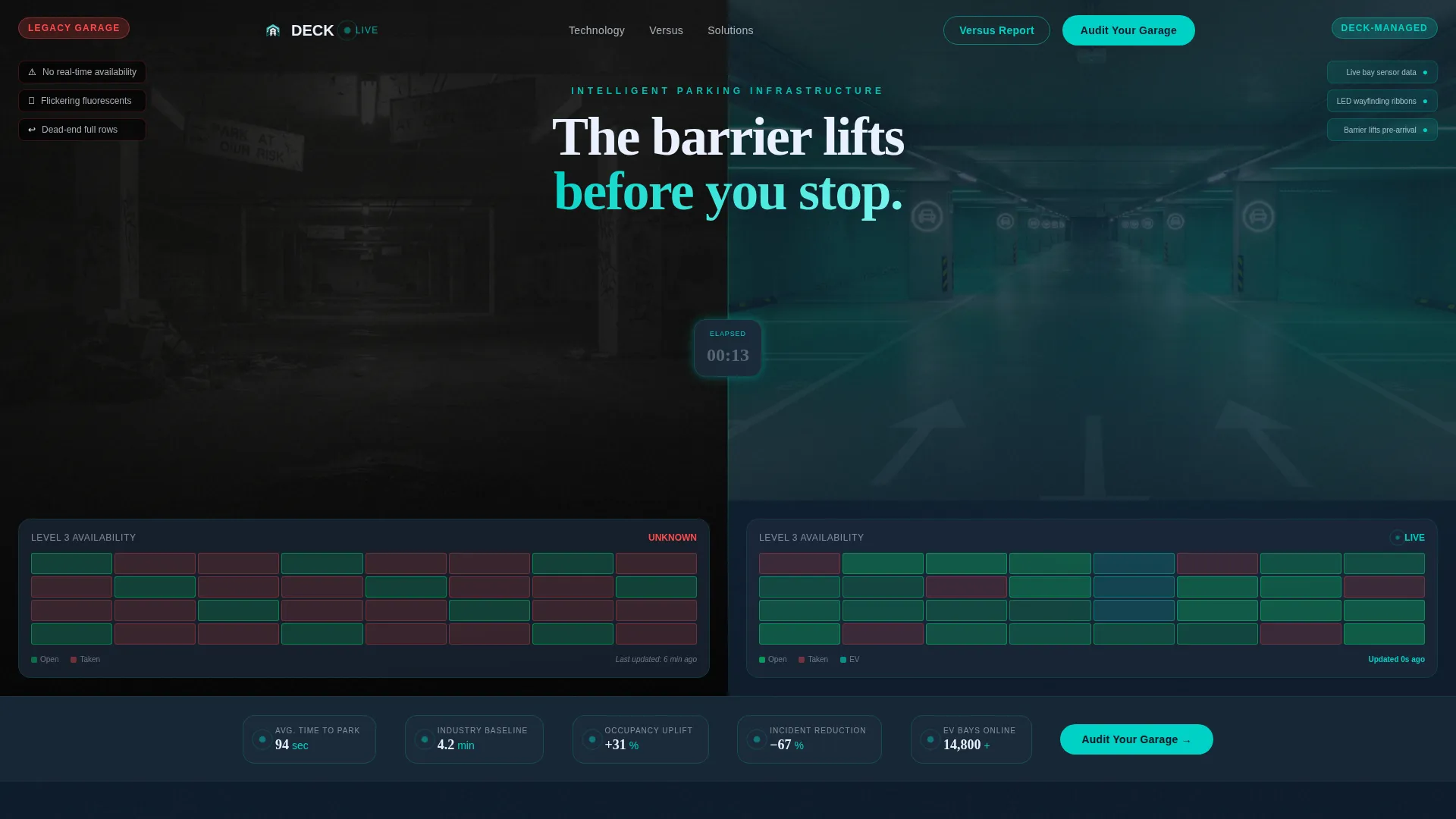
- A synced split-video header that plays legacy and managed garage footage simultaneously
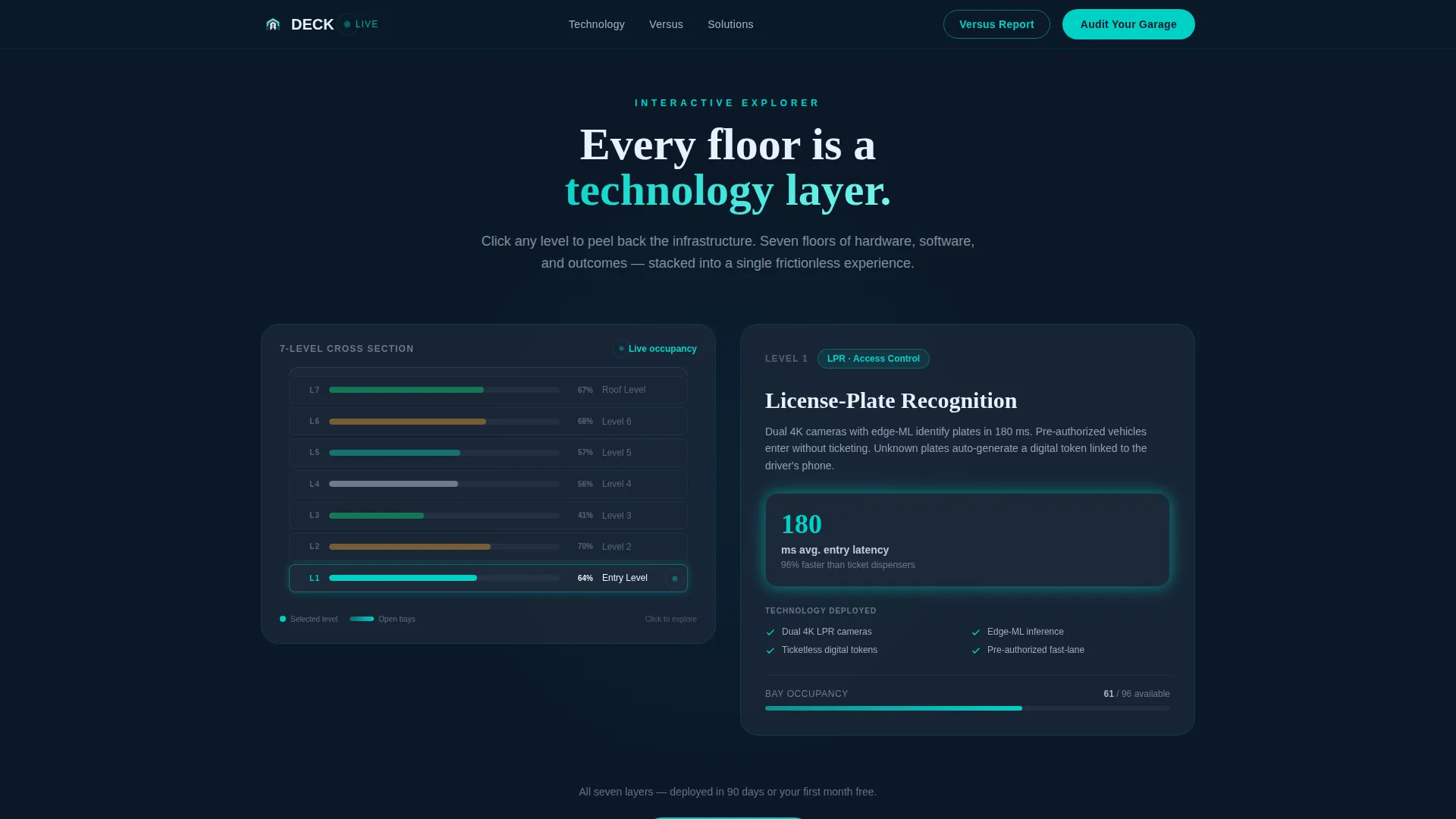
- A clickable 3D seven-level garage cross-section with per-floor technology callouts
- An "Audit Your Garage" diagnostic form and a gated "Download the Versus Report" secondary path
Feature list
This template ships with six purpose-built interactive components that each serve a specific conversion role in the parking operator sales journey.
Split-Video Compare Header
The viewport divides down the center. The left side shows dashcam footage of a dim, signage-cluttered legacy garage. The right side shows the same journey through a managed facility with LED wayfinding and real-time slot counts. Both videos play simultaneously, synced to a shared elapsed-time counter in the gutter between them.
Interactive 3D Garage Explorer
A cross-section of a seven-level garage lets visitors click into individual floors. Each click peels back a visual layer revealing technology components: license-plate recognition at entry, ultrasonic bay sensors, electric vehicle charging allocation, dynamic pricing engines, and emergency ventilation intelligence. Live-stat callouts animate on entry to reinforce each layer.
Comparison Data Cards
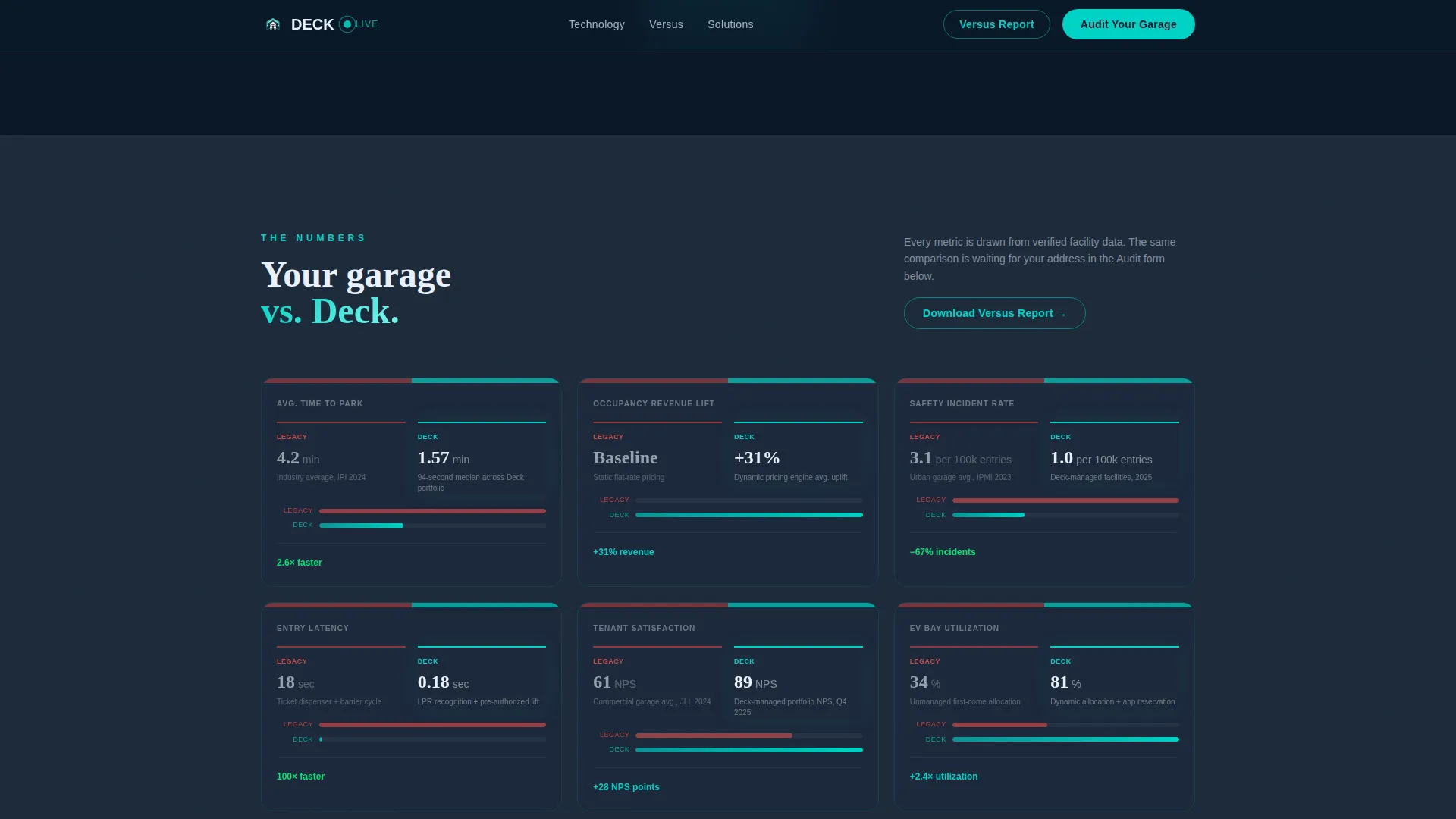
Every major section frames Deck-managed metrics against published industry baselines. The side-by-side card layout echoes the split-video header, keeping the versus framing consistent across the full page and reinforcing proof at every scroll depth.
Audit Your Garage Form
A short diagnostic form captures facility address, total stall count, current technology level selected from a dropdown, and monthly vehicle throughput. The form appears after the interactive explorer, so visitors have already engaged with proof before they are asked to share anything.
Gated Versus Report Download
A secondary conversion path offers the "Download the Versus Report" for prospects not ready to book an audit. Access requires only an email address, lowering the barrier for early-stage evaluators while still capturing a lead.
Animated Live-Stat Callouts
Data points such as average time to park and occupancy revenue lift animate into view as each floor layer is revealed. This keeps the scroll feeling active and reward-driven rather than passive, turning scrolling into a self-paced argument.
Page sections overview
| Section | Purpose |
|---|---|
| Split-Video Header | Contrast legacy versus. managed garage experience visually |
| Elapsed-Time Counter | Sync both videos and quantify the time difference |
| 3D Garage Explorer | Let visitors navigate technology layers floor by floor |
| Per-Floor Tech Callouts | Reveal hardware and software capabilities interactively |
| Live-Stat Animations | Reinforce outcomes with real data on entry |
| Comparison Data Cards | Benchmark managed metrics against industry baselines |
| Audit Your Garage Form | Capture qualified leads through a short diagnostic |
| Versus Report Gate | Convert early-stage prospects with a low-barrier download |
Design & branding system
The visual identity uses a Tech Glass theme built on a Midnight Blue color system. The palette evokes a tinted-windshield view into a data-aware underground facility, where every surface feels subtly backlit and every indicator carries purpose.
- Deep terminal navy (#0B1929) dominates all backgrounds, grounding the page in a controlled, low-light environment
- Sensor-glow teal (#00D2C6) fires on interactive hotspots, live-data callouts, and availability indicators
- Structural graphite (#1C2A3A) separates content tiers without breaking the dark atmosphere
- Availability-indicator white (#E8F0FE) carries body text, metric labels, and form fields with clinical clarity
Mobile & speed optimization
The template is structured for a fluid full-width experience across screen sizes. Immersive visual components are designed to adapt without losing their comparative impact on smaller viewports.
- The split-video header stacks or scales gracefully so the contrast remains readable on mobile screens
- The 3D garage explorer is touch-navigable, letting mobile visitors tap into floors the same way desktop visitors click
- Comparison data cards reflow into vertical stacks on narrow viewports so no metric data is hidden or truncated
How this template helps you convert
The page is built on a deliberate proof-before-ask architecture. Visitors interact with evidence at every stage before a single form field is visible.
- The split-video header creates immediate visceral contrast, giving visitors an emotional reason to keep reading before any claim is made in text.
- The interactive 3D explorer turns passive scrolling into active discovery, so prospects feel they have audited the technology themselves before the "Audit Your Garage" form invites them to submit their own facility details.
- Dual conversion paths serve two buyer readiness levels: direct engagement via the diagnostic form and low-commitment entry via the gated report download.
Other information about this template
This template sits within the Automotive and Transport category, specifically targeting the Parking and Traffic subcategory for the parking garage operator niche. It is a strong fit for operators who need to communicate technical depth to institutional buyers without relying on dense written documentation.
- The template style is Full-Width Immersive, meaning visual components span the entire viewport for maximum impact
- The creative direction is Interactive Explorer, so the page rewards curiosity and active engagement rather than passive reading
- The header concept is Split-Video Compare, a format that makes the value proposition self-evident without a single line of sales copy
- The landing page direction is Comparison and Versus, keeping every section anchored to a measurable performance differential
- The Tech Glass theme and Midnight Blue color system are consistent across all components, so no section feels visually disconnected from the next
Theme
Tech Glass
Creative direction
Interactive Explorer
Color system
Midnight Blue
Style
Full-Width Immersive
Direction
Comparison/Versus
Page Sections
Split-video Compare Header
Interactive 3D Garage Explorer
Animated Live-stat Callouts
Comparison Data Cards
Audit Your Garage Diagnostic Form
Gated Versus Report Download
Related questions
Who is this landing page template designed for?
Do I need video content ready before using this template?
What is the Audit Your Garage form used for?
What is the Versus Report download path for?
Can the 3D garage explorer be adapted to my facility layout?



