Divorce Attorney Landing Page Template
Decree is a single-column landing page template built for divorce attorney practices. It follows a Problem-to-Solution scroll arc, opening with press mention logos and a commanding headline, then guiding distressed visitors through named practice areas, anonymized case outcomes, and a clear three-step process. The primary call to action drives visitors to a private consultation booking page.
by Rocket studio
Quick summary
Decree is a click-through landing page template for divorce attorneys handling high-asset, custody, and business-valuation cases. The page opens with press credential logos, moves visitors from emotional uncertainty into structured clarity, and closes with a repeated consultation call to action. No form fields appear on the page itself; the click leads to a dedicated scheduling flow.
Who this template is for
This template is built for established divorce attorney practices that handle complex cases and need to convert anxious, research-mode visitors into booked consultations. It suits attorneys who want their page to communicate authority before a single paragraph is read.
- Divorce attorneys working with professionals in high-asset separation cases
- Family law practices serving stay-at-home parents and business owners with company valuations at stake
- Attorneys who have earned press mentions and want that credibility visible immediately
What problem this template solves
Most divorce attorney pages feel cold and transactional. They show stock photography of gavels, list generic practice areas, and ask visitors to fill out a contact form before trust has been established. Visitors arrive in a heightened emotional state and leave before they ever read the credentials.
- Visitors feel overwhelmed and cannot find a clear path forward on the page
- The attorney's real authority, press features, and case experience stay buried below the fold
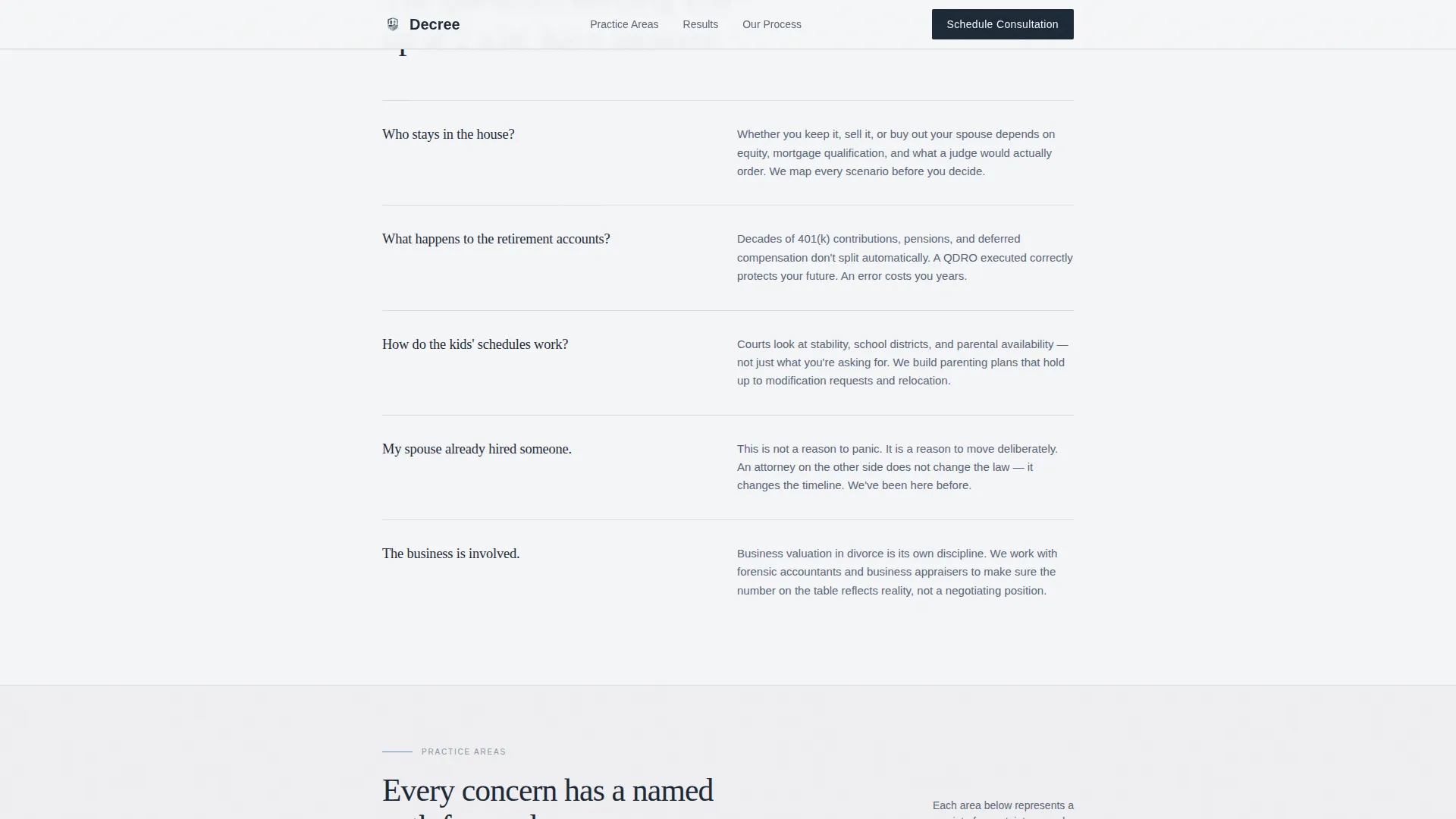
- Generic layouts fail to address the specific fears driving the visit: the house, the children, the business
What you get with this template
You get a fully structured single-column landing page that moves visitors through a deliberate emotional arc from uncertainty to confidence. Every section has a defined purpose and a clear position in the scroll sequence.
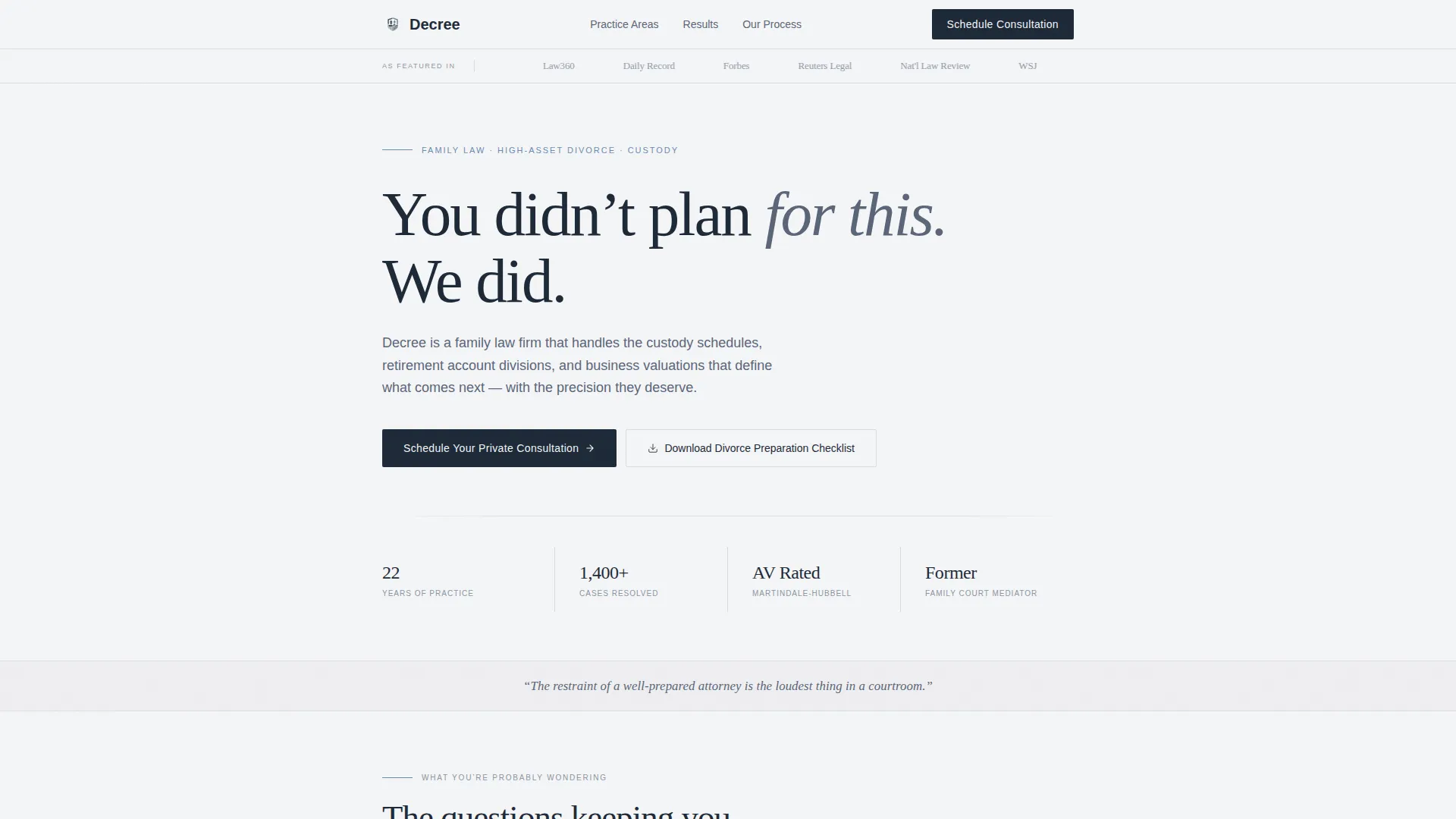
- A hero section with a press mentions bar, bold headline, authority statistics, and dual calls to action
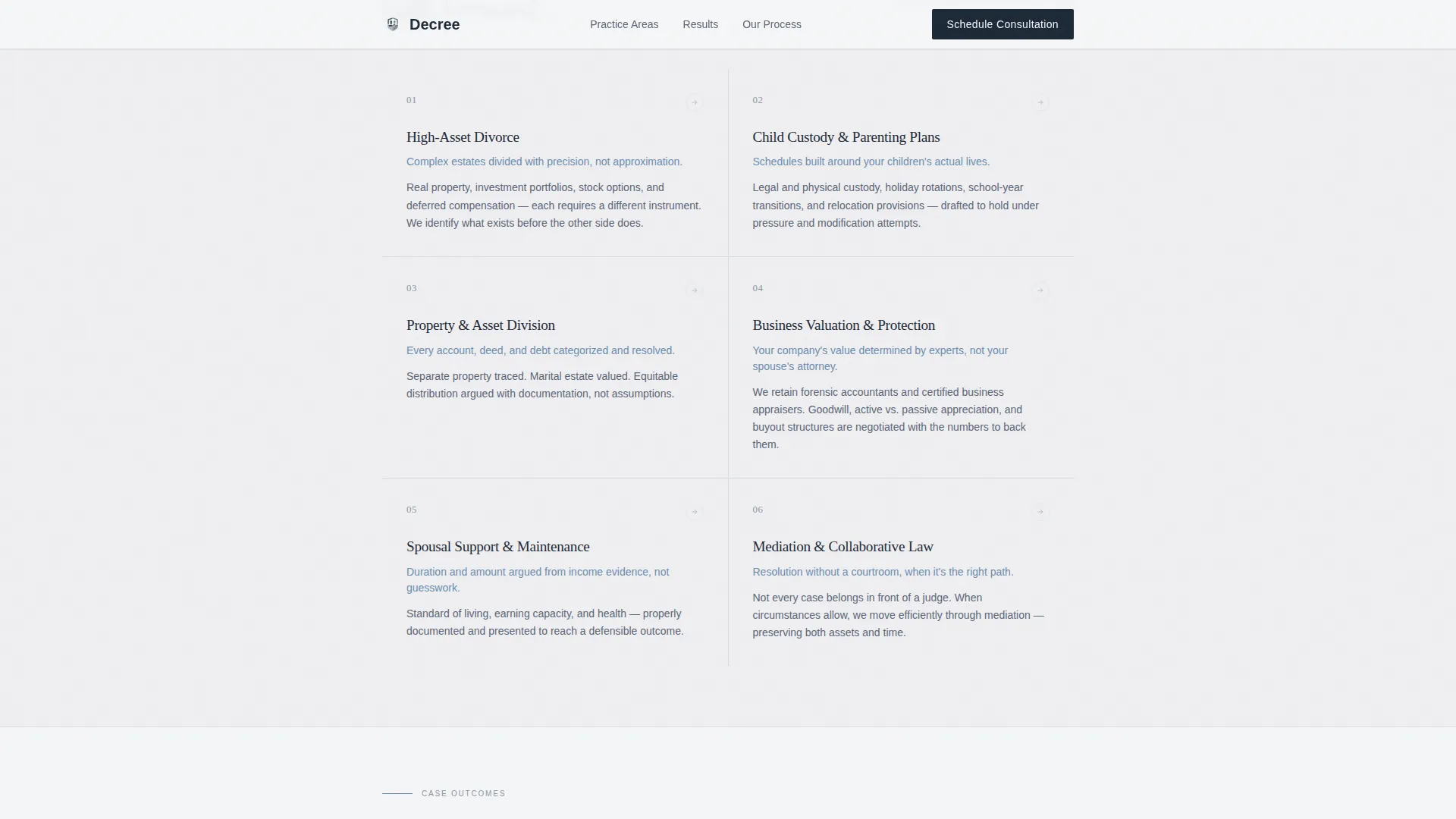
- Named practice area blocks covering custody, property division, and business valuation, each with a one-sentence resolution path
- Anonymized case outcome examples, a three-step process section, and a footer built on a horizontal flow pattern
Feature list
Press Mentions Authority Bar
A horizontal row of outlet logos sits at the very top of the page, above the headline. Local news mastheads, legal publications, and national outlets are arranged against the overcast white background. Credibility is established before a single word of body copy is read.
Problem Recognition Section
This section names the visitor's real fears in plain language: the house, the custody schedule, the retirement account, the business. Each named concern is paired with a one-sentence resolution path, systematically converting anxiety into a sense of structured possibility.
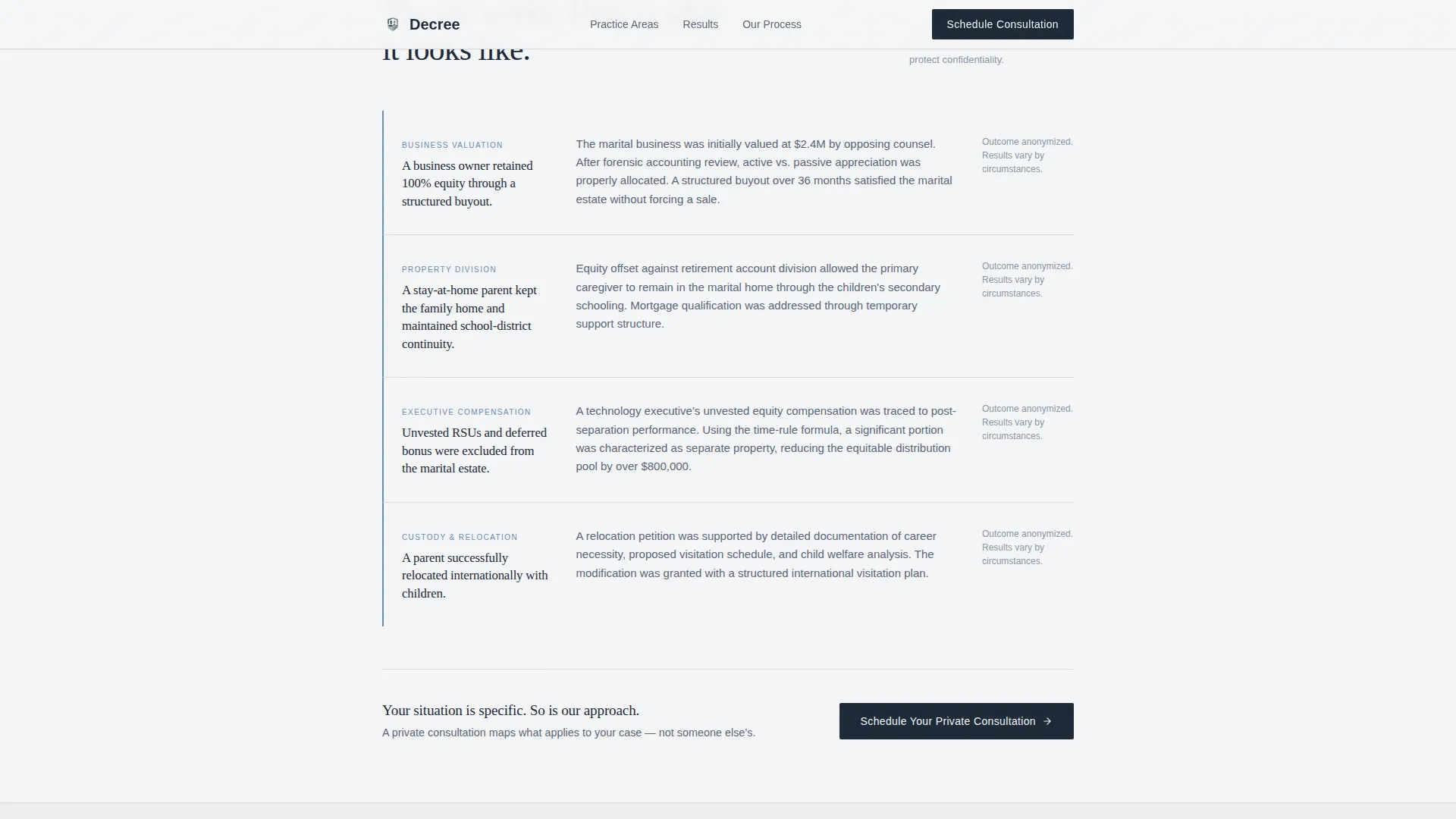
Anonymized Case Outcome Block
A mid-page section presents specific, anonymized results to prove the attorney's approach works in practice. Results like a business owner retaining full equity through a structured buyout give concrete shape to what professional representation can achieve.
Three-Step Process Clarity Section
The process section lays out how the firm works: consultation, strategy, and resolution. Each step is described in plain language, removing procedural uncertainty and helping the visitor understand exactly what happens after they click the primary call to action.
Repeated Click-Through Call to Action
The primary call to action, "Schedule Your Private Consultation," appears after the hero, after the case outcomes, and as a fixed bottom bar on mobile. The secondary path offers a downloadable divorce preparation checklist for visitors not yet ready to book.
Legal Shield Visual Theme
The Cloud Canvas color system and Fraunces serif headings create a quiet authority aesthetic. The page feels like a calm, organized office rather than a courtroom. No stock photography of gavels or handshakes appears anywhere in the layout.
Page sections overview
| Section | Purpose |
|---|---|
| Press Mentions Bar | Establish attorney credibility before the headline |
| Hero Headline Block | Capture attention with authority statistics and dual calls to action |
| Problem Recognition | Name visitor fears and signal the attorney understands their situation |
| Practice Areas | Assign a clear resolution path to each named concern |
| Case Outcomes | Prove the approach with anonymized, specific results |
| Process Clarity | Show the three-step path from consultation to resolution |
| Footer Flow | Close with navigation, secondary links, and firm contact details |
Design & branding system
The template uses the Cloud Canvas color system to create a measured, authoritative tone. The palette avoids visual aggression, matching the quiet-office atmosphere described in the creative brief.
- Colors: overcast white (#F4F5F7) for backgrounds, calm slate (#5A6578) for body text, deep charcoal (#1E2A38) for headings, and muted steel-blue (#6B8CAE) for buttons and key dividing lines
- Typography: Fraunces serif for headings (gravitas without aggression) and DM Sans for body text (clean and highly readable at all sizes)
- No stock photography clichés; the restraint of the visual system is itself a credibility signal
Mobile & speed optimization
The template is designed desktop-first, reflecting how professionals research decisions during work hours. A dedicated mobile treatment ensures the call to action remains visible throughout the scroll on smaller screens.
- A fixed bottom bar on mobile surfaces the primary consultation call to action at all times, reducing friction for visitors who decide to act while on a phone
- Scroll-reveal animations with staggered opacity and a subtle parallax effect on the hero add motion without slowing the experience
- Static server components handle the bulk of the page content, keeping JavaScript use minimal throughout
How this template helps you convert
The page is engineered as a click-through experience. It earns the click by the time the call to action appears for the third time, so pressing the button feels like a natural next step rather than a leap of faith.
- The press mentions bar and authority statistics establish trust before the visitor reads a paragraph, reducing the immediate impulse to leave
- The Problem-to-Solution scroll arc deflates tension section by section, so the visitor arrives at the call to action in a planning mindset rather than a panicked one
- The secondary download path captures visitors who are still in research mode, giving the practice a way to stay connected with prospects who are not yet ready to book
Other information about this template
This template belongs to the Legal and Compliance category under the Family and Domestic Law subcategory, with a niche focus on divorce attorney practices. It was designed specifically for the intersection of authoritative visual identity and emotionally intelligent conversion architecture.
- Template style: Single Column Flow, optimized for a linear scroll narrative
- Theme: Legal Shield, using the Cloud Canvas palette for a conference-room aesthetic
- Creative direction: Problem-to-Solution Arc, with tension that deflates rather than escalates through the scroll
- The footer follows a horizontal flow pattern, keeping final-page navigation clean and professional
Theme
Legal Shield
Creative direction
Problem→Solution Arc
Color system
Cloud Canvas
Style
Single Column Flow
Direction
Click-Through
Page Sections
Press Mentions Authority Bar
Problem-to-solution Scroll Arc
Anonymized Case Outcome Block
Repeated Click-through Consultation Call to Action
Secondary Checklist Download Path
Legal Shield Visual Identity
Related questions
Does this template include the consultation booking page?
Can I edit the practice areas to match my firm's actual services?
How does the template handle visitors who are not ready to book yet?
Does the page display well on mobile devices?
What if I do not have press mention logos to use in the header bar?