Tax Preparer Portfolio Website Template
Ledger is an editorial-style tax preparer landing page built around real client stories and trust-earning proof. It leads with press mentions, broadsheet headlines, and anonymized case studies that show exact dollar amounts recovered. Dual-income households, side-hustle earners, landlords, and first-generation homeowners get a page that feels like personal expert guidance, not a generic service brochure.
by Rocket studio
Quick summary
Ledger is a single-page tax preparer landing page with a longform magazine editorial feel. It opens with a press mentions bar, leads into a broadsheet investigative headline, and walks visitors through anonymized client case studies. Every section builds trust before the primary call to action appears, so the decision to book feels earned, not pushed.
Who this template is for
This template fits storefront tax offices and independent preparers who serve working families, renters, and first-time homeowners. It works best when the preparer has real client outcomes worth highlighting and wants to stand out from standard appointment-booking pages.
- Tax preparers serving dual-income households with side income or 1099 work
- Preparers helping small landlords, renters, and first-generation homeowners
- Local tax offices with media mentions or community recognition to showcase
What problem this template solves
Most tax preparer pages list services and show a booking button. They give visitors no reason to trust the preparer over any other option in the area. Ledger fixes that by replacing generic claims with specific, story-driven proof.
- Families skip professional prep because they do not know what they are missing
- Generic pages fail to explain why expertise translates into a higher refund
- No visual proof of local credibility leaves first-time visitors unconvinced
What you get with this template
You get a fully structured single-page layout designed to guide a skeptical visitor from first impression to confident action. The page alternates between editorial narrative sections and visual proof elements that accumulate trust over the scroll.
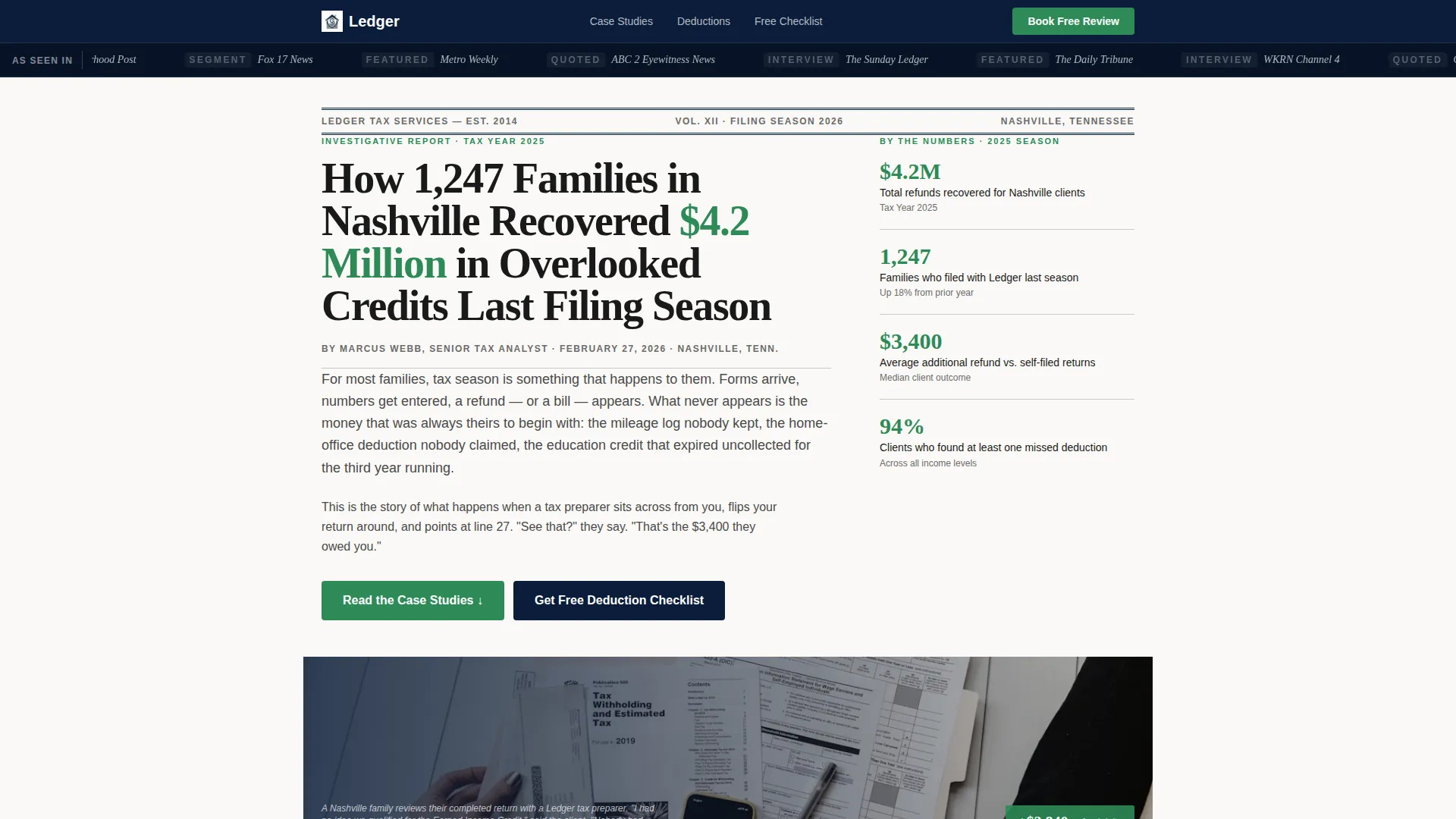
- A press mentions bar, broadsheet headline section, and dateline-formatted hero
- Three anonymized case study sections with pull-quote sidebars and green dollar figures
- A gated deduction checklist lead-capture form and a sticky booking bar with zip-code field
Feature list
This section covers the specific built-in components that make Ledger function as a conversion-focused editorial landing page.
Press Mentions Scroll Bar
A horizontal scroll bar at the top of the page displays local newspaper mastheads and television affiliate logos. Set against deep federal navy, it immediately signals community credibility before a visitor reads a single word of copy.
Broadsheet Hero Headline
The header features a large serif headline formatted as a front-page investigative story, complete with a dateline. It frames the preparer's results in the language of journalism, which makes the claim feel reported rather than advertised.
Case Study Narrative Sections
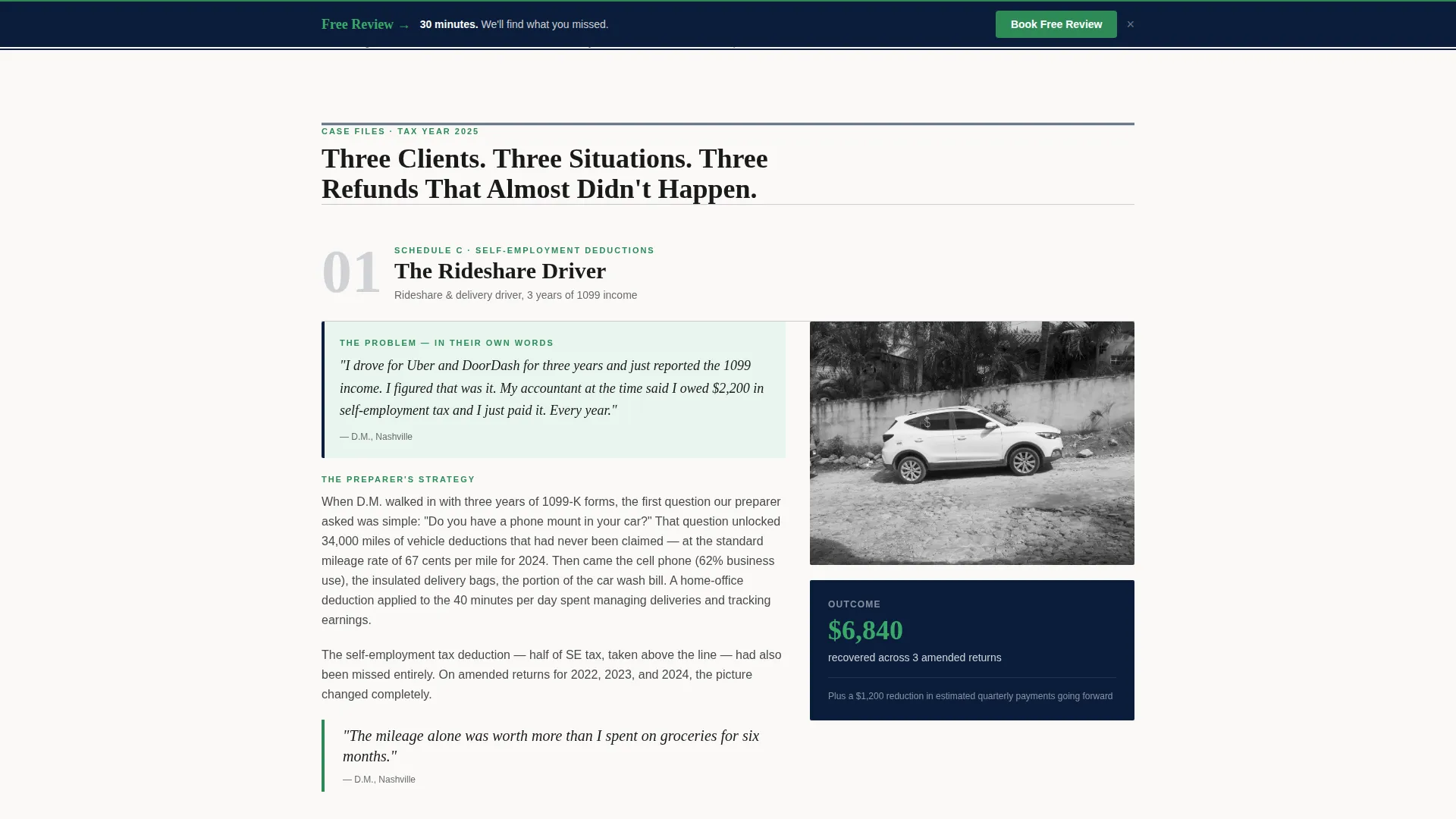
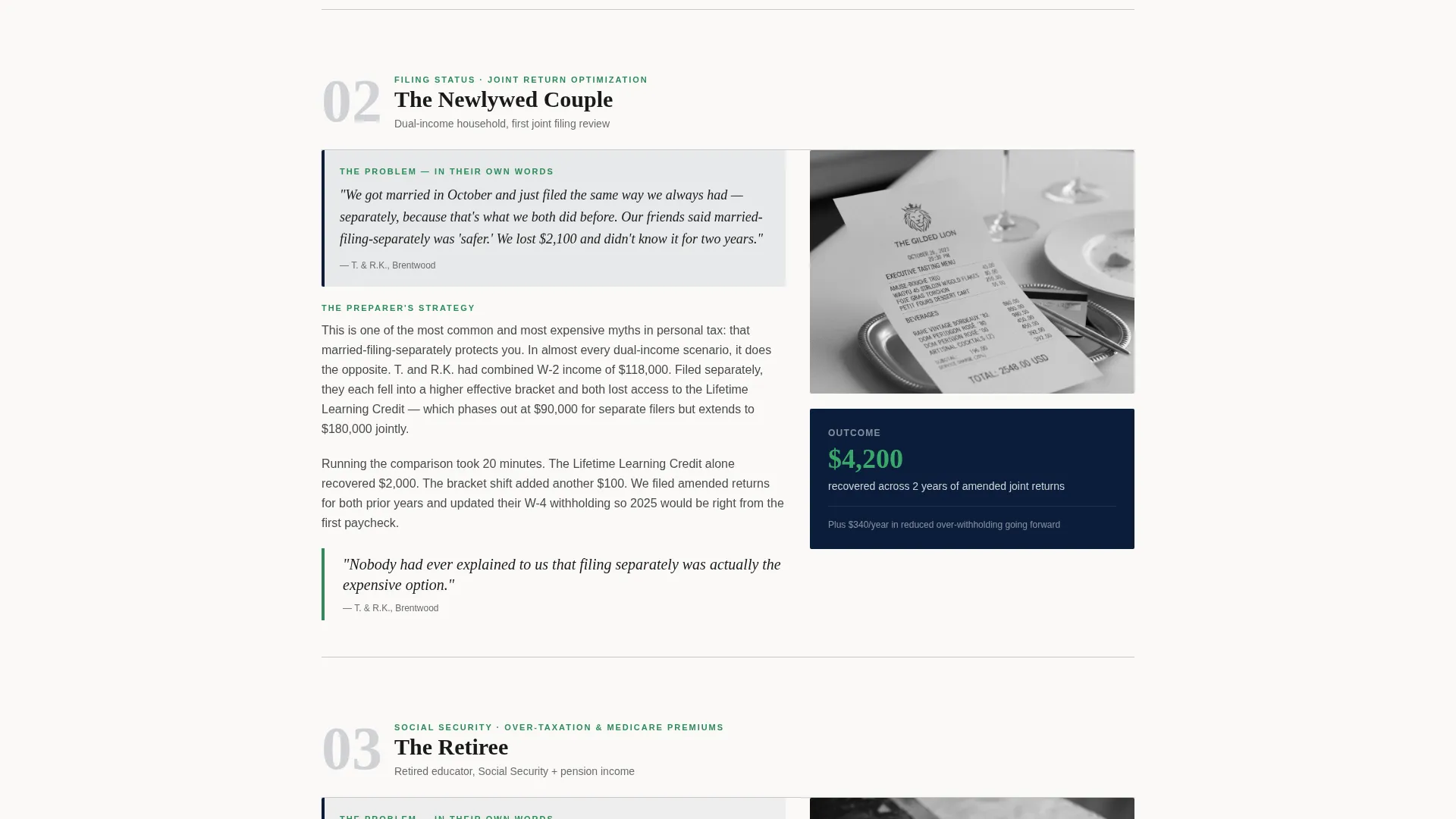
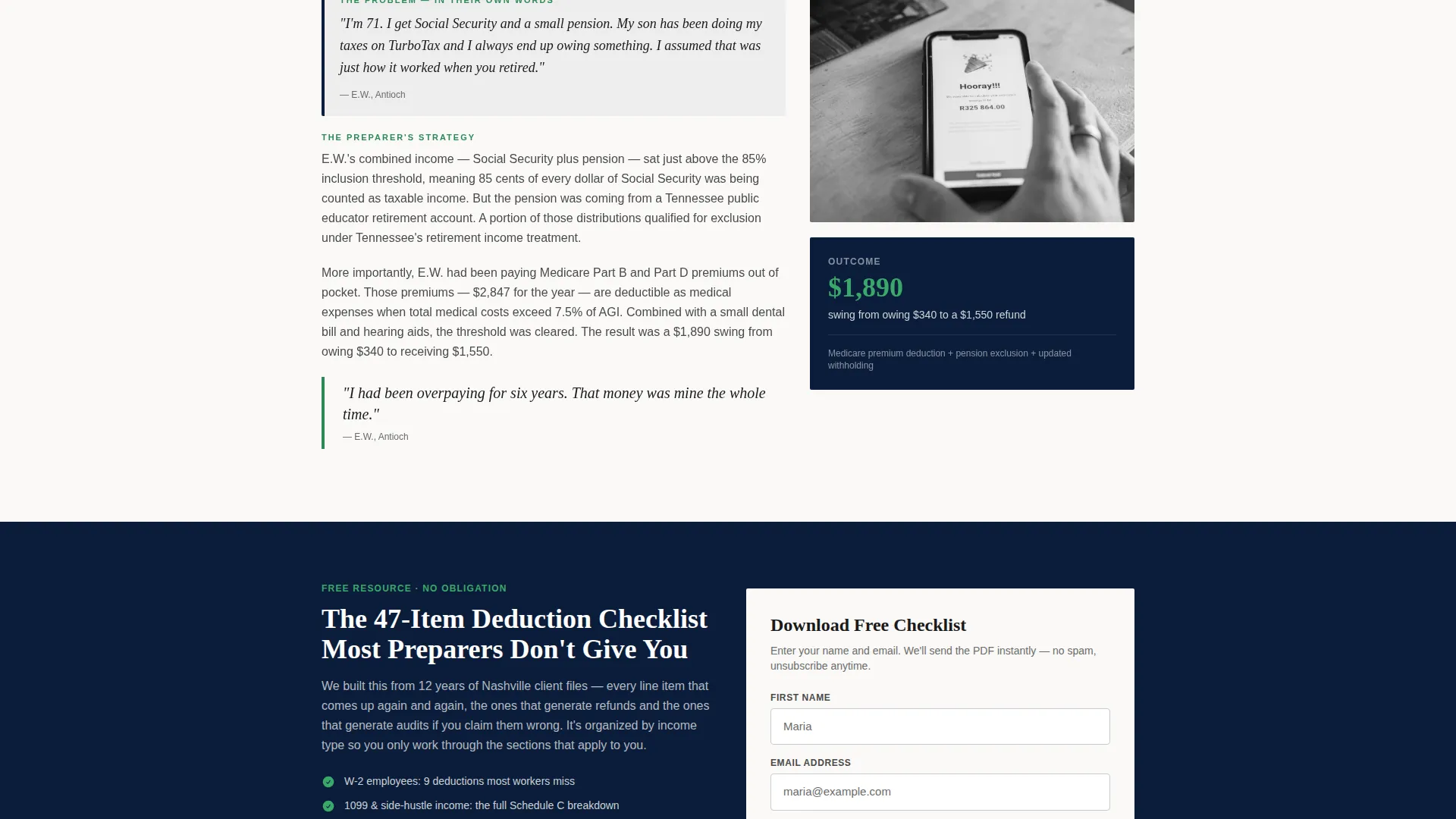
Three alternating editorial sections each profile one anonymized client scenario. Each opens with the client's problem in their own words, walks through the preparer's approach, and closes on the exact dollar amount recovered.
Sidebar Pull-Quotes with Dollar Figures
Each case study section includes a sidebar pull-quote that highlights the recovered amount in refund-check green. The contrast between the navy-and-gray body text and the green figures draws the eye to the most persuasive number on the page.
Gated Deduction Checklist Capture
After the second case study, a lead-capture block offers a free deduction checklist in exchange for a first name and email address. The placement is deliberate: trust is established before the ask appears.
Sticky Booking Bar with Zip-Code Field
A persistent bar sits at the bottom of the viewport throughout the scroll. It includes a zip-code entry field that confirms service area eligibility before revealing the scheduling calendar, filtering for qualified local prospects automatically.
Page sections overview
| Section | Purpose |
|---|---|
| Press Mentions Bar | Establishes local media credibility at first glance |
| Broadsheet Hero | Frames results as investigative, newsworthy proof |
| Case Study One | Profiles a rideshare driver's mileage deduction win |
| Pull-Quote Sidebar | Highlights recovered dollar amount in green |
| Case Study Two | Covers a newlywed couple's joint-filing savings |
| Checklist Lead Capture | Converts engaged readers into email subscribers |
| Case Study Three | Profiles a retiree's over-taxed Social Security fix |
| Sticky Booking Bar | Keeps the appointment call to action visible during full scroll |
Design & branding system
The visual identity follows an Educational Guide theme built on a Navy Authority color system. Every color has a specific job, so the palette never feels decorative. It feels functional, like a well-organized government form.
- Deep federal navy (#0B1D3A) for the header bar, section backgrounds, and primary text anchors
- Internal Revenue Service-form gray (#E8E9EB) and pencil graphite (#4A4A4A) for body text and form fields
- Refund-check green (#2E8B57) reserved exclusively for dollar figures and call-to-action buttons
Mobile & speed optimization
The layout is built with a single-column scroll in mind, so the case study narrative reads naturally on smaller screens without losing its editorial rhythm. Key conversion elements stay accessible throughout the scroll.
- The sticky booking bar remains visible and tappable on mobile viewports without obscuring body content
- Pull-quote sidebars reflow to full-width blocks on narrower screens, keeping dollar figures prominent
- The lead-capture form is a minimal two-field design that reduces friction on touch devices
How this template helps you convert
Ledger earns each click by building cumulative proof across the page rather than asking for action upfront. The structure mirrors the logic of a trusted consultation.
- The press bar and broadsheet headline establish authority in the first viewport, so visitors stay and read.
- Three sequential case studies with specific dollar outcomes make the value of professional preparation concrete and personal.
- The gated checklist appears after trust is earned, and the sticky booking bar keeps the scheduling option available without interrupting the story.
Other information about this template
Ledger is categorized under Professional Services and specifically designed for the tax preparer online presence use case. It draws on an intersection of editorial storytelling and local service marketing that is rarely applied to tax-related pages.
- The template style uses a zigzag and alternating layout rhythm to keep long-scroll pages visually engaging
- The creative direction is case-study narrative, making it distinct from the more common FAQ-driven or photo-plus-text approaches used in this category
- The header concept is a broadsheet press-mention bar paired with a front-page headline, not a standard half-page photo layout
- This template suits preparers in any metro or suburban market where community press coverage can be referenced authentically
Theme
Service Utility
Creative direction
FAQ-Driven
Color system
Slate & Sky
Style
Zigzag/Alternating
Direction
Booking/Scheduling
Page Sections
Press Mentions Scroll Bar
Broadsheet Hero Headline
Case Study Narrative Sections
Sidebar Pull-quotes with Dollar Figures
Gated Deduction Checklist Capture
Sticky Booking Bar with Zip-code Field
Related questions
Can I use this template without media mentions to show?
Do I need real client case studies to use this template?
Is the deduction checklist content included?
Can a solo tax preparer use this template, or is it only for larger offices?
Who is the sticky booking bar designed for?



