Specialist Law Firm & Attorney FAQ & Common Questions Website Template
Counsel is a sidebar companion landing page template built for medical malpractice co-counsel firms. It uses a persistent FAQ-driven sidebar, a press-mention ticker header, and a Navy Authority color system to position your firm as the methodical, expert partner that personal injury attorneys, hospital risk managers, and insurance defense firms trust when complex cases demand it.
by Rocket studio
Quick summary
Counsel is a single-page, FAQ-driven co-counsel landing page template designed for medical malpractice firms. It organizes up to twenty attorney questions in a persistent sidebar, delivers detailed plain-language answers in the main content panel, and guides visitors toward a case referral form or a gated co-counsel terms download. Everything is structured, nothing is wasted.
Who this template is for
This template is built for specialized legal practices that need to earn peer trust, not public attention. It speaks directly to professional referral audiences, not general consumers.
- Personal injury attorneys who handle complex medical cases but lack in-house medical expertise
- Hospital risk managers seeking credible co-counsel before litigation escalates
- Insurance defense firms that need an authoritative opposing-side perspective to support fair settlement negotiations
What problem this template solves
Most law firm pages are built for clients, not colleagues. When a referring attorney opens your site, they need operational answers immediately: minimum case values, cost-sharing terms, discovery protocols. A brochure-style page fails that audience entirely.
- Attorneys self-qualify and disengage when answers are buried or missing
- Generic hero layouts signal consumer marketing, not peer-level sophistication
- No structured path exists for attorneys to move from curiosity to case referral without a phone call
What you get with this template
You get a fully structured sidebar companion landing page that functions as a reference tool attorneys bookmark and return to. Every component is purpose-built for B2B legal referral conversion.
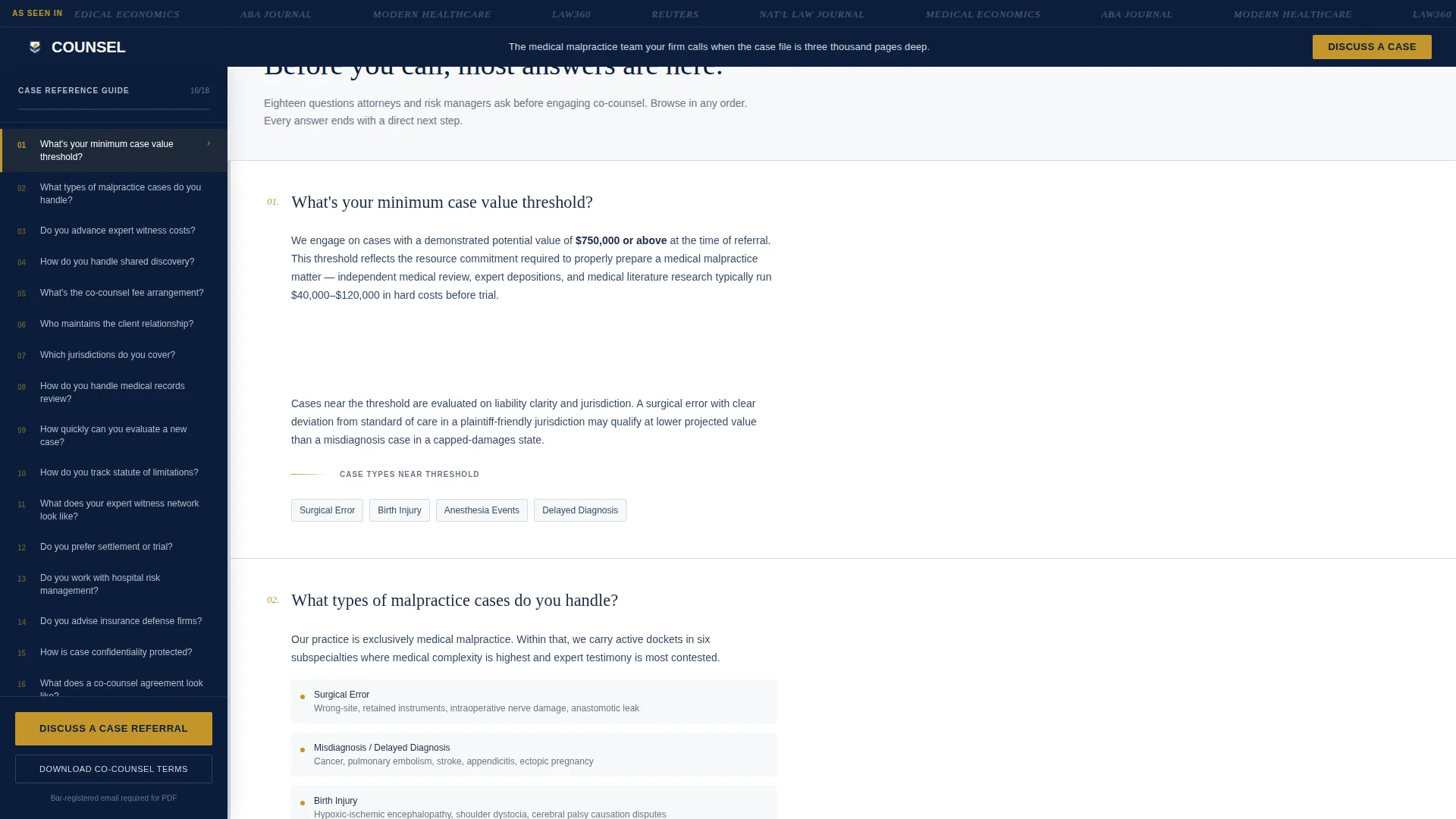
- A persistent scrollable sidebar listing fifteen to twenty real co-counsel questions with gold highlight states tracking reading progress
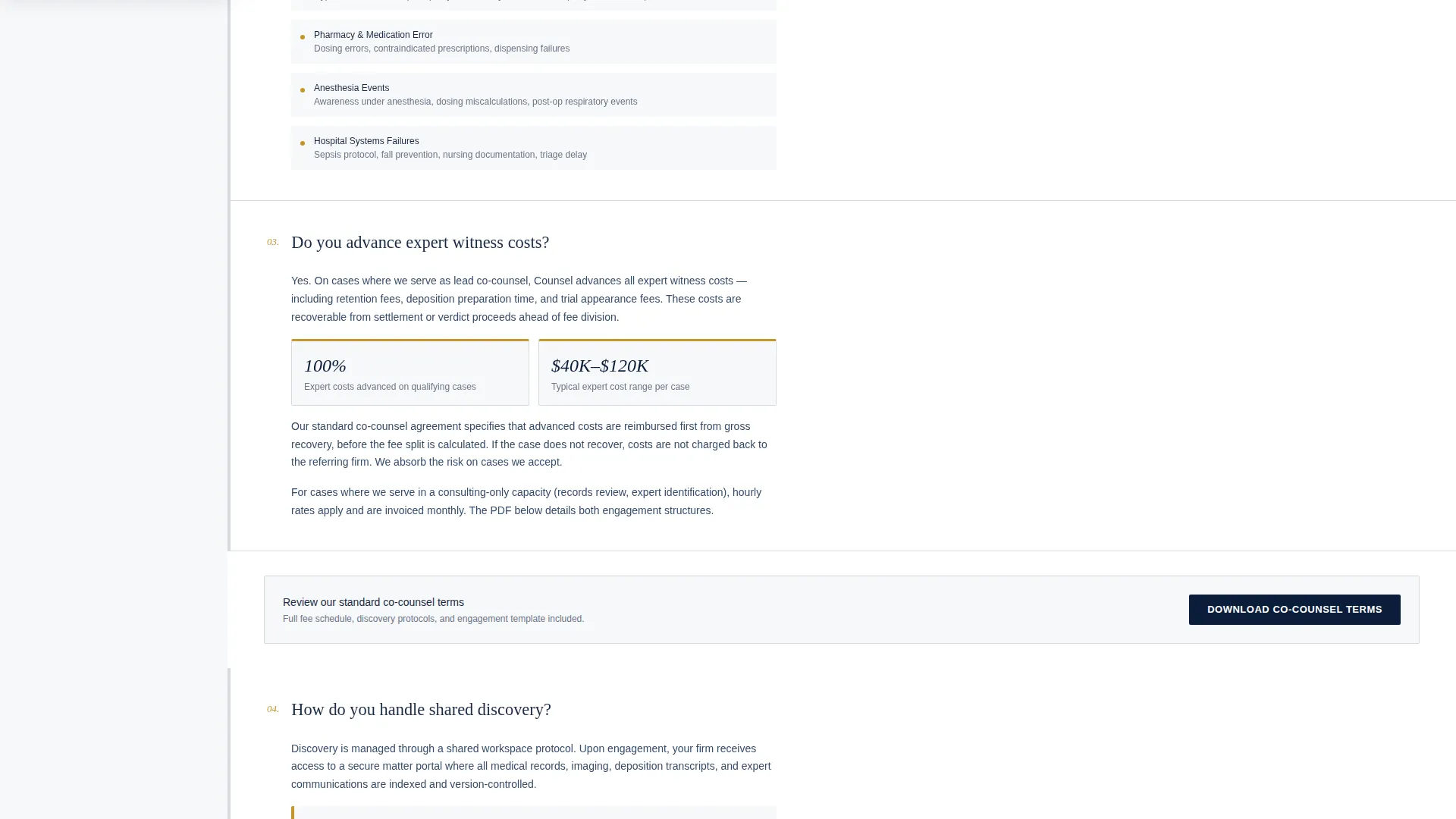
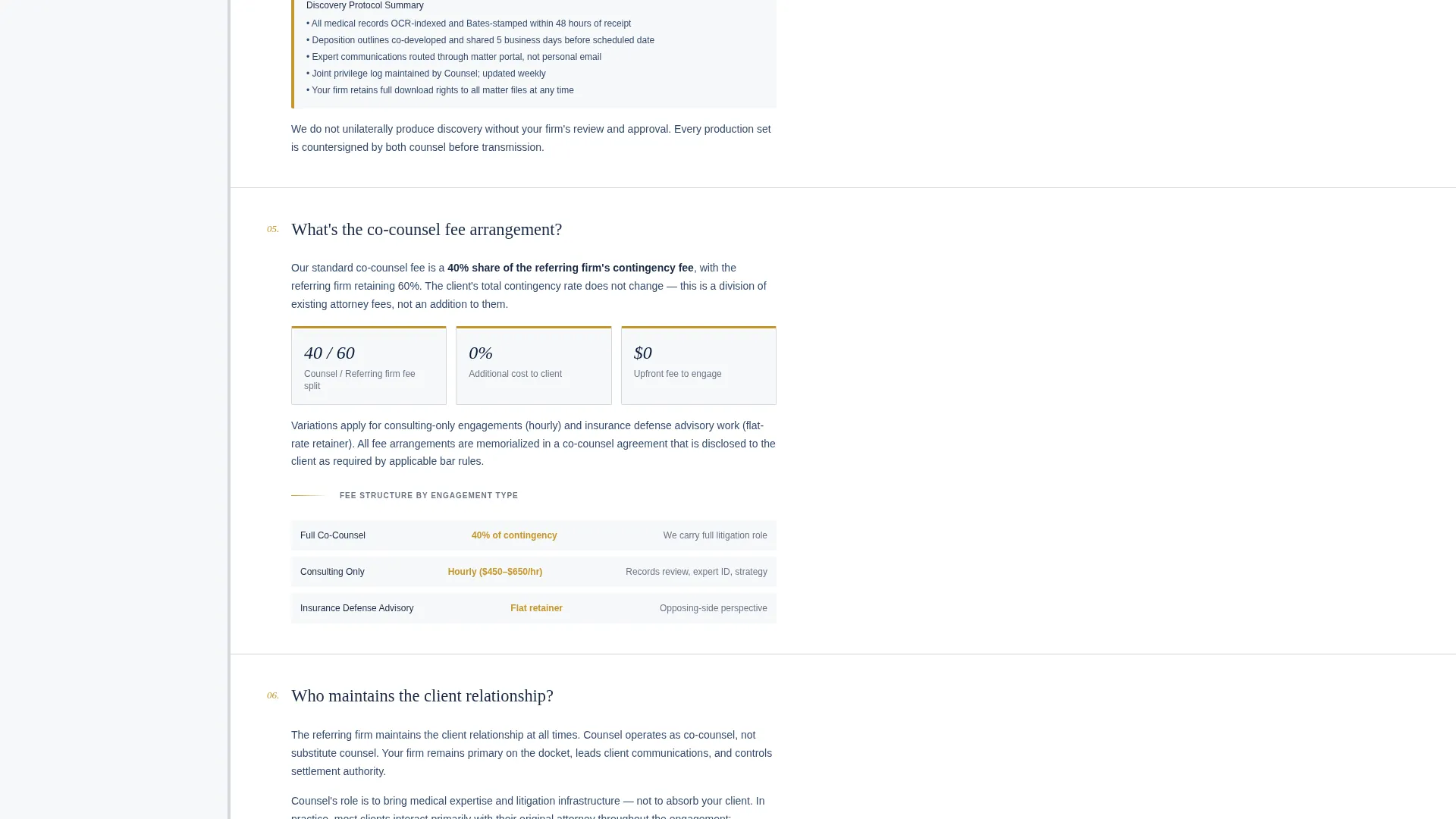
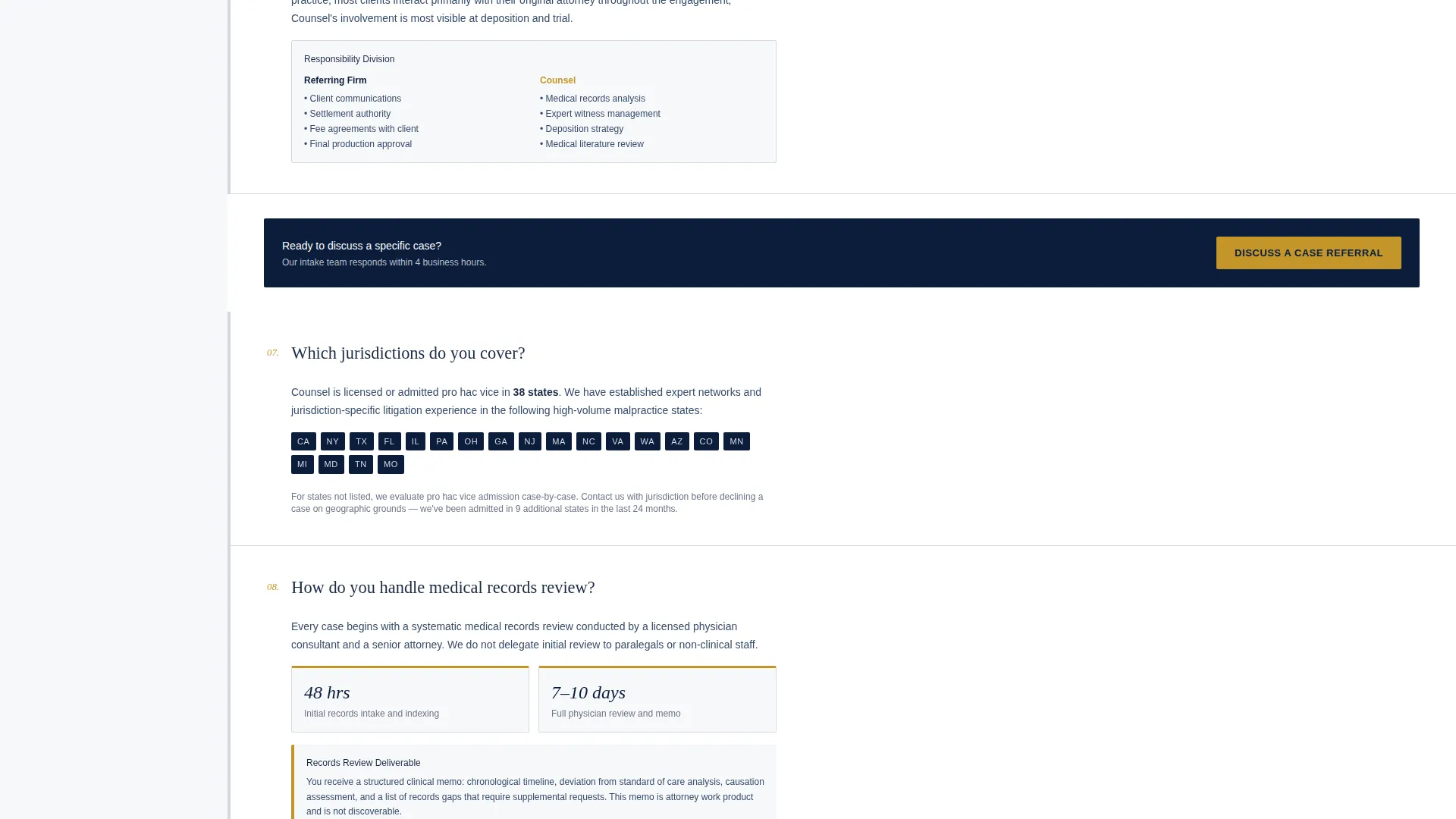
- A main content panel delivering detailed answers with embedded case metrics, jurisdiction maps, and downloadable sample co-counsel agreements
- Two conversion paths: a case referral form and a gated co-counsel terms PDF download requiring only a bar-registered email
Feature list
This section covers the core functional components included in the Counsel template.
Persistent FAQ Sidebar Navigation
The sidebar lists fifteen to twenty questions attorneys actually ask before engaging co-counsel. Clicking any question smooth-scrolls the main content panel to its detailed answer. Gold highlight states mark the active question, turning the sidebar into a live reading-progress tracker.
Press Mention Ticker Header
A horizontal scrolling ticker displays grayscale publication logos above a single static qualifying headline. It replaces hero imagery with earned credibility, letting press mentions do the trust-building work before a visitor reads a single word.
Case Referral Intake Form
The primary conversion form collects referring attorney name, firm, case type via dropdown, approximate case value range, and a privileged free-text case summary field. It appears anchored in the sidebar footer and repeats after every fourth FAQ answer in the main panel.
Gated Co-Counsel Terms Download
A secondary conversion path offers a downloadable co-counsel terms PDF. It requires only a bar-registered email address, lowering the barrier for attorneys who are not yet ready to submit a full case referral.
Contextual Micro-calls to action
Every FAQ answer ends with a short contextual call to action tied to that answer's topic. This keeps conversion opportunities distributed across the entire page without disrupting the reference-tool reading experience.
Navy Authority Color System
Deep courtroom navy anchors the sidebar and header. Deposition-gray carries body text backgrounds. Sterile white opens the main content well. A single bar-of-gold accent is reserved strictly for calls to action and active sidebar states, giving every interactive element immediate visual priority.
Page sections overview
| Section | Purpose |
|---|---|
| Press Mentions Ticker | Establishes firm credibility via scrolling grayscale publication logos |
| Static Qualifying Headline | Self-selects the right referral audience in under five seconds |
| Persistent FAQ Sidebar | Lists fifteen to twenty co-counsel questions with gold active states |
| Main Content Panel | Delivers detailed plain-language answers with embedded metrics and maps |
| Referral Intake Form | Captures case details from referring attorneys via structured dropdown form |
| Gated PDF Download | Offers co-counsel terms document behind a bar-registered email gate |
| Sidebar Footer call to action | Anchors the primary "Discuss a Case Referral" button persistently on scroll |
Design & branding system
The visual identity follows a Service Utility theme. Every design choice signals professional competence before a word is read, evoking the look of a senior partner's desk early in the morning.
- Four-color Navy Authority palette: deep courtroom navy (#0B1D3A), deposition-gray (#D5D9E0), sterile white (#F7F8FA), and bar-of-gold (#C5962B) used exclusively for calls to action and active sidebar states
- Navy dominates the sidebar and header; gray carries content backgrounds; white opens the reading well; gold appears sparingly and earns its visual weight
- No hero imagery or stock courtroom photography; press logos and structured layout carry all visual authority
Mobile & speed optimization
The sidebar companion layout adapts for smaller screens so attorneys can access the full reference experience on any device. The template is structured for clean rendering without unnecessary visual overhead.
- The persistent sidebar collapses to an accessible menu state on mobile, keeping all FAQ navigation reachable without crowding the content panel
- The press mention ticker and static headline stack cleanly on narrow viewports, preserving the credibility-first impression at every screen size
How this template helps you convert
The Counsel template is engineered around a single insight: by the time an attorney reaches your form, every operational question should already be answered. Conversion happens through earned trust, not persuasion.
- The FAQ sidebar answers every financial, procedural, and jurisdictional question a referring attorney might ask, removing the need for a discovery call before first contact
- Micro-calls to action at the end of each answer create low-friction entry points distributed across the full page, so an attorney can act at the moment of relevance rather than hunting for a contact button
Other information about this template
The Counsel template is designed specifically for the medical malpractice co-counsel niche within professional legal services. It suits firms that position themselves as the methodical, case-ready partner that other attorneys trust with their most document-heavy referrals.
- The template style is classified as a Sidebar Companion, making it well suited for professional services firms that serve peer audiences rather than end consumers
- The FAQ-driven creative direction means visitors are not funneled through a fixed narrative; they browse in any order and find answers where they expect them
- The Partnership and B2B referral conversion direction means both conversion paths, the case referral form and the gated PDF, are calibrated for attorney-to-attorney trust rather than client acquisition
- The page is built to function as a reference tool attorneys bookmark, return to, and share with colleagues when evaluating co-counsel options
Theme
Service Utility
Creative direction
FAQ-Driven
Color system
Navy Authority
Style
Sidebar Companion
Direction
Partnership/B2B
Page Sections
Persistent FAQ Sidebar with Progress Tracking
Press Mention Ticker Header
Case Referral Intake Form
Gated Co-counsel Terms Download
Contextual Micro-ctas Per Answer
Navy Authority Visual System
Related questions
What type of firm is this template designed for?
Can I customize the FAQ sidebar questions for my firm's real co-counsel terms?
How does the gated PDF download work in this template?
Does the template support both conversion paths simultaneously?
Is the press mention ticker section editable?



