Maxillofacial Surgeon Specialist Booking Website Template
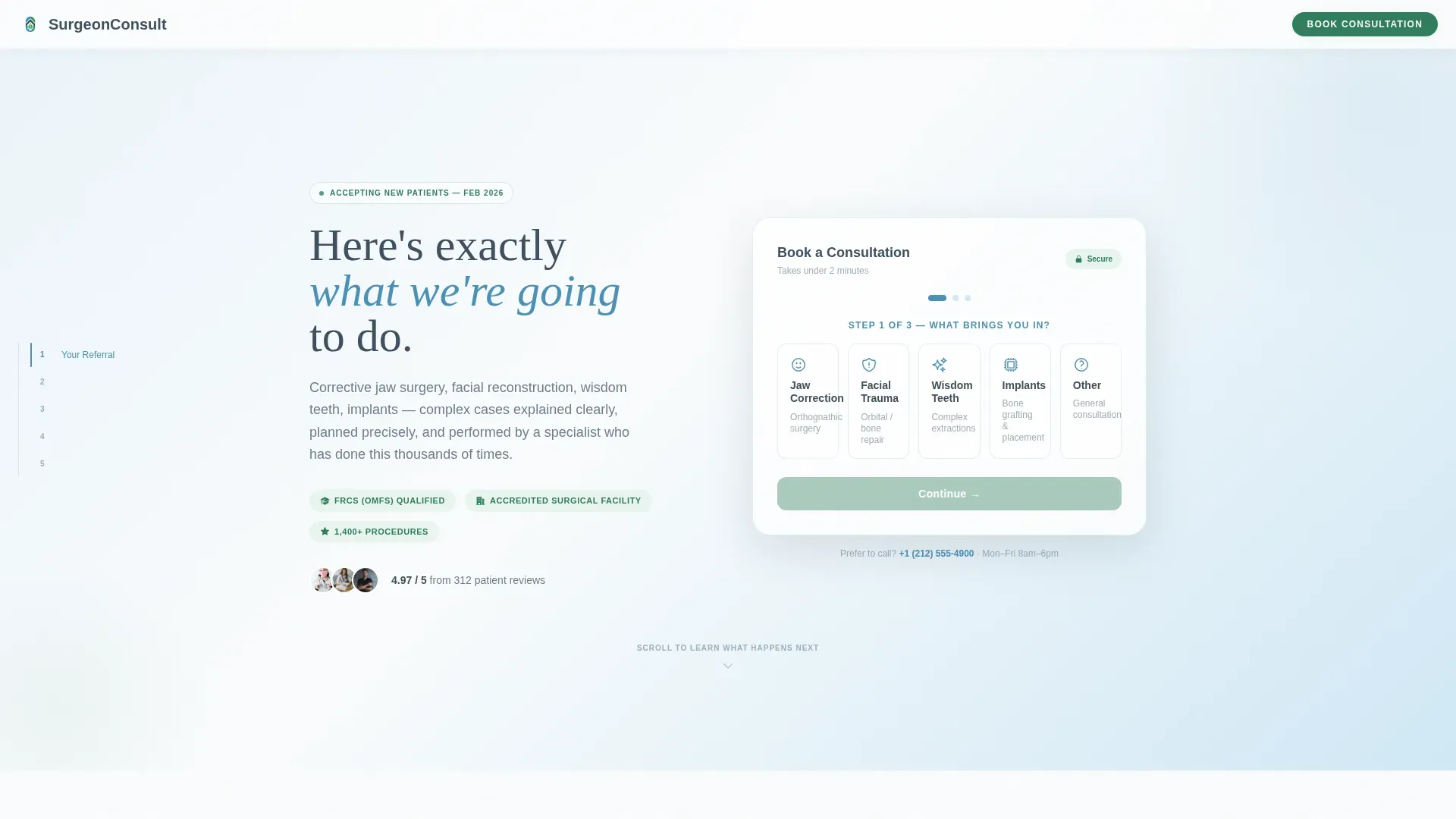
This maxillofacial surgeon new patient landing page guides referred patients from first click to booked consultation. A three-step intake form opens immediately, followed by a sticky anchor-nav journey through five clinical spoke sections. Every stage, from referral to recovery, is explained in plain language before any commitment is requested.
by Rocket studio
Quick summary
This landing page template is built for a maxillofacial surgery practice welcoming new patients. A three-step intake widget opens at the top, no scrolling required. A sticky left-rail anchor nav then walks visitors through five spoke sections, translating complex surgical stages into clear, numbered steps that build confidence before asking for a booking.
Who this template is for
This template is designed for oral and maxillofacial surgery practices that need to convert referred and self-referred patients into booked consultations. It works especially well for practices treating a broad case mix that includes both adult and pediatric patients.
- Surgeons receiving referrals from orthodontists for corrective jaw surgery cases
- Practices treating facial trauma, cleft palate, and complex wisdom tooth extractions
- Clinics that want to reduce pre-appointment anxiety by explaining every stage online
What problem this template solves
Patients referred for maxillofacial procedures often arrive at a practice website feeling overwhelmed. Medical terminology, unclear next steps, and a lack of visible process all create hesitation before a single appointment is made. This template removes that friction by making the pathway from referral to recovery visible and understandable before the visitor ever picks up the phone.
- Referred patients do not know what to expect at a first surgical consultation
- Parents and accident survivors need reassurance, not just a booking form
- Generic practice websites fail to distinguish between routine and complex case types
What you get with this template
The template delivers a fully structured, single-page experience with interactive components and a clear visual hierarchy. Every section is purpose-built to address a specific stage of the patient journey, and the booking pathway repeats at the right moments without feeling pushy.
- A three-step intake form covering condition, referral status, and available appointment slots
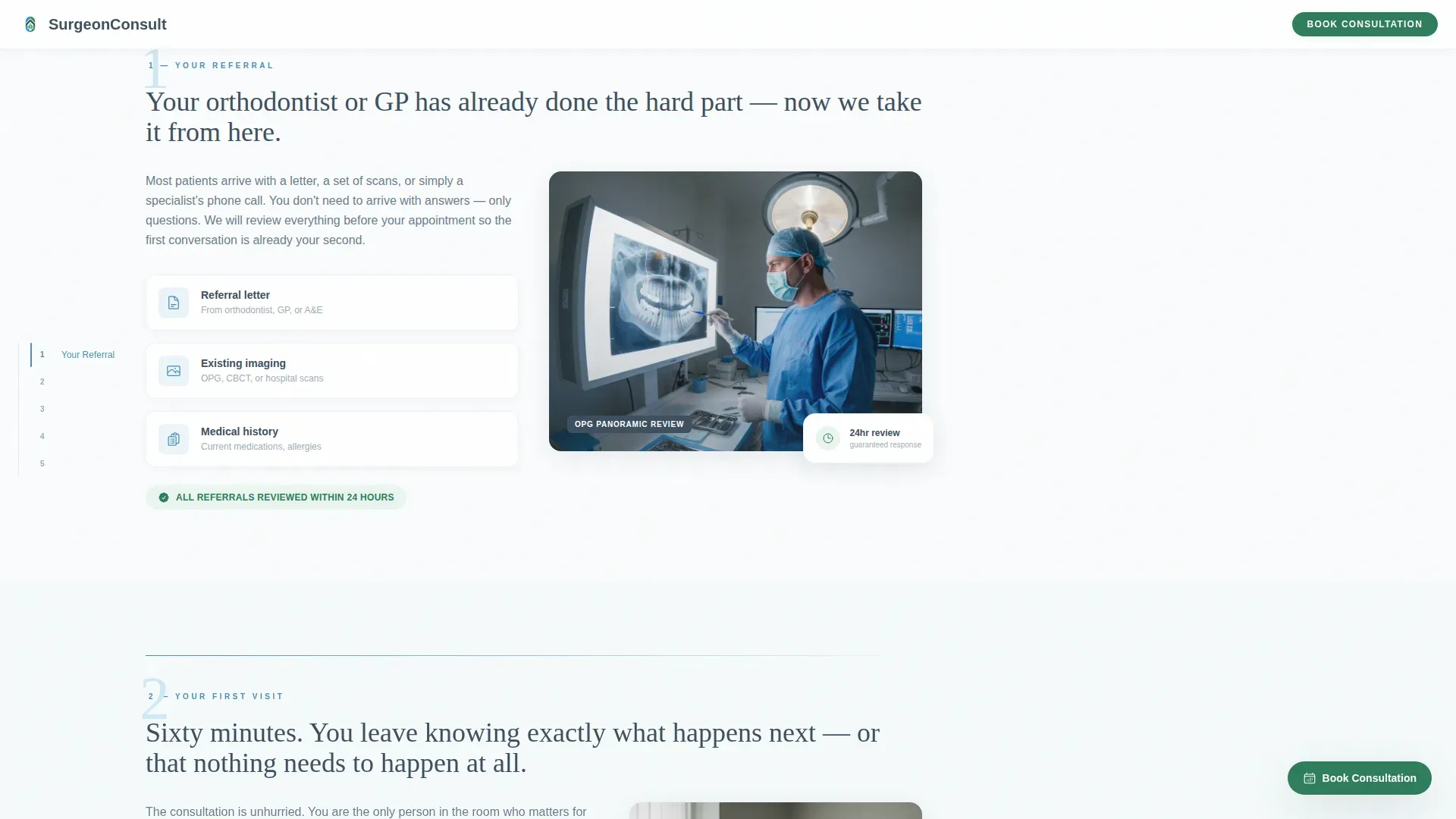
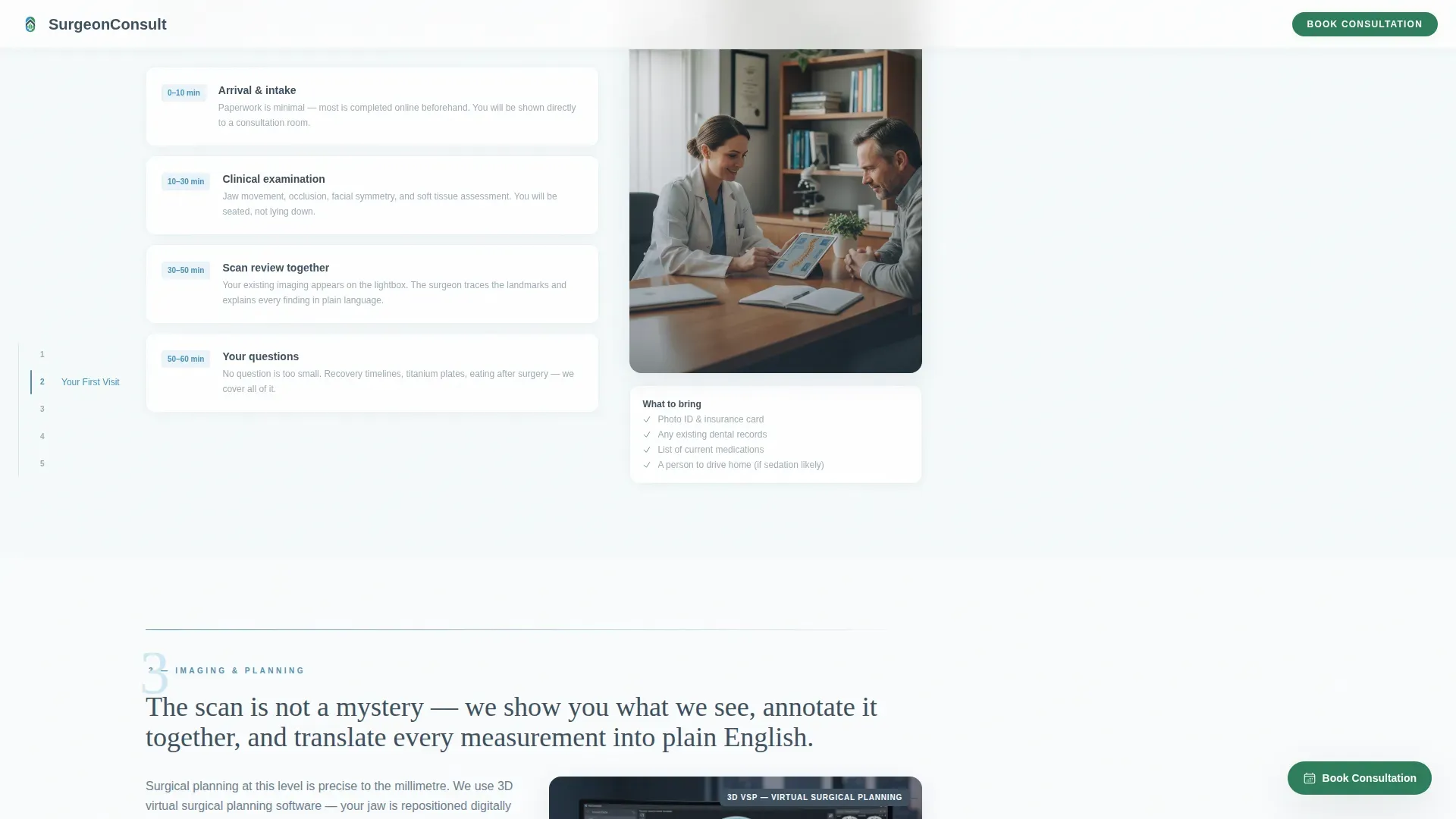
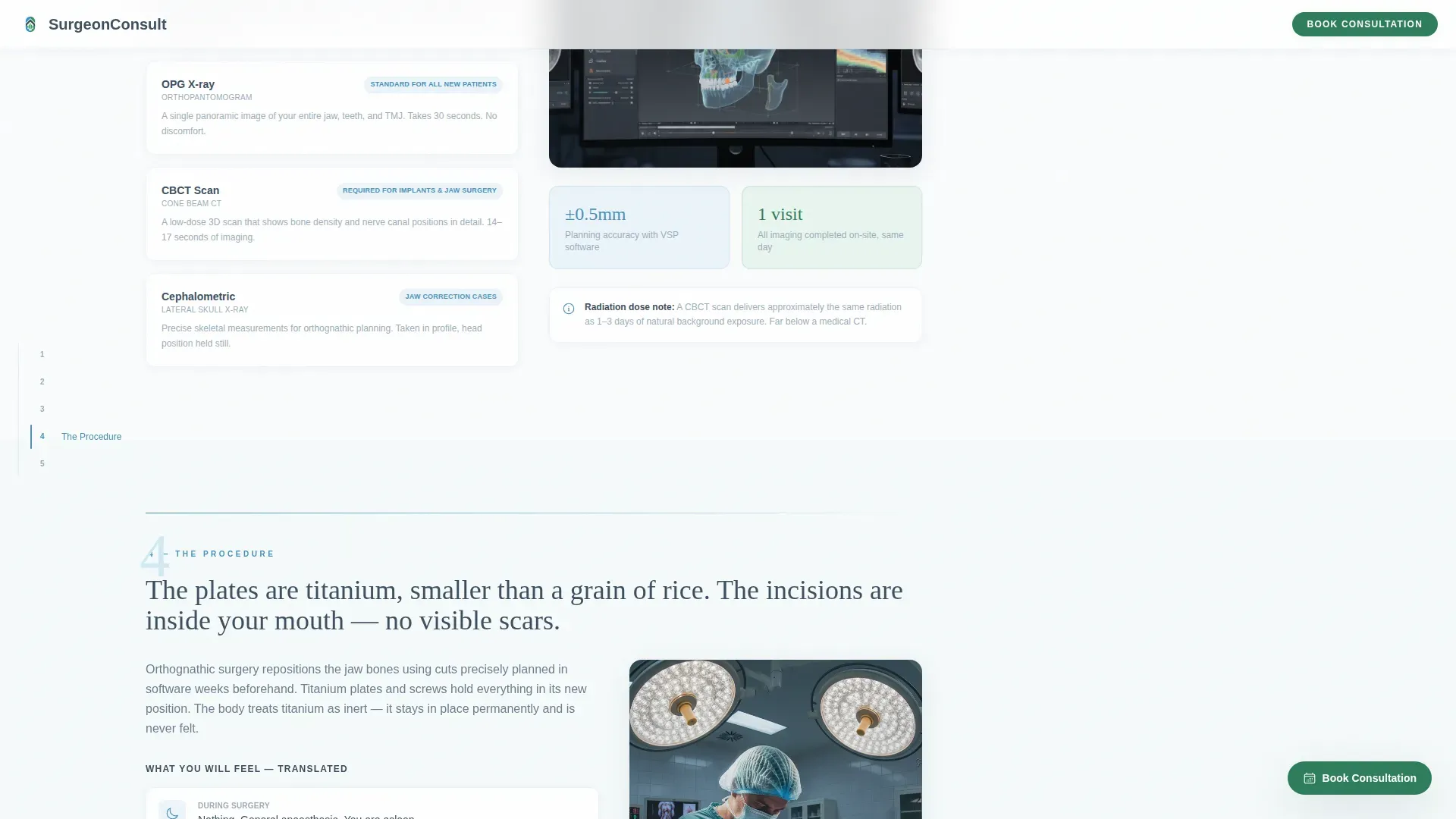
- Five anchor-nav spoke sections walking through referral, first visit, imaging, procedure, and recovery
- A floating pine green call-to-action button and a secondary referral letter upload path
Feature list
This template includes several purpose-built components that work together to move a new patient from first impression to confirmed booking.
Three-Step Intake Form at the Top
The header opens with a compact intake widget, no hero image, no delay. Step one presents five condition tiles so patients self-identify their reason for visiting. Step two captures referral information with a yes/no toggle and an optional referral name field. Step three shows available consultation slots for the next two weeks in a compact calendar view.
Sticky Left-Rail Anchor Navigation
Once the header form is completed or bypassed, a sticky anchor nav locks to the left side of the screen. It highlights the active spoke section as the visitor scrolls, making it easy to jump between stages or return to a specific part of the journey without losing their place.
Five-Stage Patient Journey Sections
Each spoke section opens with one clarifying sentence, then a short paragraph paired with a clinical illustration or annotated scan image. Medical terminology is translated into physical sensations and plain timelines, giving patients a concrete sense of what each stage actually feels like.
Floating Call-to-Action Button
A "Book Your Consultation" button in pine green floats at the bottom-right corner throughout the scroll experience. It stays accessible at every stage without interrupting the reading flow, so patients can act the moment they feel ready.
Referral Letter Upload Path
A secondary conversion path allows patients whose specialists have already written documentation to upload a referral letter directly. An email input field accompanies the upload, creating a low-friction alternative to the calendar booking flow.
Credential Badges and Trust Indicators
Pine green trust indicators and credential badge elements are placed at strategic points in the layout. These reinforce surgical authority and practice credibility without requiring the visitor to search for qualifications separately.
Page sections overview
| Section | Purpose |
|---|---|
| Three-Step Header Form | Capture condition, referral, and appointment slot upfront |
| Your Referral | Explain the referral process and what documentation is needed |
| Your First Visit | Describe what happens during the initial consultation appointment |
| Imaging and Planning | Walk through diagnostic scans and the surgical planning stage |
| The Procedure | Translate surgical steps into plain physical language and timelines |
| Recovery and Follow-Up | Set expectations for healing, plates, and post-operative care |
| Footer | Linear single-row with contact and secondary navigation links |
Design & branding system
The visual style follows a Medical Clarity theme built on an Alpine Fresh color palette. The aesthetic draws from Swiss clinic precision, where generous whitespace and clinical restraint replace decoration with trust.
- Snow white (#FAFCFD) backgrounds keep the layout open and uncluttered
- Glacier blue (#4A90B8) handles anchor nav highlights and all interactive states
- Slate granite (#3D4F5F) is used for all body text and headings, and pine green (#2E7D5B) is reserved for call-to-action buttons and trust indicators
- DM Sans handles body text for readability, while Fraunces serif headings add considered warmth to clinical content
Mobile & speed optimization
The template is built desktop-first, reflecting the research behavior of patients comparing surgical practices on larger screens. It is fully responsive so that patients who continue research on a phone encounter the same clarity at smaller sizes.
- The three-step form collapses cleanly on mobile without losing its step-by-step logic
- The left-rail anchor nav adapts to a compact mobile pattern so spoke sections remain navigable
- Section reveals and form step transitions use medium animation levels, keeping the experience smooth without adding unnecessary load
How this template helps you convert
Every structural decision in this template is made to earn the consultation booking before asking for it. Visitors are walked through complexity rather than confronted by it.
- The immediate intake form respects the visitor's time by surfacing available slots without requiring a scroll, removing the most common reason patients abandon a practice website.
- The anchor-nav spoke structure builds trust incrementally, with each section reducing perceived risk by showing the patient exactly what comes next at every stage of the surgical process.
Other information about this template
This template is categorized under Health and Medical, within the Maxillofacial Surgeon Website subcategory. It is specifically scoped for a new patient welcome page use case with a booking and scheduling conversion goal.
- The hub and spoke anchor-nav layout style is suited to practices with multi-stage patient journeys that benefit from a numbered, guided reading path
- The secondary referral upload path makes the template practical for practices that regularly receive written referral letters from orthodontists, general dentists, and trauma specialists
- The template uses a linear single-row footer pattern, keeping the bottom of the page clean and focused on contact rather than additional navigation complexity
- Animation is set at a medium level, with scroll-linked anchor nav highlights, section reveals, and form step transitions built into the interaction model
- Interactivity is high, including the three-step form, sticky left-rail nav, floating call-to-action, and referral file upload field
- The page is localized for English-speaking markets, with United States date formatting and USD currency references where applicable
Theme
Medical Clarity
Creative direction
Step-by-Step Guide
Color system
Alpine Fresh
Style
Hub & Spoke (Anchor Nav)
Direction
Booking/Scheduling
Page Sections
Three-step Intake Form
Sticky Anchor Navigation
Five-stage Clinical Journey
Floating Booking Button
Referral Letter Upload Path
Trust Indicators and Credential Badges
Related questions
Who is this landing page template designed for?
Can patients submit a referral letter through this template?
Does the template explain procedures in plain language?
How does the booking flow work in the header form?
Is this template suitable for both adult and pediatric patient inquiries?



