Maxillofacial Surgeon Directory Website Template
A single-column landing page template built for maxillofacial surgeon directories. It guides patients mid-diagnosis through a calm, authoritative experience that teaches them procedure vocabulary before asking them to act. The primary conversion is a five-step guided assessment that matches each visitor to a board-certified surgeon by procedure type, imaging status, insurance pathway, recovery flexibility, and geographic radius.
by Rocket studio
Quick summary
This landing page template serves a maxillofacial surgeon provider directory. It walks anxious, mid-diagnosis patients through subspecialty education before presenting a five-step surgeon-matching assessment. The design draws from an alpine clinic aesthetic: warm authority without clinical coldness. A secondary path lets referring dentists send a referral directly, bypassing the patient quiz entirely.
Who this template is for
This template is built for healthcare platforms and medical directory operators who connect patients with board-certified oral and maxillofacial surgeons. It works for any team publishing a procedure-specific surgeon matching experience online.
- Patient-facing medical directories serving adults aged roughly 30 to 55 who are mid-diagnosis and actively researching jaw surgery options
- Referring dentists and dental practices needing a fast, credentialed path to submit patient referrals
- Healthcare platform operators who want to present surgeon credentials and subspecialty expertise with clarity and calm authority
What problem this template solves
Most patients searching for a jaw surgeon start with proximity, not procedure fit. That mismatch wastes consults and delays care. This template solves the gap between "I got a referral" and "I found the right surgeon for my specific situation."
- Patients arrive with anxiety and unfamiliar medical vocabulary; the template educates them on procedure types before asking them to make a decision
- Standard directory search by ZIP code ignores procedure complexity, imaging readiness, insurance pathway, and recovery flexibility
- Referring dentists lack a streamlined digital path to submit credentialed referrals without navigating a patient-oriented interface
What you get with this template
You get a fully structured single-column landing page with five distinct content sections, a five-step interactive assessment modal, and a dual-path conversion system. Every section is sequenced to escalate visitor understanding before presenting the matching call to action.
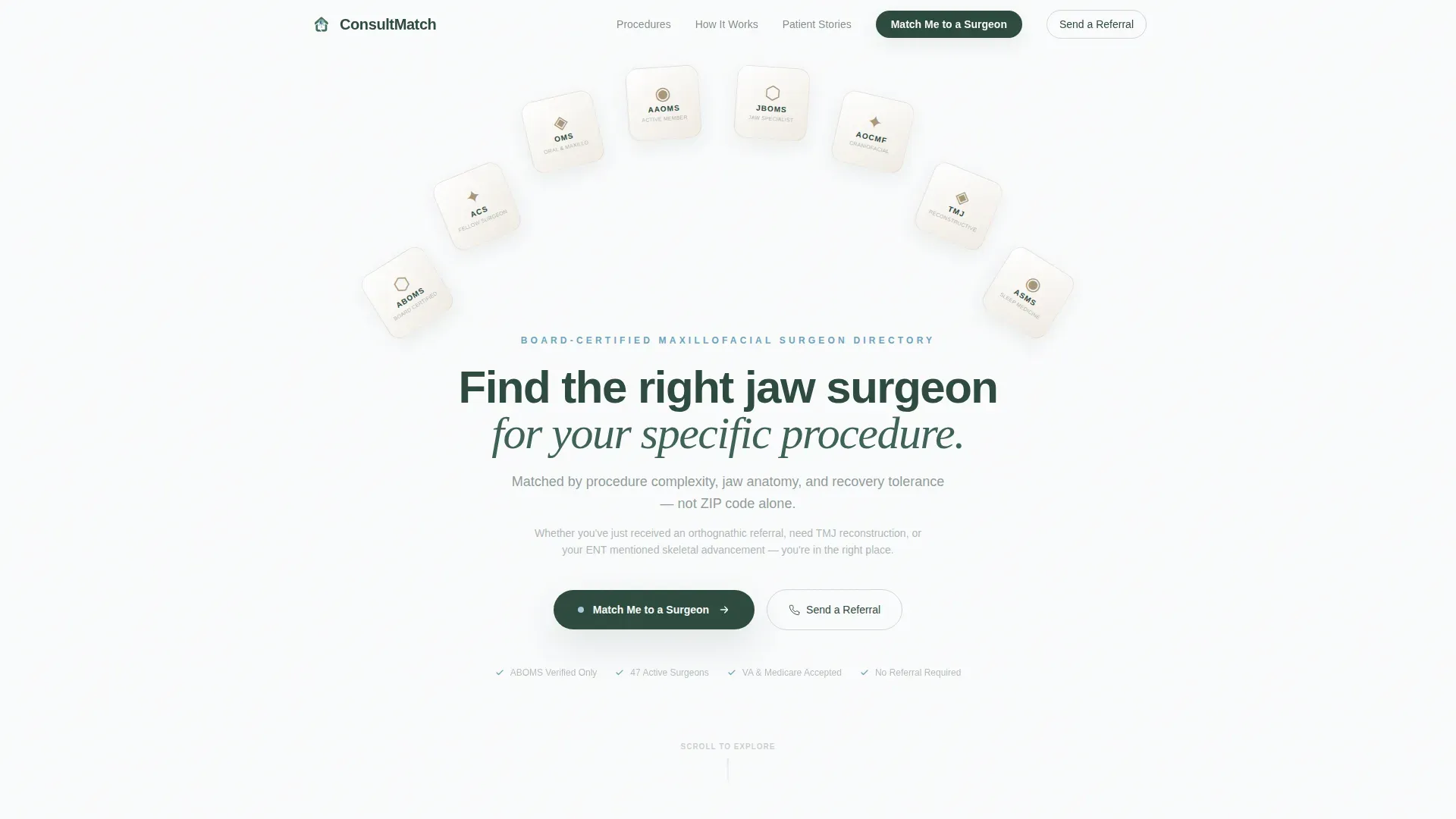
- A hero section with an award badge gallery, a primary headline, and dual calls to action for patients and referring dentists
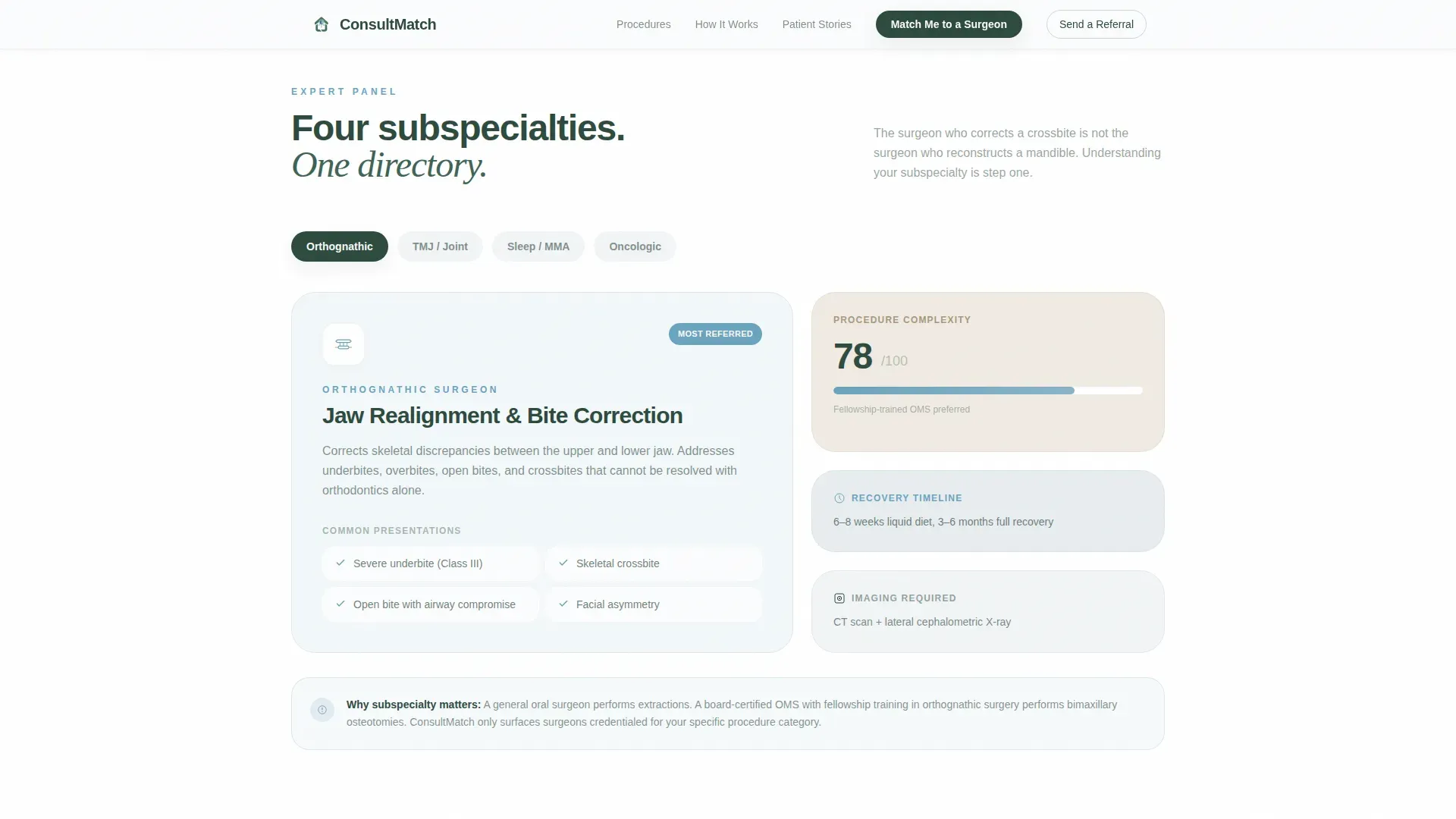
- An Expert Panel bento grid covering four surgical subspecialties, each with procedure complexity ratings
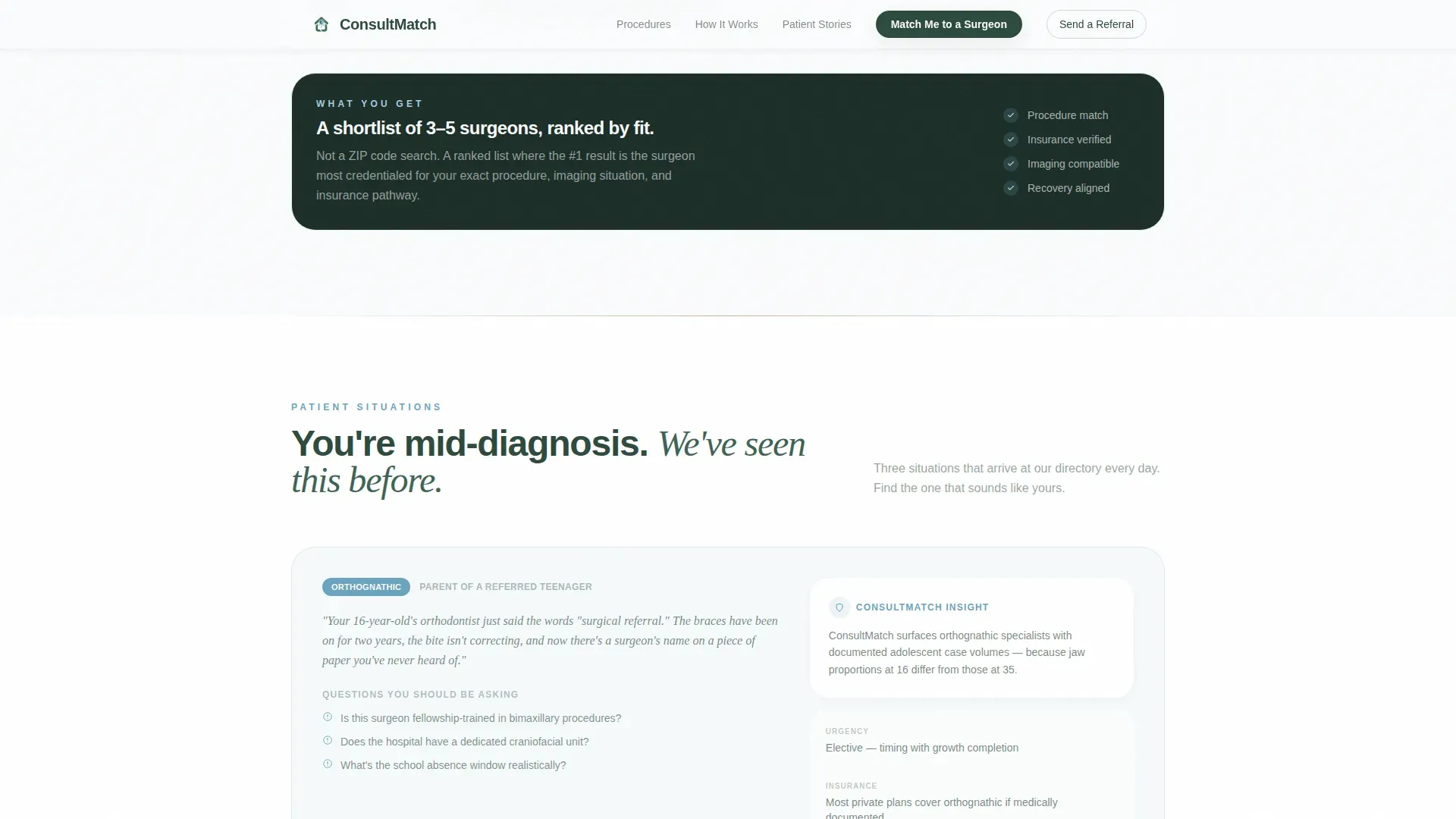
- Three patient scenario cards reflecting real diagnosis situations, plus a full-width conversion section with quiz launch and referral path
Feature list
This template includes the following built-in capabilities drawn directly from the source brief.
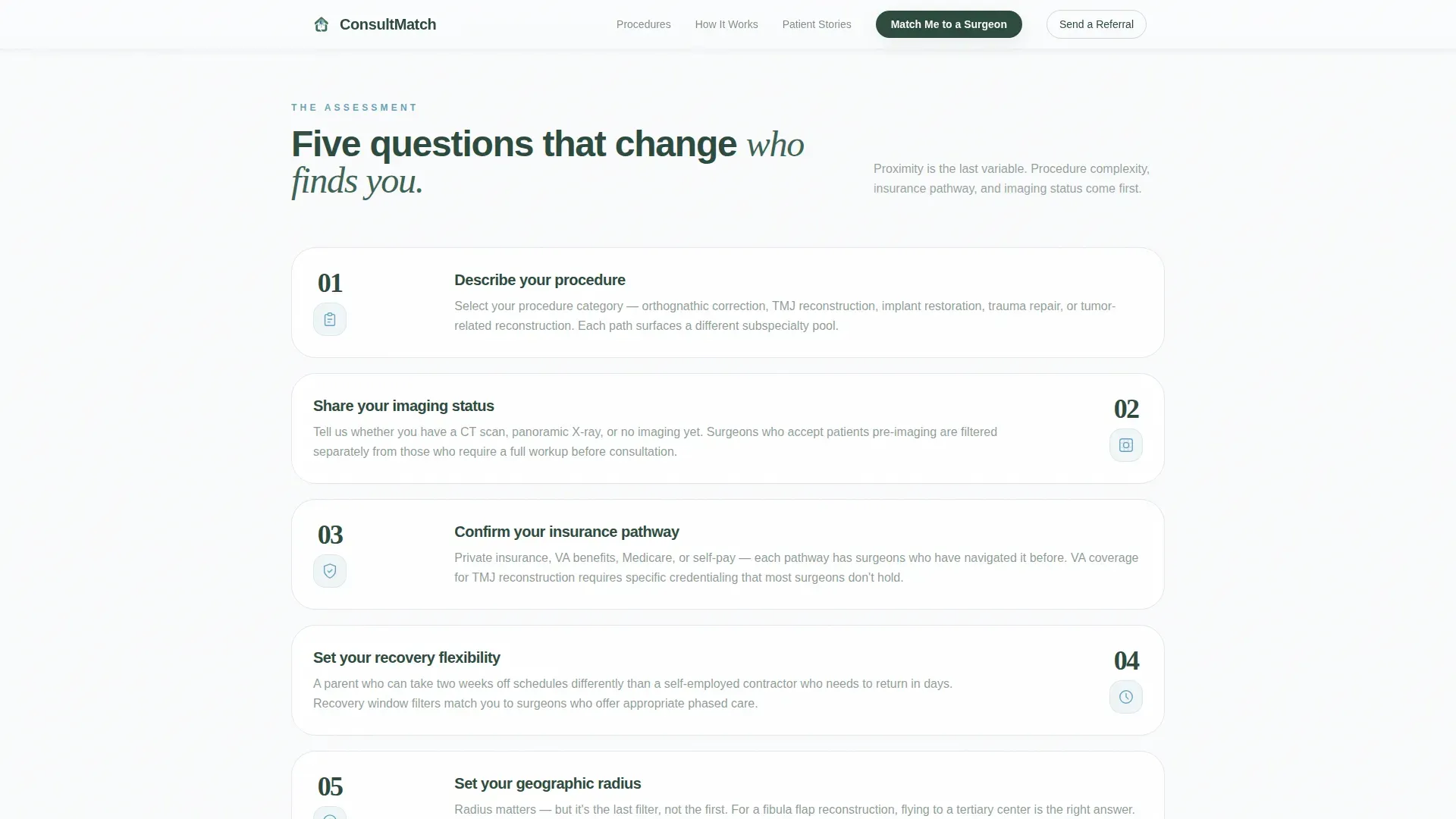
Five-Step Surgeon Matching Assessment
A guided modal walks visitors through five sequential steps: procedure type selection (orthognathic, TMJ, implant, trauma, or tumor), imaging status, insurance pathway (private, VA, Medicare, or self-pay), recovery flexibility, and geographic radius. Each step is designed to surface the right match without overwhelming the visitor.
Dual Conversion Path
The primary call to action launches the five-step assessment for patients. A secondary button lets referring dentists skip the quiz and submit a referral directly. Both paths sit side by side on the page, so no visitor reaches a dead end.
Procedure Expert Panel
A bento-grid section features four surgical subspecialties. Each panel is anchored by a different specialist perspective, with procedure animations, recovery timelines, and complexity ratings. The section escalates from common to rare procedures so every visitor finds relevant information naturally.
Award Badge Header Gallery
The header displays board certification seals from the American Board of Oral and Maxillofacial Surgery (ABOMS), hospital credentialing icons, and fellowship insignia. They are rendered as embossed medallions against a snow-white field, establishing credential authority before the visitor reads a single word.
Patient Scenario Cards
Three scenario cards reflect specific real-world situations: a parent researching orthognathic surgery for a teenager, a veteran navigating VA coverage for TMJ reconstruction, and an adult whose CPAP therapy failed and whose specialist recommended skeletal advancement. Each card helps visitors self-identify and feel understood.
Animated Scroll Reveals
GSAP ScrollTrigger powers badge arch entrances, staggered card reveals, and quiz step transitions. The animation level is medium-high, giving the page a considered, unhurried pace that matches the calm consultation-room tone.
Page sections overview
| Section | Purpose |
|---|---|
| Hero Badge Gallery | Display credential authority and introduce dual calls to action |
| Procedure Expert Panel | Teach subspecialty vocabulary through complexity-rated bento cards |
| How Matching Works | Explain the five-step assessment with a visual progress flow |
| Patient Scenario Cards | Help visitors self-identify through three real diagnosis situations |
| Match Call to Action | Launch the quiz modal or redirect referring dentists to the referral path |
| Footer | Linear single-row footer with essential navigation links |
Design & branding system
The visual identity follows an Educational Guide theme built on the Alpine Fresh color system. The palette is intentionally warm and grounded, avoiding the sterile coldness that medical interfaces often carry.
- Snow white (#FAFBFC) backgrounds, evergreen depth (#2D4A3E) for headlines and primary text, glacial stream blue (#6BA3BE) for interactive elements and progress indicators, and exposed granite (#A8967A) for cards and dividers
- Typography pairs Plus Jakarta Sans for body text and user interface elements with Fraunces serif for headlines, creating a contrast between approachable readability and considered authority
- No stock portraits or smiling faces anywhere on the page; credential medallions and procedure-focused visuals carry all the visual weight
Mobile & speed optimization
The template is built desktop-first to match the research behavior of patients who are typically on a laptop during their diagnosis journey. It is fully mobile-responsive so visitors on any device can complete the assessment.
- Server Components handle all static content sections, keeping initial load lean and predictable
- Client Components are isolated to the quiz modal and animation layers, so interactive elements do not block the rest of the page
- The single-column flow keeps the mobile reading experience clean, with no multi-column layouts that collapse awkwardly on smaller screens
How this template helps you convert
The page earns its conversion by teaching visitors before asking them to act. Every section builds enough understanding that the "Match Me to a Surgeon" button feels like a natural next step, not a sales push.
- The educational scroll through subspecialty panels and patient scenarios proves that procedure-specific matching matters more than geographic proximity, making the assessment feel genuinely useful rather than gimmicky
- The five-step quiz structure reduces decision friction by breaking a complex choice into small, answerable questions, each one familiar enough that a mid-diagnosis patient can respond with confidence
- The dual-path layout ensures referring dentists convert on their own terms through the "Send a Referral" button, so the page serves two distinct audiences without diluting the primary patient journey
Other information about this template
This template is categorized under Health and Medical, with a specific focus on the maxillofacial surgeon website subcategory and the maxillofacial surgeon provider directory niche. It is localized for US audiences with English-language copy and US insurance terminology throughout.
- The template style is Single Column Flow, which keeps the scroll linear and prevents visitors from getting lost in complex navigation
- Animation is powered by GSAP ScrollTrigger, with badge arch entrances, staggered bento card reveals, and smooth quiz step transitions built into the component structure
- The footer follows Pattern 1, a linear single-row layout that closes the page without visual clutter
- The intersection match score for this template's category, subcategory, and niche alignment is 13, indicating a tightly focused use case rather than a broad-purpose medical template
Theme
Educational Guide
Creative direction
Expert Panel
Color system
Alpine Fresh
Style
Single Column Flow
Direction
Quiz/Assessment
Page Sections
Five-step Surgeon Matching Assessment
Dual Conversion Path
Procedure Expert Panel Bento Grid
Award Badge Header Gallery
Patient Scenario Cards
Animated Scroll Reveals
Related questions
Who is this landing page template built for?
What does the five-step assessment include?
How does the template handle two different visitor types?
What surgical subspecialties are covered in the Expert Panel section?
What design style does this template use?



