Deluge — Unstoppable Surface Cleaning Landing Page Template
Blast is a zigzag landing page template built for New York pressure washing and exterior cleaning services. It combines case study storytelling, a proof-stacking scroll structure, and a bold navy-and-yellow visual identity to convert property managers, restaurant owners, and general contractors into qualified leads through a downloadable resource and a direct quote form.
by Rocket studio
Quick summary
Blast is a single-page template for New York City exterior cleaning businesses. It uses a zigzag case study layout to stack proof job by job, from a Chinatown sidewalk up to a full parking structure. A lead-qualifying resource download and a sticky quote call to action work together to capture visitors at every stage of readiness.
Who this template is for
This template is built for pressure washing operators and exterior cleaning crews serving New York City property clients. It works equally well for established operators and newer services looking to establish credibility fast.
- Property managers handling Department of Buildings (DOB) violation notices who need a cleaning vendor they can trust before an inspection
- Restaurant owners, co-op board presidents, and general contractors who need rapid, documented results across all five boroughs
What problem this template solves
Most exterior cleaning service pages read like a list of tasks. They give no proof, no context, and no reason to call. Blast solves the trust gap by replacing generic copy with structured, location-specific case studies that build confidence as the visitor scrolls.
- Visitors arrive skeptical and leave without contacting because there is no visible proof of past work or relevant experience
- Property professionals need to qualify a vendor quickly against violation timelines and inspection deadlines, and a generic service page cannot do that
What you get with this template
You get a complete single-page layout built around narrative proof and progressive lead capture. Every section has a defined job, and the visual system reinforces authority before a single word is read.
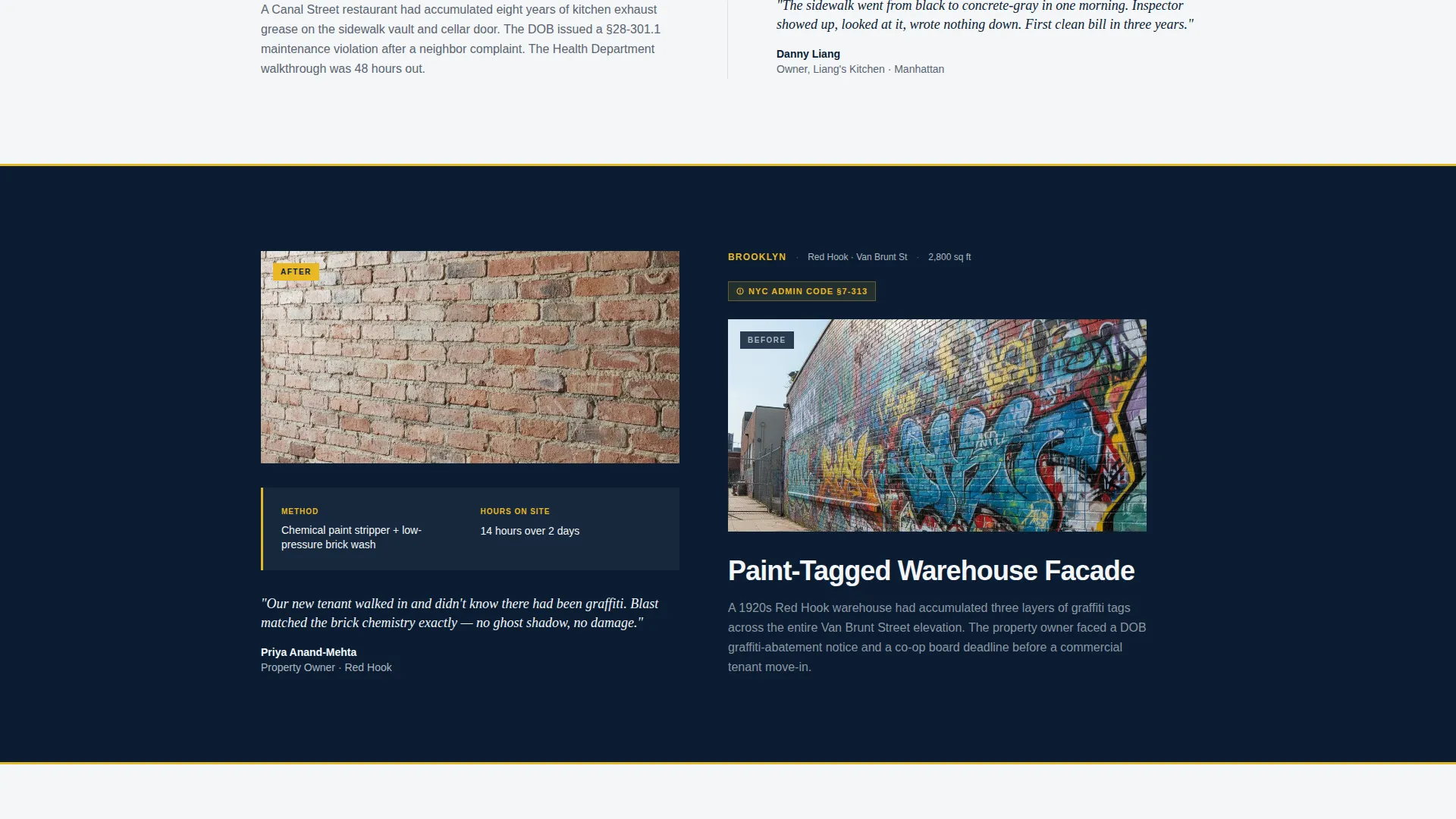
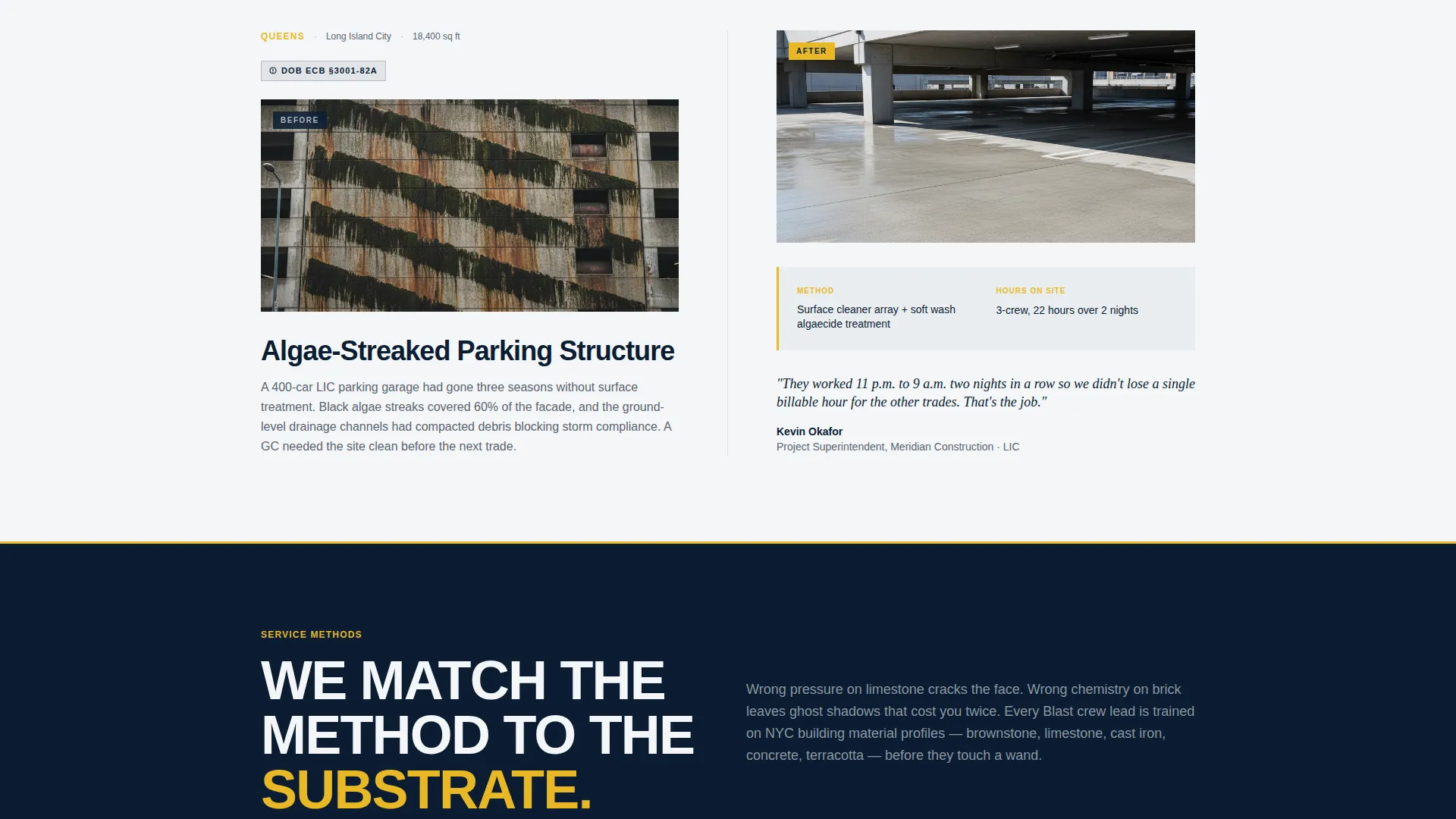
- A zigzag case study section with alternating navy and white panels, each showing a before photo, problem details, method used, hours on site, and a client quote
- A dual-call to action lead capture system: a primary resource download form with progressive disclosure fields and a sticky bottom-rail quote button for ready buyers
- A press mentions bar, a pull quote header module, and a thin yellow rule transition device that repeats down the page
Feature list
This section describes what the template delivers as a designed, ready-to-adapt layout.
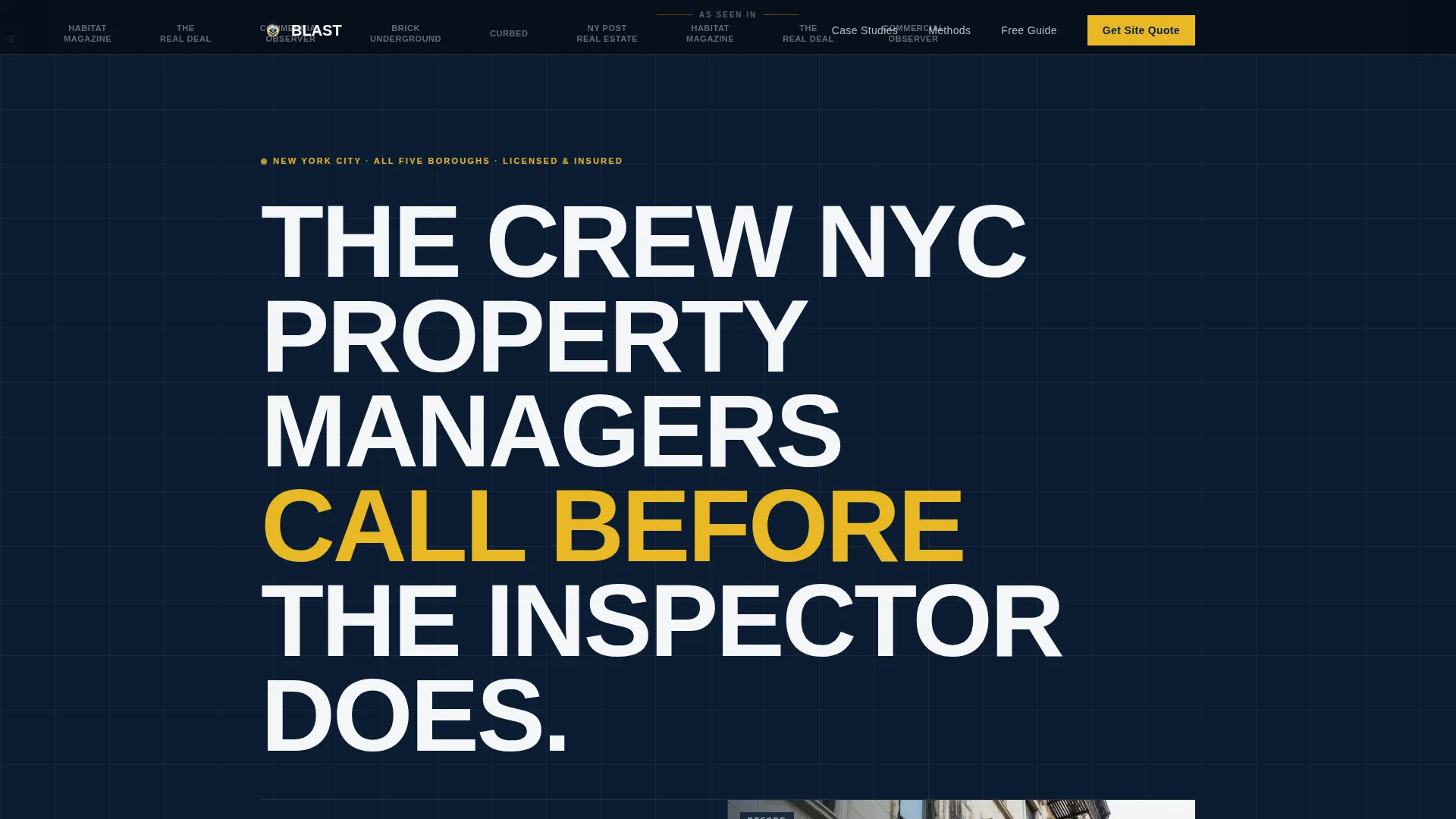
Press Mentions Header Bar
A horizontal scrolling bar sits above the main headline and displays publication logo slots. It is designed to signal third-party credibility immediately, before any body copy loads.
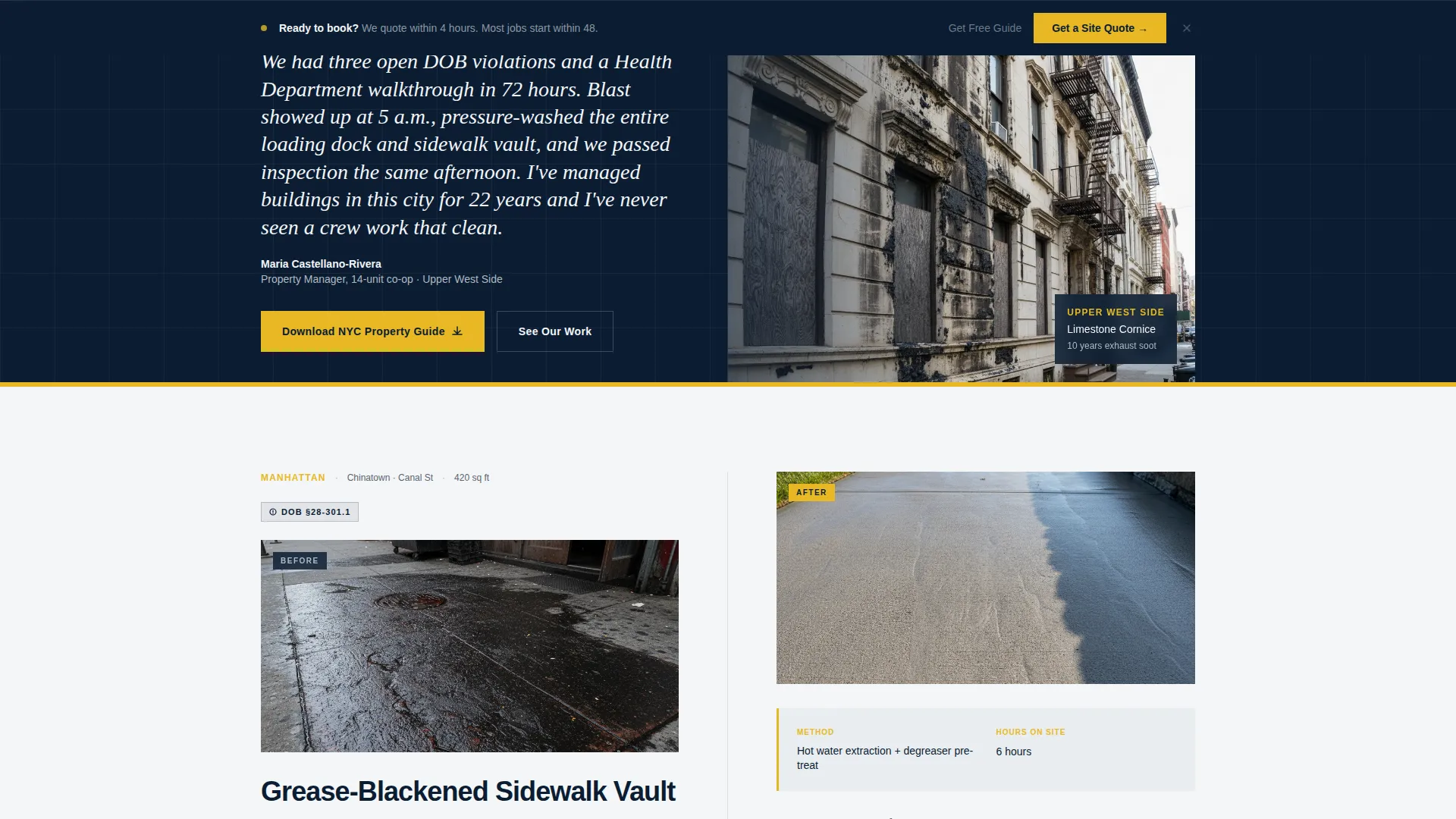
Split Pull Quote Header
The header splits the viewport: one side holds a bold property manager testimonial formatted as a broadsheet pull quote, the other holds a dramatic before photo. The headline sits below in condensed sans-serif type.
Zigzag Case Study Sections
Each alternating row is a complete job story. The left panel shows the problem with borough, square footage, and violation code. The right panel shows the result, method, time on site, and a one-line client quote.
Progressive Disclosure Lead Form
The resource download form asks for property type first, then email, then borough. This order qualifies the lead without feeling like an interrogation and reduces early form abandonment.
Inline Resource Preview
Two pages of the downloadable guide are previewed directly on the page. Visitors see violation-code content before committing their email, which removes doubt about whether the resource is worth downloading.
Sticky Quote call to action Rail
A persistent bottom bar carries a secondary call to action for visitors who are ready to skip the resource and book directly. It stays visible throughout the entire scroll without interrupting the reading experience.
Page sections overview
| Section | Purpose |
|---|---|
| Press Mentions Bar | Establishes third-party credibility at first glance |
| Split Header | Anchors authority with a quote and a before photo |
| Primary Headline | States the core value proposition immediately |
| Case Study: Storefront | Opens proof sequence with a small-scale job |
| Case Study: Courtyard | Scales the narrative to a mid-size property |
| Case Study: Warehouse | Introduces larger commercial surface restoration |
| Case Study: Parking Structure | Closes proof stack at maximum job scale |
| Resource Download Form | Captures leads with a progressive three-field form |
| Inline Guide Preview | Previews PDF content to earn the email before asking |
| Sticky Quote Rail | Converts ready buyers without interrupting the page flow |
Design & branding system
The visual identity follows a Service Utility theme. The palette is intentionally municipal: it reads like a city work truck parked at a job site before sunrise. Every color choice signals competence and experience before the copy does the work.
- Deep command navy (#0B1D33) anchors primary backgrounds; concrete sidewalk gray (#B0B8BF) handles dividers and secondary text; hydrant-cap white (#F4F6F8) fills content panels
- Pressure-line yellow (#E8B825) is reserved for calls to action, hover states, and highlighted stats, and the same yellow appears as a thin horizontal rule between every section transition
Mobile & speed optimization
The template is structured for clean vertical stacking on smaller screens. The zigzag layout collapses gracefully so that each case study reads as a full-width story block rather than a broken two-column grid.
- The sticky quote rail remains accessible on mobile without covering critical content or form inputs
- Progressive disclosure in the lead form keeps the input sequence short and thumb-friendly on small displays
How this template helps you convert
The page is designed as a Content and Resource destination. Every structural decision works toward one of two conversion outcomes: a qualified resource download or a direct site quote request.
- The proof-stacking scroll builds trust cumulatively. Each case study makes the next one more believable, so by the time a visitor reaches the form, they are already convinced the crew can handle their specific property type.
- The inline resource preview removes the biggest objection to filling out a form. Visitors see real violation-code content before giving their email, which makes the download feel earned rather than gated.
- The sticky quote call to action captures high-intent visitors who do not need the guide. They can reach the booking action from any point on the page without scrolling back to the top.
Other information about this template
This template is designed for professional services businesses in New York local services, specifically exterior cleaning and surface restoration. It fits operators who serve mixed client types across residential, commercial, and municipal property categories.
- The template can support customization for any of the five New York City boroughs and is structured so that case study panels can be swapped for local job photography
- The color system and typographic choices are designed to read as authoritative and municipal, which is a deliberate fit for clients who evaluate vendors under regulatory pressure
- The layout direction is Content and Resource, meaning the primary conversion goal is lead qualification through a downloadable asset rather than a direct service booking form alone
Theme
Legal Shield
Creative direction
Transparent Process
Color system
Charcoal & Amber
Style
Split Screen (50/50)
Direction
Content/Resource
Page Sections
Press Mentions Header Bar
Split Pull Quote Header
Zigzag Case Study Layout
Progressive Disclosure Lead Form
Inline Resource Preview
Sticky Quote Call to Action Rail
Related questions
Who is this landing page template designed for?
Can I adapt the case study sections for my own completed jobs?
What does the lead form capture and how does it qualify visitors?
Is the resource download section a working functional form?
Does the sticky quote call to action appear on mobile devices?



