Veteran & Military Support Specialist Professional Website Template
Deploy is a veteran employment landing page template built for workforce reentry nonprofits. It combines a mosaic photo wall header, zigzag veteran story sections, and an inline donation form with preset giving tiers. The result is a proof-forward page that turns real success stories into donor confidence and gives every visitor a clear path forward.
by Rocket studio
Quick summary
Deploy is a single-page fundraising template for veteran employment programs. It opens with a staggered photo wall of real veteran portraits, moves through alternating story and data sections, and closes with a tiered donation form. Every layout choice is built to show proof first and ask second.
Who this template is for
This template is built for nonprofit teams and program coordinators running veteran workforce reentry initiatives. It speaks equally to donors browsing on a desktop and to veterans opening a referral link on their phone.
- Veteran services nonprofits raising funds for skills translation and career placement programs
- Program coordinators who need to capture both donor contributions and veteran applicant referrals from one page
- Fundraising teams that want real human stories to anchor every giving ask
What problem this template solves
Veterans with ten years of logistics or communications experience often get filtered out by applicant tracking systems before a hiring manager ever sees their name. Meanwhile, donors who want to help do not always understand where their money goes or what it actually changes. This template bridges both gaps at once.
- It translates a veteran's journey from DD-214 discharge papers to a signed offer letter into a story any donor can follow and fund
- It removes ambiguity from giving by tying each preset donation amount to a specific, tangible outcome
- It gives Gold Star spouses, Guard members, and recently separated service members a clear, respectful referral path alongside the main donor flow
What you get with this template
You get a fully structured, single-page fundraising layout with every section already in place. The visual hierarchy, copy flow, and conversion logic are all resolved before you write a single word of your own content.
- A mosaic UGC photo wall header with staggered tile-reveal animation and a frosted overlay headline
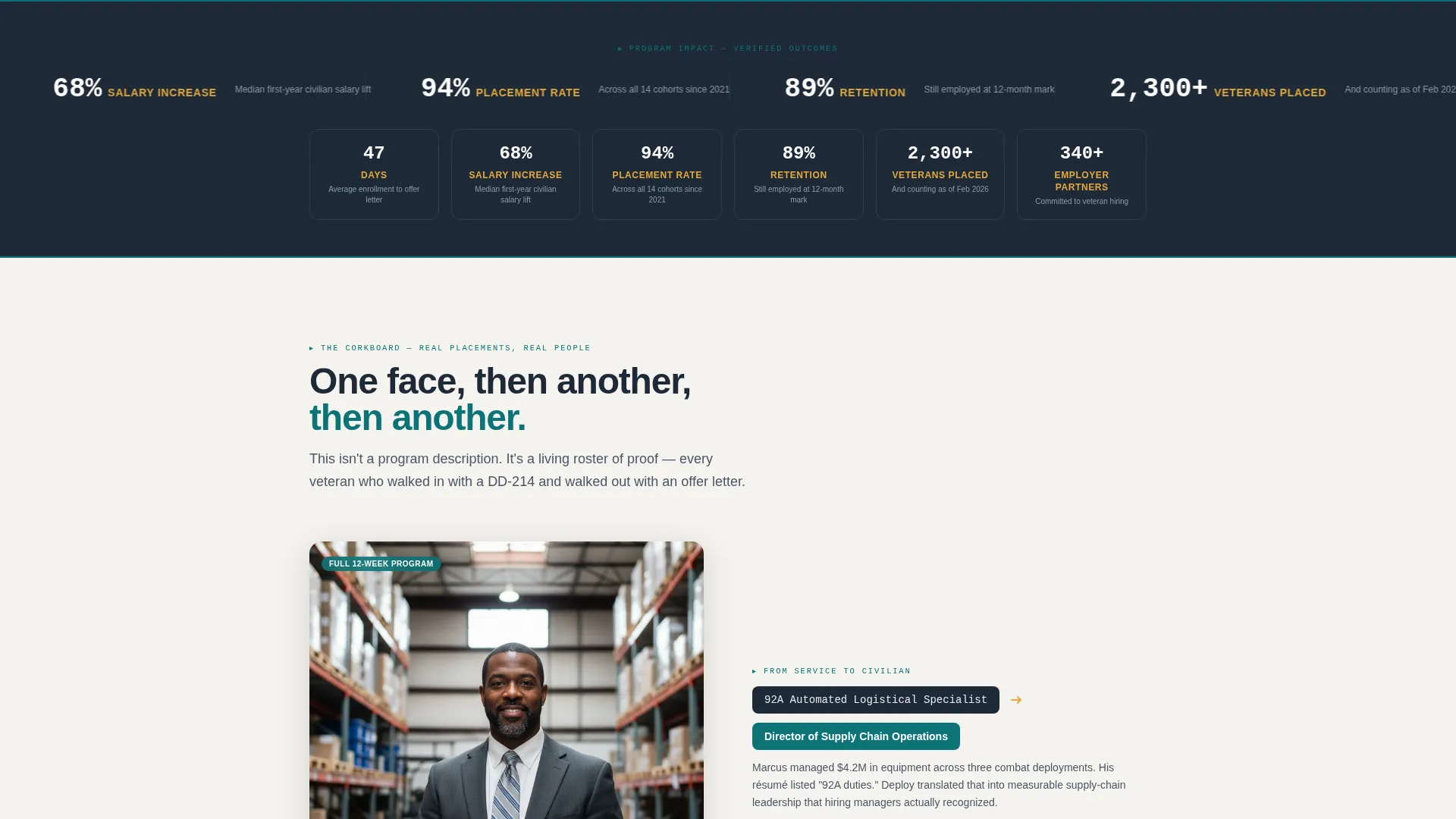
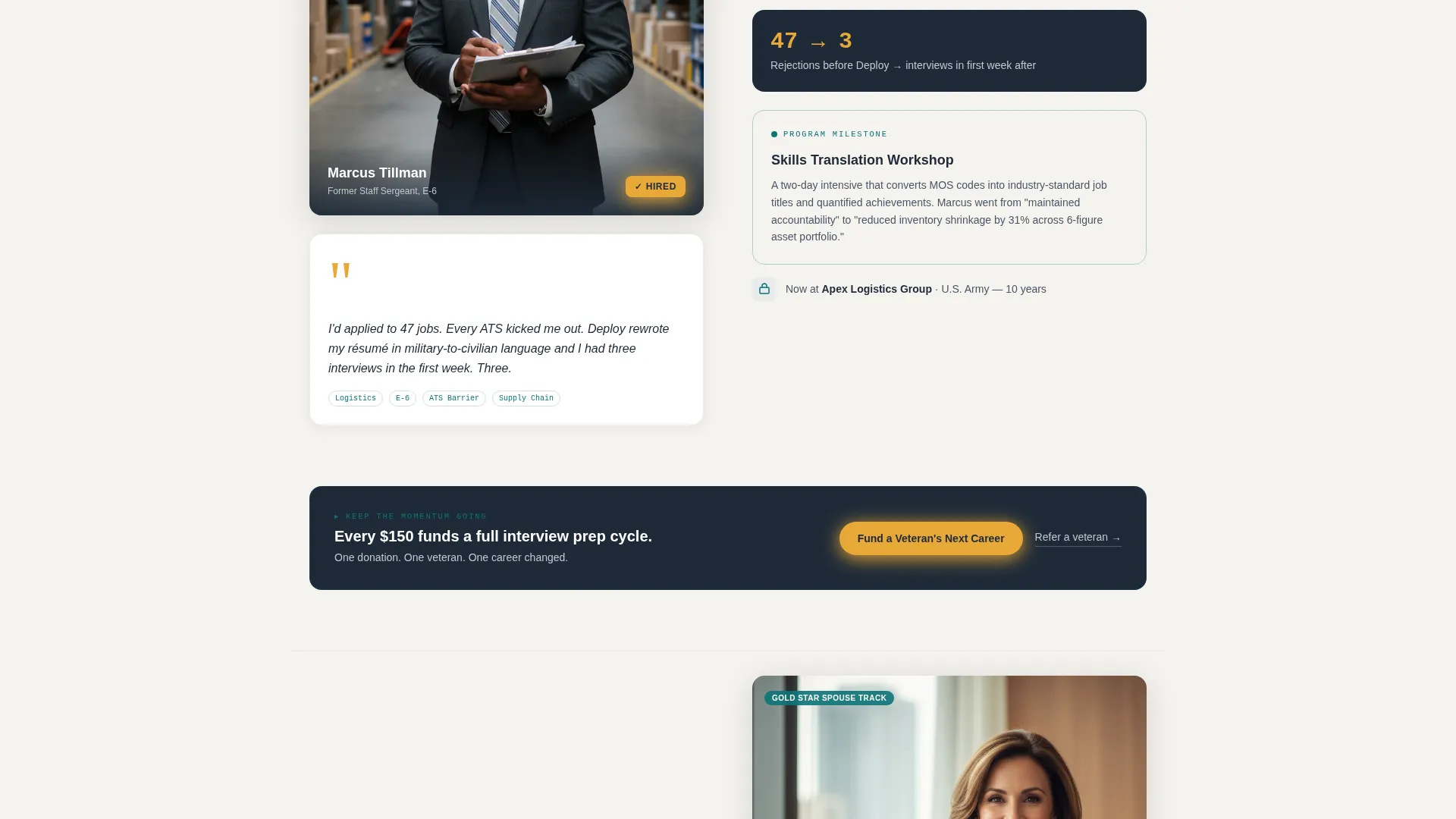
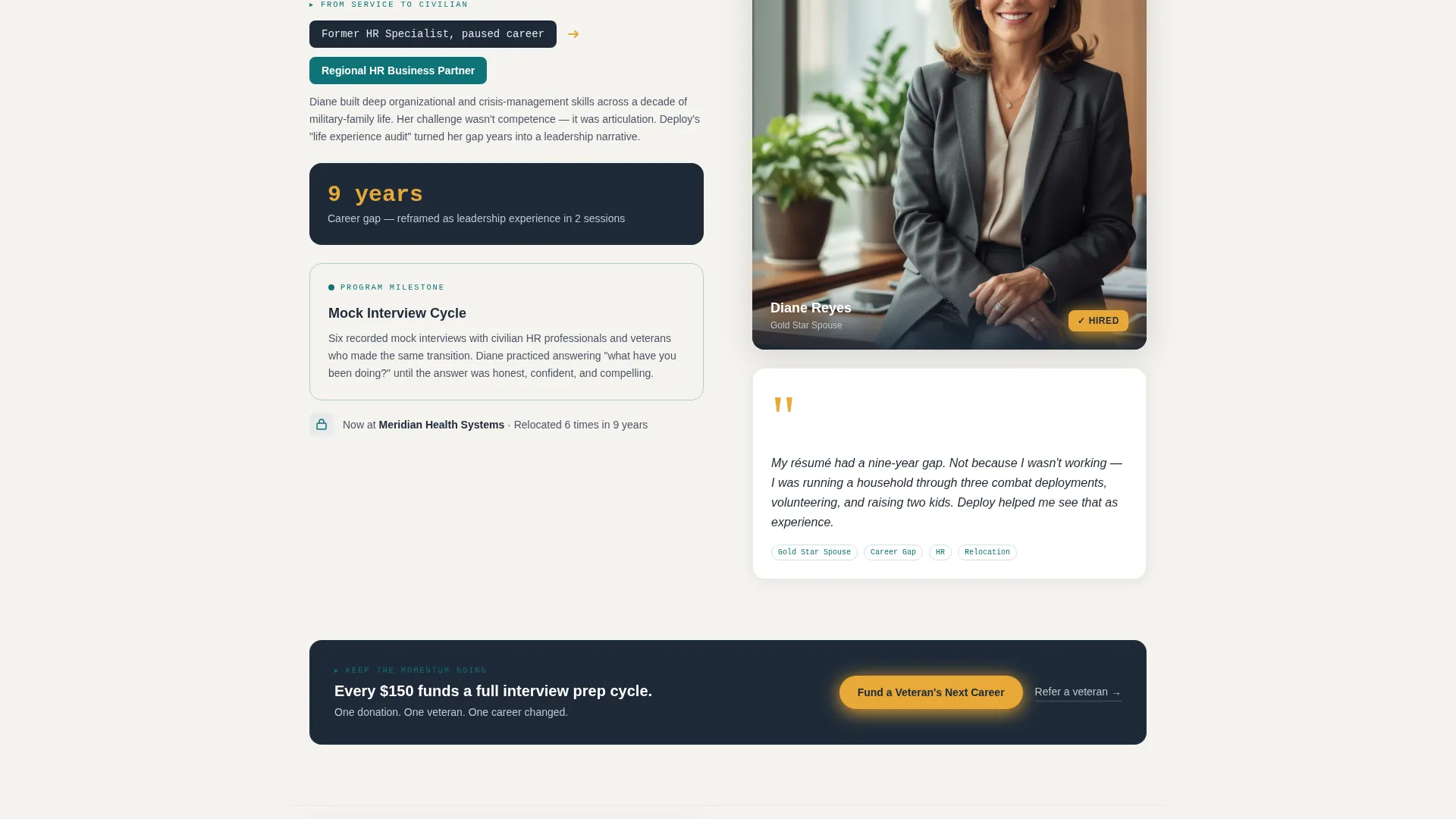
- Three zigzag veteran story sections that alternate portrait and quote blocks with program journey content, separated by hard-data infographic strips
- An inline donation form with four preset giving tiers tied to real program outcomes, a custom amount field, and a secondary referral text link
Feature list
A paragraph introducing the features: This template packages six purpose-built components that work together as a single fundraising and recruitment flow. Each one is designed around the real behavior of donors and veteran applicants, not a generic nonprofit page pattern.
Staggered Photo Wall Header
The header loads as a mosaic grid of square veteran portrait tiles. Each tile appears in sequence, like polaroids being pinned to a board. A short headline fades in over a frosted overlay once the grid settles, creating an opening moment that feels personal rather than promotional.
Zigzag Veteran Story Sections
Three alternating sections each pair a veteran's photo and direct quote on one side with the content of their program journey on the other. The layout builds a cumulative roster of proof as the visitor scrolls, moving from one face to the next until the program's track record feels undeniable.
Hard-Data Infographic Strips
Between every veteran story block, a horizontal strip delivers specific outcome metrics. Average days from enrollment to placement, salary increase percentages, and employer retention rates are displayed in a monospaced stat style that reinforces credibility without breaking the narrative pace.
Tiered Inline Donation Form
The donation form opens inline on the page rather than redirecting to a separate screen. Four preset amounts link each gift to a concrete outcome: one résumé rewrite, a full interview prep cycle, or full twelve-week program sponsorship. A custom amount field sits at the end for donors who want to give differently.
Dual Conversion Paths
The primary call to action, "Fund a Veteran's Next Career," appears in signal-flare amber beneath the header and repeats after every third story section. A secondary text link, "Know a veteran? Refer them here," runs alongside it, ensuring program applicants have their own clear entry point on the same page.
How It Works Section
A three-phase program explanation uses the same zigzag alternating layout as the story sections. Each phase covers one stage of the veteran's journey, from skills translation workshop through mock interview preparation to employer placement, giving donors a structured understanding of where their contribution fits.
Page sections overview
| Section | Purpose |
|---|---|
| Hero Photo Wall | Opens with staggered veteran portraits and frosted headline |
| Impact Metrics Strip | Displays placement speed, salary gains, and retention data |
| Veteran Story One | First alternating portrait, quote, and journey content block |
| Veteran Story Two | Second story block with mirrored layout and new data strip |
| Veteran Story Three | Third story block completing the proof accumulation sequence |
| How It Works | Three-phase program breakdown in alternating layout |
| Donation Form | Inline tiered giving form with referral link below |
| Footer | Linear single-row footer with navigation and contact links |
Design & branding system
The visual identity follows an Educational Guide theme built around the Teal Catalyst color system. The palette reads like a well-worn field manual: authoritative and warm at once, never cold or corporate.
- Deep operational teal (#0D7377) anchors all headers and section dividers; muster-roll charcoal (#1E2A38) carries body text and dark backgrounds; silver dog-tag metallic (#C0C7CE) surfaces card faces and divider lines
- Signal-flare amber (#E8A838) is reserved exclusively for calls to action, progress indicators, and hover states, keeping it visually distinct and attention-directing at every scroll depth
- Typography pairs Plus Jakarta Sans for headers with JetBrains Mono for statistics and data labels, reinforcing the editorial field-manual character across all content types
Mobile & speed optimization
The template is built desktop-first with a layout that adapts cleanly for mobile screens, recognizing that many veteran applicants will open referral links directly on their phones. The zigzag sections restack vertically on smaller viewports so portrait and content blocks stay readable at any screen width.
- Lazy loading is applied across the image-heavy photo wall and story sections, so the page does not ask for every asset at once on slower connections
- Staggered tile reveals and scroll-triggered animations are set to medium intensity, giving the page energy without creating a performance bottleneck on mid-range devices
- The inline donation form and referral link remain accessible and fully functional on touch screens, with tap targets sized for comfortable mobile use
How this template helps you convert
The page is structured so that every scroll position either deepens donor trust or presents a giving opportunity. Proof comes before every ask, and every ask connects the dollar amount to a human result.
- The photo wall and veteran story sequence build cumulative credibility before the donation form appears, so donors arrive at the giving moment already convinced rather than still evaluating
- Preset donation tiers remove the friction of deciding how much to give by anchoring each amount to a specific, understandable outcome, from a single résumé rewrite at $50 to full twelve-week program sponsorship at $500
- The dual conversion path means no visitor leaves without an option that fits them: donors have the amber call to action, and veterans or their advocates have the referral link sitting directly below it
Other information about this template
This template is part of the Community Gallery creative direction, meaning the page builds its case through accumulated human evidence rather than institutional language. The community gallery approach is well suited to veteran and military support organizations that have real stories to tell but need a structure to present them with impact.
- The template is categorized under Community and Nonprofit, specifically in the Veteran and Military Support subcategory, making it a close fit for workforce development organizations, veteran services nonprofits, and fundraising campaigns targeting employer partners or individual donors
- The footer follows Pattern 1, a linear single-row layout that keeps the bottom of the page clean and uncluttered while still providing navigation and contact access
- Currency, date formatting, and language are set for United States audiences, with USD amounts and English copy throughout
- The page is designed to serve two audiences simultaneously without confusing either one: donors find a clear, emotionally grounded giving experience, and veterans or their referrers find a respectful program entry point that does not feel like an afterthought

Theme
Educational Guide
Creative direction
Community Gallery
Color system
Teal Catalyst
Style
Zigzag/Alternating
Direction
Donation/Fundraising
Page Sections
Staggered Photo Wall Header
Zigzag Veteran Story Sections
Hard-data Infographic Strips
Tiered Inline Donation Form
Dual Conversion Path Design
Three-phase How It Works Section
Related questions
Can this template support both donor and applicant conversions on the same page?
Does the donation form support custom giving amounts?
Can I use my organization's own veteran photos instead of stock imagery?
Is the zigzag story layout easy to extend beyond three veteran stories?
Who is this template best suited for?



