Court Reporter Booking Landing Page Template
Depose is an editorial-style court reporter booking landing page built for legal professionals who need a reliable stenographer fast. The design uses a charcoal and amber palette to project quiet authority. A transparent booking flow walks visitors through proceeding type, scheduling, and post-booking steps before asking for any commitment.
by Rocket studio
Quick summary
Depose is a single-page booking template for professional court reporters. It opens with a pull-quote testimonial, then walks visitors through a clear, step-by-step process: choose your proceeding, check availability, and understand what happens after you book. The editorial magazine design makes the experience feel precise and trustworthy from the first scroll.
Who this template is for
This template is built for court reporters and stenography professionals who serve legal clients. It speaks directly to the buyers who fill court reporting schedules and build vendor relationships.
- Litigation paralegals managing multiple depositions in a single week
- Solo practitioners who need a court reporter for a last-minute hearing
- Law firm office managers sourcing reliable reporters for complex multi-day trials
What problem this template solves
Legal professionals booking a court reporter often face uncertainty. They do not know what to expect, how fast they will hear back, or what supporting materials they will receive. That ambiguity creates hesitation.
- Visitors leave without booking because the process feels opaque or unfamiliar
- Urgent requests go to competitors who appear more responsive and accessible
- Firms pass on a reporter simply because the booking path lacks structure or trust signals
What you get with this template
This template gives you a fully structured single-page booking experience with a clear visual identity and a logical content flow. Every section is designed to inform before it converts.
- An editorial testimonial header, a step-by-step process reveal, and a two-path booking form
- A charcoal and amber color system with warm parchment backgrounds and amber call-to-action buttons
- A persistent bottom booking bar and an urgent-request shortcut form for same-day or next-morning needs
Feature list
This template includes purpose-built sections and design choices grounded in the specific needs of legal booking. Each feature below reflects what the brief describes as built and delivered.
Testimonial Card Header
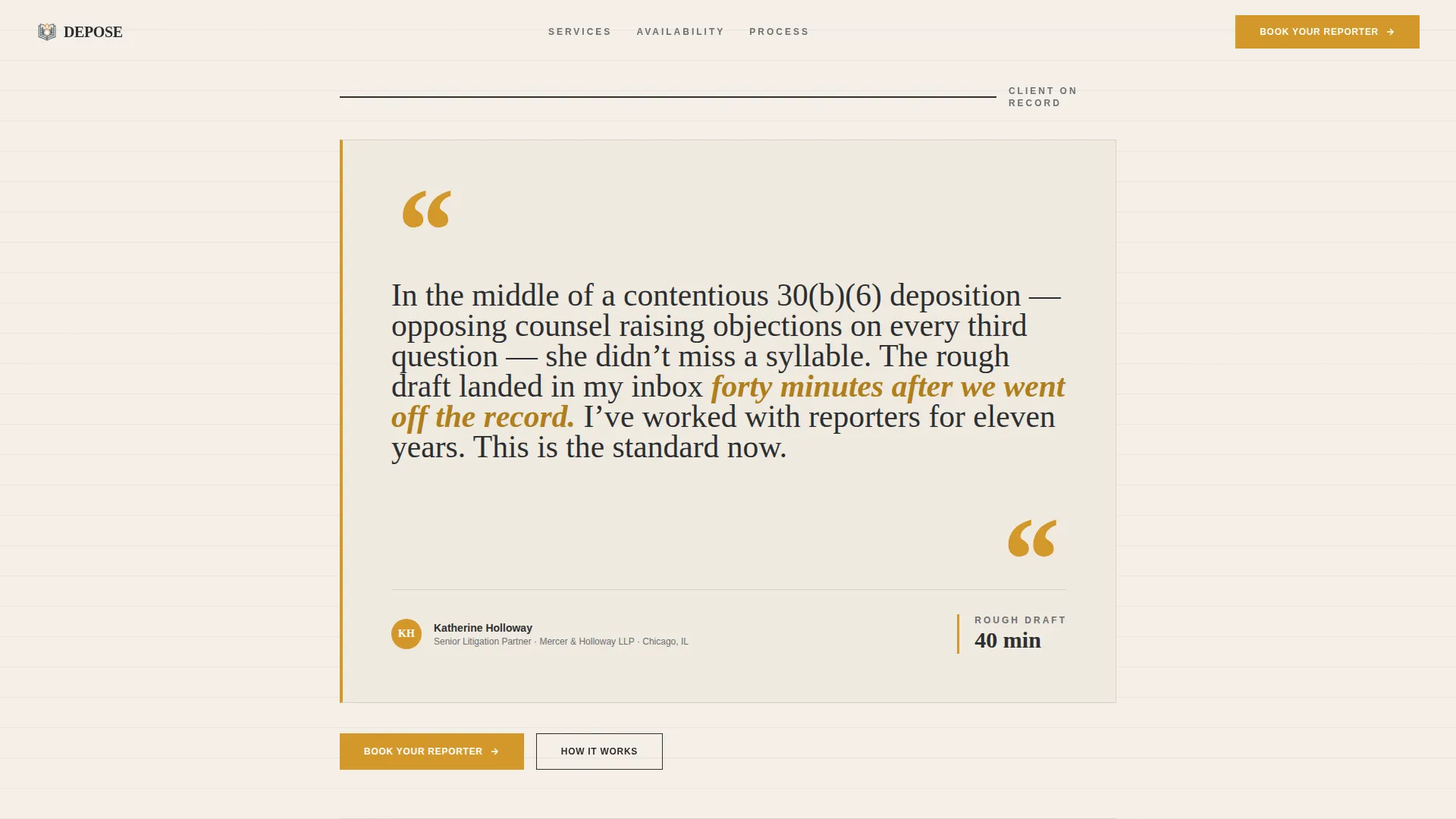
The page opens with a single oversized pull-quote from a litigation attorney. The quote is rendered in elegant serif type against a warm parchment background. Amber quotation marks serve as architectural anchors, and a byline beneath names the attorney, their firm, and city. No stock photography appears anywhere on the page.
Proceeding Type Selector
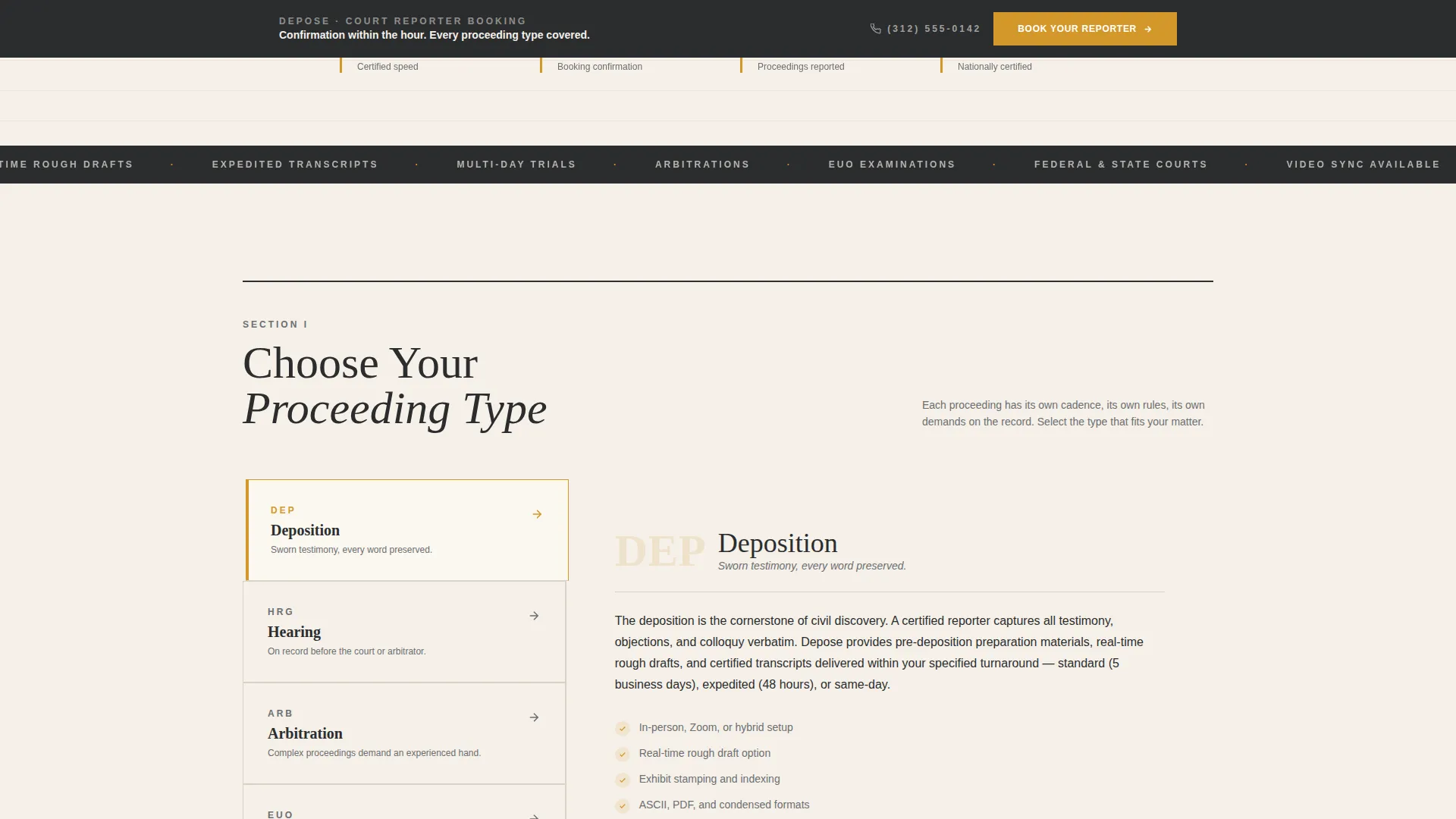
The first booking step presents four proceeding types: deposition, hearing, arbitration, and examination under oath. Each option includes a short editorial-style description of what that proceeding requires from a reporter. Visitors understand the scope before they choose.
Availability Calendar Grid
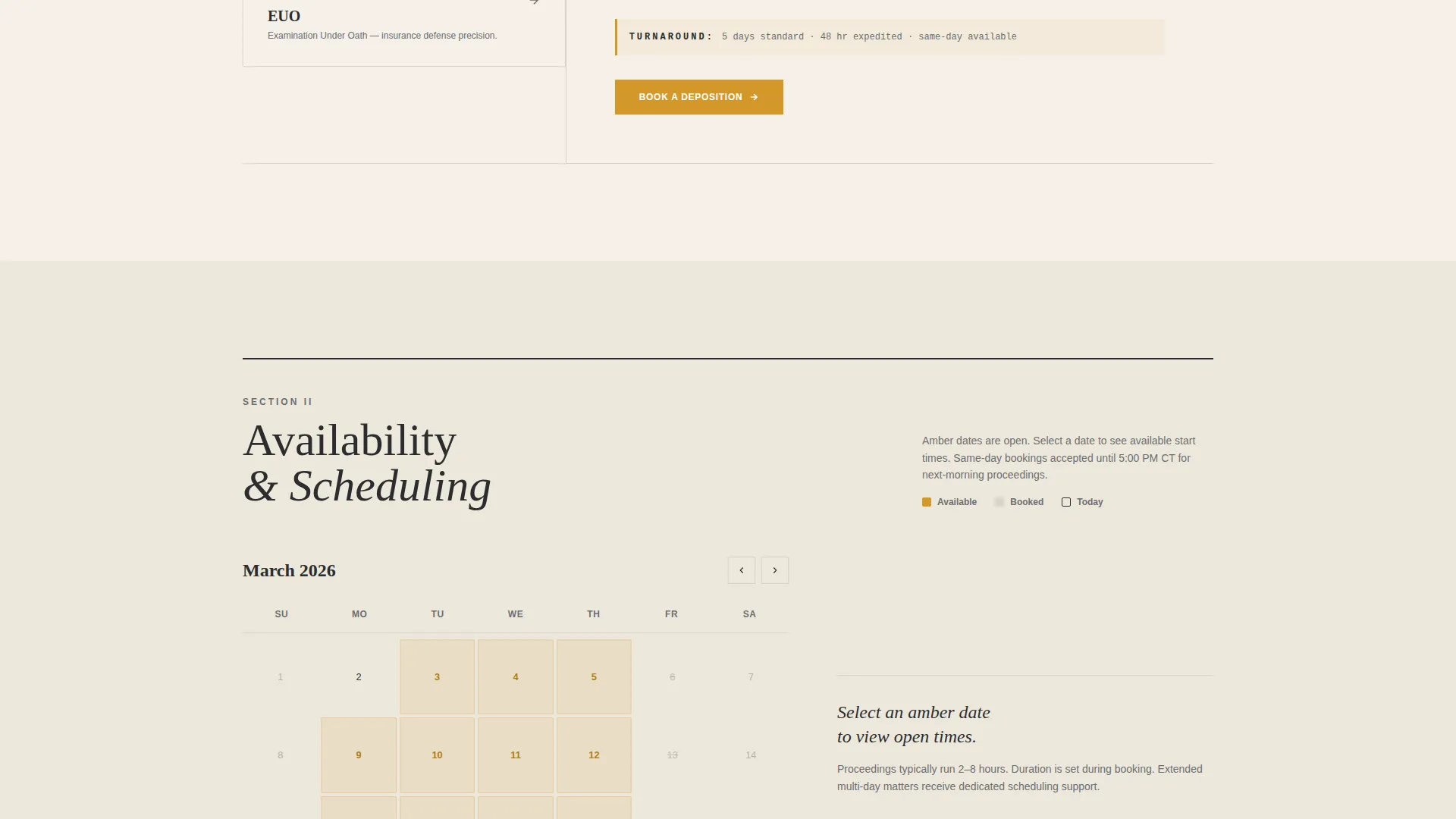
The second step renders available dates in a magazine-style schedule grid. Charcoal marks the date numerals and amber highlights open booking slots. The visual approach mirrors a quarterly editorial layout rather than a generic calendar widget.
Transparent Post-Booking Sequence
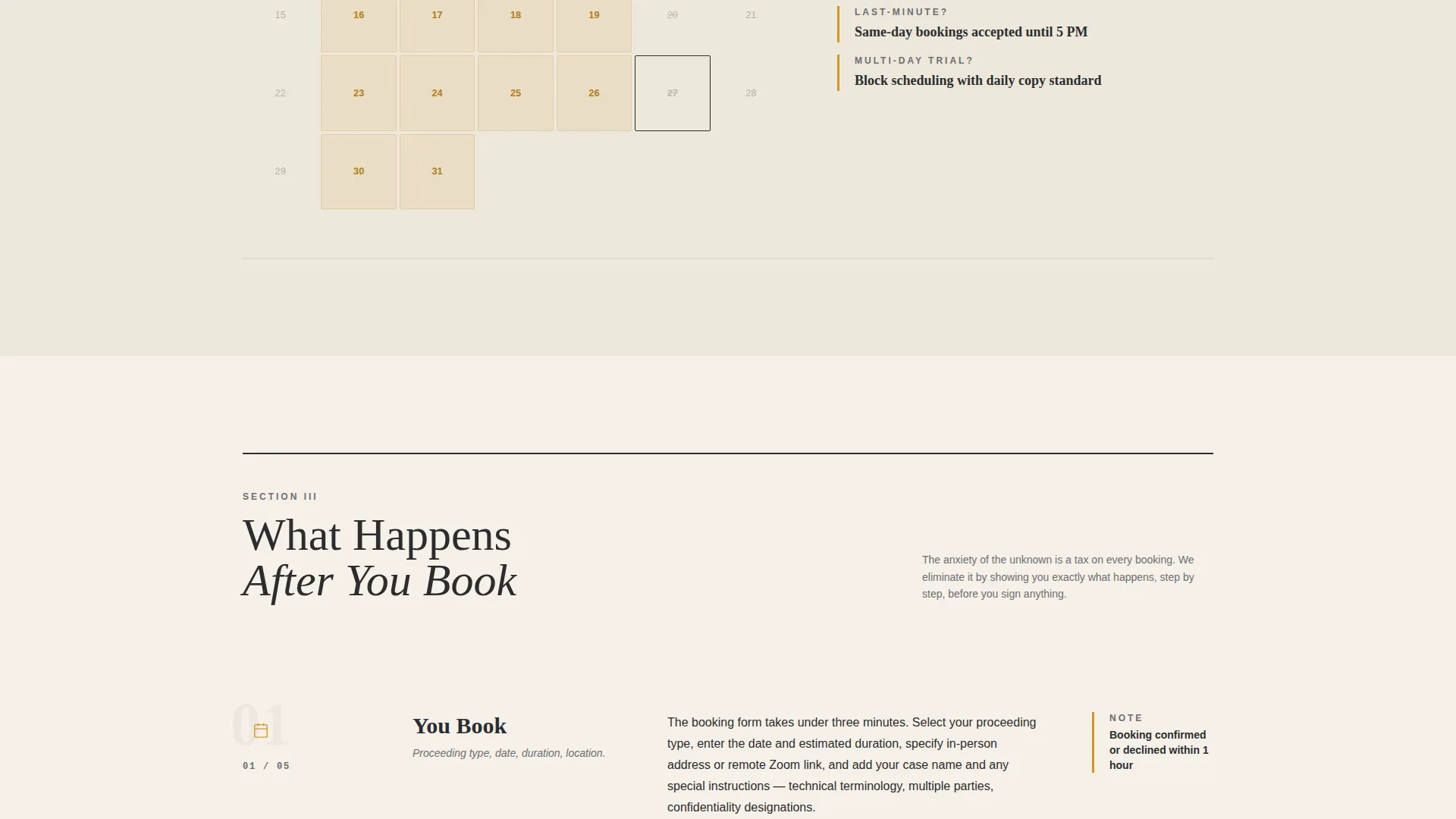
After a visitor books, the template explains exactly what happens next. Reporter confirmation within the hour is described. A pre-deposition checklist delivery is outlined. Real-time rough draft options are explained clearly. This section removes uncertainty before it becomes an objection.
Dual Booking Paths
The primary call to action, labeled "Book Your Reporter," appears beneath the testimonial and again in a persistent bottom bar after the second scroll. A secondary path labeled "Need Someone Tomorrow?" triggers a streamlined urgent-request form. That form asks only for date, time, location, and a phone number for immediate callback.
Booking Form Structure
The main booking form collects information in a deliberate order: proceeding type first, then date and estimated duration, then location (in-person, remote via video call, or hybrid), and finally a free-text field for case name and special instructions. The sequence matches how a legal professional naturally thinks through a booking.
Page sections overview
| Section | Purpose |
|---|---|
| Testimonial Card Header | Opens with attorney pull-quote to establish credibility immediately |
| Proceeding Type Selector | Helps visitors identify and choose the right service category |
| Availability Calendar Grid | Shows open booking slots in a clear, magazine-style date layout |
| Post-Booking Process | Explains confirmation, checklist delivery, and rough draft options |
| Primary Booking Form | Collects proceeding type, date, duration, location, and case details |
| Urgent Request Form | Streamlined path for same-day or next-morning booking needs |
| Persistent Booking Bar | Keeps the main call to action visible after the second scroll |
Design & branding system
The visual identity follows an editorial magazine theme that feels composed and authoritative without being cold. Every color and type choice reinforces the sense that nothing on this page was left to chance.
- Deep charcoal (#2B2D2F) for primary text and thin section-dividing rules, warm parchment (#F5F0E8) as the page background, amber (#D4982A) on buttons and pull-quote marks, and muted graphite (#6B6E72) for secondary body copy
- Elegant serif typography for the testimonial and headings, with generous white space and thin charcoal rules separating each section like pages in a quarterly journal
- No stock photography anywhere; the restraint of the design is itself a credibility signal
Mobile & speed optimization
The template is structured to remain clear and functional at every screen size. Legal professionals often check availability and send booking requests from mobile devices between court appearances.
- The persistent bottom booking bar and the urgent-request form path are both designed to work efficiently on smaller screens
- Thin section rules, generous white space, and a limited color palette keep the layout clean and fast to render across devices
How this template helps you convert
The page is built on a single conversion principle: show the full process before asking for the commitment. By the time a visitor reaches the booking form, they have already been walked through every step.
- The testimonial header builds trust on arrival by featuring a specific, credible attorney quote with a real name, firm, and city, replacing the skepticism that generic stock-photo pages create
- The transparent process reveal teaches visitors what happens after they book, removing the uncertainty that causes legal professionals to hesitate or look elsewhere
- The dual booking paths serve both planned and urgent needs, so a paralegal scheduling next week and a solo practitioner who needs someone tomorrow morning both find a clear, friction-reduced path to confirm
Other information about this template
This template is part of a focused category of professional services booking pages designed for service providers whose credibility depends on precision and reliability. A few additional details are worth noting.
- The template style is editorial magazine, making it well suited for court reporters who want to stand out from generic directory listings
- The Depose template works as a standalone booking page and does not require a multi-page site structure to function effectively
- The color system and typographic restraint make it straightforward to adapt the palette to a specific reporter's personal brand while keeping the editorial authority intact
Theme
Editorial Magazine
Creative direction
Transparent Process
Color system
Charcoal & Amber
Style
Editorial/Magazine
Direction
Booking/Scheduling
Page Sections
Testimonial Card Header
Proceeding Type Selector
Magazine-style Availability Calendar
Transparent Post-booking Sequence
Dual Booking Paths
Structured Booking Form
Related questions
Can I customize the proceeding types listed in the selector?
Does the urgent-request form replace the main booking form?
Is the attorney testimonial section editable?
Does this template require photography to look complete?
Who is this court reporter landing page template best suited for?



