Dermatologist Appointment Booking Landing Page
Dermis is a split-screen dermatologist appointment booking landing page built around an FAQ-driven consultation flow. It pairs board-certification credential displays with real patient questions and clinical answers, then guides anxious visitors through a progressive booking form. The design uses a Forest Trust color palette to feel authoritative, approachable, and medically credible from the first scroll.
by Rocket studio
Quick summary
Dermis is a single-page dermatologist booking template built for clinics that earn trust through education. The page answers five real patient questions before asking for a single contact detail. A split-screen hero, a progressive booking form, and a services bento grid work together to move worried patients from curiosity to confirmed appointment.
Who this template is for
This template is designed for dermatology clinics that treat a wide range of patients, from first-time visitors with cosmetic concerns to urgent referrals from a general practitioner. It suits practices that want to demonstrate expertise before asking for contact details.
- Board-certified dermatologists running independent or small-group practices
- Clinics offering both in-office visits and teledermatology consultations
- Practices serving patients with acne scarring, melasma, suspicious moles, eczema, or anti-aging concerns
What problem this template solves
Anxious patients arrive on a dermatology page with real questions and leave without booking because the page never answers them. This template solves that drop-off problem by making the educational content the conversion path itself.
- Patients with cosmetic-turned-medical concerns need proof of expertise before they trust a form
- Retirees referred by a general practitioner for lesion screening need clinical credibility signals fast
- Clinics lose leads when booking forms appear before the visitor feels understood
What you get with this template
You get a fully structured, single-page booking template with distinct sections that carry the patient from first impression to form submission. Every section has a defined role in the journey from skeptic to booked appointment.
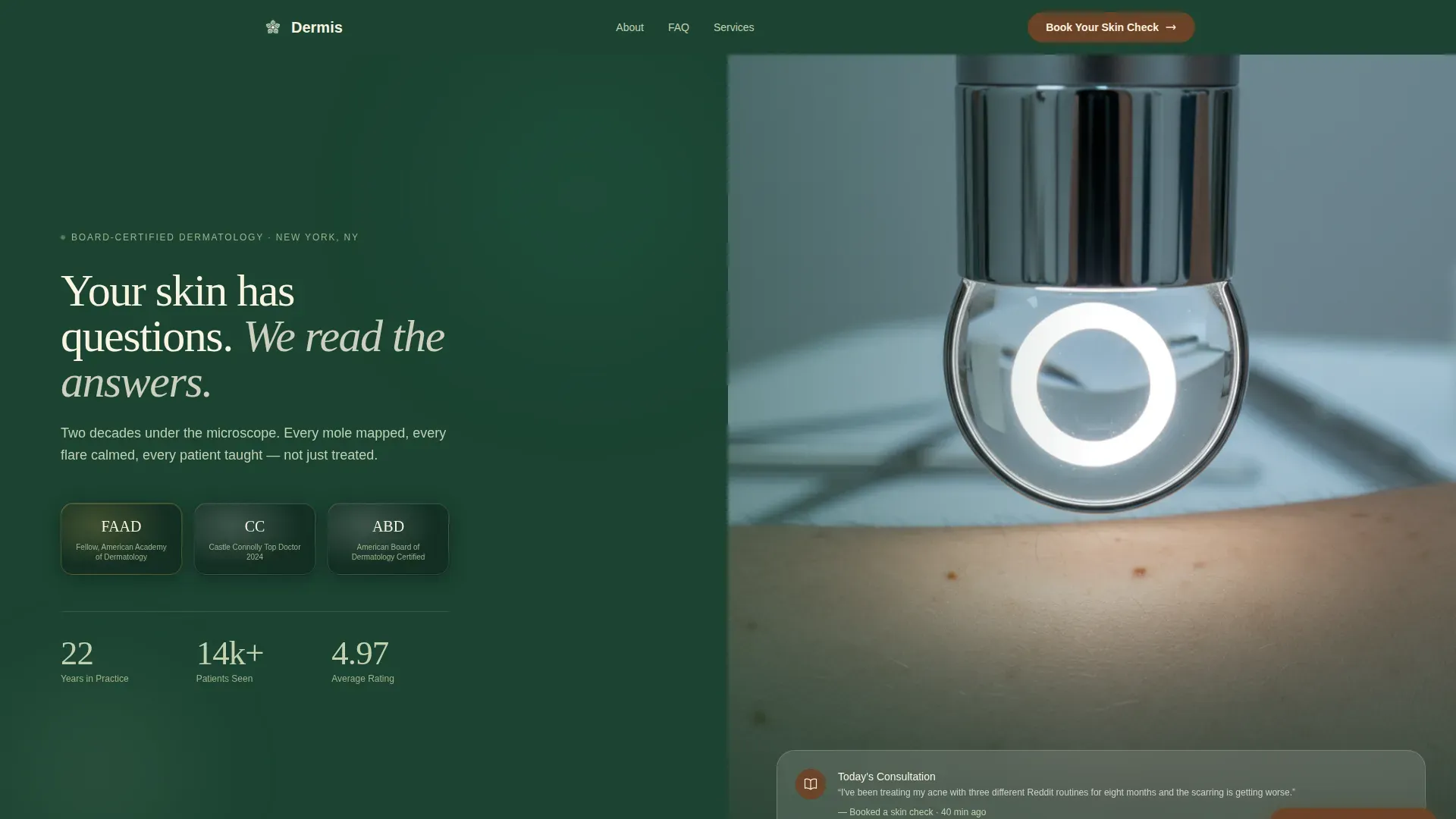
- A split-screen hero displaying credential medallions alongside a clinical dermatoscope photograph
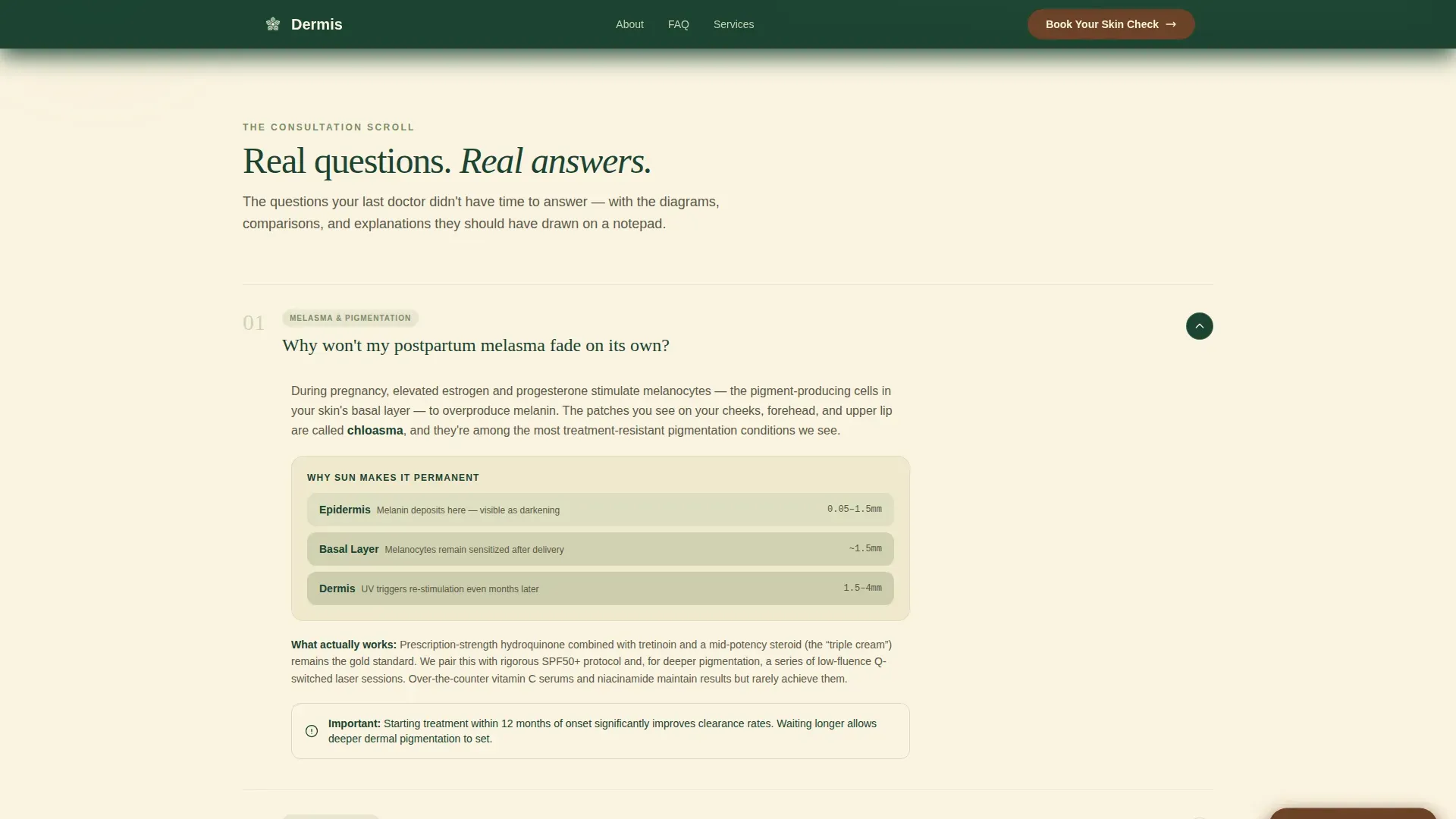
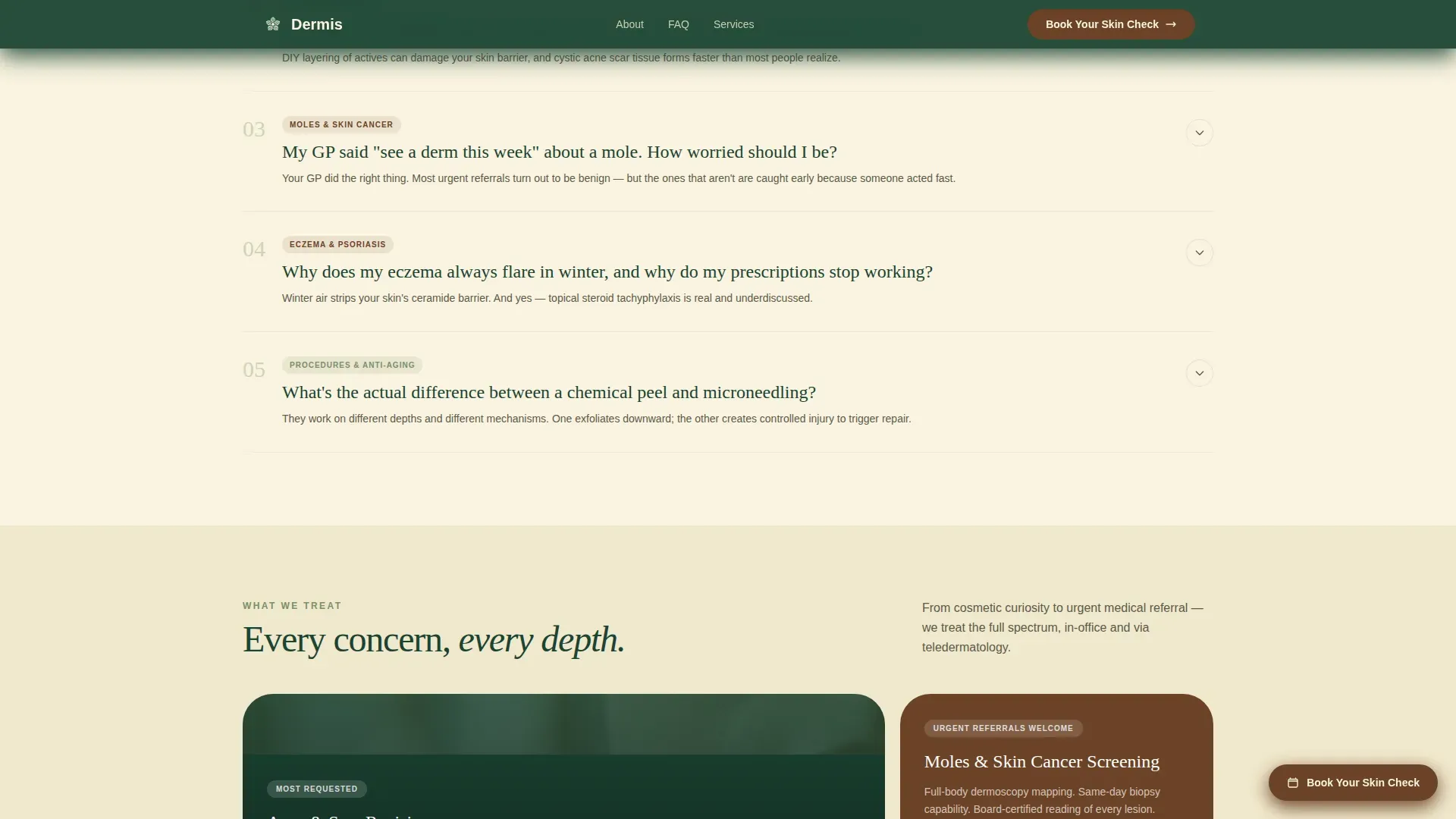
- A five-question FAQ consultation section with escalating urgency, from cosmetic to medical
- A progressive disclosure booking form and a secondary gated PDF lead capture path
Feature list
Split-Screen Hero with Credential Display
The hero divides the viewport into two equal panels. The left panel displays embossed award badges, board certifications, fellowship seals, and a years-in-practice counter styled like a vintage apothecary label. The right panel holds a tightly cropped dermatoscope photograph. A fade-in headline unifies both panels on load.
FAQ-Driven Consultation Scroll
Five real patient questions are laid out as an accordion-style consultation. Each question appears on the left panel and the clinical answer appears on the right, supported by labeled diagrams, cross-section skin illustrations, and short comparison tables. Questions escalate from cosmetic curiosity to medical urgency, mirroring how patients actually think.
Services Bento Grid
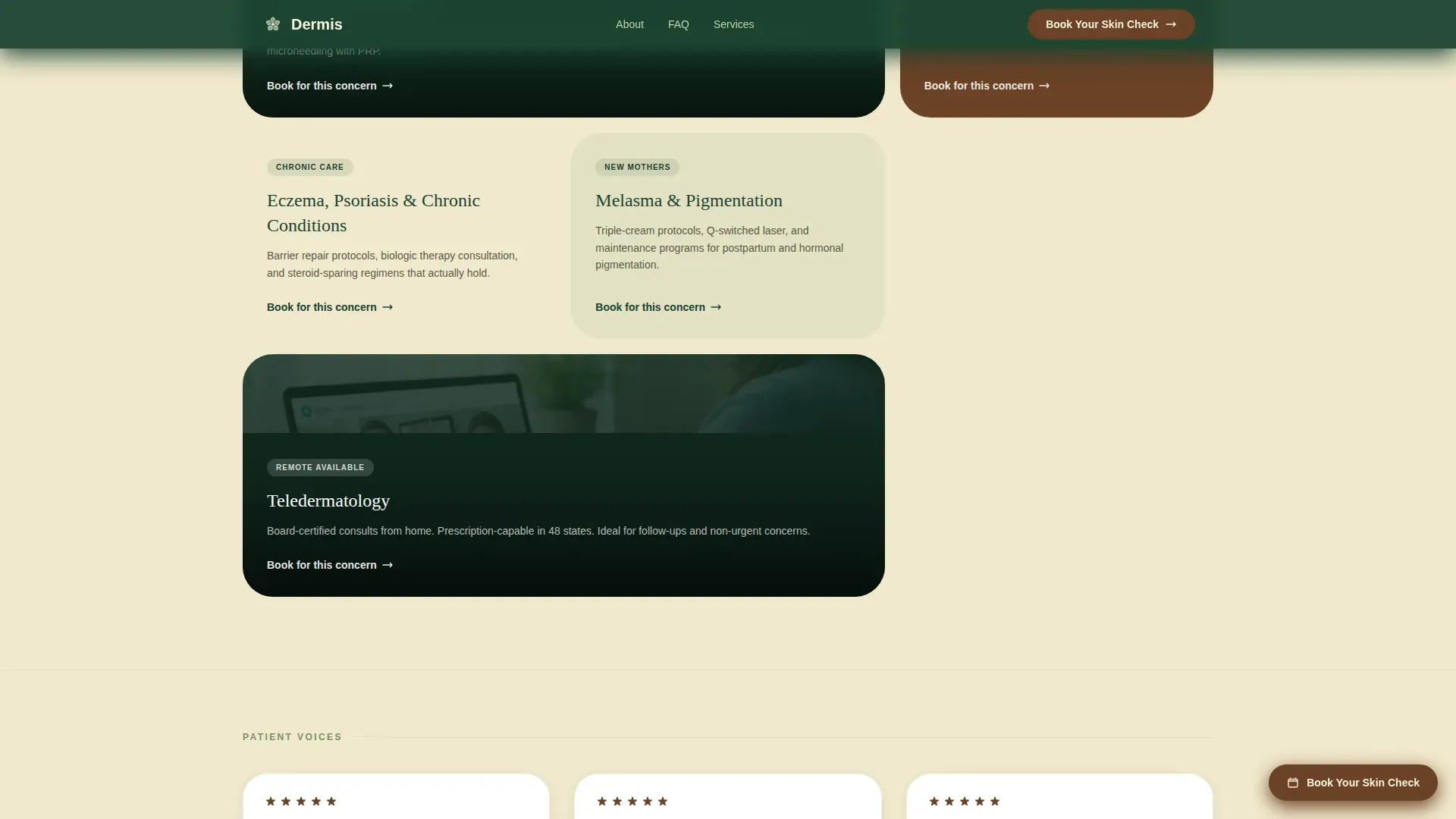
An asymmetric card grid presents five core service areas: acne treatment, moles and skin cancer screening, eczema and psoriasis care, anti-aging, and teledermatology. Each card is sized and weighted to reflect service priority without feeling like a standard feature list.
Progressive Disclosure Booking Form
The booking form reveals fields in deliberate sequence. The patient selects their concern type first from a dropdown, then their preferred visit format, and finally provides their name and phone number. This order reduces friction by letting patients self-identify their need before surrendering contact details.
Gated PDF Secondary Lead Path
A secondary call to action offers a downloadable Mole Self-Check Guide in exchange for an email address. This captures visitors who are not ready to book but are actively concerned, creating a nurture path alongside the primary booking flow.
Sticky Bark-Brown Booking Button
A persistent booking button appears in the bark-brown accent color after the visitor passes the third FAQ answer. It stays visible throughout the remainder of the scroll without interrupting the reading experience, keeping the primary call to action accessible at every decision point.
Page sections overview
| Section | Purpose |
|---|---|
| Split-screen hero | Establishes credentials and clinical identity instantly |
| FAQ consultation scroll | Answers five real patient questions to build trust |
| Services bento grid | Presents core treatment areas in a scannable card layout |
| Progressive booking form | Captures concern, visit format, then contact details |
| Gated PDF capture | Collects email from visitors not yet ready to book |
| Single-row footer | Closes the page with essential clinic information |
Design & branding system
The visual identity follows an Educational Guide theme built around the Forest Trust color system. The palette feels like a well-thumbed field guide to native plants, authoritative but approachable, clinical but alive.
- Deep evergreen (#1B4332) anchors the navigation bar, headers, and credential display backgrounds
- Soft birch white (#FAF3E0) fills content section backgrounds for clean, easy reading
- Medicinal sage (#A3B18A) colors informational cards, FAQ answer panels, and hover states
- Warm bark brown (#6B4226) is reserved exclusively for buttons and interactive highlights
- Typography pairs Fraunces serif headlines with DM Sans for body text and interface elements
Mobile & speed optimization
The template is built desktop-first to support the split-screen hero layout, which requires a wide viewport to display both panels simultaneously. On smaller screens, the layout stacks gracefully into a single-column flow without losing the credential display or FAQ structure.
- Split-screen panels collapse into a vertical stack on mobile devices
- FAQ accordion expand and collapse interactions remain fully functional on touch screens
- Static content sections use server components while interactive elements like the FAQ accordion and booking form use client components for targeted rendering
How this template helps you convert
The template is structured so that every scroll action moves the visitor closer to a booking without feeling like a sales funnel. Trust is built section by section before a single form field appears.
- The hero establishes clinical credibility immediately through real, verifiable credentials displayed as embossed medallions, so the visitor's first impression is expertise, not a sales pitch.
- The five-question FAQ section answers real concerns for free, proving that this clinic teaches rather than just prescribes, which positions the booking form as a natural next step rather than a cold ask.
- The progressive disclosure form reduces abandonment by asking for concern type and visit format before requesting personal contact details, making each step feel low-stakes and patient-led.
Other information about this template
This template is purpose-built for the dermatology appointment booking use case and reflects the specific patient journey from cosmetic concern to medical urgency. A few additional details are worth noting for anyone evaluating it.
- The page is localized for United States-based practices with English copy, USD pricing context, and US date formatting
- Social proof elements including the Fellow of the American Academy of Dermatology (FAAD) designation, Castle Connolly recognition, and patient testimonial pull-quotes are embedded directly inside FAQ answers rather than isolated to a separate testimonials section
- Animation is set to a medium intensity: scroll reveals activate section by section, the sticky call-to-action button appears after the third FAQ, FAQ items use smooth accordion expand and collapse, and the hero headline uses a subtle fade-in on load
- The template style is Split Screen (50/50), and the header concept is Award Badges, meaning the credential display is a structural layout element, not an optional sidebar widget
- The secondary PDF lead capture path is designed to work alongside the primary booking form, giving the clinic two distinct conversion outcomes from a single page visit
Theme
Educational Guide
Creative direction
FAQ-Driven
Color system
Forest Trust
Style
Split Screen (50/50)
Direction
Lead Generation
Page Sections
Split-screen Hero with Credential Medallions
Faq-driven Consultation Scroll
Services Bento Grid Layout
Progressive Disclosure Booking Form
Sticky Call-to-action Button
Gated PDF Secondary Conversion Path
Related questions
Can I use this template for a teledermatology-only practice?
How does the FAQ section work for patients with different skin concerns?
What does the gated PDF lead capture offer visitors?
Does the booking form collect payment or insurance details?
Is this template suitable for clinics that handle both cosmetic and medical dermatology?



