Beauty School & Academy Careers Website Template
Dermis is a single-page esthetician school landing page built for direct enrollment. It guides career-changers, recent graduates, and working mothers through a year-long curriculum story, from Fall Foundations to Summer Graduation, then asks for a $250 deposit through a layered three-step enrollment modal. The design pairs aubergine depth with gold call-to-action accents for a refined, studio-quality feel.
by Rocket studio
Quick summary
Dermis is an overlap-layered landing page template designed for an esthetician teaching atelier. It moves visitors through four seasonal curriculum sections, builds trust through student archetypes and testimonials, and closes with a direct enrollment path. The primary call to action captures a $250 deposit. A secondary email capture serves visitors who want the course catalog first.
Who this template is for
This template is built for esthetician schools and beauty academies that need to sell program enrollment directly from a single page. It suits vocational educators who want their brand to feel like a professional studio rather than a generic school website.
- Esthetician school owners launching a new cohort enrollment cycle
- Beauty academy directors who serve career-changers, recent graduates, and working mothers
- Vocational programs offering flexible scheduling across day, evening, and weekend cohorts
What problem this template solves
Most beauty school pages list programs the way a brochure lists ingredients. They tell prospective students what the curriculum covers but never show what it feels like to go through it. That gap between information and imagination costs enrollments.
- Visitors leave before connecting emotionally with the program or picturing themselves as graduates
- Undecided prospects have no low-commitment path and bounce without leaving a contact
- Schools with multiple cohort schedules struggle to present options without overwhelming the page
What you get with this template
You get a complete, scroll-driven landing page that takes a prospective student from curiosity to committed deposit. Every section is purpose-built and sequenced to earn trust before asking for money.
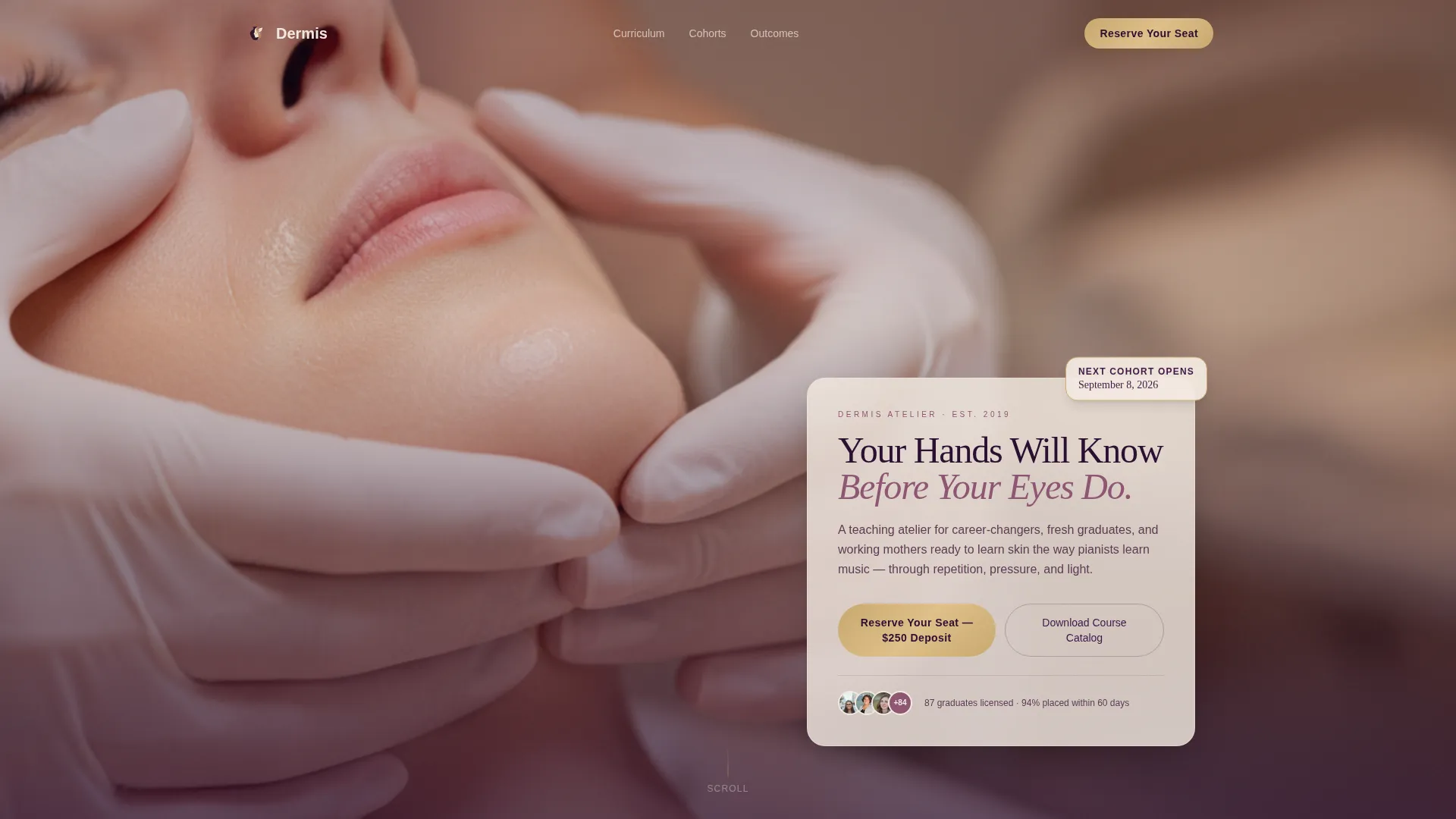
- A full-viewport portrait header with a layered glass card headline and a gold-bordered cohort date badge
- Five seasonal content sections that tell the arc of a full year of training, each ending with a repeated call to action
- A three-step enrollment modal with program selection, a start date picker, and a deposit payment field
Feature list
Layered Header with Cohort Badge
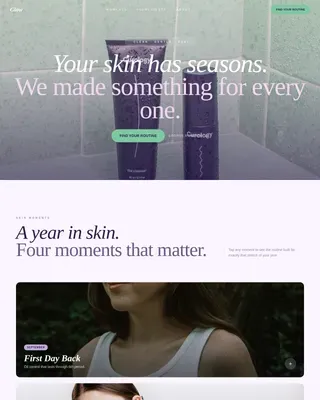
The header fills the entire viewport with a portrait-orientation photo. A translucent parchment card overlaps the image carrying the primary headline. A gold-bordered badge sits on top showing the next cohort date. The depth hierarchy signals quality before a word is read.
Seasonal Section Architecture
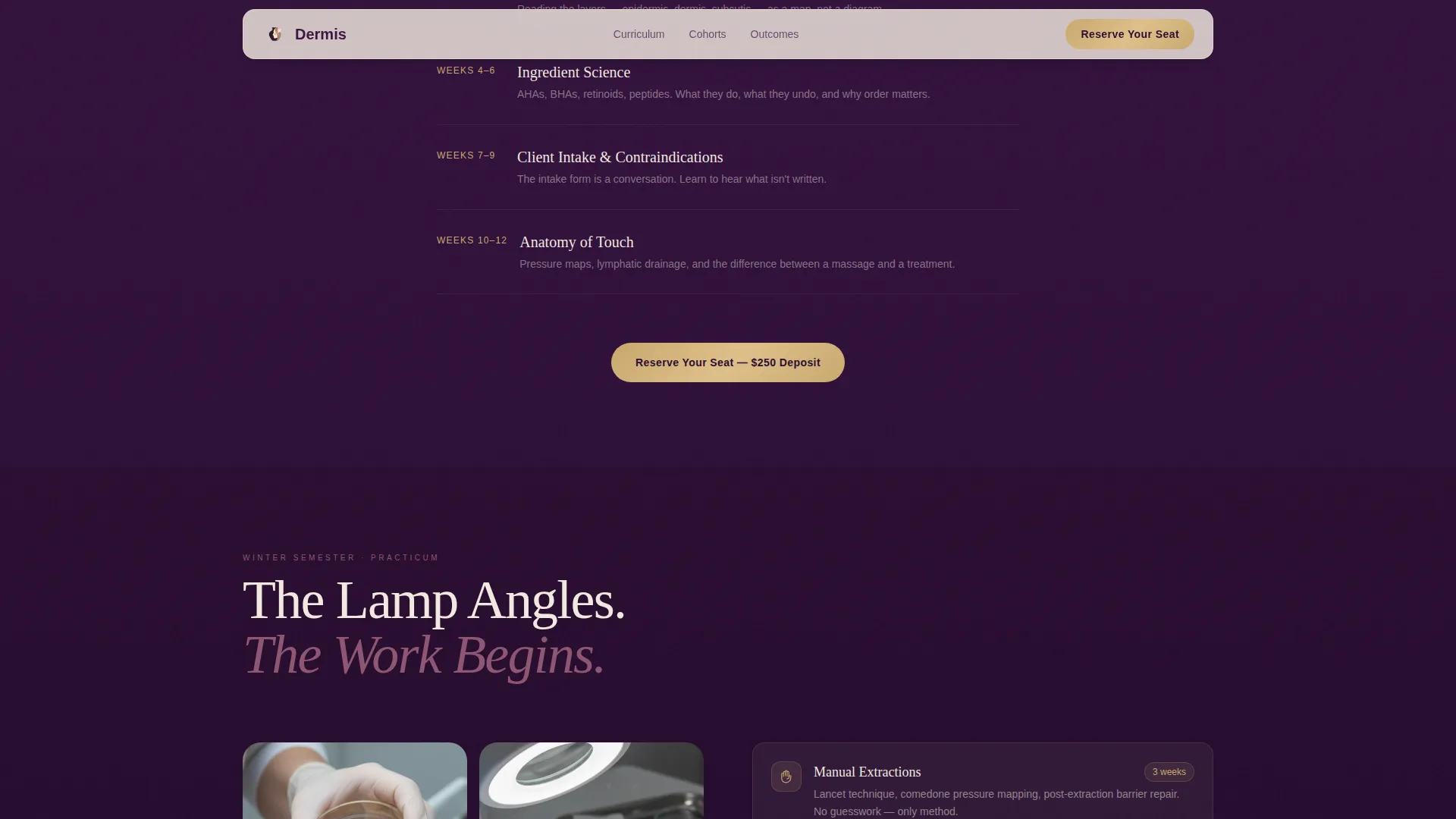
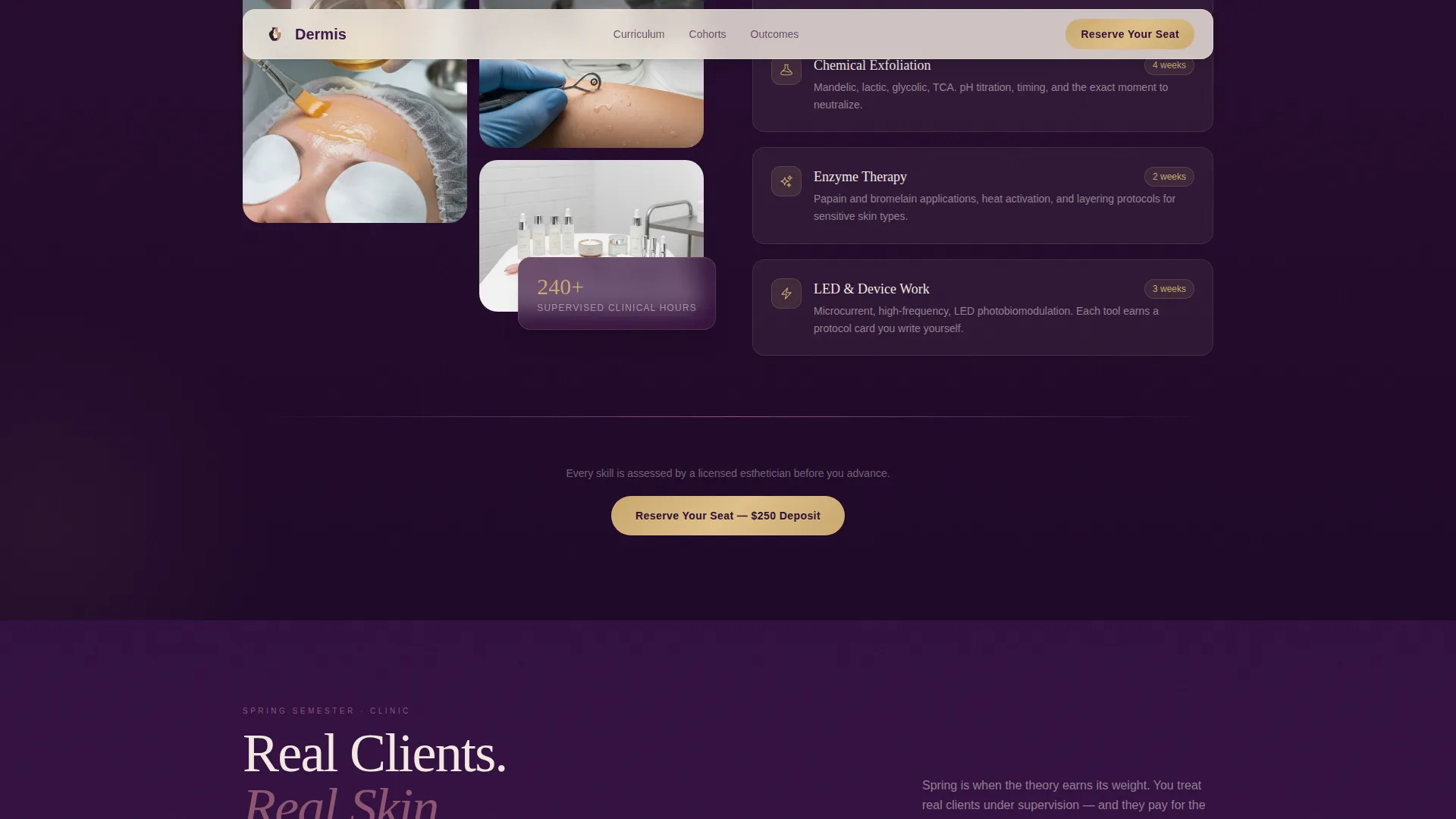
Four full-width content bands scroll through Fall Foundations, Winter Practicum, Spring Clinic, and Summer Graduation. Each band shifts tonal value within the plum palette, so the page feels like one continuous transformation rather than a list of features.
Three-Step Enrollment Modal
Clicking the primary call to action opens a layered modal consistent with the page's overlap motif. Step one selects the cohort format: day, evening, or weekend intensive. Step two picks a start date filtered to upcoming openings. Step three presents the deposit payment field.
Catalog Email Capture
A secondary call to action labeled "Download the Course Catalog" is woven into the page for visitors not ready to commit. It collects an email address and gives undecided prospects a meaningful next step without losing them entirely.
Student Archetype Panels
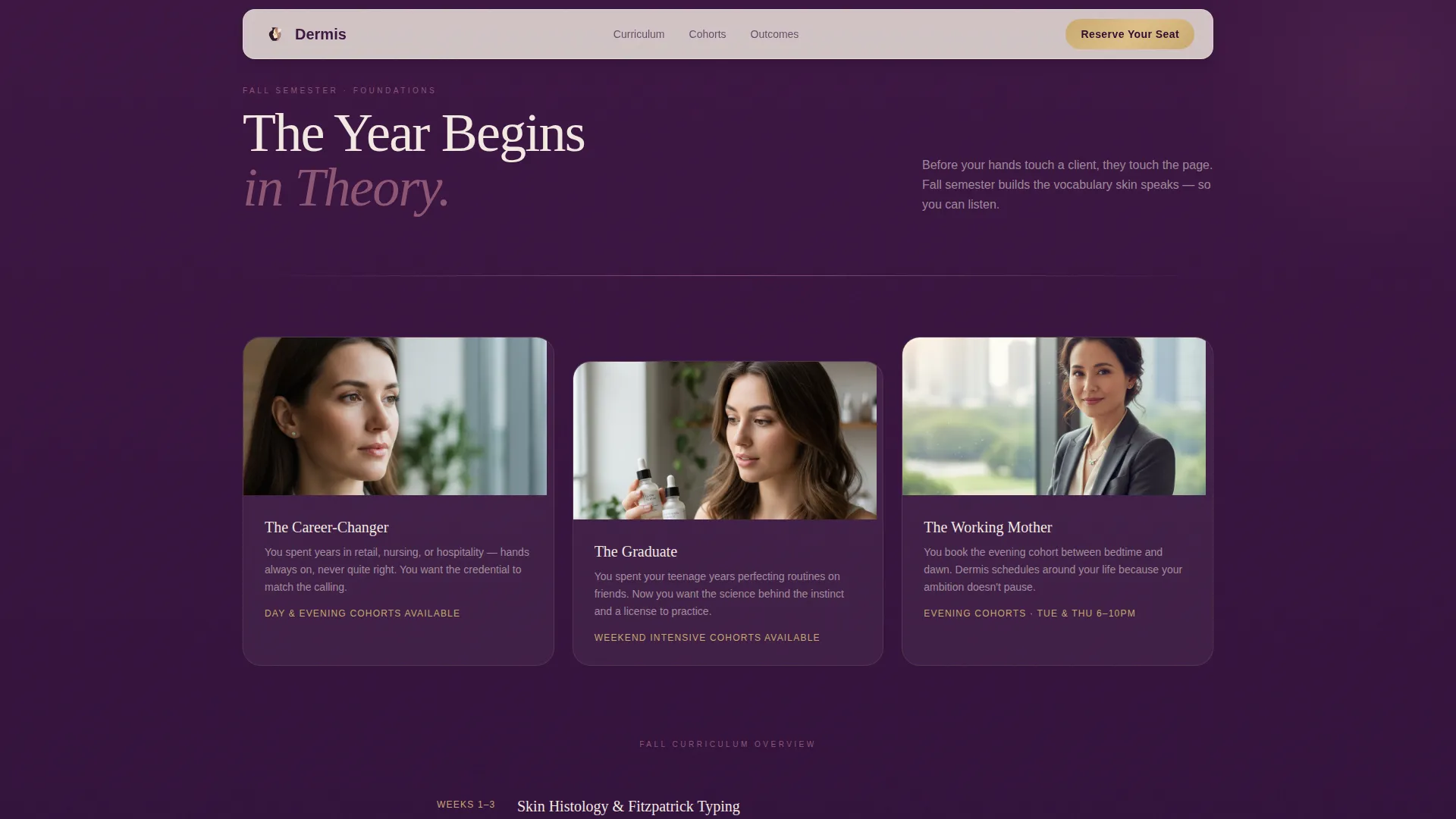
The Fall Foundations section introduces three student archetypes: the career-changer leaving retail or nursing, the recent high school graduate, and the working mother booking evening cohorts. Each panel grounds the page in a real audience identity.
Testimonial and Outcome Section
The Spring Clinic and Summer Graduation sections carry student testimonials with portrait photos, cohort enrollment numbers, and graduate placement indicators. Social proof is presented at the point in the page where a visitor is closest to deciding.
Page sections overview
| Section | Purpose |
|---|---|
| Hero Header | Introduces program with layered portrait, headline card, and cohort badge |
| Fall Foundations | Presents student archetypes, anatomy overview, and skin theory curriculum |
| Winter Practicum | Shows clinical skill content including extractions and chemical peel training |
| Spring Clinic | Features real client work and student testimonials with portrait photos |
| Summer Graduation | Displays graduate outcomes, before-and-after results, and enrollment call to action |
| Footer | Single-row linear layout with navigation and secondary links |
Design & branding system
The visual identity follows an Atelier Studio theme. The palette pairs deep aubergine with warm parchment to create soft containment around clinical precision. Gold appears only on interactive elements, which trains the eye to recognize action points immediately.
- Colors: deep aubergine (#3C1642) for section backgrounds, muted mauve (#8E5572) for subheadings and dividers, warm parchment (#F2E9E1) for text blocks and card surfaces, brushed gold (#C9A96E) reserved for buttons and credential badges
- Typography: Fraunces serif for display headlines paired with DM Sans for body text, combining editorial warmth with clean legibility
- Visual motif: overlapping and layered elements throughout, from the header card stack to the enrollment modal, reinforcing the template's treatment-room depth metaphor
Mobile & speed optimization
Working mothers booking after bedtime on a phone are the primary audience. The template is built mobile-first, so every section reads clearly and every action is reachable with a thumb.
- Mobile-first layout ensures portrait sections, modal steps, and call-to-action buttons are sized and spaced for one-handed use on small screens
- Image optimization and server-rendered static sections are included to keep load times practical on mobile connections
- GSAP ScrollTrigger animations and parallax layers are structured to degrade gracefully so the narrative flow holds even when motion is reduced
How this template helps you convert
The page is sequenced to earn the deposit rather than demand it. Visitors move through the full year of training before they see the payment field.
- The seasonal scroll builds emotional investment section by section, so the $250 deposit feels like claiming a place in a story already in motion rather than making a blind purchase.
- The catalog email capture gives undecided visitors a low-commitment exit that keeps them in the enrollment funnel without pressure.
- The repeated call-to-action placement after each seasonal band means a visitor who is ready at any point in the scroll can act immediately without scrolling back to the top.
Other information about this template
This template is part of a broader set of beauty school and esthetician program templates designed for direct-sales landing page flows. It suits programs that operate on a cohort-based calendar and need enrollment to happen within a defined window.
- Template style: Overlap/Layered with GSAP ScrollTrigger animation and spring physics for parallax depth
- Localization: English language, United States Dollar (USD) pricing, and MM/DD/YYYY date format
- Cohort scheduling: supports day cohort, evening cohort, and weekend intensive as selectable program formats in the modal
- The footer follows a Pattern 1 linear single-row layout, keeping the page exit clean and uncluttered
- This template is a strong fit for esthetician licensing programs, skin care academies, and vocational beauty schools that prioritize a premium brand presence
Theme
Atelier Studio
Creative direction
Seasonal/Moment
Color system
Plum Executive
Style
Overlap/Layered
Direction
Direct Sales
Page Sections
Layered Hero Header with Cohort Badge
Seasonal Four-band Curriculum Story
Three-step Enrollment Modal
Catalog Email Capture Path
Student Archetype Introduction Panels
Testimonial and Outcome Display
Related questions
Can I change the cohort dates shown on the page?
Does the enrollment modal support multiple program formats?
What is the purpose of the catalog email capture?
Can I use this template if I only offer one cohort schedule?
Is this template suitable for a school that runs multiple intakes per year?