UI/UX Designer Portfolio Portfolio Website Template
Pixel is a dark editorial landing page template built for user interface and user experience designers who want to launch a blog and portfolio with conviction. The asymmetric 60/40 grid, iridescent color system, and manifesto-style scroll narrative replace a typical portfolio grid with a belief system. Visitors leave with a lasting impression before a single case study is shown.
by Rocket studio
Quick summary
Pixel is a coming-soon landing page template for user interface and user experience designers who want to establish a point of view before they publish. It pairs a full-screen Figma video header with a manifesto scroll, an asymmetric 60/40 layout, and a waitlist section that turns conviction into signups. The design is cinematic, dark, and built to inspire.
Who this template is for
This landing page template is built for a very specific type of creative. It suits designers who think in systems, communicate in principles, and want their portfolio to feel as considered as the work inside it.
- Junior designers who want to demonstrate design skills and articulate their process before launching a full ux design portfolio
- Product managers and creative directors who need a polished, high-conviction landing page to introduce a design practice or publication
- Any ui ux designer ready to build an online ux design portfolio site that doubles as a coming-soon waitlist
What problem this template solves
Most ux designers struggle with the same challenge: how do you showcase design prowess before you have a live product? A blank page with a countdown timer does not inspire trust. Hiring managers and potential clients need to feel the thinking before they see the finished product.
- Generic portfolio templates flatten every designer's unique personality into the same grid and hero shot
- Starting from scratch costs time that junior designers and solo practitioners do not have
- A standard coming-soon page gives visitors no reason to leave their email or come back
What you get with this template
This template gives you a complete, ready-to-customize landing page structure. Every section is designed to build conviction, from the first frame of the video header to the final design of the waitlist call to action.
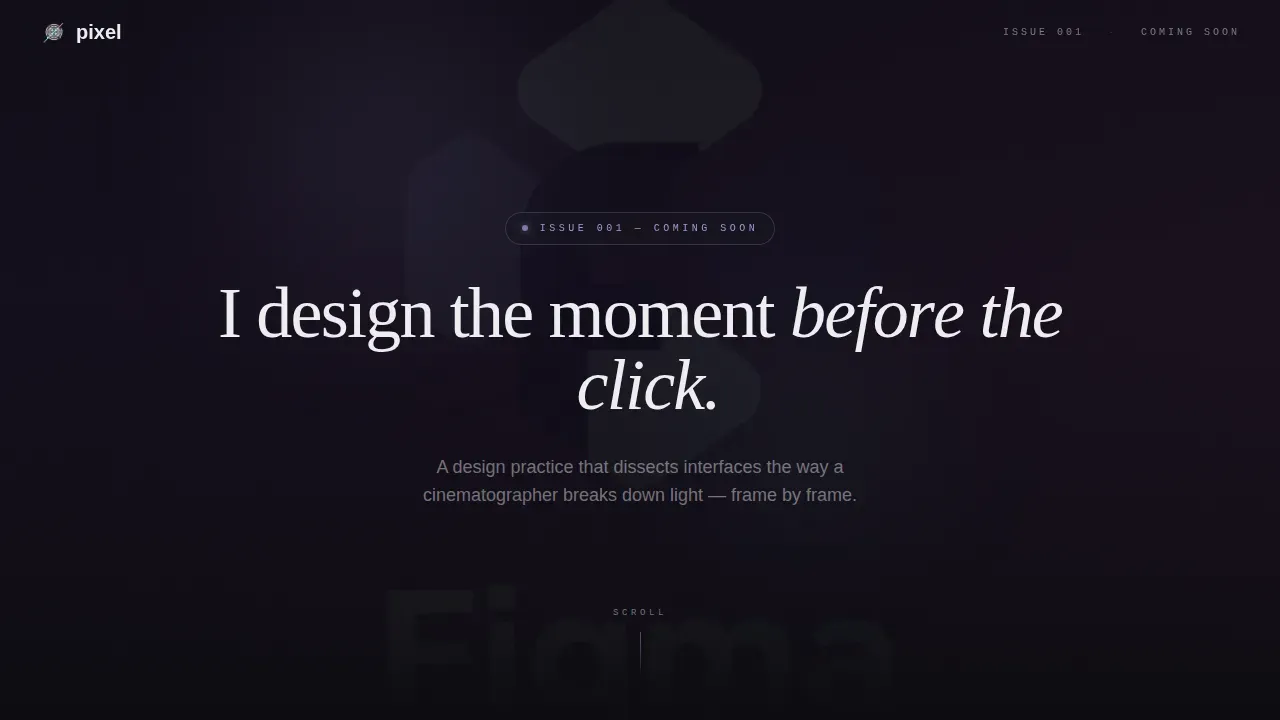
- A full-screen video background hero with a letter-by-letter manifesto headline fade-in
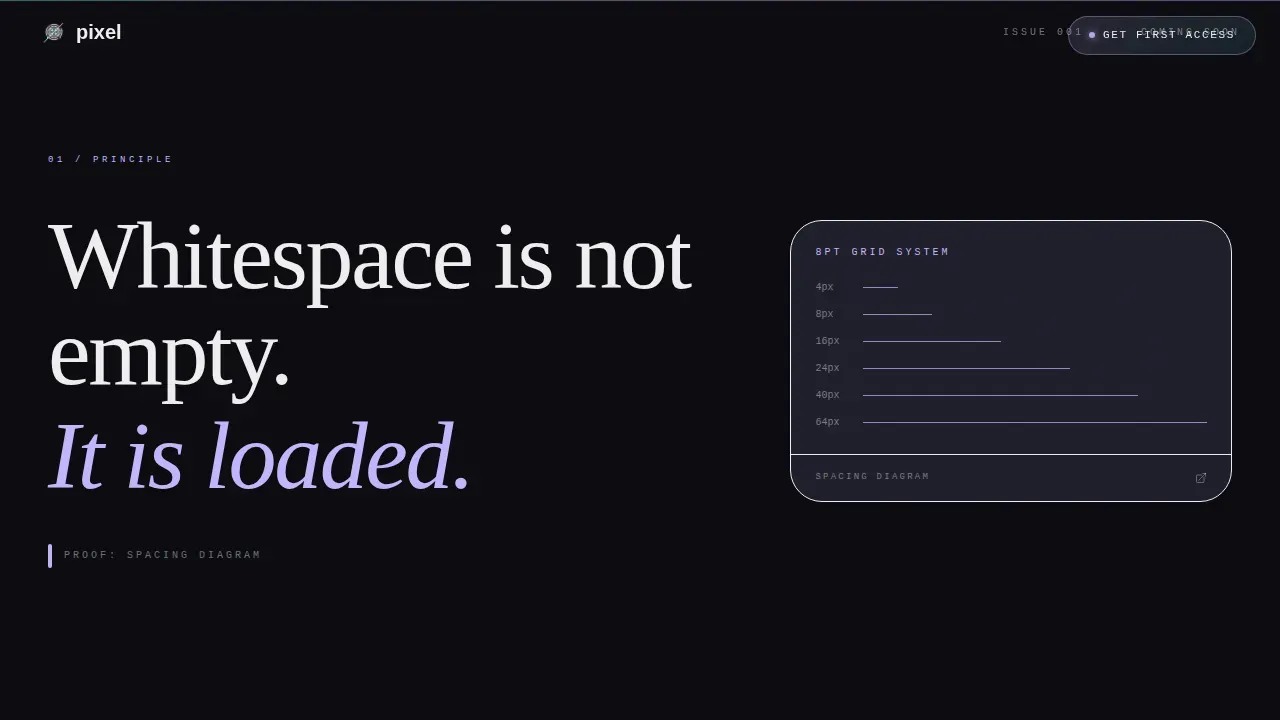
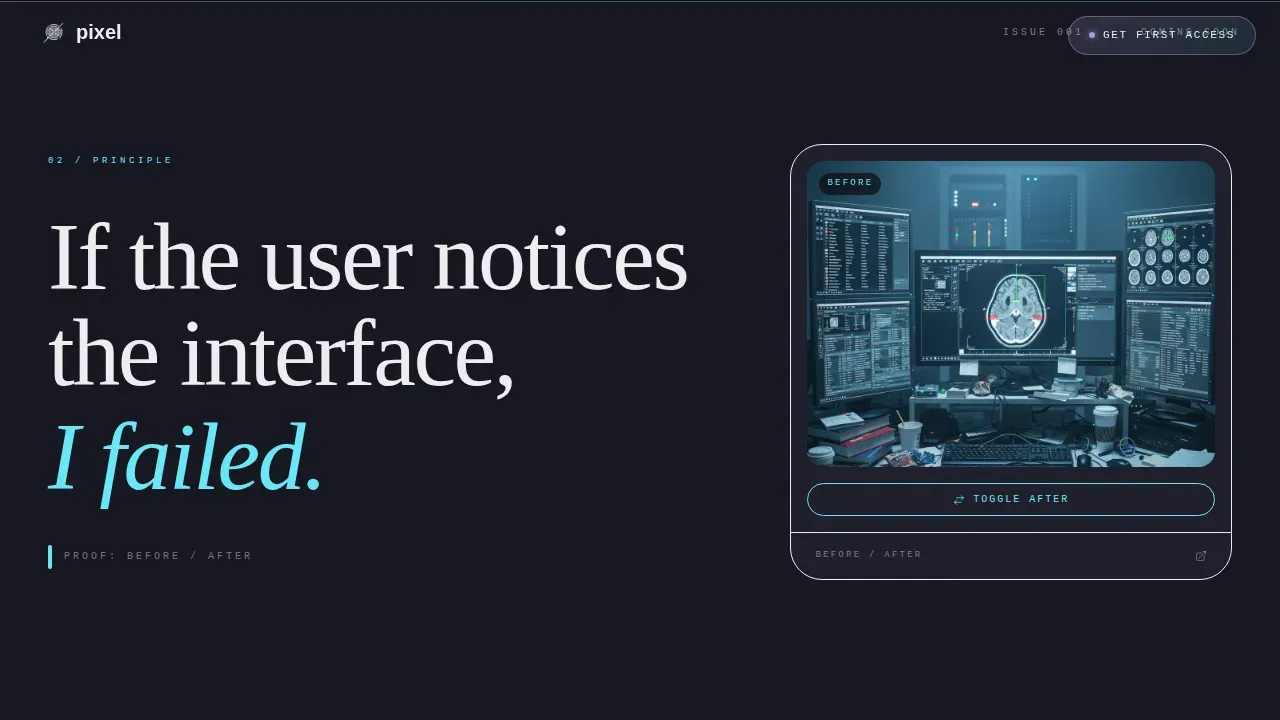
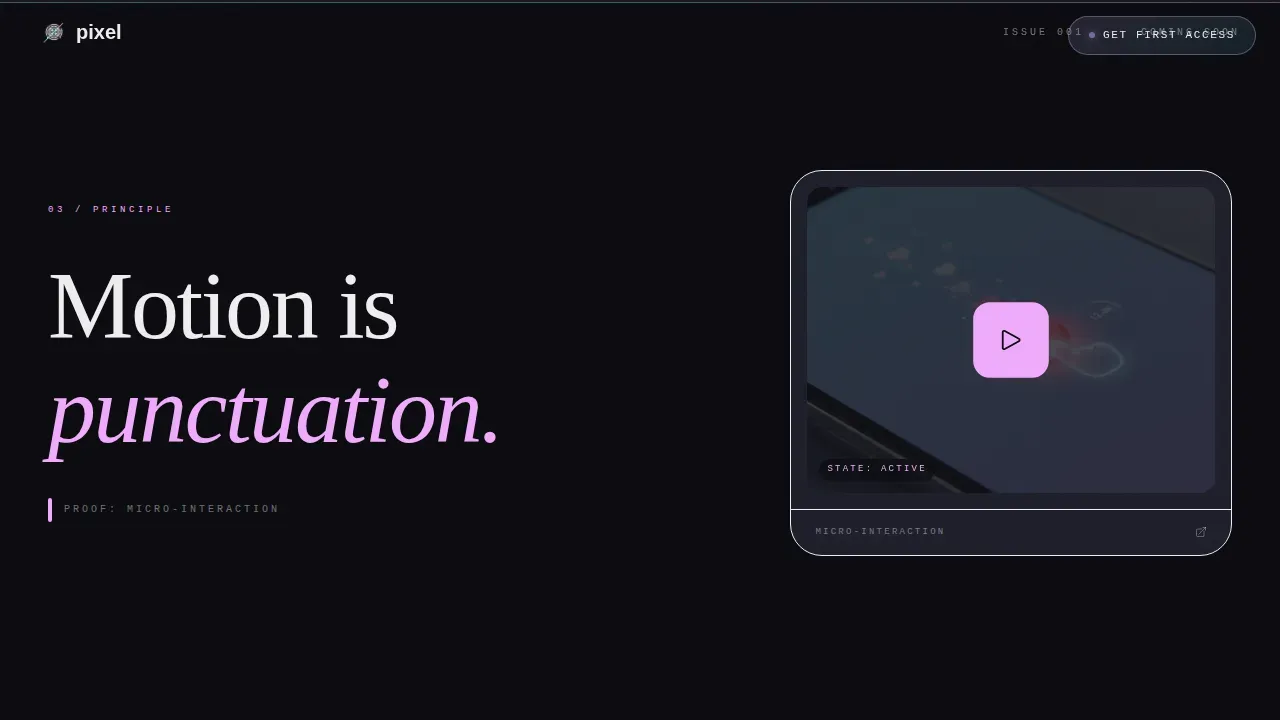
- Three manifesto belief-statement sections in a 60/40 asymmetric grid, each paired with a proof detail in the narrower column
- A bottom waitlist section with an email field, a Designer/Hiring toggle, a live signup counter, and a minimal footer
Feature list
This landing page template includes purpose-built features drawn directly from the Pixel design brief. Each one serves a specific role in the page's narrative and conversion flow.
Full-Screen Video Hero
The header occupies the full viewport with a slow, macro-resolution screen recording of real Figma work. Auto-layout frames, type scale nudges, and component library toggles play at 80 percent speed. A single manifesto line fades in letter by letter over the footage, establishing the designer's voice before a single scroll.
Asymmetric 60/40 Manifesto Grid
The core layout uses a 60-column content zone and a 40-column proof zone. Short declarative belief statements occupy the wider column, one per viewport. The narrower column displays corresponding proof details: before/after toggles, prototype videos, and spacing diagrams. This structure lets ux designers demonstrate interaction design thinking without relying on a traditional portfolio grid.
AI Iridescent Color System
The color system uses deep void black as the base, with holographic lavender, spectral cyan, and liquid rose as gradient washes. Colors appear on hover and shift subtly on scroll. Case study thumbnails in the 40-column sit inside rounded frames that catch the gradient like camera lenses catching flare. The palette rewards movement without distracting static readers.
Sticky Waitlist Pill and Bottom Call to Action
A sticky pill appears in the top-right corner after the first scroll, labeled "Get First Access." The same call to action reappears as a full-width section at the bottom of the page. The bottom section includes a single email input, a Designer/Hiring audience toggle, a live counter of current signups, and a line reading "Issue 001 ships when 1,000 people care."
Variable-Weight Manifesto Typography
Display headings use a serif display typeface. Body copy uses a clean geometric sans-serif. Labels and counters use a monospaced typeface. Together, these three type roles create a layered reading experience. The variable-weight headline animates on entry, making the manifesto feel like live writing rather than static text.
Scroll-Linked Gradient Animation
Gradient washes shift as the user scrolls through each belief statement. Hover states trigger shimmer effects across section dividers and case study frames. All animations use GPU-accelerated transforms to keep the motion feeling intentional. The effect supports the Lens and Frame visual theme throughout the page.
Page sections overview
| Section | Purpose |
|---|---|
| Full-Screen Hero | Display video background and manifesto headline fade-in |
| Manifesto Belief One | First declarative statement with paired proof detail |
| Manifesto Belief Two | Second declarative statement with paired proof detail |
| Manifesto Belief Three | Third declarative statement with paired proof detail |
| About the Practice | Introduce the Pixel lens-and-frame philosophy and designer voice |
| Waitlist Call to Action | Capture email, audience type, live counter, and conversion copy |
| Minimal Footer | Social icon links and copyright line |
Design & branding system
The visual identity follows a Lens and Frame theme. Every color, spacing choice, and typographic decision is built around the idea of light refracting through a prism onto a matte black surface. The palette feels alive only when the user moves, which reinforces the interaction design philosophy the template communicates.
- Colors: deep void black (#0B0B0F) as the primary background, reading-surface off-black (#161620) for content panels, and an iridescent trio of holographic lavender (#C4B5FD), spectral cyan (#67E8F9), and liquid rose (#F0ABFC) as gradient accents
- Typography: a serif display typeface for manifesto headlines, a geometric sans-serif for body writing, and a monospaced typeface for labels and live counters, together supporting clear visual design hierarchy
- Layout: strict asymmetric grid at 60/40 split, crisp white (#EEEEF0) text in the wide column, iridescent accents bleeding into the narrow column, rounded frames on case study thumbnails
Mobile & speed optimization
The template is desktop-first by design, which reflects where most of its target audience, ux designers and creative directors, consume design content. The layout adapts responsibly to smaller screen sizes and devices without losing the editorial character of the full-width experience.
- The video header uses lazy loading and autoplays muted, reducing the load impact on first paint across every device
- GPU-accelerated CSS transforms handle all scroll-linked gradient shifts and shimmer hover states, keeping animation smooth without heavy scripting
- The 60/40 grid collapses into a single-column stack on mobile, preserving the manifesto reading rhythm and the waitlist form usability on smaller screens
How this template helps you convert
This landing page is engineered around a single conversion goal: email signups from the right people. The manifesto scroll does the persuasion work long before the input field appears. By the time a visitor reaches the waitlist, they are not filling in a form, they are declaring membership.
- The full-screen video hero and letter-by-letter headline create an immediate, lasting impression that holds attention from the first second, giving hiring managers and potential clients a reason to keep reading
- Three manifesto belief sections build layered conviction across the scroll, each pairing a declarative statement with visual proof, so users understand the design philosophy before ever seeing a case study
- The dual call-to-action placement, a sticky pill and a full-width bottom section with a live counter, reduces friction and captures both impulsive and considered signups without asking for more than an email address
Other information about this template
This template fits naturally into the broader conversation around what makes a strong ux design portfolio in 2026. The best ux design portfolio examples in the field share a common quality: they communicate a point of view, not just a list of projects. Pratibha Joshi's portfolio combines design projects with captivating stories, making it a valuable resource for ux designers. Gloria Lo's portfolio is an excellent example of effective landing page design and personal introduction. Lola Jiang's portfolio emphasizes metrics and showcases the tangible impact of her design projects. Moritz Oesterlau's portfolio is a compelling example of how to present ux design work in a comprehensive and accessible manner.
Jessica Hische's portfolio showcases the potential of a portfolio as not just a professional representation but as a canvas for artistic expression. Daniel Autry's portfolio emphasizes the art of restraint by showcasing a carefully curated selection of his best works. Kyle Kovacs' portfolio demonstrates how a minimalist approach can still convey depth and impact. Yu Hsuan's portfolio creatively showcases side projects with an illustrative flair, adding depth and personality to her ux projects. RunWild's portfolio transforms the typical ux portfolio into an engaging journey, allowing visitors to explore projects effortlessly.
These ux design portfolio examples all reflect principles that this template is built around: strong information architecture, purposeful design choices, and a clear narrative that guides users through the page. A ux researcher or web designer looking to launch a coming-soon site will find that this template handles the structure so they can focus on the message.
The Pixel Manifesto lens design approach merges rigorous technical precision with strategic storytelling, which is exactly what separates compelling ux design portfolio examples from generic ones. Developing a ui ux designer portfolio through this approach focuses on balancing visual execution with problem-solving. A Pixel Manifesto-inspired portfolio prioritizes high-fidelity, pixel-perfect visuals and sharp grid-based layouts.
A pragmatic, refined minimalism where every element serves a purpose is essential for a portfolio landing page in 2026. This template embodies that principle. The pixel manifesto lens ui ux designer portfolio landing page template is one of the few landing page templates that replaces a portfolio grid entirely with a belief system, making it a strong starting point for any designer ready to launch with authority.
Practical notes for anyone using this template:
- Removing outdated project work from your portfolio every 3 to 6 months ensures the page reflects your current seniority and design skills
- Including case studies with wireframes, flows, and mockups helps potential employers and potential clients understand your full design process, from research through to final design
- A website builder like Squarespace, Wix, or WordPress can host your finished product once you are ready to expand beyond this coming-soon landing page into a multi-page ux portfolio
- The live signup counter adds social proof to the waitlist section and gives visitors a sense of community before launch
- This template supports a personal touch in the About section, where designers can add a short biography, a link to their resume, and contact details for hiring managers to reach out directly
- Data-driven case studies that highlight metrics and quantifiable results are among the most effective ways to demonstrate design impact once the full site launches after this landing page collects its initial audience
Theme
Lens & Frame
Creative direction
Manifesto
Color system
AI Iridescent
Style
Asymmetric Grid (60/40)
Direction
Waitlist/Coming Soon
Page Sections
Full-screen Figma Video Hero
Asymmetric 60/40 Manifesto Layout
AI Iridescent Gradient Color System
Dual Waitlist Call-to-action Placement
Variable-weight Manifesto Typography System
Related questions
Can I use this template without any video footage of my own?
Is this template suitable for a web designer who is not a user interface and user experience specialist?
Does this landing page template include full case studies?
How does the Designer/Hiring toggle in the waitlist section work?
Can I expand this into a full ux design portfolio after launch?



