Car Detailing Marketing Booking Website Template
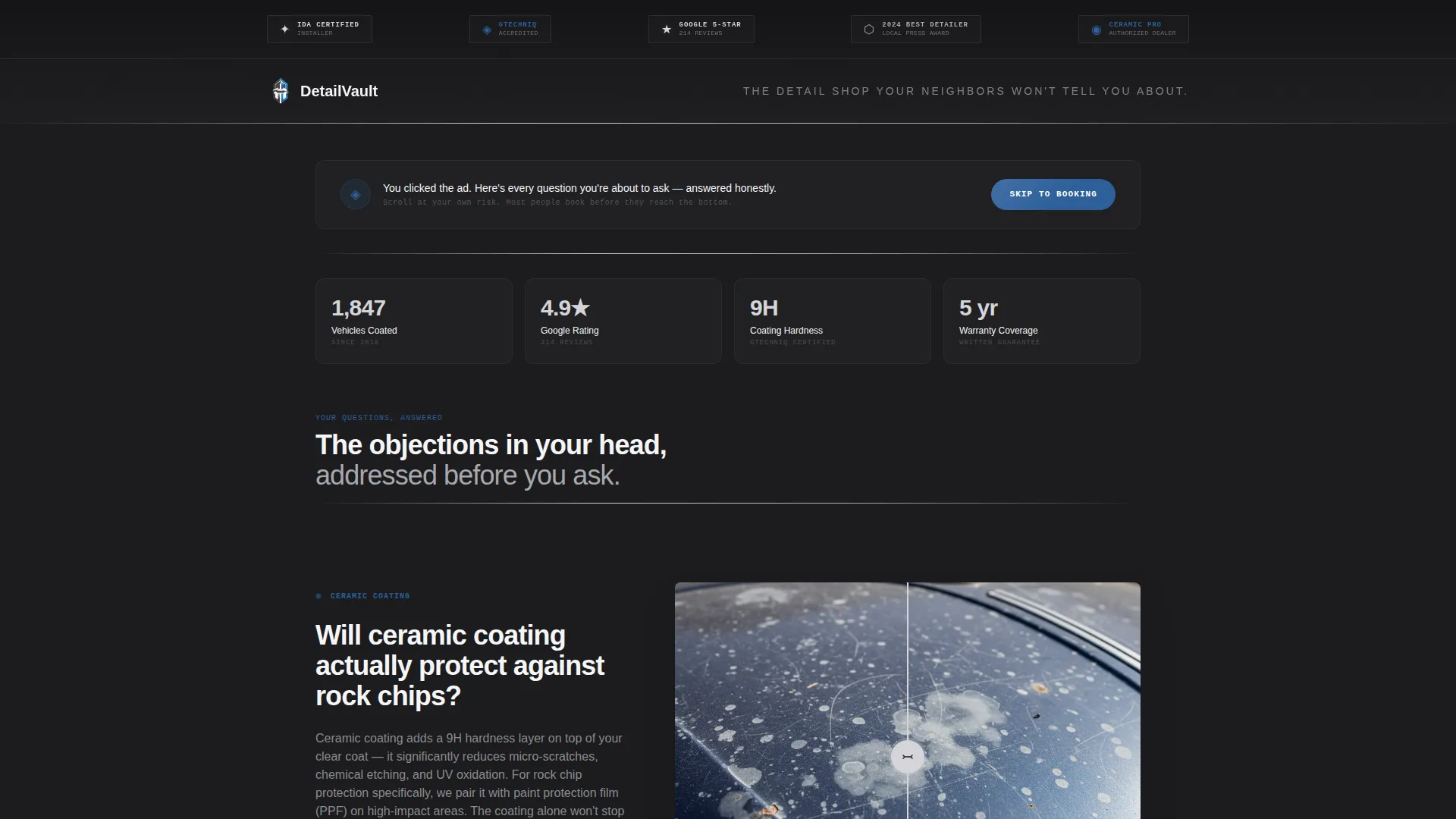
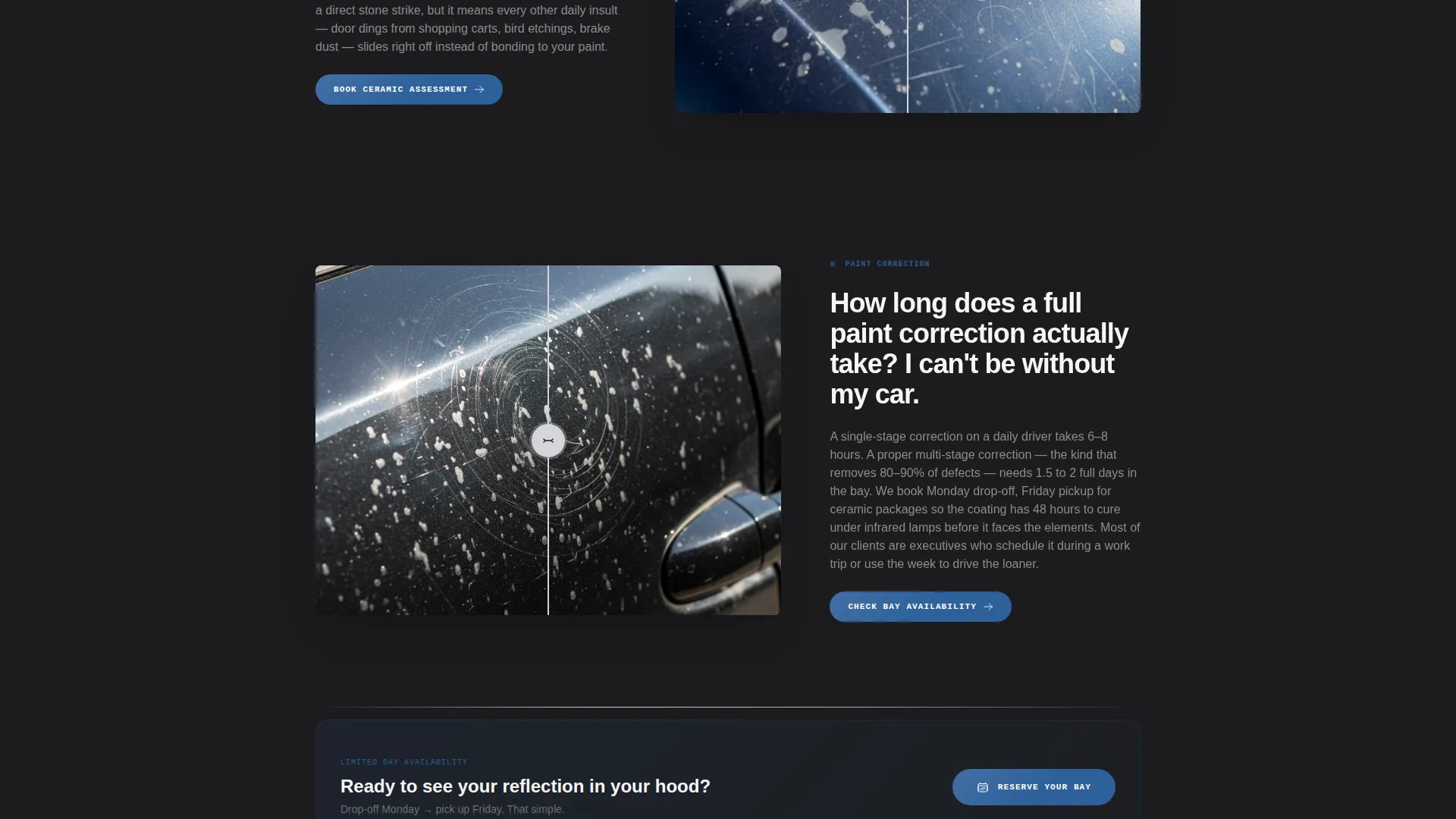
Detailvault is a single-page car detailing landing page built for Facebook ad traffic. It uses a FAQ-driven zigzag layout to dissolve buyer objections one by one, then funnels visitors toward booking through an embedded scheduler and a photo-quote shortcut. The Executive Suite aesthetic speaks directly to high-expectation clients who treat their vehicle as an investment.
by Rocket studio
Quick summary
Detailvault is a premium car detailing landing page designed for Facebook ad campaigns. It pairs a trust-first header of award badges with a scrolling FAQ zigzag layout that answers real objections before asking for a booking. The result is a focused, high-converting single page built for detail shops that serve discerning vehicle owners.
Who this template is for
This template is built for professional auto detailers who run or plan to run paid social campaigns. It suits shops that offer tiered services from maintenance washes through full ceramic coating installs.
- Detail shop owners targeting executives, professionals, and vehicle-proud suburban buyers
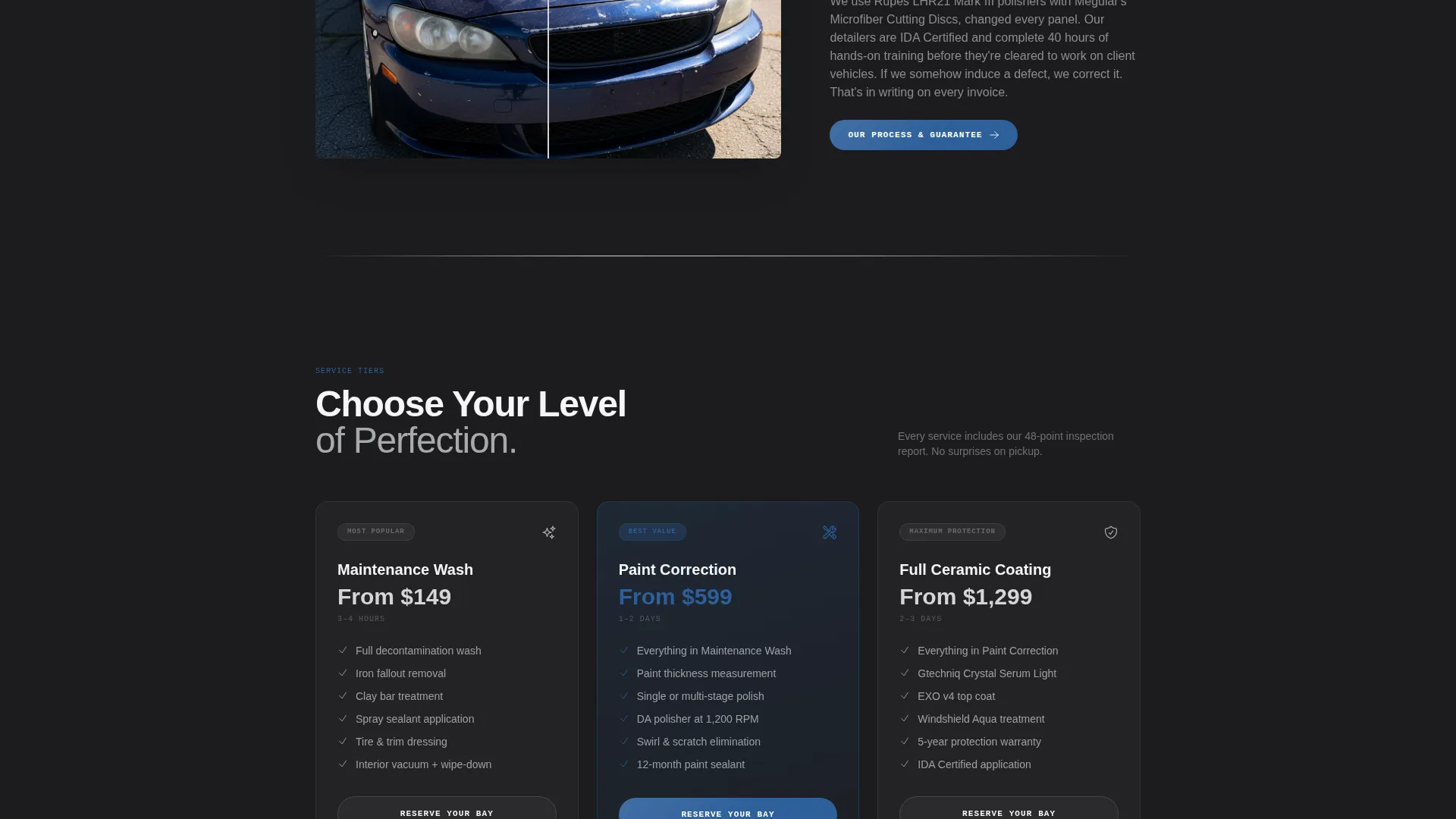
- Detailers offering ceramic coating, paint correction, and maintenance wash service tiers
- Car care businesses that want a polished, credibility-forward landing page ready for Facebook ad traffic
What problem this template solves
Facebook ad visitors arrive skeptical. They tapped "Learn More" on impulse and they need answers fast before they bounce. Most detailing websites bury trust signals in the footer and bury pricing behind a phone call. This template flips that flow entirely.
- Skeptical cold-traffic visitors leave before seeing the booking form on most generic pages
- Shops lose potential clients because objections about cost, timing, and service quality go unanswered
- Mobile visitors from paid ads need an instant path to inquire, not a wall of text or a broken contact form
What you get with this template
You get a complete, scroll-ready landing page structured around buyer psychology. Every section has a specific job, from earning trust at the top to converting intent at the bottom.
- A trust-badge header ribbon featuring five to six credential shields rendered in chrome and sapphire
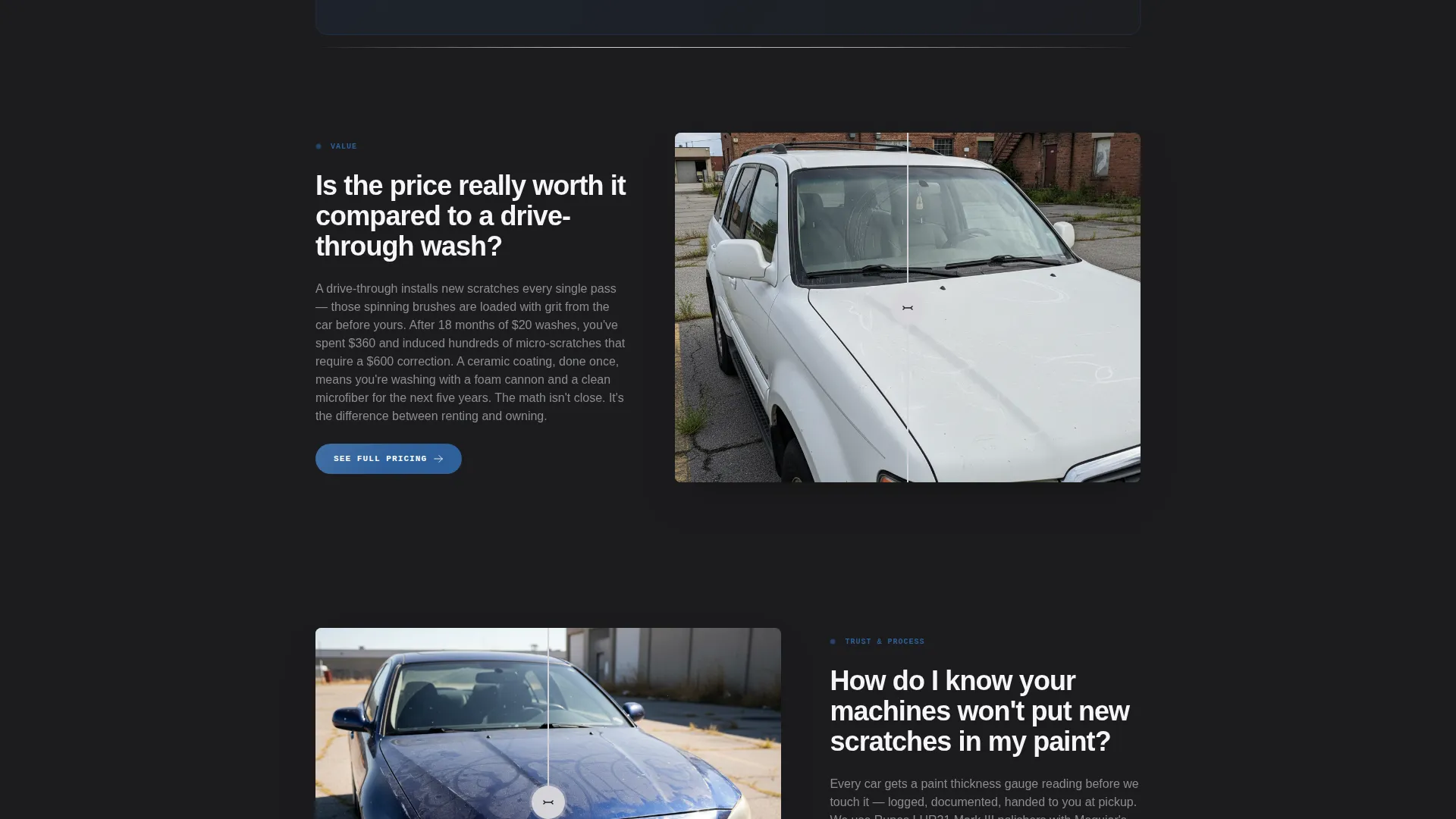
- A FAQ-driven zigzag body where bold questions face short answers, before-and-after images, and micro-calls to action
- A dual-path conversion footer with a "Reserve Your Bay" embedded scheduler and a "Text Us a Photo for a Quote" option
Feature list
This template ships with purpose-built components that work together across the full scroll experience.
Trust-Badge Header Ribbon
Five to six award and credential shields sit across the top of the page on a deep graphite background with a metallic grain texture. Each badge is styled in chrome and sapphire to communicate authority before a single word of copy is read.
FAQ-Driven Zigzag Layout
Each scroll section pairs one bold objection question on the narrow side with a short answer, a before-and-after image, and a micro-call to action on the wide side. The alternating Z-pattern keeps visitors engaged and moves them through every layer of doubt.
Embedded Booking Scheduler
The primary call to action, "Reserve Your Bay," opens an inline scheduling widget. It collects vehicle make and model first, then service tier, then preferred drop-off date, making the process feel personal from the first field.
Photo Quote Secondary Path
A secondary conversion option lets visitors submit their phone number and upload a photo for a quick quote. This path is designed for the tap-and-message behavior common among Facebook ad audiences who prefer texting over form filling.
Sticky Mobile call to action Bar
On mobile, a persistent bottom bar keeps the "Reserve Your Bay" call to action visible at all times during the scroll. Visitors can trigger the booking flow without scrolling back to the top.
Recurring call to action Placement
The primary booking call to action reappears after every third FAQ zigzag section. This consistent placement ensures the invitation to book is always close no matter how deep into the page a visitor reads.
Page sections overview
| Section | Purpose |
|---|---|
| Award Badges Header | Establish instant credibility with trust shields |
| Hero Tagline Line | Set tone with a single headline |
| FAQ Zigzag Block 1 | Answer objection one with proof |
| Booking call to action Block 1 | Invite booking after third FAQ |
| FAQ Zigzag Block 2 | Answer objection two with proof |
| Booking call to action Block 2 | Repeat booking prompt mid-page |
| FAQ Zigzag Block 3 | Answer objection three with proof |
| Photo Quote Section | Offer the text-a-photo quote path |
| Final call to action Block | Close with primary booking action |
| Sticky Mobile Bar | Keep call to action reachable on mobile scroll |
Design & branding system
The visual system follows an Executive Suite theme built around a Monochrome Steel color palette. Every surface is either matte or mirror, evoking the interior of a high-specification German sedan at night.
- Core palette: deep graphite (#1C1C1E), brushed aluminum (#A8A9AD), polished chrome (#D4D4D8), and crisp white (#F5F5F7) for breathing room
- Accent color: liquid sapphire (#2D5F9A) used exclusively on calls to action and interactive elements
- Typography: thin, wide-tracked sans-serif with generous letter spacing to reinforce the premium, unhurried feel
Mobile & speed optimization
The template is structured specifically for the Facebook tap-to-landing experience on mobile. Every layout decision prioritizes thumb-friendly readability and fast visual comprehension.
- Zigzag sections reflow to single-column stacks on smaller screens without losing the question-and-answer logic
- The sticky bottom call to action bar keeps the booking action accessible during the entire mobile scroll
- Before-and-after image slots are sized to load crisply on mobile viewports without disrupting the layout rhythm
How this template helps you convert
Every structural decision in this template is designed to reduce friction and build confidence before asking for a commitment.
- The badge header earns trust in the first second, so visitors keep reading instead of bouncing back to the feed.
- The FAQ zigzag dissolves specific objections in sequence, making the booking step feel logical rather than pressured.
- Two distinct conversion paths, the scheduler and the photo quote shortcut, give different buyer types the exact entry point they prefer.
Other information about this template
This template is part of the Detailvault product line, designed for professional-grade detailing businesses that compete on reputation and craft rather than on price alone. It is particularly well suited to shops that have earned recognized credentials and want those credentials to do the heavy lifting the moment a Facebook ad visitor lands.
- The header is designed to accommodate badges such as those from recognized ceramic coating programs and verified review platforms
- The service tier selector in the booking widget maps to three defined tiers: Maintenance Wash, Paint Correction, and Full Ceramic
- The template works as a standalone Facebook ads destination and does not require an existing website to function
Theme
Executive Suite
Creative direction
FAQ-Driven
Color system
Monochrome Steel
Style
Zigzag/Alternating
Direction
Booking/Scheduling
Page Sections
Trust-badge Header Ribbon
Faq-driven Zigzag Layout
Embedded Booking Scheduler
Photo Quote Conversion Path
Sticky Mobile Call to Action Bar
Recurring Call to Action Placement
Related questions
Can I customize the FAQ questions to match my shop's real customer objections?
Does the template include both booking paths out of the box?
Is this template suitable for a shop that only offers one or two services?
How does the sticky mobile call to action bar work?
Can I use this template without running Facebook ads?



