Appliance Technician Quote Request Landing Page
Diagnose is a sidebar companion landing page template built for independent appliance technicians. It pairs a cinematic dark header with a persistent sidebar quote form, an authoritative brand logo wall, and editorial service sections. The design is clean and urgent, helping homeowners, landlords, and property managers request a repair quote or call direct in seconds.
by Rocket studio
Quick summary
Diagnose is a single-page appliance technician quote request landing page template. It combines a moody editorial header, a fixed sidebar lead form, and a logo wall of recognized appliance brands into one calm, organized layout. The page is built to convert urgent visitors into booked service calls without friction.
Who this template is for
This template is built for one-person appliance repair operations that need a professional web presence without a large agency budget. It fits any independent technician who handles residential appliance repair across multiple brands and needs a reliable way to capture leads at any hour.
- Independent appliance technicians running solo operations
- Landlords or property managers looking for a page to share with tenants
- Repair businesses ready to move beyond word-of-mouth and into consistent online leads
What problem this template solves
Most appliance repair pages feel either too generic or too cluttered to earn trust fast. Visitors arrive stressed, usually with a real problem happening right now, and they need to find a contact path in seconds. This template removes that friction entirely.
- No scrolling required to find the quote form, it stays visible on the right side at all times
- The editorial layout stacks service evidence quietly, so trust builds without overexplaining
- A tap-to-call button gives urgent visitors a direct exit before the form even loads
What you get with this template
You get a complete, ready-to-customize appliance technician landing page with every section designed around lead capture. The layout is structured so the most important elements, the form and the call button, are always within reach.
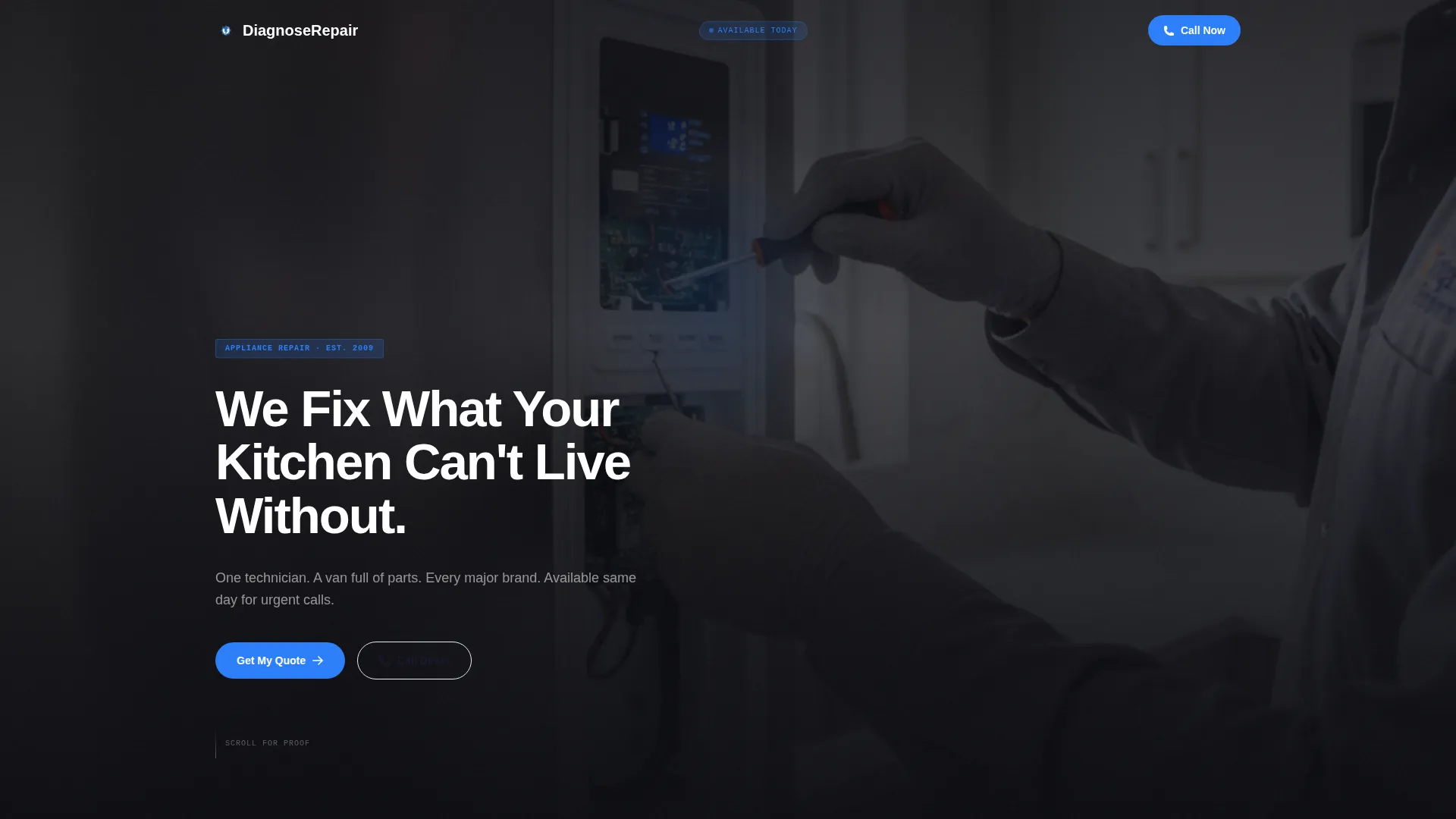
- A dark full-bleed cinematic header with an editorial headline and kitchen scene visual
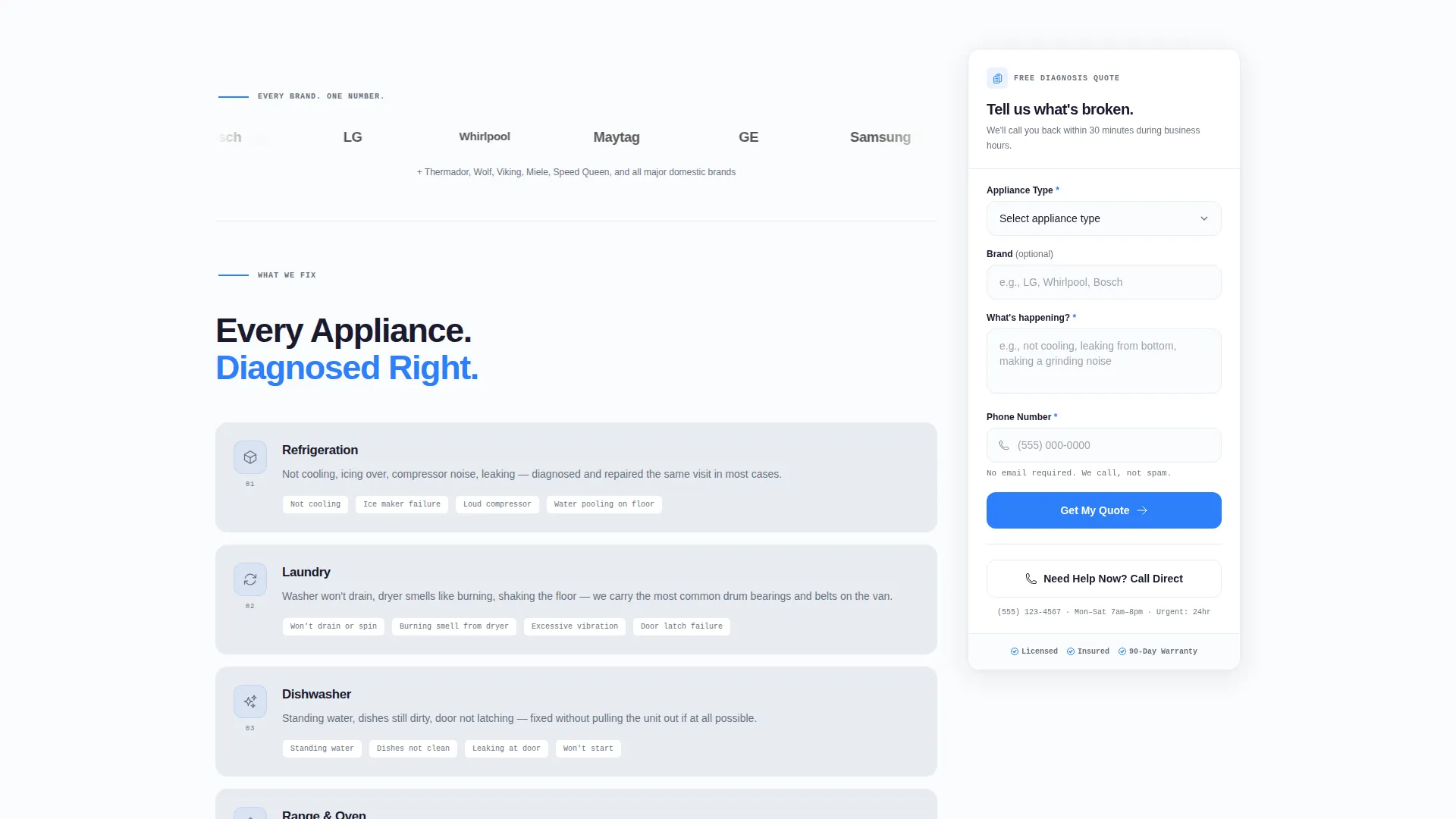
- A fixed sidebar quote form with a four-field layout and a "Get My Quote" call-to-action button
- A horizontal brand logo wall, appliance category sections, and a tap-to-call secondary conversion path
Feature list
A brief overview of the core capabilities built into this template.
Persistent Sidebar Quote Form
The quote form stays fixed on the right side of the page as visitors scroll. It asks four focused questions: appliance type via dropdown, brand if known, a short description of the issue, and a phone number. No email field is required, keeping the entry barrier low for urgent visitors.
Tap-to-Call Emergency Button
Below the sidebar form sits a secondary conversion button reading "Need Help Now? Call Direct." This tap-to-call path is designed for visitors whose problem cannot wait for a form submission, such as a leaking appliance or a failed refrigerator.
Cinematic Dark Header
The header fills the full viewport with a near-black kitchen scene. A stainless steel refrigerator dominates the frame, its interior light casting a soft blue-white glow. The editorial headline types over the darkness, setting an immediate tone of calm authority.
Authoritative Brand Logo Wall
A horizontal row of appliance brand logos sits directly below the header. Each logo renders in monochrome against a frost-gray background, spaced evenly like a magazine masthead. This section builds service credibility without a single word of copy.
Editorial Appliance Category Sections
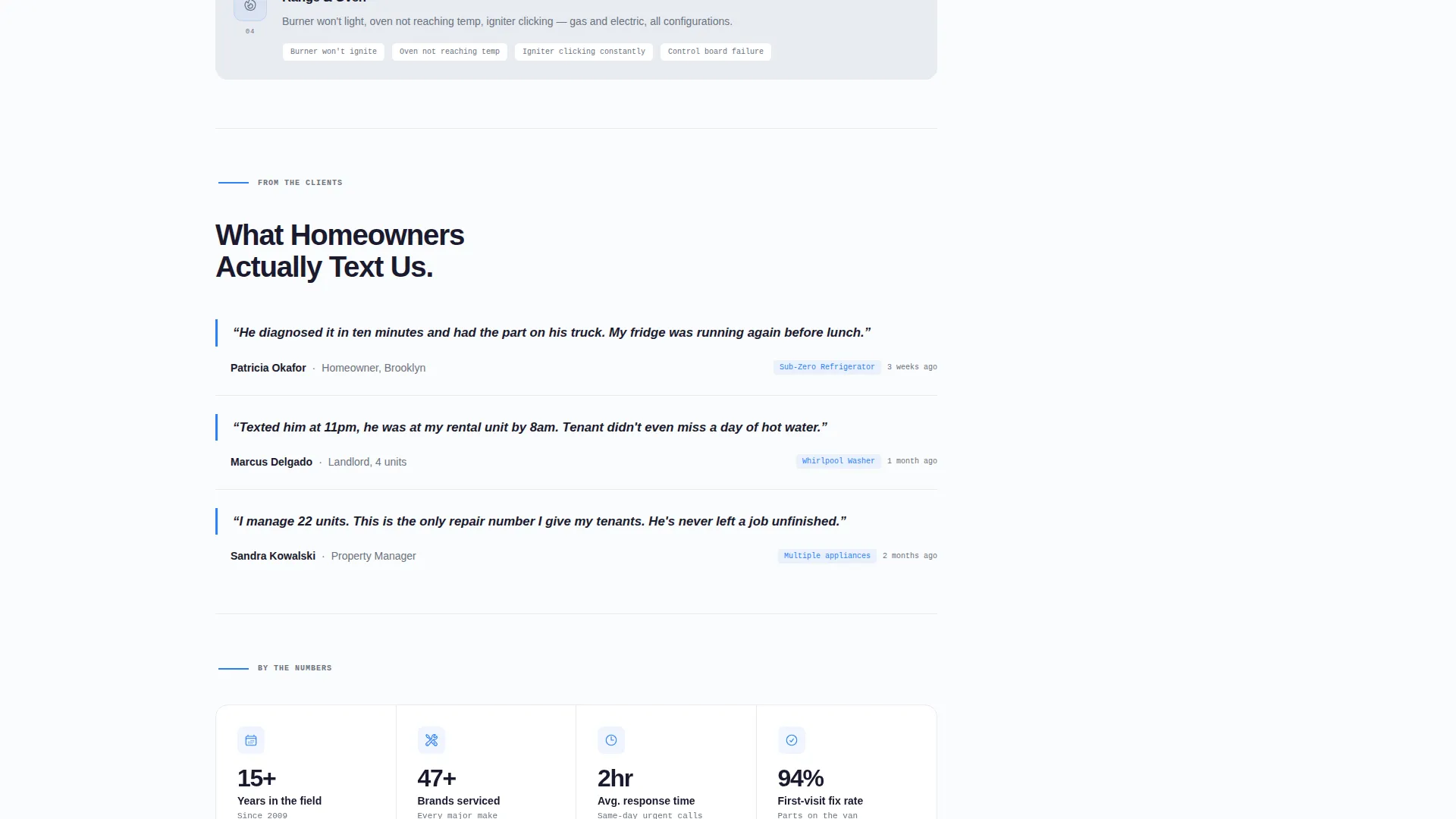
The left column breaks into tight sections by appliance category: refrigeration, laundry, dishwasher, and range. Each section includes a one-sentence scope statement and a small monoline icon. Pull-quote testimonials from real customer messages sit between sections to stack social proof quietly.
Arctic White Editorial Layout
The page uses a high-contrast color system built around clinical white, charcoal ink, pale frost dividers, and a single electric blue reserved for calls to action and icons. The result is a layout that feels like a freshly printed service manual: organized, trustworthy, and easy to scan.
Page sections overview
| Section | Purpose |
|---|---|
| Dark Cinematic Header | Sets editorial tone and introduces the headline |
| Brand Logo Wall | Displays serviced appliance brands for instant authority |
| Refrigeration Service Section | Covers fridge and cooling repair scope |
| Laundry Service Section | Covers washer and dryer repair scope |
| Dishwasher Service Section | Covers dishwasher repair scope |
| Range and Oven Section | Covers oven and range repair scope |
| Customer Pull-Quotes | Adds social proof between editorial sections |
| Fixed Sidebar Form | Captures lead with four-field quote request |
| Tap-to-Call Button | Provides urgent direct contact path |
Design & branding system
The visual identity follows an Editorial Magazine theme. Every design decision supports a clinical, high-contrast aesthetic that signals precision and professionalism without feeling cold.
- Arctic White color system: clinical white (#FAFBFC) as the dominant field, charcoal ink (#1A1A2E) for all type, and pale frost (#E8ECF1) for card backgrounds and dividers
- Electric blue (#2D7FF9) used exclusively for the quote form button, diagnostic icons, and hover states
- The header uses near-black (#0D0D12) with a soft blue-white glow as the only light source, reinforcing the moody editorial mood
Mobile & speed optimization
The sidebar layout adapts naturally for smaller screens, keeping the quote form and call button accessible throughout the browsing experience. The template is structured for fast loading with minimal decorative overhead.
- The fixed sidebar converts to a stacked form section on mobile, keeping the lead capture path intact
- Monochrome logo assets and monoline icons keep visual weight low without sacrificing clarity
- The tap-to-call button is prominently placed for thumb-friendly access on any phone
How this template helps you convert
The entire layout is designed around one goal: turning a stressed visitor into a confirmed lead before they leave the page.
- The persistent sidebar form keeps the quote request visible at all times, reducing the number of clicks needed to convert from any scroll depth.
- The editorial content structure builds trust progressively, moving from cinematic authority to brand proof to service categories to customer testimonials, so hesitant visitors accumulate confidence as they read.
Other information about this template
This template is part of a focused collection of professional services landing pages built for trade and home services businesses. It is particularly well-suited for appliance repair operators who service a wide range of household equipment and need to communicate both expertise and availability at a glance.
- The template style is Sidebar Companion, meaning the form and the editorial content column operate as two parallel tracks that never compete for attention
- The creative direction is Logo Wall Authority, a layout strategy that leads with brand recognition to shortcut trust-building with new visitors
- This template pairs well with local service areas, operating hour callouts, or a simple service guarantee statement added above the tap-to-call button
Theme
Editorial Magazine
Creative direction
Logo Wall Authority
Color system
Arctic White
Style
Sidebar Companion
Direction
Lead Generation
Page Sections
Persistent Sidebar Quote Form
Tap-to-call Emergency Button
Cinematic Dark Header Section
Brand Logo Wall Authority Row
Editorial Appliance Category Sections
Arctic White Editorial Design System
Related questions
Can I customize the appliance brands shown in the logo wall?
Do I need a developer to set up the sidebar quote form?
What happens to the sidebar form on mobile devices?
Can I replace the pull-quote testimonials with my own customer messages?
Is this template suitable for a multi-technician repair company?



