Expert Veterinary Medicine Landing Page Template
Triage is a Corporate Precision landing page template built for emergency veterinary discount programs targeting B2B buyers. It pairs a half-page editorial header with structured comparison tables, expert credibility panels, and two distinct conversion paths. The layout guides benefits directors, HR managers, and veterinary group purchasing organizations from raw savings data straight to a partner rate request.
by Rocket studio
Quick summary
Triage is a single-page B2B landing page template designed for emergency veterinary discount clearinghouses. It uses a Clinical Arctic White color system, editorial photography, and structured comparison tables to present bulk-negotiated pricing in a format that procurement-minded buyers trust immediately. The page earns every conversion by showing the math before asking for the meeting.
Who this template is for
This template is built for organizations that negotiate, resell, or bundle emergency veterinary service pricing at scale. It speaks the language of structured programs and institutional buyers, not individual pet owners.
- Benefits directors at pet insurance carriers who are structuring reimbursement tiers for emergency veterinary services
- HR managers at technology companies adding emergency pet care coverage to employee retention packages
- Regional veterinary group purchasing organizations consolidating spend across multiple clinic locations
What problem this template solves
Emergency veterinary costs are volatile, and institutional buyers struggle to present discount structures with enough clarity to close partner agreements quickly. A generic layout cannot carry the weight of a procurement-grade pitch.
- Buyers arrive skeptical and need savings data presented cleanly before they will engage a form
- Multiple decision-maker types require different trust signals, from clinical integrity to operational integration
- A single page must handle raw cost comparison, expert credibility, and two separate conversion paths without losing focus
What you get with this template
This template delivers a fully structured, section-led landing page that moves a sophisticated buyer from first impression to form submission. Every layout decision reinforces the core promise: the math is already done, and the savings are real.
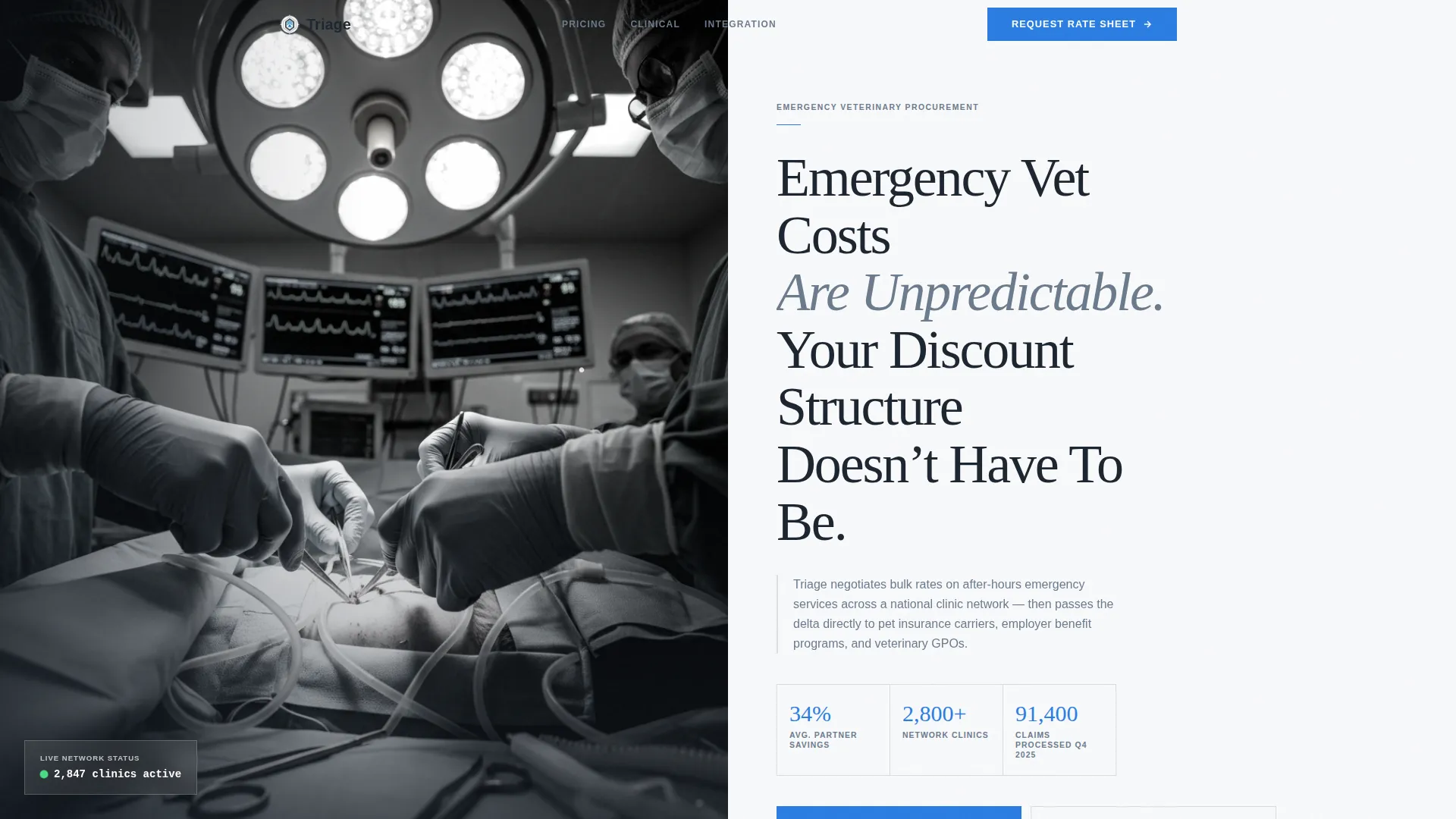
- A half-page editorial header with three proof statistics displayed in emergency blue, readable at conference-room distance
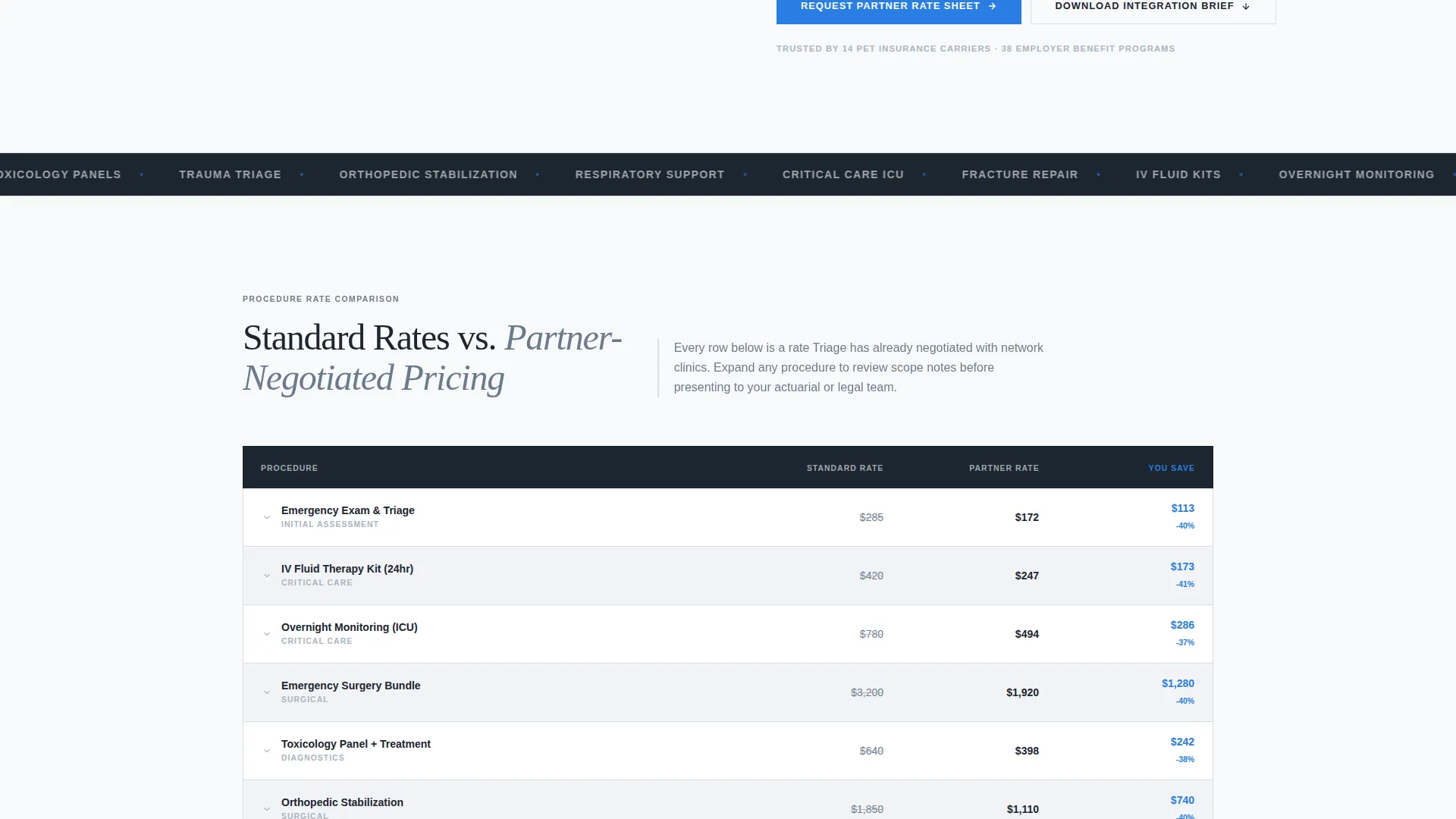
- A side-by-side comparison table covering eight common emergency procedures with expandable scope notes and a highlighted savings column
- Two conversion paths: a primary partner rate request form and a secondary gated integration brief download
Feature list
This template packages the following built-in components and layout systems.
Half-Page Editorial Header
The header splits into two equal halves. The left side holds a desaturated, editorially lit photograph of a veterinary team mid-procedure. The right side presents a single charcoal headline and three emergency-blue proof statistics sized for presentation-room visibility.
Eight-Row Procedure Comparison Table
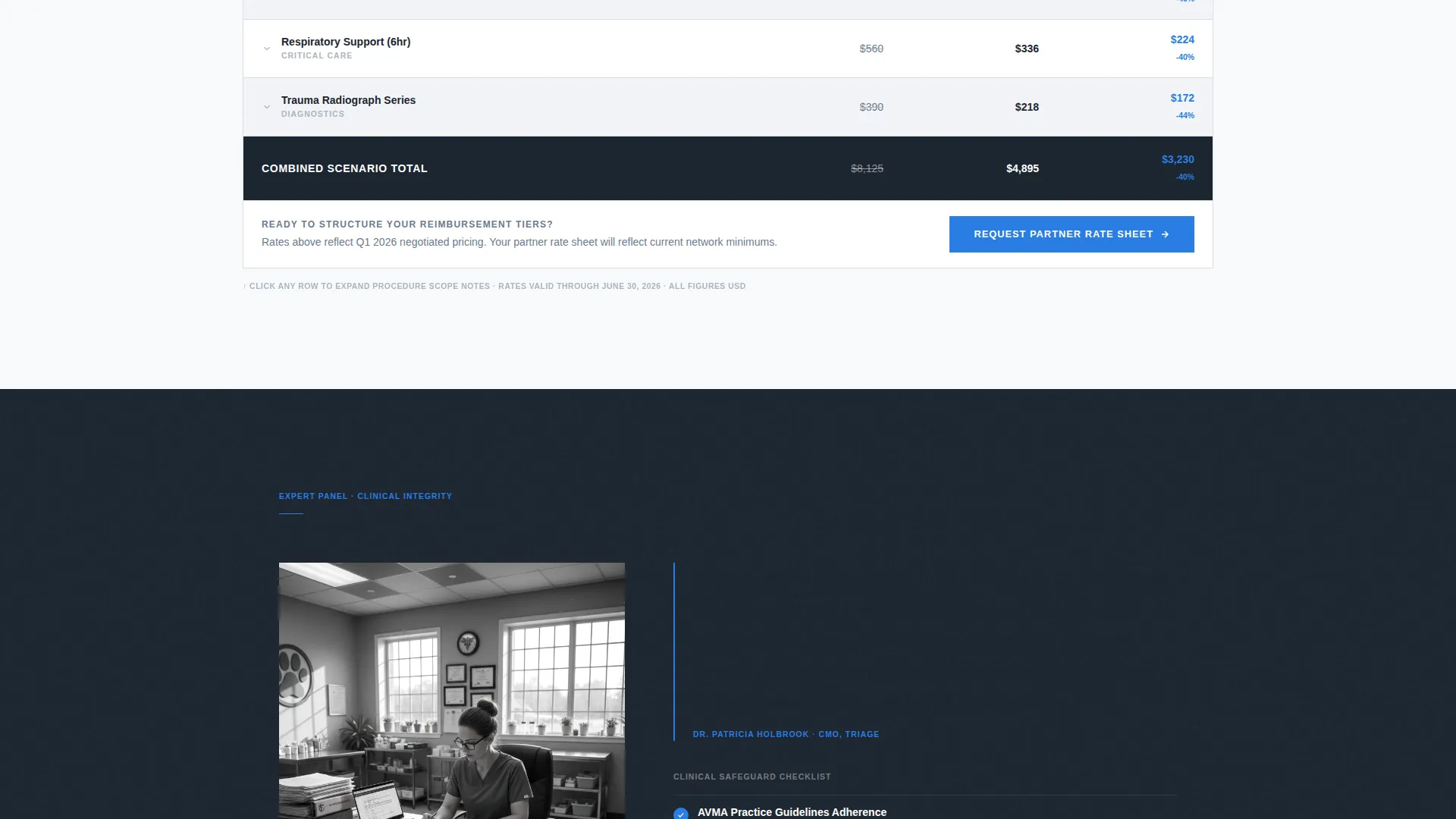
The comparison table lists standard emergency fees alongside partner-negotiated rates for eight common procedures. The savings column is permanently highlighted in emergency blue. Each row is expandable to reveal clinical scope notes, giving procurement buyers the detail they need to justify a contract decision.
Expert Panel Credibility Sections
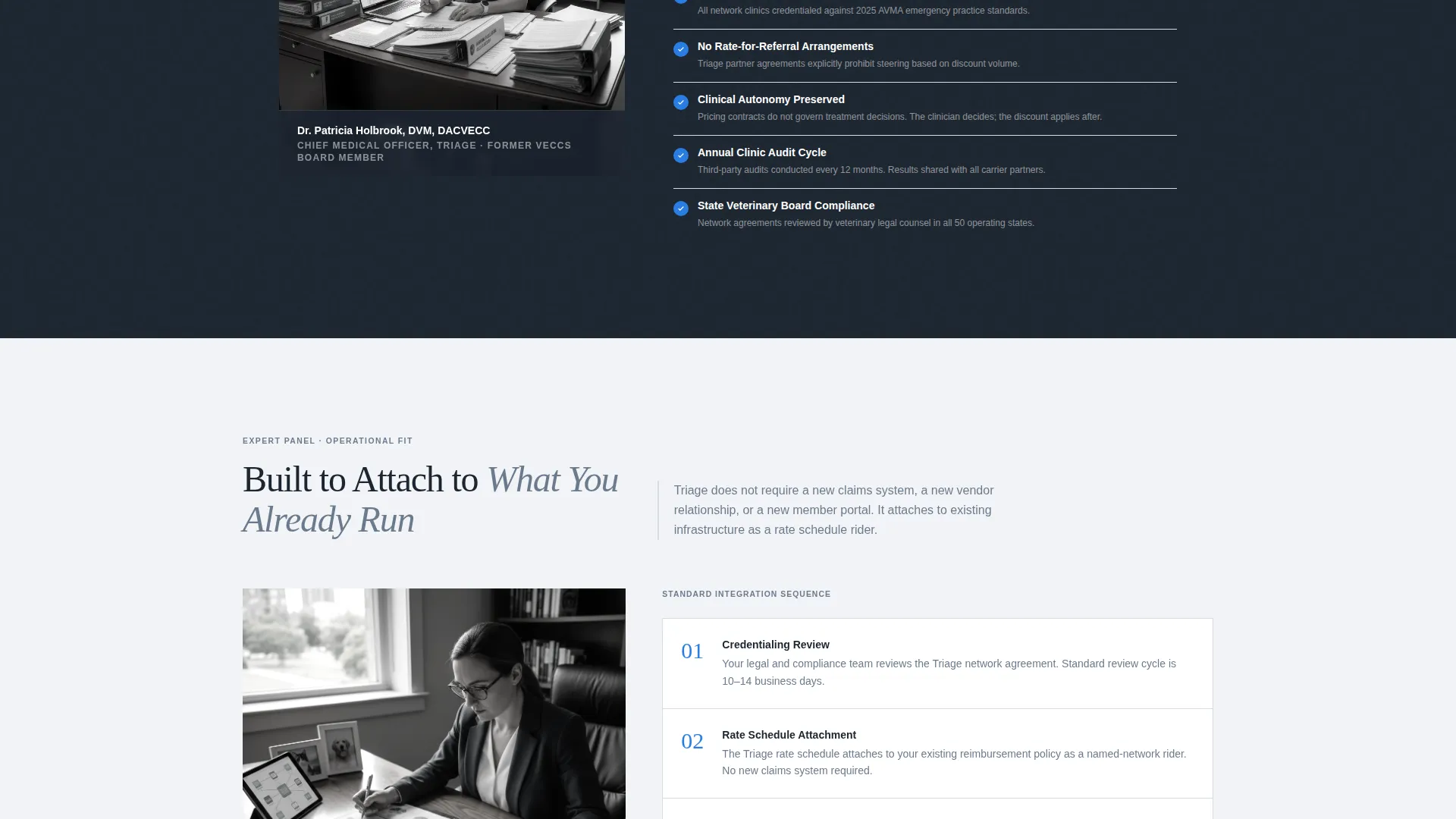
Three sequential expert panels escalate the sophistication of the pitch. A chief medical officer addresses clinical integrity in a pull-quote format beside a compliance checklist. A benefits consultant then walks through integration with existing pet insurance platforms. Each panel answers a likely objection before it surfaces.
Dual Conversion Path System
The primary call to action, "Request Partner Rate Sheet," locks to the bottom of each comparison table. A secondary path offers a gated PDF integration brief for prospects not yet ready to commit. Both forms are scoped to collect only the fields needed: company name, coverage scale, spend category, and work email.
Savings-Delta Color System
Emergency blue (#2A7DE1) is reserved exclusively for interactive elements, calls to action, and the savings-delta column across every table. This focused use of color trains the reader's eye to locate value data instantly without visual noise.
Spend Category Dropdown
The primary form includes a dropdown for current emergency veterinary spend category with three tiers: under $50,000, $50,000 to $250,000, and $250,000 and above. This input helps segment inbound leads by budget size at the point of capture.
Page sections overview
| Section | Purpose |
|---|---|
| Editorial Header | Establishes credibility and surfaces three key proof statistics |
| Procedure Comparison Table | Displays standard versus negotiated rates across eight procedures |
| Clinical Integrity Panel | Builds trust through a chief medical officer pull-quote and compliance checklist |
| Integration Expert Panel | Shows operational fit with existing pet insurance platforms |
| Partner Rate Form | Captures qualified leads ready to request pricing |
| Integration Brief Download | Provides a secondary conversion path for early-stage prospects |
Design & branding system
The template follows a Corporate Precision theme built on an Arctic White color system. Every design choice reinforces clinical trust and data clarity.
- Color palette: clinical white (#F8F9FB) for open backgrounds, cool surgical steel (#6B7B8D) for body text and table borders, deep charcoal (#1C2530) for headers and data rows, and emergency blue (#2A7DE1) reserved for calls to action, interactive elements, and savings columns
- Typography and imagery: headers in deep charcoal for contrast and authority, body text in surgical steel for readability, and the header photograph desaturated just enough to feel documentary rather than promotional
Mobile & speed optimization
The layout is built to remain readable and functional across screen sizes without sacrificing the density that procurement buyers expect from a data-heavy page.
- The comparison table and expert panels reflow cleanly for smaller screens, keeping data rows legible and calls to action prominent
- The header's two-column composition adapts so the proof statistics remain visible and the editorial photograph retains its documentary quality on mobile viewports
How this template helps you convert
The template is structured so that value is always visible before a commitment is requested. Every section closes a gap in the buyer's decision process.
- The comparison table appears before any form, showing precise savings figures so the buyer arrives at the call to action already convinced by the data rather than by a sales claim
- The sequential expert panels address clinical trust and then operational fit in order, matching the internal approval chain a benefits director or HR manager typically navigates before signing a partner agreement
Other information about this template
This template is categorized under Professional Services with a focus on emergency veterinary marketing and discount program presentation. It is designed as a single-page, section-led B2B landing page.
- The template style is a Comparison Table layout, suited for any organization presenting tiered or negotiated pricing structures to institutional buyers
- The creative direction follows an Expert Panel pattern, making it adaptable for other procurement-grade or benefits-oriented B2B programs beyond emergency veterinary services
- The header concept is a Half-Page Photo and Text composition, giving the page an editorial authority that standard hero banners typically do not achieve
Theme
Corporate Precision
Creative direction
Expert Panel
Color system
Arctic White
Style
Comparison Table
Direction
Partnership/B2B
Page Sections
Half-page Editorial Header
Eight-row Procedure Comparison Table
Sequential Expert Credibility Panels
Dual Conversion Path System
Savings-delta Color Signaling
Spend Category Lead Segmentation
Related questions
Who is this landing page template designed for?
What conversion actions does this template support?
What information does the primary lead form collect?
Can this template work for other pricing or discount program pages?
How does the design system guide readers toward the call to action?



