Specialist Telemedicine & Health Tech Professional Website Template
Diagnose is a single-column landing page template built for AI medical imaging platforms. It guides hospital IT directors, department heads, and on-call radiologists through a three-phase diagnostic pipeline, Upload, Analyze, Report, using scroll-linked animations, SVG line-art, and a click-through structure designed to earn demo bookings through demonstration, not promises.
by Rocket studio
Quick summary
Diagnose is a click-through landing page template for AI diagnostics platforms in the health tech space. It uses a full-viewport, three-phase scroll experience to walk visitors through how the platform works. The design is clinical and minimal, built around a slate and sky color system that signals medical-grade precision before a single word is read.
Who this template is for
This template is built for B2B health tech teams that need to earn trust from technically demanding buyers. It speaks to people who evaluate software rigorously before booking a call.
- On-call radiologists who need a reliable second opinion outside normal hours
- Hospital IT directors assessing system integration requirements before committing to a vendor
- Department heads preparing a business case for AI diagnostics investment
What problem this template solves
Selling AI diagnostics software is not like selling a productivity tool. Buyers are skeptical, technically literate, and responsible for patient outcomes. A generic marketing page will not move them.
- Clinical buyers dismiss vague promises, they need to see the workflow before they trust the tool
- IT directors require architecture evidence before they will engage a vendor
- Department heads need a credible, structured case they can present internally
What you get with this template
You get a fully structured single-column landing page that mirrors the platform's own diagnostic pipeline. Every section earns the next by showing, not telling.
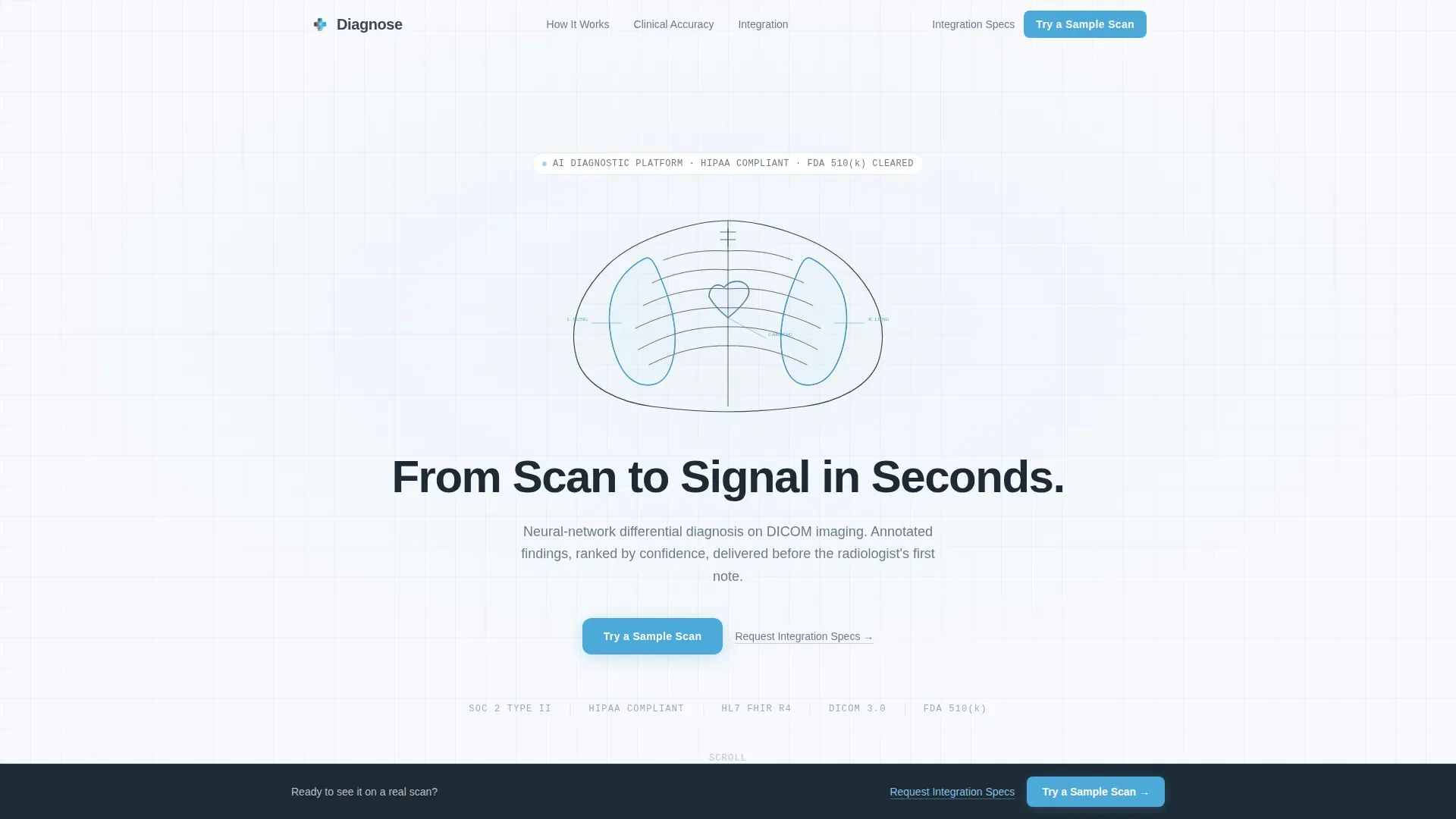
- An animated SVG hero section with a self-drawing thorax line-art and a typewriter headline
- A three-phase scroll pipeline that walks visitors through Upload, Analyze, and Report at full viewport height
- A persistent bottom call-to-action bar and a secondary text link aimed at integration-focused buyers
Feature list
This template delivers a focused set of purpose-built components. Each one serves the diagnostic demonstration flow directly.
Animated SVG Line-Art Header
The hero section opens with a thin-stroke anatomical cross-section that draws itself on load. Key structures pulse in sky blue as the drawing completes. The headline appears letter by letter in a typewriter effect, reinforcing clinical precision from the first second.
Three-Phase Scroll Pipeline
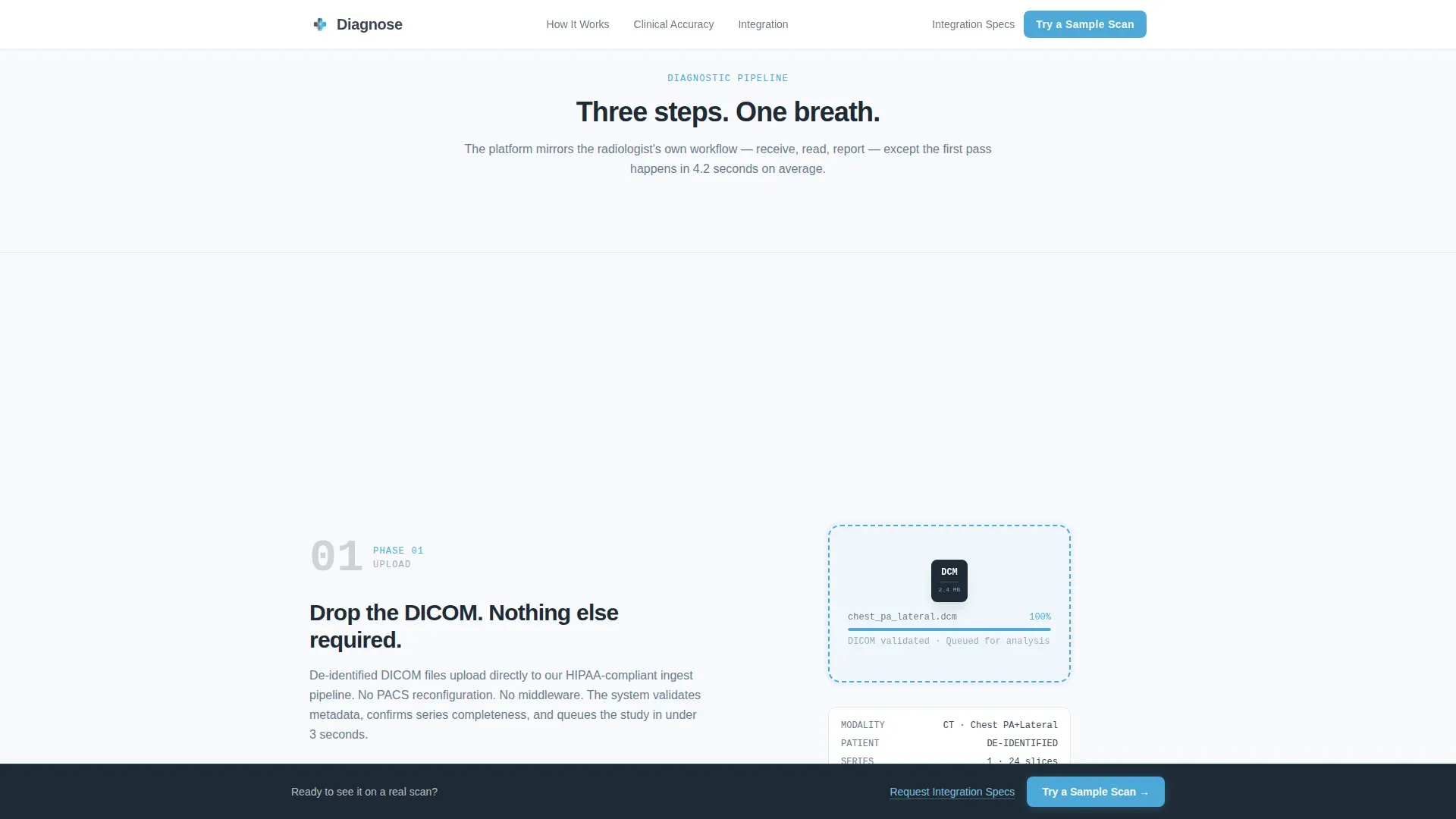
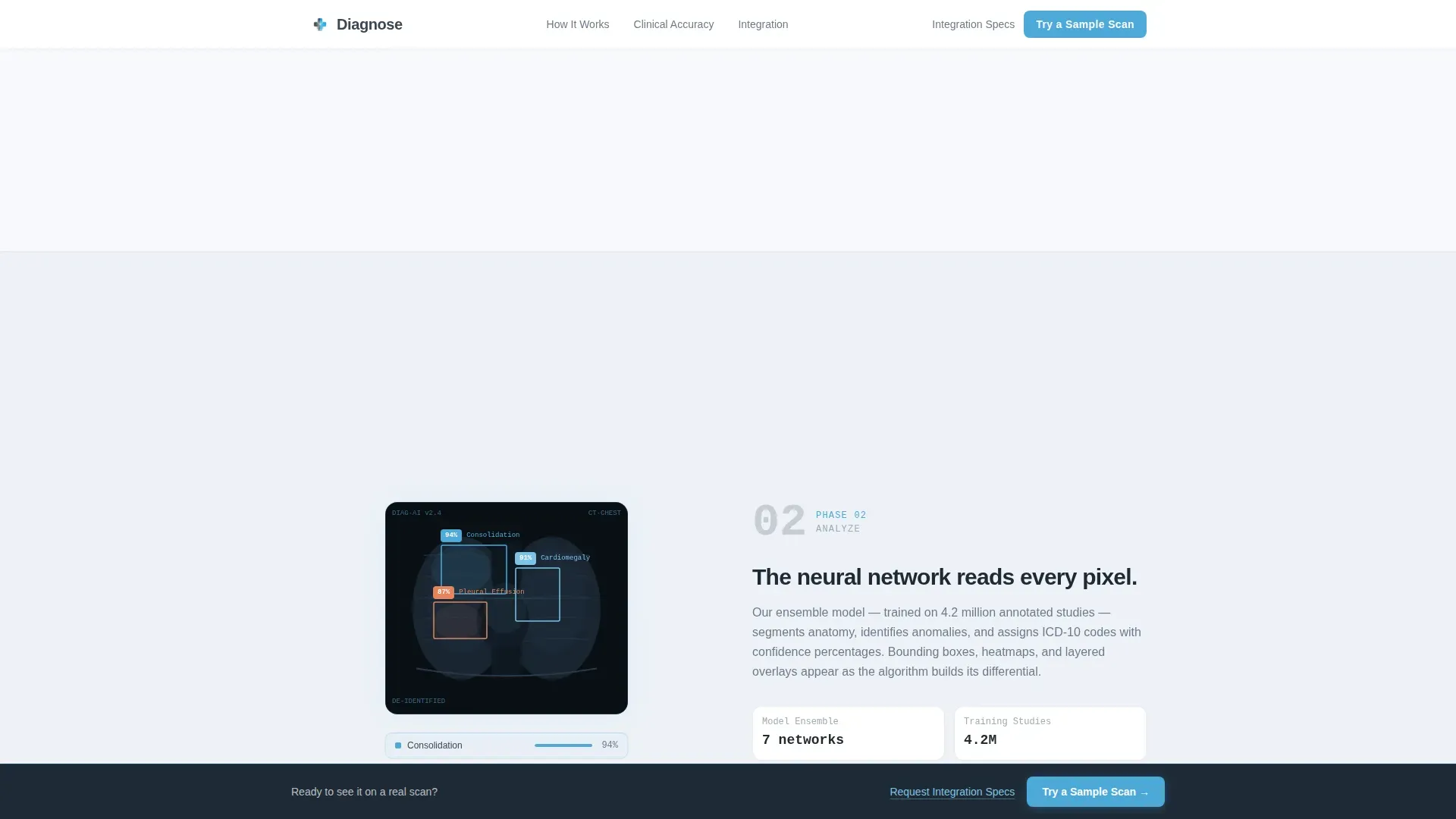
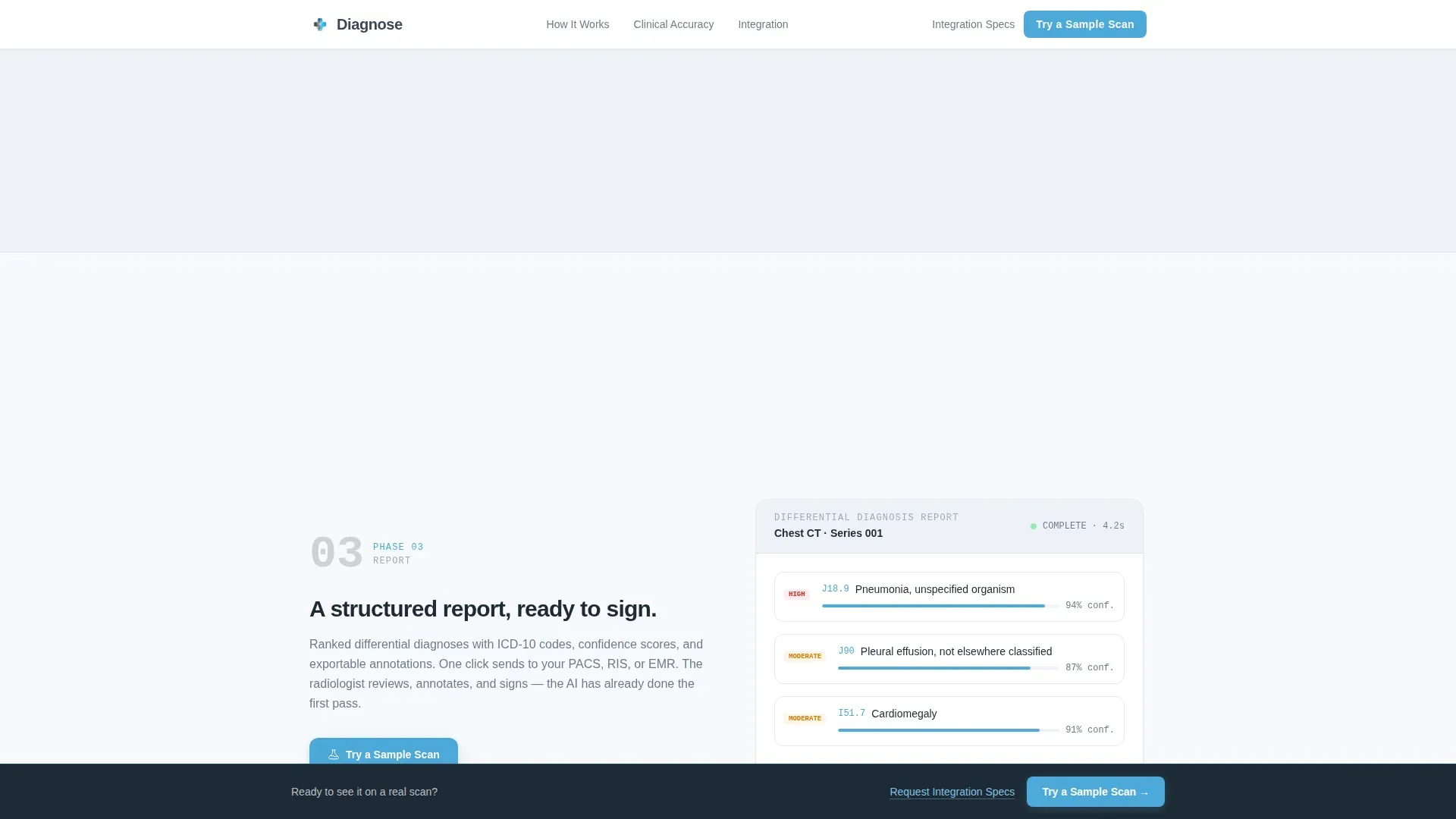
Phases one through three each occupy a full viewport height. Phase one shows a DICOM file icon dropping into a portal. Phase two reveals annotation layers building one by one, bounding boxes, confidence percentages, and heatmap overlays. Phase three presents a clean, structured report with exportable findings.
Scroll-Linked Transition Animations
IntersectionObserver-driven reveals connect each phase as the visitor scrolls. Transitions feel like progression through a real clinical workflow. Nothing jumps or interrupts, every animation is tied to scroll position.
Click-Through Call-to-Action Structure
The primary call to action, "Try a Sample Scan," appears after Phase two, once the visitor has seen the AI at work. It recurs as a persistent bottom bar in Phase three. A secondary text link, "Request Integration Specs," catches IT-focused buyers who need documentation first.
Clinical Validation Section
This section surfaces accuracy statistics, scan volume data, anonymized institutional trust signals, and radiologist quotes. It gives department heads and IT directors the third-party evidence they need to justify further evaluation.
Integration Architecture Section
A dedicated section for hospital IT directors covers compatibility context for Picture Archiving and Communication System (PACS) integration, HL7 messaging standards, and DICOM file format support. It provides architecture-level transparency without requiring a discovery call.
Page sections overview
| Section | Purpose |
|---|---|
| Animated Hero Header | Introduces the platform with self-drawing thorax line-art and typewriter headline |
| Upload Phase (Phase 1) | Shows DICOM file drop portal to open the diagnostic pipeline |
| Analyze Phase (Phase 2) | Builds AI annotation layers to demonstrate how the algorithm works |
| Report Phase (Phase 3) | Presents a structured exportable report as the pipeline conclusion |
| Clinical Validation | Delivers accuracy metrics and institutional trust signals |
| Integration Architecture | Addresses PACS, HL7, and DICOM compatibility for IT evaluators |
| Primary Call to Action | "Try a Sample Scan" button routes to live sandbox demo environment |
| Persistent Bottom Bar | Keeps the primary call to action visible throughout Phase 3 scroll |
| Secondary Text Link | "Request Integration Specs" captures architecture-focused buyers |
| Footer | Linear single-row footer pattern |
Design & branding system
The visual identity follows a Medical Clarity theme. Every design decision reinforces the feeling of a calibrated, trustworthy clinical tool.
- Color system: clinical slate (#3B4856) as the primary tone, open-sky blue (#4DA8DA) as a spare accent for interactive elements and progress indicators, and sterile white (#F7F9FC) as the dominant background
- Typography: DM Sans for headings and body copy, JetBrains Mono for data values, confidence percentages, and code-adjacent display elements
- No photography or stock imagery anywhere, only precise SVG line-art, keeping the page free of visual noise
Mobile & speed optimization
This template is built desktop-first. Radiologists and IT directors work primarily on large monitors and workstations, so the experience is optimized for that context first.
- Server Components handle static sections to reduce client-side processing load
- Client-side components are scoped to animation-heavy areas, keeping the static portions lean
- Scroll-linked phase transitions use IntersectionObserver for smooth, reliable reveal behavior across modern desktop browsers
How this template helps you convert
The page earns the click by demonstrating the platform before asking for anything. Each section builds on the last, so the call to action arrives after trust is already established.
- The three-phase pipeline gives radiologists and IT directors a clear, honest view of how the tool works, bounding boxes, confidence scores, and the final report, before any form appears
- The "Try a Sample Scan" call to action routes to a live sandbox where visitors upload a de-identified DICOM file and receive a real annotated result, making the demo self-serve and immediate
- The secondary "Request Integration Specs" link gives IT directors a low-friction path to architecture documentation, converting a skeptical evaluator without requiring a sales call
Other information about this template
This template is suited for any B2B health tech platform that relies on a demonstration-first sales motion. It is category-specific and built around the workflows of clinical buyers.
- The template is categorized under Health and Medical, specifically within the Telemedicine and Health Tech subcategory, and targets the AI Diagnostics Platform niche
- Typography and color choices are calibrated for dim reading-room environments where clinical monitors are standard
- The intersection match score of 13 reflects a tight alignment between the template style, creative direction, and niche intent
- Localization defaults are set to English, United States Dollar (USD) pricing, and United States date format
Theme
Medical Clarity
Creative direction
Step-by-Step Guide
Color system
Slate & Sky
Style
Single Column Flow
Direction
Click-Through
Page Sections
Animated SVG Line-art Hero
Three-phase Scroll Pipeline
Scroll-linked Phase Transitions
Click-through Call-to-action Structure
Clinical Validation Section
Integration Architecture Section
Related questions
Who is this landing page template designed for?
What makes this template different from a general SaaS landing page?
Can I adapt this template for a different medical imaging modality?
Does the Try a Sample Scan call to action require a back-end connection?
Is this template suitable for an enterprise sales process?



