Precision Surgical Specialist Landing Page Template
Consult is a hub-and-spoke landing page template built for general surgeon provider directories. It guides post-referral patients through five structured tools, credential verification, surgeon comparison, procedure education, insurance checking, and pre-op preparation, before presenting any contact request. The result is a calm, trust-first experience that converts anxious visitors into confident appointment seekers.
by Rocket studio
Quick summary
Consult is a single-page surgeon directory template designed around one idea: earn trust before asking for anything. Five self-contained micro-tools walk visitors from diagnosis confusion to surgical readiness. A stats wall opens with verified numbers. A persistent search bar stays within reach at every scroll. By the time a visitor sees the primary call to action, they have already audited their own needs.
Who this template is for
This template was built for healthcare teams and directory publishers who serve patients navigating a surgical referral. It fits practices and platforms that need to project credibility immediately and guide users through a complex decision.
- Post-referral patients who have a diagnosis but no surgeon yet
- Adult children researching general surgery options for an aging parent
- Primary care coordinators vetting board-certified surgeons before making a formal referral
What problem this template solves
Most medical directory pages drop visitors into a search bar with no context and no reassurance. Patients arriving after a referral are anxious, time-pressured, and often unfamiliar with surgical terminology. A bare list of names does nothing to lower that stress.
- Visitors have no way to verify surgeon credentials without leaving the page
- Procedure names are unfamiliar, making comparisons feel impossible
- Insurance compatibility is unclear until after an appointment is already booked
What you get with this template
The template delivers six fully structured sections, each built as a working micro-tool or checklist step. Every section is designed to reduce a specific anxiety before moving the visitor forward.
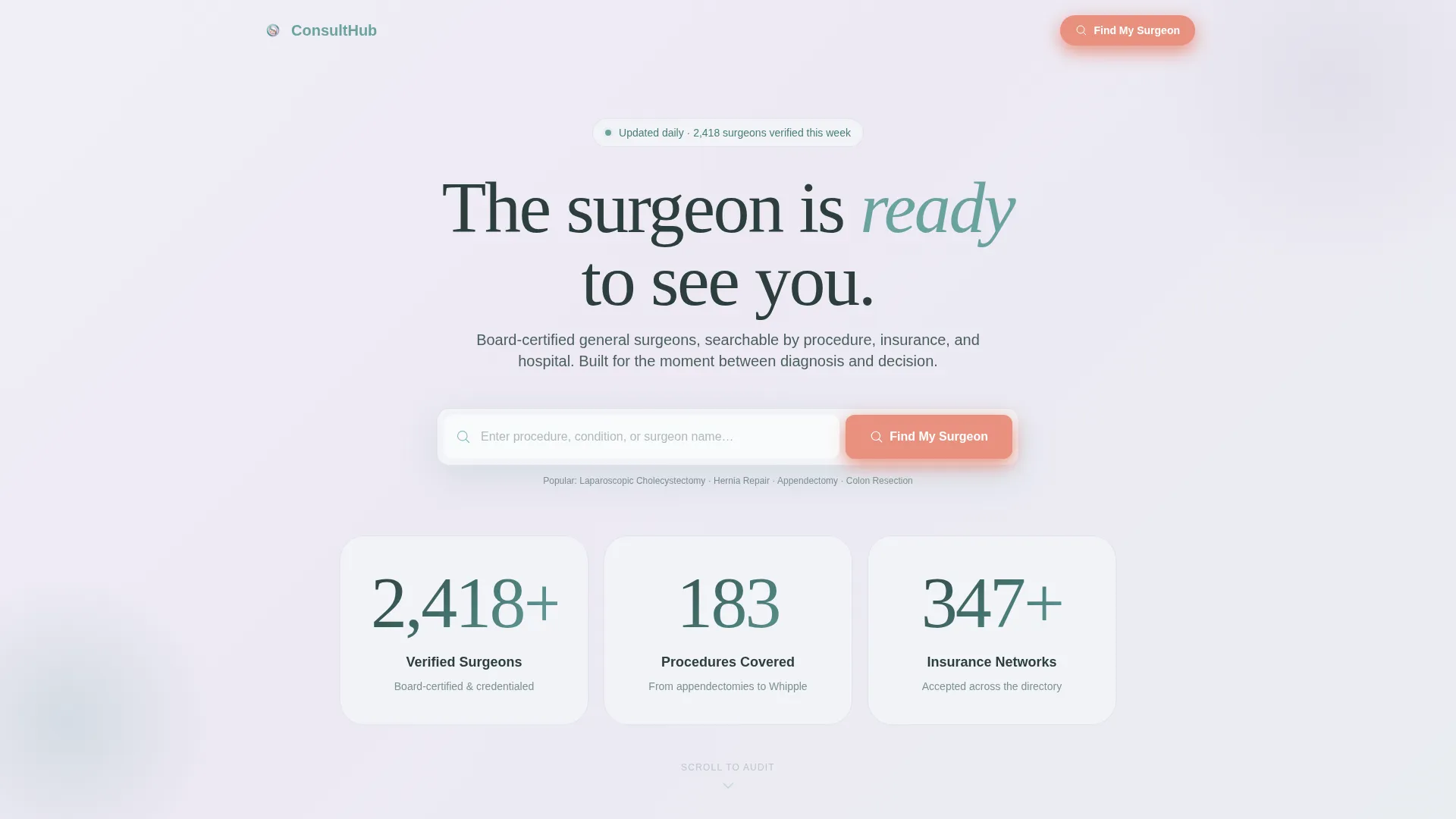
- A stats wall header with three animated counters showing verified surgeons, procedures covered, and insurance networks accepted
- Five spoke sections covering credential verification, surgeon comparison, procedure education, insurance checking, and pre-op preparation
- Two secondary conversion paths: a PDF pre-op checklist gated behind an email field and a Save and Compare feature that captures email to bookmark surgeon profiles
Feature list
The Consult template ships with a focused set of interactive and visual components drawn directly from the brief.
Animated Stats Wall Header
Three oversized counters rise into place on load, displaying verified surgeon count, procedures covered, and insurance networks accepted. The numbers are set in light, airy type against a slow-moving gradient that shifts from fog white to lavender. This opening section builds immediate credibility through scale and specificity before any scroll occurs.
Persistent Anchor Navigation
A sticky anchor nav locks to the top of the viewport after the hero and reveals five labeled spoke sections. Each label links directly to its section: Verify Credentials, Compare Surgeons, Understand Your Procedure, Check Insurance, and Prepare for Surgery. This keeps orientation clear throughout a long, content-rich page.
Credential Verification Badge System
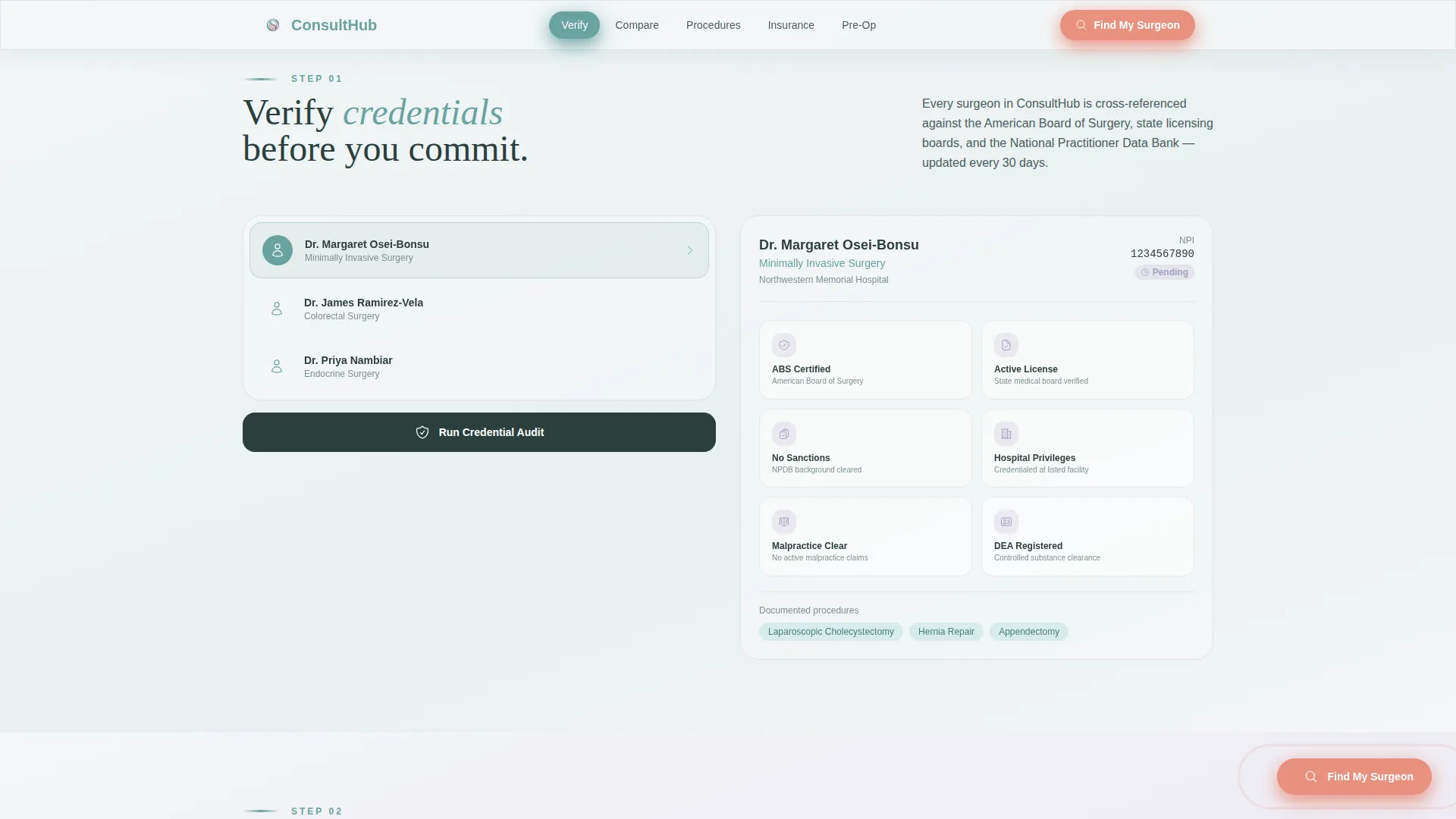
The Verify Credentials section presents a badge audit system for board certification lookup. Visitors can confirm that a listed surgeon holds recognized credentials without navigating away. Trust signals are visible at the section level, not buried in a profile footnote.
Side-by-Side Surgeon Comparison Builder
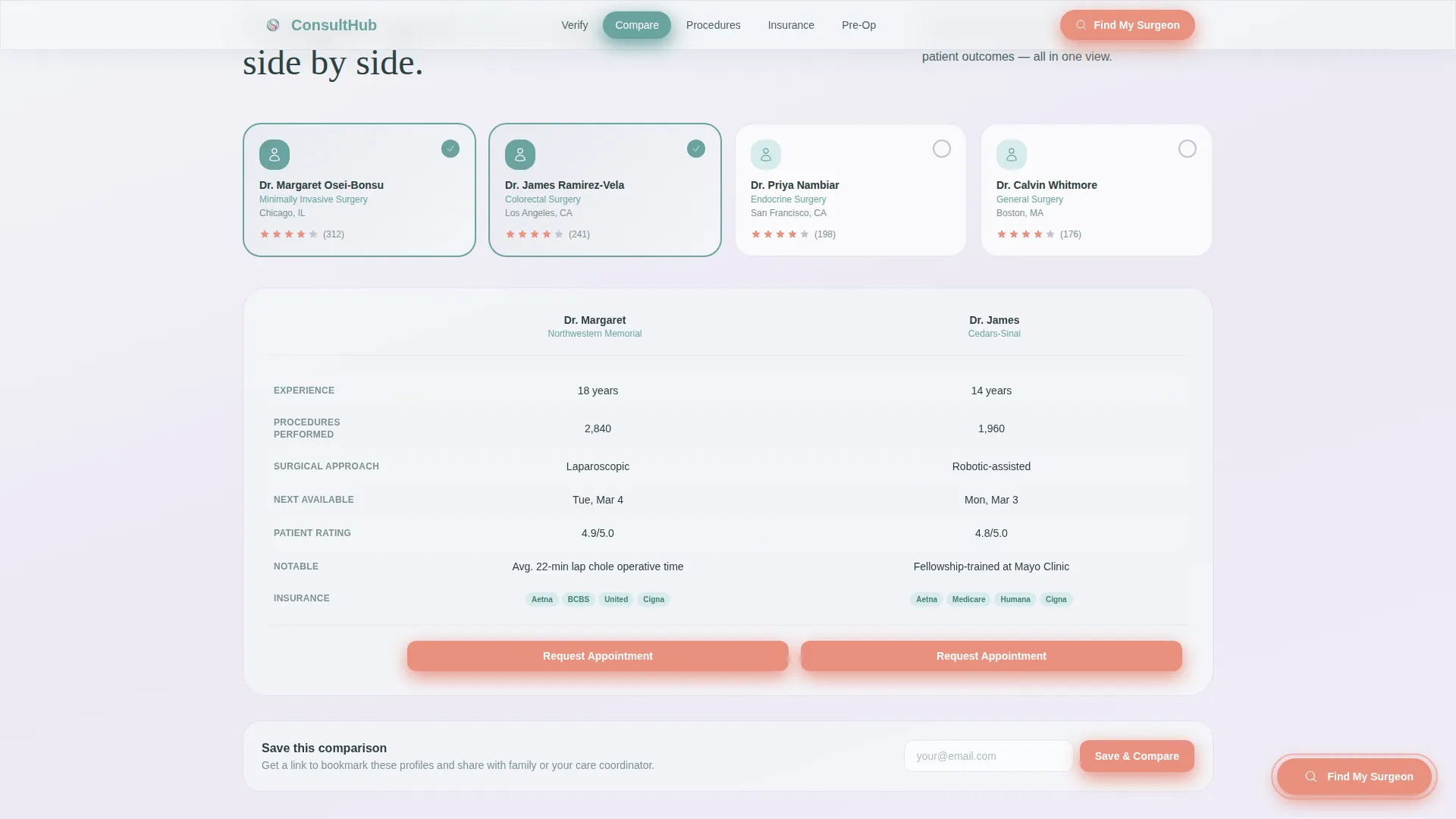
The Compare Surgeons section provides a card builder that lets visitors place two or more surgeon profiles side by side. A Save and Compare prompt asks for an email address to bookmark selected profiles. This converts a passive browse into an active, accountable research session.
Insurance Compatibility Checker
The Check Insurance section includes an interactive compatibility checker so visitors can confirm their network is accepted before contacting any surgeon. This removes a common last-minute barrier that causes drop-off after initial interest.
Email-Gated Pre-Op Checklist PDF
The Prepare for Surgery section closes the page with a downloadable pre-operative preparation checklist. The download is gated behind a simple email field. This creates a low-friction secondary conversion path for visitors who are not yet ready to book.
Page sections overview
| Section | Purpose |
|---|---|
| Hero Stats Wall | Open with verified scale numbers and persistent search |
| Verify Credentials | Board certification badge audit system |
| Compare Surgeons | Side-by-side card builder with Save and Compare |
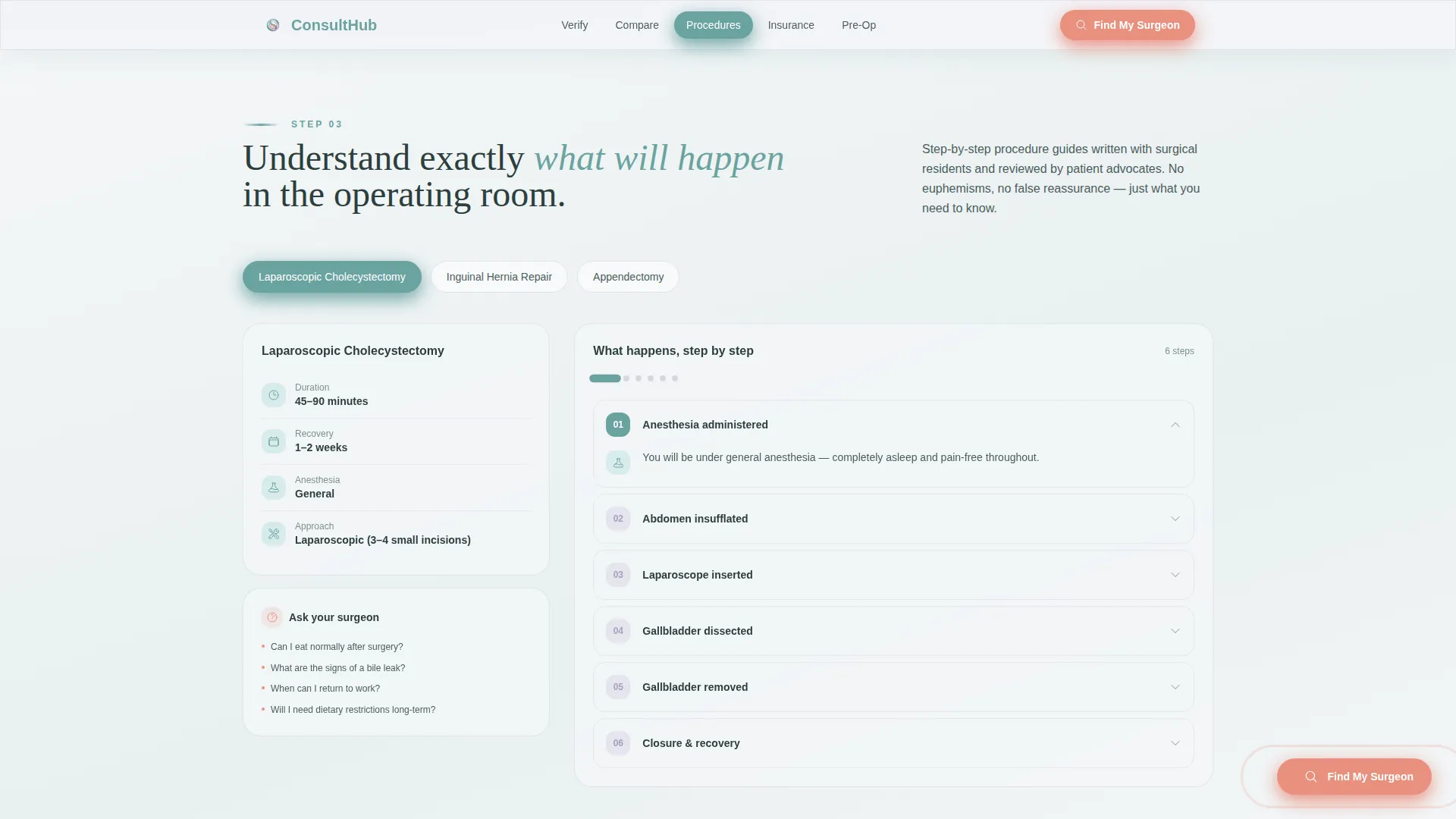
| Understand Your Procedure | Illustrated accordion explainer per procedure |
| Check Insurance | Network compatibility checker tool |
| Prepare for Surgery | Pre-op checklist with email-gated PDF download |
| Footer | Linear single-row links and legal baseline |
Design & branding system
The visual identity uses a Soft Gradient theme built around the Soft Mist color system. Every palette decision is made to lower visual tension and signal clinical calm.
- Core colors: clinical fog white (#F4F6F8) as the base, surgical scrub teal (#6BA3A0) for navigation and section dividers, quiet lavender (#C5BFD6) for background washes, and warm pulse coral (#E8907E) reserved strictly for calls to action and alert badges
- Typography pairing: Fraunces for display headlines, DM Sans for interface labels and body text
- Visual style: frosted glass card surfaces, soft muted gradients, no sharp edges, no stock photography, glassmorphism card treatments throughout
Mobile & speed optimization
The template is built desktop-first but carries full mobile parity. Patients frequently research surgeons from a phone while still in a hospital waiting room, so the responsive layout is a practical requirement, not an afterthought.
- Interactive tools including the search bar, comparison builder, and insurance checker are delivered as client-side components, keeping static sections lightweight
- Scroll reveals use staggered animation to guide attention without overwhelming slower connections
- The sticky anchor nav collapses cleanly on smaller viewports, keeping section navigation accessible throughout the page
How this template helps you convert
The conversion strategy is built on a give-first model. Visitors receive three usable tools before the template asks for any contact information. By that point, they have already proven the directory understands their journey.
- The primary call to action, "Find My Surgeon," appears inside the persistent search bar and again as a floating coral button after the second spoke section, meeting visitors at the moment their confidence peaks.
- Two secondary paths, the email-gated PDF download and the Save and Compare bookmark feature, capture contact details from visitors who need more time before committing.
Other information about this template
This template is designed for the general surgery directory niche within the broader Health and Medical category. Several details make it well-suited for that specific context.
- The directory structure supports filtering by procedure type, insurance accepted, and hospital affiliation
- Social proof anchors include 2,400-plus verified surgeons, 180-plus procedures, and 340-plus insurance networks as display values in the stats wall
- The page is classified as a Content and Resource destination, meaning the layout prioritizes education and tool delivery over aggressive lead capture
- The hub-and-spoke anchor navigation pattern makes the page feel like a structured checklist rather than a scrolling brochure, which matches the auditing mindset of the target audience
- The template is built under the Checklist and Audit creative direction, so every section has a clear start and end state that signals progress to the visitor
Theme
Soft Gradient
Creative direction
Checklist & Audit
Color system
Soft Mist
Style
Hub & Spoke (Anchor Nav)
Direction
Content/Resource
Page Sections
Animated Stats Wall with Search Bar
Sticky Anchor Navigation
Credential Verification Badge System
Surgeon Comparison Card Builder
Insurance Compatibility Checker
Email-gated Pre-op PDF Checklist
Related questions
Who is the primary audience for this template?
Can the template support filtering surgeons by procedure type or insurance?
How does the email capture work in this template?
Does the template include surgeon photography or stock images?
Is this template suited for a solo practice or only large directories?



