Appliance Repair Free Estimate Landing Page Template
Diagnose is a split-screen landing page template built for small appliance repair operations. It pairs press-mention credibility with cutaway educational illustrations, plain-language repair explanations, and a free-estimate request form. The Monochrome Steel color system and Educational Guide theme give every section the calm authority of a service manual, functional, honest, and built to earn trust before the first call.
by Rocket studio
Quick summary
Diagnose is a single-page, 50/50 split-screen template for appliance repair businesses offering free estimates. It blends press-mention social proof, educational cutaway diagrams, plain-language repair explanations, and a short intake form into one focused flow. The design feels like a well-indexed service manual, steel tones, high-contrast text, and amber reserved only for calls to action.
Who this template is for
This template is built for small appliance repair operations that compete on expertise and transparency rather than advertising volume. If you show up with a multimeter and a parts catalog instead of a sales pitch, this page reflects that.
- Independent technicians and two-person repair operations serving residential clients
- Appliance repair businesses targeting homeowners, landlords, and property managers
- Service providers who want to capture free-estimate leads and downloadable-guide email signups
What problem this template solves
Most appliance repair pages either look generic or make claims without backing them up. Homeowners staring at a dead refrigerator at 9 PM need to trust you immediately. This template solves the credibility gap by giving knowledge away freely and letting proof speak first.
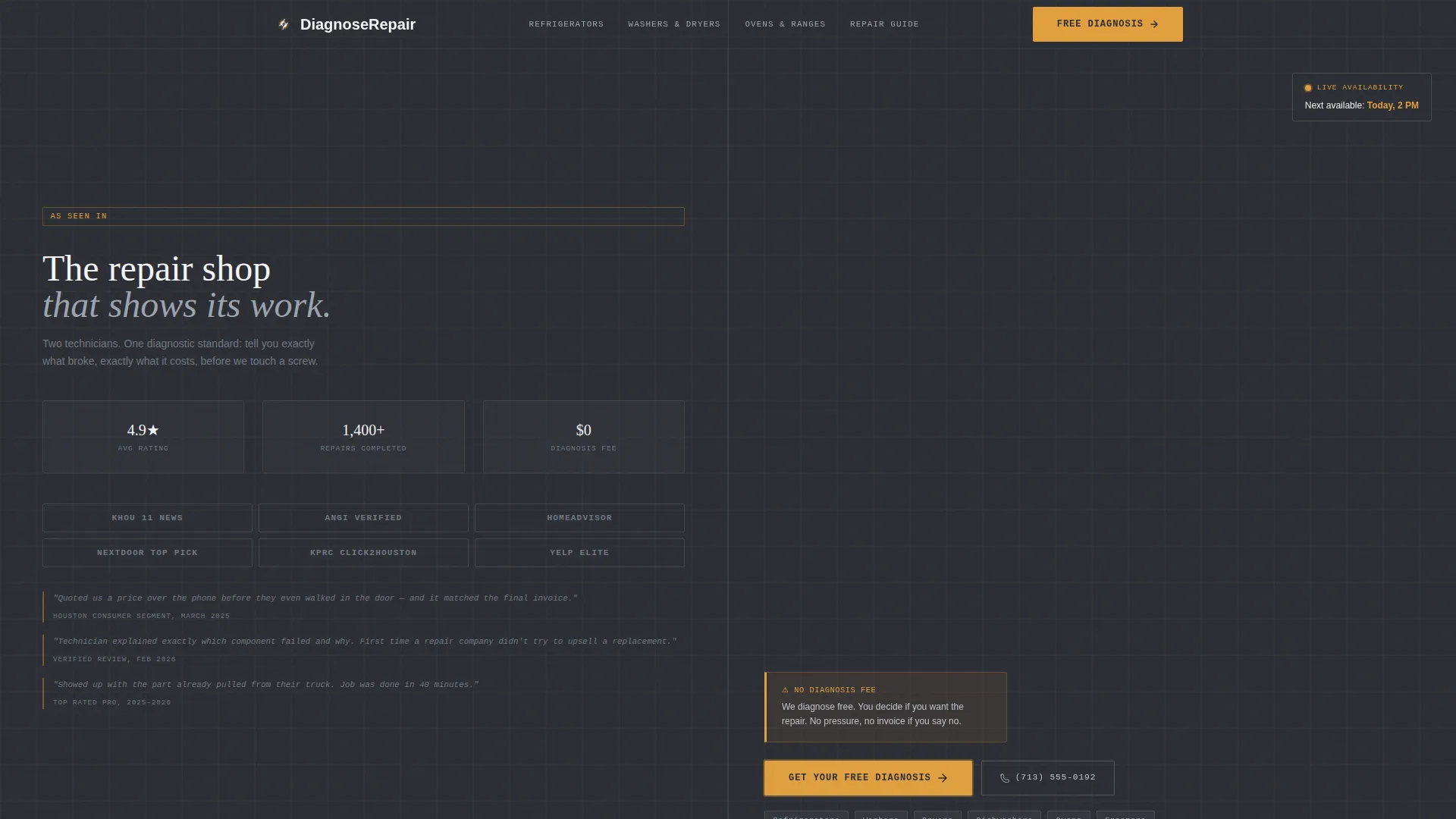
- Visitors arrive anxious and skeptical; the press-mention header and pull-quotes reduce that friction fast
- Lack of pricing transparency sends leads to competitors; the educational sections show fair price ranges openly
- Undecided leads who are not ready to book have nowhere to go; the downloadable guide captures their email before they leave
What you get with this template
The template delivers a complete, structured landing page layout ready to customize for your repair business. Every section has a defined job, and nothing is included without purpose.
- A split-screen header with a press-mention logo grid, pull-quotes, and a real-work technician photograph
- Per-appliance educational sections pairing cutaway diagrams with plain-language repair explanations and price context
- A primary free-estimate form and a secondary email-gated PDF download path built into the page flow
Feature list
This template is designed around a single principle: give visitors enough information to feel confident, then make the next step effortless.
Split-Screen 50/50 Layout
Every section of the page divides the screen into two equal halves. One side carries the visual content, the other carries the explanation. This structure keeps information scannable and prevents wall-of-text fatigue on any device.
Press-Mention Credibility Header
The header opens with a clean grid of press mention logos on the left, each paired with a short pull-quote set in monospaced type. The right side displays a single high-resolution photograph of a technician mid-repair. No stock smiles, no staged setups. Just the work.
Educational Illustration Sections
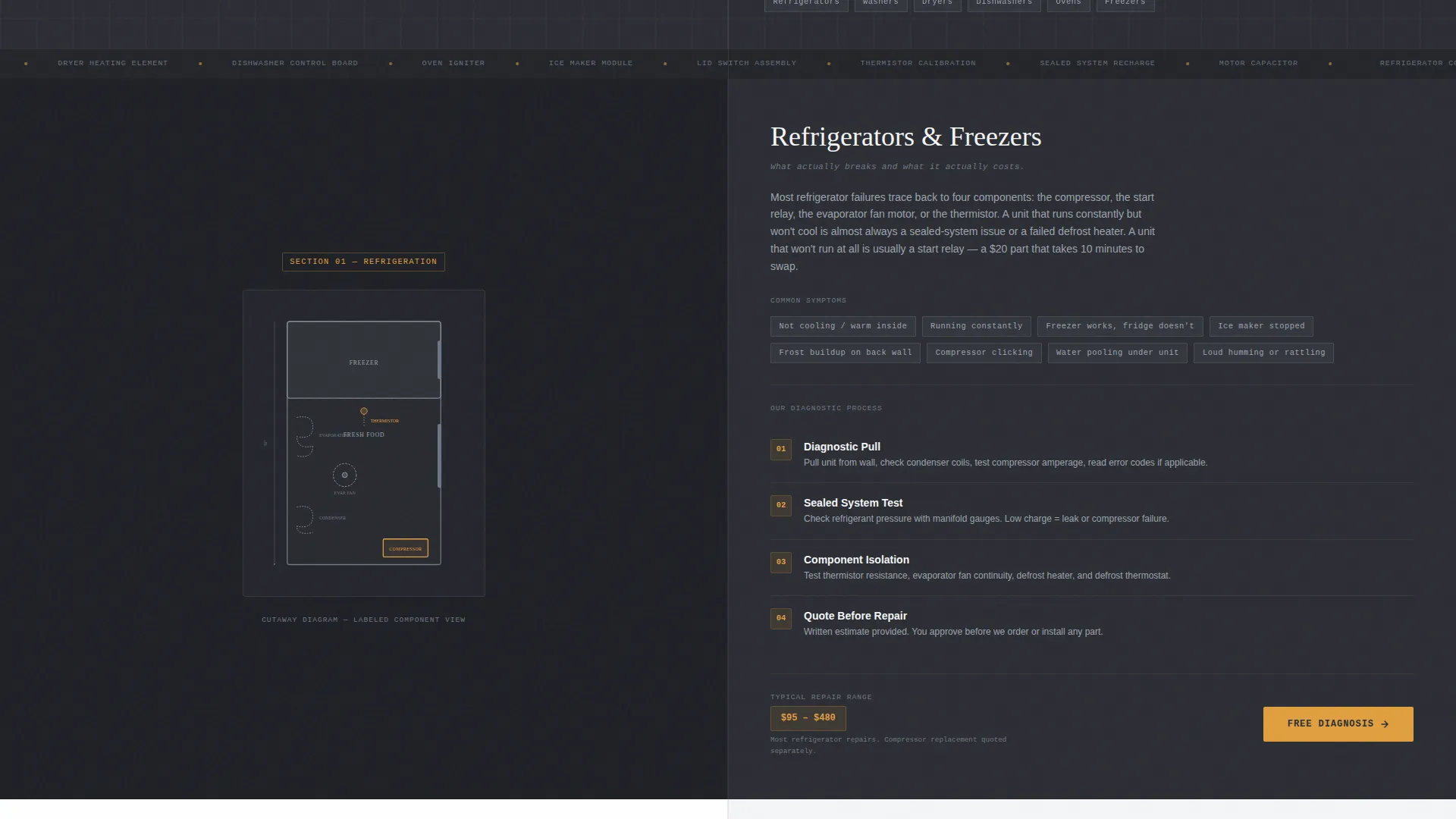
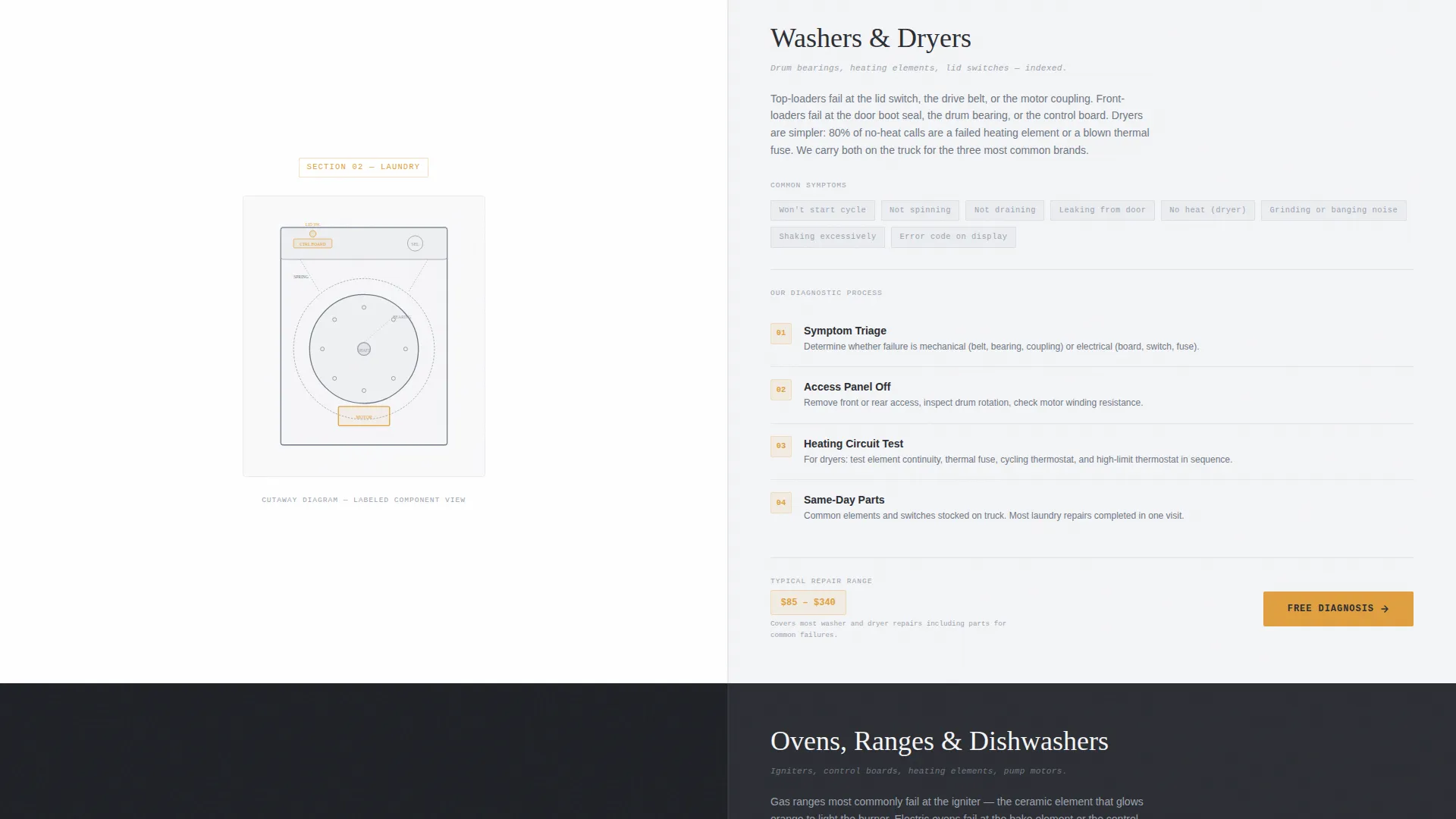
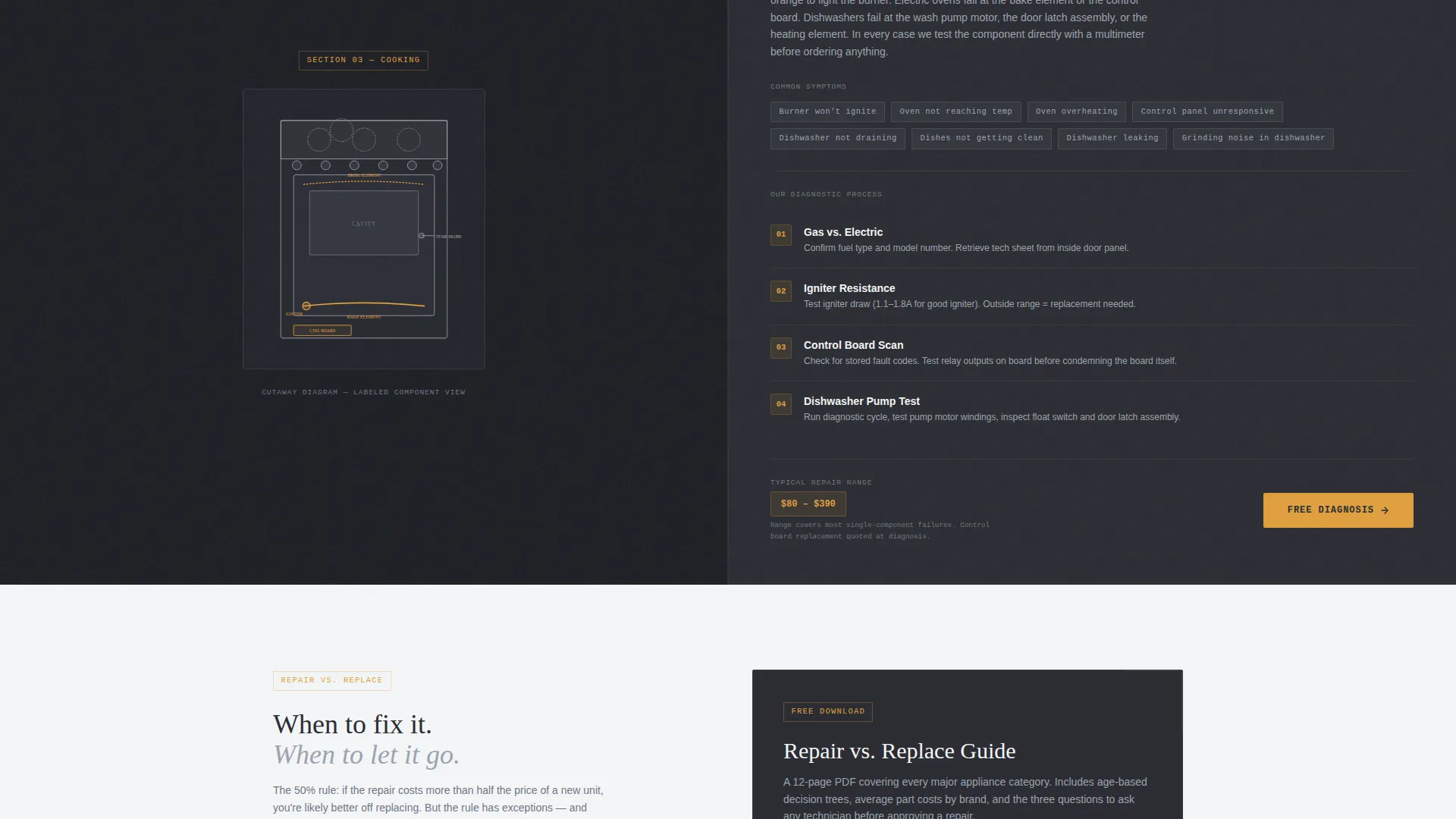
Each appliance category gets its own split section. The visual side shows a cutaway diagram of the relevant assembly, such as a washer drum, a refrigerator sealed system, or an oven igniter circuit. The text side explains what breaks, why it breaks, and what a fair repair involves.
Free-Estimate Intake Form
The primary call to action links to a short intake form at the end of each appliance section. The form asks for appliance type via dropdown, brand and approximate age in a single text field, and a symptom description with clear placeholder text to guide the visitor.
Email-Gated PDF Download
A secondary conversion path offers a downloadable Repair versus. Replace Guide. Visitors trade an email address for the PDF, capturing research-phase leads who are not yet ready to book but are clearly invested in the decision.
Signal Amber Call-to-Action System
The amber accent color (#E09F3E) appears only on calls to action and warning callouts. Its scarcity is intentional. When it appears, attention follows immediately, the same way a warning light on a dashboard demands a glance.
Page sections overview
| Section | Purpose |
|---|---|
| Split-screen header | Establish credibility with press mentions and a real-work photograph |
| Refrigerator repair section | Educate on sealed system failures and show fair repair context |
| Washer repair section | Explain drum assembly issues and guide toward a free estimate |
| Oven and range section | Cover igniter circuit problems with cutaway illustration support |
| Free-estimate form | Capture ready-to-book leads with a short, low-friction intake form |
| Repair versus. Replace Guide | Convert research-phase visitors with an email-gated PDF download |
Design & branding system
The Monochrome Steel color system is built around the visual language of a commercial kitchen. Every color has a functional reason to exist, and nothing decorative is added.
- Core palette: brushed stainless (#9BA4B0), deep appliance charcoal (#2B2D33), diagnostic white (#F4F5F7), and signal amber (#E09F3E)
- Backgrounds alternate between charcoal and white across sections; text always sits in high-contrast pairings for readability
- Amber appears exclusively on calls to action and warning callouts, preserving its attention-grabbing weight throughout the scroll
Mobile & speed optimization
The split-screen layout is designed to restack gracefully on smaller screens. Each half-panel becomes a full-width block, keeping the visual-then-explanation rhythm intact on phones and tablets.
- Diagrams and photographs scale responsively without losing the context they provide alongside the text
- The intake form and PDF download path remain fully accessible at any viewport width
- Typography stays in high-contrast pairings at all sizes, maintaining the service-manual readability the design relies on
How this template helps you convert
The page is structured to move three different visitor types toward action: the urgent homeowner, the deliberate landlord, and the cautious property manager.
- The educational sections earn trust before any ask is made, so visitors arrive at the call-to-action already believing in your competence rather than being asked to take your word for it.
- The two-path conversion system, a direct free-estimate form and an email-gated PDF download, means no visitor leaves empty-handed, whether they are ready to book today or still comparing options.
Other information about this template
This template is part of a broader set of professionally structured layouts designed for service-based businesses in the home services and trades categories. A few practical notes for anyone evaluating the template:
- The monospaced pull-quote typography in the press-mention header reinforces the honest, technical brand voice the entire page is built around
- The placeholder symptom text in the intake form, such as "leaking from bottom, won't start cycle, making grinding noise," reduces form abandonment by showing visitors exactly what to write
- The Educational Guide theme positions the business as a knowledgeable resource rather than a transaction-first vendor, which aligns well with appliance repair free estimate landing page use cases
- The template is fully customizable within its layout structure; appliance categories, illustrations, and form fields can all be swapped to fit your specific service menu
Theme
Educational Guide
Creative direction
Transparent Process
Color system
Monochrome Steel
Style
Split Screen (50/50)
Direction
Content/Resource
Page Sections
Split-screen 50/50 Page Layout
Press-mention Credibility Header
Cutaway Diagram Illustration Sections
Free-estimate Intake Form
Email-gated PDF Download Path
Signal Amber Call-to-action System
Related questions
Can I use this template for a single-appliance specialty, like refrigerator repair only?
Does the free-estimate form connect to any booking or scheduling system?
Is the Repair versus. Replace Guide included, or do I need to create it?
How does the press-mention header work if my business is relatively new?
Can the Monochrome Steel color system be swapped for a different brand palette?



