Kids Baseball Reviews Website Template
Diamond is a playful, card-grid landing page built for kids baseball academies. It guides parents through a five-question program quiz, surfaces the right age-division recommendation, and uses illustrated animations, flip-reveal cards, and a confetti-pop testimonial section to make enrollment feel like the start of a great season rather than a sales process.
by Rocket studio
Quick summary
Diamond is a single-page, modular card-grid template designed for youth baseball academies. It pairs a hand-drawn illustration header with an interactive program quiz, animated stats, and baseball-card-style coach reveals. The result is a landing page that feels as warm and welcoming as a Saturday morning at the ballpark.
Who this template is for
This template was built for local and regional baseball academies that serve families, not scouts. If your program values participation over pressure, Diamond speaks your language.
- Youth baseball academies and training programs serving kids ages 5 to 18
- Homeschool co-ops and Little League organizations looking for structured athletics enrollment
- Coaches or club directors who want a fun, family-friendly first impression online
What problem this template solves
Most sports program pages look the same: a stock photo, a phone number, and a wall of text about philosophy. Parents visiting on a phone in a parking lot do not have time for that. They want to know quickly whether this place is right for their kid.
- Parents cannot easily match their child's age and experience level to the right program without calling ahead
- Generic sports pages feel intimidating to first-time families who are not sure if their child is ready
- Academies lose qualified leads because there is no guided path from curiosity to enrollment
What you get with this template
Diamond gives you a complete, ready-to-customize landing page that does the qualifying work for you. Every section has a clear job, and every interaction is designed to lower the barrier for a nervous first-time parent.
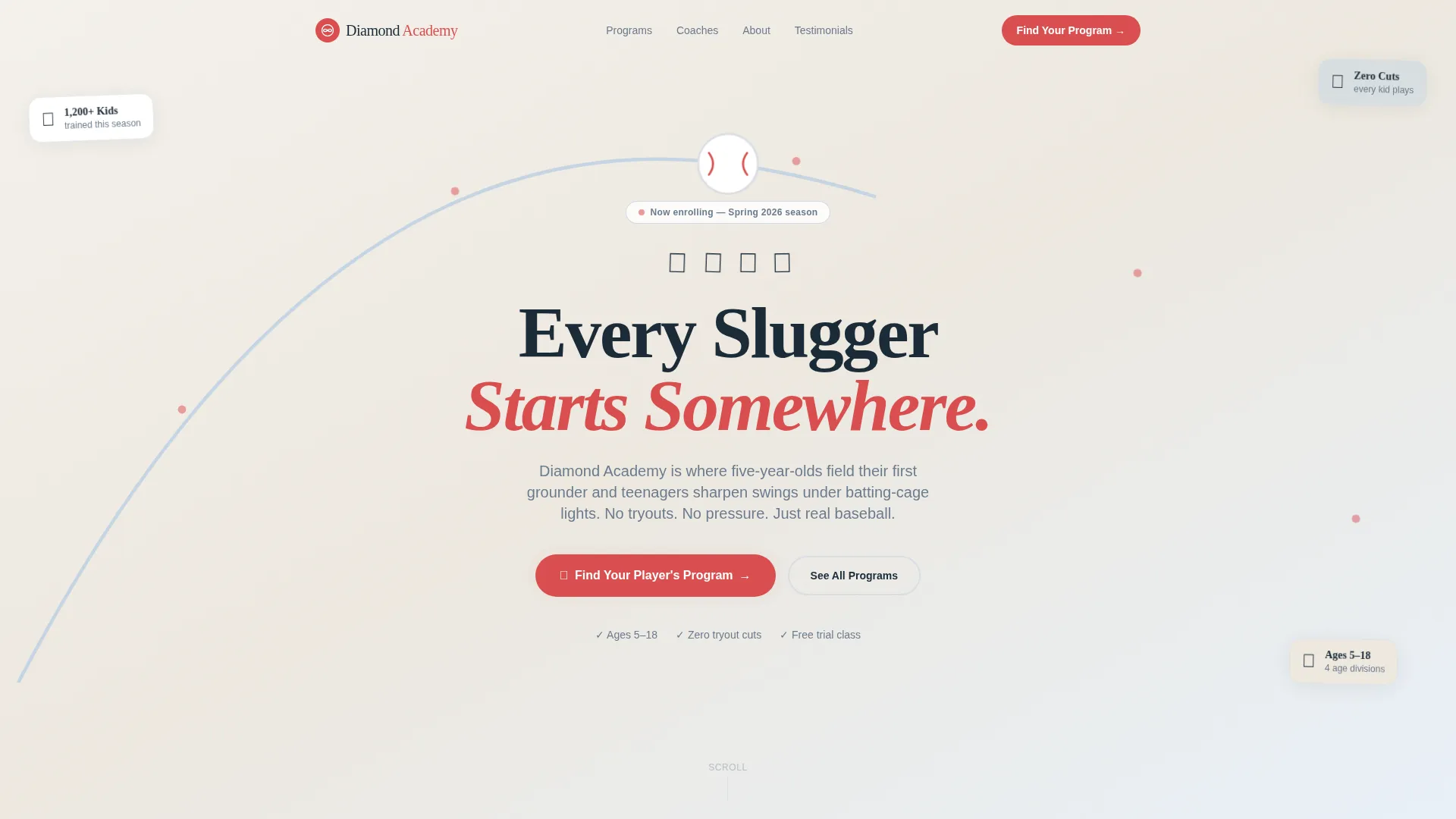
- A looping illustrated hero header with an animated baseball arc and a headline that fades in mid-flight
- A modular card grid with hover and tap reveal animations across programs, coaches, and testimonials
- A five-screen program quiz that recommends the right age-division class and offers a free trial class path
Feature list
This template packs a focused set of interactive components, all grounded in what families actually need when choosing a youth sports program.
Illustrated Lottie-Style Hero Animation
The header features a hand-drawn baseball arcing across the viewport in a slow loop, with tiny star bursts trailing behind it. Below the arc, a lineup of illustrated kids in oversized helmets shuffle into batting stances one by one. The sketchbook-loose art style builds trust before a single word is read.
Flip-Reveal and Peel-Back Card Grid
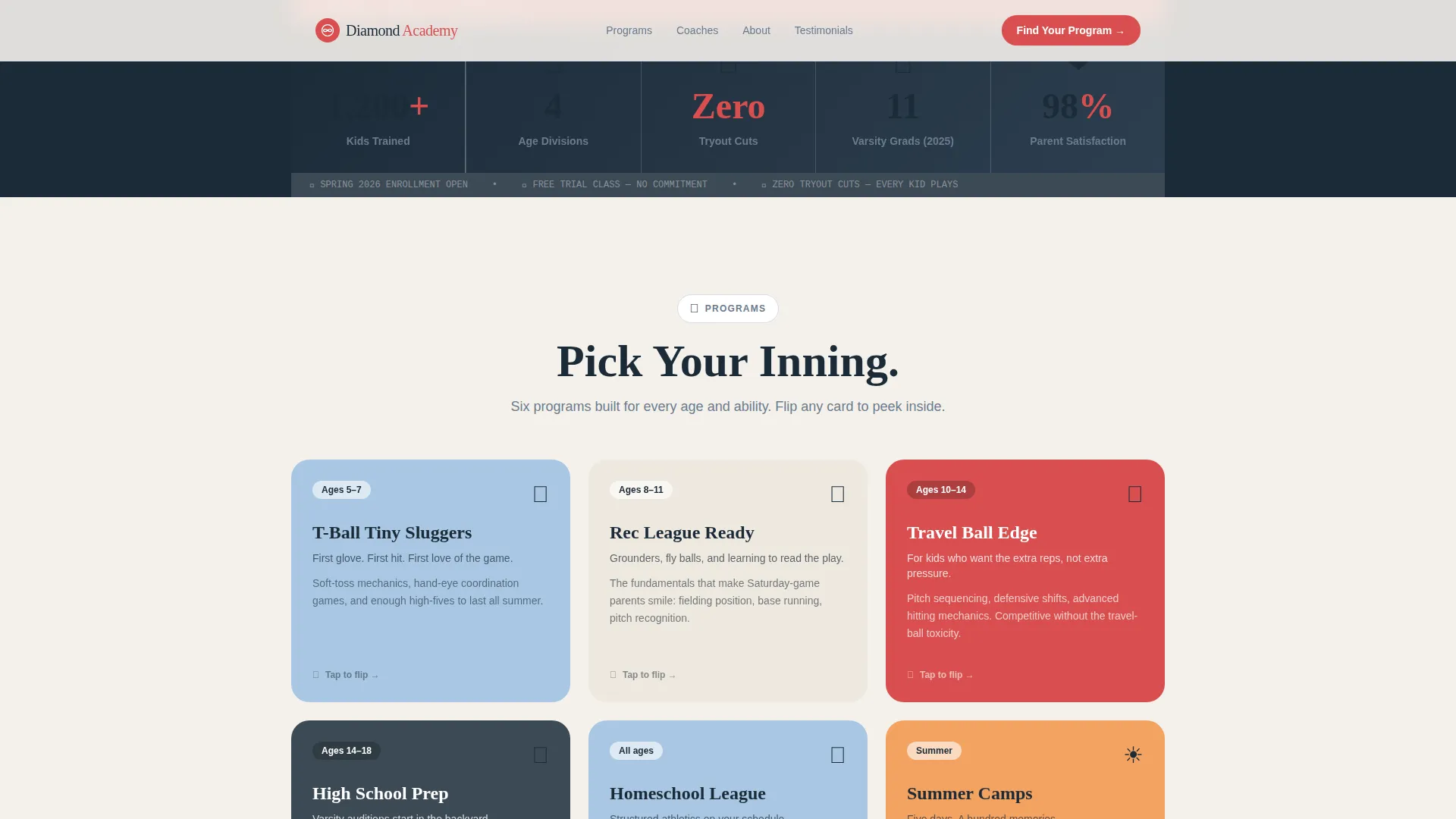
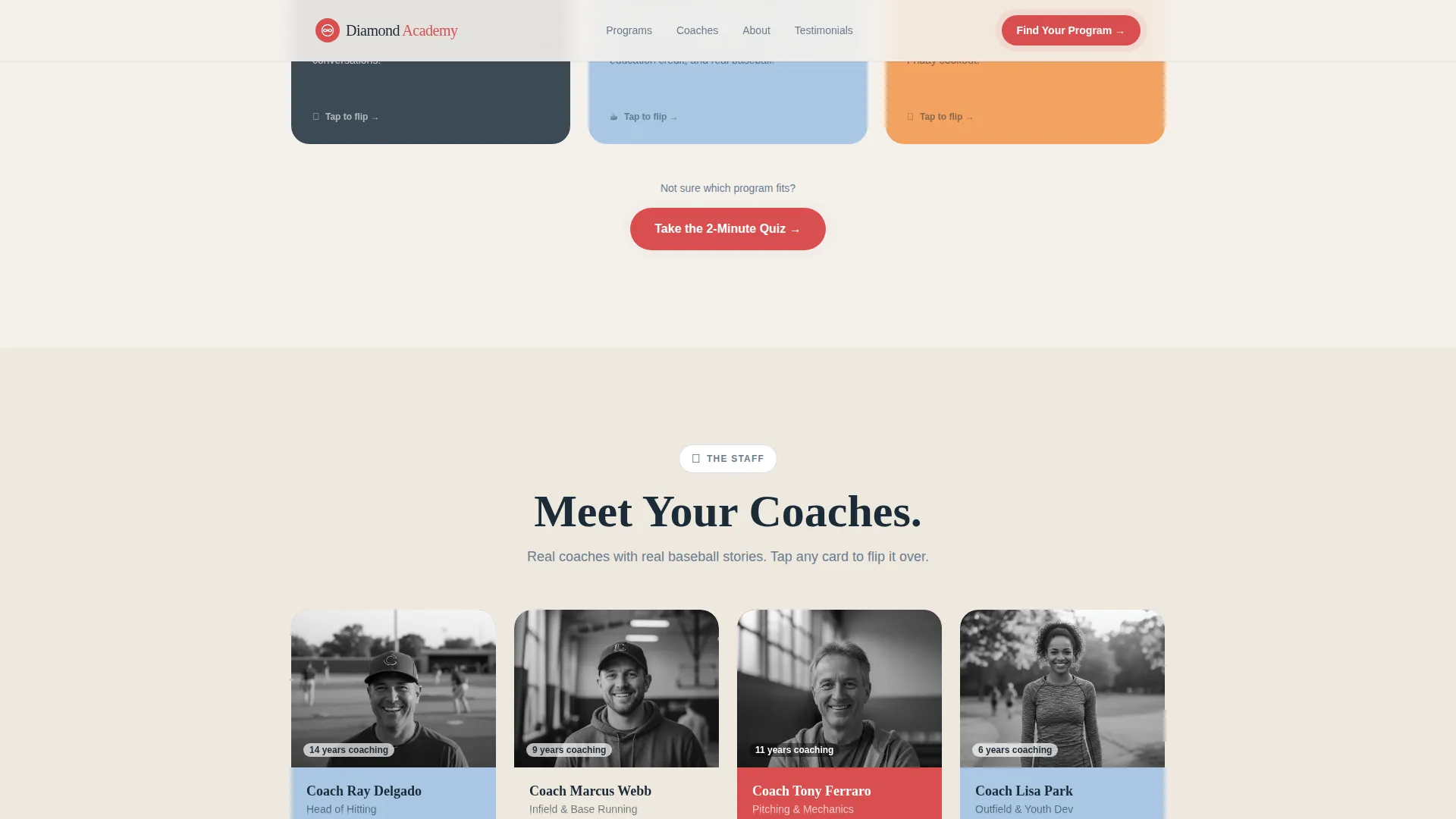
Each card in the programs and coaches grid hides a surprise. A Programs card flips to show a pitch-throw animation. A Coaches card peels back like a vintage baseball card to reveal a fun coach fact. This Surprise and Delight mechanic turns browsing into exploring.
Five-Screen Program Quiz Modal
The primary call to action launches a friendly five-question assessment. Parents answer questions about their child's age, experience level, family priorities, preferred days, and zip code. Each screen uses large illustrated answer buttons. The quiz ends with a personalized program recommendation and a Reserve a Spot button.
Animated Stats Scoreboard Bar
Between card rows, single-line statistics animate in like a scoreboard updating in real time. Stats like "1,200 plus kids trained," "4 age divisions," and "Zero tryout cuts" count up as the visitor scrolls into view, building credibility without a single paragraph of self-promotion.
Confetti-Pop Testimonial Cards
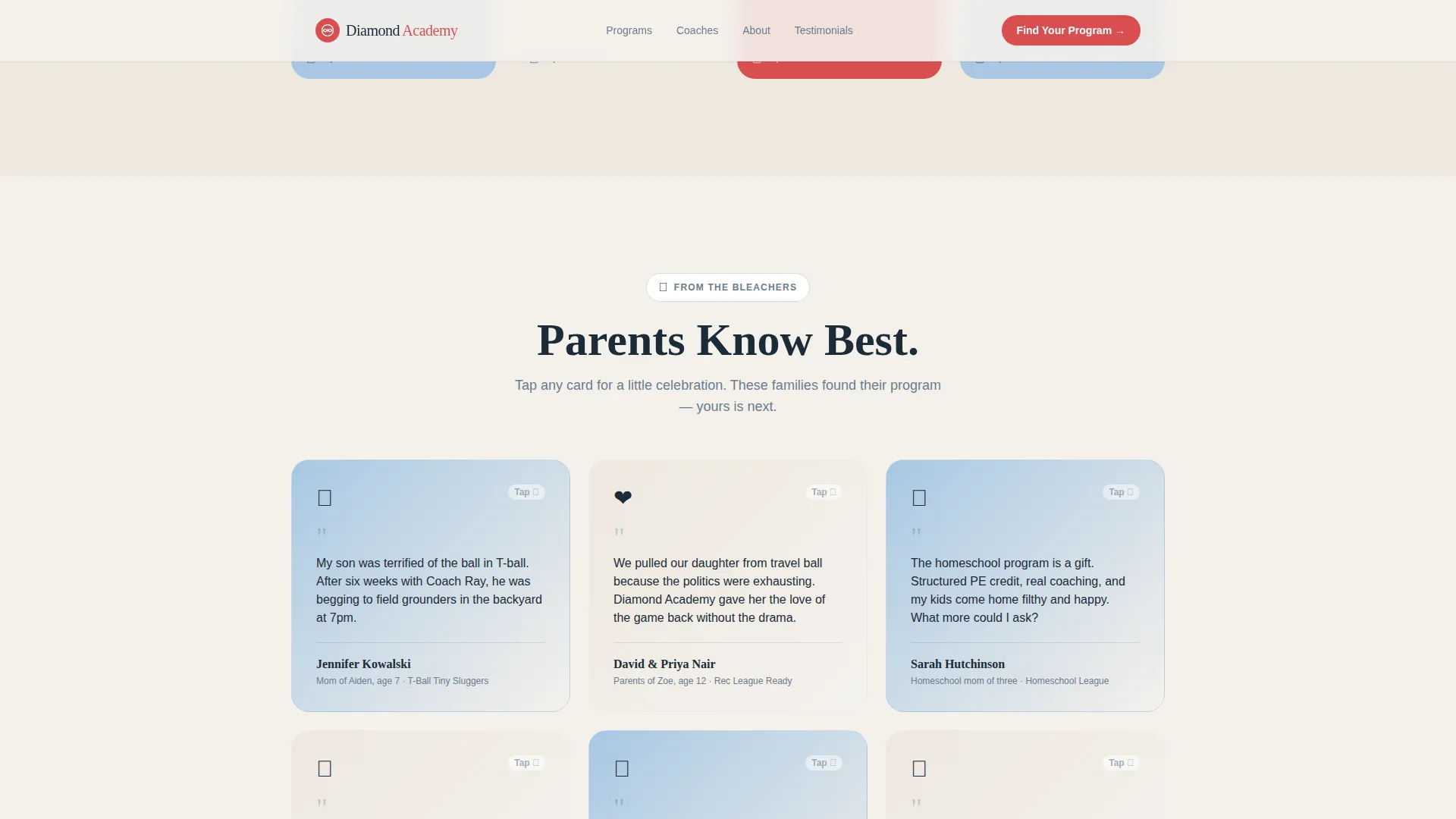
Parent testimonials live on sky-blue wash cards. When a card is opened or hovered, a confetti burst fires. This small moment of delight makes social proof feel celebratory rather than corporate, and it is consistent with the overall playful tone.
Arc Browser Split Footer
The footer follows a clean split layout with the academy logo and tagline on the left and navigation links on the right. It closes the page with a sense of structure while keeping the visual style consistent with the rest of the template.
Page sections overview
| Section | Purpose |
|---|---|
| Hero with Animation | Introduces the academy and launches the program quiz |
| Programs Card Grid | Shows age-division programs with flip-reveal animations |
| Stats Scoreboard Bar | Builds credibility with animated count-up statistics |
| Coaches Card Grid | Introduces coaches with peel-back baseball card reveals |
| Testimonials Section | Displays parent reviews with confetti-pop interactions |
| Footer Split Layout | Provides navigation and closing brand identity |
Design & branding system
The visual identity follows a Family First theme using what the template calls a Cloud Canvas color system. Every color decision was made to feel approachable to a five-year-old and credible to a former college pitcher at the same time.
- Chalk white (#F4F1EC) backgrounds, sky blue (#A8C7E2) testimonial washes, and dugout bench gray (#6B7B8D) for supporting text and borders
- Batting-glove red (#D94F4F) reserved exclusively for buttons, badges, and interactive highlights so every tappable element is instantly obvious
- Fraunces for display headlines and DM Sans for body copy, creating a pairing that feels editorial and easy to read on small screens
Mobile & speed optimization
Parents are often visiting this page from a phone in a parking lot or on a tablet at home. The template is designed mobile-first so the most important actions are reachable with a thumb.
- Card grid layout stacks cleanly on small screens without losing the reveal interaction on tap
- Quiz modal is built as a full-screen flow on mobile, with large illustrated answer buttons that are easy to tap quickly
- Static page sections use server-rendered components while quiz and animation logic loads only when needed
How this template helps you convert
Diamond does not just display information. It creates a sequence of small, satisfying interactions that move a curious parent toward booking a spot.
- The hero quiz call to action greets visitors immediately, giving every parent a clear first action rather than leaving them to scroll and wonder what to do next.
- The card grid keeps parents engaged through reveal animations, so they stay on the page longer and absorb more program details before making a decision.
- The quiz personalizes the outcome for every family, delivering a program recommendation that feels tailored and offering a free trial class as a lower-commitment fallback for anyone still on the fence.
Other information about this template
Diamond is part of a template collection designed for youth sports and family-focused local businesses. A few additional details worth knowing before you customize it.
- The template uses CSS keyframe animations for the baseball arc, card flips, and confetti effects, with count-up stats triggered by an Intersection Observer
- No stock photography is used in the default design; all visuals are illustrations, so the page does not depend on licensed image rights
- The quiz modal spans five screens and qualifies leads by age group and intent, giving your team useful context before a family ever calls
- The localization defaults are set for English, United States Dollar pricing, MM/DD/YYYY date format, and a suburban or rural USA baseball community context
Theme
Family First
Creative direction
Surprise & Delight
Color system
Cloud Canvas
Style
Card Grid (Modular)
Direction
Quiz/Assessment
Page Sections
Illustrated Lottie-style Hero Animation
Flip and Peel Card Grid
Five-screen Program Quiz Modal
Animated Stats Scoreboard
Confetti-pop Testimonial Cards
Related questions
Does this template include the quiz functionality already built in?
Can I use this template if my academy serves only younger kids?
What happens if a parent is not ready to enroll after the quiz?
Does the template work well on phones?



