African Diaspora Community Landing Page Template
Diaspora is an editorial magazine landing page built for African diaspora organizations. It combines cinematic canopy photography, a testimonial pull-quote hero, a breathing community mosaic grid, oral history audio players, and a gated resource archive. The Forest Trust color system and large-serif typography create a warm, trustworthy reading experience that moves visitors from story to practical resource and toward membership.
by Rocket studio
Quick summary
Diaspora is a single-page editorial template for African diaspora community organizations. It opens with an oversized testimonial card against a blurred canopy photograph, then guides visitors through member stories, downloadable toolkits, and oral history audio before presenting a lightweight archive membership gate. The design feels like a Sunday magazine, warm, readable, and deeply human.
Who this template is for
This template is built for community-led organizations, cultural nonprofits, and diaspora advocacy groups who need a page that does more than look good. It works for teams that want to publish real stories alongside practical resources and earn membership through generosity rather than demand.
- Second-generation African diaspora professionals seeking repatriation guides and dual-citizenship information
- Grassroots organizers running remittance cooperatives or diaspora policy programs
- Elders, archivists, and cultural workers preserving oral histories and language resources
What problem this template solves
Most community pages force visitors to sign up before they have any reason to trust the organization. Diaspora reverses that. It gives freely first, stories, toolkits, and audio, then asks for a name and a corridor preference. That sequence builds the kind of belonging that turns a first visit into a lasting membership.
- Scattered communities have no single gathering space that holds both personal stories and practical guidance in one place
- Generic nonprofit templates fail to reflect the visual and cultural richness of pan-African diaspora life
- Visitors leave before converting because the value is buried behind forms they never agreed to fill
What you get with this template
You get a fully designed editorial landing page with five distinct content sections, a Forest Trust color system, large-serif typography, and high-interactivity components built for scroll-driven storytelling. Three complete member stories and two downloadable toolkits are visible before any gate appears, so visitors arrive at the archive form already feeling at home.
- Hero section with glassmorphism testimonial pull-quote card, circular portrait, and full-bleed canopy photograph
- Community mosaic grid, resource card deck, oral history audio player, and archive membership gate
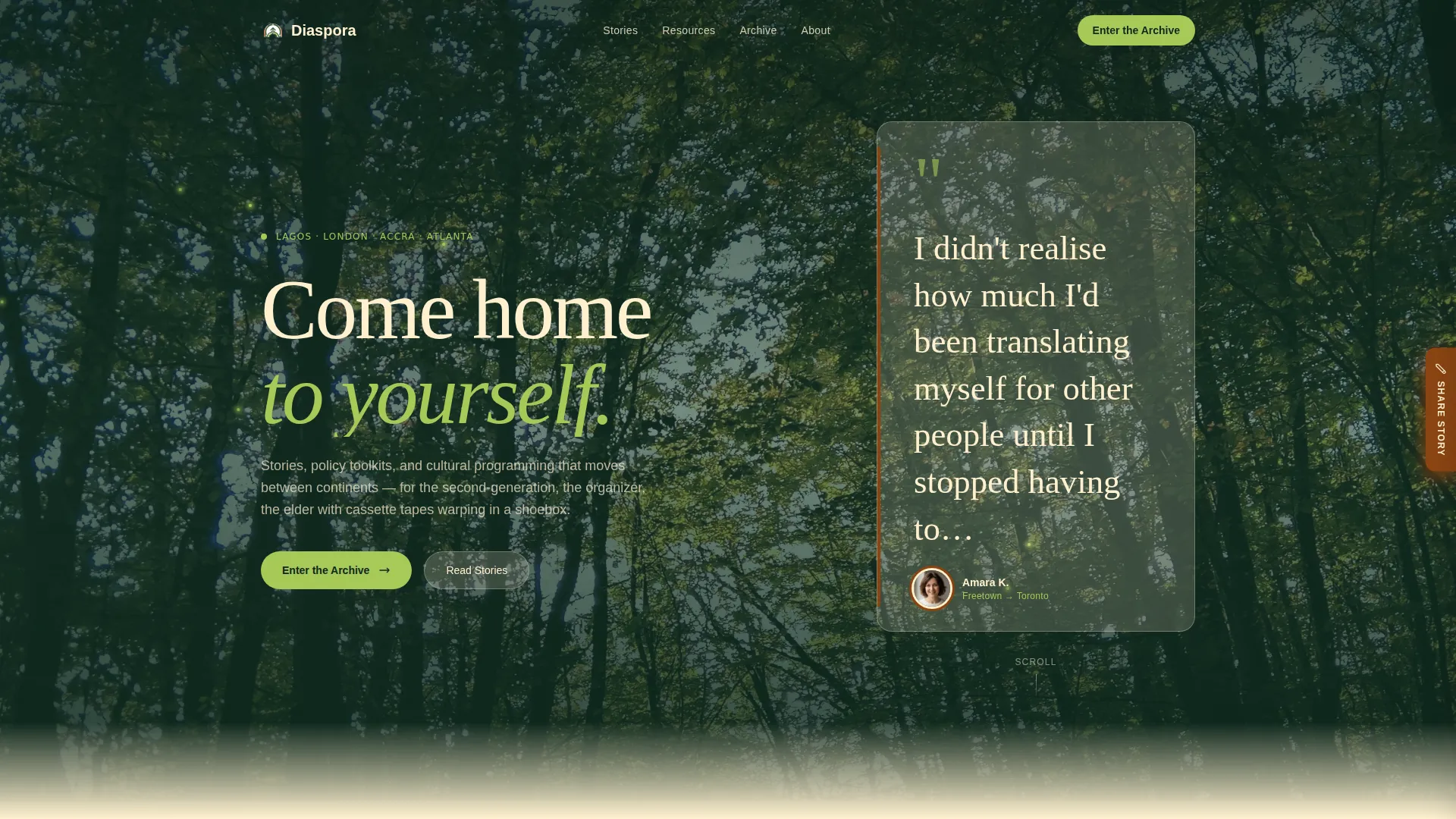
- Floating "Share Your Story" sidebar tab with a short-form submission field
Feature list
This template is designed around deliberate interaction, every component earns attention before asking for anything in return.
Testimonial Pull-Quote Hero
The header opens with a single oversized pull-quote on a cream card. It carries a name, a city-pair attribution such as "Amara K., Freetown → Toronto", and a circular portrait framed in laterite brown. The quote is mid-sentence and intimate, pulling the visitor into someone else's story before they decide to stay.
Breathing Community Mosaic Grid
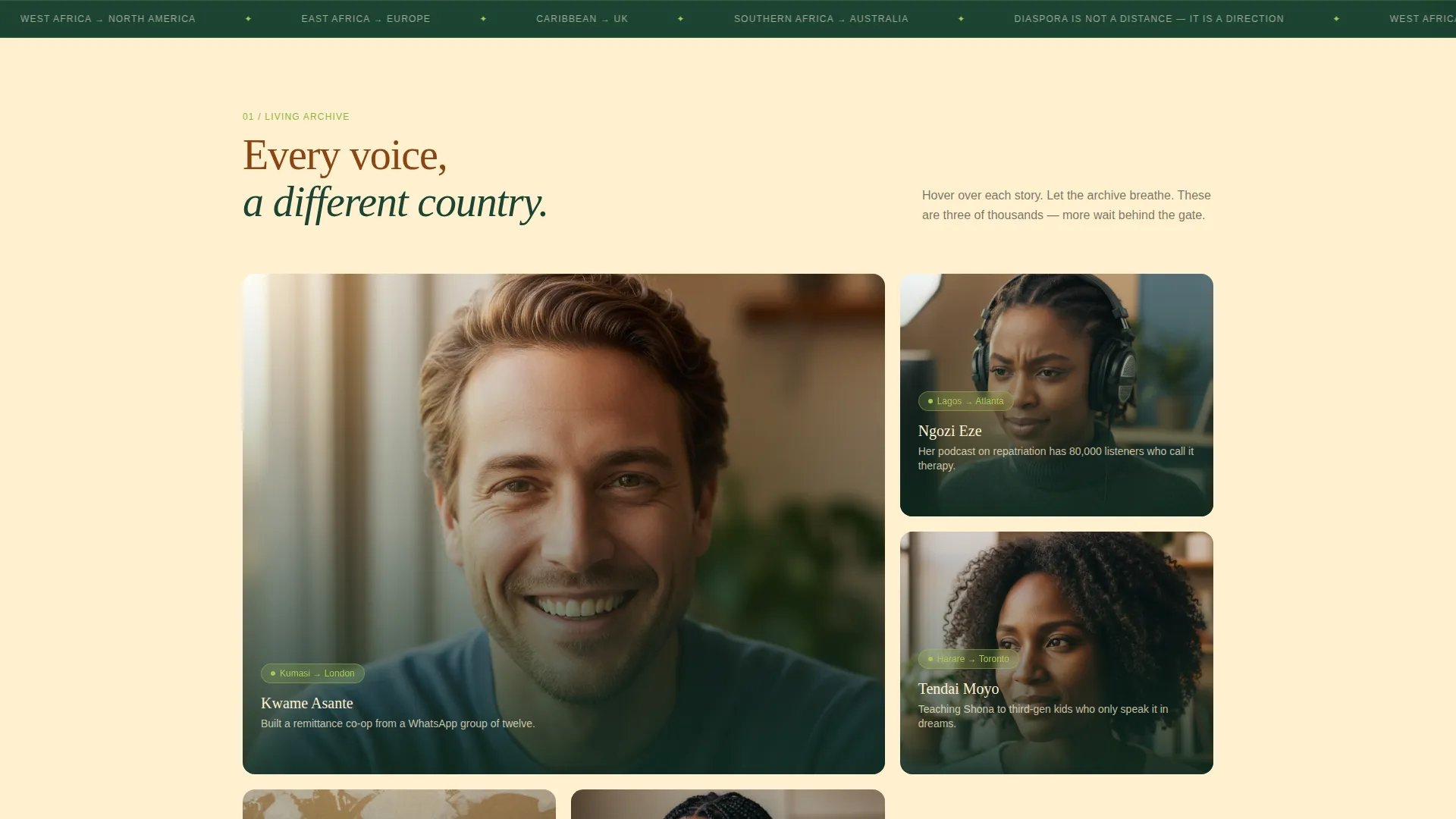
Below the hero, a magazine-spread member stories grid shows portrait tiles, location tags, and one-line hooks. Each tile rearranges subtly on hover, giving the layout the feel of a living archive rather than a static directory.
Resource Card Deck
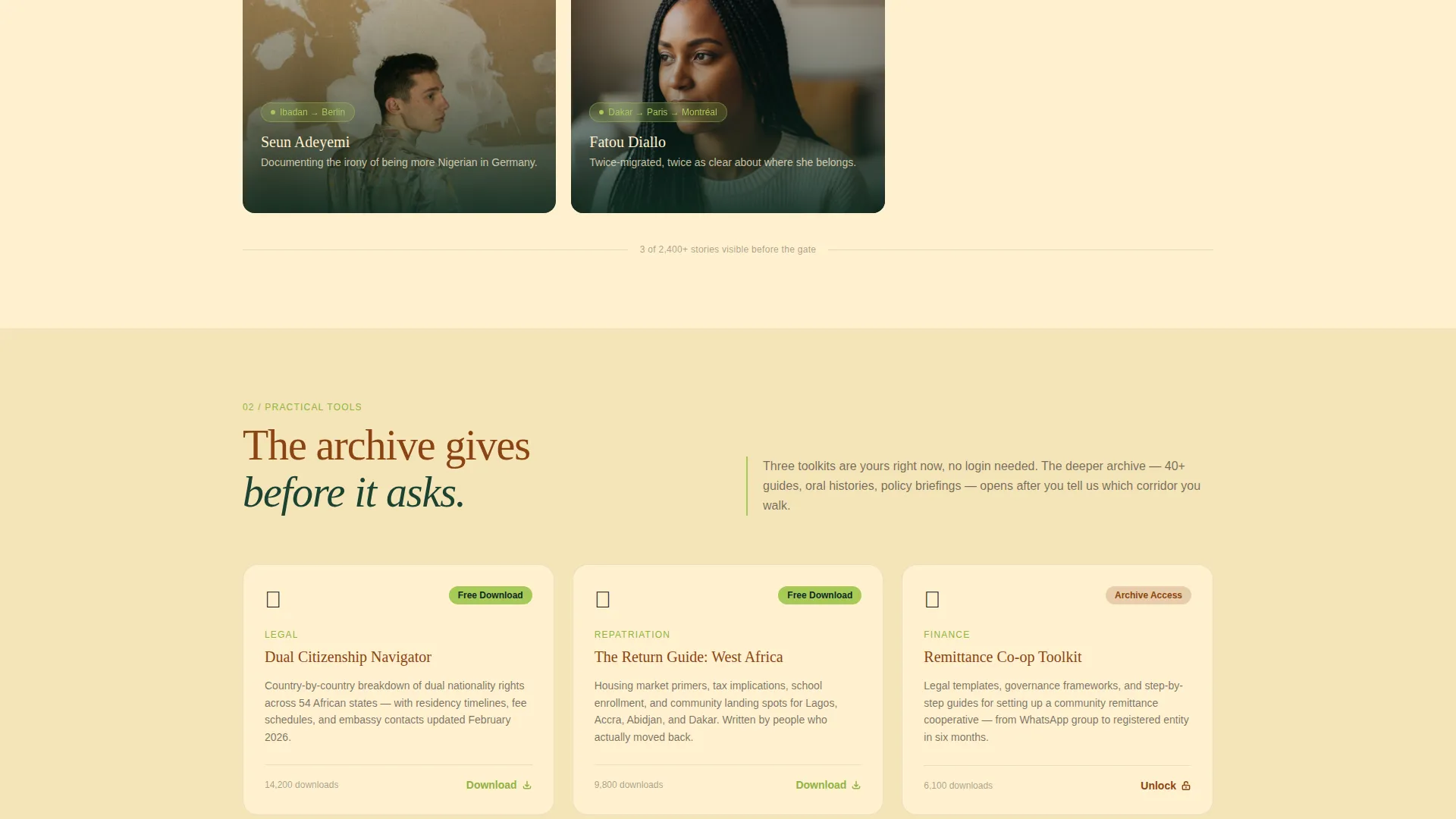
A structured deck of practical resource cards covers visa guides, dual-citizenship FAQs, and language preservation kits. Cards are organized for easy scanning and are visible to every visitor without requiring sign-up.
Oral History Audio Player
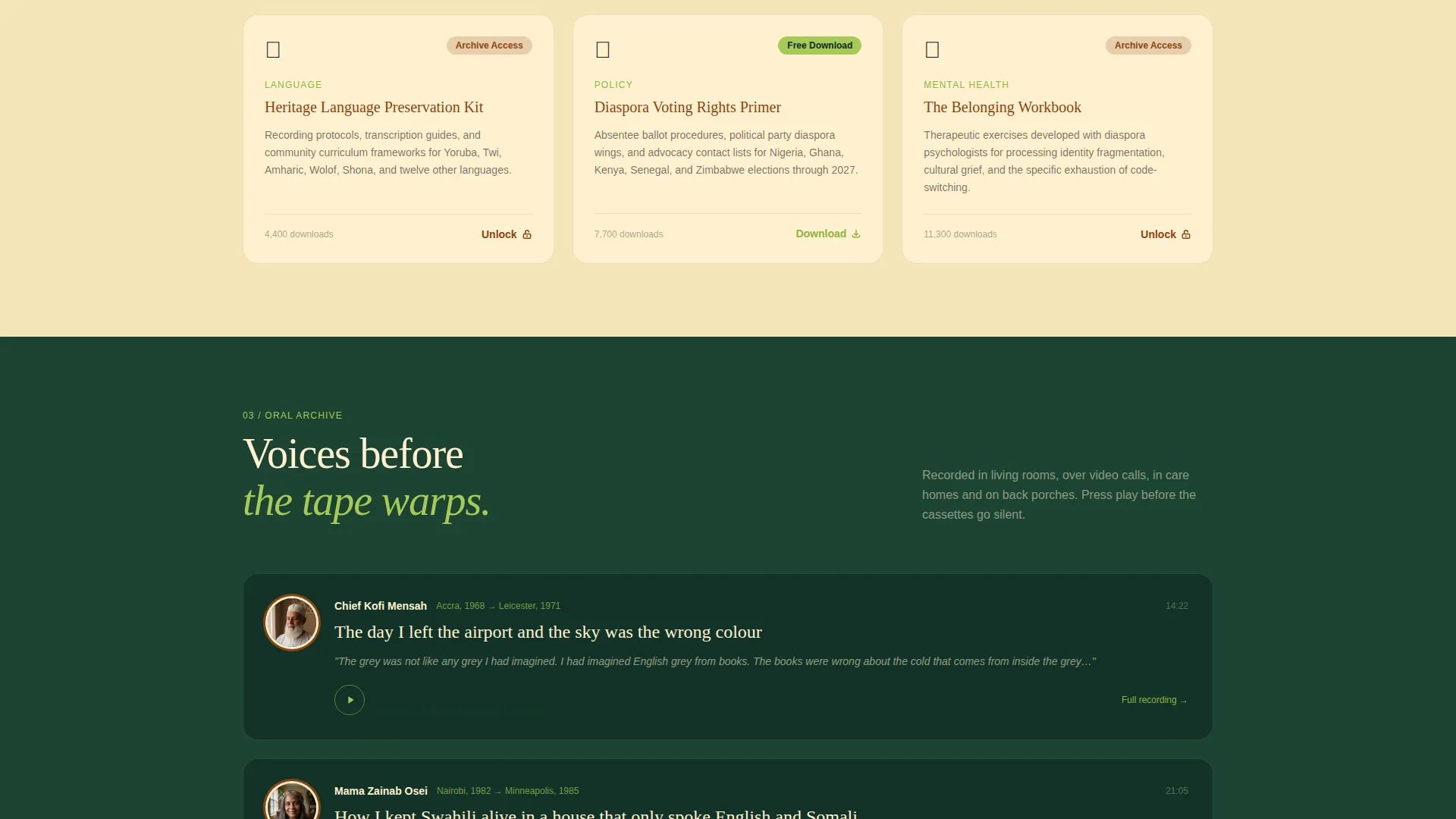
Embedded audio clips of oral histories play alongside chartreuse waveform visualizations. The audio section lets elders and storytellers speak directly to visitors, adding depth that text and images alone cannot deliver.
Archive Membership Gate
The "Enter the Archive" call to action appears after the third scroll section. A lightweight form asks for a first name, a diaspora corridor selection from a dropdown, and a single checkbox for a monthly digest. The gate earns the click by giving three stories and two toolkits first.
Floating Story Submission Tab
A persistent sidebar tab labeled "Share Your Story" is accessible from any scroll position. It opens a short-form submission field so contributors can add their voice without navigating away from the content they are reading.
Page sections overview
| Section | Purpose |
|---|---|
| Hero Testimonial Card | Opens with an intimate pull-quote and canopy photograph to draw visitors in immediately |
| Community Mosaic Grid | Displays member portraits, location tags, and story hooks in a magazine-spread layout |
| Resource Card Deck | Provides visa guides, dual-citizenship FAQs, and language kits as freely visible resources |
| Oral History Audio | Plays community audio clips with animated chartreuse waveform visualizations |
| Archive Membership Gate | Collects first name, diaspora corridor, and digest preference after trust is established |
| Site Footer | Anchors navigation and organizational links in deep canopy green |
Design & branding system
The Forest Trust palette draws on the natural world to create a reading environment that feels grounded and alive. Headlines are set in laterite soil brown, the reading surface sits on warm shea-butter cream, and navigation and footer areas use deep canopy green. Chartreuse sparks every link and hover state like sunlight catching a wet leaf after rain.
- Typography: Fraunces for large-serif editorial headlines, DM Sans for body text and interface elements
- Color system: canopy green (#1B4332) for navigation and footer, laterite soil (#8B4513) for headlines, shea cream (#FFF1D0) as the dominant reading surface, chartreuse (#A7C957) for links and hover states
- Visual effects include masked text reveals, parallax canopy scrolling, breathing mosaic hover states, waveform animation, and scroll-triggered section reveals
Mobile & speed optimization
The template is designed desktop-first to honor the editorial column widths and magazine-spread mosaic layouts. It also delivers a strong mobile reading experience, ensuring visitors on smaller screens can read stories, access resource cards, and use the archive gate without friction.
- Editorial sections reflow cleanly to single-column layouts on mobile viewports
- Static editorial content uses server components while interactive elements such as audio players and animations use client components
- The floating "Share Your Story" tab remains accessible across all screen sizes
How this template helps you convert
The conversion strategy in this template is sequenced carefully. Visitors receive value before they are ever asked for anything, and each scroll section deepens their sense of belonging before the membership gate appears.
- The testimonial hero, community mosaic, and resource deck build trust and identity connection through three content sections before the archive gate is shown
- The "Enter the Archive" form asks for minimal information, a first name, a diaspora corridor, and one checkbox, reducing friction at the moment of conversion
- The persistent "Share Your Story" tab opens a second conversion path for contributors who want to give back rather than just receive
Other information about this template
This template is categorized under Community and Nonprofit, with a specific focus on African Community Organizations and the African diaspora organization niche. It is built in an editorial magazine style, consistent with a Sunday supplement reading experience, and supports pan-African diaspora corridors including West Africa to North America, East Africa to Europe, Caribbean to UK, and twelve additional corridor options in the dropdown.
- Dates are formatted in DD/MM/YYYY convention to reflect pan-African diaspora localization preferences
- The footer uses an Arc Browser Split pattern on a canopy green background for a distinctive editorial close
- The template is suitable for cultural resource hubs, community archives, repatriation guide publishers, and diaspora policy advocacy groups
Theme
Nature-Inspired
Creative direction
Community Gallery
Color system
Forest Trust
Style
Editorial/Magazine
Direction
Content/Resource
Page Sections
Testimonial Pull-quote Hero Card
Breathing Community Mosaic Grid
Resource Card Deck
Oral History Audio Player
Archive Membership Gate
Floating Story Submission Tab
Related questions
Who is this landing page template designed for?
Can visitors access content before they need to sign up?
What information does the archive membership form collect?
What does the 'Share Your Story' tab do?
Is this template suitable for an organization covering multiple diaspora corridors?



