Restaurant Privacy Policy & Data Terms Website Template
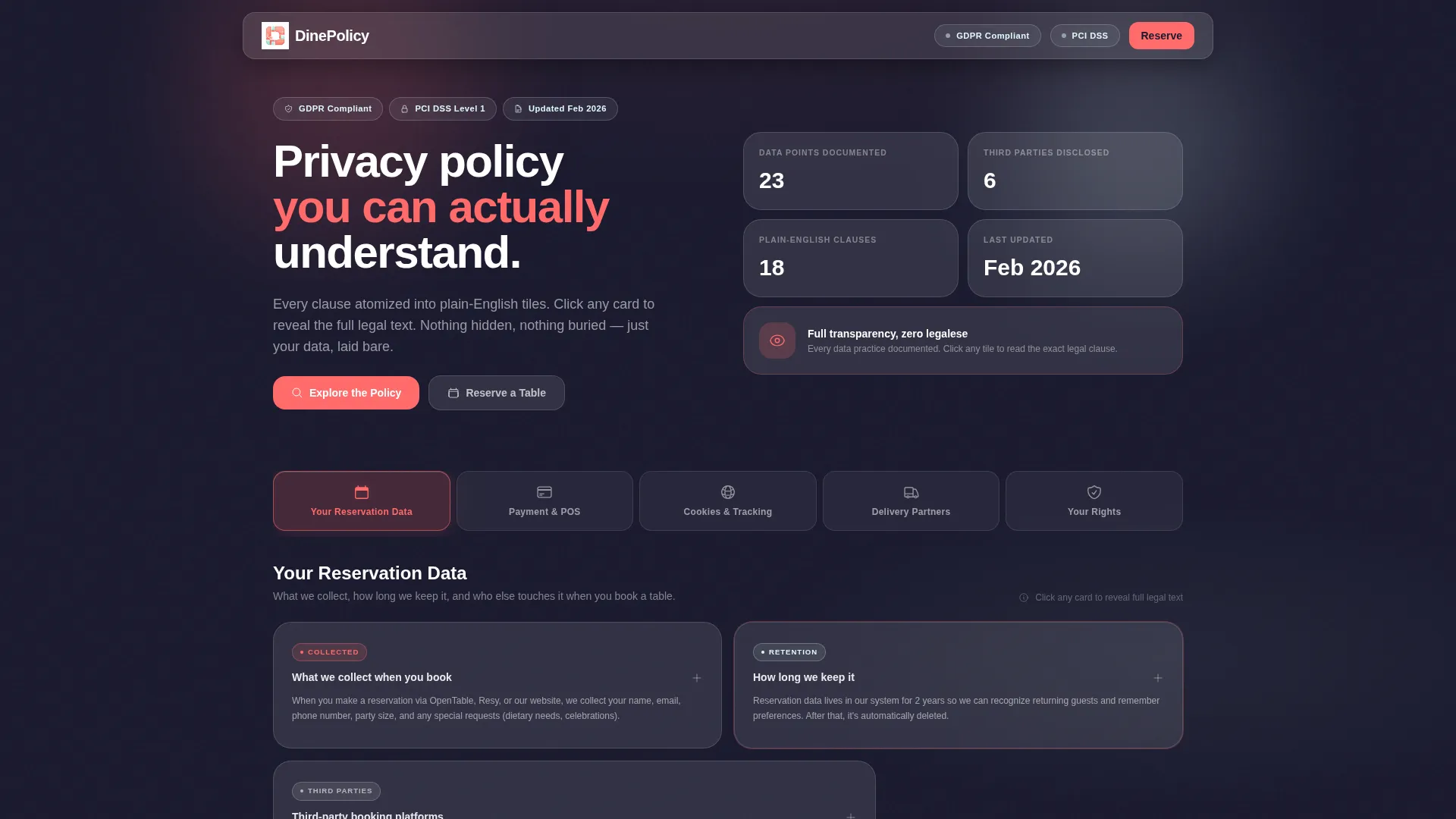
Dine is a single-page restaurant privacy policy landing page built on a bento grid layout with a glassmorphic visual style. It transforms dense legal text into interactive, tab-driven tiles covering reservation data, payments, cookies, delivery partners, and visitor rights. A sticky bottom bar and PDF download prompt convert trust into table reservations.
by Rocket studio
Quick summary
Dine turns a restaurant privacy policy into an interactive, glass-layered landing page. Visitors tap through five frosted-glass tabs, explore animated data-flow diagrams, and read every clause as a plain-English tile. By the time they reach the bottom, they understand exactly how their data is handled and feel confident enough to book.
Who this template is for
This template is built for anyone who needs a privacy policy page that works harder than a static wall of text. It suits independent operators, franchise teams, and curious first-time diners equally well.
- Restaurant owners who want a transparent, structured policy page without hiring a developer
- Franchise compliance officers auditing policy consistency across multiple branded locations
- First-time diners and small operators who want a clear, copyable policy structure to adapt for their own sites
What problem this template solves
Most restaurant privacy policies are long, unformatted documents nobody reads. Visitors bounce, compliance reviewers struggle to audit, and owners publish something they barely understand themselves. This template breaks that cycle.
- Legal clauses feel overwhelming when presented as unbroken paragraphs with no navigation
- Diners Googling a restaurant before booking cannot quickly find how their reservation data is used
- Owners lack a structured, professional starting point that handles cookie disclosures, delivery partner data sharing, and point-of-sale transaction logging in one place
What you get with this template
You get a fully designed, single-page privacy policy experience built around an interactive bento grid. Every section is atomized into digestible tiles that expand on click to reveal full legal language.
- A Feature Tab Switcher with five labeled tabs: "Your Reservation Data," "Payment and Point-of-Sale," "Cookies and Tracking," "Delivery Partners," and "Your Rights"
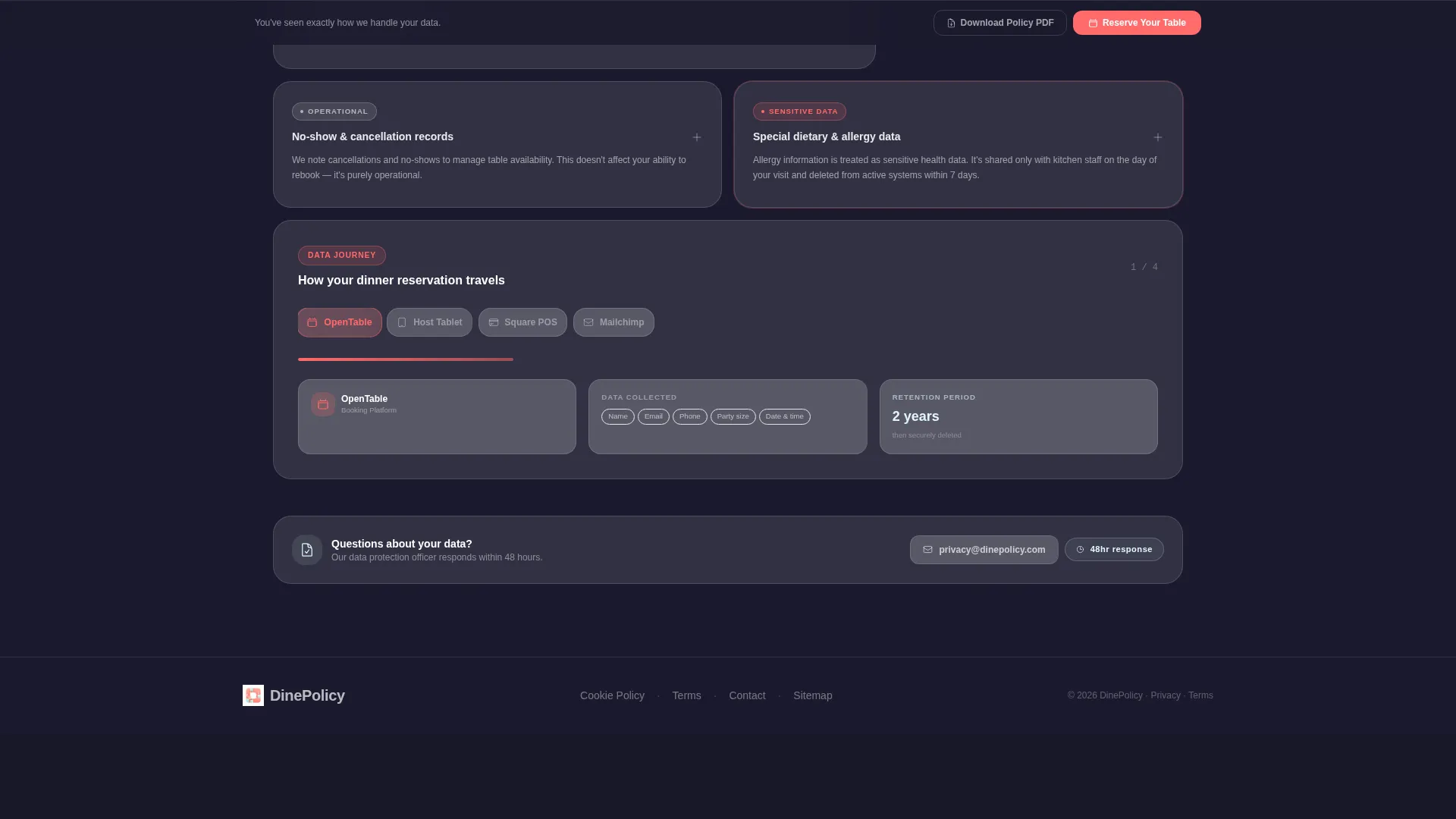
- An animated data-journey slider that visualizes how a dinner reservation moves from booking platform to point-of-sale system to email marketing platform
- A sticky bottom bar with a compact reservation form collecting name, email, party size, and preferred date, plus a secondary "Download Full Policy PDF" path gated by email
Feature list
This section covers the core interactive and visual capabilities built into the template.
Tab-Driven Policy Navigation
Five frosted-glass tabs sit horizontally across the top of the page. Each tab carries its own icon that animates on hover: a calendar, a credit card, a cookie, a bicycle, and a shield. Clicking any tab instantly repopulates the bento grid below with that section's cards.
Click-to-Expand Policy Tiles
Every bento card shows a plain-English summary on its face. Clicking reveals the full legal clause behind it. No wall of text ever loads by default, keeping the page readable at every scroll depth.
Animated Data Journey Slider
A draggable slider inside the grid visualizes how a single dinner reservation travels through different systems. Animated flow diagrams light up inside bento cells as the slider moves, making abstract data flows concrete and understandable.
Sticky Lead Generation Bar
A persistent bottom bar stays in view throughout the page. It holds a compact reservation form and a secondary PDF download prompt, converting policy trust into direct table bookings without requiring the visitor to navigate away.
Bento Grid That Rearranges on Interaction
The grid layout responds to tab selections and interactions, subtly rearranging cards to surface the most relevant content. This rewards exploratory behavior and keeps the page feeling dynamic rather than static.
Glassmorphic Visual System
Every card, tab, and overlay uses translucent fills, blurred backdrop shadows, and layered depth. The layout feels like reading a backlit menu through frosted glass, soft and modern, with each cell floating above the surface.
Page sections overview
| Section | Purpose |
|---|---|
| Feature Tab Switcher | Provides top-level navigation across five policy categories |
| Reservation Data Cards | Explains how booking information is collected and stored |
| Payment and Point-of-Sale | Covers transaction logging and point-of-sale data handling |
| Cookies and Tracking | Details cookie disclosures and tracking behavior |
| Delivery Partner Data | Clarifies what is shared with third-party delivery services |
| Your Rights Panel | Outlines visitor data rights and deletion options |
| Data Journey Slider | Animates how a reservation moves between platforms |
| Sticky Reservation Bar | Captures bookings and PDF download leads at page bottom |
Design & branding system
The visual identity follows a Startup Velocity theme expressed through a glassmorphic color system. Every surface feels layered, lit from behind, and separated by soft blur rather than hard borders.
- Core palette: translucent card white (#FFFFFFB3), deep kitchen charcoal (#1A1A2E), frosted mint (#E0F7FA) for hover states, and electric coral (#FF6B6B) on active toggles and call-to-action pulses
- Each bento cell uses blurred backdrop shadows to create individual depth, making cards appear to float a few pixels above the surface
- Active tab states and the sticky call-to-action bar pulse in electric coral, drawing the eye toward the next action without competing with the content
Mobile & speed optimization
The bento grid is structured to scale gracefully across screen sizes. Tab navigation and expandable tiles remain fully usable on smaller viewports without horizontal scrolling.
- Cards reflow into single-column stacks on mobile so every clause remains readable without pinching or zooming
- The sticky bottom bar compresses cleanly on smaller screens, keeping the reservation form and PDF download prompt accessible at all times
- Animated elements use lightweight transitions to keep interactions smooth across modern browsers and devices
How this template helps you convert
The page is designed so that every interaction builds trust, and trust reduces friction at the point of booking. Visitors do not feel sold to; they feel informed.
- The tab-and-tile structure lets visitors self-select the policy sections they actually care about, keeping them engaged longer and reducing drop-off before they reach the call to action
- The data journey slider makes abstract data handling visible and tangible, so by the time a visitor sees the reservation form, they already understand exactly how their information will be used
- The dual conversion path, a direct table reservation alongside a PDF download, captures both ready-to-book visitors and those who need a little more time before committing
Other information about this template
This template is part of the Dine restaurant template family and targets the specific niche of restaurant privacy policy pages within the broader restaurant website templates category. It is categorized under Technology on the marketplace.
- The template style is Bento Grid, the theme is Startup Velocity, and the creative direction is Interactive Explorer, all of which are set in the source design files
- The header concept, Feature Tab Switcher, is a distinct interactive component rather than a static hero section, making it suited for compliance-heavy pages that need clear wayfinding
- The lead generation direction means the page is purpose-built to turn policy transparency into bookings, pairing legal clarity with a low-friction reservation form in the same viewport


Theme
Startup Velocity
Creative direction
Interactive Explorer
Color system
Glassmorphic
Style
Bento Grid
Direction
Lead Generation
Page Sections
Tab-driven Policy Navigation
Click-to-expand Policy Tiles
Animated Data Journey Slider
Sticky Lead Generation Bar
Interactive Bento Grid Layout
Glassmorphic Visual System
Related questions
Can I edit the policy text inside each bento tile?
Does this template support more than five policy categories?
Is the data journey slider connected to a live backend system?
Who is this template most useful for besides restaurant owners?