Animal Control Government Professional Website Template
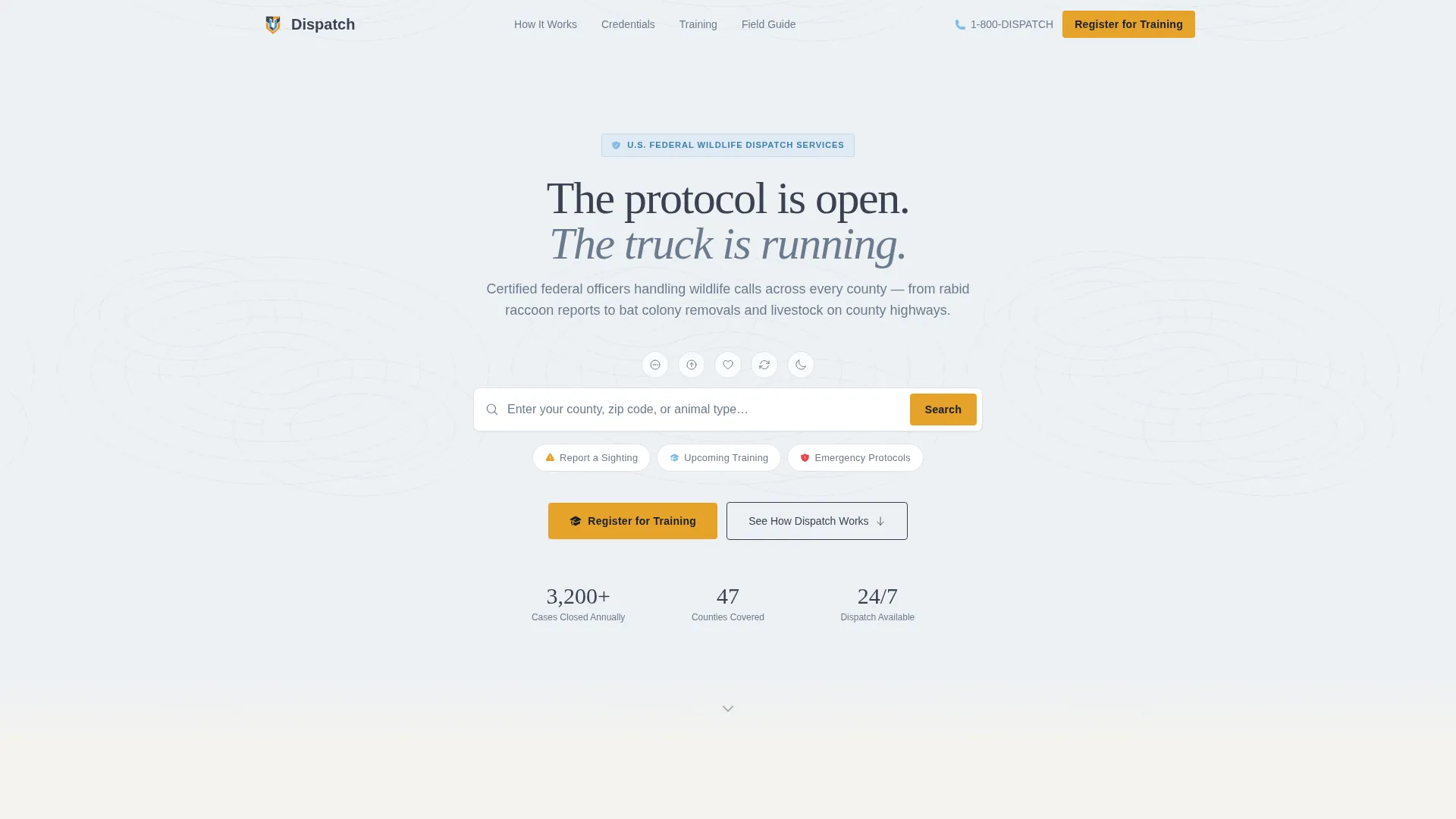
Dispatch is a single-page landing page template built for federal animal control agencies. It guides municipal clerks, HOA coordinators, and rural property owners through a transparent process walkthrough, then drives them toward training registration. The design draws from a federal field manual aesthetic, pairing a topographic search header with a calm, authoritative Slate and Sky color system.
by Rocket studio
Quick summary
Dispatch is a landing page template for a federal animal control agency. It walks visitors through the full dispatch process, from the moment a call is logged to when the case is formally closed. The primary goal is training event registration, with a secondary lead-capture path offering a downloadable field guide. The design feels institutional, functional, and trustworthy.
Who this template is for
This template is built for government and public safety organizations that need to communicate competence quickly and convert visitors into registered training attendees. The content and layout are calibrated for multi-stakeholder audiences with different urgency levels.
- Municipal clerks coordinating multi-agency wildlife incident responses
- HOA board members managing coyote sightings or school zone safety concerns
- Rural property owners dealing with bat colonies, livestock calls, or other certified-removal situations
What problem this template solves
Government animal control agencies often struggle to convey the structure and rigor behind their operations to a public that mostly sees the result, not the process. A generic webpage cannot build the institutional trust that gets a clerk to register their team or a property owner to pick up the phone.
- No clear visual path from "I have a problem" to "here is who handles it and how"
- No centralized place to collect training registrations across different roles and organizations
- No lead capture for audiences who want information before they commit to attending
What you get with this template
You get a fully structured, single-page layout built around a transparent operational process. Every section earns visitor trust before asking for anything in return.
- A topographic-texture search header with animal-type chips and three quick-action navigation chips
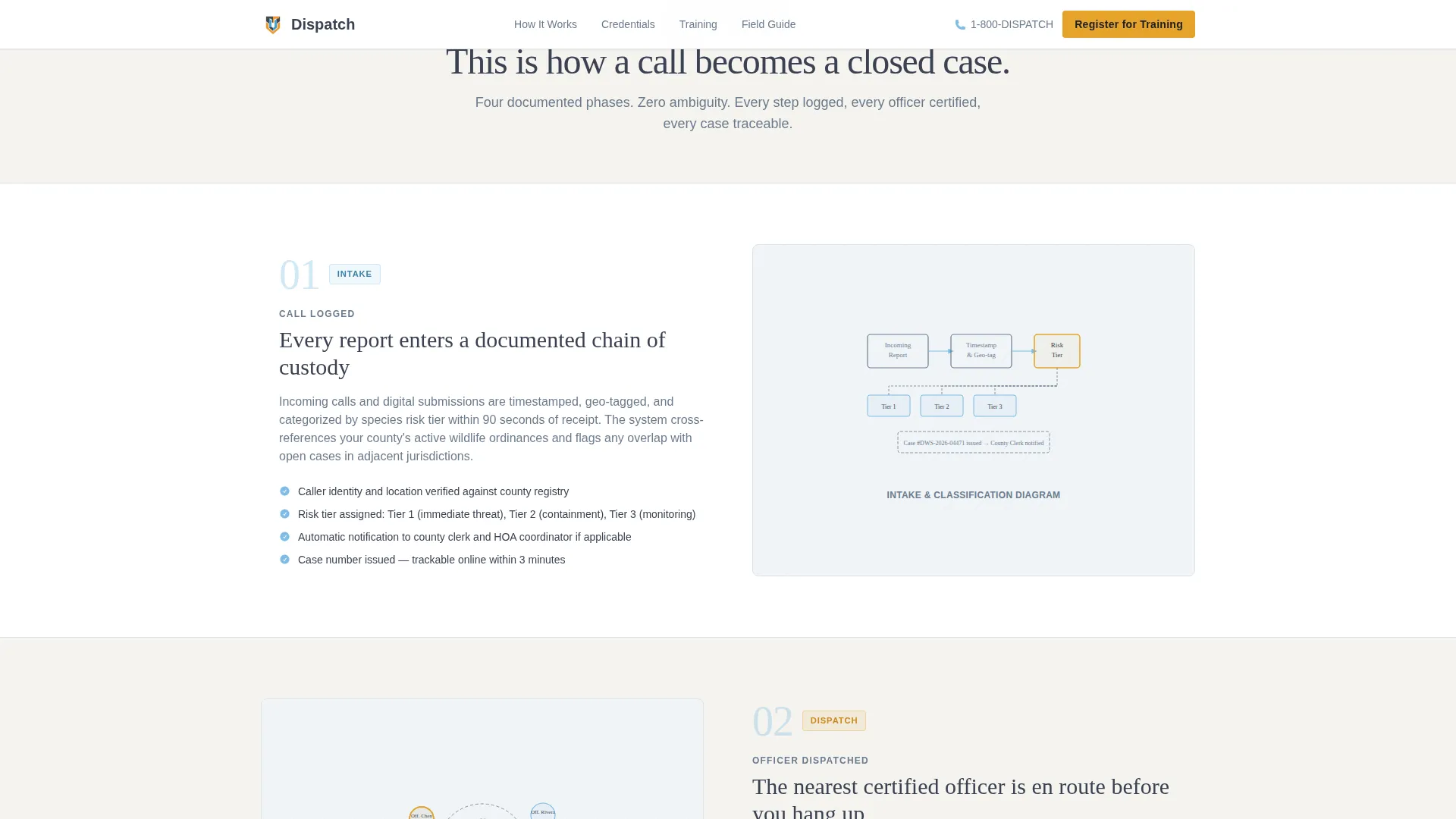
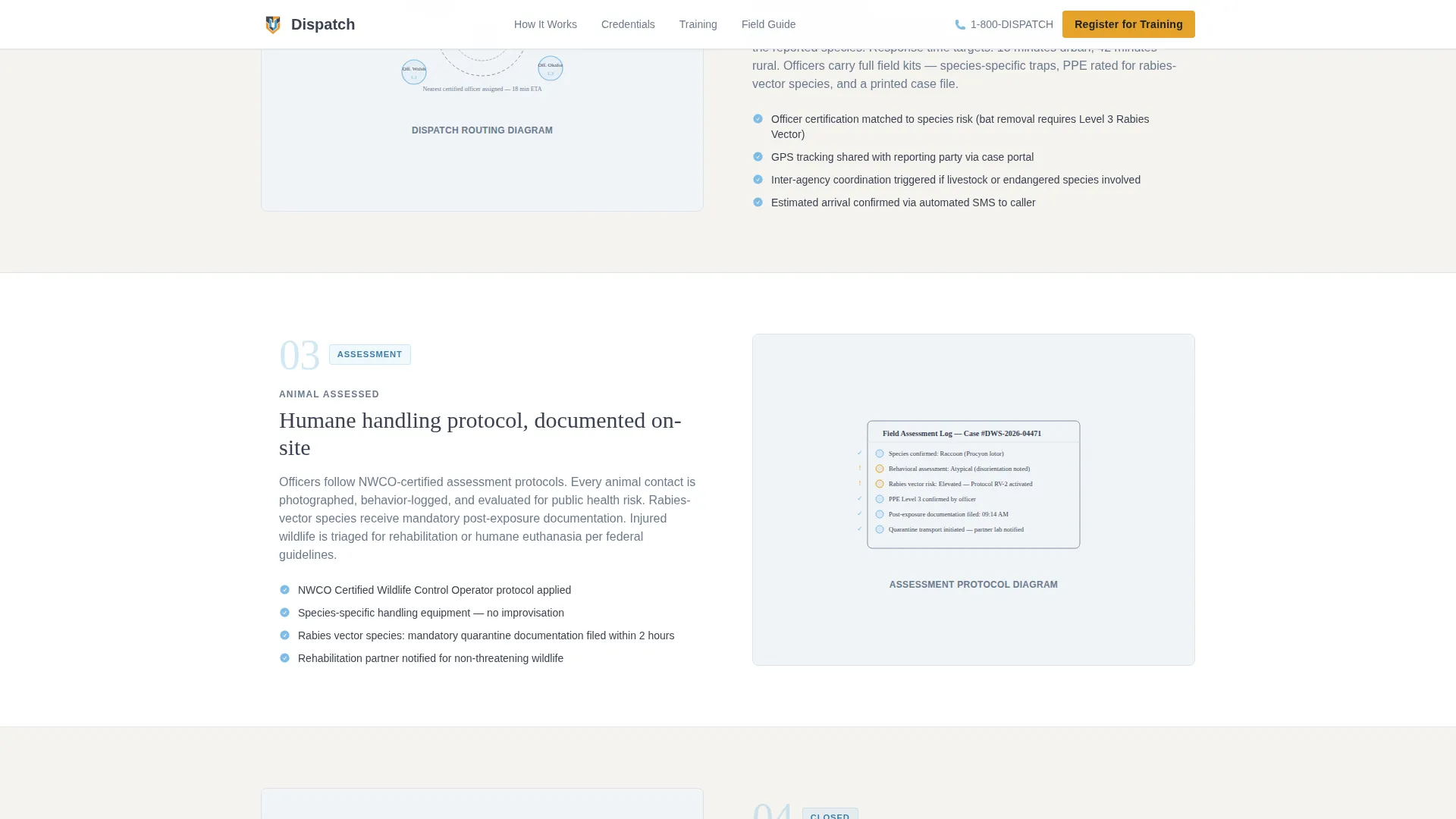
- A four-phase zigzag process section covering call logging, officer dispatch, animal assessment, and case closure
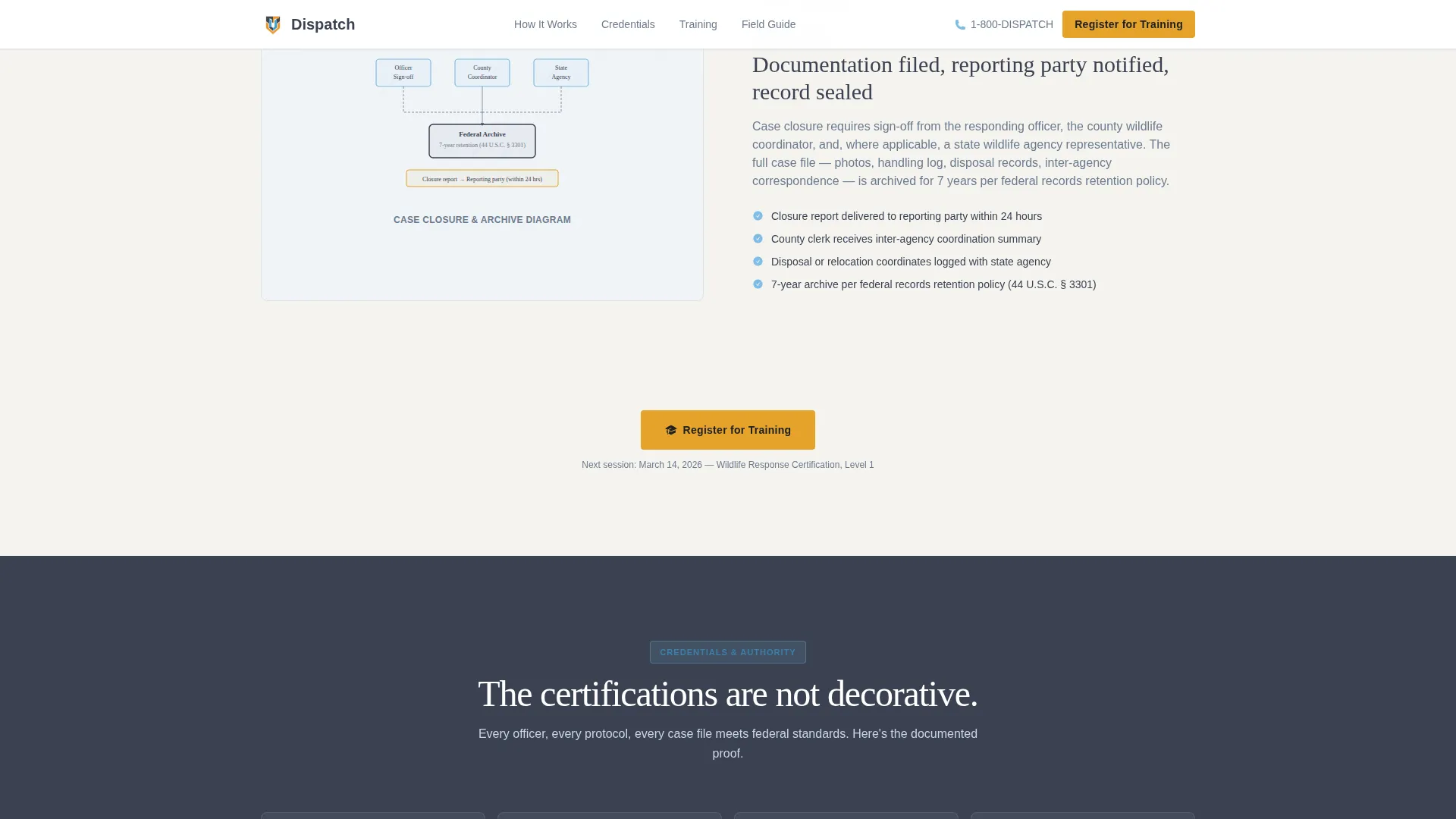
- A credentials and partners section with certification badges, inter-agency partner logos, and case volume statistics
- A training registration form with role dropdown, agency affiliation field, and a calendar picker for upcoming sessions
- A secondary field guide call-to-action section that captures email leads in exchange for a downloadable PDF
Feature list
This section covers the core functional and design capabilities built into the Dispatch landing page template.
Topographic Search Header
The header centers a single search input field against a soft topographic map texture. Ghost text reads "Enter your county, zip code, or animal type…" and small icon silhouettes of common call subjects flank the input. Three clickable chips below the field direct visitors to report a sighting, view upcoming training, or access emergency protocols.
Four-Phase Process Zigzag
Four alternating left-right sections walk visitors through how the agency actually operates. Each phase covers one stage: call logged, officer dispatched, animal assessed, and case closed with documentation. Illustrations are clean line-art diagrams, reinforcing the sense of an auditable, documented system.
Training Registration Form
The registration section collects name, agency or organization affiliation, and role via a dropdown with options including officer, clerk, elected official, property owner, and other. A calendar picker displays upcoming wildlife management workshops and certification courses for the visitor to select a preferred session date.
Field Guide Lead Capture
A secondary call-to-action section offers a downloadable field guide PDF in exchange for an email address. This path captures visitors who are not ready to register for training but still want actionable wildlife management resources.
Credentials and Partners Block
A dedicated section presents certification badges, inter-agency partner logos, and case volume statistics in a bento-style layout. This block functions as social proof, reinforcing that the agency operates within a documented chain of custody and holds recognized humane handling certifications.
Amber Alert call to action System
High-visibility amber is reserved exclusively for calls to action, alert badges, and key registration buttons. The primary "Register for Training" button appears once below the header chips and again after the process walkthrough, keeping the conversion path visible at key scroll moments.
Page sections overview
| Section | Purpose |
|---|---|
| Search Header | Entry point with county, zip, or animal-type search and quick-action chips |
| Process Zigzag | Four alternating phases showing the full dispatch and case lifecycle |
| Credentials & Partners | Certifications, inter-agency logos, and case volume statistics |
| Registration Form | Training sign-up with role dropdown and session calendar picker |
| Field Guide call to action | Email lead capture in exchange for a downloadable PDF resource |
| Footer | Linear single-row footer with agency links and contact information |
Design & branding system
The visual identity follows an Educational Guide theme. The overall feel is a government-issued field manual left open on the dashboard of a white pickup truck at dawn: authoritative without being intimidating, and institutional without being cold.
- Color system uses federal charcoal (#3B4252) for structure, field-uniform slate (#6B7B8D) for supporting elements, open-sky blue (#7EBCE6) for breathable section backgrounds, and high-visibility amber (#E5A229) exclusively for alerts, badges, and call-to-action buttons
- Typography pairs Fraunces serif for headlines, lending authority and editorial weight, with DM Sans for body text and user interface elements, keeping instructions clear and scannable
- No stock photography of rangers or people; all visuals are clean line-art diagrams and iconographic silhouettes, keeping the page utilitarian and focused
Mobile & speed optimization
The template is designed desktop-first to serve municipal clerks working on office workstations, while remaining fully responsive for property owners accessing the page from mobile devices in the field.
- Static page sections use server-side rendering for fast initial load on government networks
- Interactive components such as the search input, chip filters, registration form, and calendar picker are handled as client-side elements to keep the experience responsive without slowing the static content
- Scroll-triggered reveal animations and staggered zigzag entries are set to medium intensity, adding a sense of progression without creating distraction or performance overhead
How this template helps you convert
The conversion architecture is built around two distinct paths: immediate registration and deferred lead capture. Every scroll step reinforces credibility before presenting an ask.
- The primary amber "Register for Training" button appears directly below the header chips, then repeats after the process walkthrough, giving visitors two natural moments to commit without feeling pressured.
- The field guide PDF exchange captures email leads from visitors who are in the research phase, ensuring that even unconverted visitors enter a follow-up pipeline with a resource they requested.
Other information about this template
This template is designed for the government and public safety category, specifically within the animal control federal agency niche. It sits at the intersection of multi-agency wildlife management, public safety communication, and civic event coordination.
- Template style is zigzag and alternating, making it well suited for process-driven storytelling where each section builds on the last
- The creative direction is Transparent Process, meaning the page earns trust by showing how the system works rather than simply asserting authority
- The header concept is a Search Box, which reflects the practical, task-first mindset of the primary audience: clerks and coordinators who arrive with a specific county, zip code, or animal type in mind
- The landing page direction is Event Registration, aligning all design decisions toward getting the right people signed up for wildlife management workshops and certification courses
- Localization settings follow United States standards: English language, MM/DD/YYYY date format, and imperial measurements throughout
- The footer follows a linear single-row pattern, keeping the page clean and focused on the primary conversion task
Theme
Educational Guide
Creative direction
Transparent Process
Color system
Slate & Sky
Style
Zigzag/Alternating
Direction
Event Registration
Page Sections
Topographic Search Header
Four-phase Process Walkthrough
Training Event Registration Form
Field Guide PDF Lead Capture
Credentials and Partners Block
Amber Call to Action and Alert System
Related questions
Who is this landing page template designed for?
What is the primary call to action on this template?
Can this template capture leads from visitors who are not ready to register?
What does the registration form collect from visitors?
Does the template use photography of wildlife or rangers?



