Emergency Operations Center Landing Page Template
Dispatch is a card grid landing page built for FEMA regional offices. It orients county emergency managers, municipal public works directors, and nonprofit volunteer coordinators to the right resources fast. A Civic Service color system, an icon grid header, and frequently asked question-driven scroll sections create an operations-room experience that routes every visitor to action in two clicks or one call.
by Rocket studio
Quick summary
Dispatch is a single-page, card grid template designed for a FEMA regional office. It replaces confusing federal navigation with a clean ask-answer-act flow. Three distinct user types land here, find their thread, and reach DisasterAssistance.gov, the Grants Portal, or a regional phone line without friction. Every design decision reflects the quiet confidence of a well-lit operations center at 6 a.m.
Who this template is for
This template is built for government offices and civic organizations that need to provide information quickly under pressure. The layout and communication strategies built into each section serve users who cannot afford to waste time searching for the right link.
- County emergency managers tracking grant deadlines and flood maps
- Municipal public works directors preparing data for council votes and mitigation plans
- Nonprofit volunteer coordinators registering their team before hurricane season opens
What problem this template solves
Federal agency pages often bury critical resources under layers of navigation. Visitors arrive with urgent tasks and leave without completing them. This template removes that friction by organizing emergency operations plans, procedures, and response resources into a single, scrollable, frequently asked question-driven flow.
- Visitors cannot quickly determine which program applies to their situation
- Officials waste time searching for downloadable plans, flood maps, and grant checklists
- Survivors and volunteers struggle to find the correct entry point for individual assistance
What you get with this template
Dispatch delivers a fully structured card grid landing page ready to customize with your regional content. Every section serves a defined purpose, and every call-to-action routes to a specific destination. Organizations equipped with clear plans and well-labeled pages are better prepared to handle challenges during emergencies.
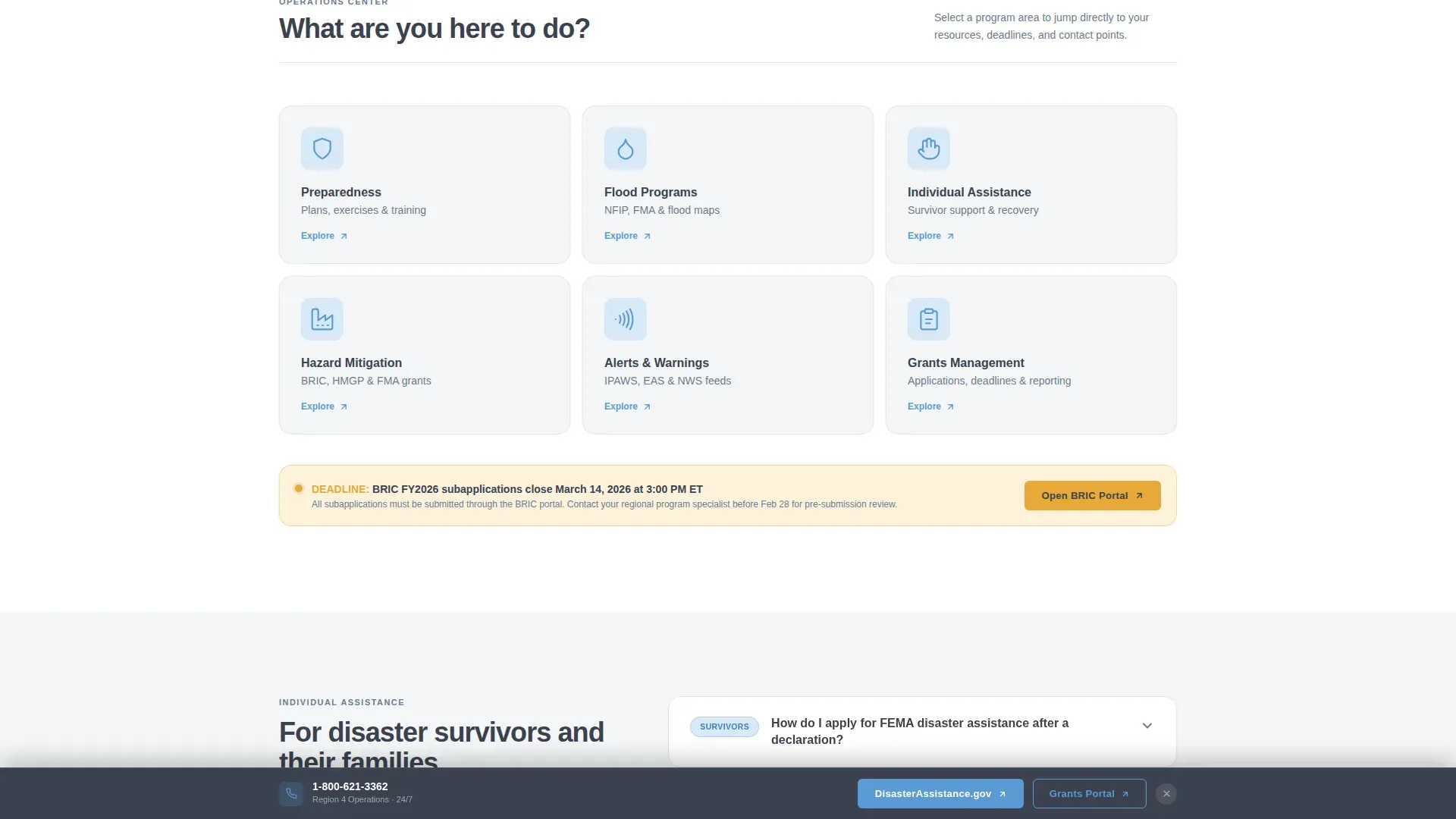
- A 3x2 icon grid header with six civic service categories and hover-lift interactions
- Two frequently asked question cluster sections covering individual assistance and grants and mitigation
- A sticky persistent bar with the regional phone number and two primary calls-to-action
Feature list
This template provides a focused set of built-in design and interaction features. Each one supports faster decision-making during high-stakes visits.
Icon Grid Navigation Header
The header presents six outlined civic icons arranged in a 3x2 card matrix. Categories include preparedness, flood programs, individual assistance, mitigation, alerts, and grants. Each card lifts on hover, giving users a clear visual entry point before they scroll. The grid breathes with generous whitespace and carries no stock disaster photos.
frequently asked question-Driven Scroll Sections
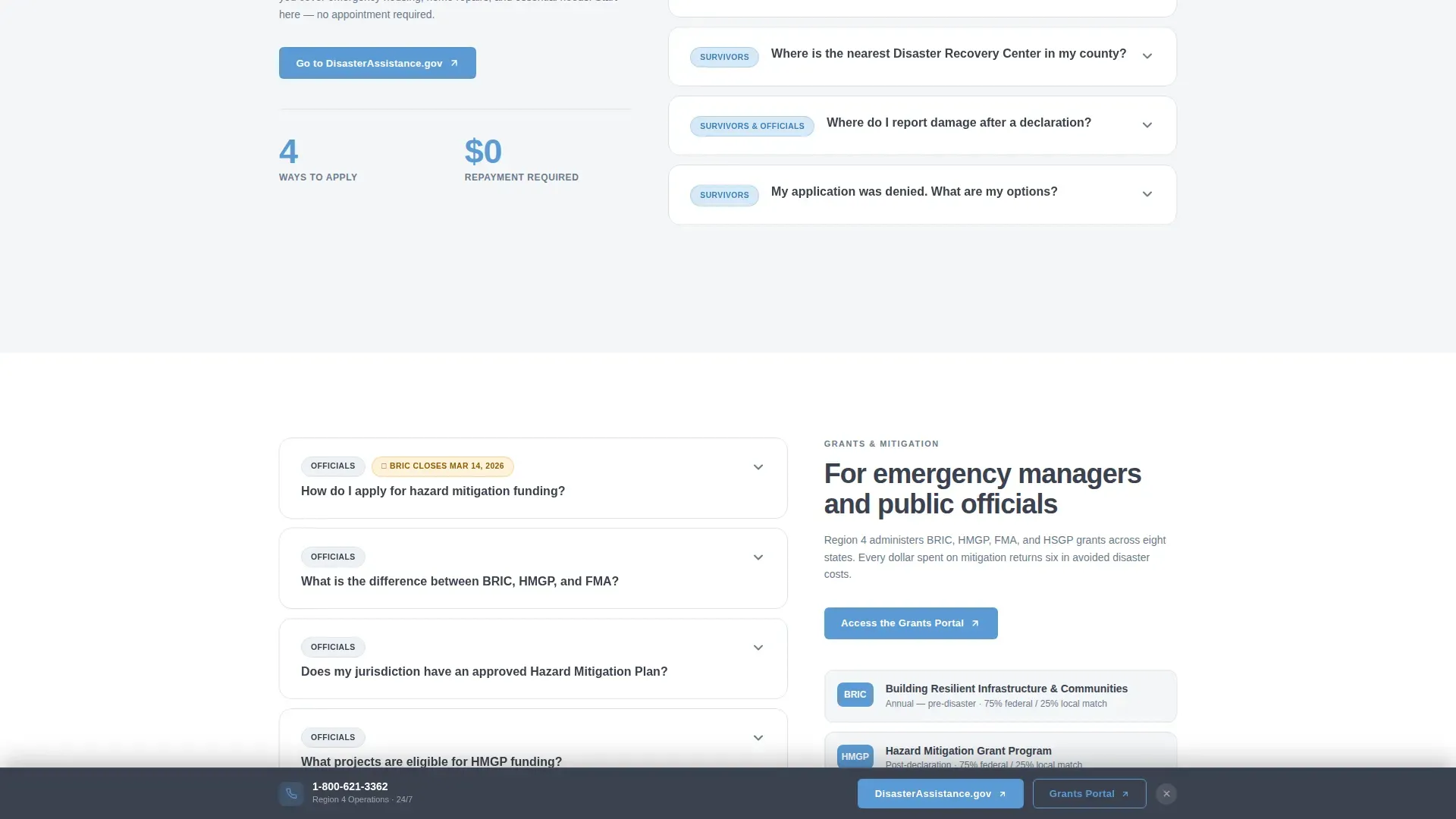
Each scroll section opens with a real question written in the visitor's own language. Questions escalate from general orientation to specific procedural steps. Every question card expands to reveal a concise answer and a single outbound link. This ask-answer-act rhythm helps users respond to their own situation without guessing.
Dual call to action Routing System
Two primary calls-to-action serve two distinct user types. Survivors are routed to DisasterAssistance.gov. Officials are routed to the Grants Portal. Each blue button appears at the natural exit point of its corresponding frequently asked question cluster, so the action always follows the answer.
Sticky Persistent Bar
After three scrolls, a sticky bar surfaces at the top of the viewport. It displays the region's phone number and both primary calls-to-action side by side. This persistent element ensures that every visit can resolve in two clicks or one call, regardless of where the user stops scrolling.
Alert Amber Notice System
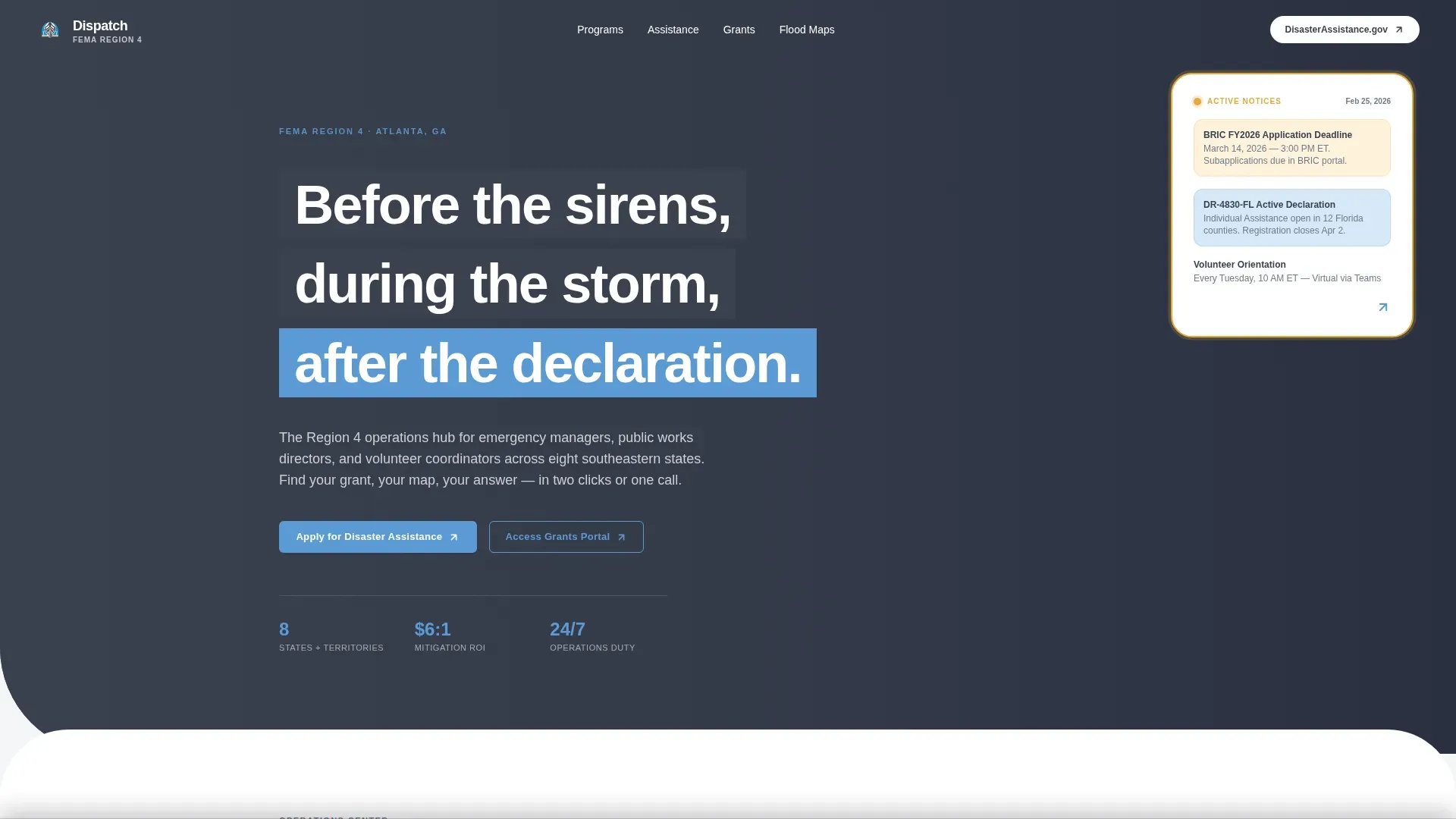
Alert amber (#E8A838) is reserved exclusively for time-sensitive notices. Active deadlines, open declarations, and urgent status updates appear in this color only. The visual contrast makes critical information impossible to overlook without cluttering the page with unnecessary color.
Flood Maps and Regional Coverage Section
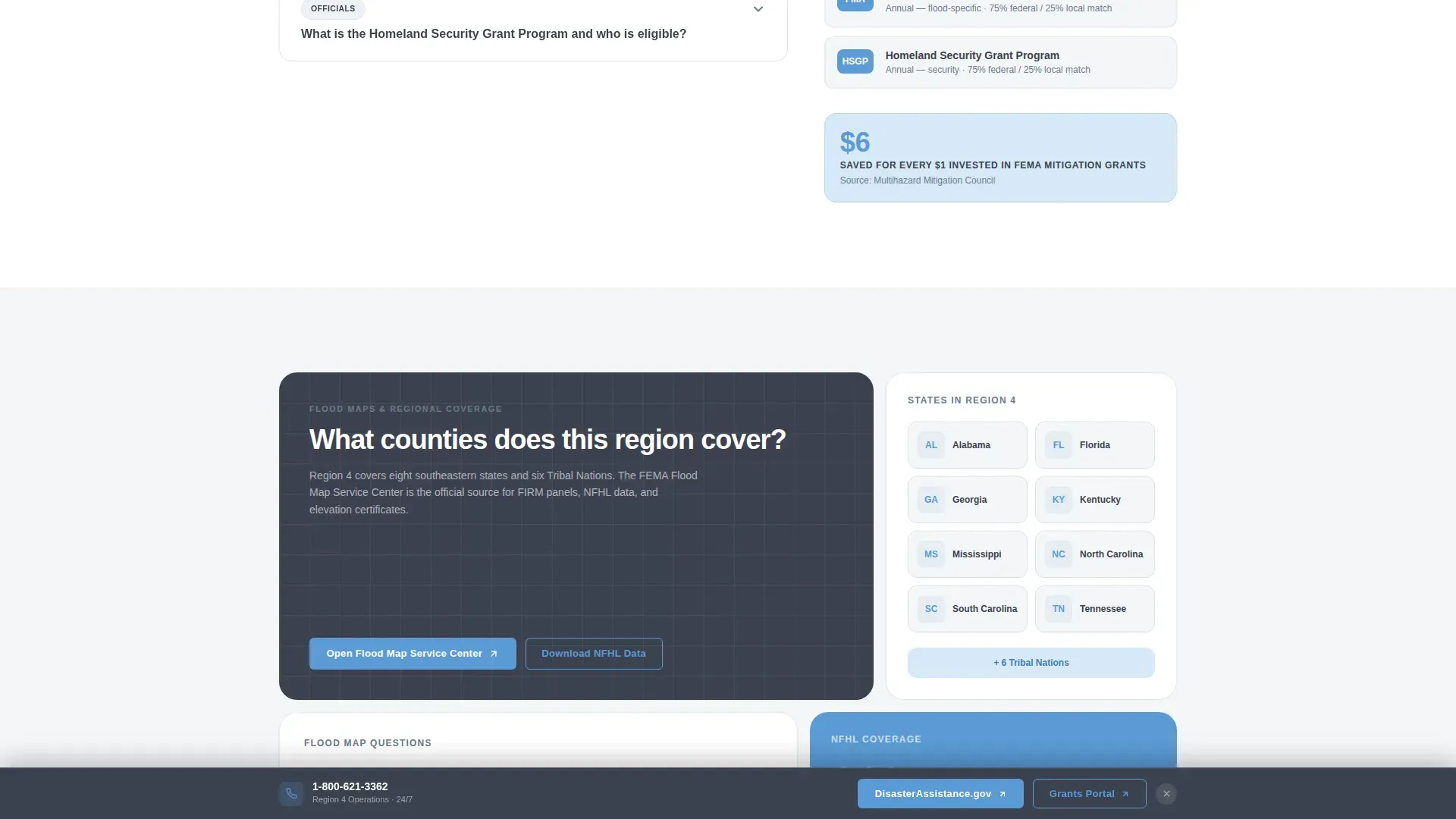
A dedicated section presents interactive county coverage and a link to the National Flood Hazard Layer map. Public works directors and emergency managers can access the data they need for council presentations, mitigation plans, and floodplain management procedures without leaving the page context.
Page sections overview
| Section | Purpose |
|---|---|
| Hero with Active Notices | Establishes regional identity and surfaces urgent amber alert cards |
| Icon Grid Header | Routes users by topic category with six civic icon cards |
| frequently asked question Cluster: Individual Assistance | Answers survivor questions and routes to DisasterAssistance.gov |
| frequently asked question Cluster: Grants and Mitigation | Answers official questions and routes to the Grants Portal |
| Flood Maps and Coverage | Provides county map data and NFHL link for planning tasks |
| Footer with Sticky Bar | Linear footer plus persistent two-call to action and phone bar |
Design & branding system
Dispatch follows a Civic Service theme built on the Slate and Sky color system. The palette feels institutional without being cold and authoritative without being martial. Typography uses Plus Jakarta Sans for headers and DM Sans for body text, keeping the page readable under workstation lighting.
- Federal charcoal (#3B4250) anchors headers, footers, and primary text
- Operations slate (#6B7B8D) fills card backgrounds and secondary surfaces
- Open-sky blue (#5B9BD5) marks every clickable element and call-to-action button
- Alert amber (#E8A838) appears only on active deadlines and urgent notices
Mobile & speed optimization
Dispatch is designed desktop-first for emergency managers working at fixed workstations, but it delivers full mobile support for field responders and community partners who need to access plans and resources from a phone. Mobile responsiveness ensures the template loads cleanly on smaller screens, even in areas with limited connectivity.
- Accordion frequently asked question expand and collapse interactions use minimal JavaScript
- Server-rendered static sections keep the page light for low-bandwidth access
- The sticky bar and icon grid reflow cleanly for touch-based navigation
How this template helps you convert
The primary goal of this landing page is to minimize cognitive load so visitors act faster. Every layout decision reduces the number of steps between arrival and the right resource.
- The icon grid at the top of the page lets users self-select their topic in one click, bypassing irrelevant sections and moving directly to the correct frequently asked question cluster.
- The sticky persistent bar keeps both primary calls-to-action and the regional phone number visible at all times, so a visitor never has to scroll back up to find the next step.
Other information about this template
This template is designed to support the kinds of emergency operations plans that real government offices develop and maintain. An Emergency Operations Plan (EOP) is a strategy that helps an organization navigate unexpected disruptions. An effective EOP outlines precise procedures for evacuation, communication strategies, and resource allocation. Plans of this type include clear roles and responsibilities for each team member across all response phases.
FEMA's Continuous Improvement Technical Assistance Program (CITAP) provides templates and resources intended for the whole community, including state, local, tribal, and territorial partners. This template is built with that same inclusive scope in mind, helping offices that serve schools, hospitals, utilities, and other community anchors share their plans clearly.
Effective emergency dashboards allow staff to maintain situational awareness during incidents and visualize data to manage response tasks. This template's card grid structure reflects those same principles at the page level. Visual elements and clean graphics improve communication and coordination across the organization.
- Download links for Standard Operating Procedures and EOPs can be set inside frequently asked question answer cards
- The table layout and notes fields in each card are easy to update as plans change
- Amber status indicators log active declarations and help users track open incidents
- The template supports sharing resources with partners, volunteers, and community stakeholders
- Designs can be customized to meet the branding goals of any regional government office
- Photos and additional graphics can be added to the hero section to improve local identity
- The cookies banner and sign-in prompt slots can be configured to meet agency policies
- Professionally-designed templates like Dispatch provide structure and flexibility when preparing emergency operations plans for public-facing use
Theme
Civic Service
Creative direction
FAQ-Driven
Color system
Slate & Sky
Style
Card Grid (Modular)
Direction
Click-Through
Page Sections
Icon Grid Navigation Header
Faq-driven Scroll Sections
Dual Call to Action Routing System
Sticky Persistent Bar
Alert Amber Notice System
Flood Maps and Regional Coverage Section
Related questions
What type of organization is this template designed for?
Can I customize the frequently asked question questions and answer cards?
Does this template support multiple calls-to-action?
How does the alert amber color system work?
Can the icon grid categories be changed?



