Roadside Assistance Landing Page Template
Dispatch is a bold, full-page landing page template built for roadside assistance services. It uses a cinematic Navy Authority color system, a dramatic Spotlight hero, and a Spec Sheet scroll structure to guide stranded drivers and fleet managers toward one clear action: booking a truck. Every section earns trust before asking for anything.
by Rocket studio
Quick summary
Dispatch is a storybook landing page template for roadside assistance businesses. It opens with a cinematic tow truck hero, moves through six service capability cards, and closes with a focused three-step booking form. The design feels like a dispatch screen at 2 AM, steady, urgent, and impossible to ignore.
Who this template is for
This template is built for roadside assistance providers who need a landing page that converts under pressure. It works equally well for independent operators and regional fleets.
- Roadside service businesses that offer battery, tire, fuel, lockout, winch, or towing coverage
- Fleet managers who need a single contact point for vehicles spread across multiple states
- Service operators who want a page that earns trust before asking for a booking
What problem this template solves
Most roadside service pages look generic. They bury the phone number, scatter the services, and give visitors no reason to trust them before asking for personal information. Dispatch solves that.
- Stranded drivers need instant confidence that help is real, fast, and nearby
- Fleet managers need a clear commercial path without wading through consumer-focused copy
- Service providers need a page structure that proves competence card by card before the call to action appears
What you get with this template
You get a complete single-page layout designed around one goal: getting the visitor to request a truck. Every section is purpose-built, nothing is filler.
- A cinematic Spotlight hero with a tow truck, amber lighting, and a bold response-time promise
- Six full-bleed service capability cards covering battery jump, tire change, fuel delivery, lockout, winch recovery, and long-distance tow
- A three-step booking form with GPS location autofill, a service type selector, and a phone number field
- A persistent mobile call-to-action pinned to the bottom of the viewport
- A secondary fleet inquiry path sitting beneath the primary booking button
Feature list
This section walks through the core design and functional components built into the Dispatch template.
Cinematic Spotlight Hero
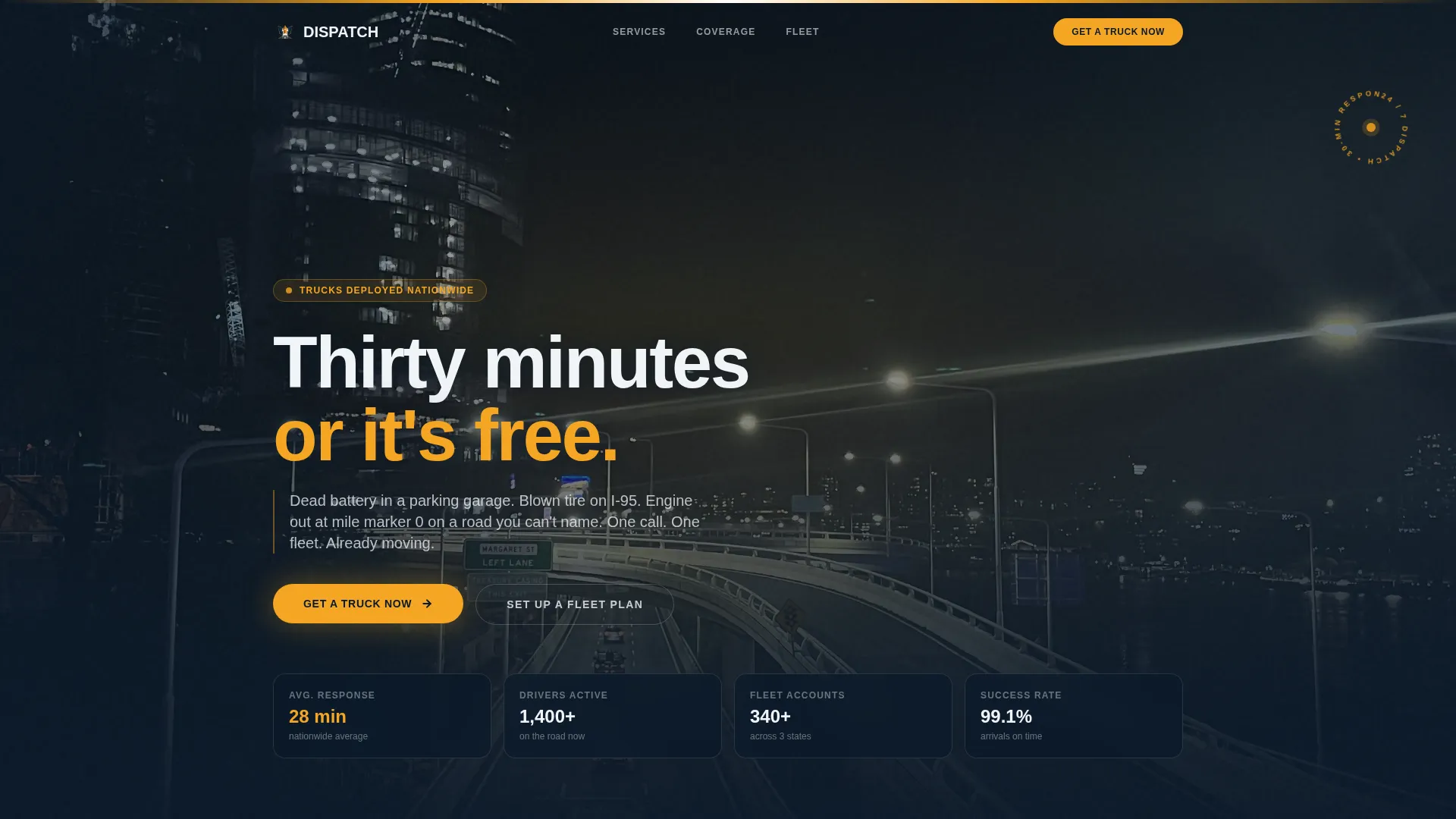
The header features a single tow truck caught in a pool of amber light against a pitch-black background. Rain is visible in the light cone, reflective chevrons glow on the truck body, and the light bar is frozen mid-flash. A single headline fades in above the roofline: "Thirty minutes or it's free." No clutter, no dashboard user interface, just the machine and the moment.
Full-Bleed Service Capability Cards
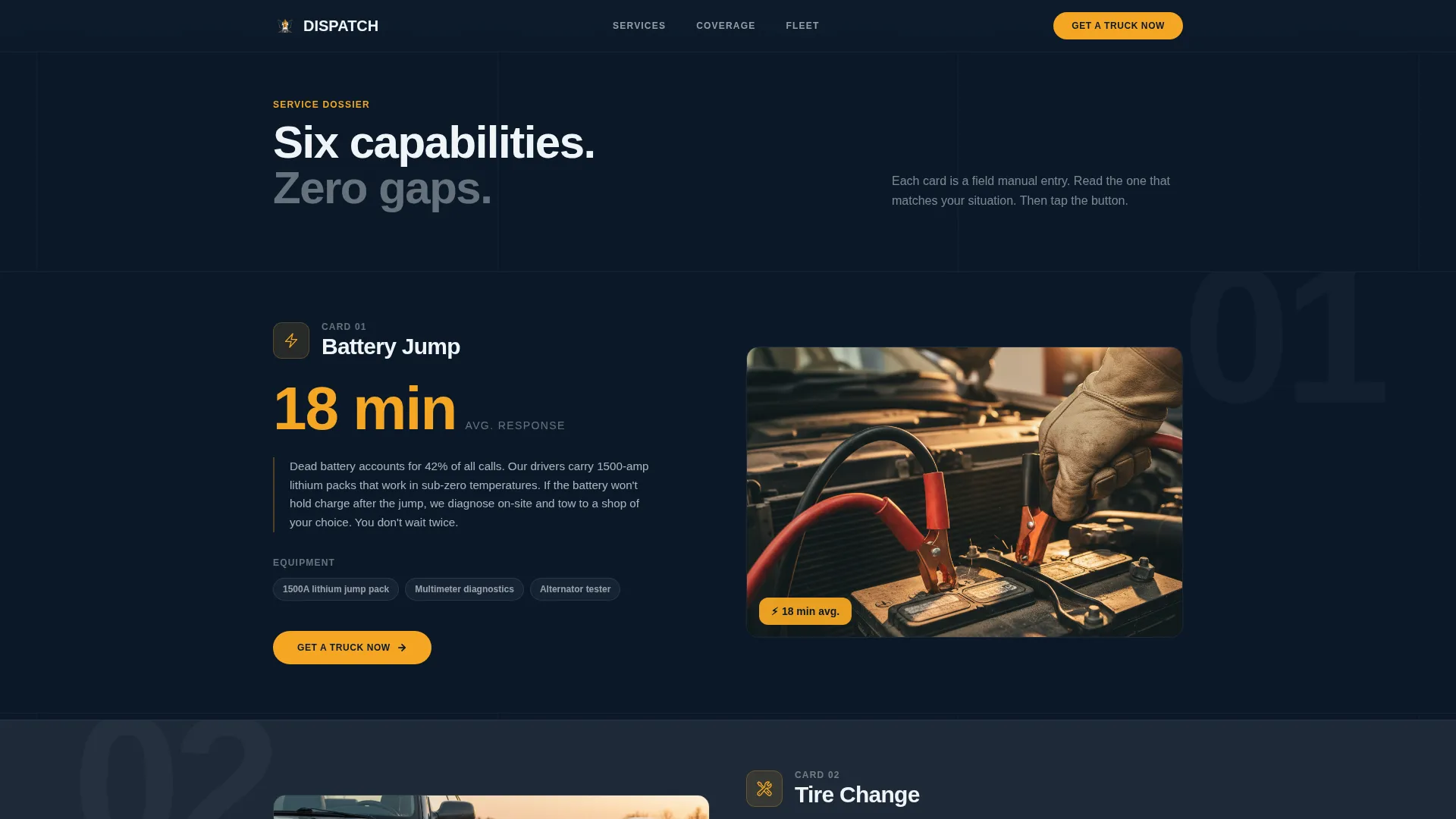
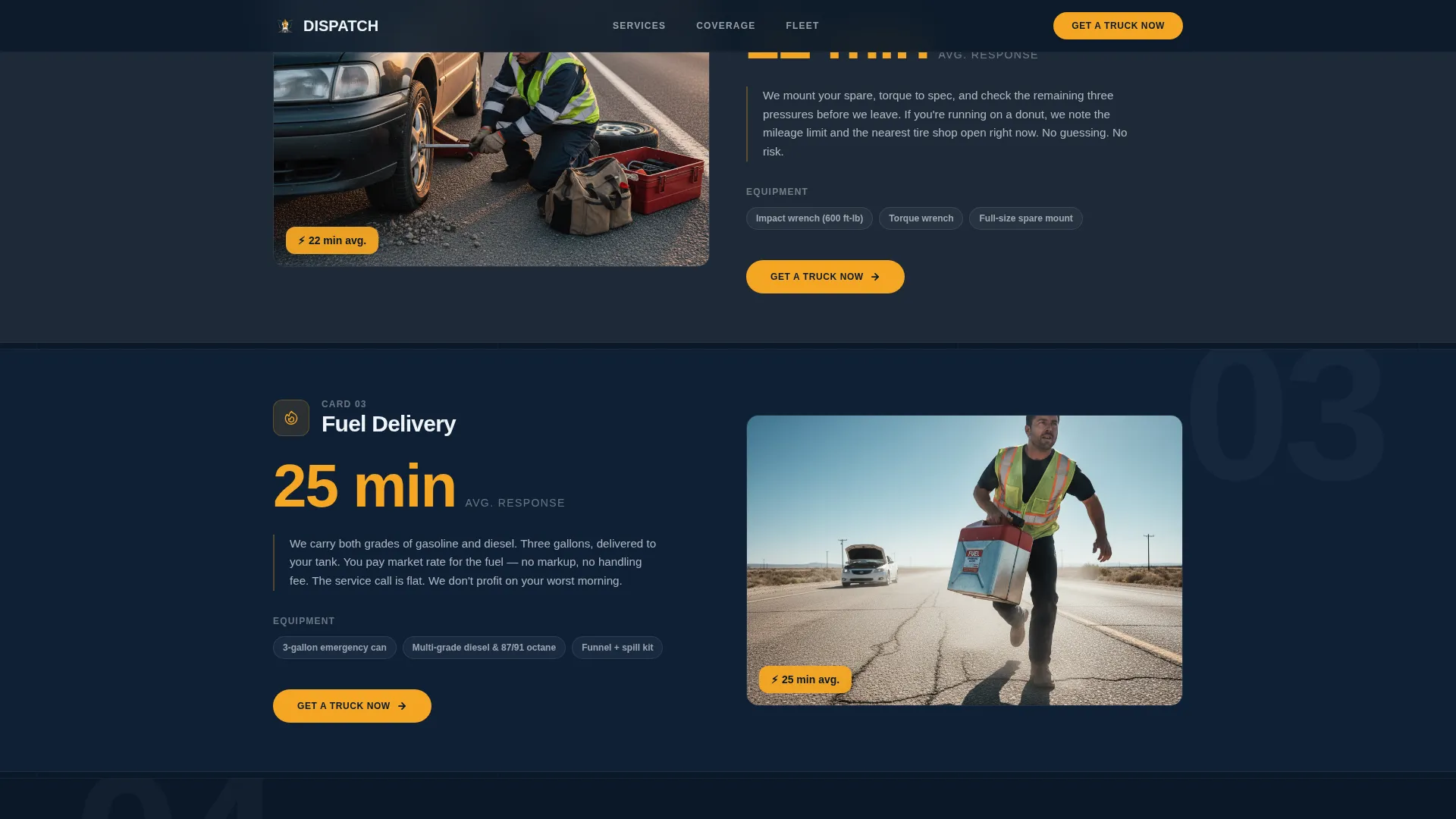
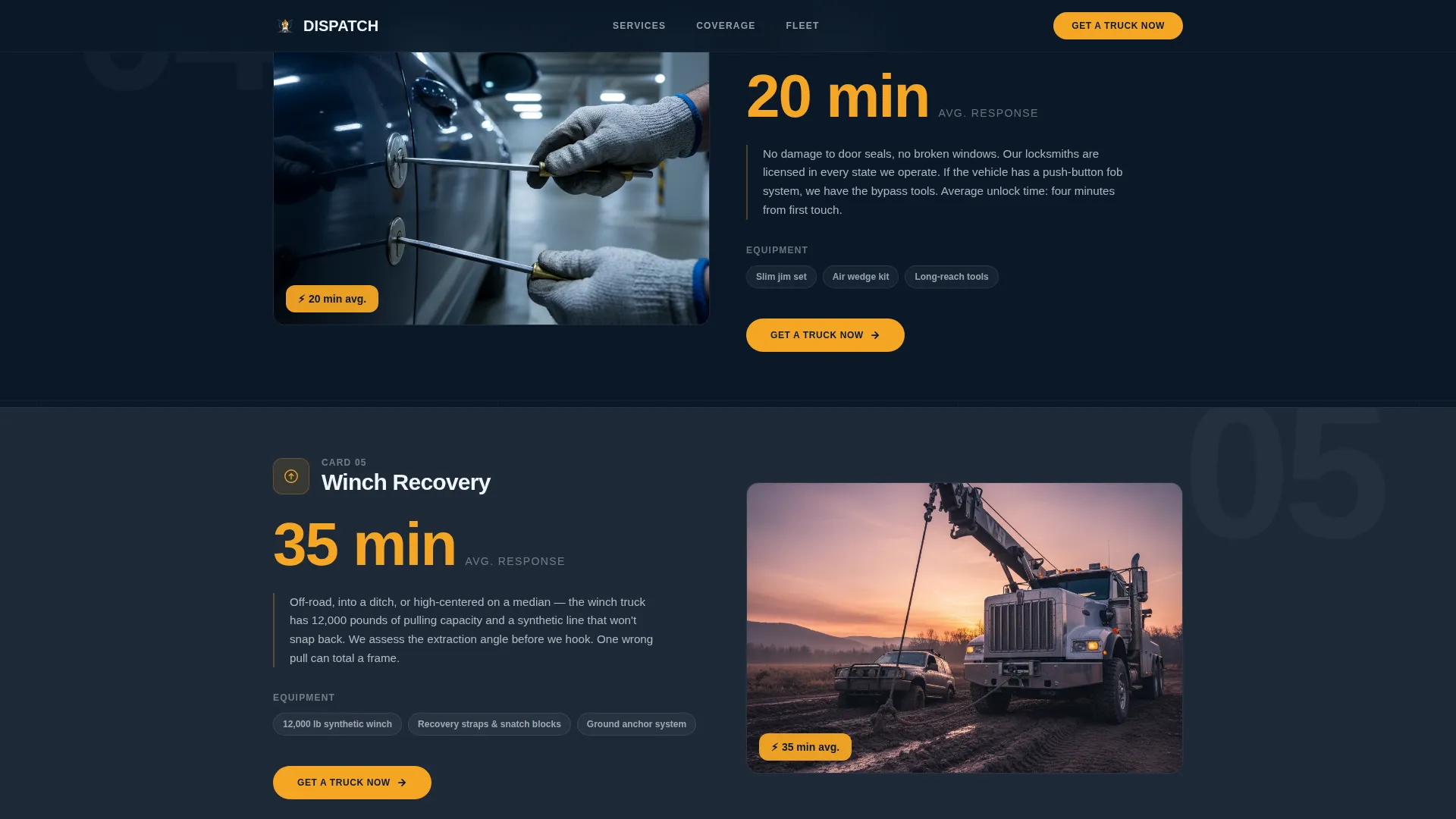
Each scroll section is one capability card. The service name appears in oversized type, a response-time metric displays in emergency amber, the required truck equipment is listed, and a short field-manual paragraph explains the service. The scroll feels like flipping through a tactical playbook, with stakes rising from a dead battery to a full winch recovery.
Three-Step Booking Form
Tapping "Get a Truck Now" opens a focused, three-step form. Step one captures the visitor's location via GPS autofill or manual address entry. Step two presents a service type selector with icons that match the spec cards. Step three collects a phone number so dispatch can call back in under sixty seconds.
Persistent Mobile Call-to-Action
On mobile, the primary "Get a Truck Now" button is pinned to the bottom of the viewport at all times. It stays visible regardless of scroll position, so a stranded driver never has to hunt for the booking trigger.
Fleet Manager Secondary Path
A text link reading "Set Up a Fleet Plan" sits directly beneath the primary call-to-action. It gives commercial prospects a clear, separate path without competing visually with the consumer booking flow. This keeps both audiences served without diluting either message.
Dynamic Motion Theme
The template uses a Dynamic Motion visual theme throughout. Amber flashes punctuate scroll transitions, icon states, and progress indicators. The overall feel is a dispatch screen coming alive, purposeful movement that signals speed without distracting from the core message.
Page sections overview
| Section | Purpose |
|---|---|
| Spotlight Hero | Establishes trust and urgency with cinematic truck visual and response-time promise |
| Battery Jump Card | Showcases jump-start service with response metric and field-manual copy |
| Tire Change Card | Presents roadside tire service with equipment details and amber timing badge |
| Fuel Delivery Card | Covers fuel drop service with single capability card format |
| Lockout Service Card | Addresses vehicle lockout scenario with tactical description |
| Winch Recovery Card | Escalates to off-road or ditch recovery capability |
| Long-Distance Tow Card | Closes the service sequence with full tow coverage details |
| Three-Step Booking Form | Captures location, service type, and phone number to trigger dispatch callback |
Design & branding system
The Dispatch template uses a Navy Authority color system built for low-light readability and instant visual hierarchy. Every color choice has a job.
- Command-center navy (#0B1929) and asphalt charcoal (#1E2A38) dominate full-bleed backgrounds, giving the page its deep, authoritative base
- Emergency amber (#F5A623) appears exclusively on calls-to-action, response-time metrics, icons, and progress indicators, so the eye always knows where to go
- Headlamp white (#F0F4F8) opens breathing room between sections and keeps body text crisp against dark backgrounds
Mobile & speed optimization
The Dispatch template is structured for visitors who are already in a stressful situation. Every layout decision assumes someone is on a phone, possibly in the dark, possibly stressed.
- The "Get a Truck Now" call-to-action is pinned to the bottom of the mobile viewport so it never leaves the screen
- The three-step booking form is minimal by design: three inputs, no unnecessary fields, no friction between the visitor and dispatch
- Full-bleed section cards load one at a time in a focused scroll, keeping visual weight manageable across small screens
How this template helps you convert
Dispatch is built around a deliberate sequence: prove competence first, ask for information last. That sequence is what makes the booking form feel inevitable rather than intrusive.
- The hero section sets an immediate, measurable promise ("Thirty minutes or it's free") before the visitor has scrolled a single pixel, establishing credibility at first glance.
- Each service capability card deepens trust by showing exactly what equipment arrives, how fast, and what the technician will do, so by the time the visitor reaches the booking form, the only question left is where they are right now.
- The persistent mobile call-to-action and the fleet manager secondary path ensure both consumer and commercial visitors have a clear next step without either audience being ignored.
Other information about this template
Dispatch is categorized under Automotive and Transport, within the Towing and Roadside Assistance niche. It is designed as a Storybook full-page layout with a single-page scroll structure.
- The template style is Storybook and Full-Page, meaning each section occupies the full viewport height for a high-impact, sequential reading experience
- The creative direction follows a Spec Sheet structure, treating each service as a dossier entry rather than a generic feature row
- The header concept is a Spotlight: one subject, one light source, one moment, no composite scenes or busy collages
- The landing page direction is Booking and Scheduling, with every design decision pointing toward a single conversion action
- The Dynamic Motion theme uses purposeful animation cues tied to scroll events and call to action states, not decorative effects
- This template suits new roadside assistance businesses launching their first web presence, as well as established operators replacing an outdated or underperforming page
Theme
Dynamic Motion
Creative direction
Spec Sheet
Color system
Navy Authority
Style
Storybook/Full-Page
Direction
Booking/Scheduling
Page Sections
Cinematic Spotlight Hero Section
Six Full-bleed Service Capability Cards
Three-step Booking Form
Persistent Mobile Call-to-action
Fleet Manager Secondary Path
Dynamic Motion Visual Theme
Related questions
Can I edit the service capability cards to match my actual offerings?
Does the template support both individual drivers and fleet clients?
How does the three-step booking form work?
Is the amber color used throughout the entire template?
What kind of businesses is this landing page template best suited for?



