Port Authority Government Professional Website Template
Harbor is a single-column landing page template built for state port authorities. It opens with a bold metrics wall, then flows through port operations data, cargo breakdowns, capital project timelines, and permit portals. The layout follows an industry report cadence, giving logistics managers, shippers, and municipal planners exactly the operational intelligence they need to act.
by Rocket studio
Quick summary
Harbor is a single-column landing page template designed for state port departments. It leads with four large-scale operational metrics, then guides visitors through cargo statistics, a capital projects timeline, and regulatory portals. The layout earns visitor trust through data density before asking for anything in return.
Who this template is for
This template is built for government port authorities that need to communicate operational scale and provide working access to vessel schedules, permit applications, and tariff data. It serves professional audiences who arrive with specific information needs, not general curiosity.
- Logistics managers and freight forwarders checking vessel arrivals and tariff schedules
- Commercial shippers and permit applicants navigating regulatory portals
- Municipal planners and grant writers reviewing capital project investments and economic impact data
What problem this template solves
Port authority websites often scatter critical operational data across disconnected pages, making it slow and frustrating for professionals to find what they need. Harbor consolidates everything into one authoritative, scrollable flow, structured the way a seasoned port professional thinks.
- Fragmented data forces logistics managers to navigate multiple pages before finding a vessel schedule or tariff table
- Generic government page layouts fail to communicate the scale and complexity of active port operations
- No clear conversion path means high-value reports and permit portals go unnoticed by the right audiences
What you get with this template
Harbor delivers a fully structured, single-column landing page ready for a state port authority. Every section is purpose-built, and the layout flows from proof to action in a single unbroken scroll.
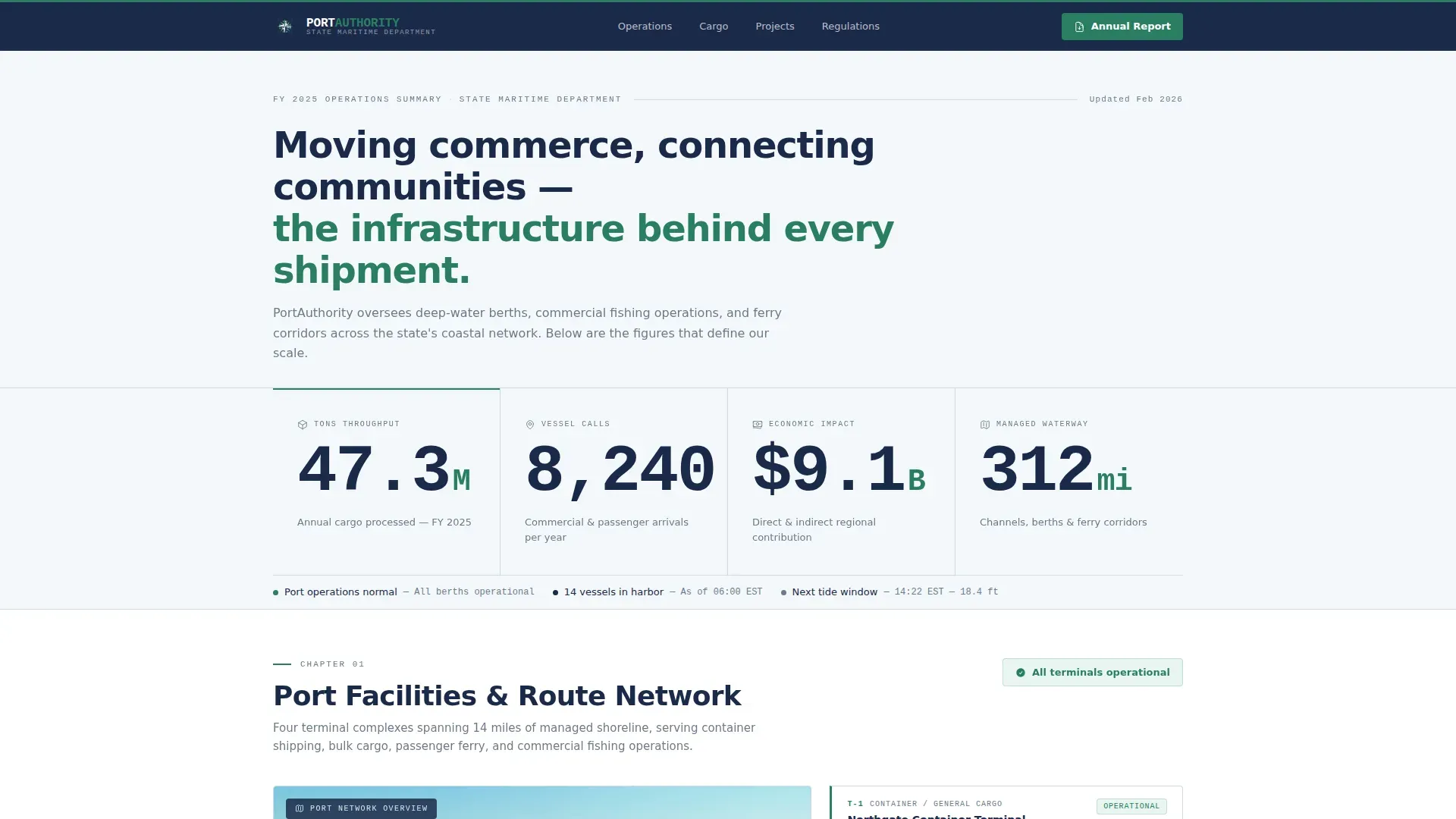
- A stats wall header displaying four massive operational metrics in condensed typography
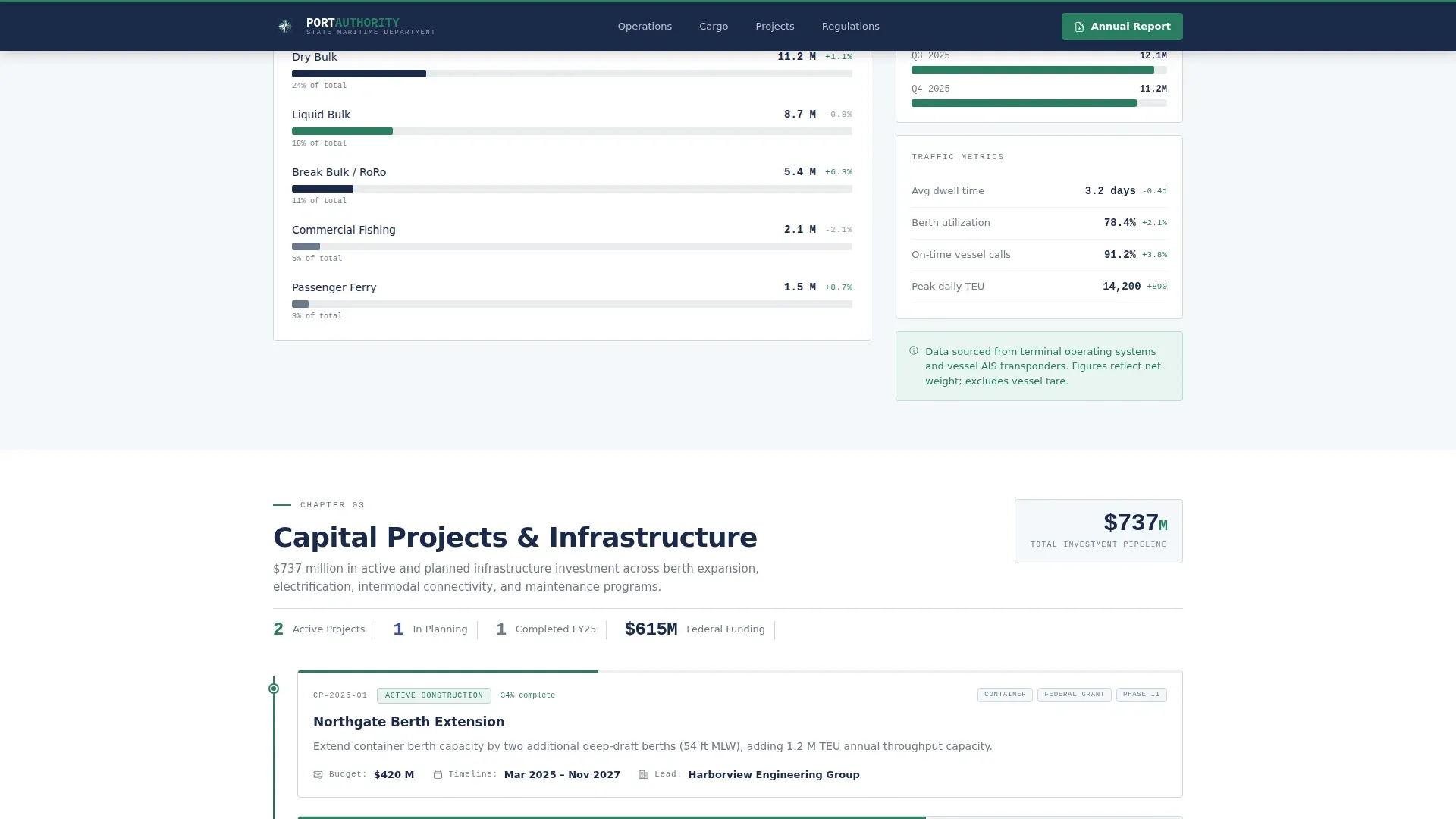
- A cargo breakdown section with horizontal bar chart components in teal and navy
- A capital projects timeline with status indicators and an annual report download call to action
- A footer utility bar with three portal links: vessel schedule, permit filing, and tariff tables
Feature list
Stats Wall Header
Four oversized operational figures anchor the top of the page. Annual tonnage throughput, vessel calls per year, economic impact in United States dollars, and miles of managed waterway are rendered in condensed sans-serif type large enough to read across a room. No hero image is used; the numbers carry the full communicative weight.
Cargo and Traffic Breakdown
A horizontal bar chart section breaks down cargo volume by category. Charts are styled in evergreen teal and fjord navy, with interactive hover states that surface data on demand. This section gives freight forwarders and shippers a fast visual read of what moves through the port.
Capital Projects Timeline
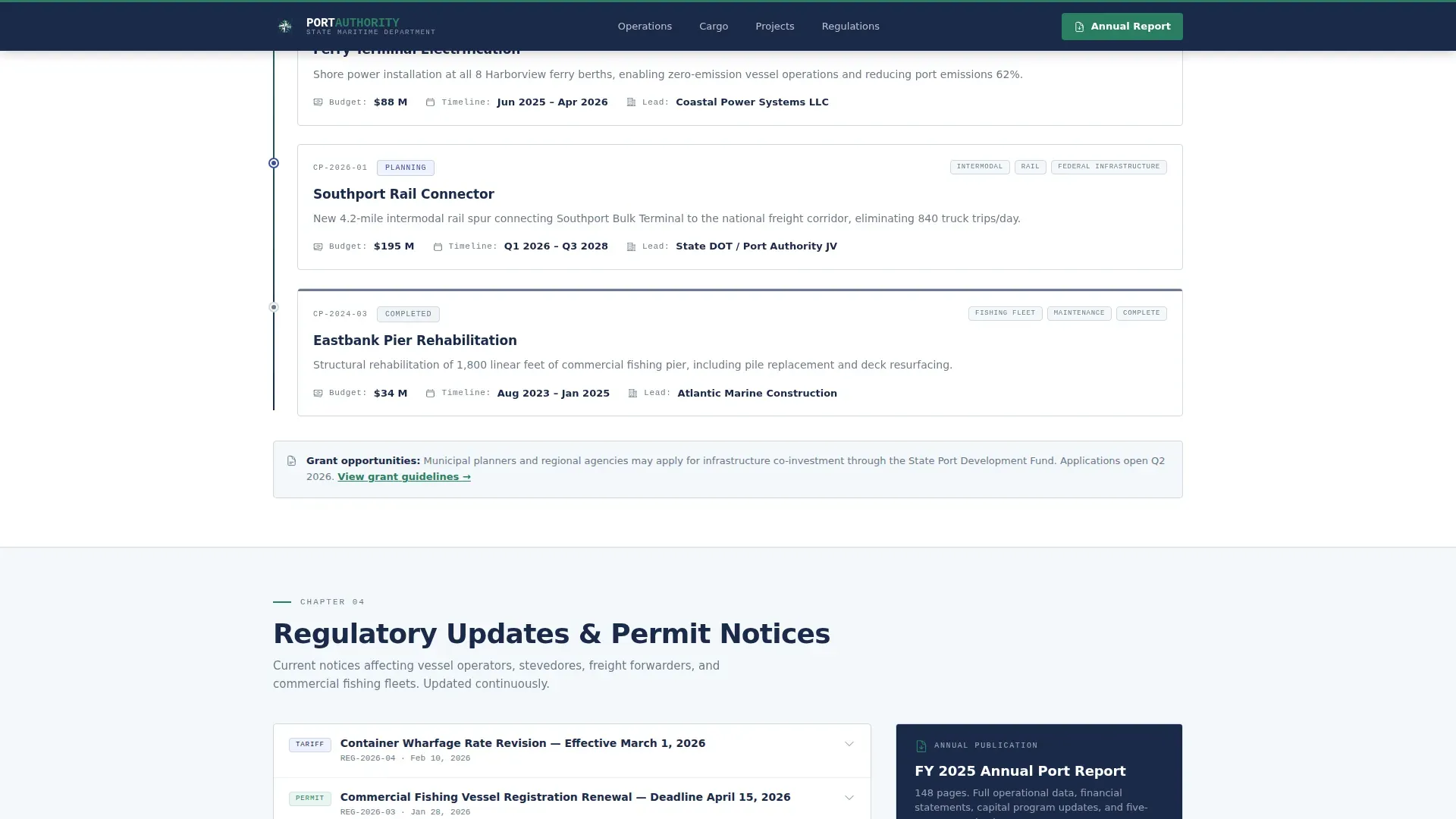
An infrastructure investment timeline displays active and planned capital projects with status indicators. Each entry communicates project scope and progress in a compact, scannable format. Municipal planners and grant writers can orient quickly to the port's investment priorities.
Permit and Regulatory Portals
A persistent utility bar near the footer provides direct access to three functional portals. Visitors can check vessel schedules, file a permit application, or view the current tariff tables without leaving the page context. This section removes friction for the most time-sensitive professional tasks.
Annual Port Report Download
A primary call to action is placed immediately after the cargo statistics section, at the moment visitor credibility peaks. It requires only an email address and organization name. The placement is intentional: visitors who reach this point have already consumed enough operational data to see the value of the full report.
Regulatory Updates Accordion
A collapsible accordion component handles regulatory updates. Visitors can expand individual items without triggering a full page reload. This keeps the page clean and scannable while making compliance information available to those who need it.
Page sections overview
| Section | Purpose |
|---|---|
| Stats Metrics Wall | Display four key operational figures to establish scale immediately |
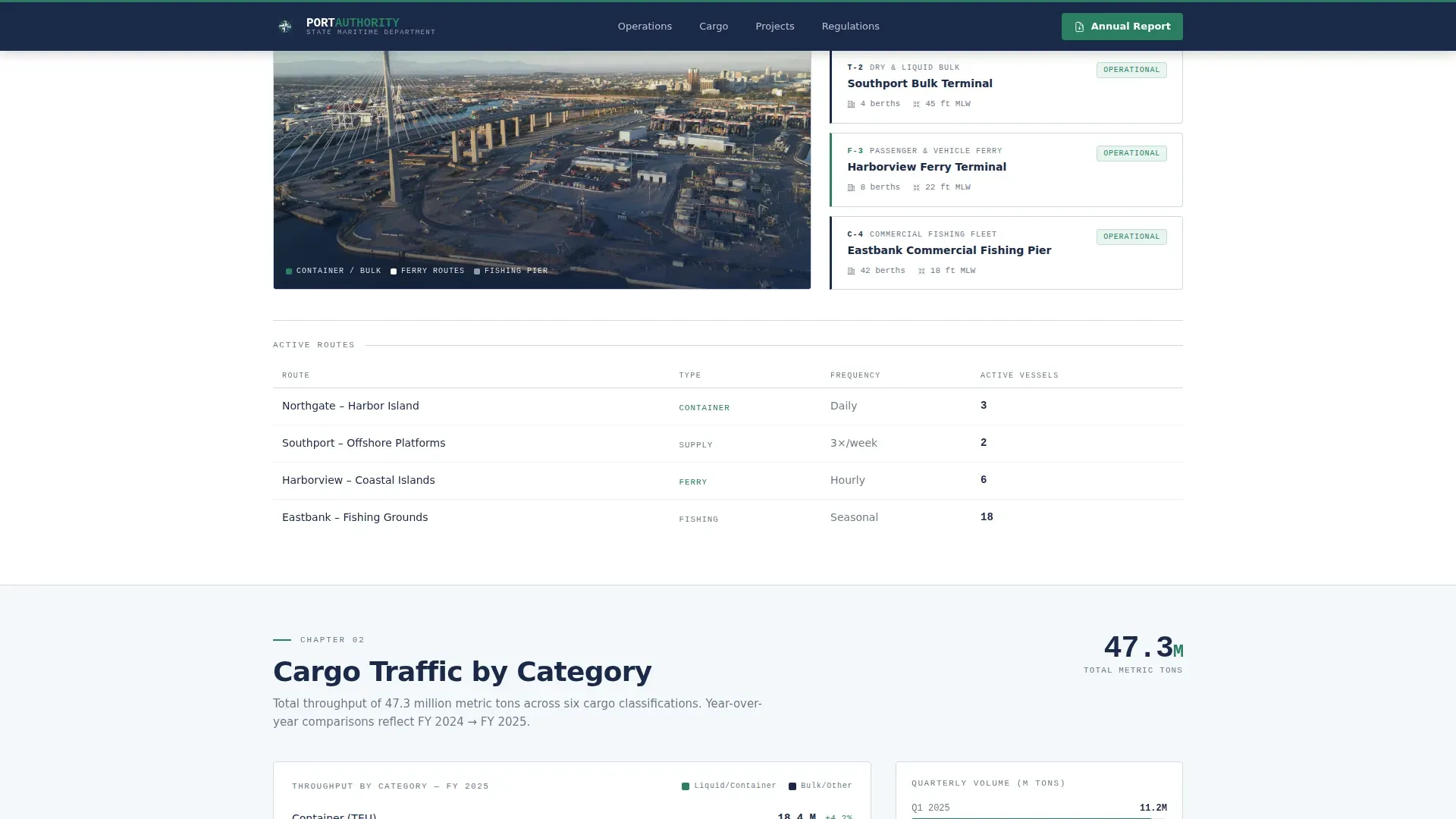
| Port Operations Overview | System map and operational summary with teal and navy data highlights |
| Cargo Traffic Breakdown | Horizontal bar charts showing cargo volume by category |
| Capital Projects Timeline | Infrastructure investment entries with status indicators |
| Report and Portals | Annual report download form plus three utility portal links |
| Footer Utility Bar | Minimal single-row footer with institutional branding |
Design & branding system
The visual identity uses the Alpine Fresh color system, which pairs deep governmental authority with crisp coastal clarity. Typography uses a condensed sans-serif feel for headings and a monospaced style for data figures, reinforcing the precision expected in operational reporting.
- Fjord navy (#1B2A4A) dominates headers and the navigation bar; glacial white (#F4F7FA) opens the content body
- Evergreen teal (#2A7F62) marks active links, chart fills, and data highlights throughout
- Summit stone gray (#6B7B8D) handles captions, footnotes, table borders, and thin rule lines between sections
Mobile & speed optimization
The template is built desktop-first to serve logistics managers on workstations, but it includes a solid mobile fallback so the same content remains accessible on any device. Animation is kept deliberately low.
- Staggered fade-and-slide-in scroll animations replace heavier parallax effects to keep motion light
- Server components handle all static sections, keeping JavaScript to a minimum
- The single-column flow collapses cleanly on smaller screens without restructuring the content hierarchy
How this template helps you convert
Harbor earns conversions by building credibility through data before asking for anything. The page structure is designed so that trust accumulates naturally as visitors scroll.
- The stats wall immediately signals operational authority, giving professionals a reason to keep reading before a single word of body copy appears.
- The cargo breakdown and capital projects sections deliver the operational intelligence that logistics managers, shippers, and planners specifically came to find.
- The annual report download call to action appears only after this intelligence has been delivered, making the exchange feel earned rather than forced.
Other information about this template
Harbor is part of a broader family of institutional authority templates designed for government and public sector organizations. It is well-suited for any coastal or inland state port department that publishes annual operational reports and manages multiple professional stakeholder groups.
- The template is localized for United States usage, including USD currency formatting, imperial measurements, and Eastern time zone references
- Typography is set with DM Sans for headings and IBM Plex Mono for data figures and numerical displays
- The footer follows a linear single-row pattern for an institutional, minimal closing impression
- The Industry Report creative direction means each scroll section reads like a chapter, rewarding thorough readers with progressively deeper operational detail
Theme
Institutional Authority
Creative direction
Industry Report
Color system
Alpine Fresh
Style
Single Column Flow
Direction
Content/Resource
Page Sections
Stats Wall Header with Four Metrics
Interactive Cargo Breakdown Charts
Capital Projects Timeline
Annual Report Download Form
Persistent Utility Portal Bar
Regulatory Updates Accordion
Related questions
Who is the Harbor template built for?
What sections are included in this landing page?
Can I use this template to collect contact information?
Does this template include interactive data components?
Is this template suitable for desktop and mobile users?



