Loading Dock Door Manufacturer Landing Page Template
Dock is a single-column landing page template built for loading dock door manufacturers. It opens with a full-width blueprint line-art header, then walks visitors through sectional door specs, dock leveler details, and weather seal performance before delivering a stepped price configurator and a contractor-focused submittal request path. The Engineering Blueprint theme gives every section the authority of a technical drawing.
by Rocket studio
Quick summary
Dock is a precision-crafted landing page template for loading dock door manufacturers. It combines an Engineering Blueprint visual theme with a Spatial and Architectural scroll experience. The single-column flow moves buyers from technical detail to a live price configurator, earning trust before asking for the click.
Who this template is for
This template was built for companies that manufacture or sell commercial loading dock doors and related systems. It speaks the language of people who read submittals before they sign purchase orders.
- Facilities managers replacing damaged or aging sectional dock doors
- Logistics directors specifying multi-bay distribution center builds
- General contractors who need submittal packages before a Thursday deadline
What problem this template solves
Most industrial product pages either look like outdated spec sheets or feel too polished to be credible. Neither approach earns trust from buyers who need hard numbers before committing. This template bridges that gap by leading with engineering detail and only asking for the sale once the product has justified its price.
- Buyers abandon pages that skip material thickness, cycle-life ratings, and wind load data
- Contractors cannot move forward without a downloadable submittal package path
- Generic landing pages fail to communicate the precision that separates a quality dock door from a commodity product
What you get with this template
You get a complete, single-column landing page structured around the full buyer journey for a loading dock door product. Each section is purpose-built to match a specific decision point your visitor will pass through.
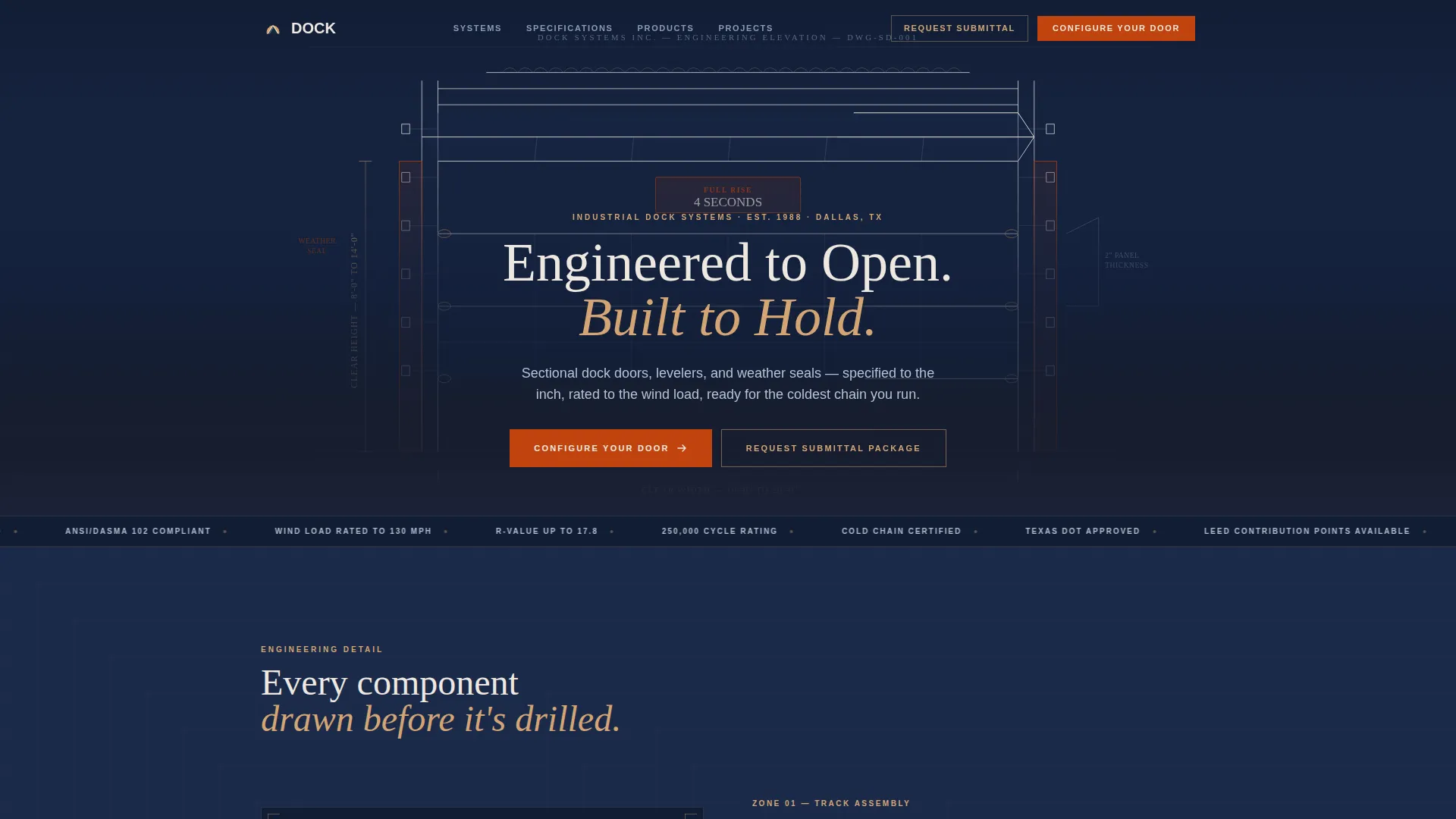
- A full-width blueprint line-art header showing a sectional door mid-rise with dimensional callout annotations
- A stepped price configurator covering door width, height, insulation R-value, wind load rating, and quantity
- A secondary "Request Submittal Package" path designed for contractors and spec writers
Feature list
This section describes the core capabilities built into the Dock template as specified in the design brief.
Blueprint Line Art Header
The header is a full-width architectural elevation drawing rendered in thin blueprint-white strokes on deep drafting-table navy. The sectional door is illustrated mid-rise at forty-five degrees with dimensional callout lines and annotated measurements. A faint orange-to-tan gradient bleeds across the bottom edge, referencing the warm desert light of the Sunset Mesa color system.
Stepped Price Configurator
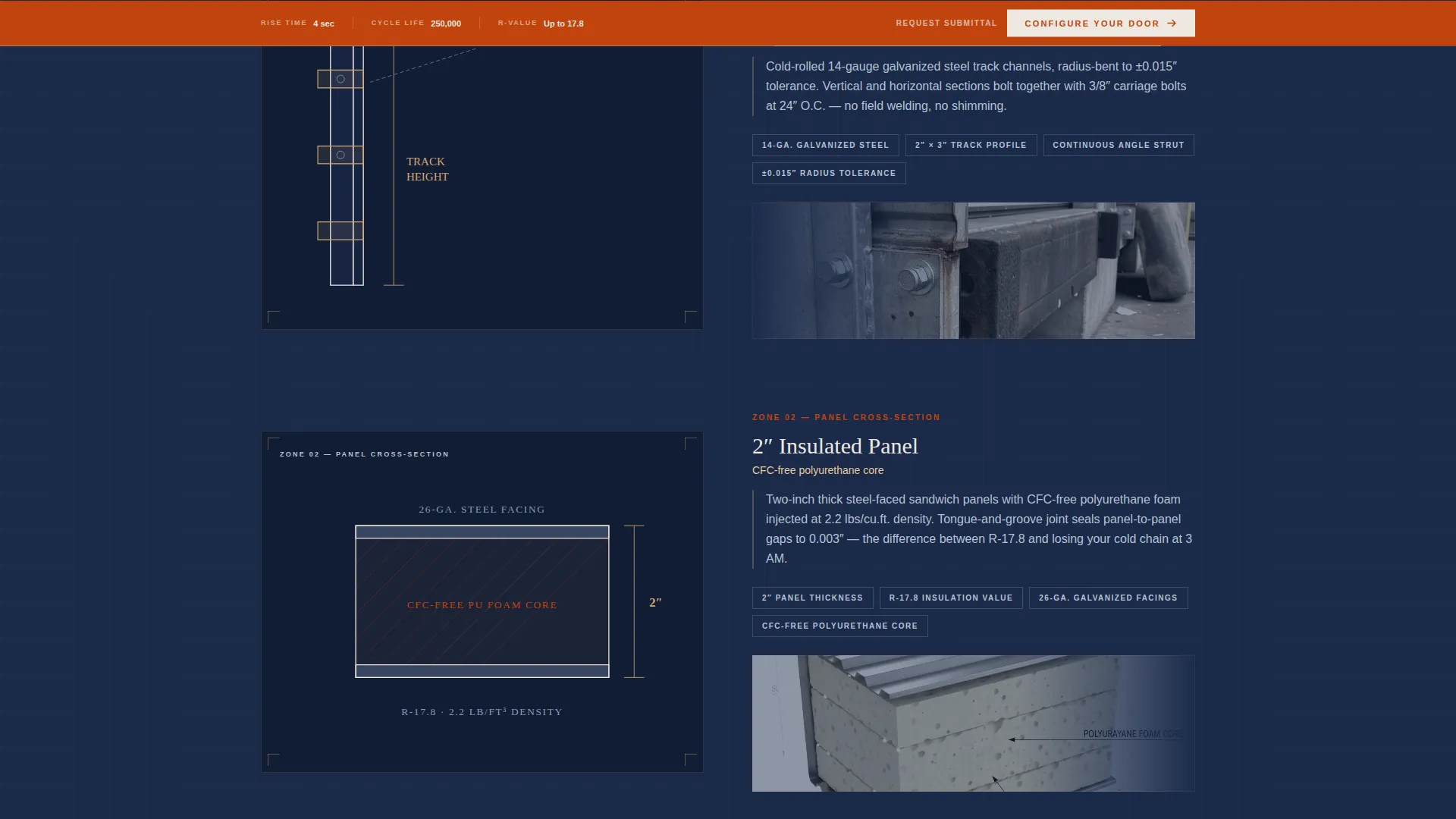
The primary call to action, labeled "Configure Your Door," anchors a sticky bottom bar in desert iron oxide. Visitors move through four sequential steps: door width and height, insulation R-value, wind load rating, and quantity. A running price estimate updates live at each step, giving buyers a real number before they speak to anyone.
Contractor Submittal Request Path
A secondary conversion path labeled "Request Submittal Package" runs parallel to the configurator flow. It targets general contractors and project engineers who need formal spec documents before a purchase decision is possible. This path is surfaced clearly so spec-first buyers are never forced into a sales flow that does not match their process.
Spatial Scroll Narrative
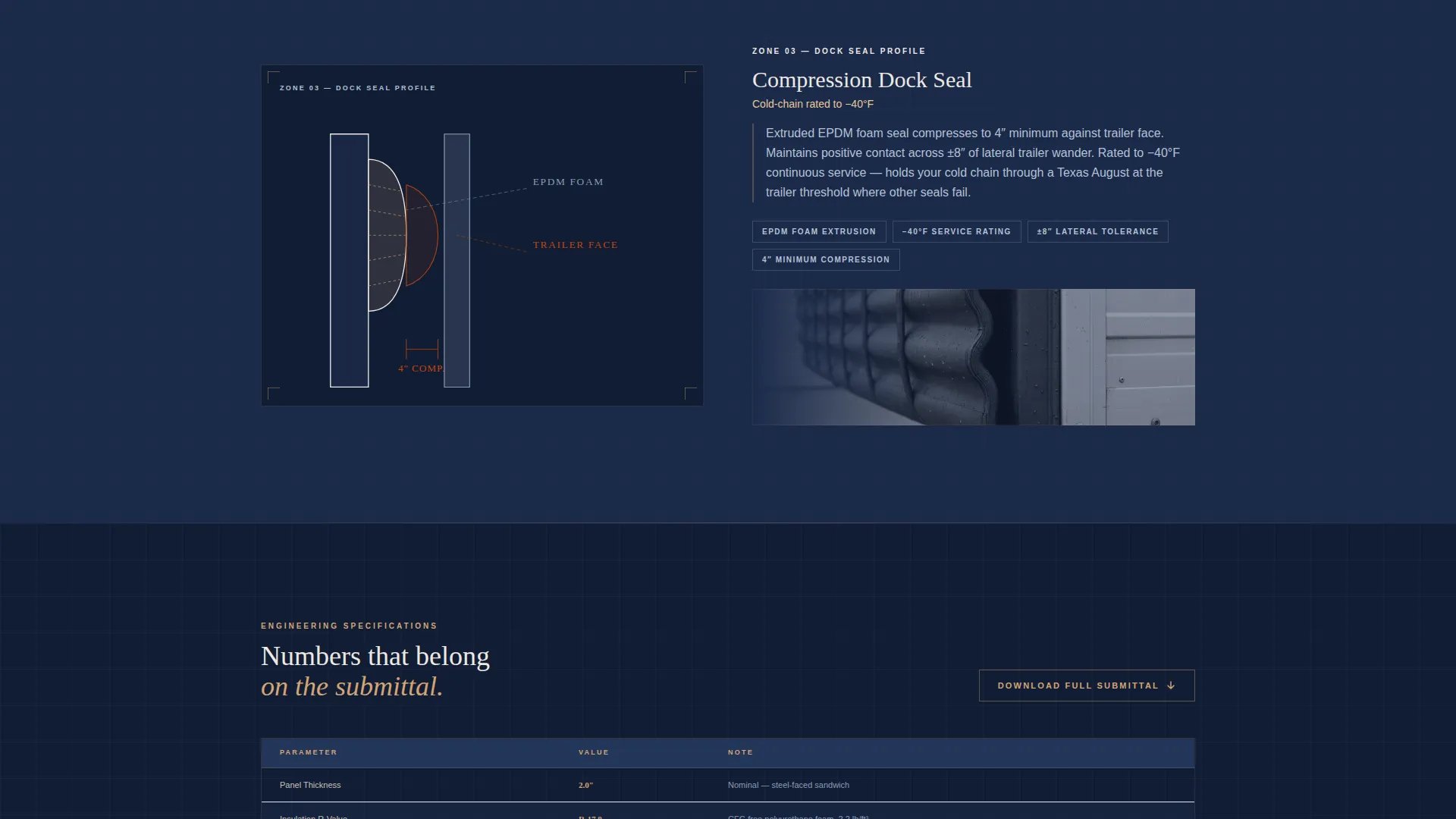
The page is structured so each section zooms into a different zone of the dock door system. The track assembly, insulated panel cross-section, and dock seal compression profile each get their own visual treatment. As visitors scroll deeper, blueprint line art progressively gives way to photographed product, as if the drawings are materializing into real steel.
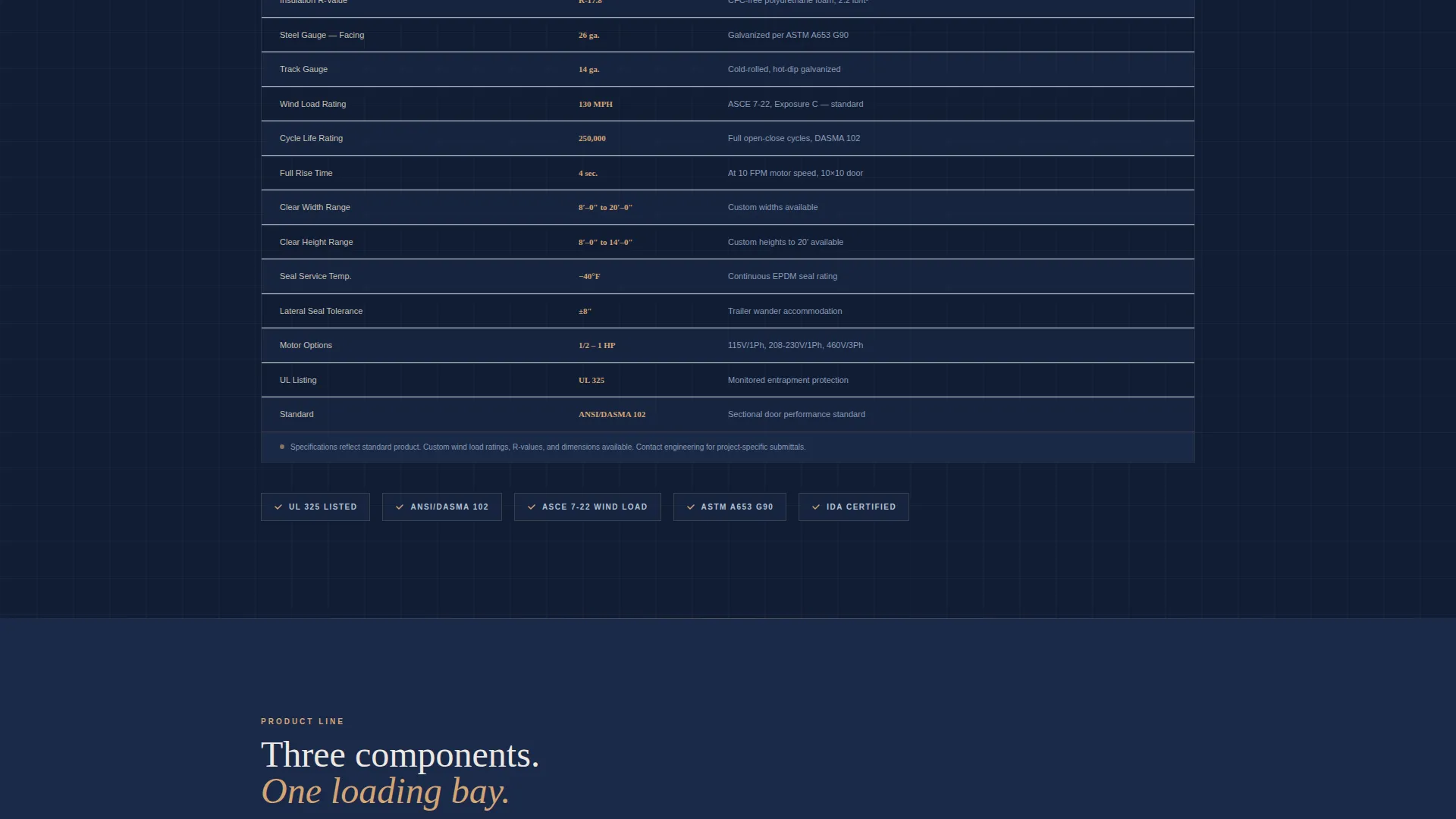
Engineering Spec Tables
Specification tables are styled to feel like they belong on engineering submittals rather than a retail product page. Material thickness, cycle-life ratings, and performance data are presented in a clean tabular format. This gives facilities managers and logistics directors the reference points they need to justify the purchase internally.
Sticky Conversion Bar
The desert iron oxide sticky bar keeps the primary call to action visible throughout the entire scroll. It does not interrupt reading, but it never disappears. Visitors can enter the configurator at any point once they feel ready, without scrolling back to the top.
Page sections overview
| Section | Purpose |
|---|---|
| Blueprint Header | Establishes engineering credibility with line-art door elevation and dimensional callouts |
| Hero Headline Block | States the core product value and surfaces the primary and secondary calls to action |
| Track Assembly Zone | Zooms into the track system with blueprint illustration and performance notes |
| Panel Cross-Section | Shows insulated panel construction details and material specifications |
| Dock Seal Profile | Illustrates weather seal compression and cold-chain performance claims |
| Spec & Data Tables | Presents cycle-life, wind load, and R-value data in submittal-style tables |
| Dock Leveler Section | Describes how levelers bridge trailer bed to concrete floor with technical detail |
| Configurator Entry | Introduces the stepped configurator with a live price estimate feature |
| Submittal Request Block | Provides the secondary contractor path for spec document requests |
| Sticky call to action Bar | Keeps "Configure Your Door" visible across the full page scroll |
Design & branding system
The Sunset Mesa color system gives the page a palette that feels like unrolling shop drawings on the hood of a truck as the sun drops behind red rock. Every color choice is tied to a functional role in the layout.
- Deep drafting-table navy (#1B2A4A) forms all primary backgrounds and the header canvas
- Sandstone tan (#D4A574) warms secondary surface areas and section backgrounds
- Desert iron oxide (#C1440E) activates all calls to action, price callouts, and the sticky bar
- Chalky blueprint white (#EDE8E1) carries body text, technical linework, and annotation labels
Mobile & speed optimization
The single-column flow of the Dock template is built to translate cleanly to smaller screens without sacrificing the visual weight of the engineering illustrations. Structural decisions in the layout support a smooth mobile reading experience.
- Single-column stacking means no complex grid reflow is required on narrow viewports
- Spec tables are designed with horizontal scroll behavior so data rows remain readable on mobile
- The sticky conversion bar is sized and positioned to remain accessible without blocking content on phone screens
How this template helps you convert
The Dock template earns conversions by sequencing engineering proof before the sales ask. Visitors are walked through product detail at a pace that matches how industrial buyers actually make decisions.
- The blueprint header immediately signals technical authority, so facilities managers and contractors trust they are dealing with an engineering-led manufacturer rather than a reseller.
- Progressive section reveals move visitors from general product understanding to specific performance data, so the configurator entry feels like a natural next step rather than a pressure tactic.
- The parallel submittal path captures contractor leads who would otherwise leave to find spec documents elsewhere, keeping both buyer types inside the same conversion funnel.
Other information about this template
This template is designed for the loading dock door segment of the broader garage and overhead door market. It is built as a single-column flow landing page using the Single Column Flow template style.
- The Engineering Blueprint theme and Spatial and Architectural creative direction are matched at the intersection level, meaning the visual system and scroll behavior are designed as a unified experience
- The Sunset Mesa color system is specifically chosen to prevent the page from reading as a cold spec sheet, adding warmth without reducing precision
- The template is categorized under Construction and Home, with a subcategory of Garage and Overhead Door, making it relevant for manufacturers serving both industrial facility builds and large-scale distribution center projects
- The Direct Sales landing page direction means every design decision, from the sticky bar to the configurator steps, is oriented toward generating a qualified product configuration or a formal submittal request
Theme
Engineering Blueprint
Creative direction
Spatial & Architectural
Color system
Sunset Mesa
Style
Single Column Flow
Direction
Direct Sales
Page Sections
Blueprint Line Art Header
Stepped Price Configurator
Contractor Submittal Request Path
Spatial Scroll Narrative
Engineering Spec Tables
Sticky Conversion Bar
Related questions
Who is the primary audience for the Dock template?
What does the stepped price configurator include?
Can contractors request spec documents through this template?
Does the template use photographs or only line art illustrations?
What color system does this template use?



