Public Records Fundraising Landing Page Template
Docket is a single-column fundraising landing page built for a county public records office. It presents an evidence-based case for archive funding through hard data, stark visuals, and a scrolling report structure. A donation form with tangible giving tiers closes the argument. The design follows a government document aesthetic in monochrome steel tones with civic blue accents.
by Rocket studio
Quick summary
Docket is a donation and fundraising landing page for a county records office holding deeds, marriage certificates, and court filings since 1847. The page builds its case like an industry report, delivering data findings one section at a time. A tiered donation form with outcome-linked amounts closes the argument after the evidence has fully accumulated.
Who this template is for
This template suits civic organizations, county government offices, and public records departments that need to communicate an underfunding crisis to an informed audience. It works equally well for advocacy groups presenting a funding gap to local stakeholders.
- County clerks and records administrators seeking public financial support
- Civic advocacy groups making a data-driven case for archive investment
- Local government offices presenting budget shortfalls to property owners, genealogy researchers, and legal professionals
What problem this template solves
Most government fundraising pages rely on emotional appeals that informed readers distrust. Title researchers, attorneys, and property owners want facts, not feelings. This template solves that by presenting the funding gap as a policy brief, letting the data do the persuading.
- Visitors scroll through hard statistics before ever seeing a donation prompt
- Each section adds weight to the case, preventing the ask from feeling premature
- The "Share This Report" secondary path captures visitors who cannot donate but can amplify the cause
What you get with this template
You get a fully structured single-column landing page organized as a six-section scrolling report. Every section serves one purpose: building the case, then closing it with a form.
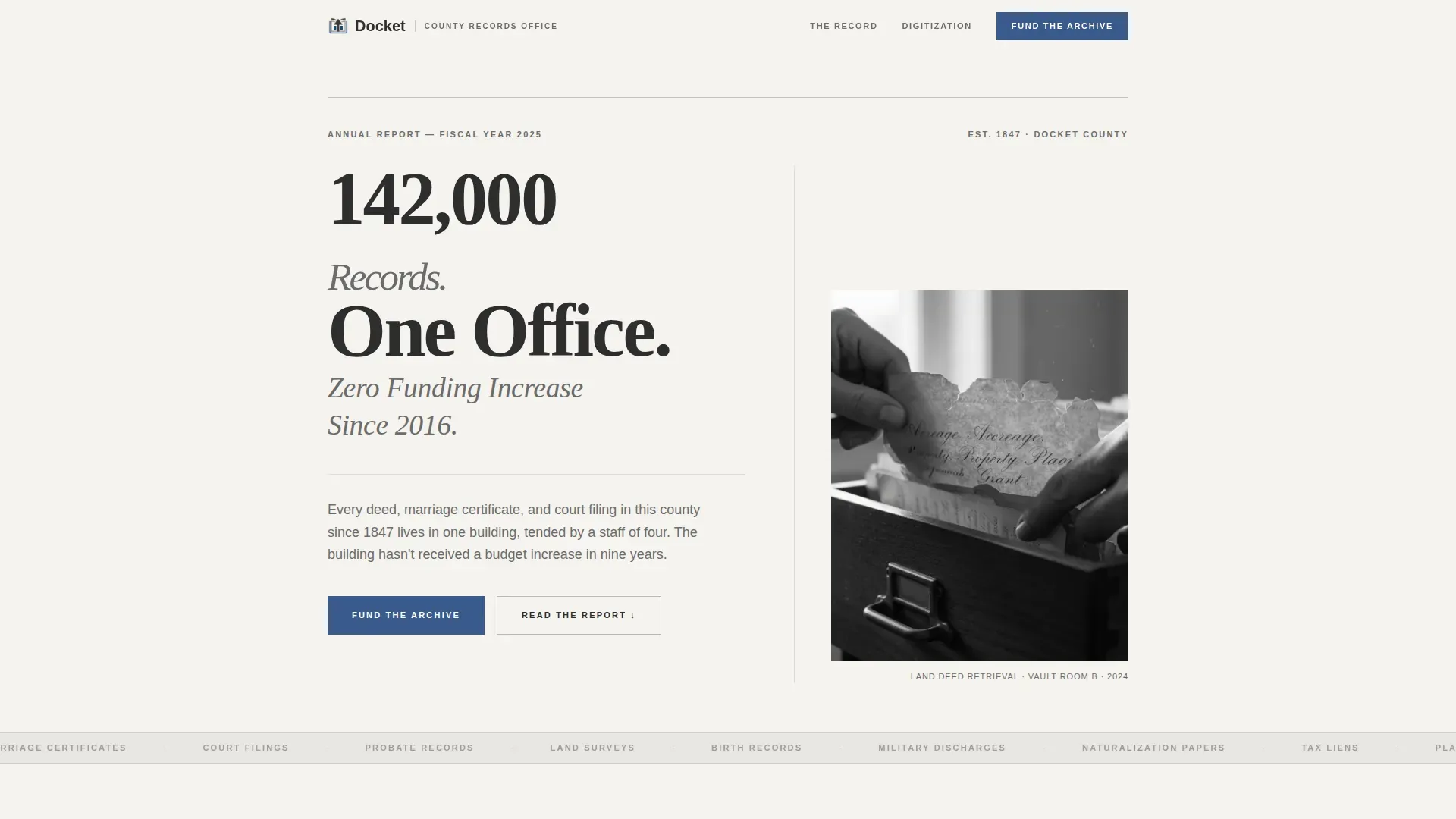
- A hero section with a massive headline statistic and a black-and-white archival photograph
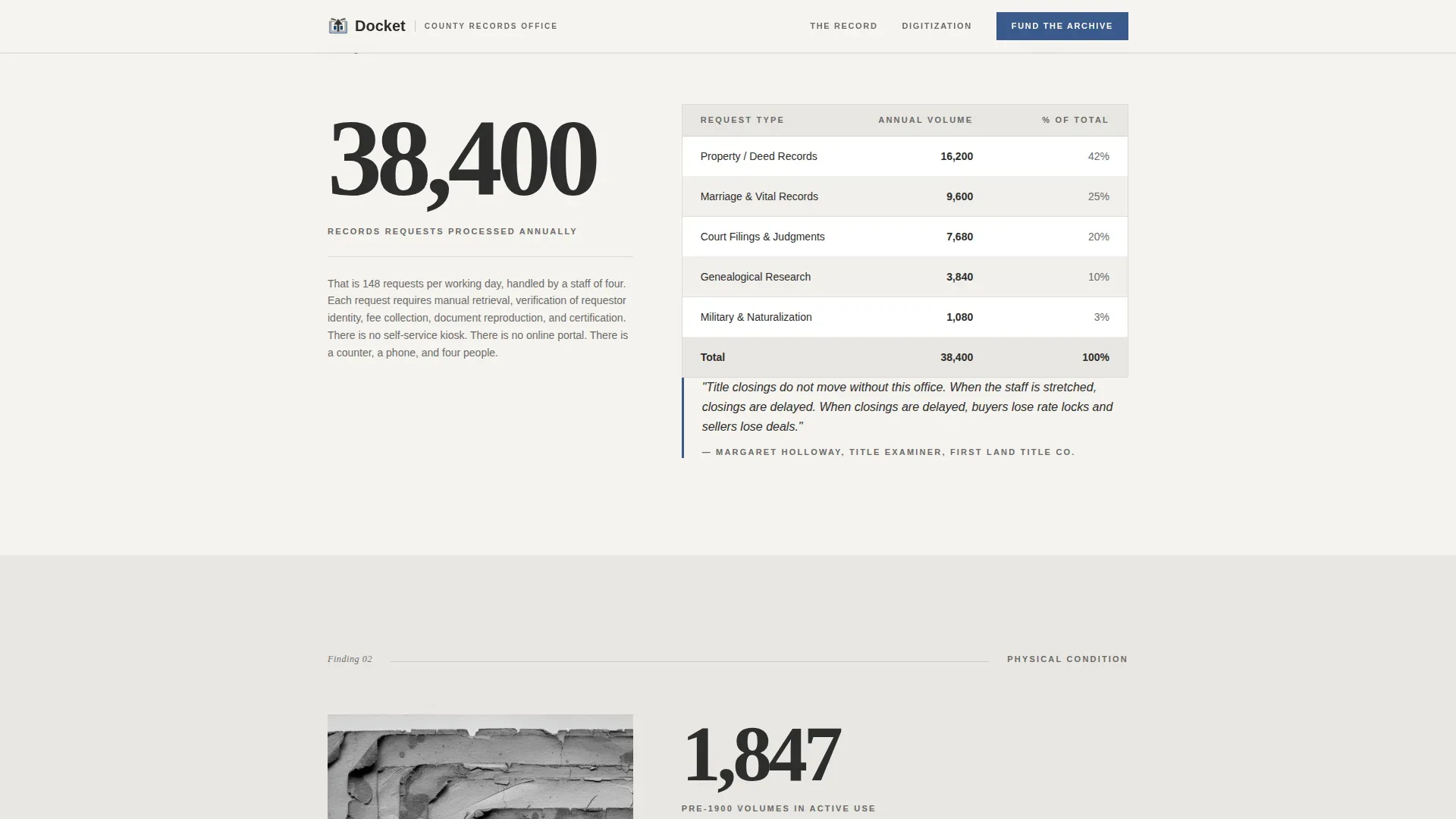
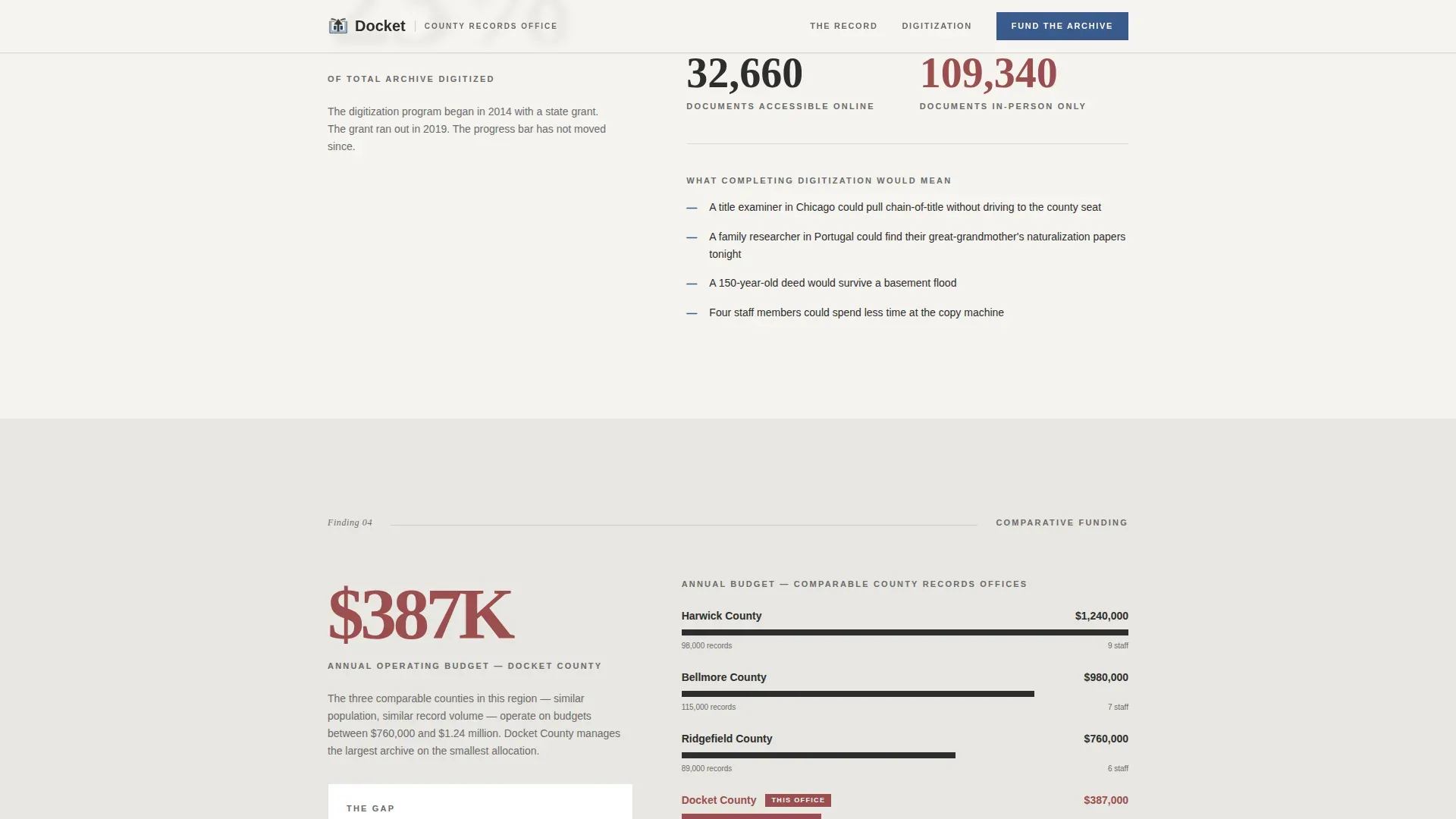
- Four data-report sections covering request volume, document condition, digitization progress, and a budget comparison table
- A donation form section with preset giving amounts tied to specific archival outcomes, plus a social sharing call to action
Feature list
This template delivers purpose-built components that earn donor trust through evidence before asking for a contribution.
Giant Headline Hero
The header pins a heavy serif headline at massive scale against bond paper white. A single black-and-white photograph sits to the right, showing hands pulling a land deed from a filing drawer. No animation, no gradient. The statistic carries the weight and stops the scroll immediately.
Scrolling Data Report Structure
Each scroll section presents one data finding with a short explanatory paragraph beneath it. This Industry Report format builds the case the way a policy brief does, with each fact heavier than the last. Section topics cover annual request volume, physical document condition, digitization progress, and a county budget comparison.
Frozen Progress Bar
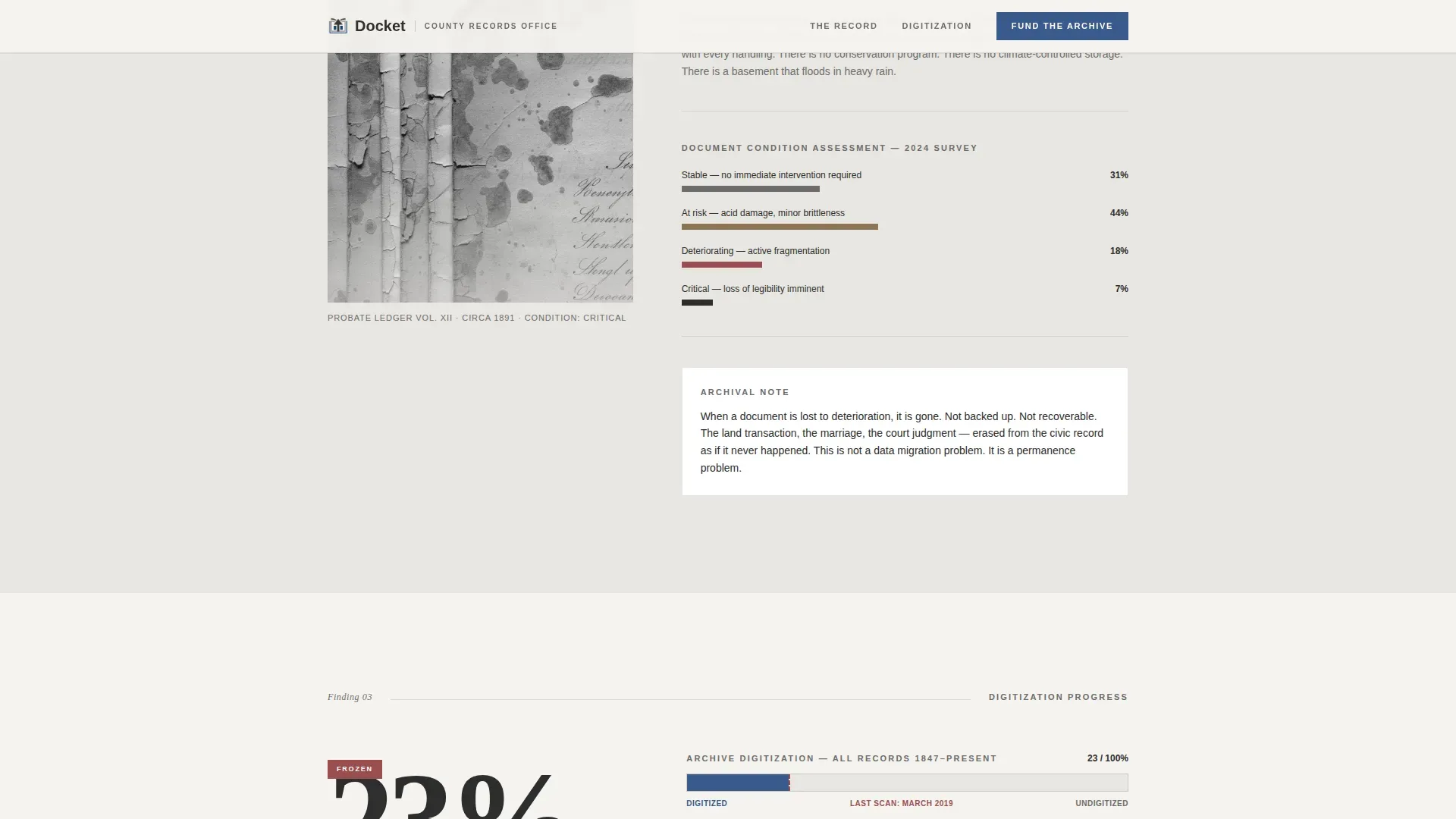
Section four includes a stark progress bar locked at 23 percent. It fills on scroll, then stops. The visual pause communicates the funding shortfall more forcefully than any written sentence could.
Tiered Donation Form
The donation form appears after the full data cascade. Preset amounts are tied to tangible outcomes: twenty-five dollars digitizes one ledger book, one hundred dollars preserves a decade of marriage records, and five hundred dollars sponsors a microfilm scanner hour. This structure makes every registration of giving feel specific and meaningful.
Secondary Share Path
A "Share This Report" call to action sits alongside the donation form. Visitors who cannot contribute financially can still amplify the cause through social media or direct sharing, extending reach beyond the immediate donor pool.
Single-Column Scrolling Flow
The entire page runs as one vertical column with no sidebars or branching navigation. Section breaks use alternating backgrounds of bond paper white and soft gray to create visual rhythm without decoration.
Page sections overview
| Section | Purpose |
|---|---|
| Hero Headline | Deliver the core funding statistic and anchor visitor attention immediately |
| Annual Request Scale | Show the volume of records requests the office processes each year |
| Document Condition | Present physical deterioration evidence with a close-up archival photograph |
| Digitization Progress | Display a progress bar frozen at 23 percent with a stark written explanation |
| Budget Gap Comparison | Compare this office's spending against comparable county budgets in a table |
| Fund the Archive | Present the tiered donation form and the secondary share call to action |
| Footer | Provide a linear single-row footer with essential office contact information |
Design & branding system
The visual identity follows an Educational Guide theme expressed through a Monochrome Steel color system. The palette reads like a government document printed on quality stock: no warmth, no decoration, just the quiet authority of ink on paper.
- Archival charcoal (#2D2D2D) for body text, filing cabinet gray (#6B6B6B) for secondary labels, bond paper white (#F5F3EF) and soft gray (#E8E6E1) alternating as section backgrounds
- Civic blue (#3A5A8C) reserved exclusively for links, buttons, and data callouts to direct attention without adding visual noise
- Fraunces heavy serif for headlines and Docket Sans (DM Sans) for body text and data labels, creating a clear typographic hierarchy between report findings and supporting prose
Mobile & speed optimization
The template is built desktop-first to serve title researchers and attorneys who typically work on large screens. Full mobile support is included so that local residents and genealogy researchers can engage on any device.
- Static server components handle all non-interactive sections, keeping JavaScript minimal and page load lean
- Section reveals are the only animation present; no decorative motion distracts from the data
- The progress bar fill triggers on scroll, functioning correctly on both desktop and mobile without additional scripting
How this template helps you convert
The template earns the donation by making the visitor feel like an informed stakeholder before presenting the ask. Every layout decision serves that goal.
- The hero statistic creates immediate cognitive impact, giving visitors a reason to keep scrolling before they know a form exists
- The sequential data report format builds accumulated evidence so the donation prompt arrives as a logical conclusion, not an interruption
- Outcome-linked giving tiers in the form transform an abstract financial request into a specific, tangible act that visitors can picture and commit to
Other information about this template
This template sits at the intersection of civic advocacy and evidence-based fundraising design. It is a practical starting point for any public institution that needs to present a registration document archive's funding crisis to an informed, skeptical audience.
- The page structure supports registration of archival needs across motor vehicles records, land deed registries, and court filing systems, making it adaptable beyond county records offices
- Teams can add or remove fields in the donation form to match their specific giving tiers or organizational preferences
- The budget comparison table in section five can display registration fees, annual costs, or per-document processing data drawn from road authorities or comparable government bodies
- Vehicle owners, auto dealerships, and other businesses that rely on public registration document searches are a natural secondary audience for this type of civic funding campaign
- The registry precision rto vehicle registration landing page template concept informed the structured, step-by-step information hierarchy used throughout Docket's scrolling layout
- Online registrations of donor intent work the same way as any other form submission: the applicant fills in contact details, selects a giving amount, and submits with a visually distinct call-to-action button
- Teams looking to extend the form can consult tools like Formsite's vehicle registration form template or Forms.app for drag-and-drop form field customization without coding, then embed the resulting online forms into this template's donation section
- A free vehicle registration form builder can supply additional form fields if the organization needs to collect proof of residency or other supporting document data alongside donor contact information
Theme
Educational Guide
Creative direction
Industry Report
Color system
Monochrome Steel
Style
Single Column Flow
Direction
Donation/Fundraising
Page Sections
Giant Headline Hero Section
Scrolling Industry Report Layout
Frozen Digitization Progress Bar
Outcome-linked Donation Form
Secondary Share Call to Action
Single-column Scrolling Structure
Related questions
What type of organization is this template designed for?
Can I customize the donation amounts and giving tiers?
Does the template include the data and statistics shown in the preview?
Who is the intended audience for this page?



