Free Small Claims Court Legal Resource Landing Page
Docket is a free legal resource landing page template built for small claims court guidance. It walks everyday people through each step, from writing a demand letter to standing before a judge, using plain language, a warm national-park visual identity, modular resource cards, and a donation-first fundraising flow that earns the ask before making it.
by Rocket studio
Quick summary
Docket is a single-page legal resource template designed for free public guidance on small claims court. It combines a trust-signal logo bar, a bold serif mission statement, a modular card grid of interactive resources, real outcome testimonials, and a lichen-gold donation section, all built to help ordinary people understand the process and take confident action.
Who this template is for
This template is built for civic organizations, legal aid nonprofits, and public interest teams who want to offer free, plain-language small claims guidance to people who cannot afford a lawyer. It also suits pro bono networks and bar association outreach programs publishing state-specific legal information online.
- Landlords, freelancers, and neighbors pursuing a small claims case without an attorney
- Legal aid organizations and nonprofits seeking a donation-ready resource site
- Pro bono legal professionals who want to volunteer a guide review
What problem this template solves
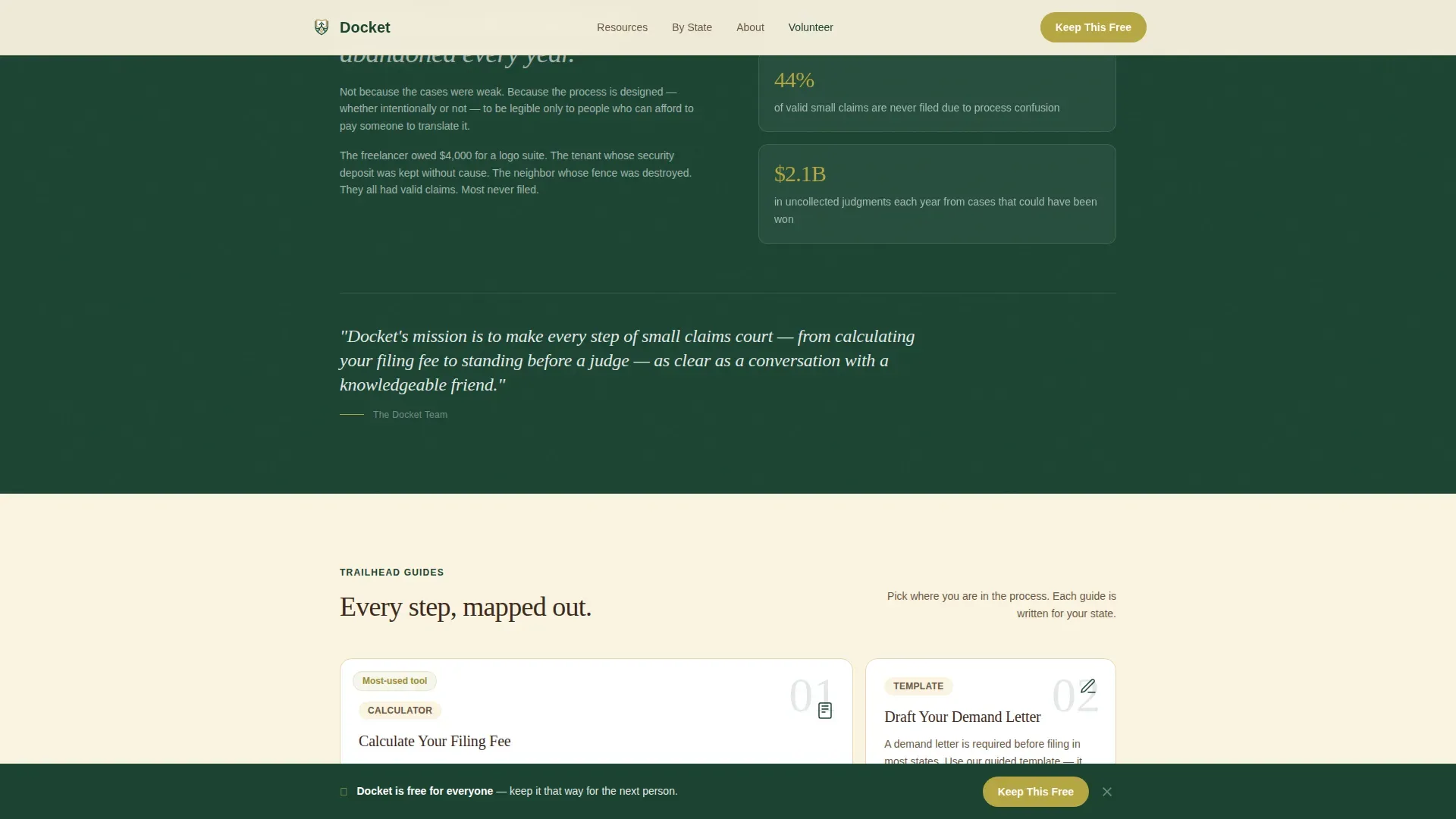
Millions of valid claims are abandoned every year because the small claims process feels designed to discourage ordinary people. Most courts offer little plain-language help. A person trying to recover money owed has to navigate filing fees, jurisdiction limits, proper service rules, and hearing procedures, often alone, often on a phone, often under stress.
- No clear starting point for someone who has never filed in court before
- Confusing legal jargon that makes a simple dispute feel out of reach
- No single place to find a demand letter, a filing fee calculator, and hearing prep guidance together
What you get with this template
You get a fully structured, section-led landing page that guides visitors from problem awareness through to confident action. Every component is grounded in the real steps of the small claims process: drafting a demand letter, calculating a filing fee, understanding your state's jurisdictional limits, and preparing to speak before a judge.
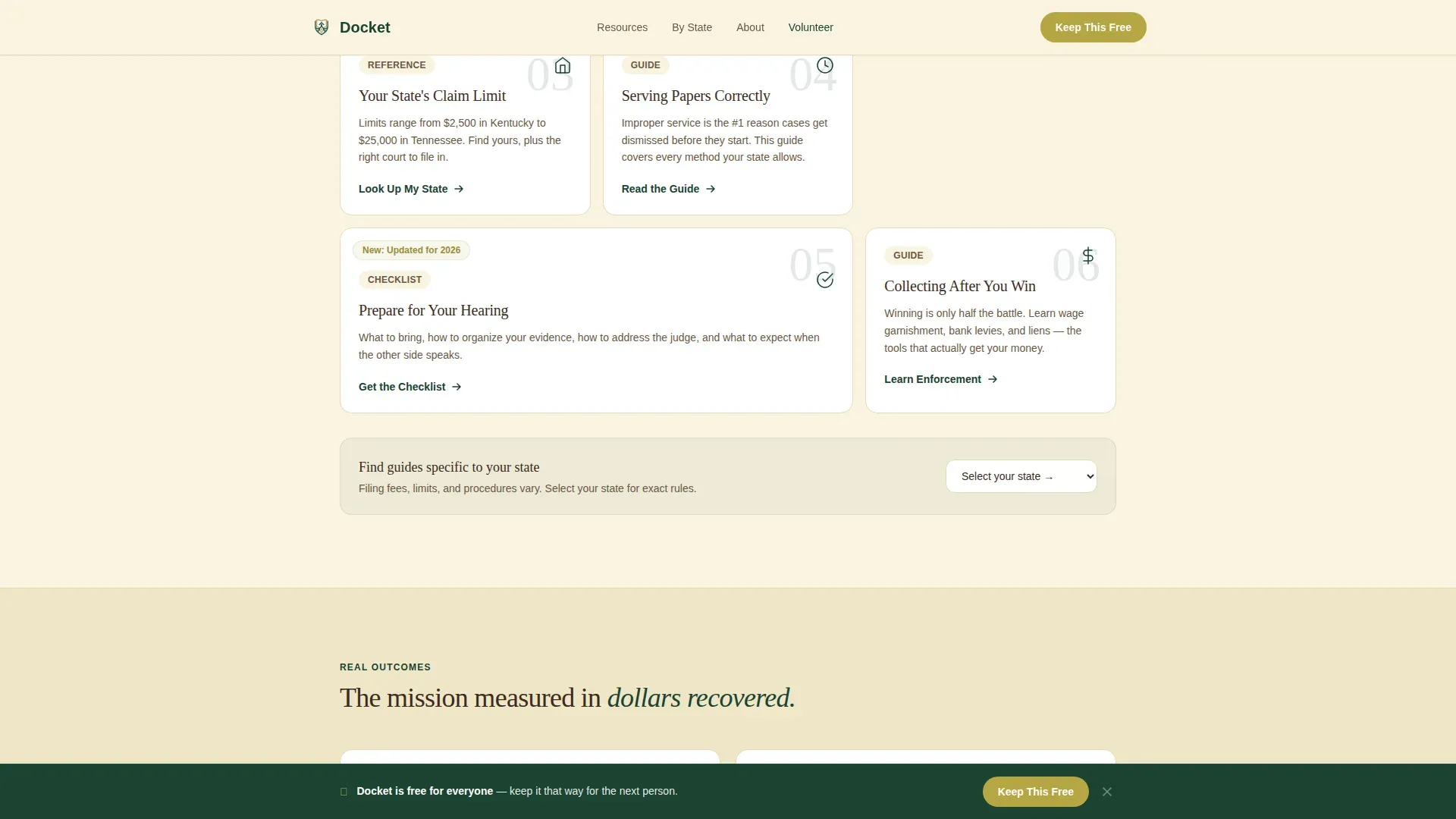
- A modular card grid where each card is a focused resource: demand letter drafting, filing fee calculator, state limit lookup, and hearing preparation
- A Forest Trust color system with deep evergreen, birch white, bark brown, and lichen gold, each color doing specific work across the page
- A donation and volunteer section with preset payment amounts and a secondary path for legal professionals
Feature list
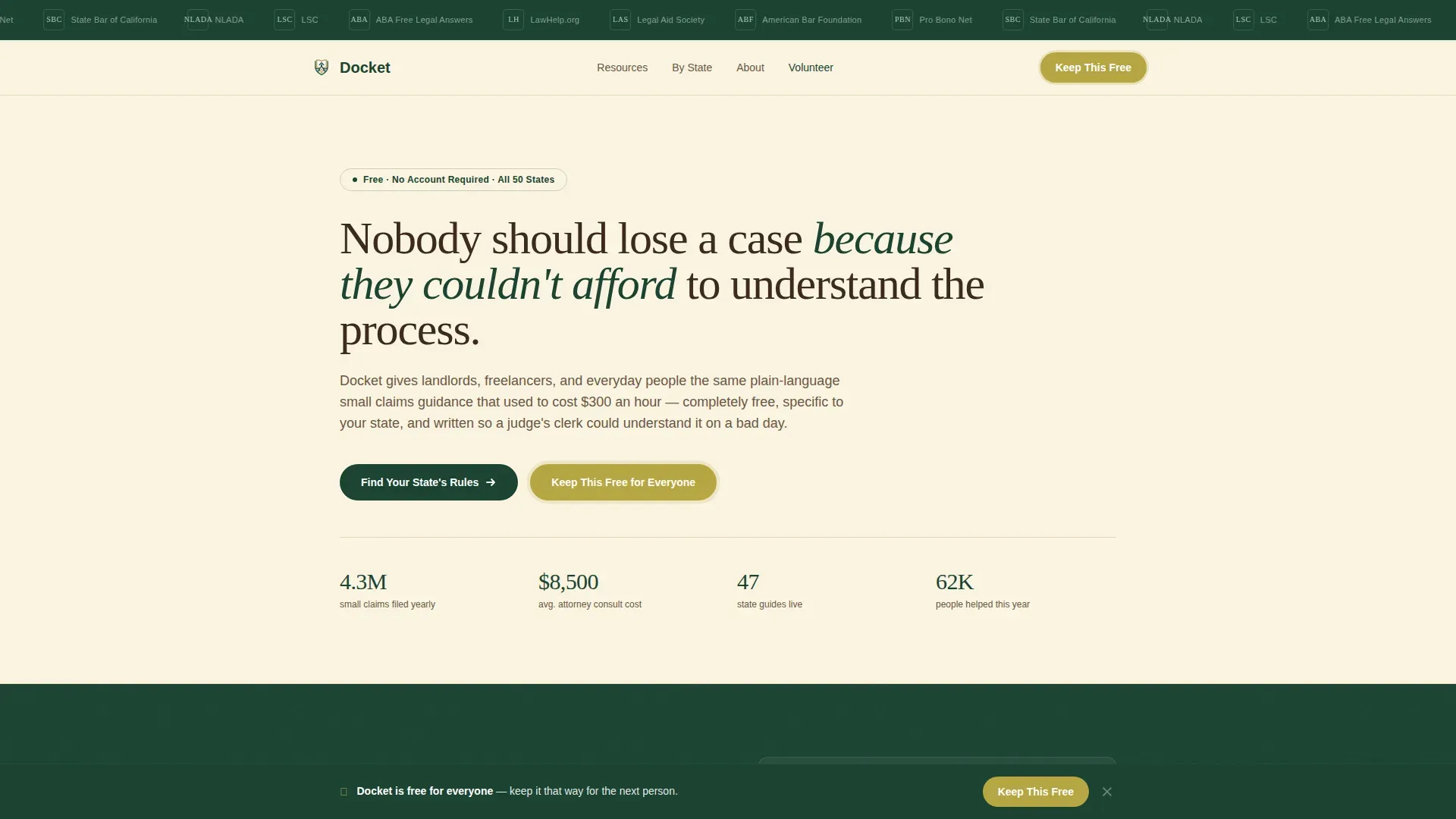
Trust-Signal Logo Bar Header
The header opens with a horizontal band of logos from legal aid societies, bar associations, and civic organizations. This acts as an immediate credibility layer, visitors know the legal information on this site is vetted before they read a single word.
Modular Resource Card Grid
Each card in the bento-style grid is a discovery point tied to a real step in the small claims process. Cards cover writing a small claims demand letter, calculating your filing fee, looking up your state's claim cap, and preparing for your hearing. Scroll reveals and staggered card entries make the grid feel alive on screen.
Demand Letter Builder Card
The demand letter card walks a claimant through drafting a written request to the other party before filing. The letter serves as a formal notice that states the total amount owed, a clear account of what happened, a deadline for response, and the claimant's contact details. Sending via certified mail provides proof of delivery and demonstrates a good faith effort to resolve the dispute.
Step-by-Step Process Roadmap
A visual flow guides users through the sequential steps of a claim: Filing, Serving, Hearing, and Collection. The roadmap uses a checklist format so visitors can track their progress. It covers preparing a Statement of Claim, filing with the District Court Clerk's Office in the correct county, and understanding what happens after the defendant receives notice.
Donation and Volunteer Section
The primary call to action, "Keep This Free for Everyone", appears in lichen gold beneath the mission statement and again in a sticky bottom bar. Three preset donation amounts are each tied to a tangible impact line. A secondary path invites legal professionals to volunteer a guide review, converting expertise rather than dollars.
Outcome Testimonials Block
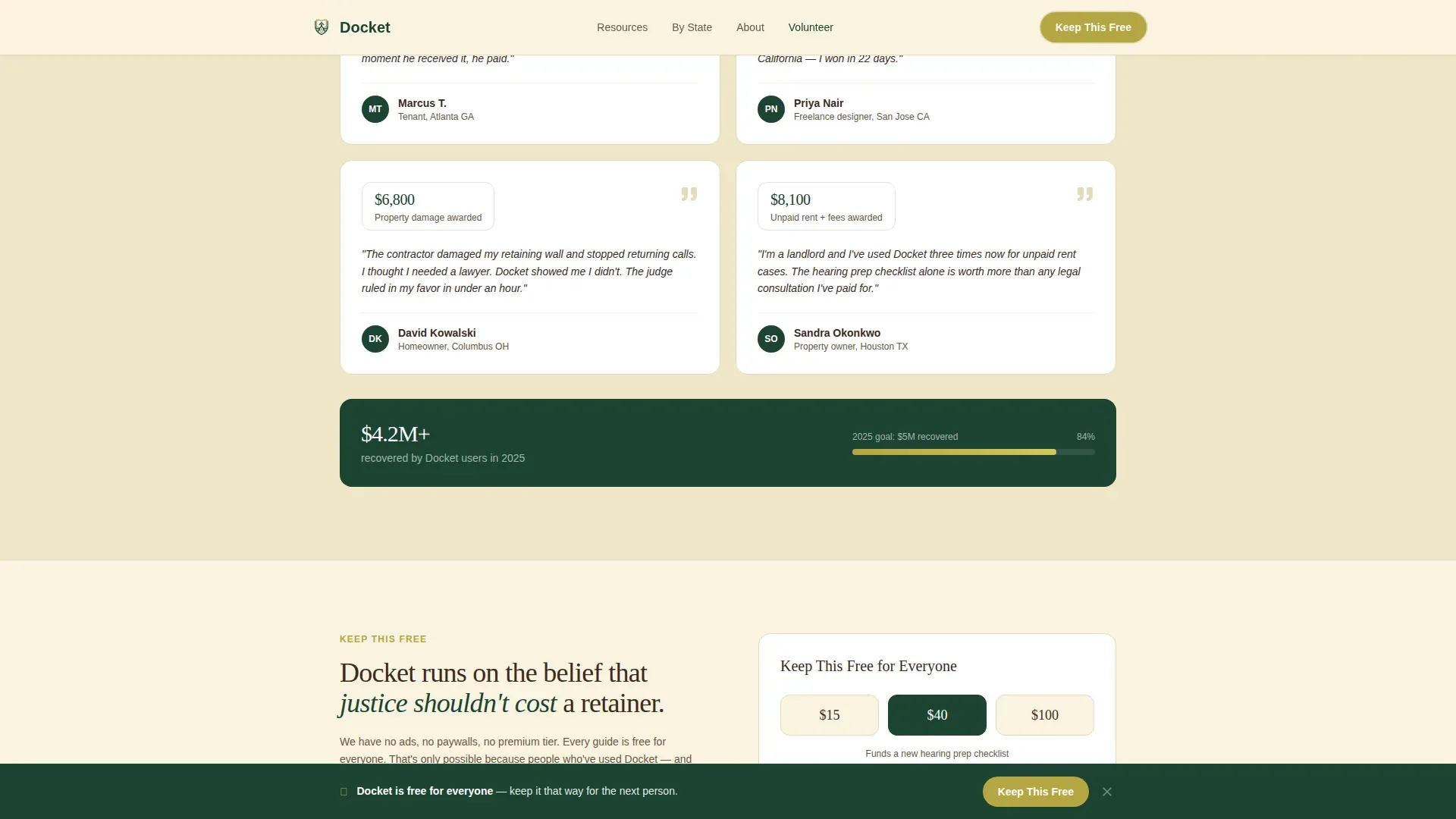
Real user quotes with specific dollar amounts recovered appear after the resource card grid. These testimonials ground the mission in human results and build the emotional case for support before the donation ask ever appears.
Page sections overview
| Section | Purpose |
|---|---|
| Logo Bar Header | Establish credibility with trust-signal logos |
| Mission Statement Hero | State the problem in large serif type |
| Problem and Mission Narrative | Walk visitors from issue to solution with context |
| Resource Card Grid | Deliver modular, actionable small claims tools |
| Process Roadmap | Show the Filing to Collection step sequence |
| User Testimonials | Ground the mission in real recovered amounts |
| Donation Call to Action | Convert engaged visitors into supporters |
| Volunteer Path | Invite legal professionals to contribute expertise |
| Single-Row Footer | Close with essential links and contact info |
Design & branding system
The visual identity follows a Directory and Discovery theme using the Forest Trust color system. The aesthetic feels like a national park wayfinding sign, authoritative without being cold, rooted without being heavy. Typography pairs Fraunces (a serif display face) with DM Sans for body text, keeping the page readable and warm.
- Deep evergreen (#1B4332) anchors the header and footer; birch white (#FAF3E0) opens up card backgrounds; bark brown (#3D2B1F) carries body text with warmth
- Lichen gold (#B5A642) is reserved exclusively for donation buttons and progress indicators, drawing the eye precisely where generosity lives
Mobile & speed optimization
This template is built mobile-first. Many users access legal resources from a smartphone, sometimes standing in a courthouse hallway, sometimes under significant stress. The layout prioritizes fast load performance and clean tap targets so every resource card and form is easy to use on a small screen.
- Fully responsive layout with stacked card grid on mobile, sticky donation bar visible without scrolling
- Minimal JavaScript approach using Server Components for static content keeps the page lean and responsive
How this template helps you convert
The page earns trust before it ever asks for anything. Visitors who have already used a resource card, found their filing fee, drafted their demand letter, or reviewed their county's rules, feel a natural sense of reciprocity when the donation prompt appears.
- The lichen-gold "Keep This Free for Everyone" button appears first below the mission statement, then again as a sticky bottom bar after visitors engage with at least one resource card
- Three preset donation amounts ($15, $40, $100) each carry a plain-language impact statement so every person understands exactly what their contribution funds
- The volunteer path gives legal professionals a non-monetary way to contribute, broadening the conversion funnel beyond donors
Other information about this template
The Docket free small claims court legal resource landing page template is purpose-built for the Government and Public category, specifically the Court and Legal Services niche. It is designed to serve the full range of people who arrive at small claims courts without representation, from a freelancer owed money for completed work to a business owner pursuing a straightforward dispute.
- Demand letter requirements vary by state and sometimes by county; the template supports state-specific guidance cards so visitors get applicable rules for their jurisdiction
- Many jurisdictions require parties to attempt alternative dispute resolution, like mediation, before a small claims case is filed; the template's demand letter card addresses this requirement directly
- The page includes space for additional forms such as a Complaint Form and an Answer Form, with instructions for how to fill them out correctly
- Wage garnishment guidance can be surfaced as a collection-stage resource card after a judgment is filed
- The claimant contact information block within the demand letter card helps users communicate with the other party in a documented, professional way
- Records such as photos, receipts, and contracts are covered in the evidence checklist card, helping visitors organize their documentation before the hearing date
Theme
Directory & Discovery
Creative direction
Vision & Mission
Color system
Forest Trust
Style
Card Grid (Modular)
Direction
Donation/Fundraising
Page Sections
Trust-signal Logo Bar
Modular Resource Card Grid
Demand Letter Drafting Card
Step-by-step Process Roadmap
Donation and Volunteer Section
Outcome Testimonials Block
Related questions
Does this template include a demand letter builder?
Can someone use this template without any legal background?
What sections are included in the landing page?
How does the donation section work?
Is this template suitable for a nonprofit or legal aid organization?



