Claims Investigator Service Area Landing Page Template
Docket is a sidebar companion landing page built for claims investigation firms that need to prove geographic reach before asking for contact details. It leads with live-counting statistics, anchors a persistent service-area map in the sidebar, and guides visitors through location-specific capability profiles, a coverage map download, and an inline county lookup tool.
by Rocket studio
Quick summary
Docket is a single-page template designed for field investigation firms serving insurance claims professionals. It opens with stark, oversized statistics, then walks visitors through county-level coverage profiles via a sidebar map and scrollable main column. Every section builds evidentiary weight, turning a service-area page into a compelling, data-first proof of reach.
Who this template is for
This template is built for firms that dispatch field investigators to handle insurance claims work. The intended users are professionals who need to demonstrate geographic coverage to skeptical, data-driven buyers.
- Claims adjusters managing heavy open caseloads who need verified boots on the ground
- Special Investigations Unit managers tracking fraud patterns across multiple counties
- Independent adjusting firms operating in jurisdictions where they have no permanent staff
What problem this template solves
Most service-area pages list locations without proving capacity. Adjusters and SIU managers need evidence of reach, not just a list of city names. This template closes that credibility gap by leading with verifiable data before making any ask.
- Visitors leave before trusting geographic claims because no supporting data is shown
- Generic contact forms create friction before the buyer understands what coverage actually exists
- Location pages for field services rarely communicate response speed or investigator density
What you get with this template
You get a fully structured sidebar companion landing page built around data-first persuasion. The layout separates persistent navigation from scrollable content, keeping the service-area map visible at all times while the main column deepens the case.
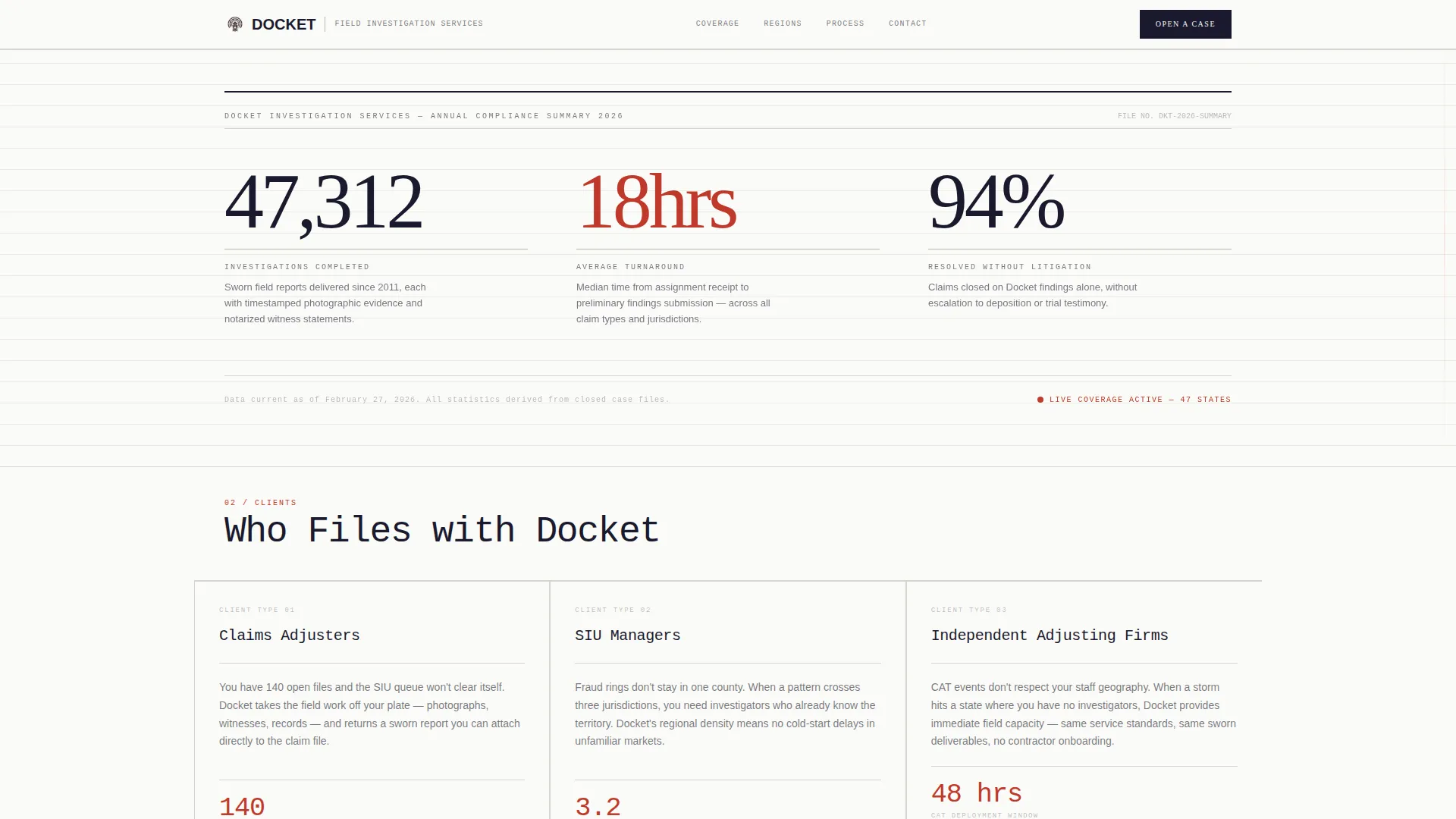
- A stats header with three animated count-up figures covering investigations completed, average turnaround in hours, and claims resolved without litigation
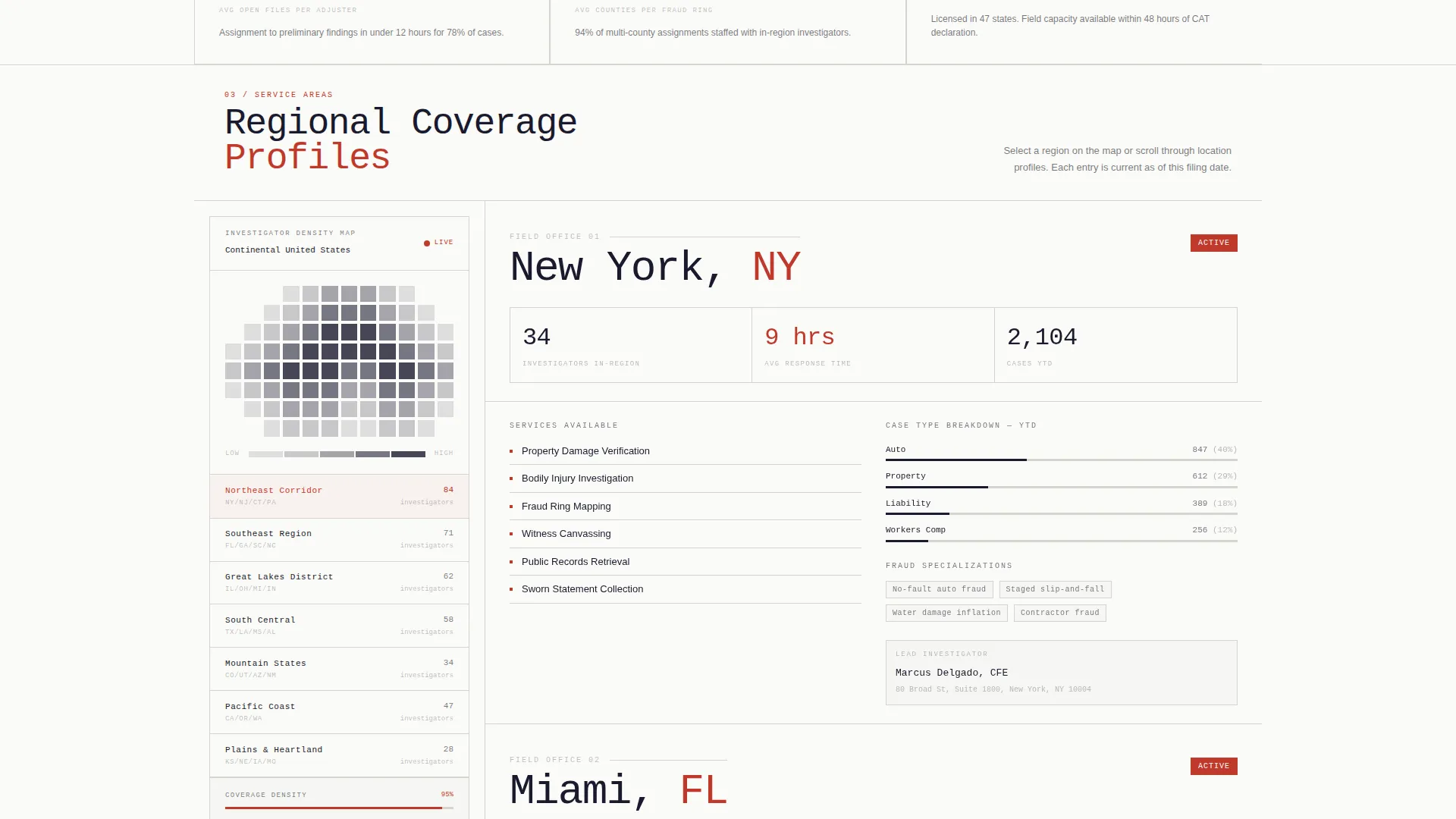
- A persistent sidebar anchoring a county coverage map shaded by investigator density
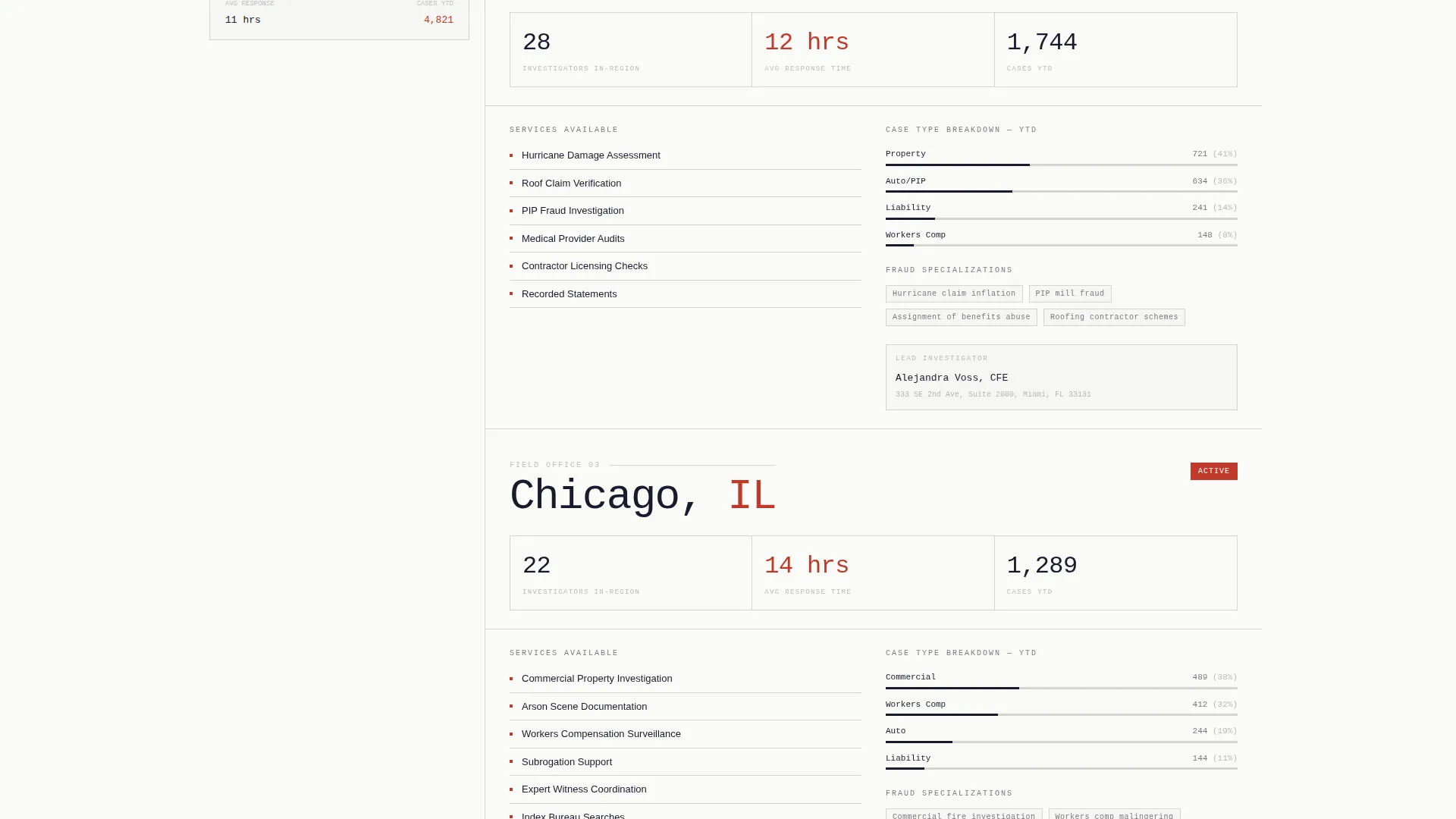
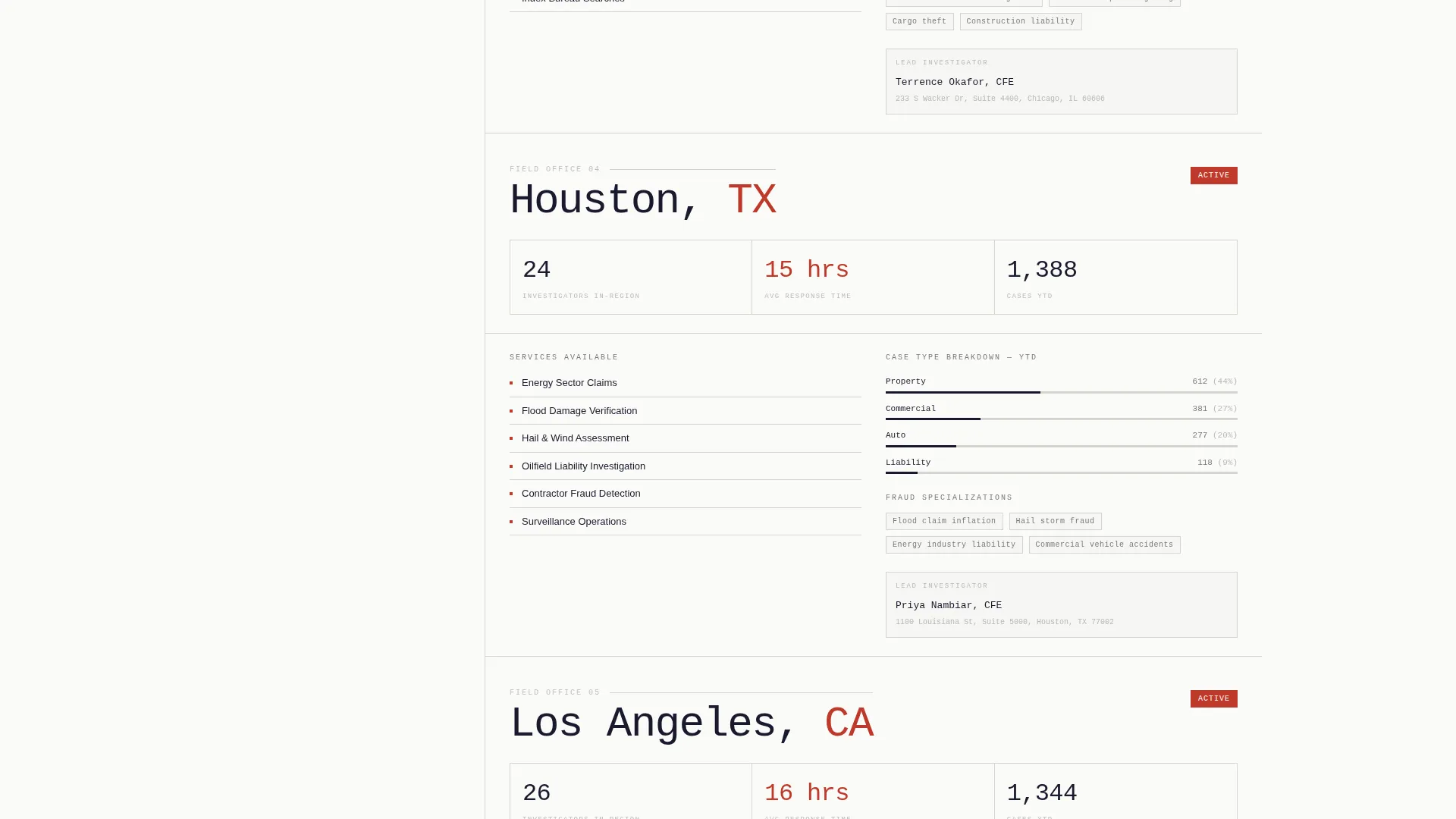
- Location-specific capability sections each leading with micro-stats before revealing service descriptions
- A primary call to action for downloading the coverage map PDF and a secondary inline ZIP-code lookup tool
Feature list
A brief section introduction: each feature below reflects a specific, prompt-defined capability built into the Docket template.
Animated Statistics Header
Three oversized figures typeset in a monospaced serif count up on page load. Each figure sits against bond paper white with a thin ruled line beneath it and a single-sentence descriptor. The composition mirrors the summary page of a compliance report, giving the header immediate authority.
Persistent Sidebar Coverage Map
The sidebar remains fixed as the visitor scrolls the main column. It displays a county-level map shaded by investigator density, so geographic coverage stays visible throughout the entire page experience.
Location Capability Profiles
Each location section in the main column leads with its own micro-statistics: active investigators in the region, average response time, and cases handled year-to-date. Service descriptions follow, building a layered, evidence-based argument for coverage depth.
Coverage Map Download call to action
The primary call to action invites visitors to download a PDF showing investigator density by ZIP code. It requires only a work email and state of interest, keeping the barrier low while capturing qualified leads.
Inline County Lookup Tool
Visitors type a ZIP code into an inline field and immediately see investigator availability, average dispatch time, and the nearest field office. This interactive check earns trust by delivering value before any contact form appears.
Corporate Precision Visual System
The Ink and Paper color palette uses deep black ink, bond paper white, ruled-line gray, and a red-flag accent reserved for key statistics and interactive elements. Typography relies on a monospaced serif to reinforce the document-grade aesthetic throughout.
Page sections overview
| Section | Purpose |
|---|---|
| Stats Header | Opens with three count-up figures establishing credibility instantly |
| Sidebar Map | Anchors persistent county coverage density throughout scroll |
| Location Profiles | Delivers region-specific micro-stats and service descriptions |
| Coverage Map call to action | Prompts download of ZIP-level investigator density PDF |
| County Lookup Tool | Lets visitors verify coverage and dispatch time by ZIP code |
Design & branding system
The visual identity follows a Corporate Precision theme built entirely around the Ink and Paper color system. Every design choice reinforces the feeling of a freshly printed affidavit: authoritative, unadorned, and immediately trustworthy.
- Color palette: deep black ink (#1A1A2E) for body text, bond paper white (#FAFAF7) for backgrounds, ruled-line gray (#D4D4CE) for dividers, and red-flag accent (#C0392B) for statistics and interactive elements
- Typography relies on a monospaced serif for headline figures, reinforcing the document and deposition aesthetic
- No stock photography or illustrations are used anywhere; visual weight comes entirely from data, ruled lines, and typographic contrast
Mobile & speed optimization
The sidebar companion layout adapts to narrower screens while preserving the data-first reading order. The template is structured to keep critical information visible without sacrificing the document-grade aesthetic on any device.
- The persistent sidebar map collapses cleanly on smaller viewports so the main column content remains the primary reading path
- Count-up statistics and the inline ZIP lookup tool are designed to remain functional and legible across screen sizes
How this template helps you convert
The page earns the click by proving geographic reach with data before ever asking for contact information. Each structural layer reduces buyer skepticism one step at a time.
- The count-up statistics header establishes authority within seconds of arrival, before the visitor reads a single line of copy
- Location profiles with micro-stats answer the specific question every adjuster asks first: "Do you actually have people near my cases?"
- The inline county lookup tool delivers immediate, personalized proof of coverage, making the coverage map download feel like a natural next step rather than a cold ask
Other information about this template
Docket is purpose-built for the claims investigation niche within the broader professional services category. It sits at the intersection of service-area marketing and evidence-based content strategy, making it well-suited for firms that sell credibility as much as capability.
- The template style is Sidebar Companion, a layout that keeps navigational and geographic context visible while the main content column scrolls independently
- The landing page direction is Content and Resource, meaning the page functions as a proof asset rather than a hard-sell brochure
- The header concept is Stats and Metrics, and the creative direction is Stats-First Impact, both reinforcing a claims-file aesthetic where numbers precede narrative
- The template fits firms of any size that need a professional online presence for their claims investigator service area and location pages
Theme
Corporate Precision
Creative direction
Stats-First Impact
Color system
Ink & Paper
Style
Sidebar Companion
Direction
Content/Resource
Page Sections
Animated Statistics Header
Persistent Sidebar Coverage Map
Location Capability Profiles
Coverage Map Download Call to Action
Inline County Lookup Tool
Ink and Paper Visual System
Related questions
Who is this landing page template designed for?
Does this template require photography or custom illustrations?
What does the inline county lookup tool do?
Can I adapt the location profiles for different service regions?
What is included in the coverage map download flow?



