Employment & Labor Law Complete Booking Website Template
Docket is a single-page landing page template built for wage and hour attorney practices. It leads with a bold guarantee badge and proven recovery figures, then guides visitors through FAQ-anchored comparison tables that make labor violations personal and clear. A three-step booking form closes the loop with a free case review offer.
by Rocket studio
Quick summary
Docket is a litigation-focused landing page template designed for wage and hour attorneys. It opens with a guarantee badge and verdict figures, then leads visitors through FAQ-driven comparison tables that expose common employer violations side by side with what labor law actually requires. Every scroll earns the booking ask before the form ever appears.
Who this template is for
This template is built for legal practices that recover unpaid wages and want to convert skeptical, first-time visitors into scheduled consultations. It speaks directly to workers who suspect something is wrong but have not yet taken action.
- Wage and hour attorneys handling unpaid overtime, missed break, and worker misclassification cases
- Litigation practices targeting hourly workers, restaurant servers, warehouse employees, and misclassified contractors
- Solo or boutique employment law firms that lead with contingency fee arrangements and proven case results
What problem this template solves
Workers who have been underpaid rarely know they have a legal claim. They distrust lawyers, fear retaliation, and cannot recognize their own violation in abstract legal language. A generic law firm page does nothing to change that.
- Visitors cannot connect their specific paycheck discrepancy to an actionable legal violation
- Workers worry about job security and need a clear answer to "Can I get fired for filing a claim?" before they engage
- Most legal pages ask for personal information before giving the visitor any reason to trust the firm
What you get with this template
This template delivers a complete, scroll-driven landing page structured around the buyer journey of a wage theft victim. Every section is designed to move the visitor from doubt to decision.
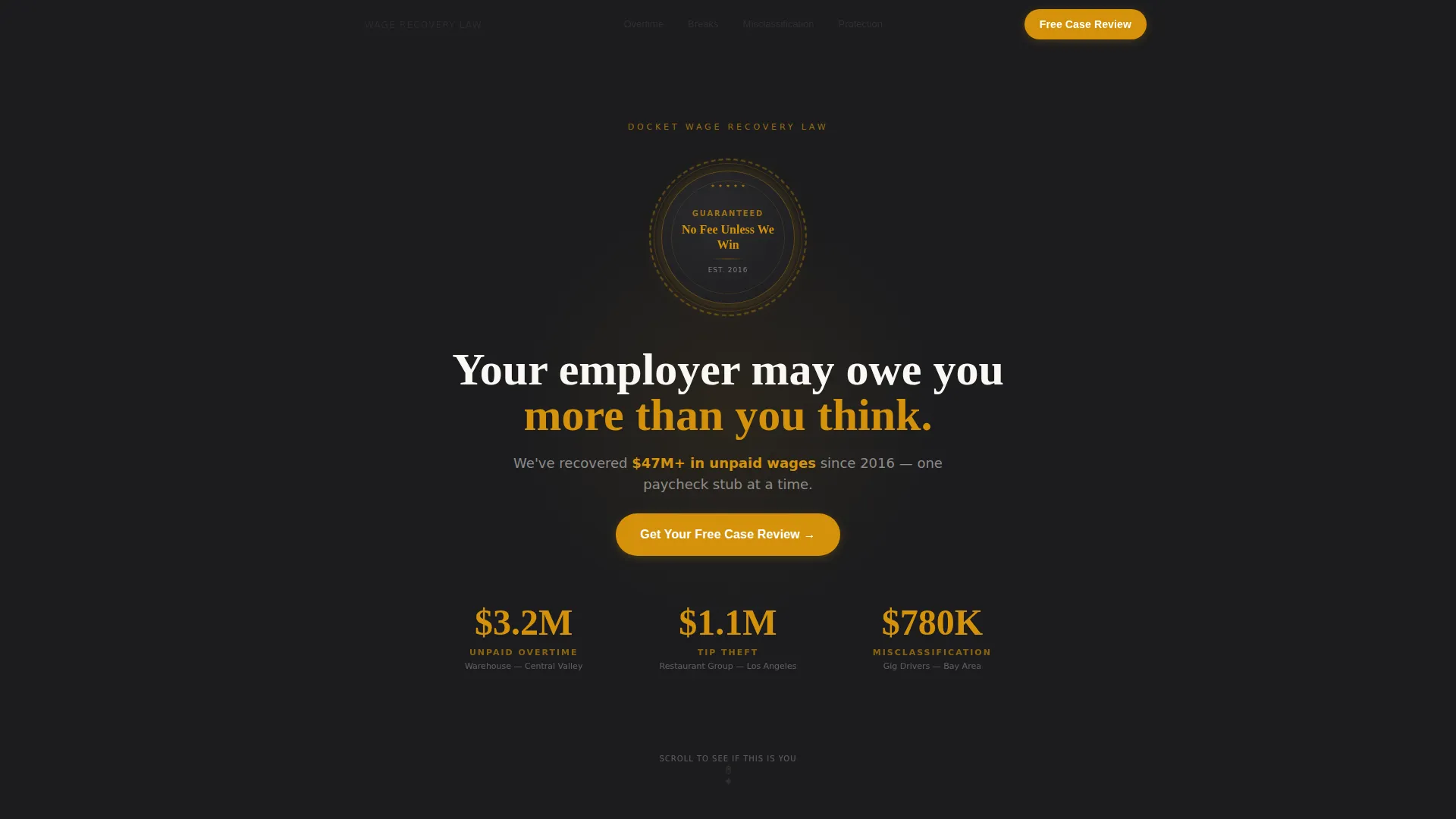
- A hero section with a guarantee badge, $47M total recovery figure, and three amber verdict amounts with violation type labels
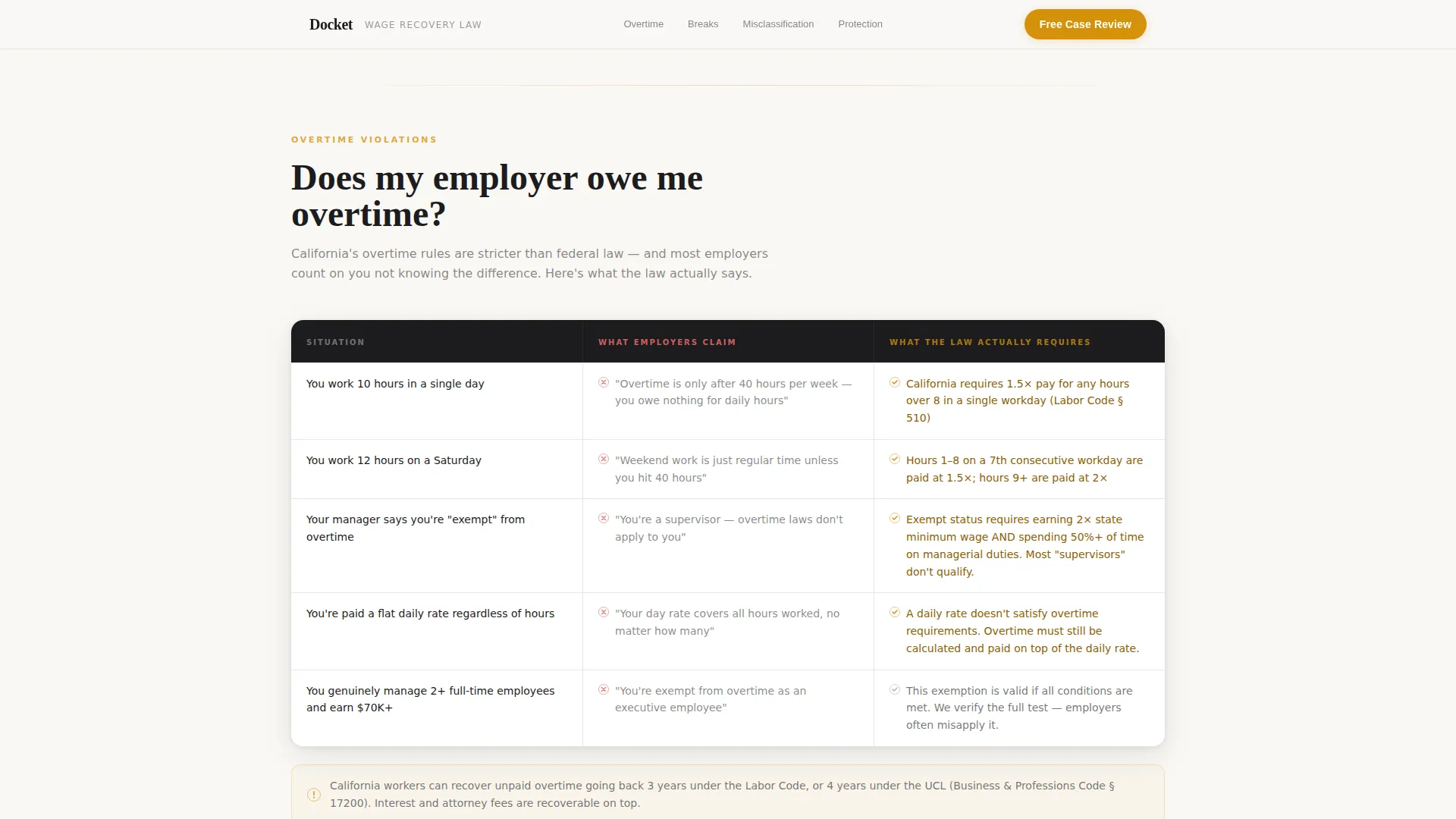
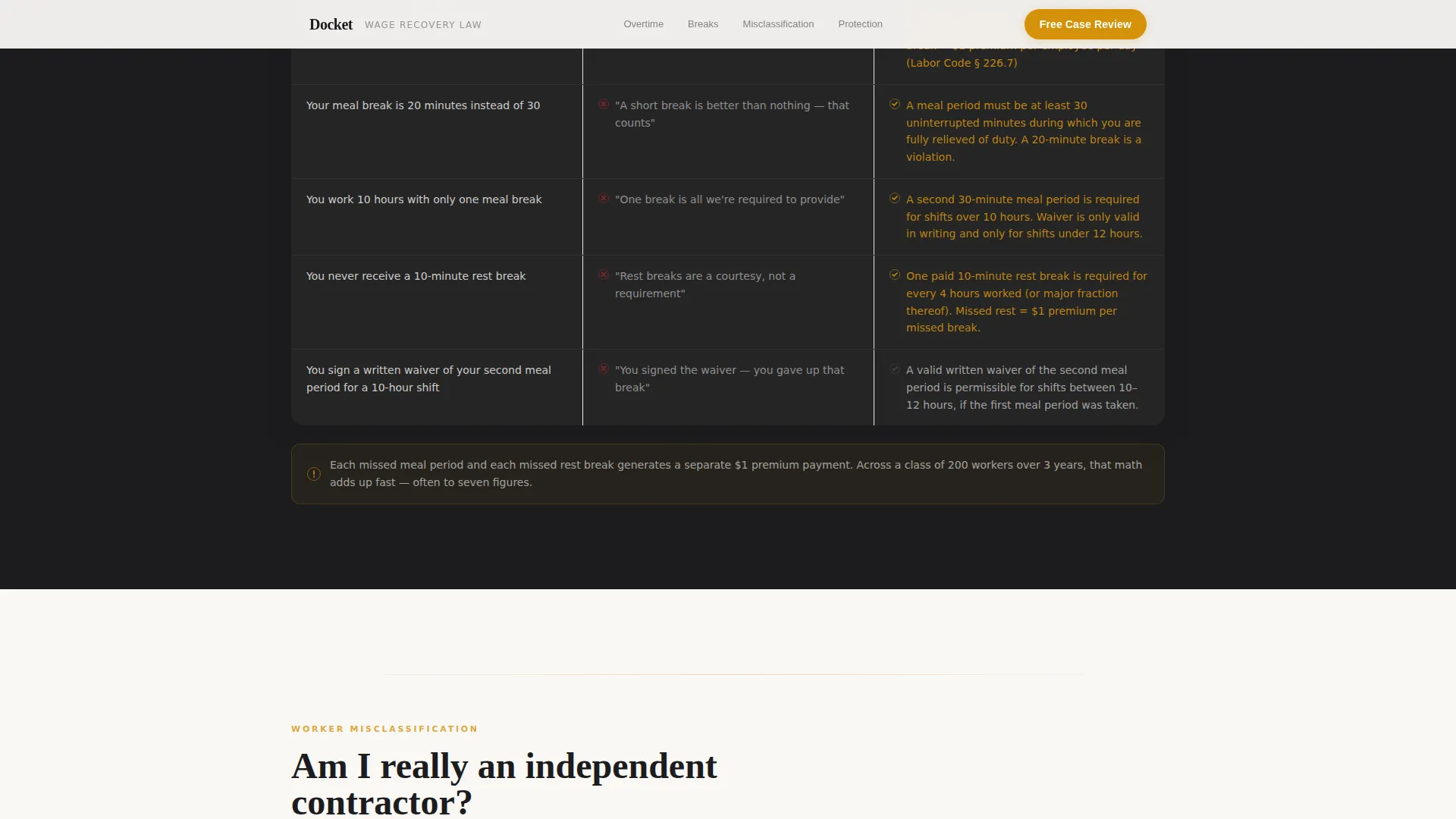
- Four FAQ-anchored content sections, each containing a comparison table showing employer claims versus what California or federal labor code actually requires
- A three-step booking form collecting employment type, violation type, and a 15-minute consultation time slot, plus a freeform fallback path for uncertain visitors
Feature list
FAQ-Driven Comparison Tables
Each major FAQ section opens into a two-column table. One column shows what employers commonly claim is legal. The other shows what labor code actually requires. The format makes violations visible without requiring any legal background from the reader.
Guarantee Badge Hero Header
The header centers on a bold, seal-shaped emblem displaying "No Fee Unless We Win" in amber on charcoal. Three oversized verdict figures ($3.2M, $1.1M, $780K) appear below, each labeled with its violation type. No stock photography is used. The badge itself is the trust signal.
Retaliation Shield Section
A dedicated section answers the question workers fear most: whether filing a claim puts their job at risk. It covers legal protections clearly and directly, reducing the single biggest barrier to booking a consultation.
Three-Step Scheduling Form
The booking form guides visitors through three sequential questions: employment type (hourly, salaried, or contractor), suspected violation category, and a calendar picker for a 15-minute phone consultation. A secondary freeform path lets uncertain visitors describe their situation and receive a response within one business day.
Escalating Stakes Structure
The page is structured so each FAQ section raises the stakes slightly. It moves from individual paystub errors to class-action patterns, pulling visitors from "maybe this applies to me" to "this is exactly what happened to me" by the time the booking form appears.
Repeating Call-to-Action Placement
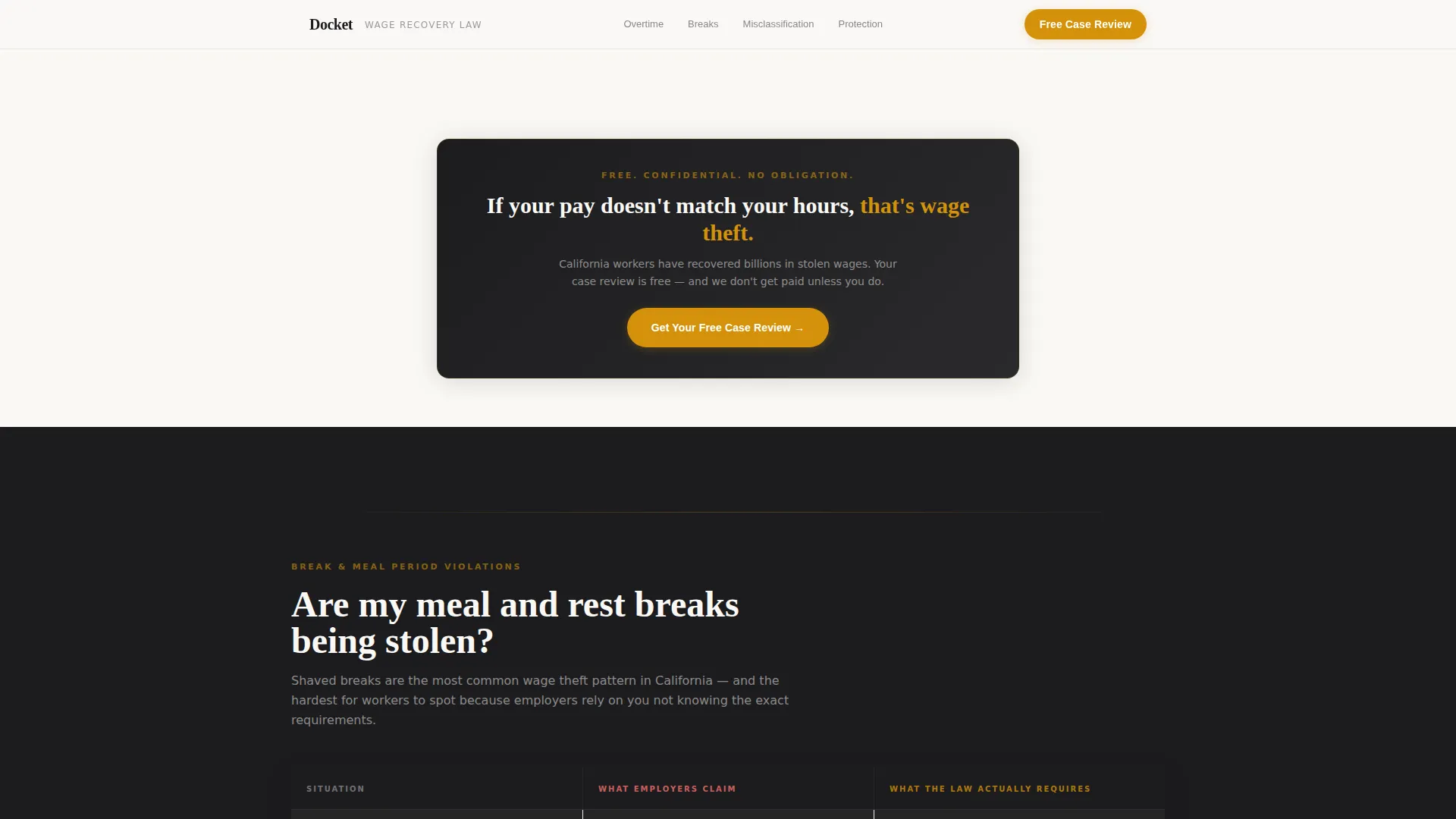
The primary call to action, "Get Your Free Case Review," appears first beneath the header badge and repeats after every third FAQ section. Placement is timed to the moment credibility peaks, not sprinkled at random.
Page sections overview
| Section | Purpose |
|---|---|
| Hero Guarantee Badge | Establishes credibility with seal emblem, $47M recovery stat, and three labeled verdict figures |
| Overtime FAQ Table | Answers "Does my employer owe me overtime?" with employer claim versus labor code comparison |
| Breaks & Misclassification Tables | Two comparison tables covering missed meal breaks and contractor misclassification violations |
| Retaliation Shield | Addresses job-security fears with legal protection information and direct answers |
| Booking Call to Action | Three-step scheduling form plus freeform fallback for visitors who are unsure of their claim |
| Footer | Single-row linear layout with firm contact and legal notices |
Design & branding system
The visual identity follows a Corporate Precision theme. The palette is built around deep charcoal, warm graphite, parchment white, and a decisive amber reserved for calls to action, verdict figures, and key emphasis points. It reads like a mahogany courtroom bench under fluorescent light: serious enough to trust, warm enough to approach.
- Colors: deep charcoal (#1C1C1E), warm graphite (#3A3A3C), parchment white (#FAF8F5), and accent amber (#D4920B)
- Typography: Fraunces serif for headings paired with DM Sans for body text, combining authority with readability
- No stock photography or handshake imagery; credibility comes entirely from verified verdict figures and structured legal comparison content
Mobile & speed optimization
This template is built mobile-first, reflecting the reality that its primary audience checks information on their phones during shift breaks. The layout, form steps, and comparison tables are all sized and sequenced for small screens.
- The three-step booking form uses a sequential reveal so each question appears one at a time, reducing friction on a phone screen
- Comparison tables are structured to remain readable on narrow viewports without horizontal scrolling
- Client-side form validation keeps the booking flow fast and responsive without requiring a server round-trip
How this template helps you convert
Docket earns the booking click by showing visitors their own situation in the comparison tables before asking for anything personal. Every structural decision is oriented toward reducing hesitation and moving visitors toward a free consultation.
- The guarantee badge and verdict figures establish trust immediately, so visitors stay past the first scroll instead of bouncing
- Comparison tables translate abstract labor law into personal, recognizable situations, so visitors self-identify as potential clients before the form appears
- The freeform fallback path captures visitors who are not yet sure they have a case, giving the firm a second conversion path beyond the calendar booking
Other information about this template
Docket is designed specifically for the United States legal market with a focus on California labor law. All dollar figures, violation categories, and legal references in the template reflect that jurisdiction. The layout is also suitable for federal wage claims under the Fair Labor Standards Act (FLSA).
- The template uses scroll reveal animations and staggered number animations on verdict figures to draw attention to proof points without feeling flashy
- Comparison table rows include hover highlight interactions that draw the eye to the most relevant violation type for each visitor
- The FAQ accordion component keeps the page organized while letting visitors jump directly to the question most relevant to their situation
- The footer follows a linear single-row pattern (Pattern 1) and is designed to stay minimal so the booking form remains the last strong impression before exit
Theme
Corporate Precision
Creative direction
FAQ-Driven
Color system
Charcoal & Amber
Style
Comparison Table
Direction
Booking/Scheduling
Page Sections
Faq-driven Comparison Tables
Guarantee Badge Hero Header
Retaliation Shield Section
Three-step Scheduling Form
Escalating Stakes Page Structure
Repeating Call to Action Placement
Related questions
What types of cases is this template designed to support?
Can the comparison tables be edited to reflect different labor laws?
How does the three-step booking form work?
Does this template work for solo attorneys or only larger firms?
Is any server-side setup required for the booking form?