Court System Landing Page Template for Government Portals
Docket is a split-screen court system landing page built for government and legal public service portals. It replaces confusing phone trees and buried documents with animated case statistics, vision-and-mission split panels, a three-step event registration form, and an inline case status lookup. Defendants, attorneys, jurors, and first-time plaintiffs all find clear pathways from the first scroll.
by Rocket studio
Quick summary
Docket is a single-page court system portal template designed around real courthouse visitors. It opens with an animated infographic hero, moves through alternating vision-and-mission split panels, builds trust with social proof, and closes with a structured event registration module and a case status lookup. Every section has a job, and every visitor has a clear next step.
Who this template is for
This template is built for court administrators and public-sector web teams who need a professional digital presence that serves a wide range of visitors without confusion. It works equally well for district courts, county courthouses, and public legal service offices that run recurring community events.
- Courthouse staff launching or refreshing a public-facing court portal
- Legal aid offices managing jury orientations, self-help workshops, and public hearings
- Government communications teams replacing outdated PDF-heavy or phone-dependent service pages
What problem this template solves
Citizens arriving at a court website are often anxious, time-pressed, and unfamiliar with legal language. They need their case number, their hearing date, or a seat at an orientation workshop. Buried navigation, unclear terminology, and broken contact flows send them in the wrong direction before they even begin.
- Defendants and jurors waste time hunting for confirmation details that should take seconds to find
- First-time plaintiffs give up on self-help resources when the portal feels institutional and cold
- Attorneys lose minutes they do not have when simple case lookups require three clicks and a phone call
What you get with this template
This template delivers a fully structured, single-page layout with high-interactivity components built around the specific needs of a public court portal. Every section is production-ready and purposefully sequenced to move visitors from initial landing to confirmed registration.
- An animated infographic hero that establishes authority through real court impact data
- Alternating 50/50 split panels pairing institutional principles with operational evidence
- A three-step inline event registration form, a secondary notice subscription field, and a case status quick lookup section
Feature list
Animated Infographic Hero Section
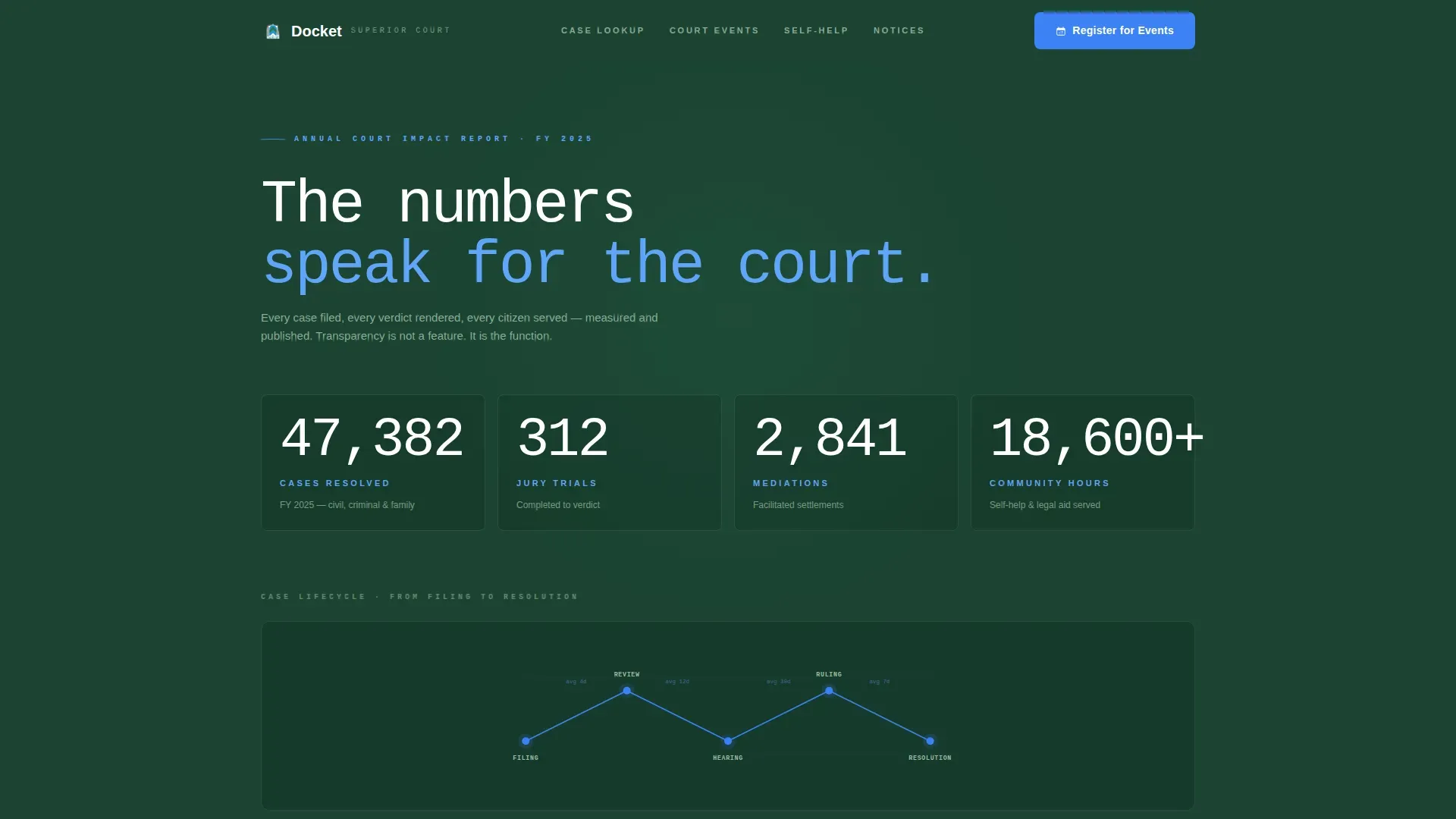
The header fills the viewport with count-up animated statistics on an evergreen background. Annual figures such as cases resolved, jury trials completed, mediations facilitated, and community hours served are displayed in oversized monospaced type. Thin alpine-blue SVG lines trace the lifecycle of a case from filing through to resolution, giving the data visual structure without relying on stock imagery.
Vision and Mission Split Panels
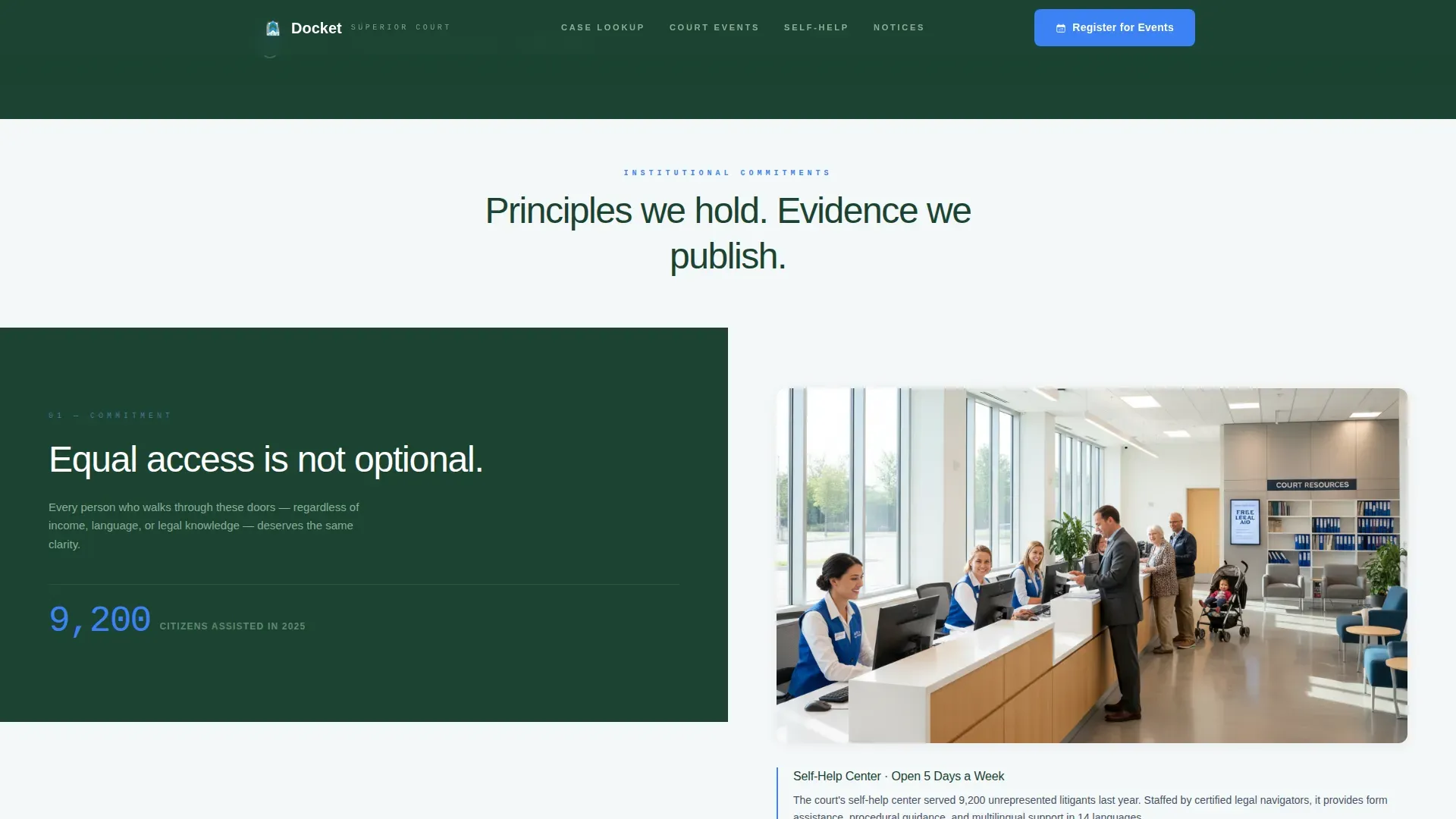
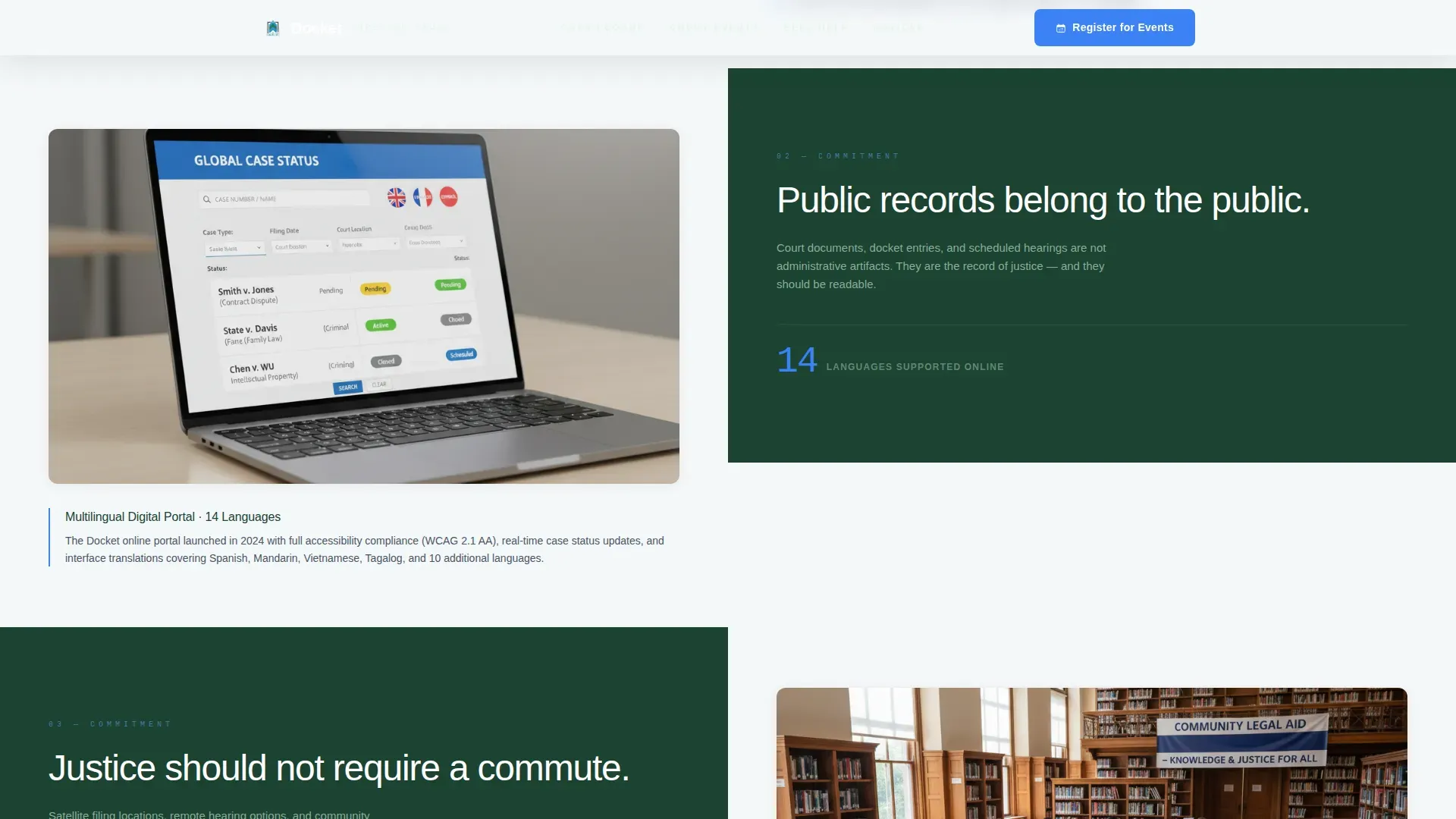
Alternating 50/50 split panels pair a bold institutional statement on the left with photographic or interface evidence on the right. Each panel deepens visitor trust by grounding an aspiration in a concrete, visible proof point. The sequence moves from principle to practice across multiple scroll sections before reaching the registration module.
Three-Step Event Registration Form
The primary call-to-action leads into a structured inline form with three sequential steps. Visitors first select an event type from options including jury orientation, self-help workshop, community legal clinic, and public hearing. They then choose a preferred date from a live calendar showing available sessions, and finally submit their name and confirmation email.
Court Notices Subscription Path
A secondary conversion path sits alongside the registration module. Visitors who are not ready to register for a specific event can subscribe to court notices with a single email field. This captures intent from visitors who arrived for information rather than immediate action.
Case Status Quick Lookup
An inline search section allows visitors to enter a case number or look up an upcoming hearing date directly on the page. This component serves defendants and attorneys who need fast answers without navigating deeper into a court system portal.
Social Proof Panel
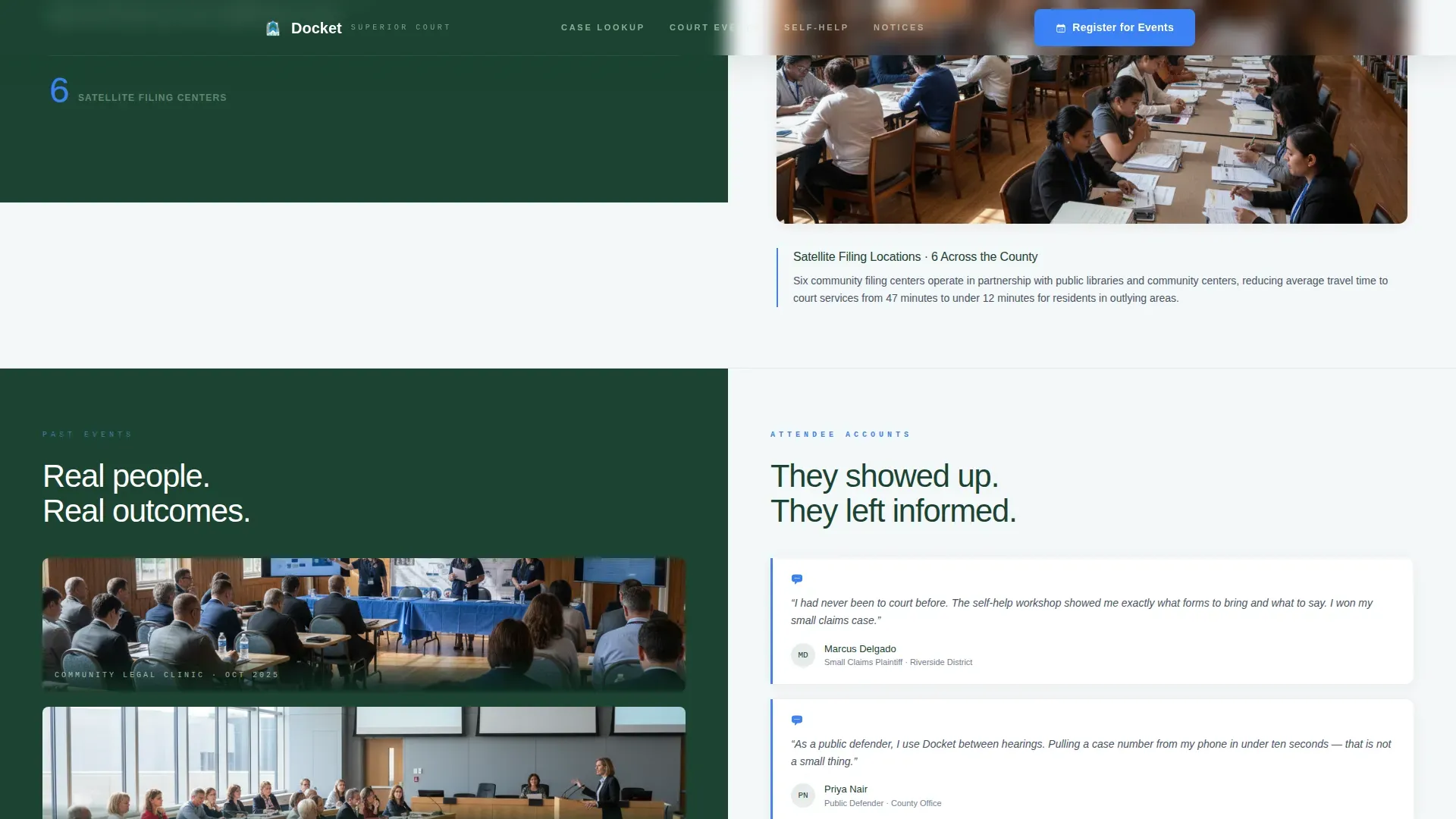
A dedicated split section places past event photography on the left and real attendee testimonials on the right. This section appears directly above the registration form, giving visitors contextual confidence before they commit to signing up.
Page sections overview
| Section | Purpose |
|---|---|
| Infographic Hero | Establishes authority through animated annual court impact statistics |
| Vision Mission Panels | Pairs institutional principles with operational proof across alternating splits |
| Event Photo Testimonials | Builds social proof with past event images and attendee quotes |
| Event Registration Module | Captures registrations via a three-step inline form |
| Court Notices Subscription | Offers a low-commitment email capture for notice subscribers |
| Case Status Lookup | Provides inline case number and hearing date search |
| Footer | Delivers linear single-row navigation and contact links |
Design & branding system
The visual identity follows a Corporate Precision theme using the Alpine Fresh color system. The palette is institutional without feeling cold, and every color has a defined role so nothing competes for attention.
- Evergreen (#1B4332) anchors headers, navigation, and left-panel backgrounds; glacial white (#F4F7F9) opens up right panels and primary content areas; slate granite (#4A5568) handles all body text for clear legibility
- Alpine blue (#3B82F6) is reserved exclusively for interactive elements, calls to action, and the SVG case lifecycle lines, so every clickable element is immediately recognizable
- Typography uses JetBrains Mono for statistics and case numbers to reinforce judicial precision, paired with Plus Jakarta Sans for body copy to keep reading natural and approachable
Mobile & speed optimization
The template is designed desktop-first to serve attorneys at their desks and courthouse kiosks in public lobbies. It is fully responsive so that defendants and jurors checking details from a mobile device get the same clear pathways on a smaller screen.
- Split panels reflow to single-column stacks on smaller viewports, keeping content hierarchy intact without layout breakage
- Server Components handle static content sections to support fast initial page loads, leaving interactive components like the registration form and calendar picker to load progressively
How this template helps you convert
Every structural decision in this template is made to move a hesitant visitor toward a confirmed registration or a court notice subscription. Trust is built before the ask is made, and the ask is made only once the visitor has enough context to say yes.
- The infographic hero opens with data-driven authority so visitors immediately understand the court's scale and credibility before reading a single word of copy
- The vision-and-mission panels sequence aspiration with evidence across multiple scroll sections, so by the time visitors reach the form they feel informed rather than sold to
- The social proof split section showing past event photos and attendee testimonials sits directly above the registration module, removing the last hesitation point before the visitor clicks "Register for Court Events"
Other information about this template
This template is built for United States court systems using standard date formatting in the MM/DD/YYYY pattern throughout the calendar picker and any date-referenced content. The layout uses a linear single-row footer pattern designed to keep navigation clean at the base of a long scrolling page.
- Animation intensity is high across the template, including count-up number sequences in the hero, scroll-triggered reveals on split panels, and smooth transitions between registration form steps
- The event type selector within the registration form covers four preset categories: jury orientation, self-help workshop, community legal clinic, and public hearing
- The template is categorized under Government and Public, Court and Legal Services, making it directly applicable to district courts, municipal courthouses, and county legal service offices that need a credible public-facing digital presence
Theme
Corporate Precision
Creative direction
Vision & Mission
Color system
Alpine Fresh
Style
Split Screen (50/50)
Direction
Event Registration
Page Sections
Animated Infographic Hero
Vision and Mission Split Panels
Three-step Event Registration Form
Court Notices Subscription Field
Case Status Quick Lookup
Social Proof Split Section
Related questions
Who is this landing page template designed for?
What does the three-step registration form include?
Can someone look up a case number directly on the page?
What animation and interactivity features are built in?
Is this template suitable for mobile users?



