Technical Writer Reviews & Social Proof Website Template
Docline is a technical writer landing page template built for documentation services that handle API references, user guides, standard operating procedures (SOPs), and knowledge bases. It uses a zigzag alternating layout with testimonial cards, single-stat callouts, and a progressive lead capture form to turn engineering managers, product leads, and compliance officers into qualified project inquiries.
by Rocket studio
Quick summary
Docline is a single-page landing page template for professional technical writing services. It alternates service descriptions with client testimonials in a left-right zigzag rhythm, builds trust through stat callouts, and drives leads through a focused three-field form. The design feels clean, authoritative, and structured, exactly what a documentation-first audience expects.
Who this template is for
This template is built for technical writers and documentation agencies who serve business clients with complex, process-heavy products. It speaks directly to buyers who need proof of competence before they pick up the phone.
- Freelance technical writers offering API documentation, user guides, SOPs, or knowledge base projects
- Documentation agencies serving SaaS platforms, hardware manufacturers, and regulated industries
- Independent consultants targeting engineering managers, product leads, and compliance officers
What problem this template solves
Most technical writing service pages bury the offer under generic copy. Potential clients, especially engineering managers dealing with tribal knowledge or compliance officers racing a quarter-end deadline, need to see credibility fast and find a clear way to start a project.
- No dedicated space to show deliverable-specific proof or client testimonials by project type
- No structured lead capture that qualifies visitors by project type and scope before the first conversation
- No secondary conversion path for visitors who are researching but not yet ready to commit
What you get with this template
You get a fully structured landing page that balances service proof with conversion mechanics. Every section has a defined job, from first impression to form submission.
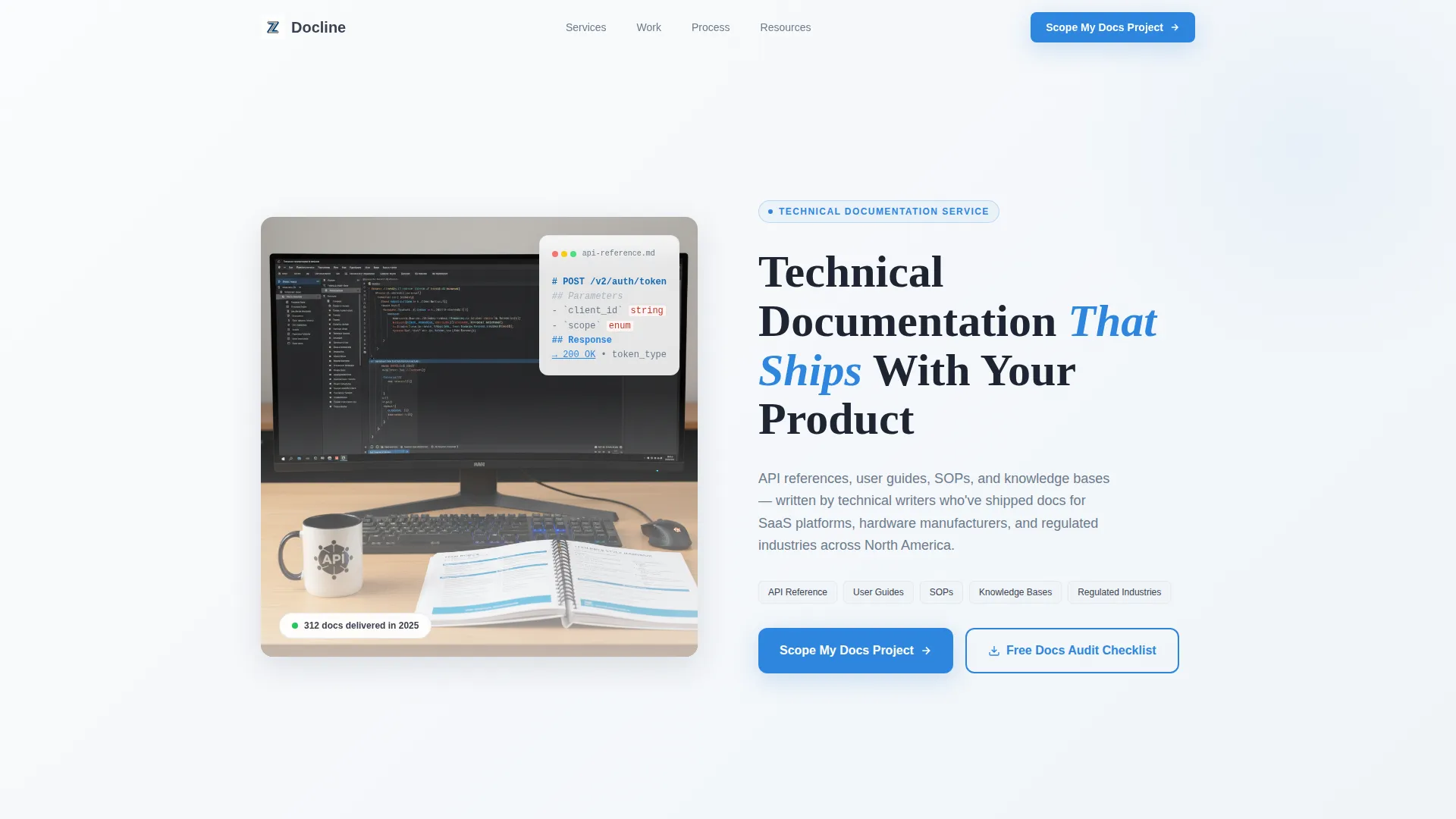
- A half-page photo and text split header with headline, subhead, and service area callouts
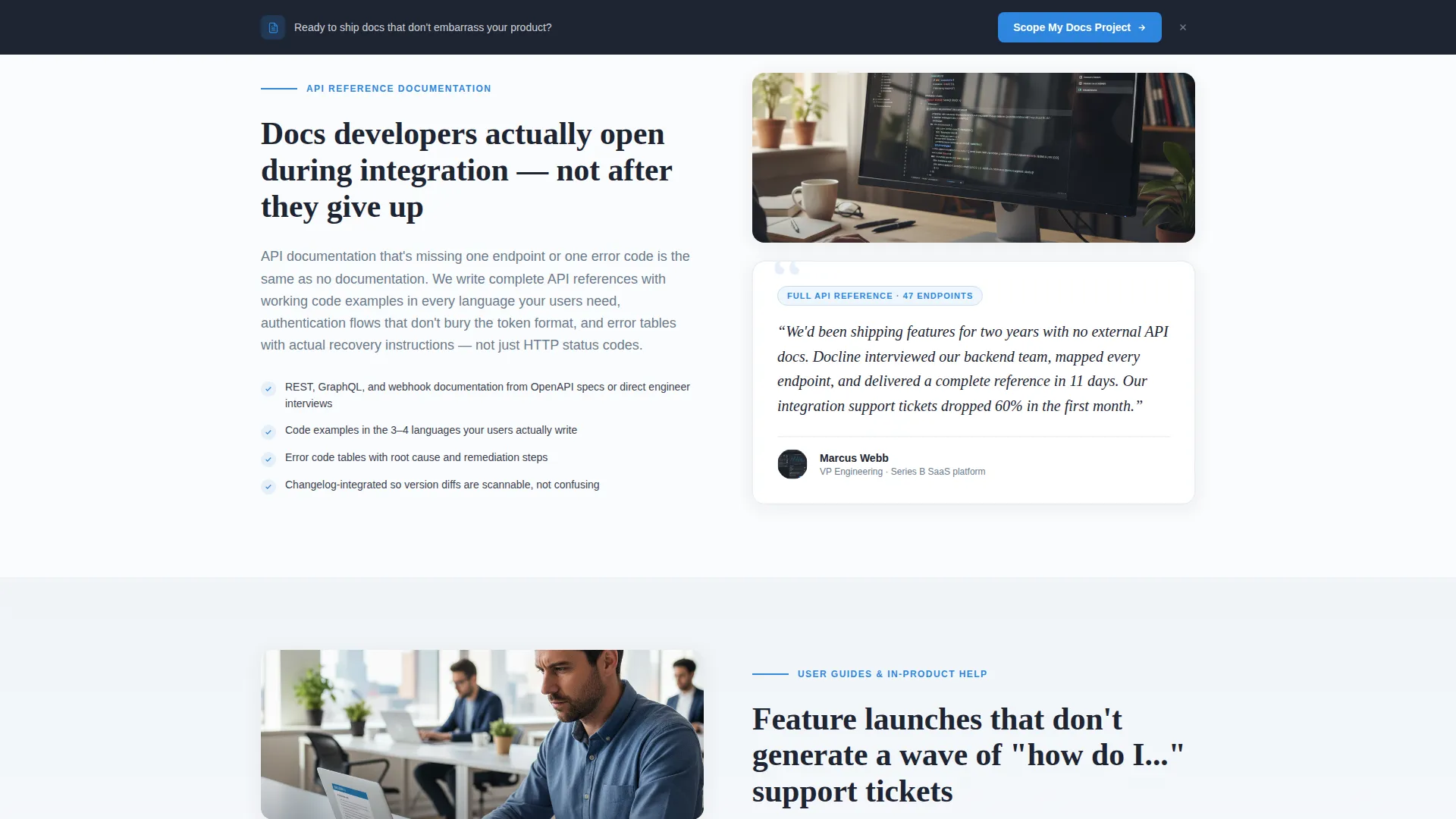
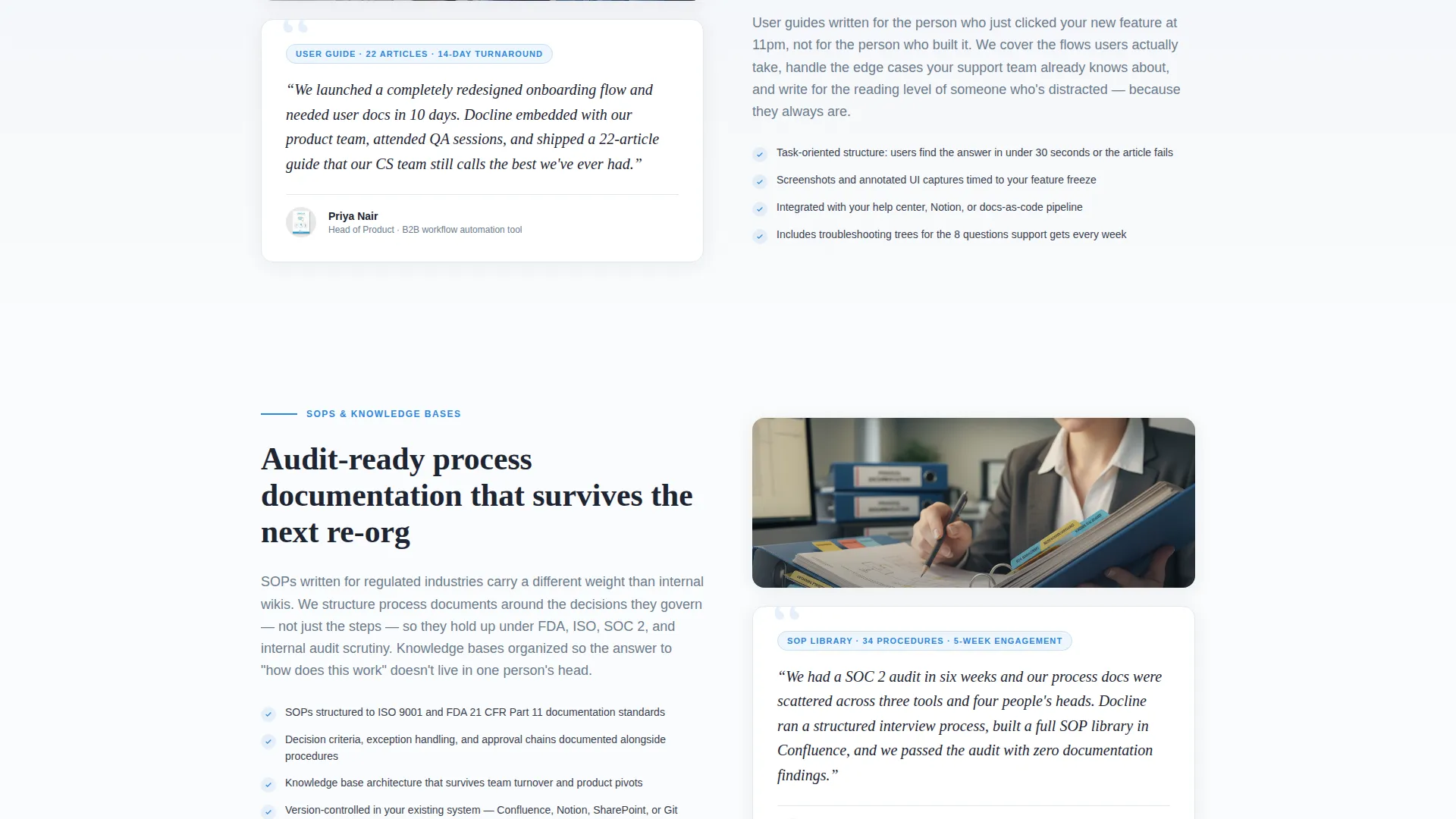
- A zigzag alternating layout pairing service descriptions with role-specific client testimonial cards
- A three-field progressive lead capture form and a secondary email-gated checklist download
Feature list
This section covers the core built-in components that make Docline work as a lead generation landing page for technical writing services.
Half-Page Split Header
The header divides the viewport into two halves. The left side holds a photograph of a writer's workspace showing a docs-as-code editor with visible Markdown syntax. The right side delivers the primary headline and a two-line subhead naming service areas and regions served.
Zigzag Testimonial Layout
Sections alternate left and right between service descriptions and client testimonial cards. Each card shows a quote, the client's role and company type, and the specific deliverable they hired for. The rhythm builds from simple documentation cleanup to full documentation system architecture.
Single-Stat Scroll Anchors
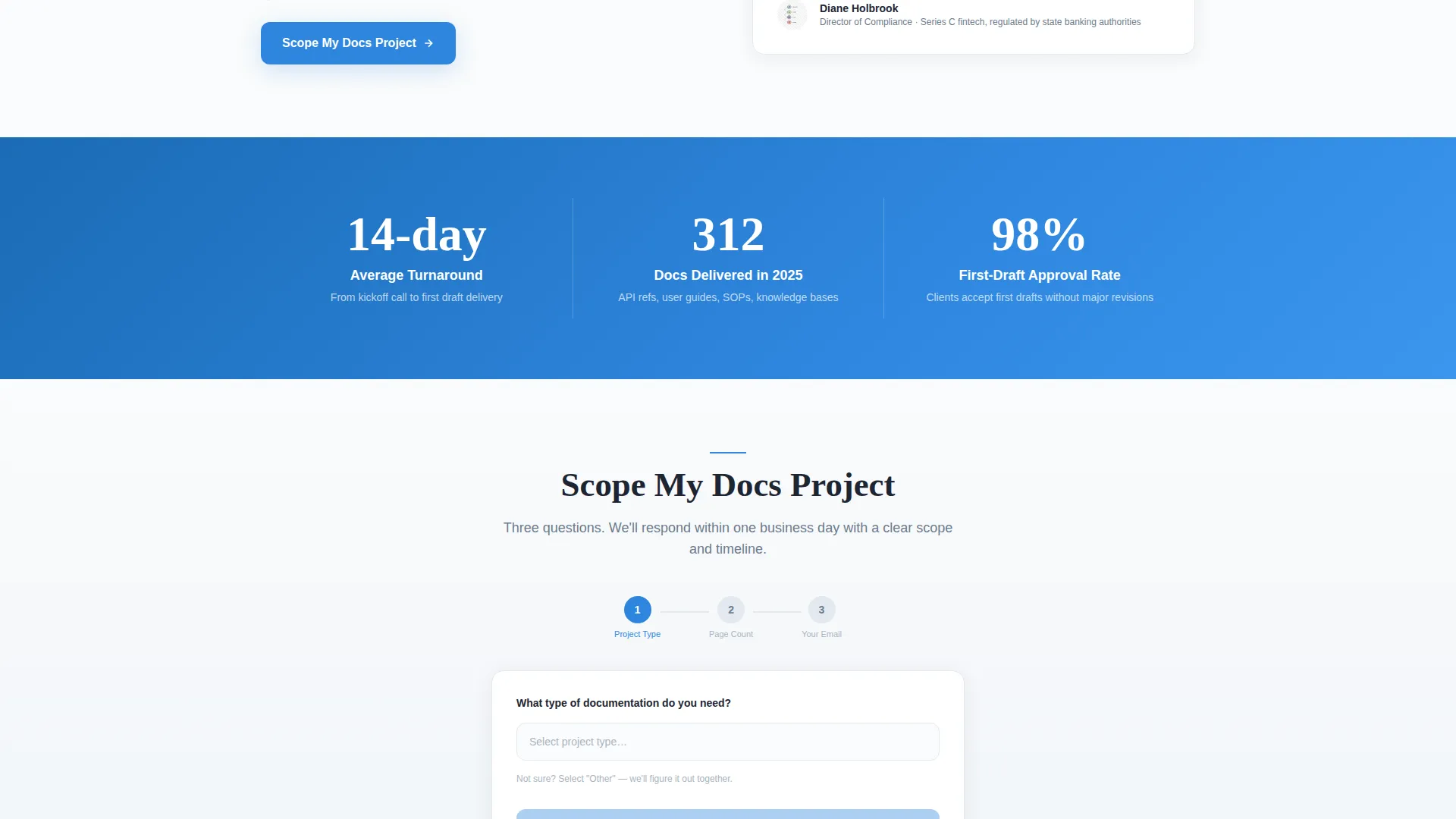
Between testimonial rows, single-stat callouts appear as visual anchors. Examples baked into the layout include turnaround time and annual delivery volume. These short, bold figures reward scrolling and reinforce credibility without requiring paragraph-length explanations.
Progressive Lead Capture Form
The primary conversion form uses three fields in sequence: a project type dropdown (API Reference, User Guide, SOP, Knowledge Base, or Other), an estimated page count range, and a work email address. The form appears after the third zigzag section and again in a sticky bottom bar.
Secondary Checklist Download
A second conversion path offers a free "Documentation Audit Checklist" PDF gated behind email capture only. This catches visitors who are diagnosing their documentation debt but are not yet ready to scope a full project.
Sticky Bottom Conversion Bar
A persistent bar at the bottom of the viewport repeats the primary call to action throughout the scroll. It keeps the "Scope My Docs Project" prompt visible without interrupting the reading flow of the main content.
Page sections overview
| Section | Purpose |
|---|---|
| Split header | Establish service identity and regions served |
| Headline and subhead | Name deliverables and set audience expectations |
| First zigzag block | Introduce core service with paired testimonial |
| Stat callout row | Reinforce credibility with turnaround and volume figures |
| Second zigzag block | Expand scope proof with second client testimonial |
| Stat callout row | Add a second scroll anchor between content rows |
| Third zigzag block | Demonstrate deep capability with complex project proof |
| Primary lead form | Capture qualified project inquiries by type and scope |
| Checklist download | Secondary email capture for early-stage visitors |
| Sticky bottom bar | Persistent repeat of primary call to action |
Design & branding system
The visual identity follows an Educational Guide theme. Every color and spacing choice signals competence and clarity before the visitor reads a single word, much like a freshly printed technical manual on bright white stock.
- Arctic White color system: crisp snow white (#FAFBFC) backgrounds, slate pencil gray (#3B4252) body text, and frozen steel (#6B7B8D) for secondary elements
- Precise documentation blue (#2E86DE) used on links, buttons, and interactive highlights to draw the eye toward action
- Editorial photography direction: shallow depth of field with a sharp Markdown heading on screen and a softened background for warmth without losing authority
Mobile & speed optimization
The layout is designed to restack cleanly on smaller screens. The zigzag alternating structure converts to a single vertical column on mobile so testimonials and service descriptions stay readable without horizontal scrolling.
- The sticky bottom bar adapts to mobile viewport height so the call to action stays accessible throughout the scroll
- The three-field progressive form is finger-friendly on touch screens, with dropdown and input fields sized for comfortable mobile interaction
How this template helps you convert
Docline is built around two conversion paths working in parallel. Every design and layout decision serves one of those two goals: booking a scoped project or capturing an early-stage lead for follow-up.
- The primary "Scope My Docs Project" form qualifies visitors by project type and page count before they ever contact you, so your first conversation starts with context instead of discovery questions.
- The free Documentation Audit Checklist download gives hesitant visitors a reason to share their email, turning researchers into a warm audience you can nurture toward a full project.
Other information about this template
Docline is a strong fit for technical writing professionals who want a landing page that feels as well-organized as the documentation they produce. The template's structure reflects the same clarity-first thinking that engineering and product audiences respect.
- The template is categorized under Professional Services with a subcategory focus on Technical Writer Online Presence
- The intersection niche aligns with a Technical Writer Booking Page use case, making it directly relevant to service providers who want to generate inbound project inquiries
- The zigzag layout style and Lead Generation direction come from the matched intersection context, ensuring the template's structure fits proven patterns for professional service conversion pages
- The Intersection Match Score for this template is 9 out of 10, reflecting a strong alignment between the template's design intent and its target niche
Theme
Service Utility
Creative direction
Stats-First Impact
Color system
Ink & Paper
Style
Split Screen (50/50)
Direction
Lead Generation
Page Sections
Half-page Split Header
Zigzag Alternating Layout
Stat Callout Scroll Anchors
Three-field Progressive Lead Form
Checklist Download Conversion Path
Sticky Bottom Conversion Bar
Related questions
Can I customize the service areas and regions listed in the header?
What project types appear in the lead capture form dropdown?
Do I need a third-party tool to receive checklist download submissions?
Are the testimonial cards editable with my own client quotes?
Where does the primary call-to-action form appear on the page?



