Specialist Technical Writer Appointment Booking Website Template
Scribe is a split-screen technical writer booking landing page template built for solo documentation professionals. It pairs a bold monospaced headline with a live doc artifact preview, uses an Ink and Paper color system, and drives visitors toward a scoping call through a stats-first, assertion-then-proof layout that builds trust before the first scroll ends.
by Rocket studio
Quick summary
Scribe is a single-page booking template for independent technical writers. It uses a 50/50 split-screen layout, an editorial Ink and Paper palette, and a stats-first scroll structure to convert CTOs and DevRel leads into booked scoping calls. Every section follows an assertion-then-proof rhythm that helps readers understand the value before they reach the form.
Who this template is for
This template is built for one-person technical writing operations that need a professional web presence to attract engineering clients. It speaks directly to buyers who need docs shipped fast and correctly.
- Series B startup CTOs and engineering managers losing hours each week to undocumented systems
- DevRel leads who need complete API documentation and product docs before a launch deadline
- Platform teams whose internal wikis have become outdated and impossible for new hires to follow
What problem this template solves
Engineering teams waste significant time each week because their documentation is incomplete, scattered, or stale. Tribal knowledge lives in Slack threads and half-finished Confluence pages, and every new hire pays the cost. This template gives a technical writer the right page to turn that pain into a booked project.
- No credible booking page means qualified clients cannot easily scope, evaluate, or schedule work
- Generic portfolio pages fail to describe the specific outcomes that CTOs and DevRel leads actually need
- Without clear social proof and a defined process, high-value buyers leave before they click the call-to-action
What you get with this template
Scribe provides a complete, ready-to-launch landing page structure. Every section is designed to document the writer's process, share proof, and guide visitors to book a scoping call.
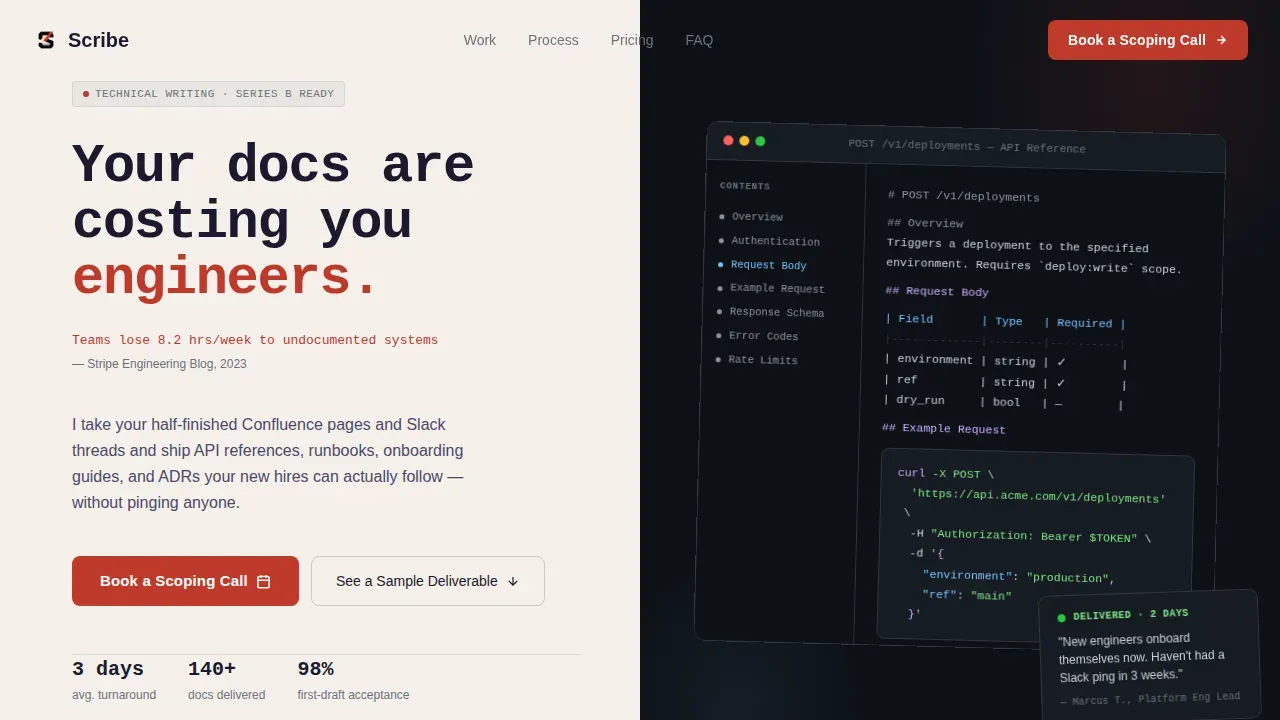
- A split-screen hero with a giant monospaced headline, a live documentation artifact preview, and a primary call-to-action
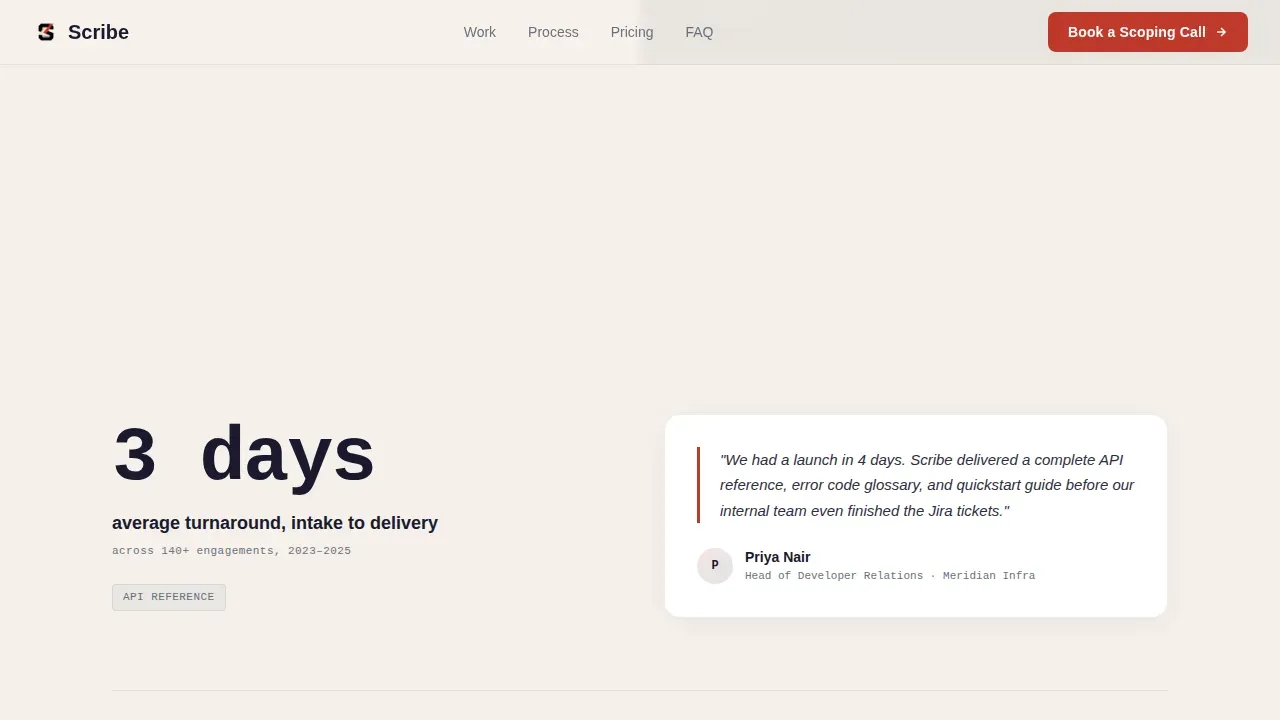
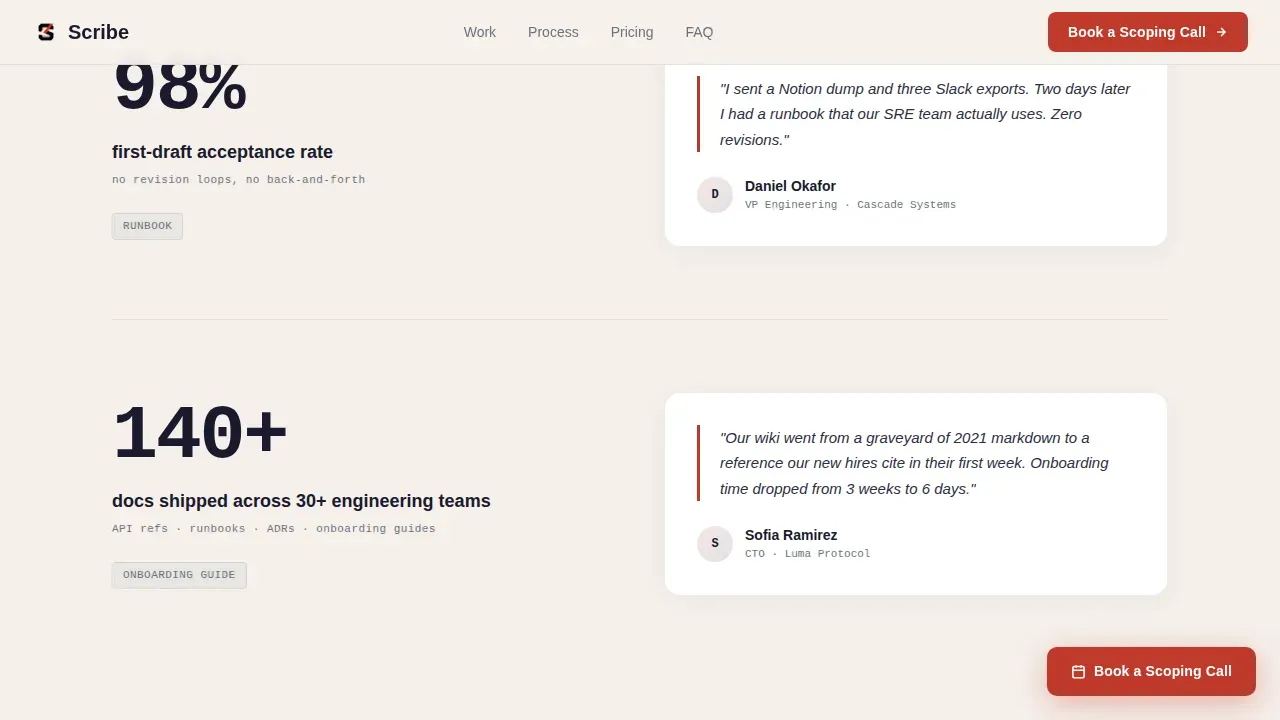
- A stats-impact scroll section with hard numbers paired with before-and-after evidence and named client quotes
- A three-field booking form plus a secondary "See a Sample Deliverable" gated download path that feeds the same nurture sequence
Feature list
This template includes purpose-built sections and interactions needed to scale a solo technical writing practice.
Split-Screen Hero with Live Doc Artifact
The header divides the viewport equally. The left panel holds a tall monospaced headline and a stat callout in editorial red. The right panel renders a live documentation page preview complete with syntax-highlighted code blocks, numbered steps, and a sidebar table of contents, so readers understand the product instantly.
Stats-First Assertion and Proof Sections
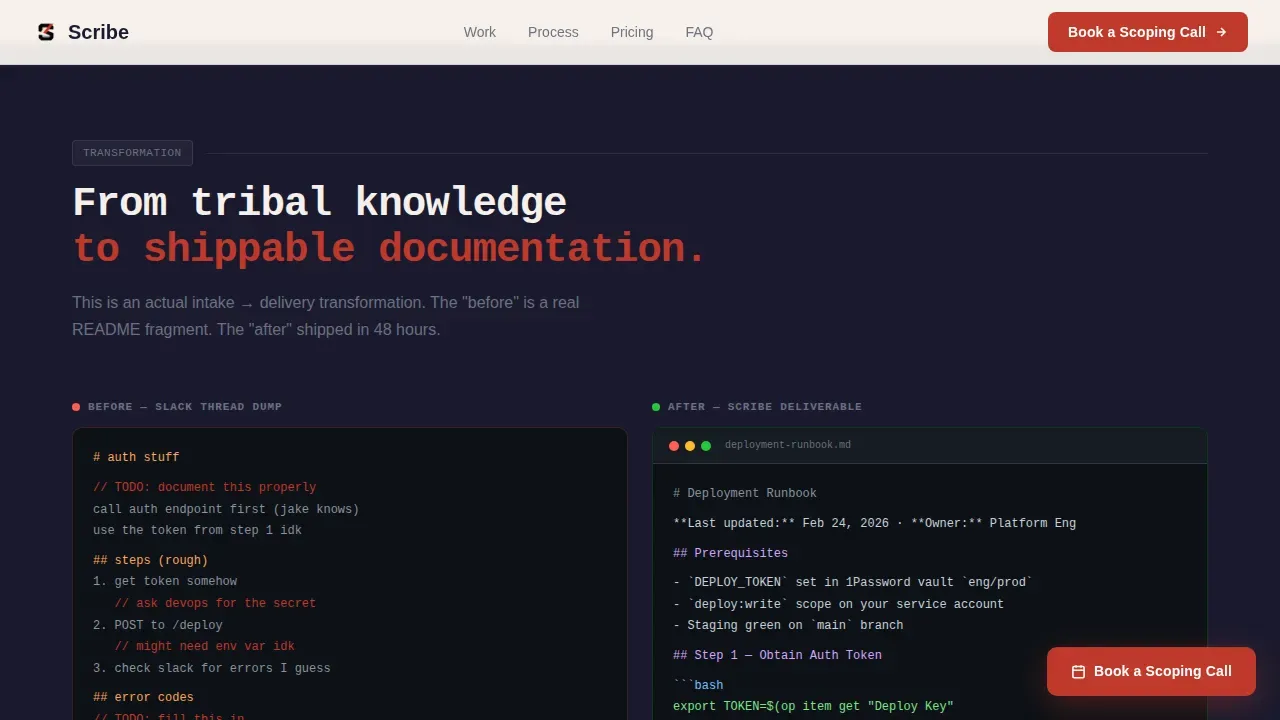
Each scroll section opens with a hard metric on the left and pairs it with evidence on the right. Before-and-after README comparisons, named engineering manager quotes, and intake-to-delivery timelines follow one another to outline the full case for hiring Scribe.
Three-Field Booking Form with Validation
The form captures project type via dropdown, estimated page count or a "not sure yet" toggle, and a work email. Built-in form validation keeps the data clean. A secondary call-to-action offers a gated sample deliverable download using only an email field.
Sticky Call-to-Action Navigation
A sticky "Book a Scoping Call" element appears after the second scroll section and stays visible throughout. This means readers who are ready to meet can act at any step without scrolling back to the beginning.
Ink and Paper Visual Identity
The color system uses deep manuscript black, warm off-white stock, marginalia gray, and editorial red reserved for callouts and active states. Typography pairs a monospaced or slab-serif face for headlines with a clean body font, creating an O'Reilly-book aesthetic that adds credibility for technical readers.
Page sections overview
| Section | Purpose |
|---|---|
| Hero Split Screen | Headline, live doc preview, primary call-to-action |
| Stats Impact Row | Hard metrics paired with before-and-after proof |
| Before and After | Chaotic README transformed into structured guide |
| Process Flow Cards | Visual intake-to-delivery workflow card treatment |
| Booking Form | Three-field form plus gated sample deliverable |
| Footer | Horizontal flow links and secondary navigation |
Design & branding system
The design follows a Service Utility theme that feels like a well-typeset technical manual. Every element earns its place, and no decoration appears without a purpose.
- Color palette: #1A1A2E ink black, #F5F0EB warm off-white stock, #6B7280 marginalia gray, #C0392B editorial red for callouts and the primary call-to-action
- Typography stack: JetBrains Mono for headlines and code blocks, Fraunces as a serif accent, and DM Sans for body copy to keep instructions easy to scan
Mobile & speed optimization
The template is desktop-first by design, reflecting that CTOs and engineering managers typically book services from laptops. A mobile fallback layout is included for secondary access.
- Scroll reveal animations and floating doc card micro-interactions add motion without breaking the reading experience on smaller screens
- Server components handle static content sections to keep the page load predictable, while client components cover the form and sticky call-to-action interactions
How this template helps you convert
Scribe is structured to move a skeptical technical buyer from curiosity to a booked call in one session.
- The stats-first layout presents hard numbers and social proof before asking for any commitment, so users build trust as they scroll rather than being pushed to a form immediately.
- The dual call-to-action strategy offers two entry points: a direct scoping call for ready buyers and a gated sample deliverable for those who need more time, ensuring both high-intent and low-intent visitors enter the same follow-up sequence.
Other information about this template
This section covers additional context that helps teams evaluate and customize the Scribe template for their specific project needs.
- The Scribe sharp technical documentation booking landing page template is pre-structured so you can duplicate it, swap your own metrics, and add your own docs samples without starting from scratch
- Technical documentation templates provide a reusable outline for all elements your documentation needs; using a documentation template improves consistency, clarity, and efficiency across teams
- A detailed template can help you create design documents that outline the intended user experience, including ux diagrams and process flows that describe how users move through your product
- Scribe allows users to create their own templates for reuse within their teams; teams can duplicate and customize existing documents to scale their documentation workflows without repeating work
- Documentation templates can cover training manuals, standard operating procedures (SOPs), onboarding guides, changelog entries, and API documentation, giving technical writers a clear framework and guidelines for every deliverable
- Syntax highlighting is essential for showing code snippets clearly; a structured side-nav layout with navigation on the left and content on the right helps readers follow instructions and locate additional resources faster
- Common errors in undocumented systems often stem from missing dependencies or unclear requirements; a good documentation template helps teams avoid these issues and share complete, signed-off information across the organization
- Documentation-as-code tools are recommended for booking landing pages that require high-end technical documentation features; Docusaurus, GitBook, and Nextra are examples of tools that support versioned docs and rich customization
Theme
Service Utility
Creative direction
Stats-First Impact
Color system
Ink & Paper
Style
Split Screen (50/50)
Direction
Lead Generation
Page Sections
Split-screen Hero with Live Doc Preview
Stats-first Assertion and Proof Layout
Three-field Booking Form with Dual Call to Action
Sticky Navigation Call-to-action
Ink and Paper Editorial Branding
Related questions
Can I customize the headline and stats to match my own work?
Does this template include the booking form logic?
What documentation types does this landing page cover?
Is this template suitable for a small team, or only solo writers?
Can I add videos or additional resources to the page?



