Martial Arts School Marketing Booking Website Template
Dojo is a split-screen landing page template built for martial arts schools running coupon and discount promotions. It pairs embossed award badges with transparent pricing sections, a live countdown timer, and a three-step inline booking form. The Ink and Paper color system and Corporate Precision theme give every offer the quiet authority of a framed certificate.
by Rocket studio
Quick summary
Dojo is a single-page template designed for martial arts schools promoting discounted trial classes. It uses a 50/50 split-screen layout, a Corporate Precision visual theme, and a Transparent Process content strategy. Credentials lead the page, pricing follows with full honesty, and a booking form removes the final barrier to signing up.
Who this template is for
This template is built for martial arts school owners and instructors who need to convert curious visitors into booked students. It suits schools offering structured discount or coupon promotions with real credentials behind them.
- Martial arts academies running a first-month discount or trial class offer
- Schools teaching karate, judo, Brazilian jiu-jitsu (BJJ), or kids' programs
- Instructors who want their certifications and competition record to do the selling
What problem this template solves
Most martial arts school pages bury their credentials and hide their pricing. Visitors leave before they ever reach the booking step. This template reverses that order by leading with proof and making pricing transparent from the first scroll.
- Visitors see award badges and accreditation seals before they read a single sales line
- Pricing splits show exactly what each rate includes, with no asterisks or hidden fees
- A pinned booking button and a lightweight three-step form keep friction low at every scroll depth
What you get with this template
You get a fully structured single-page layout that guides a visitor from credential trust through transparent pricing to a confirmed class booking. Every section has a defined role, and no section asks for commitment before earning it.
- A split-screen header with embossed award badge panels and a vermillion countdown timer
- Three scroll-depth pricing and schedule sections, each with a secondary PDF download conversion path
- A three-step inline booking form covering discipline selection, date and time picking, and contact capture
Feature list
The Dojo template includes purpose-built components designed for a martial arts school discount landing page. Each feature below reflects a specific element described in the template brief.
Split-Screen Award Badge Header
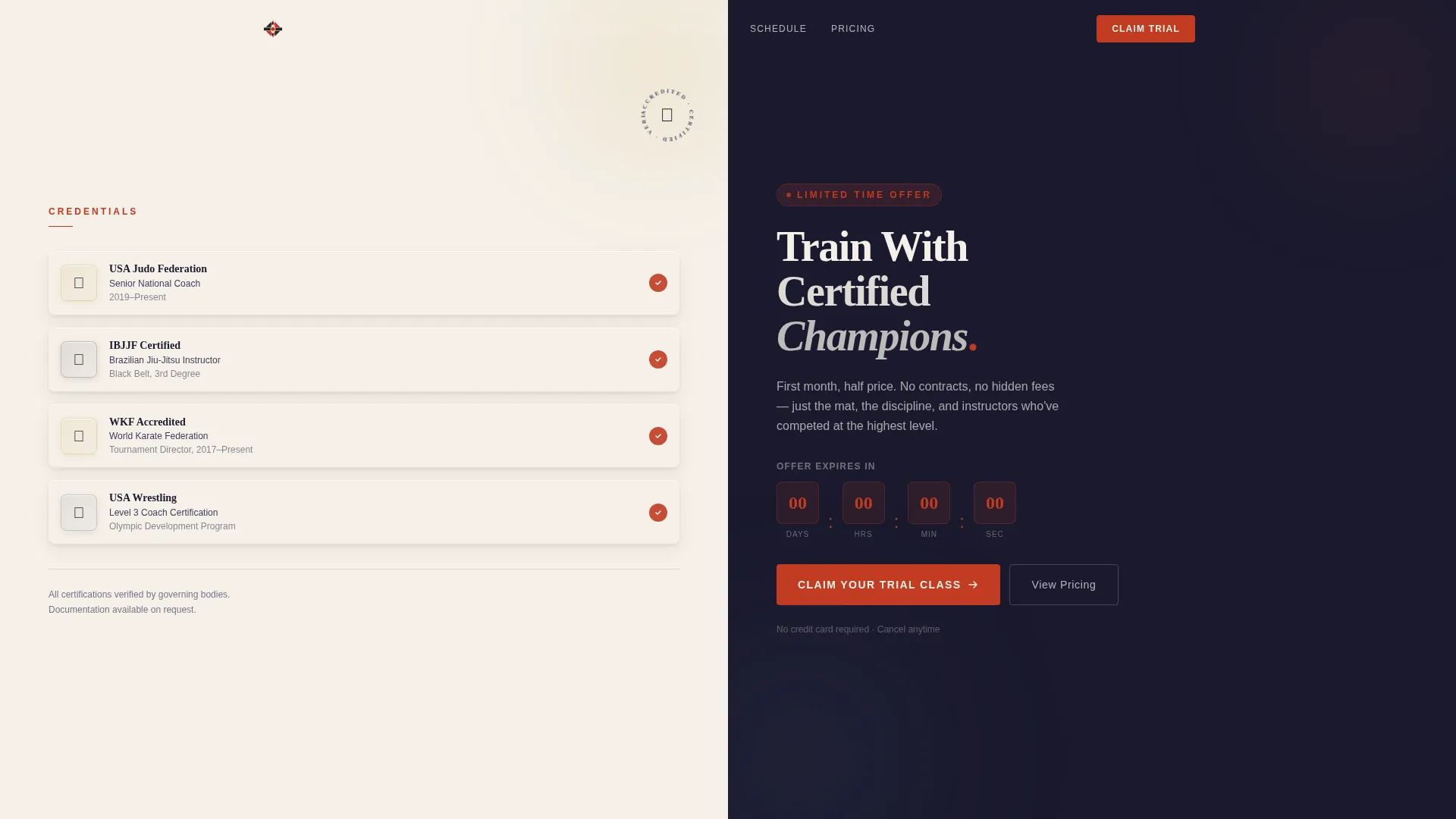
The header divides the viewport equally. The left panel displays three to four embossed metallic badge icons, tournament medals, federation accreditations, and instructor certification seals, each with a single provenance line beneath it. The right panel holds a weighted serif headline and a live countdown timer in vermillion red.
Live Countdown Timer
A countdown timer in vermillion red sits directly below the headline on the right header panel. It ticks toward the offer expiration date, creating urgency without relying on stock imagery or aggressive copywriting.
Transparent Pricing Sections
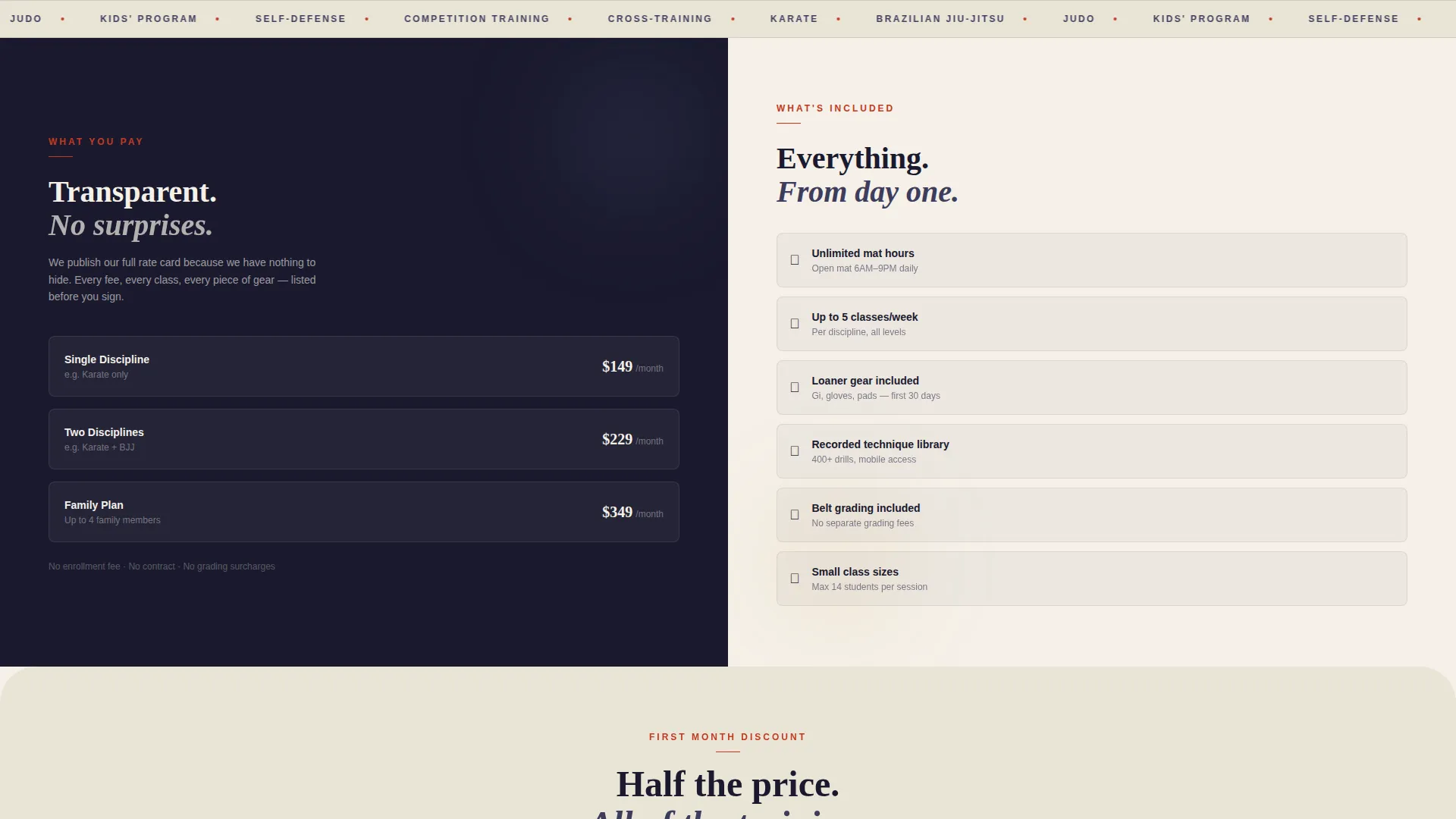
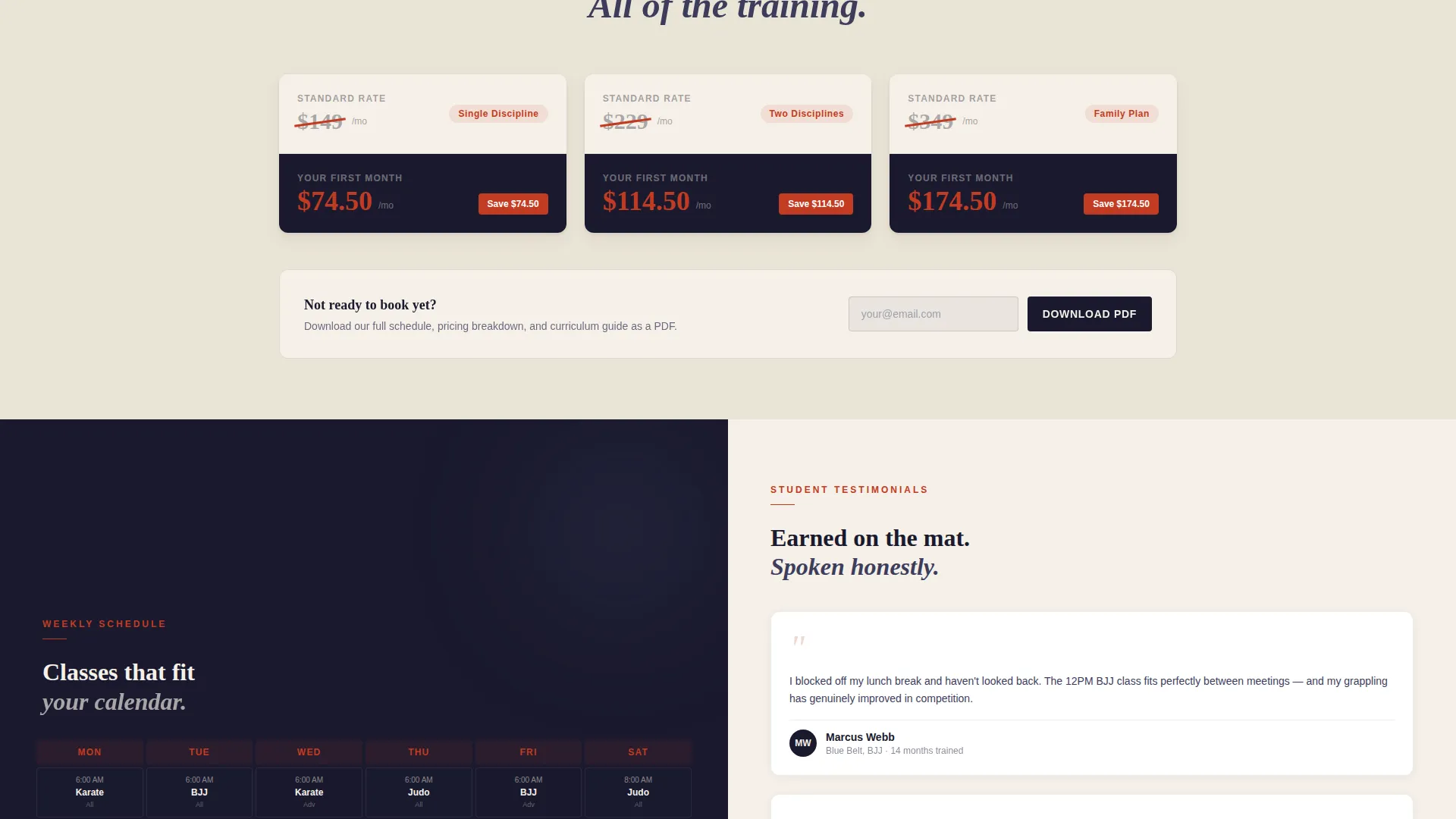
Three scroll-depth sections peel back the economics of training. Section one splits pricing against what it includes. Section two places the standard rate opposite the discounted rate, with a diagonal vermillion slash through the original number. Section three pairs a sample weekly schedule against attributed student testimonials.
Three-Step Inline Booking Form
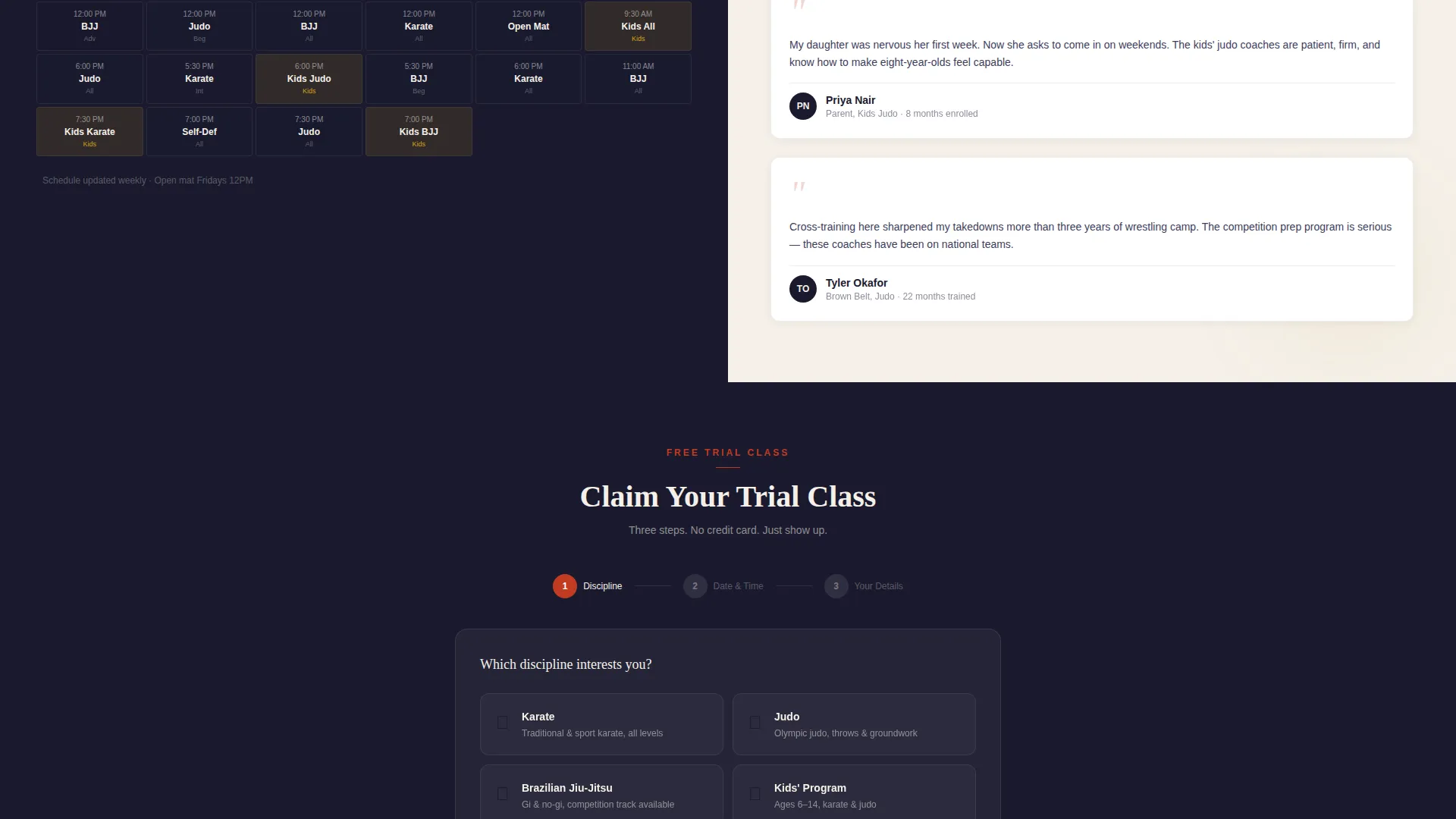
The primary call to action opens a three-step inline form. Step one lets the visitor choose a discipline. Step two presents a live calendar grid showing actual class availability. Step three captures name, phone number, and an optional experience level field.
Floating "Claim Your Trial Class" Button
After the first scroll, a vermillion-on-ink call-to-action button pins itself to the viewport. It remains visible at every scroll depth so the booking path is never more than one tap away.
PDF Schedule Secondary Conversion
A secondary conversion path sits beneath each discount section. Visitors who are not ready to book can download the full schedule as a PDF, capturing an email address in the process.
Page sections overview
| Section | Purpose |
|---|---|
| Split-Screen Header | Establishes credentials and discount headline with countdown timer |
| Pricing versus. Inclusions | Shows what each price tier covers with no hidden details |
| Standard versus. Discounted Rate | Highlights the saving with a diagonal slash through the original price |
| Schedule and Testimonials | Pairs a sample weekly timetable with attributed student quotes |
| Inline Booking Form | Guides visitors through discipline, date, and contact in three steps |
| PDF Download Path | Captures emails from visitors who want the schedule before committing |
Design & branding system
The template uses a Corporate Precision theme built on an Ink and Paper color system. Every color has a fixed role, and the palette is intentionally limited so nothing competes with the offer itself.
- Core colors: deep sumi ink black (#1A1A2E), warm rice paper cream (#F5F0E8), and brushstroke charcoal (#3D3D5C) for backgrounds and body text
- Accent color: vermillion red (#C23B22) is reserved exclusively for discount tags, countdown timers, and call-to-action buttons
- Backgrounds alternate between ink and paper tones, with text always in the opposing tone and generous whitespace separating each offer block
Mobile & speed optimization
The split-screen layout is structured to reflow cleanly on smaller viewports. The floating booking button and the inline form remain functional across screen sizes without requiring a separate mobile design.
- Each 50/50 panel stacks vertically on narrow screens, preserving the credential-first reading order
- The countdown timer, badge icons, and PDF download path are all lightweight components with no heavy media dependencies
- No stock photography or action-blur images are used anywhere on the page, keeping asset weight low by design
How this template helps you convert
The Dojo template is built around a specific conversion sequence: earn trust first, reveal pricing second, reduce commitment friction third. Every layout decision supports that sequence.
- Award badges and provenance lines on the header panel establish instructor credibility before any offer is visible, so the discount feels earned rather than desperate.
- The transparent pricing split and diagonal-slash comparison give visitors all the information they need to make a decision, removing the hesitation that vague pricing creates.
- The pinned floating button and the three-step inline form mean the path from interest to booked trial class is never longer than three interactions.
Other information about this template
The Dojo landing page template is a strong fit for martial arts school marketing campaigns that need both credibility and a clear discount structure on a single page. It is particularly well-suited for schools running seasonal coupon promotions or first-month trial offers.
- The template style is Split Screen (50/50), making it visually distinctive compared to standard full-width school pages
- The Transparent Process creative direction is built into the scroll structure, not bolted on as a design afterthought
- Student testimonials in the schedule section are attributed with name, belt rank, and months trained, adding social proof that feels specific rather than generic
- The three-step form includes an optional experience level field, making it useful for schools with beginner, intermediate, and advanced class tiers
Theme
Corporate Precision
Creative direction
Transparent Process
Color system
Ink & Paper
Style
Split Screen (50/50)
Direction
Booking/Scheduling
Page Sections
Split-screen Award Badge Header
Live Countdown Timer
Transparent Pricing Split Sections
Three-step Inline Booking Form
Pinned Floating Call to Action Button
PDF Schedule Download Path
Related questions
What disciplines does the booking form support?
Can I use this template for a kids' martial arts enrollment campaign?
How does the secondary PDF download conversion path work?
Is the countdown timer connected to a live date?
Do I need to provide my own badge artwork for the header?



