Martial Arts School Marketing Advanced Booking Website Template
Dojo is a sidebar companion landing page built for martial arts schools. It uses an FAQ-driven scroll to answer every visitor hesitation before asking for anything. A crisp Arctic White layout, a persistent sidebar with a schedule and booking form, and a disciplined red call-to-action system work together to turn curious parents, professionals, and teenagers into trial class bookings.
by Rocket studio
Quick summary
Dojo is a single-page, FAQ-driven martial arts school landing page. It pairs a full-width main content column with a fixed sidebar that stays visible during the entire scroll. The page earns trust question by question, then closes with a frictionless three-field booking form. The Executive Suite theme uses Arctic White, tatami charcoal, and earned-belt red for a clean, commanding visual presence.
Who this template is for
This template is built for martial arts school owners and studio managers who run active lead generation campaigns. It suits schools that serve a mixed audience and need one page to speak to all of them clearly.
- Parents searching for kids' martial arts classes who need safety and logistics answered fast
- Busy professionals and teenagers looking for structured training with a real sense of culture
- Studio owners running paid social or search campaigns who need a focused, conversion-ready landing page
What problem this template solves
Most martial arts school pages bury the answers visitors need most. A parent who just attended a tough parent-teacher conference, a professional bored with the gym, or a teenager looking for purpose will leave the moment they hit friction. This template removes that friction by meeting each visitor's hesitation directly.
- Unanswered questions about age requirements, safety, and cost push prospects away before they act
- Generic school pages offer no clear next step and no sense of the school's culture
- Contact forms that ask for too much too soon create resistance and abandoned submissions
What you get with this template
You get a fully structured, single-page layout designed specifically for martial arts school lead generation. Every section is built around a real visitor question, and the sidebar is always present to catch the visitor the moment they are ready to commit.
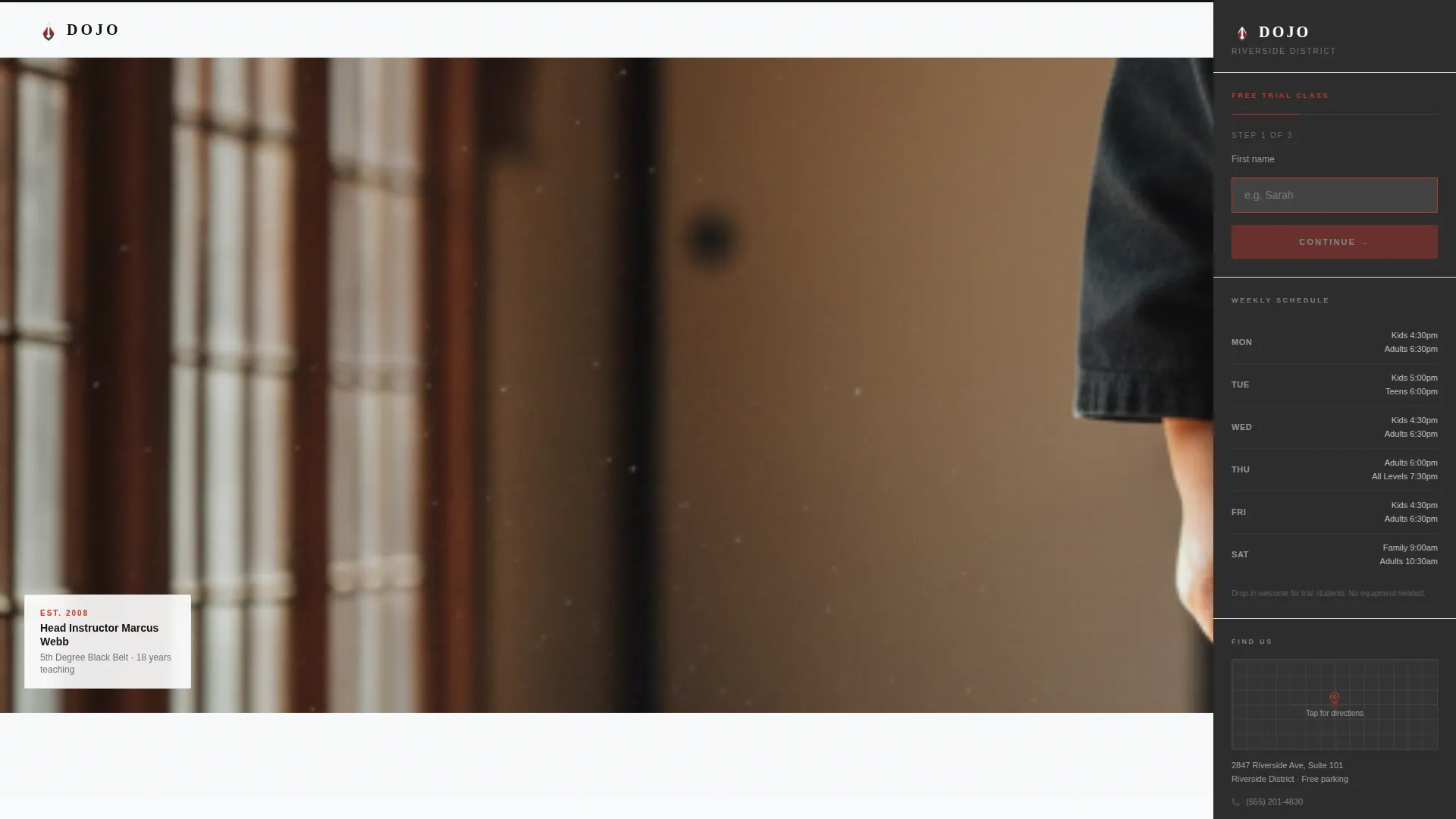
- A half-page hero header with a photo-and-text split, headline, school details, and a red call-to-action button
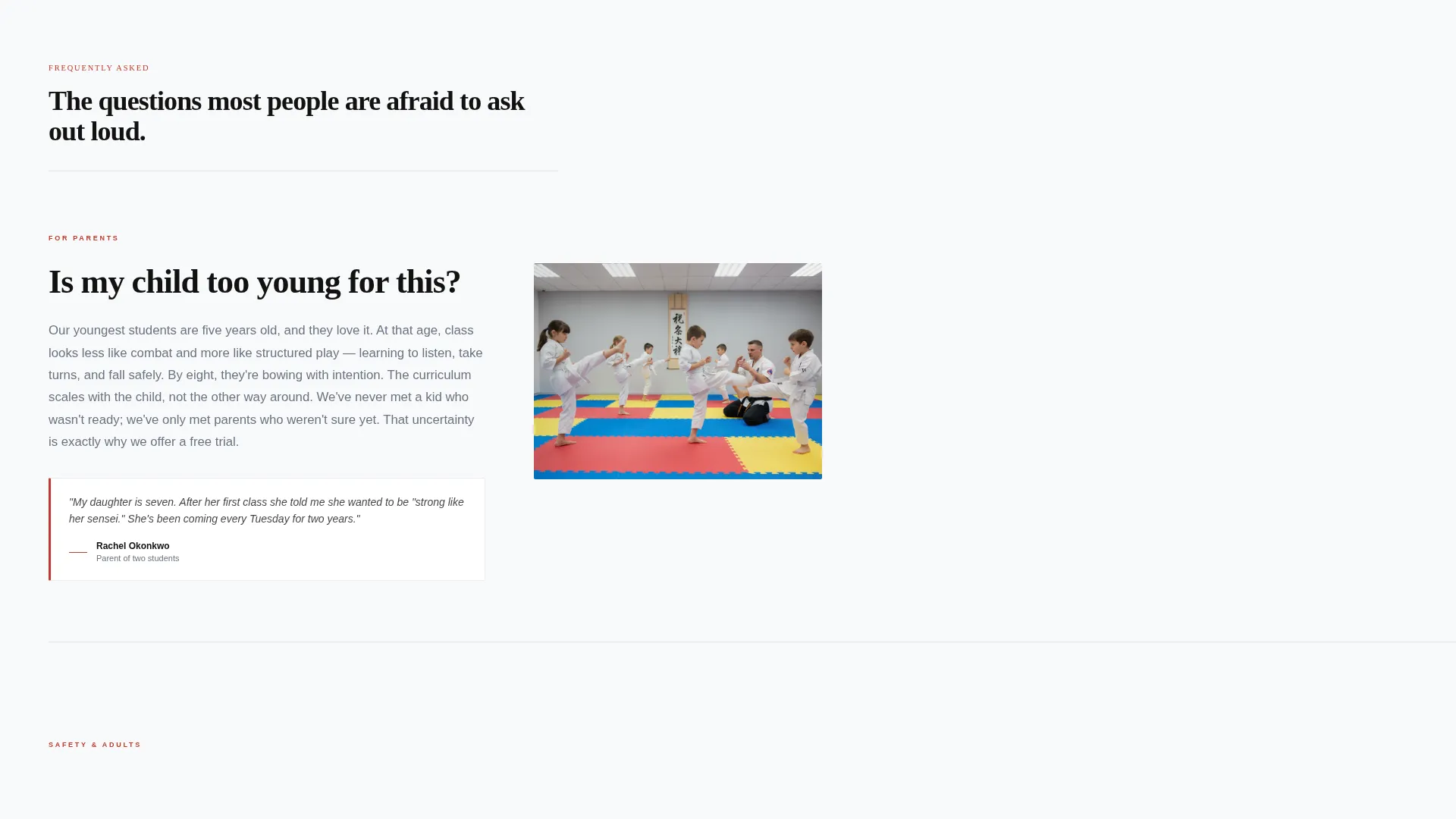
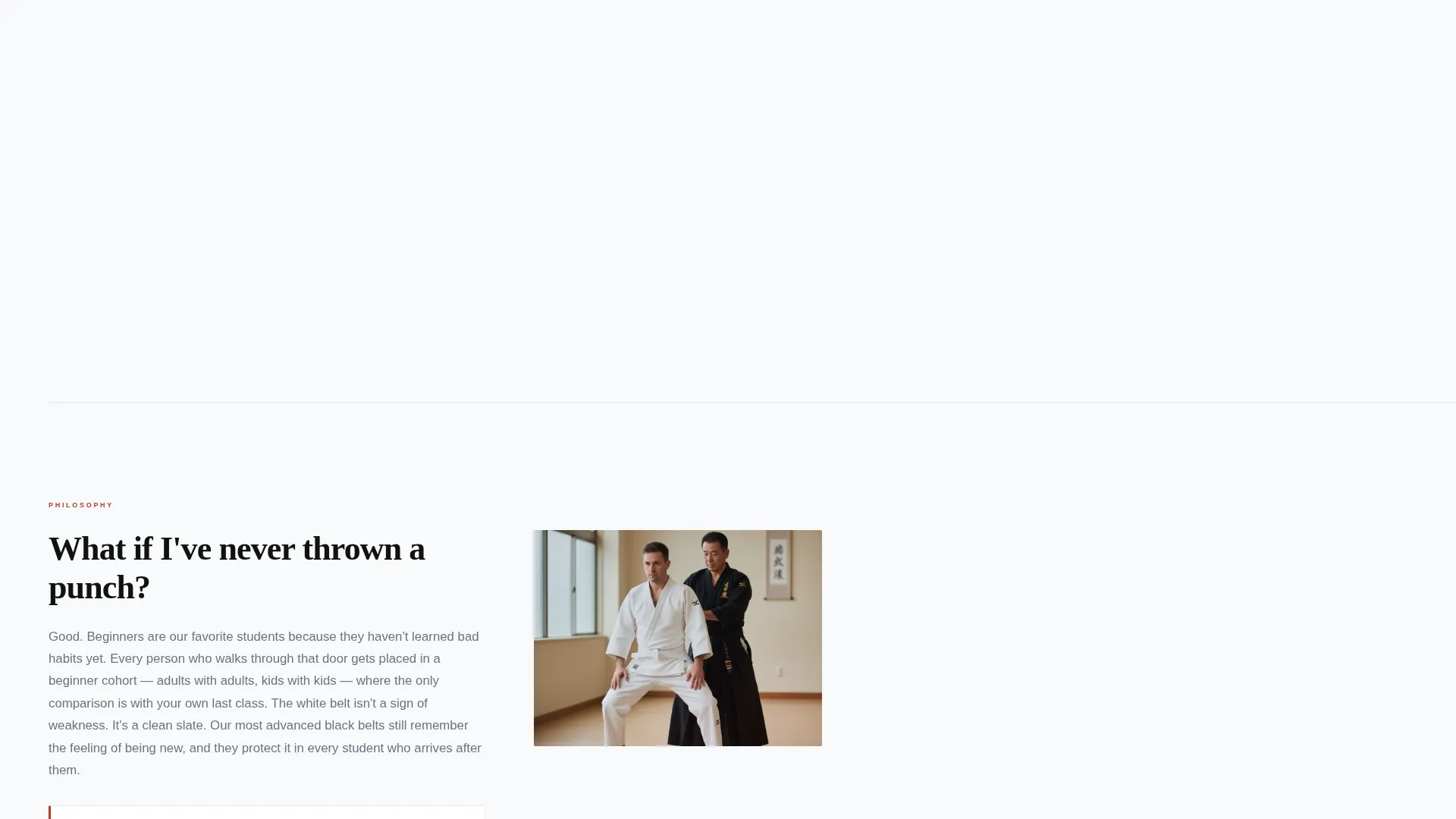
- An FAQ-driven main content column with question headers, short answer paragraphs, and paired photos or testimonials
- A fixed sidebar displaying a class schedule, a Google Maps pin, a three-field booking form, and a soft-pulsing red call-to-action
Feature list
This section highlights the core built-in components that make the Dojo template work as a lead generation tool.
FAQ-Driven Content Scroll
Each section opens with a direct question in large type, such as "Is my kid too young?" or "What if I've never thrown a punch?" A short paragraph and a photograph or testimonial follow to resolve the doubt. The rhythm moves from logistics and safety, through philosophy and culture, to cost and commitment.
Fixed Sidebar with Booking Form
The sidebar stays anchored throughout the entire scroll. It holds a class schedule, a Google Maps location pin, and a compact three-field booking form. The form asks only for a first name, adult or child preference, and a preferred class day, no phone number required upfront.
Half-Page Hero Header
The header splits into two equal halves. The left side holds an inside-the-dojo photograph at shoulder height. The right side presents the headline, the school name, the neighborhood, and a single red call-to-action button. The composition is uncluttered and reads as both a portrait and an invitation.
Soft-Pulsing Sidebar Call-to-Action
The sidebar's primary call-to-action uses a subtle pulse animation to draw the eye without interrupting reading. It remains visible at every scroll position so the visitor is always one glance away from booking. The red accent color makes it stand out against the charcoal sidebar background.
Secondary SMS Recovery Path
Below the final FAQ section, a "Text Us Your Question" button links to SMS. This catches visitors who still have one remaining doubt and are not yet ready to fill in the form. It provides a low-commitment path that keeps the conversation open.
Testimonial and Photo Pairing
Every doubt-dissolving answer section can include either a short testimonial block or a supporting photograph. This reinforces the written answer with a human voice or a visual moment, building trust progressively as the visitor scrolls.
Page sections overview
| Section | Purpose |
|---|---|
| Hero Header | Introduce the school with a photo-and-headline split and a primary call to action |
| FAQ: Age and Readiness | Answer age and beginner readiness questions to remove early hesitation |
| FAQ: Safety and Injury | Address physical safety concerns for parents and new adult students |
| FAQ: Philosophy and Culture | Reveal the school's values and teaching approach to build emotional connection |
| FAQ: Cost and Commitment | Handle pricing and schedule flexibility to remove the final barrier |
| Fixed Sidebar | Display schedule, map pin, booking form, and pulsing call to action throughout scroll |
| SMS Recovery call to action | Offer a text-message fallback for visitors with one remaining question |
Design & branding system
The template follows an Executive Suite visual theme built on the Arctic White color system. Every color has a deliberate role: white commands attention in the main column, charcoal grounds the sidebar, and red appears only where action is required.
- Crisp dogi white (#F8F9FA) dominates the main content column for a clean, open reading experience
- Tatami charcoal (#2D2D2D) anchors the persistent sidebar and secondary text for quiet contrast
- Obi black (#111111) is used for primary headlines and body text to deliver sharp legibility
- Earned-belt red (#C0392B) is reserved exclusively for call-to-action buttons and key emphasis points
Mobile & speed optimization
The layout is designed to remain functional and readable at any screen width. The sidebar collapses into a sticky bottom bar on smaller screens so the booking form stays accessible without crowding the main content.
- The FAQ scroll and photo-testimonial pairings reflow cleanly into a single column on mobile devices
- The three-field booking form is compact by design, reducing scroll effort on touch screens
- The SMS call-to-action button is finger-friendly and sits in a low-scroll-effort position at the bottom of the page
How this template helps you convert
The Dojo template is structured so that the visitor does the convincing themselves. By the time they reach the form, every major objection has already been resolved in their own words.
- The FAQ scroll answers hesitations in the order visitors actually feel them, moving from practical concerns to emotional ones, so trust builds naturally with every section
- The fixed sidebar keeps the booking form and class schedule visible at all times, removing any need to hunt for the next step once a visitor decides they are ready
- The three-field form and the SMS fallback together cover two types of visitors: those ready to commit and those who need one more reassurance before they do
Other information about this template
This template is well-suited for martial arts schools running Facebook Ads or other paid social campaigns. The FAQ-driven structure aligns with the mindset of someone who clicked an ad out of curiosity and needs reassurance before booking. The sidebar companion format keeps the conversion path visible without breaking the narrative flow of the main column.
- The template fits within the Professional Services and Martial Arts School Marketing category
- It is designed as a standalone landing page, not a multi-page school website
- The booking form collects a phone number through the confirmation email step, reducing form abandonment
- This page can support a range of martial arts disciplines including karate, taekwondo, jiu-jitsu, and mixed styles
Theme
Executive Suite
Creative direction
FAQ-Driven
Color system
Arctic White
Style
Sidebar Companion
Direction
Lead Generation
Page Sections
Faq-driven Objection Scroll
Fixed Sidebar with Booking Form
Half-page Hero Header
Soft-pulsing Sidebar Call to Action
SMS Recovery Call-to-action
Testimonial and Photo Pairing
Related questions
Can I edit the FAQ questions to match my school's most common inquiries?
Does the sidebar stay visible on mobile devices?
Is the booking form connected to any email or scheduling system?
Can this template be used for adult-only or kids-only martial arts programs?
What is the SMS call-to-action button and how does it work?



