Industry Expert Directory Profile Landing Page
Dossier is a single-page expert directory landing page built on an asymmetric 60/40 grid. It pairs cinematic portrait space with structured credential panels to transform how consultants, keynote speakers, and fractional executives present their authority. A Before/After Slider opens the experience, and a scrolling Creator Spotlight gallery deepens trust before the primary call to action appears.
by Rocket studio
Quick summary
Dossier is a landing page template designed for curated industry expert directories. It uses an asymmetric 60/40 grid to give editorial weight to portraits and long-form thinking while keeping credentials, endorsements, and navigation anchored in a structured sidebar column. The layout feels like a well-produced print portfolio translated into a digital format.
Who this template is for
This template is built for anyone who needs to present a roster of high-credibility professionals in a way that reflects the depth of their expertise. It suits directory publishers, professional community builders, and independent professionals managing their own authoritative profile pages.
- Consultants, fractional executives, and keynote speakers who build reputation through referrals
- Directory publishers showcasing niche specialists across industries such as biotech, supply chain, or strategy
- Professional network builders who want profiles that communicate substance, not just job titles
What problem this template solves
Generic profile formats strip context from accomplished professionals. A LinkedIn summary or résumé bullet point cannot convey the weight of a white paper, a keynote, or a verified client endorsement. Dossier solves that credibility gap by giving each expert a structured, editorial-quality presence.
- Experts remain anonymous or underrepresented when their credentials are buried in crowded feeds
- Visitors cannot quickly assess the depth of a professional's body of work from a standard profile format
- Directory pages often fail to guide visitors toward a next step after they view a profile
What you get with this template
You get a fully composed single-page layout that moves visitors from curiosity to confidence through progressive disclosure. The page builds authority at every scroll depth before asking for any action.
- A Before/After Slider header that contrasts a generic profile snapshot with an editorial expert portrait
- A descending Creator Spotlight gallery featuring alternating 60/40 compositions across multiple expert profiles
- A sticky call-to-action bar and a gated PDF download path for qualified lead capture
Feature list
The template delivers a precise set of visual and structural components drawn directly from its editorial brief.
Before/After Slider Header
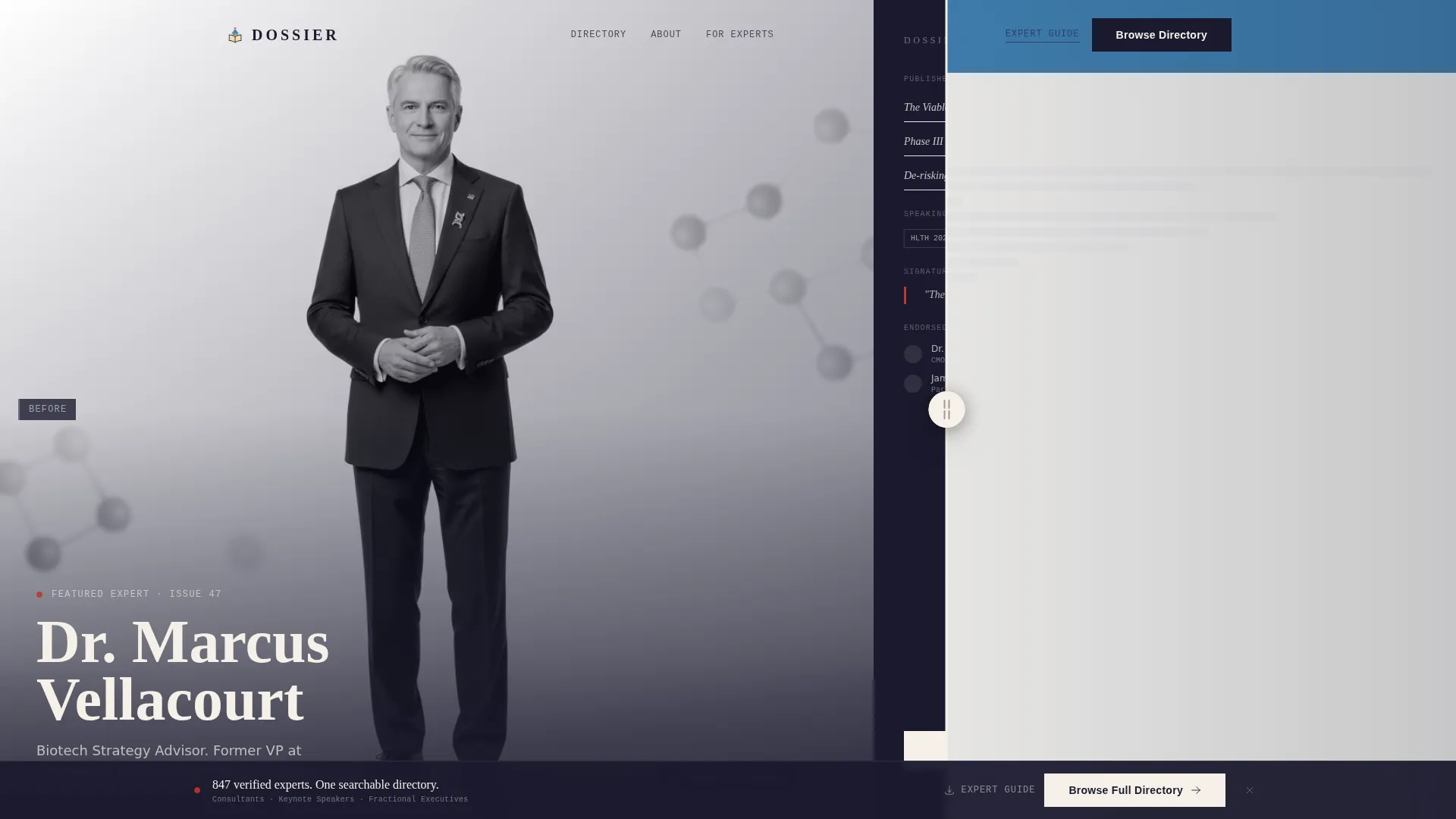
The page opens with an interactive slider. On the left side sits a low-contrast, generic profile snapshot. Dragging right reveals a cinematic black-and-white portrait with a credential panel alongside it. The transformation communicates the value of the directory in a single gesture.
Asymmetric 60/40 Grid Layout
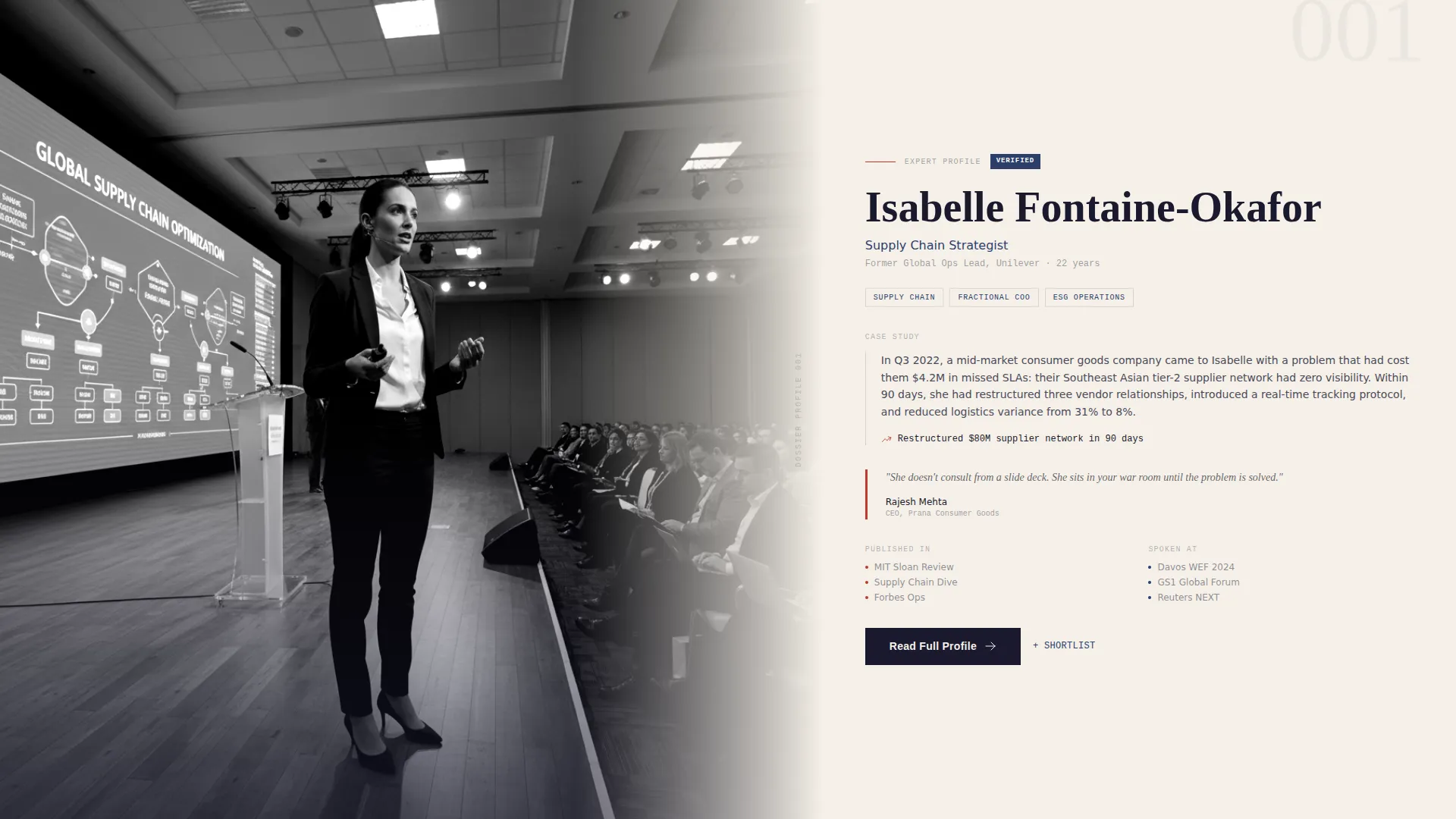
The layout divides each section into a 60-column editorial frame and a 40-column structured sidebar. The wider column carries portrait photography, long-form excerpts, and case study thumbnails. The narrower column holds credentials, speaking engagements, verified endorsements, and signature quotes.
Creator Spotlight Gallery
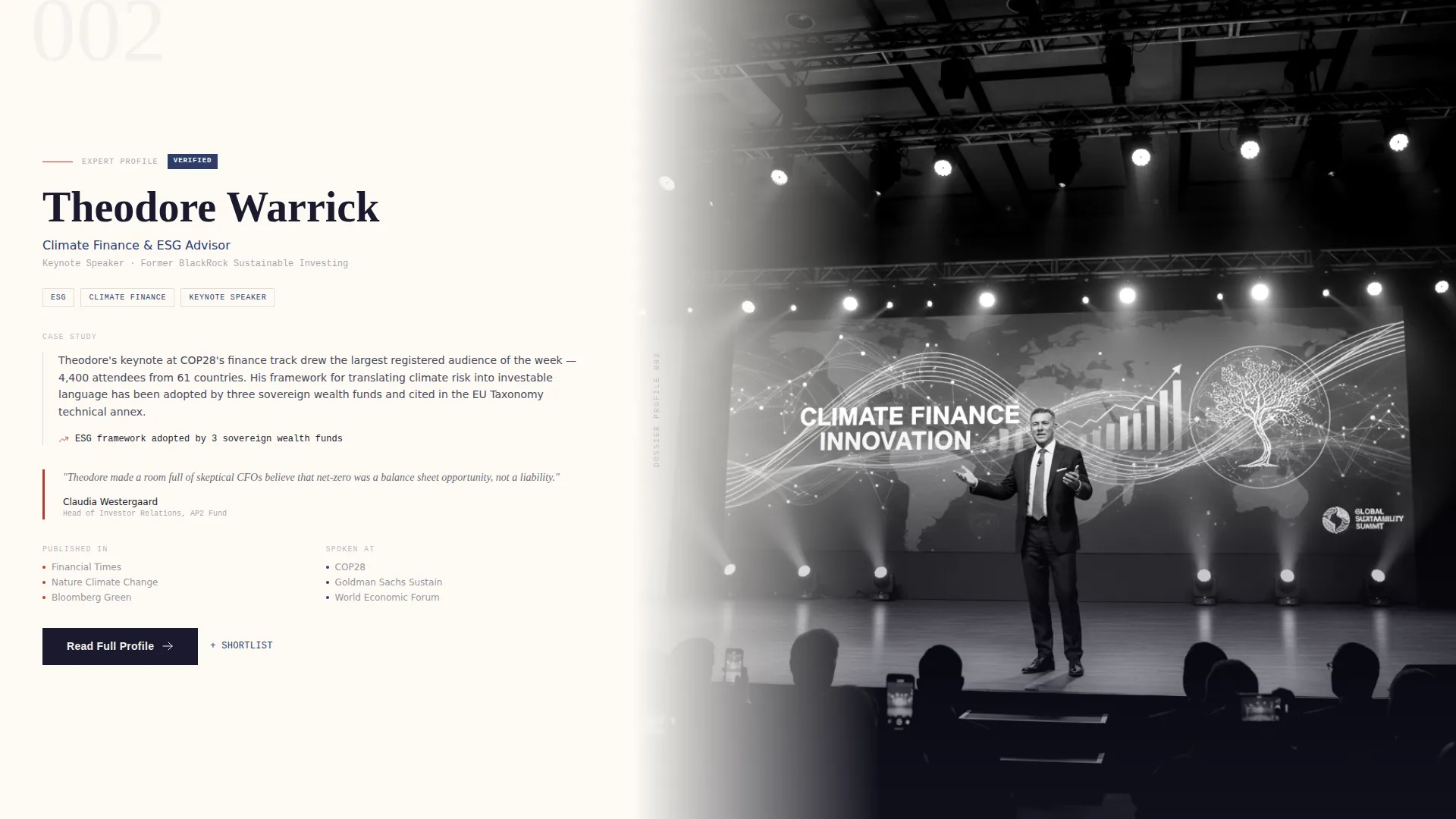
A descending gallery of featured expert sections scrolls through multiple profiles. Each section alternates which column carries the portrait and which carries content. The rhythm mimics a magazine spread, deepening visitor engagement with each profile they pass.
Sticky Call-to-Action Bar
A persistent call-to-action bar reading "Browse the Full Directory" appears after the second spotlight section. It anchors the primary conversion path without interrupting the editorial experience above it.
Gated PDF Download Path
A secondary conversion option offers visitors a downloadable Expert Selection Guide. It requires only a work email address and an industry vertical selection, keeping the barrier low while qualifying the lead.
Credential and Endorsement Panel
Each expert profile in the 40-column sidebar includes published works, speaking engagement history, verified endorsements, and a pull quote from their most-cited article or from a client who hired them. The panel turns reputation into visible, scannable proof.
Page sections overview
| Section | Purpose |
|---|---|
| Before/After Slider | Opens the page by contrasting a generic profile with an editorial expert portrait |
| Credential Panel | Displays published works, speaking history, endorsements, and a signature quote |
| Spotlight One | Features the first expert with a documentary-style photo in the 60-column |
| Spotlight Two | Shifts the wide column to a long-form white paper excerpt for the second expert |
| Spotlight Three | Adds a case study thumbnail and a client hire quote for the third expert |
| Sticky call to action Bar | Appears after the second spotlight to anchor the primary directory browse action |
| Guide Download Section | Presents the gated Expert Selection Guide with email and vertical capture |
Design & branding system
The visual identity follows a Lens and Frame theme built on an Ink and Paper color system. Every design decision reinforces a sense of editorial authority and print heritage without sacrificing digital clarity.
- Deep manuscript black (#1A1A2E), warm parchment (#F5F0E8), and fountain-pen blue (#2C3E6B) form the base palette
- Marginalia red (#C0392B) is reserved strictly for active states and notification badges, keeping the page calm outside of interaction moments
- Large serif typography for expert names, generous negative space in the layout, and cloth-bound portfolio aesthetics define the overall tone
Mobile & speed optimization
The template is designed to translate its editorial structure across screen sizes without losing the visual hierarchy that makes it effective. The asymmetric grid adapts so that the credential panel and portrait columns stack cleanly on smaller viewports.
- The 60/40 column split reflows into a stacked single-column layout on mobile devices
- The Before/After Slider is touch-friendly, supporting drag interaction on touchscreen devices
- The sticky call-to-action bar remains anchored at the appropriate scroll depth on both desktop and mobile
How this template helps you convert
The page is structured as a Content and Resource destination. It builds demonstrated value before presenting any conversion request, which means visitors arrive at the call to action already persuaded.
- The Before/After Slider immediately communicates the gap between an ordinary profile and a Dossier-quality expert presentation, motivating visitors to explore further.
- The Creator Spotlight gallery shows three progressively deeper expert profiles, so by the time the sticky bar appears, the visitor has already seen more credibility than they expected.
- The gated Expert Selection Guide offers a concrete takeaway for visitors who are evaluating experts but not yet ready to browse the full directory, capturing a second conversion path.
Other information about this template
Dossier fits naturally into personal brand publishing, professional community platforms, and boutique talent representation contexts. It is a landing page template, meaning all content lives within a single scrollable page rather than across multiple linked pages.
- The template is categorized under Personal and Resume, specifically within the Personal CRM and Network subcategory
- It is suited to niche specialist positioning where reputation and referral matter more than volume
- The Lens and Frame theme and Ink and Paper color system work together to evoke print authority in a digital context
- The layout style is an Asymmetric Grid with a 60/40 column ratio, which is a deliberate editorial choice rather than a standard centered layout

Theme
Lens & Frame
Creative direction
Creator Spotlight
Color system
Ink & Paper
Style
Asymmetric Grid (60/40)
Direction
Content/Resource
Page Sections
Before/after Slider Header
Asymmetric 60/40 Grid Layout
Creator Spotlight Gallery
Credential and Endorsement Panel
Sticky Call-to-action Bar
Gated Expert Selection Guide
Related questions
What kind of professionals is this template best suited for?
Can I use this template to feature multiple experts?
How does the Before/After Slider work on mobile devices?
What does the gated download section collect from visitors?
Is this a single-page layout or a multi-page website?



